Dual Price Display (Net & Gross) — Alternative Price Displayed Automatically
- 8.x | 9.x
- EN, FR, IT, DE, PL, ES
- 1.2.0
- 2026-06-24
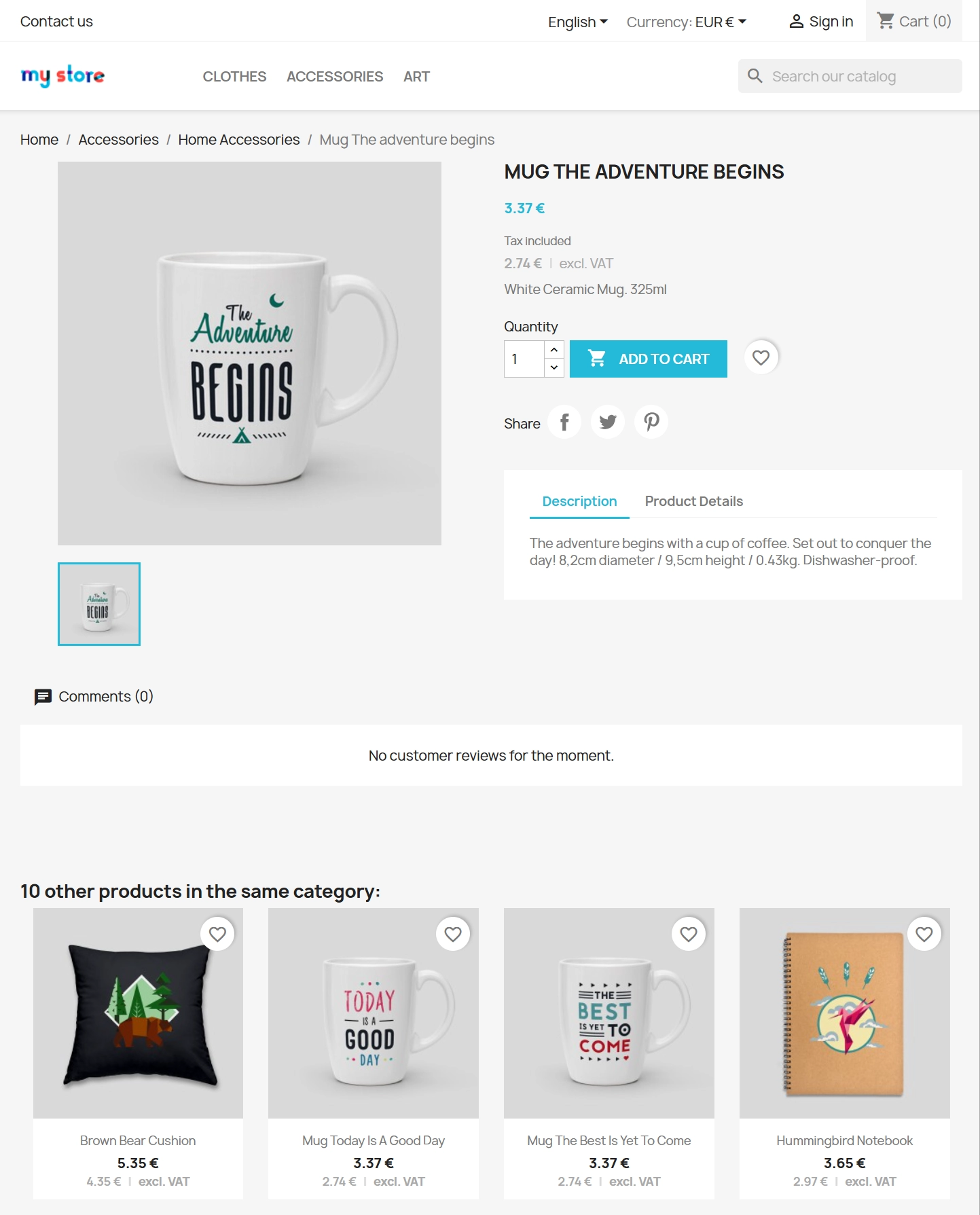
Dual Price Display (Net & Gross) does the heavy lifting for you: it automatically checks which price is currently active in your shop and instantly displays the other one. If a customer sees the gross price (inc. VAT), the module shows the net price (excl. VAT) – and vice versa. Everything happens automatically without manual switching or developer help, both on the product page and product listings.
Just a quick installation and a brief configuration are all it takes. It works straight out of the box on the standard Classic theme. On top of that, it offers full multi-language support – you can customise net and gross labels individually for every language.


Information Parameters:
- 1.2.0
-
Store Version PHP Version8.x 8.1 – 8.39.x 8.1 – 8.5
- 2026-06-24
- EN, FR, IT, DE, PL, ES
- ✅
- ✅
- ✅
- ✅
Key Benefits
- Fully Automated (Auto Mode) – the module detects the default catalogue price on its own and instantly displays the missing perspective (net or gross).
- Convenience for Customers – both amounts are clearly visible in one place. Buyers don't need to do mental maths or contact customer support.
- Zero Code Tweaking – forget about manual template editing. On the Classic theme, the module uses built-in PrestaShop hooks and works immediately upon installation.
- Complete Display Control – you decide exactly where to display the alternative price. Take advantage of separate toggles for the product page, category listings, and mini-listings (e.g. related products or accessories).
- Built for Multistore & International Sales – easily adjust price types, label names, and visibility independently for each language or shop in your network.
Use Cases
- B2B and Hybrid (B2B/B2C) Stores – the perfect solution to streamline shopping for businesses and retail clients simultaneously, regardless of their assigned customer group.
- Meeting Pricing Display Requirements Instantly – an excellent option for smaller shops looking to display taxes clearly without spending a fortune on custom development.
- Shops Running Standard Themes – the module relies on native PrestaShop price hooks, making integration an absolute breeze.
- Complex Multistore Setups – ideal when you want to set specific labels for domestic markets and entirely different ones for international or wholesale store views.
Features – Back Office
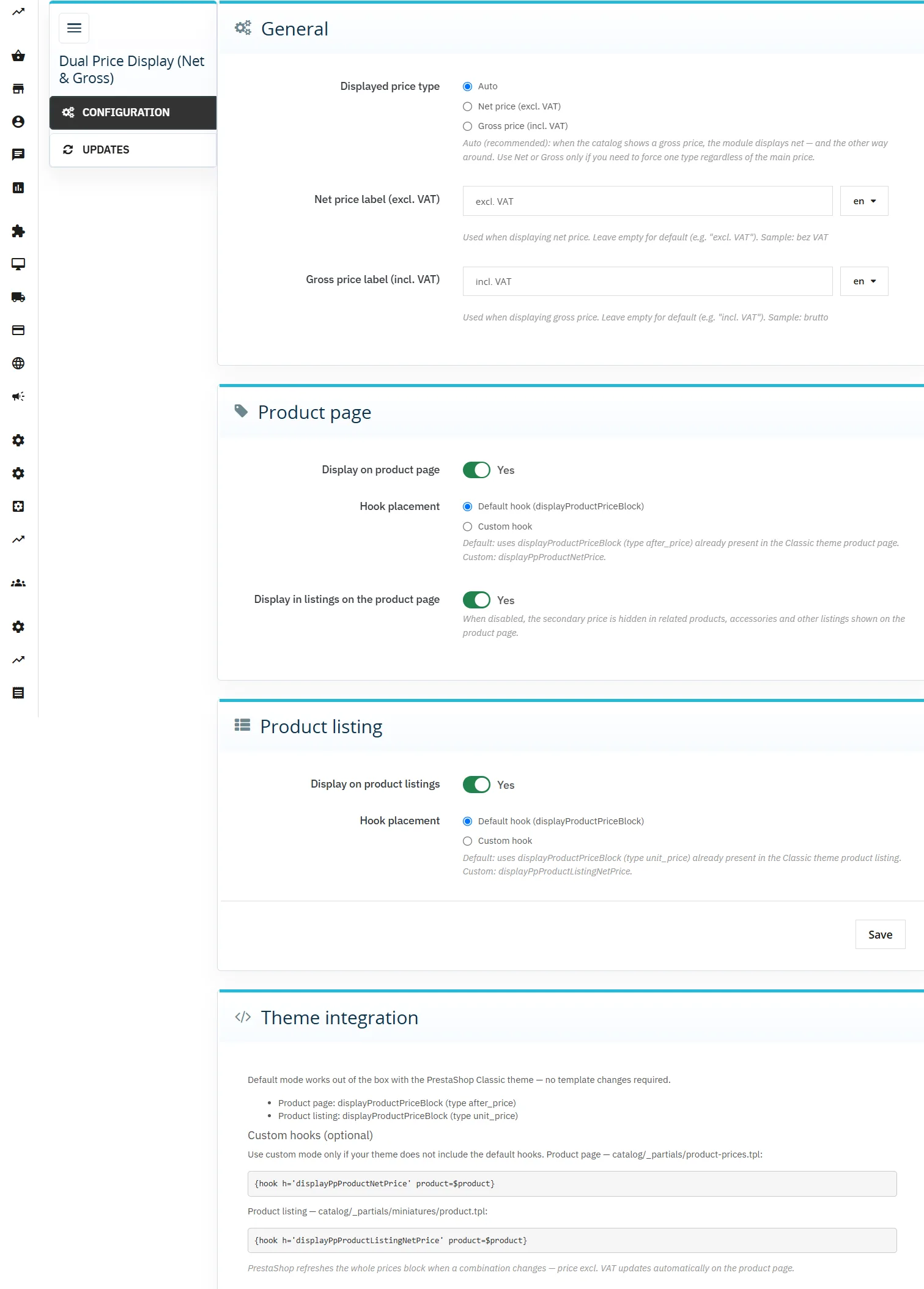
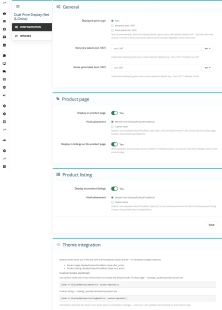
Display Mode Selection (Auto / Net / Gross)
The core configuration setting — set to Auto by default.
- Auto – smart matching: gross in the catalogue -> module shows net; net in the catalogue -> module shows gross.
- Force Net or Gross – lock in a specific price type; the module automatically hides the extra price if the main amount is already of the same type.
Net and Gross Labels
Total freedom when naming texts next to the amount (e.g. "excl. VAT", "inc. VAT").
- Multi-language – a separate, dedicated label for each language active in your shop.
- Default Translation – if left blank, the module will fall back on its built-in, ready-made text.
Product Page Management
Control the price display on individual product pages.
- Enable / Disable – a straightforward toggle for the entire product page.
- Hook Mode – default (for Classic) or dedicated (if your custom theme requires it).
- Additional Sections – independent price management within related products and accessories blocks.
Product Listing Display (Catalogue)
An alternative price on product thumbnails.
- Independent Operation – configure listings completely separately from the product page.
- Flexible Hooking – standard mode for Classic or a custom module hook.
- Automatic Cache Refresh – see changes on the front-end right after saving, without having to manually clear the entire shop cache.
Features – Front Office
Smart Price Matching
The module analyses the customer context and global shop settings on the fly.
- No Duplication – in Auto mode, it always displays the opposite type to the main catalogue price.
- Clean CSS Classes – the code includes
ppproductnetprice--netandppproductnetprice--grosstags, making it easy to style the look to match your design.
Dynamic Change on the Product Page
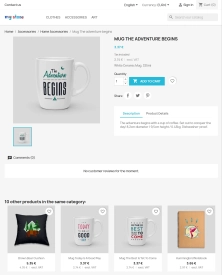
The supplementary amount and its label appear elegantly right below the main price.
- Combination Support – when a customer switches a combination (e.g. size or colour), the alternative price updates smoothly alongside the main price.
Prices on Listings
The second price appears in categories, search results, the homepage, and related products.
- Valid HTML – we took care of the technical SEO aspect; no duplicate
idattributes when multiple products are displayed on a single page.
Intelligent Hiding
The module knows when to step back and won't duplicate data if it's unnecessary.
- No Taxes Enabled – automatic hiding if tax management is disabled in the shop or if the product has the price display turned off (
show_price). - Forced Mode – hides the alternative price if it matches the main price type.
Impact on Sales and SEO
- Fewer Enquiries – providing both prices upfront takes the burden of tax calculation questions off your customer support team.
- Higher B2B Conversion Rates – businesses value transparency. Seeing the net price at first glance allows them to make buying decisions much faster.
- SEO Friendly – additional prices render directly within the HTML source as visible, high-value content for the user. Zero keyword stuffing, completely natural for Google bots.
Please Note!
We always recommend taking a full backup of your shop and database before any update. Please note that the module does not modify prices in the PrestaShop database – it is strictly used for the clear presentation of the alternative net or gross amount on the front-end. Tax management must be enabled in your shop for the module to function correctly. If you are using a custom theme (other than Classic), you might need to insert a single dedicated hook into your template files in some cases (full instructions can be found in the module documentation). Compatibility: PrestaShop 1.7.7 – 9.x.
## [1.0.0] - 2026-02-24

### Added

- Initial release of the module.
You might also like


FAQs
-
How does automatic display of the second price work?
In Auto mode, the module detects the catalogue price shown by default and displays the missing perspective: tax excluded or tax included. If the main price is displayed tax included, the additional information shows the tax-excluded amount, and vice versa.
-
Are the modules compatible with my version of PrestaShop?
Each module in our store contains information about compatibility with specific PrestaShop versions. Please check this information carefully before purchasing. If you are not sure, contact us.
-
Can I define my own labels for tax-included and tax-excluded prices?
Yes. The configuration lets you define the text displayed next to the additional amount, for example “incl. VAT” or “excl. tax”. Labels are configured separately for each language; leaving a field empty uses the module’s default text.
-
Where can the additional price be displayed?
You can independently control the visibility of the second price on the product page, product listings, and mini-listings such as related products or accessories. For the product page and listings, standard Classic hooks and dedicated module hooks are also available.
-
When is the additional price not displayed?
The module hides the additional amount when duplicating the same information is unnecessary. This includes cases where the forced price type matches the main price. The additional price is also not shown when taxes are disabled or product-price display is turned off.
-
Can price settings be separated by shop and language?
Yes. The product description confirms Multistore support and the ability to tailor the price type, labels, and visibility for individual shops and languages. This makes it possible to manage separate price presentations for different contexts within one PrestaShop installation.
16 other products in the same category:

Smart Image Optimiser — Lossless Quality and Perfect PrestaShop Product Images
Smart Image Optimizer is an advanced tool that effectively eliminates the problem of automatic, lossy recompression of graphics files by PrestaShop's engines (GD/Imagick)....

- New
Hreflang and X-Default Normalisation for PrestaShop
Hreflang Pro solves the issue of directing shoppers to the wrong language version of your store (for instance, when a local customer lands on a foreign-language page from...
Free Shipping Progress Bar for PrestaShop (Free Version)
Encourage customers to spend more by clearly showing how much is left until they unlock free shipping . This is the free, simplified edition of the module, focused on one...

GTM Lite – Free Google Tag Manager & GA4 e-Commerce Module for PrestaShop
100% FREE (LITE Version) GA4 e-Commerce Standard GTM Lite is a lightweight, free module connecting your PrestaShop store with Google Tag Manager. It automatically...

Banner Manager – Highlight promotions, new arrivals and important messages precisely when the customer is most engaged in shopping. Instead of hiding your message in page...
- New
Free Simple Omnibus Price Module – Omnibus Directive for PrestaShop
Simple Omnibus Price is a completely free PrestaShop module that automates displaying the lowest price from the 30 days prior to a price reduction. Protect your store...

WhatsApp, Telegram and Phone in one - Increase conversions with Quick Contact
A customer has a question? Don't let them wait for an email. The PP Quick Contact module is your sales hotline. Add an elegant, floating button to your store that, with one...
Automatic delivery cost on the product card
PP Shipping Estimate is an advanced module for PrestaShop that enables automatic calculation of delivery costs on the product page . The customer does not need to...

Custom HTML Descriptions and SEO Optimisation for PrestaShop Promo, Best Sellers and New...
The default PrestaShop configuration does not allow entering custom texts or graphics on key subpages that generate organic search traffic. The ppcorepagesseo module is a...
Ask about product / price (PRO)
Ask about product / price (PRO) is an advanced PrestaShop module that adds an enquiry form on the product page and directly on the product list (categories, homepage,...
PrestaShop FAQ module that boosts conversion | JSON-LD
ppfaq is a module that organises store communication: it publishes FAQ in a single, easy-to-read place and helps customers find answers faster without contacting...
- New
PrestaShop Omnibus Price Pro Module – Lowest Price in 30 Days (EU Omnibus Directive)
Omnibus Price Pro is an advanced PrestaShop module designed to automate the display of the lowest price prior to a discount (default 30 days). Ensure full compliance...
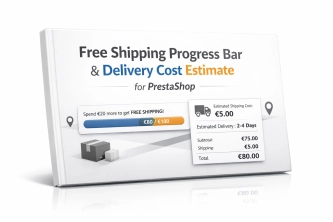
Free Shipping Progress Bar & Delivery Cost Estimate for PrestaShop
Encourage customers to spend more by showing them exactly how much is left until free shipping . The module also displays an estimated delivery cost on the product page ,...

- Discount
Price available only until: 11.10.2026
Product recommendation module for PrestaShop
A recommendations module for PrestaShop that displays tailored product suggestions in two key points of the buying journey: the product page and the cart. It reduces...
Content page system, an alternative to PrestaShop CMS Pages: categories, pages and FAQ with...
Frustrated by the limited capabilities of PrestaShop's native CMS? PP Page is a powerful alternative that transforms your shop into a fully-fledged publishing platform....
Products on CMS Pages for PrestaShop — Shortcode (Free)
PP CMS Products (Free) is a free PrestaShop module for displaying products on CMS pages. Insert a shortcode in your page content, e.g. [products:12] — the module...
Do you need additional features or custom solutions?
- Module customisation tailored to your specific requirements.
- Extending functionality to enhance your store's capabilities.
- Developing bespoke modules designed to meet your unique needs.
- Integrating external systems and additional tools.
- Optimisation and improvements for better performance and user experience.
Do you have ideas on how to improve this software? Share your suggestions for optimisation, new features, or bug reports – we’ll be happy to review them!