
SEO Scanner - fast SEO auditing for products, categories and CMS pages in PrestaShop

PP-M032F
SEO & Optimization
1.7.6.x + | 8.x | 9.x
EN, FR, IT, DE, PL
  • 1.0.0
  • 2026-03-31
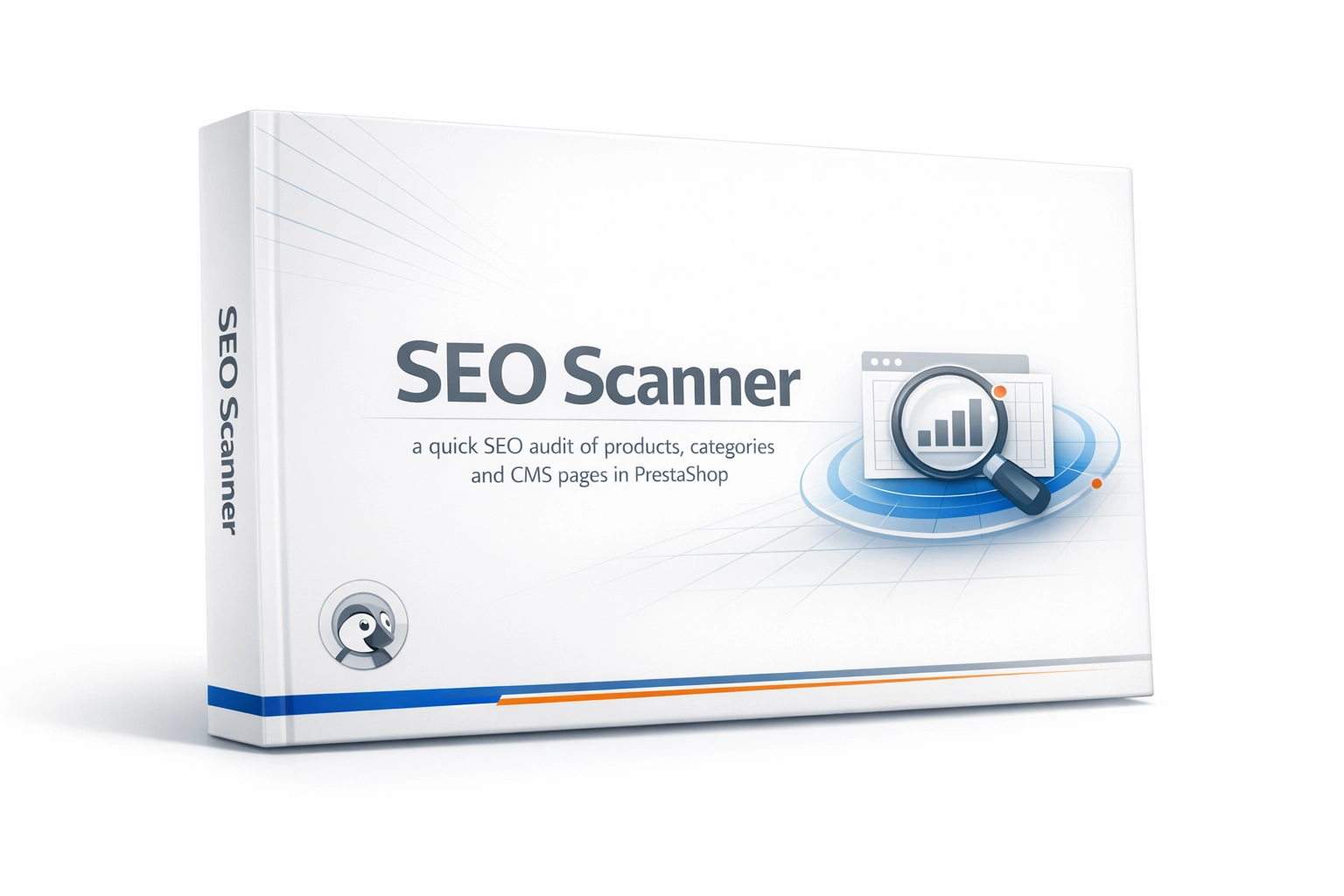
  • PP SEO Scanner is an efficient diagnostic tool for PrestaShop, designed to automate on-site SEO auditing. The module analyses products, categories and CMS pages for critical SEO issues and missing metadata.

    The solution does not modify data automatically; it works as a diagnostic scanner. It is a free Lite version, focused on the most important on-site checks: missing title and description tags, empty content fields, and ALT text issues. Results are categorised as Error / Warning and link directly to the object edit screen in the Back Office.

    0.00 € Tax excluded

    • Free module shared with the PrestaShop community
    • Possibility to report suggestions and bugs - corrections according to availability
    • No warranty or support as standard (no SLA)
    • Need modifications or support? ask about the service

    Information Parameters:

    • 1.0.0
    • 2026-03-31
    • 1.7.6.x + | 8.x | 9.x
    • EN, FR, IT, DE, PL

    Key features and benefits

    • Lite scope for key catalogue areas - one report covering Product, Category and CMS objects without introducing heavy automation layers.
    • Prioritisation (Severity) - results are split into Error (critical metadata gaps) and Warning (departures from SEO good practice), making SEO task triage faster and clearer.
    • Intelligent incremental scanning (Hash Diff) - the engine calculates a checksum (SHA-1) from object data. Only modified entities are rescanned and overwritten, which reduces database I/O during repeat scans of large catalogues.
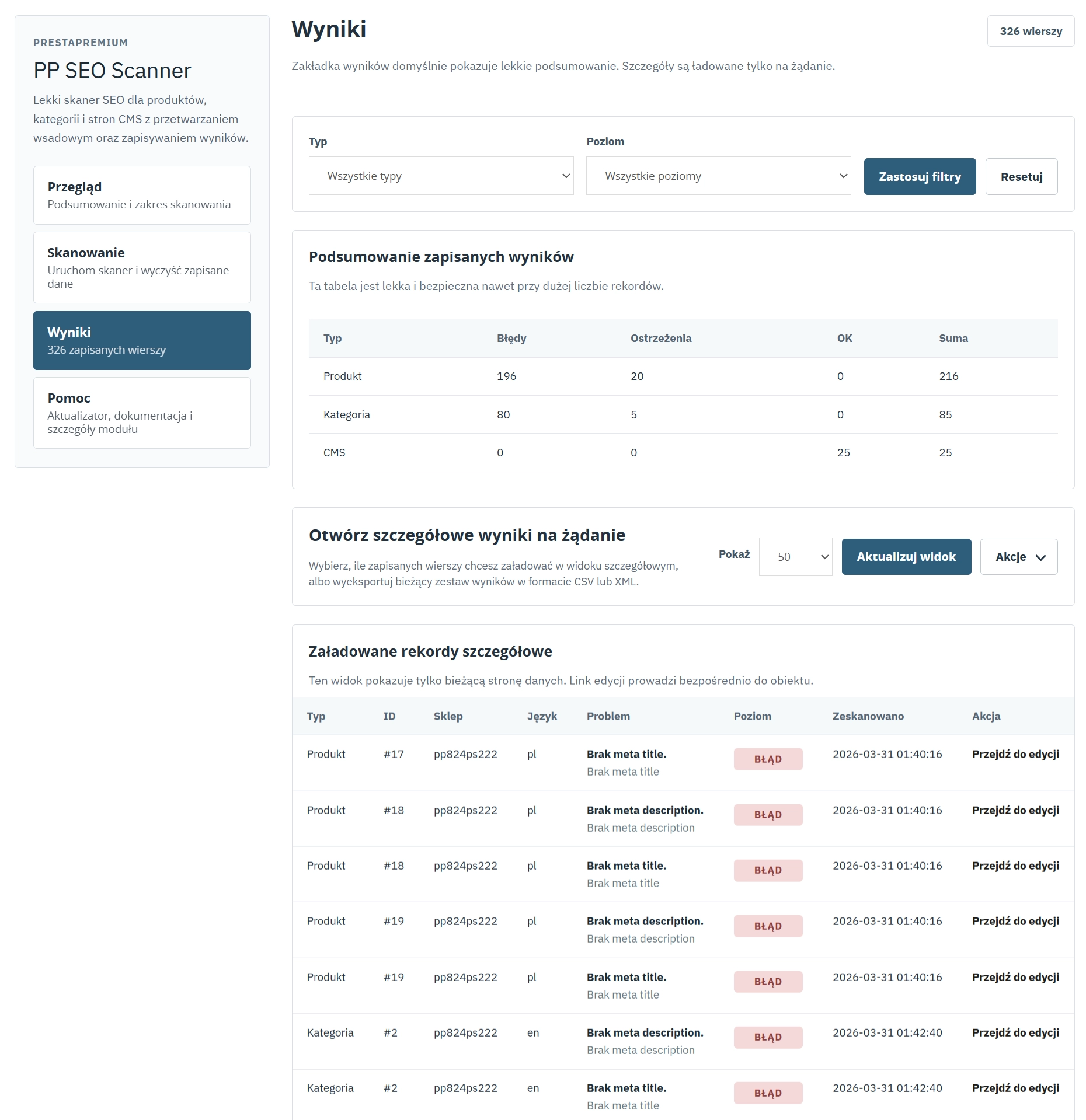
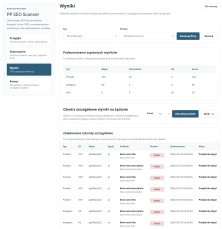
    • Direct corrective workflow - each issue record includes a generated link to the edit screen for the relevant object in the Back Office.
    • Native data export - results can be downloaded in CSV and XML formats, making them suitable as a task list for copywriters, shop administrators or external SEO partners.

    Use cases

    • Post-migration or post-import verification - automatic consistency checks for metadata after bulk product imports from PIM/ERP systems or migrations from another platform.
    • Regular SEO audits - generation of monthly XML reports for SEO agencies or in-house e-commerce teams.
    • Pre-campaign optimisation - validation of new landing pages and categories ahead of seasonal peaks such as Black Friday, clearance campaigns or renewed indexing by Googlebot.
    • Full Multistore and Multilanguage support - the database architecture uses shop_id and lang_id to isolate results for separate shops and language versions.

    Back Office functionality

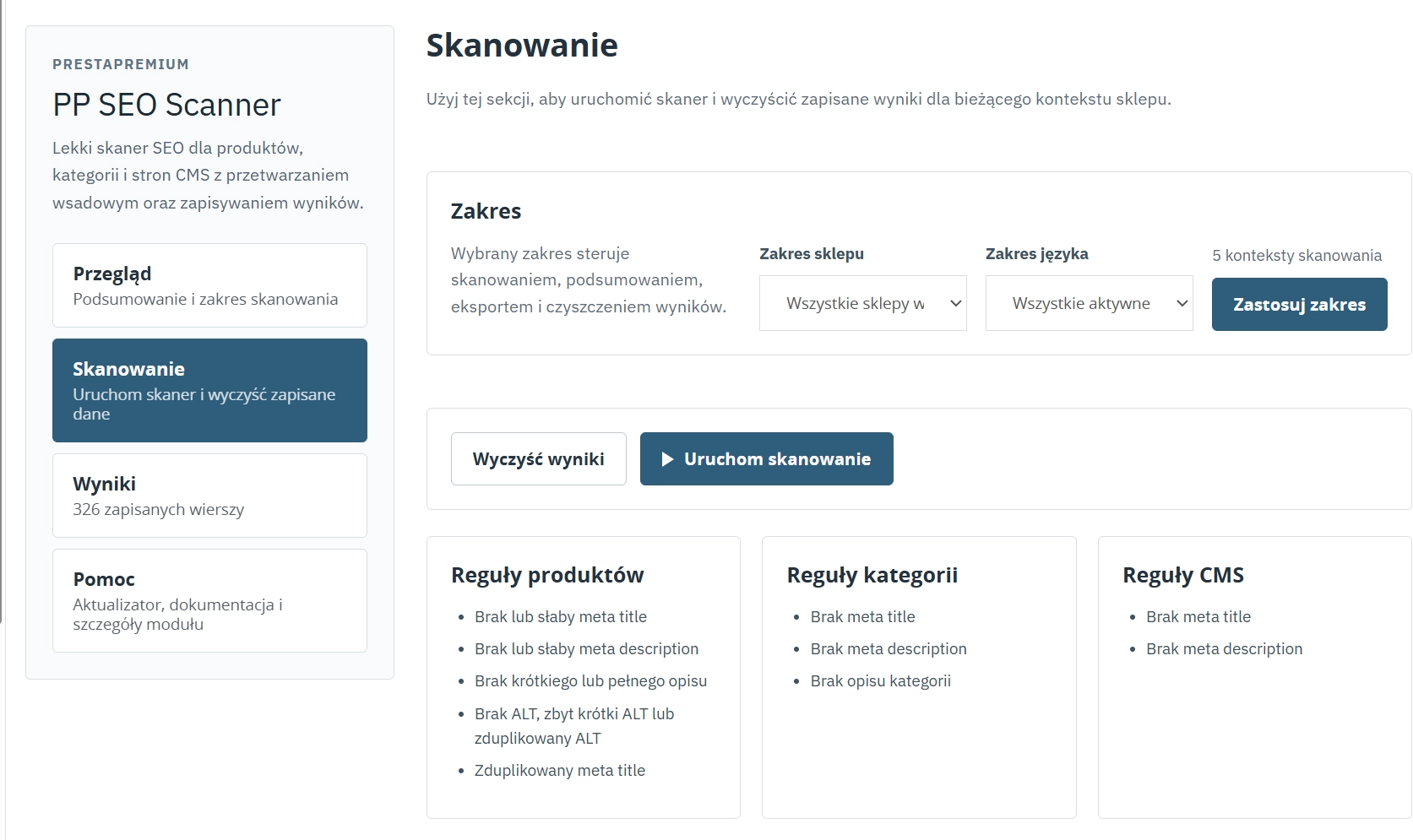
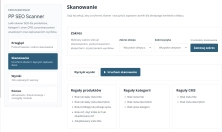
    On-demand scanning - full administrator control over when the analysis is started; no resource-heavy CRON jobs. Results are stored in a dedicated database table with a safe clear-results action.
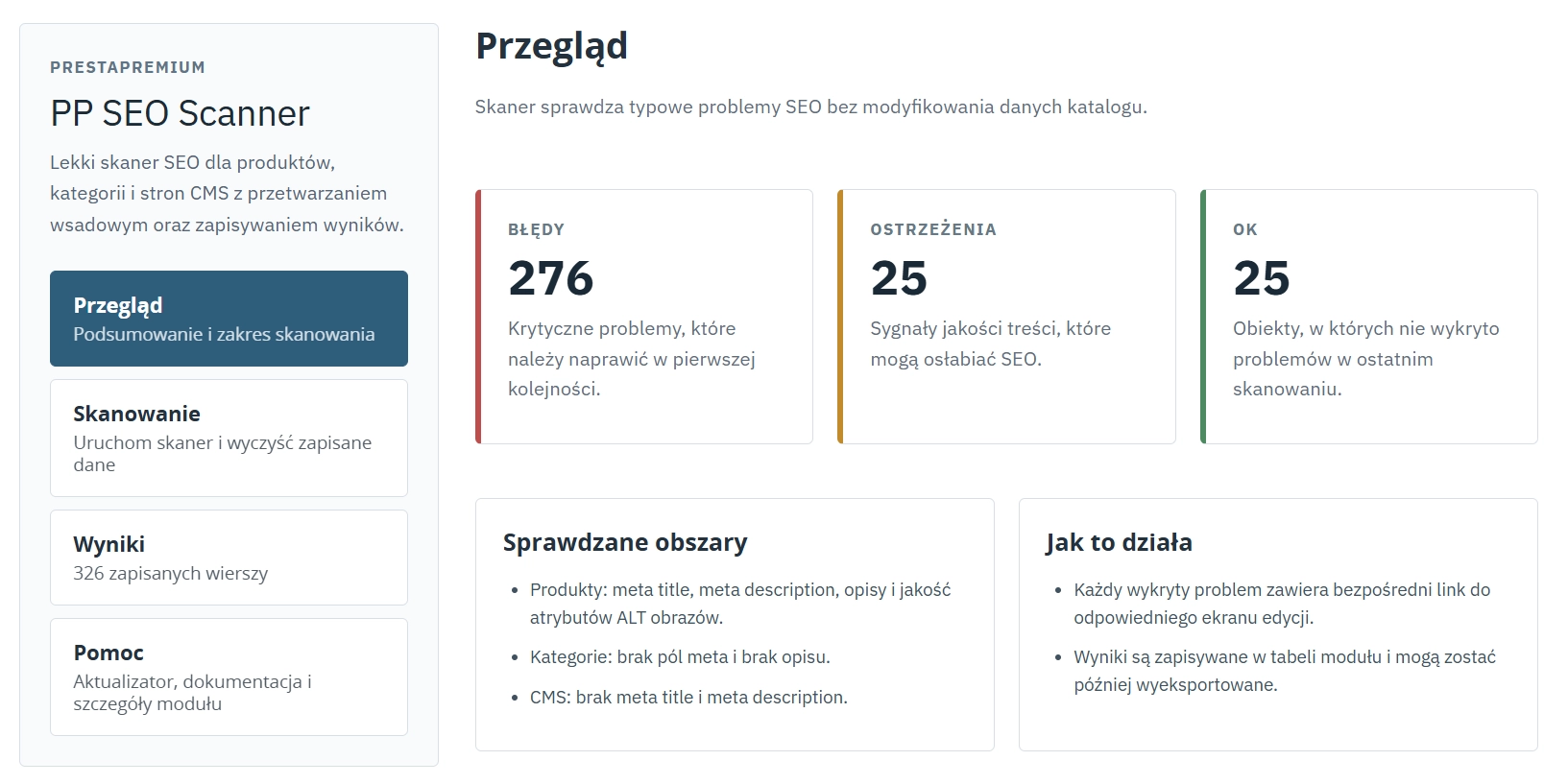
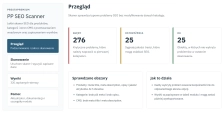
    Analytical dashboard - aggregated statistical views (issues versus compliant objects) allowing a quick assessment of the shop's overall SEO condition.
    Lite / Free model - a simplified, free functional scope focused on core SEO auditing and a fast corrective workflow inside the administration panel.
    Advanced filtering - an on-demand results table with filters by entity type (Products / Categories / CMS) and warning level.
    Analysis rules (Products) - validation of Meta title presence and length (30-60 characters), Meta description (70-160 characters), long and short descriptions, image ALT attributes, and duplicate meta title detection.
    Analysis rules (Categories and CMS) - strict verification of missing core meta tags and category description content.
    Built-in auto-updater - the PPUpdater component allows monitoring and installing new module versions directly from the PrestaShop panel.

    Architecture and performance (Zero Impact FO)

    PP SEO Scanner has been designed with performance in mind. It operates exclusively in the Back Office environment. It does not use front-end hooks, inject additional JavaScript into storefront pages, or generate SQL queries while customer-facing pages are rendered. The scanner has no impact on page loading time (TTFB) or Core Web Vitals metrics.

    Impact on SEO performance

    • Reduced risk of algorithmic penalties related to thin content through detection of missing descriptions.
    • Lower risk of keyword cannibalisation through detection of duplicate title tags.
    • Improved visibility in Google Images and better accessibility indicators (WCAG) through ALT attribute validation.
    • Improved organic CTR (Click-Through Rate) by enforcing more suitable snippet lengths in the SERPs.

    Important technical notes

    We recommend creating a database backup before the first installation.
    The module creates and manages its own table (ppseoscanner). Uninstalling the module permanently removes this table together with the collected audit data. The Clear results action in the panel also permanently removes the stored logs from the database.

    ## [1.0.0] - 2026-03-31
    
    ### Added
    
    - Initial release of the module.

    FAQs

    • 1. What payment methods do you accept?

      We accept payments by credit/debit card, bank transfer and online payment systems such as Przelewy24, PayPal. Details can be found on the payment page.

    • 2. Can I test the module before purchasing?

      We do not provide modules for testing on individual PrestaShop instances. If a given module has a demo version, it is available on our test store, where you can familiarize yourself with its functionality. On the product page you will also find a detailed description, screenshots and instructional materials. In case of questions, please contact us - we will be happy to provide additional information.

    • 3. Are the modules compatible with my version of PrestaShop?

      Each module in our store contains information about compatibility with specific PrestaShop versions. Please check this information carefully before purchasing. If you are not sure, contact us.

    • 4. How can I download a purchased module?

      After you pay for your order and the payment is posted, the link to download the module will appear in your account in the "Order History and Details" tab ("Details" button). Additionally, we will send you an email with a download link.

    • 5. Can I get help installing a module or template?

      Yes, we offer installation and setup service as an additional option. You can add it to your cart when purchasing the product or order it separately.

    • 6. Are the modules compliant with GDPR regulations?

      We design our modules with GDPR compliance in mind. If a module processes personal data, you will find detailed information on compliance with the regulations in its description. We make every effort to ensure that our solutions meet current data protection standards.

    • 7. Can I have my store audited before purchasing a module?

      Yes, we offer a store audit service to help you choose the right modules and identify areas for improvement. Contact us for more information.

    • 8. Can I get a discount as a regular customer?

      Yes, for our regular customers we offer a loyalty program with attractive discounts. Check the details in your customer panel. If you do not see such an option, contact us - we will be happy to help!

    • 9. What should I do if the product does not meet my expectations?

      If the product does not meet your expectations, please contact our customer service department. Any returns are considered individually, in accordance with our regulations.

    • 10. Can I modify a purchased module or template?

      Yes, you can modify purchased products for your own needs, but you cannot resell them or share them with third parties. Details can be found in the license terms and conditions.

    • 11. Can I use the purchased module in multiple stores?

      Purchased modules are licensed for a single store. The exception is the use of the multi-shop feature within a single PrestaShop installation. In this case, you can use the module on multiple stores, even with different domains, provided that:

      • all stores run on the same PrestaShop installation,
      • the module is compatible with the multi-shop feature.
    • 12. How can I check if a module will work with my other installed modules?

      Our modules are designed to be as compatible as possible with other popular PrestaShop extensions. If you have any doubts, contact us and send us a list of your modules - we will help verify it.

    • 13. Are the modules translated into different languages?

      Most of our modules are available in several languages, including Polish and English. Information about available languages ​​can be found in the module description.

    • 14. How long does it take to process an order?

      The order is fulfilled automatically after the payment is posted. The product can then be downloaded immediately after the order has been paid for.

    • 15. What to do if module installation ends with an error?

      Check if your PrestaShop version is compatible with the module and if you have the right permissions for installation. If the problem persists, contact our technical support - we will help you solve the problem.

    • 16. Can I order a module that is not available in your offer?

      Yes, we do custom module creation. Contact us for details and pricing.

    • 17. How can I extend technical support or access to updates?
      • Extension of support and updates:

        • If the option to extend support and updates is available, you can order it directly from our store.
        • Simply add the appropriate option to your cart and complete the purchase.
      • No available extension option:

        • If support and update extensions are not offered, purchasing the module again will be required.
    • 18. How long can I use the module after purchase?

      Purchased products are available for use without time limits. However, access to updates and technical support is usually limited to 6 or 12 months from the date of purchase, depending on the product. (details on updates/support are always included on the respective product card)

    • 19. Do you offer technical support for products?

      Yes, we provide technical support within the support period assigned to a given product. You can contact us via the contact form or e-mail.

    • 20. Can I update the module to a newer version?

      Yes, you can download new versions of the product for free during the support and update period. After that time, you can renew your update subscription.

    • 21. Can I ask you to adapt the module to my needs?

      Yes, we offer a module personalization service. Describe your needs and we will prepare an individual quote.

    • 22. What should I do if I have problems downloading the module?

      If you have trouble downloading the module, please make sure your payment has been processed. If you still have trouble, please contact us and we will manually provide you with the module.

    • 23. Do you offer help with store optimization after installing the modules?

      Yes, we can help you optimize your store so that your modules run at full efficiency. Ask about our technical support service.

    • 24. What does the module update process look like?

      If the module requires an update, you can download the latest version from your client panel. We recommend backing up your store before updating.

    • 25. Can I change the domain on which the module runs?

      Yes, if you want to transfer the module to another domain, please contact us to discuss the details and conditions of the license transfer.

    • 26. What should I do if my store stops working after installing the module?

      If your store encounters problems after installing the module, please contact our technical support immediately. We will help diagnose and resolve the issue.

    • 27. Can I ask for advice in choosing a module?

      Of course! Contact us and we will advise you which module best suits your needs.

    Do you need additional features or custom solutions?

    • Module customisation tailored to your specific requirements.
    • Extending functionality to enhance your store's capabilities.
    • Developing bespoke modules designed to meet your unique needs.
    • Integrating external systems and additional tools.
    • Optimisation and improvements for better performance and user experience.

    Do you have ideas on how to improve this software? Share your suggestions for optimisation, new features, or bug reports – we’ll be happy to review them!