Free PrestaShop Video Module (YouTube & Vimeo)
- 1.7.5 + | 8.x | 9.x
- PL, EN
- 1.2.3
- 2026-08-09
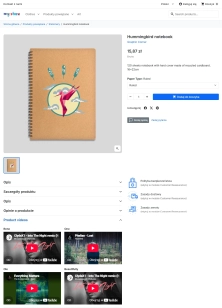
Product Video Lite is a free and exceptionally lightweight module that allows you to assign an unlimited number of YouTube and Vimeo videos to your products. Instantly enrich your product page with video presentations, instructions, or reviews, without slowing down your shop or modifying the code.
Designed for shops that value maximum performance and want to manage media conveniently directly from the PrestaShop Back Office – with full support for Multistore, multiple languages, and a choice of display locations.

- New
Information Parameters:
- 1.2.3
-
Store Version PHP Version1.7.5 + 7.1 – 7.48.x 8.1 – 8.39.x 8.1 – 8.5
- 2026-08-09
- PL, EN
- ✅
- ✅
- ✅
- ✅
Key Benefits
- 100% free and lightweight – full functionality with no hidden fees in an optimised Lite version that doesn't aggressively interfere with your shop's code.
- No video limits – assign dozens of videos to a single product. You are only limited by your imagination.
- Maximum performance (SEO-friendly) – the module uses clean
iframeelements. It does not load heavy JavaScript from video providers, helping you maintain high Google PageSpeed scores (Core Web Vitals). - Built-in multilingual support – a different video for domestic customers, a different one for international ones. Full control over URLs and titles.
- Display freedom – place videos where they convert best: in a dedicated tab, below the description, or near the add-to-basket button.
Why Add Video?
Video is currently the most effective sales format. The module is perfect for the electronics, home furnishing, fashion, and beauty sectors, as well as B2B offerings. Use it to show assembly instructions, feature demonstrations, unboxing, or manufacturer footage. Video on the product page builds trust, drastically reduces returns and customer service enquiries, and increases Dwell Time, which is a strong ranking signal for Google.
Features – Back Office
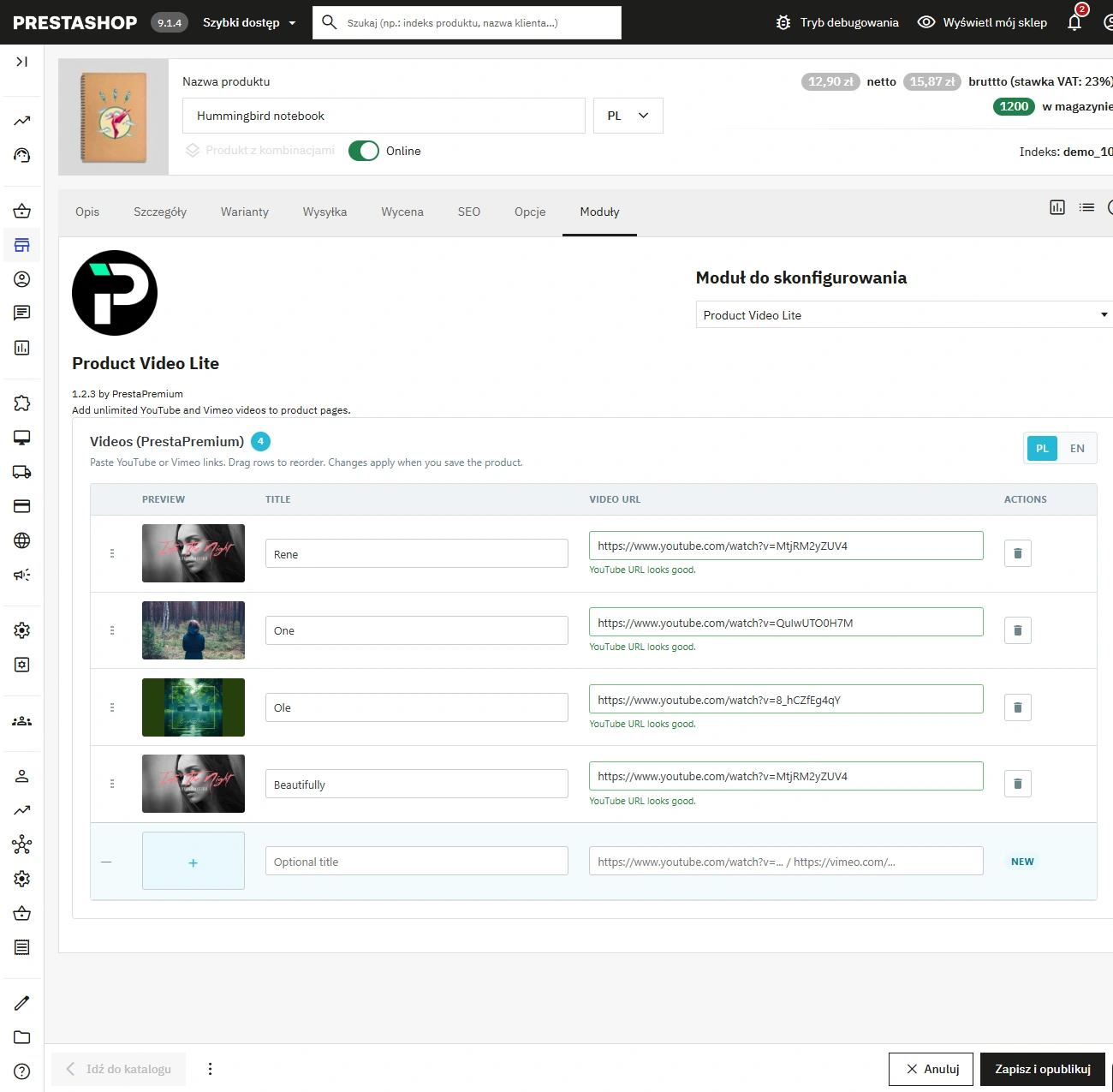
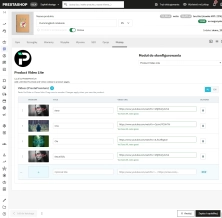
Native panel in product settings
Manage videos conveniently from a dedicated section within the standard product form.
- Single save button – video changes are saved automatically using the standard product save button.
Drag & Drop ordering
Set the display hierarchy of your videos with a simple drag of the mouse.
- Full control – what you see in the admin panel accurately reflects the order on the product page.
Advanced language support
Switch languages and tailor your communication to the market with separate URLs and optional titles.
- Smart copying – fill in blank fields for other languages with a single click, without overwriting existing translations.
URL validation
The system instantly recognises and verifies YouTube and Vimeo links during data entry.
- Front-end protection – an incorrect or unsupported URL simply will not be saved, protecting your shop's layout.
Flexible configuration
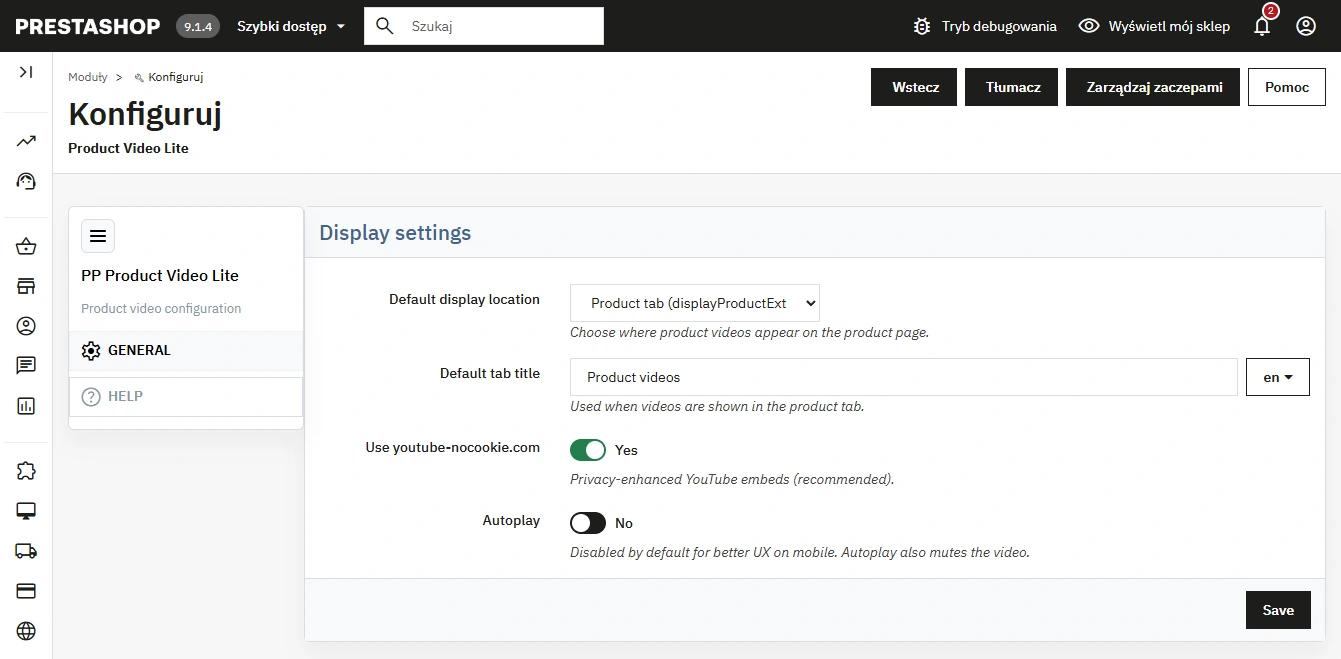
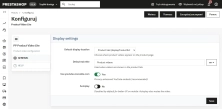
Global settings determine the default display location and player behaviour.
- Privacy mode and Autoplay – supports the privacy-friendly
youtube-nocookie.comand optional muted autoplay.
Features – Front Office
Theme integration
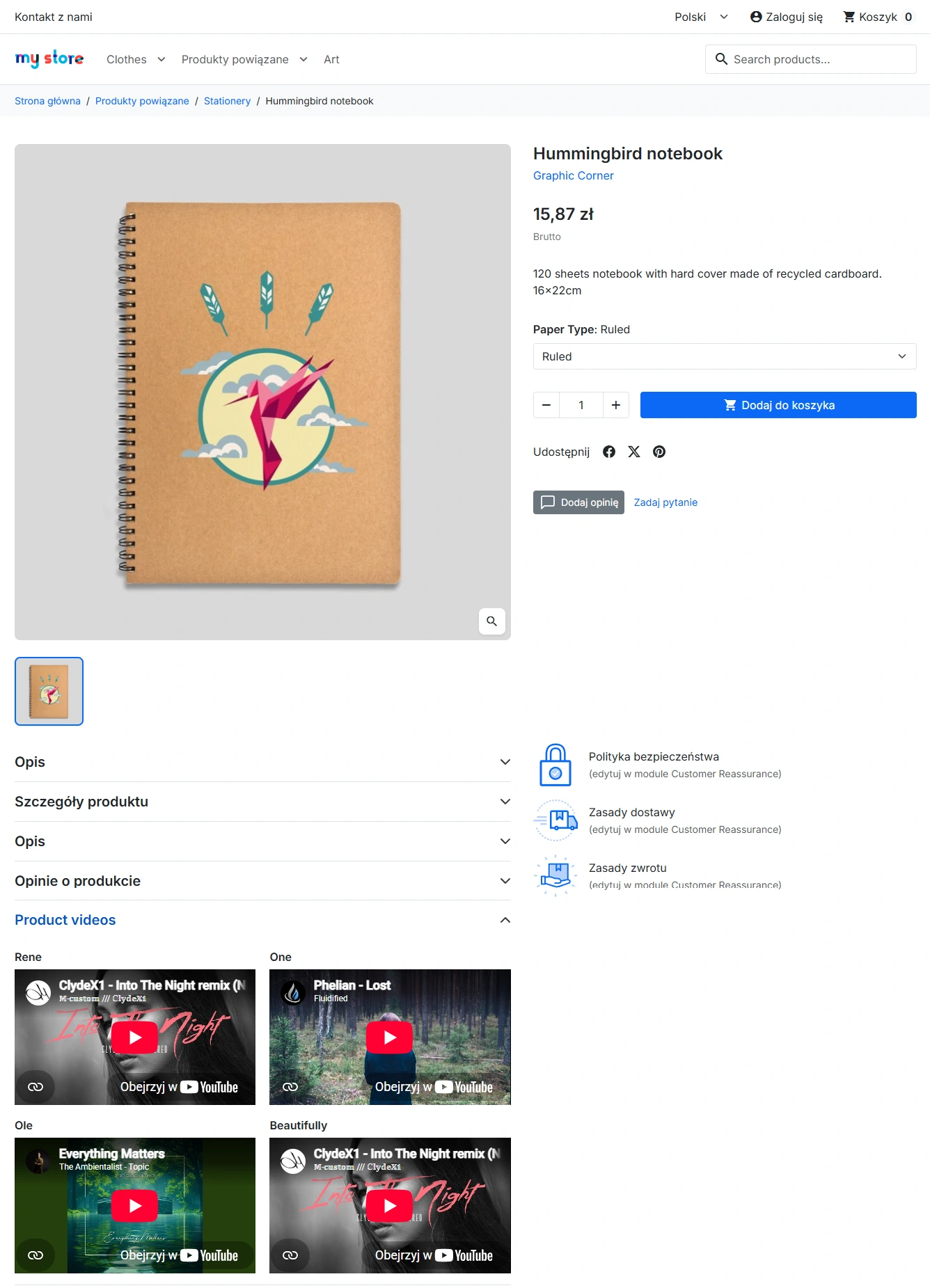
Videos blend seamlessly into your shop's design, displaying in the specified hook (tab, below description, reassurance).
- Standards compliance – exact placement and appearance depend on your active theme's support for the chosen hook.
Responsiveness and Lazy Loading
Video containers always maintain a cinematic 16:9 aspect ratio. On desktop, videos form an aesthetic grid, while on mobile devices they stack in a clear column.
- Lightning-fast loading – thanks to the
loading="lazy"attribute, embedded iframes only fetch data when the customer scrolls down to them.
Safe language fallback
If a video URL is missing for the customer's current language, the module automatically uses the link from the default language.
- No empty spaces – your product won't lose valuable promotional material simply due to missing translations.
Impact on Sales and Optimisation (SEO)
The solution is designed with technical SEO in mind. Forgoing external JavaScript in favour of clean iframes with the lazy attribute means that videos do not block page rendering and do not negatively affect your shop's speed metrics. The module makes it easier to evaluate features that a photo cannot capture, reducing pre-purchase hesitation. It does not generate structural data itself, leaving full control over video SEO to the YouTube and Vimeo platforms.
Important Technical Information
We recommend backing up your database before installing and uninstalling the module. Uninstalling the module permanently removes its settings, as well as the links between videos, products, and language data. Before publishing, ensure that your active theme supports your chosen display hook.
## [1.2.3] - 2026-08-09

### Improved
- Product video panel UX and language handling
- More reliable saving of multilingual video data

### Fixed
- Admin assets loading on the product form
- Video cleanup when a product is deleted
- Storefront fallback when a language has no video URL

## [1.2.0] - 2026-07-12

### Improved
- Product form layout and interaction polish
- Configuration screen refinements

## [1.1.0] - 2026-05-03

### Added
- Extra display options and privacy-related settings

### Improved
- YouTube / Vimeo URL recognition

## [1.0.0] - 2026-02-17

### Added
- Initial release of the module
You might also like
FAQs
-
Which video platforms can be used?
The module supports content from YouTube and Vimeo. When data is entered, it recognises and validates URLs from these services. Invalid or unsupported addresses are not saved, protecting the page layout from incorrect embeds.
-
Are the modules compatible with my version of PrestaShop?
Each module in our store contains information about compatibility with specific PrestaShop versions. Please check this information carefully before purchasing. If you are not sure, contact us.
-
Can videos have separate content for each language?
You can set a separate video URL and optional title for each language. If a video URL is missing for the current language, the module uses the link from the default language to avoid an empty space on the product page.
-
Where can video be displayed on the product page?
Global configuration lets you define the default placement for video content. Videos can appear in a dedicated tab, below the description or near the add-to-cart button, depending on whether the selected hook is supported by the theme.
-
How does the module reduce the impact of embedded videos on page loading?
Content is embedded in clean iframe frames without loading additional JavaScript from video providers. The iframes use the loading=lazy attribute, so data is fetched only when the visitor scrolls to the relevant material.
-
How are videos displayed on mobile devices?
Video containers retain a 16:9 aspect ratio. On larger screens, videos can form a grid, while on mobile devices they are arranged in a clear column. The presentation adapts to the available screen space.
16 other products in the same category:
Products on CMS Pages for PrestaShop — Shortcode (Free)
PP CMS Products (Free) is a free PrestaShop module for displaying products on CMS pages. Insert a shortcode in your page content, e.g. [products:12] — the module...
GPSR — Compliance Module for PrestaShop
GPSR Module for PrestaShop enables quick and compliant management of information required by the GPSR regulation. Automate obligations and increase your shop's security.
Remove ID from URLs (CMS, Brands) PrestaShop [Free]
The free Clean URLs Lite module modifies native PrestaShop routing by removing numeric identifiers (IDs) from CMS page, CMS category, and brand (manufacturer) URLs. It...
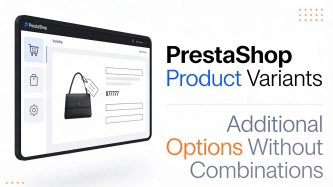
Additional Product Fields and Options – Attributes without Combinations (Custom Fields)
This module enables the creation of additional product options without using native PrestaShop combinations. Each option can have a price impact (positive or negative) but...
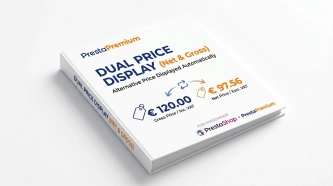
Dual Price Display (Net & Gross) — Alternative Price Displayed Automatically
Dual Price Display (Net & Gross) does the heavy lifting for you: it automatically checks which price is currently active in your shop and instantly displays the other...
Custom CSS & JS – Free code editor in the PrestaShop panel
PP Custom CSS & JS is a free and highly practical module for every PrestaShop administrator. It allows you to instantly add your own CSS styles and JavaScript scripts...
Clean URLs Pro – remove IDs from PrestaShop URLs
Clean URLs Pro removes numerical IDs from product, category, CMS category, CMS page, brand, and supplier URLs — without core modifications and with zero overrides. Simply...
Information and Announcement Bar for PrestaShop (Free Edition)
PP Top Bar is a lightweight and intuitive module that lets you add an eye-catching information bar to the top of your shop in just a few seconds. Inform your customers...
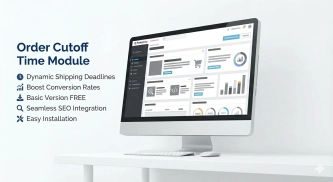
Order Cutoff Time Module – Dynamic Shipping Time (Basic Version)
Optimise logistical communication in your shop with a lightweight Entry-Level solution. The Order Cutoff Time module for PrestaShop (1.7–8.x–9.x) is a tool that automates...

- New
Shipping Costs and Delivery Time on Product Page (Popup)
A free PrestaShop module that adds a convenient shipping information button directly to the product page . When clicked, customers instantly view a popup with rates and...
- Discount
Price available only until: 11.10.2026
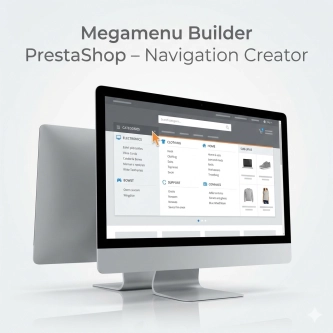
Megamenu Builder PrestaShop – Navigation Creator (Atomic Cache Technology)
Change the way customers navigate your store. PP Megamenu is an advanced navigation builder that combines Premium design with uncompromising performance. Thanks to our...
Banner Manager – Highlight promotions, new arrivals and important messages precisely when the customer is most engaged in shopping. Instead of hiding your message in page...

Custom HTML Descriptions and SEO Optimisation for PrestaShop Promo, Best Sellers and New...
The default PrestaShop configuration does not allow entering custom texts or graphics on key subpages that generate organic search traffic. The ppcorepagesseo module is a...
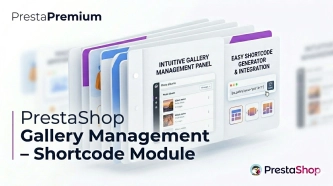
PrestaShop Gallery Management – Shortcode Module
Looking for a better way to showcase images in your store? Advanced Image Gallery for PrestaShop is a purpose-built module that lets merchants create, edit, and embed...
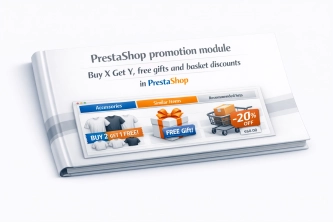
PrestaShop Promotion Module: Free Gifts, Quantity Discounts, Buy X Get Y and Category Offers
The PP Promo module for PrestaShop makes it easy to create and automate popular sales campaigns, from "Buy 2, Pay for 1" offers and free gifts to discounts on selected...
Product Availability Labels for Products and Combinations in PrestaShop
A PrestaShop module for advanced management of product and combination availability labels . It supports multiple rule levels (global, product, combination), allows message...
Do you need additional features or custom solutions?
- Module customisation tailored to your specific requirements.
- Extending functionality to enhance your store's capabilities.
- Developing bespoke modules designed to meet your unique needs.
- Integrating external systems and additional tools.
- Optimisation and improvements for better performance and user experience.
Do you have ideas on how to improve this software? Share your suggestions for optimisation, new features, or bug reports – we’ll be happy to review them!