Banner Manager – Highlight promotions, new arrivals and important messages precisely when the customer is most engaged in shopping. Instead of hiding your message in page...
PrestaShop Promotion Module: Free Gifts, Quantity Discounts, Buy X Get Y and Category Offers
The PP Promo module for PrestaShop makes it easy to create and automate popular sales campaigns, from "Buy 2, Pay for 1" offers and free gifts to discounts on selected categories.
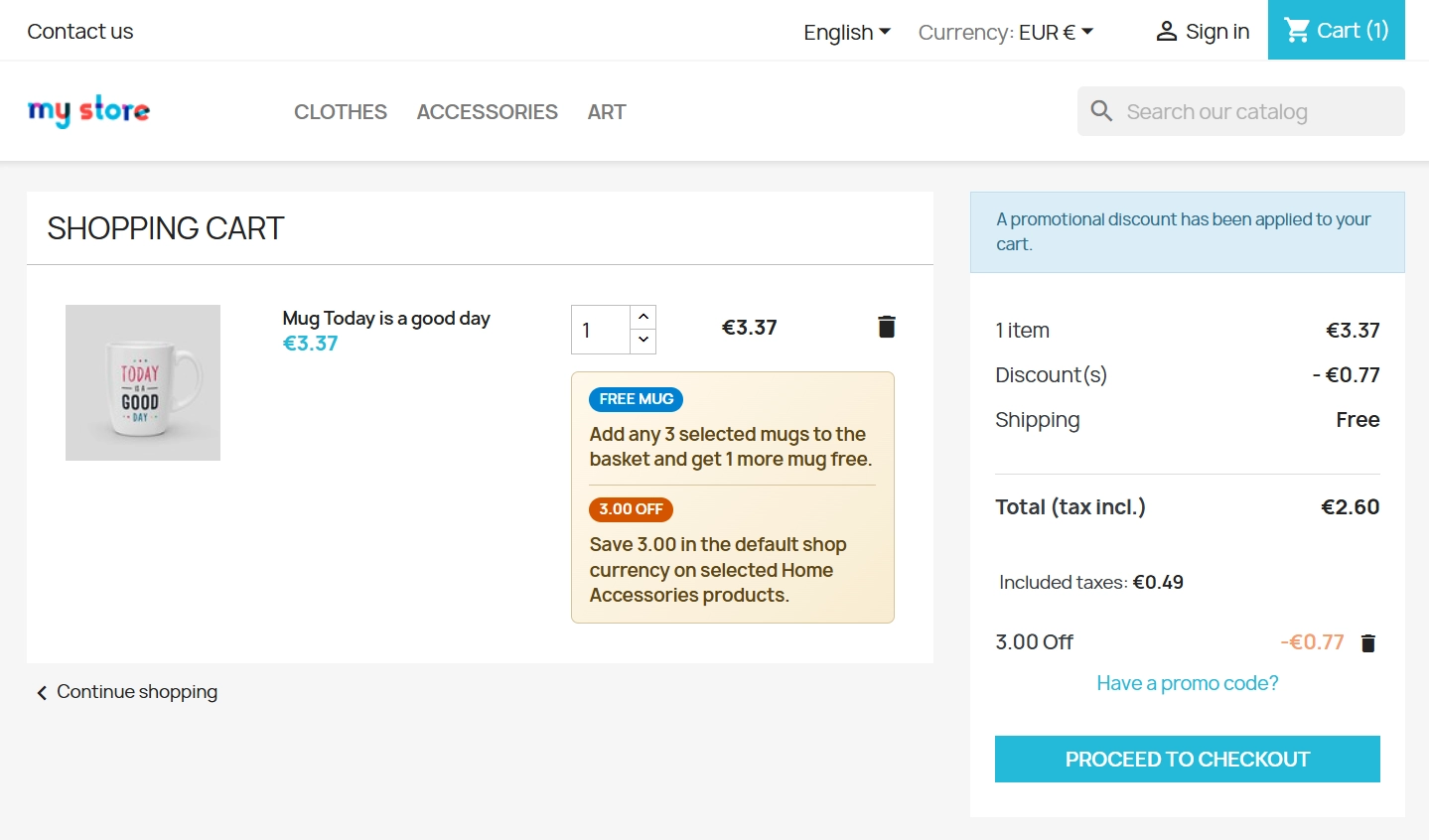
The module delivers rich yet clear customer messaging, so promotions remain easy to understand at every stage of the buying journey: on product listings, product pages, in the basket and in the order summary.
It is a practical solution for shops that want to increase average order value (AOV) while keeping control over margins and maintaining consistent promotional communication.
- New
Information Parameters:
- 1.0.7
- 2026-04-09
- 1.7.6.x + | 8.x | 9.x
- EN, FR, IT, DE, PL
- ✅
- ✅
- ✅
- demo.admin.shop
- demo.front.shop
Why choose PP Promo? (Key benefits)
- Time savings and fewer mistakes - manage all major promotion types from one intuitive panel without manually creating dozens of basket rules. The module handles that work for you.
- Higher conversion through better visibility - the offer reaches customers exactly where they make buying decisions. Promotions stay clearly visible on product listings, product pages and in the basket itself.
- Protection for your margins - precise targeting lets you run promotions only for selected products, chosen categories or specific variants, such as a clearance offer for one size only.
- No changes to core files - safe implementation without overriding the PrestaShop core, which makes future shop updates easier to manage.
How it supports your business
PP Promo is a strong merchandising tool for shops in fashion, beauty, electronics or FMCG. Use it when you want to:
- Move slow stock by adding it as a free gift to best-selling products.
- Increase sales volume by offering a discount when customers buy more units.
- Support cross-selling with discounts for complementary categories.
The module is valuable both for B2C shops competing for customer attention and for B2B platforms operating with strict discount rules.
Features - Back Office (Management)
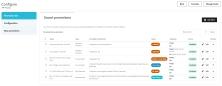
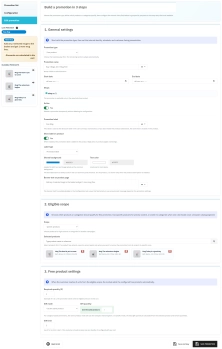
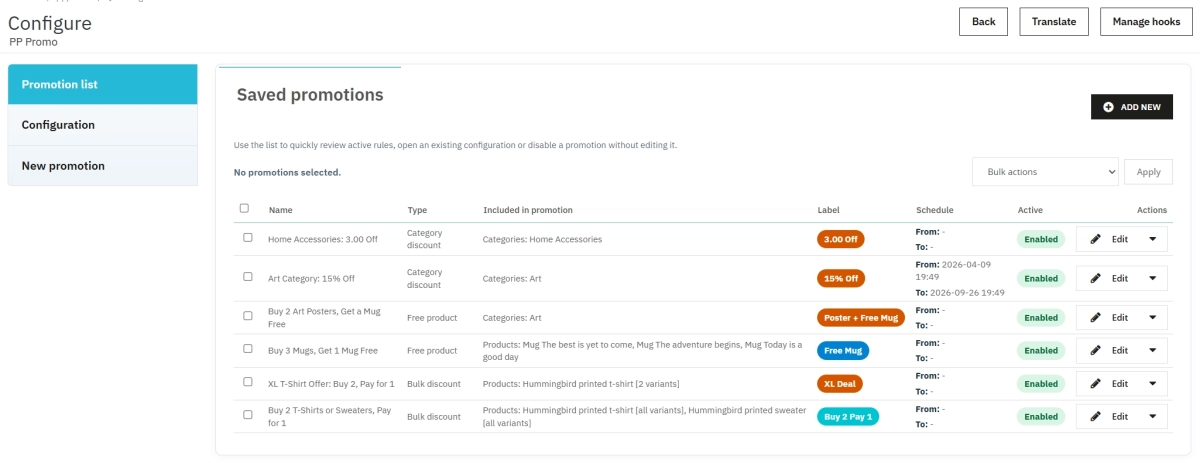
All promotions in one place
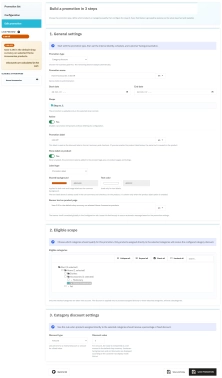
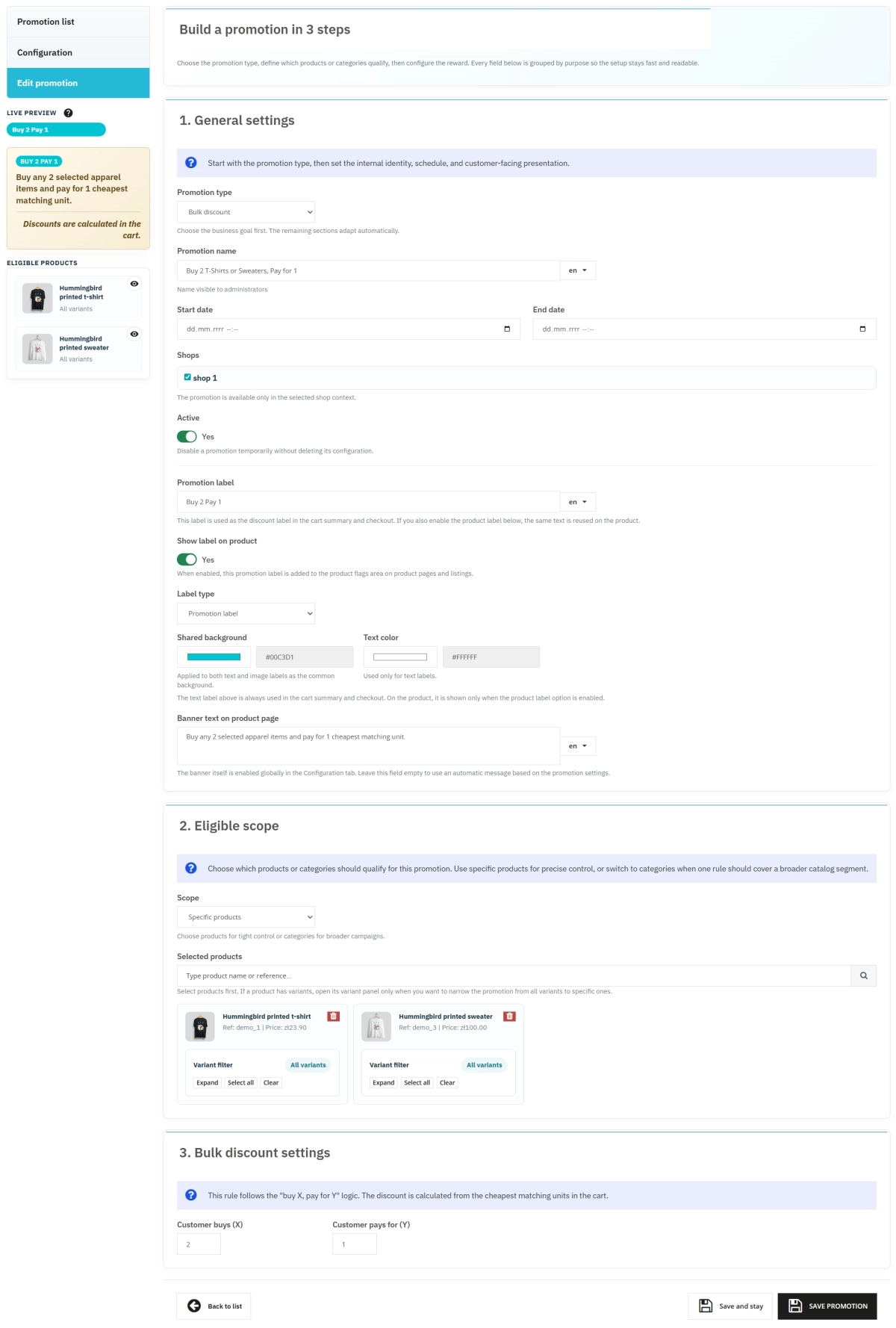
Instead of jumping between tabs, you configure everything in one convenient form.
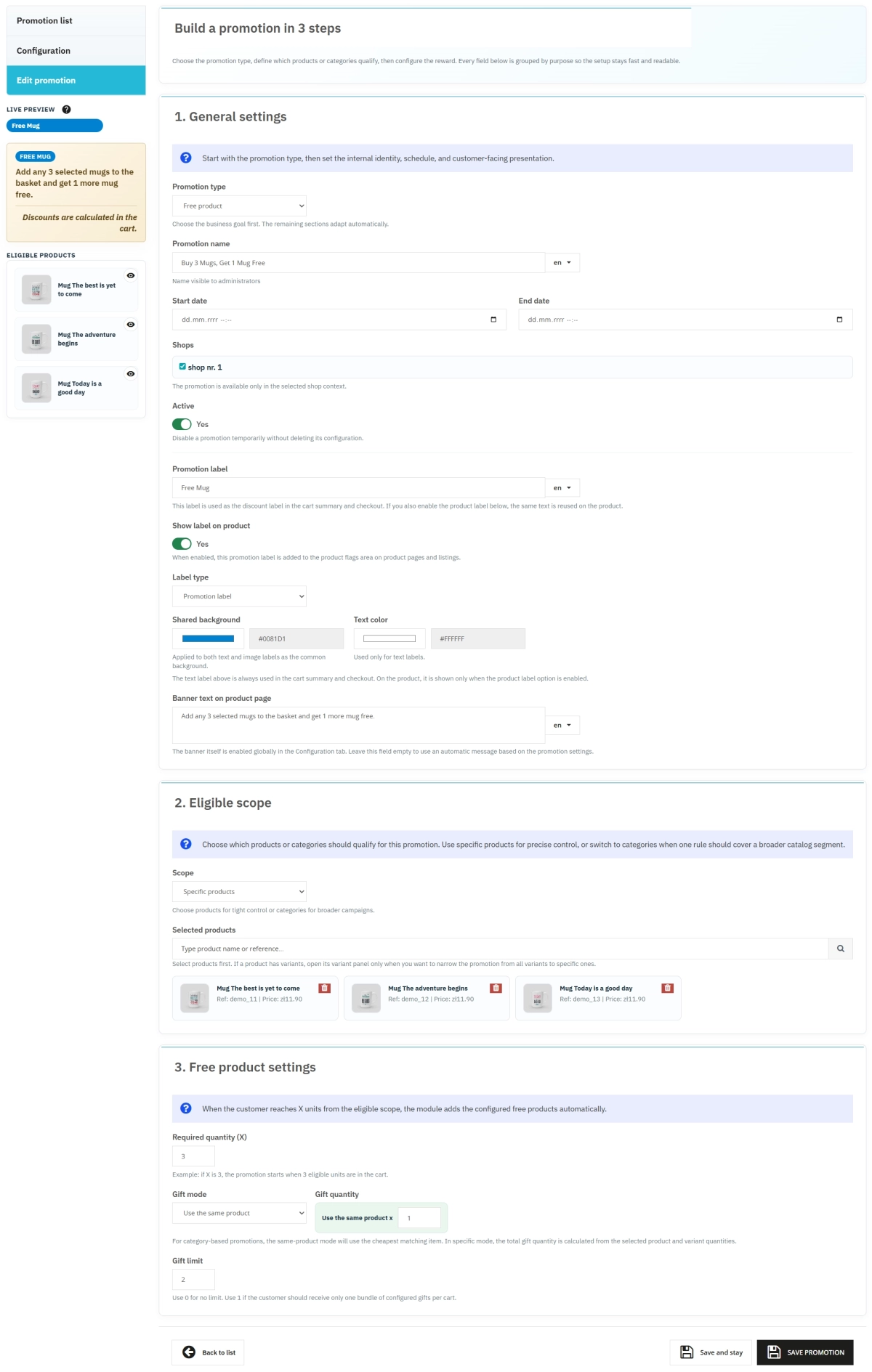
- Free product: classic "Buy X, Get Y Free" promotions.
- Bulk discount: quantity discounts that encourage larger orders.
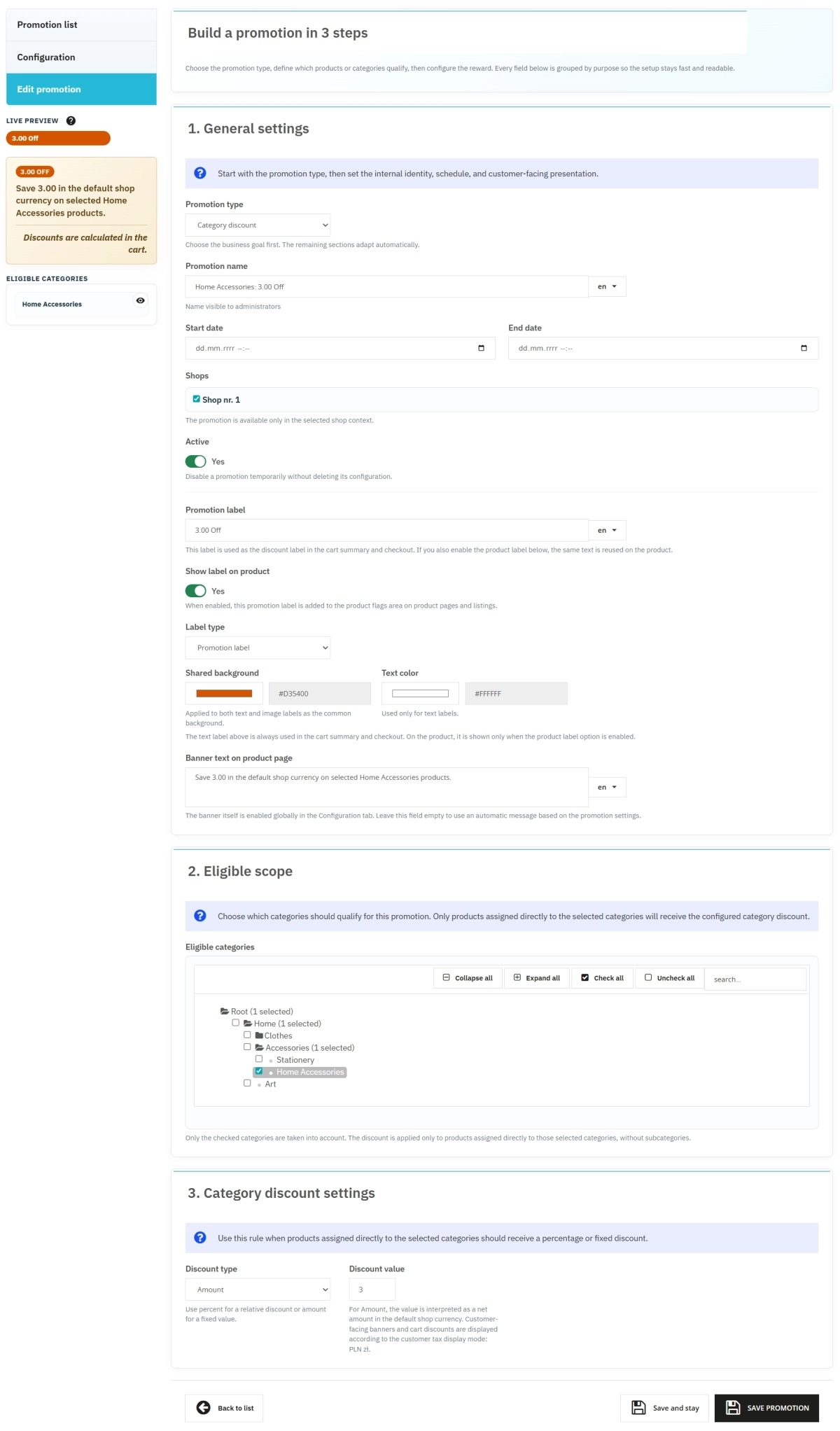
- Category discount: percentage or amount discounts for whole catalogue sections, with clear customer-facing communication.
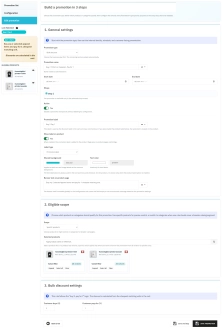
Precise offer targeting
Do not give discounts away where you do not need to. Narrow the campaign to exactly the assortment that matters most to you.
- Specific products: target individual SKUs.
- Product categories: apply promotions to entire category trees.
- Variant filter: limit discounts to selected attribute combinations only.
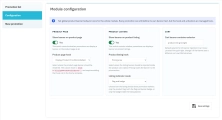
Full control over presentation and timing
Manage campaigns professionally without relying on a designer or developer every time.
- Labels and banners: choose text or image formats, write your own messages or use automatic communication.
- Schedule: set start and end dates so the promotion switches on and off automatically.
- Multistore: assign promotions to selected shops in your multistore environment.
Features - Front Office (Customer Experience)
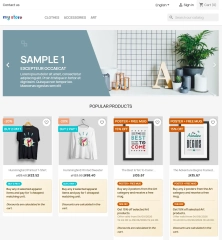
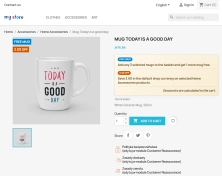
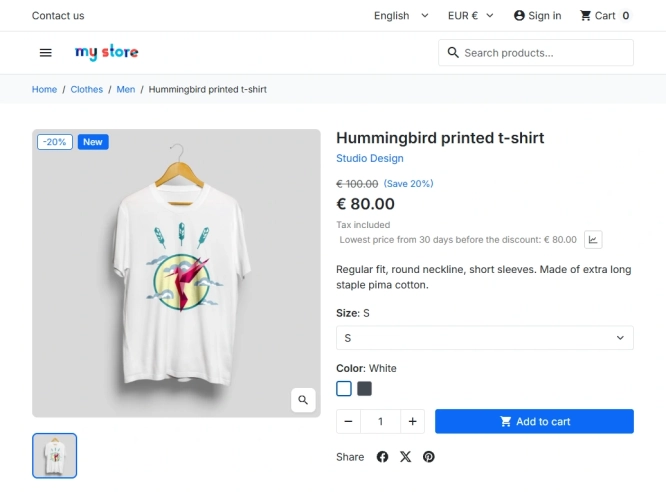
Eye-catching flags and banners on the product
Customers need to notice the promotion immediately. The module makes sure the message stands out.
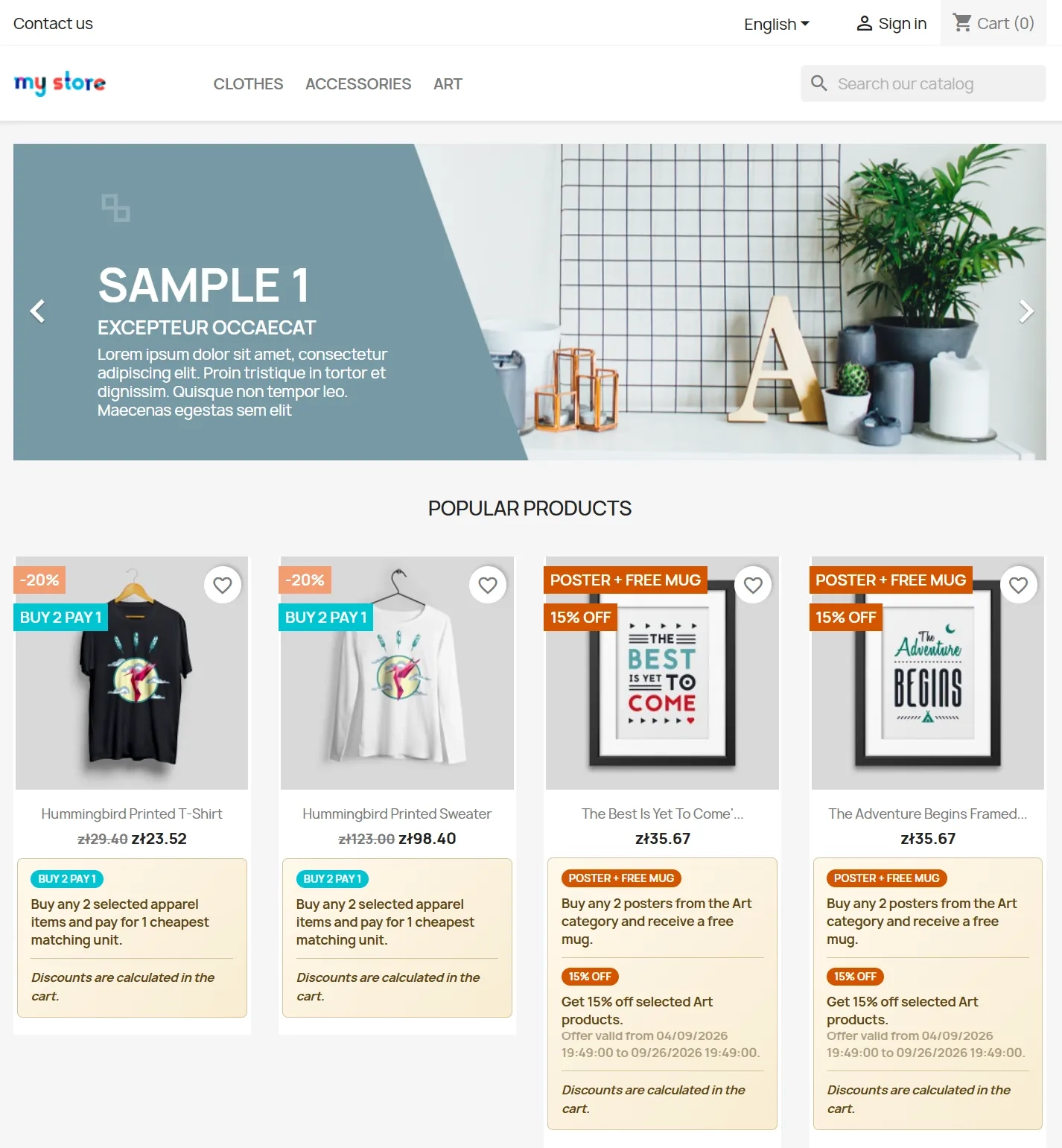
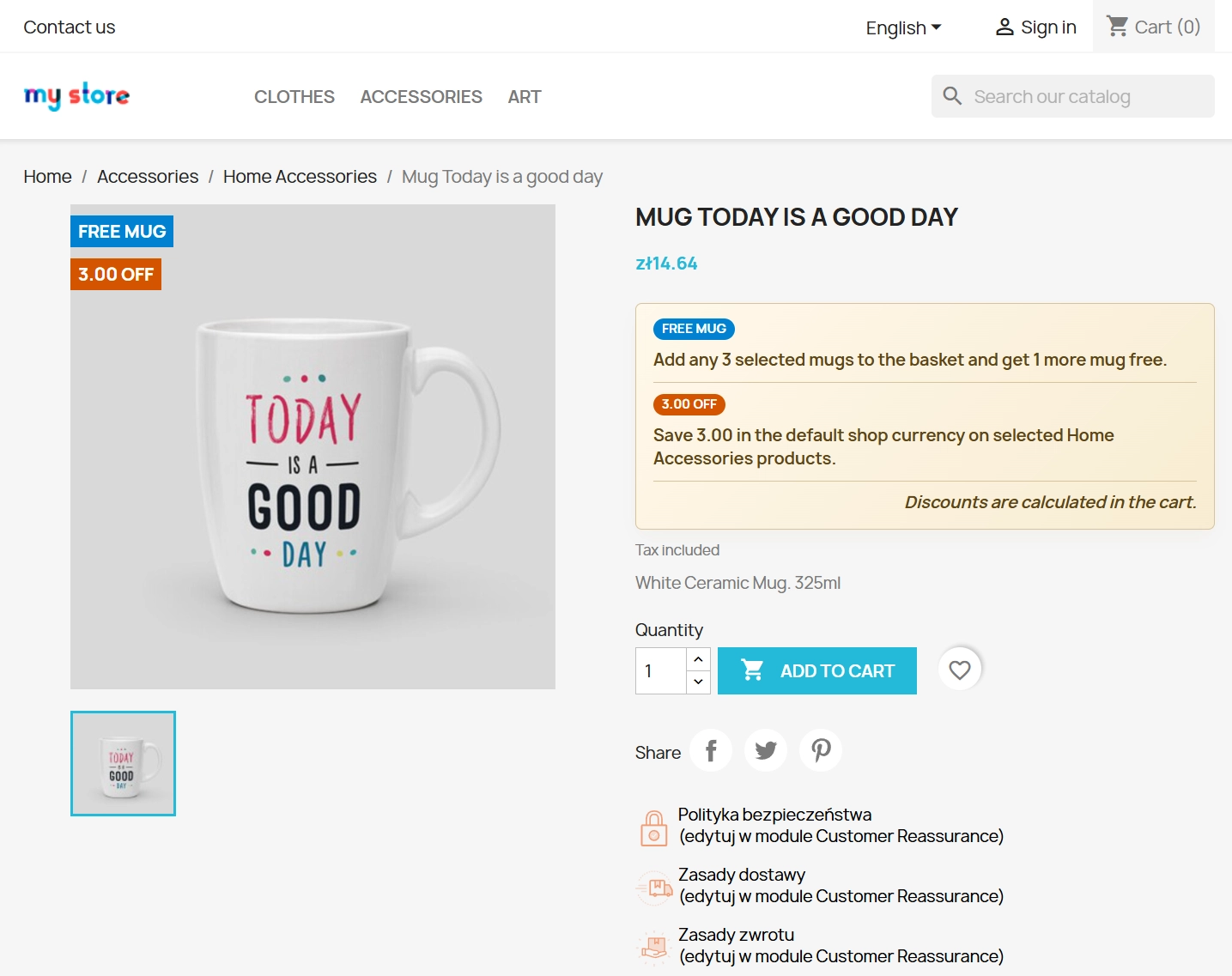
- Product flags: store-friendly promotional markers shown on listings and product pages.
- Dynamic banner: a clear message placed near the price, including optional timing information.
- Variant logic: the message reacts to attribute changes, for example disappearing when a non-promotional variant is selected.
Clear promotion messaging throughout the buying journey
The same product can carry a short, clear promotion message in the places where customers actually make buying decisions.
- On product listings: customers immediately see that the item is part of a specific promotion.
- On the product page: the message reminds them of the benefit before the item is added to the basket.
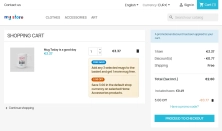
- In the basket: promotion information remains visible next to the product and in the summary of applied benefits.
Transparent basket and checkout
Fewer surprises at payment stage means fewer abandoned baskets.
- Basket summary: a clear list of applied benefits and free gifts shown in the basket.
- Automatic refresh: changing product quantities instantly recalculates and updates promotional benefits.
Impact on sales and visibility
PP Promo is a direct investment in higher conversion rate. When customers see clear, immediate benefits such as "Get a free product" or "Buy one more and pay less", they are more likely to move towards checkout. Although the module does not generate technical SEO tags, it strongly supports click-through rate on listings by making offers more visible and easier to understand.
Important technical notes
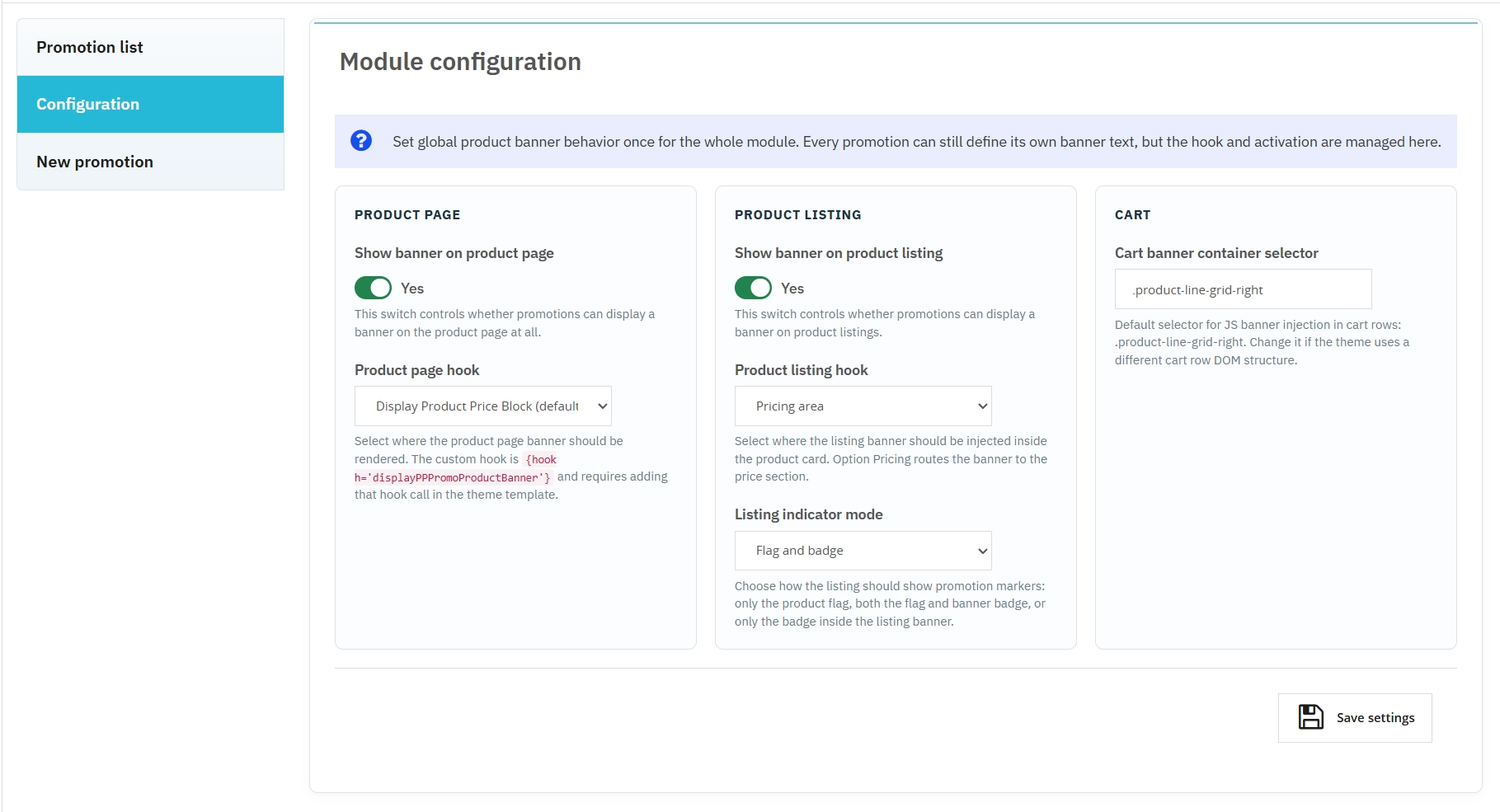
Before implementation: as with any new module, we recommend creating a backup of the database and files. If your shop uses a heavily customised theme, make sure the relevant hooks for banner placement are available and correctly positioned. We also recommend testing advanced variant logic on a staging environment before launching a major campaign on the live shop.

## [1.0.7] - 2026-04-09 ### Added - Initial release of the module.
13 other products in the same category:
Dynamic Product Labels and Stickers for PrestaShop
The PP Product Stickers module is designed for automated product labelling in your store using graphic and text stickers. The tool allows you to implement clear sales...
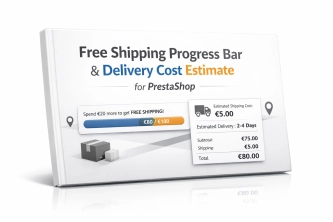
Free Shipping Progress Bar & Delivery Cost Estimate for PrestaShop
Encourage customers to spend more by showing them exactly how much is left until free shipping . The module also displays an estimated delivery cost on the product page ,...
PrestaShop Schema Pro - Rich Snippets & SEO Booster
Rich Results + AI = dominate search results and increase sales in PrestaShop! Automatic JSON-LD generator with full support for more than 15 Schema.org types, including...
PrestaShop blog module with advanced SEO, editorial workflow, comments and selectable blog skins
A PrestaShop blog module built for genuine organic visibility rather than simple article publishing. It gives merchants full control over SEO settings such as robots...
PrestaShop FAQ module to increase conversions
ppfaq is a module that organises store communication: it publishes FAQ in a single, easy-to-read place and helps customers find answers faster without contacting support....
Free Shipping Progress Bar for PrestaShop (Free Version)
Encourage customers to spend more by clearly showing how much is left until they unlock free shipping . This is the free, simplified edition of the module, focused on one...
Automatic delivery cost on the product card
PP Shipping Estimate is an advanced module for PrestaShop that enables automatic calculation of delivery costs on the product page . The customer does not need to...
Product recommendation module for PrestaShop
A recommendations module for PrestaShop that displays tailored product suggestions in two key points of the buying journey: the product page and the cart. It reduces...
Automatic currency matching by shop language in PrestaShop
PP Smart Currency automatically matches the currency to the language a customer is using in your PrestaShop store. Visitors immediately see the right currency, while the...
WhatsApp, Telegram and Phone in one - Increase conversions with Quick Contact
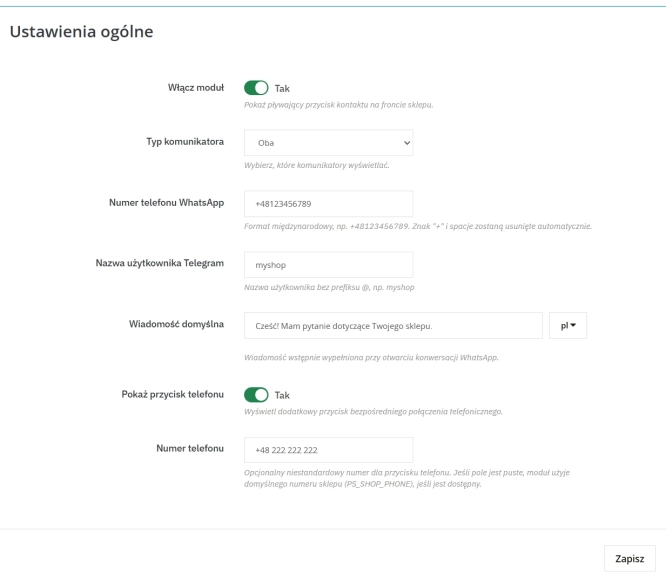
A customer has a question? Don't let them wait for an email. The PP Quick Contact module is your sales hotline. Add an elegant, floating button to your store that, with one...
Ask about product / price (PRO)
Ask about product / price (PRO) is an advanced PrestaShop module that adds an enquiry form on the product page and directly on the product list (categories, homepage,...
Custom Product Groups on the Product Page in PrestaShop
With Product Accessories Plus , you can create any product groups you need , set their order, and display them directly on the product page in your PrestaShop shop. You...
FAQs
-
1.
What payment methods do you accept?
We accept payments by credit/debit card, bank transfer and online payment systems such as Przelewy24, PayPal. Details can be found on the payment page.
-
2.
Can I test the module before purchasing?
We do not provide modules for testing on individual PrestaShop instances. If a given module has a demo version, it is available on our test store, where you can familiarize yourself with its functionality. On the product page you will also find a detailed description, screenshots and instructional materials. In case of questions, please contact us - we will be happy to provide additional information.
-
3.
Are the modules compatible with my version of PrestaShop?
Each module in our store contains information about compatibility with specific PrestaShop versions. Please check this information carefully before purchasing. If you are not sure, contact us.
-
4.
How can I download a purchased module?
After you pay for your order and the payment is posted, the link to download the module will appear in your account in the "Order History and Details" tab ("Details" button). Additionally, we will send you an email with a download link.
-
5.
Can I get help installing a module or template?
Yes, we offer installation and setup service as an additional option. You can add it to your cart when purchasing the product or order it separately.
-
6.
Are the modules compliant with GDPR regulations?
We design our modules with GDPR compliance in mind. If a module processes personal data, you will find detailed information on compliance with the regulations in its description. We make every effort to ensure that our solutions meet current data protection standards.
-
7.
Can I have my store audited before purchasing a module?
Yes, we offer a store audit service to help you choose the right modules and identify areas for improvement. Contact us for more information.
-
8.
Can I get a discount as a regular customer?
Yes, for our regular customers we offer a loyalty program with attractive discounts. Check the details in your customer panel. If you do not see such an option, contact us - we will be happy to help!
-
9.
What should I do if the product does not meet my expectations?
If the product does not meet your expectations, please contact our customer service department. Any returns are considered individually, in accordance with our regulations.
-
10.
Can I modify a purchased module or template?
Yes, you can modify purchased products for your own needs, but you cannot resell them or share them with third parties. Details can be found in the license terms and conditions.
-
11.
Can I use the purchased module in multiple stores?
Purchased modules are licensed for a single store. The exception is the use of the multi-shop feature within a single PrestaShop installation. In this case, you can use the module on multiple stores, even with different domains, provided that:
- all stores run on the same PrestaShop installation,
- the module is compatible with the multi-shop feature.
-
12.
How can I check if a module will work with my other installed modules?
Our modules are designed to be as compatible as possible with other popular PrestaShop extensions. If you have any doubts, contact us and send us a list of your modules - we will help verify it.
-
13.
Are the modules translated into different languages?
Most of our modules are available in several languages, including Polish and English. Information about available languages can be found in the module description.
-
14.
How long does it take to process an order?
The order is fulfilled automatically after the payment is posted. The product can then be downloaded immediately after the order has been paid for.
-
15.
What to do if module installation ends with an error?
Check if your PrestaShop version is compatible with the module and if you have the right permissions for installation. If the problem persists, contact our technical support - we will help you solve the problem.
-
16.
Can I order a module that is not available in your offer?
Yes, we do custom module creation. Contact us for details and pricing.
-
17.
How can I extend technical support or access to updates?
-
Extension of support and updates:
- If the option to extend support and updates is available, you can order it directly from our store.
- Simply add the appropriate option to your cart and complete the purchase.
-
No available extension option:
- If support and update extensions are not offered, purchasing the module again will be required.
-
-
18.
How long can I use the module after purchase?
Purchased products are available for use without time limits. However, access to updates and technical support is usually limited to 6 or 12 months from the date of purchase, depending on the product. (details on updates/support are always included on the respective product card)
-
19.
Do you offer technical support for products?
Yes, we provide technical support within the support period assigned to a given product. You can contact us via the contact form or e-mail.
-
20.
Can I update the module to a newer version?
Yes, you can download new versions of the product for free during the support and update period. After that time, you can renew your update subscription.
-
21.
Can I ask you to adapt the module to my needs?
Yes, we offer a module personalization service. Describe your needs and we will prepare an individual quote.
-
22.
What should I do if I have problems downloading the module?
If you have trouble downloading the module, please make sure your payment has been processed. If you still have trouble, please contact us and we will manually provide you with the module.
-
23.
Do you offer help with store optimization after installing the modules?
Yes, we can help you optimize your store so that your modules run at full efficiency. Ask about our technical support service.
-
24.
What does the module update process look like?
If the module requires an update, you can download the latest version from your client panel. We recommend backing up your store before updating.
-
25.
Can I change the domain on which the module runs?
Yes, if you want to transfer the module to another domain, please contact us to discuss the details and conditions of the license transfer.
-
26.
What should I do if my store stops working after installing the module?
If your store encounters problems after installing the module, please contact our technical support immediately. We will help diagnose and resolve the issue.
-
27.
Can I ask for advice in choosing a module?
Of course! Contact us and we will advise you which module best suits your needs.
Do you need additional features or custom solutions?
- Module customisation tailored to your specific requirements.
- Extending functionality to enhance your store's capabilities.
- Developing bespoke modules designed to meet your unique needs.
- Integrating external systems and additional tools.
- Optimisation and improvements for better performance and user experience.
Do you have ideas on how to improve this software? Share your suggestions for optimisation, new features, or bug reports – we’ll be happy to review them!
Write your review