Products on CMS Pages for PrestaShop — Shortcode (Free)
- 8.x | 9.x
- PL, EN
- 1.0.0
- 2026-06-25
PP CMS Products (Free) is a free PrestaShop module for displaying products on CMS pages. Insert a shortcode in your page content, e.g. [products:12] — the module replaces it with a product grid using the same layout your theme shows on category listings.
For shops that want to highlight selected products on an About page, landing page, or information article — without editing the theme or hiring a developer.

Information Parameters:
- 1.0.0
-
Store Version PHP Version8.x 8.1 – 8.39.x 8.1 – 8.5
- 2026-06-25
- PL, EN
- ✅
- ✅
- ✅
Key benefits
- Products in CMS content — embed chosen catalogue items directly in any information page.
- Simple shortcode — enter
[products:ID]or a comma-separated list of IDs; the module handles the rest. - No theme changes — the module uses the product miniature from your active template (Classic by default).
- Same look as your listing — the miniature comes from your theme template; visible elements (image, name, price, buttons) depend on its configuration.
- Multistore — settings can be configured separately for each shop.
Use cases
- An About page featuring a few flagship products.
- A landing page promoting a specific collection or seasonal offer.
- A CMS article with recommended products alongside the text (e.g. a guide plus items to buy).
- Quick offer tests on an information page without creating a separate category.
Features – Back Office
Configuration
A panel with a single switch and a clear description of how it works.
- Hide products and shortcodes — temporarily disable rendering on CMS pages (e.g. before publishing content).
- Multistore — separate setting for each shop in the back office.
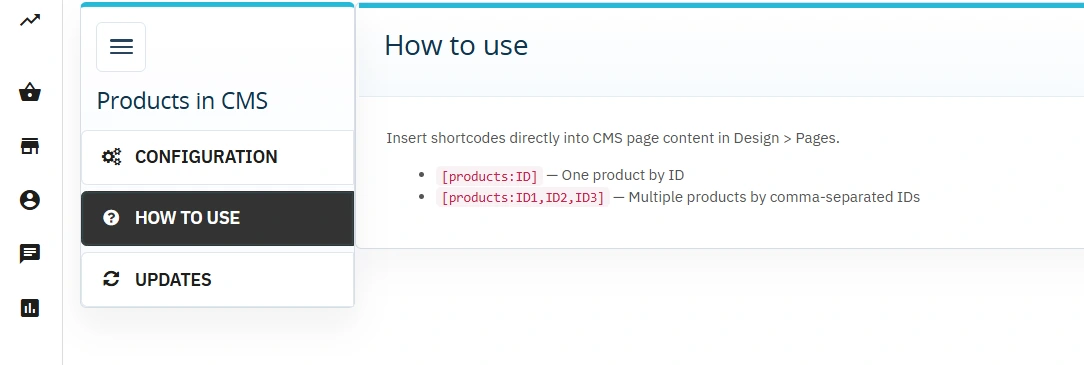
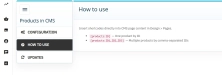
How to use tab
A ready-made shortcode reference in the module panel.
- Shortcode format — examples for one or multiple products.
- Where to paste — points to Design > Pages in the back office.
Updates
Built-in PP Updater shows when new module versions are available.
Features – Front Office
Shortcode in page content
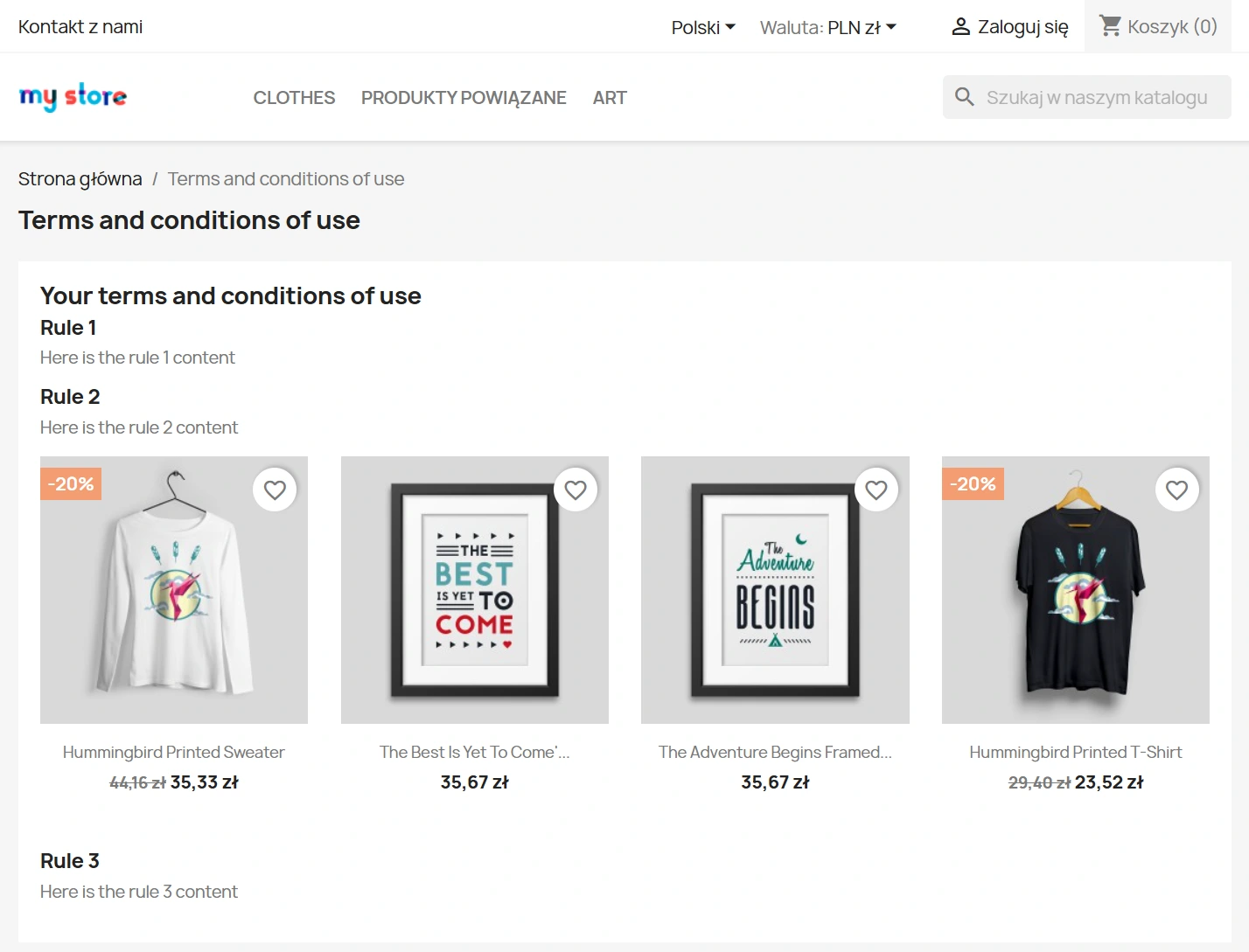
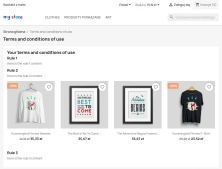
The module processes the shortcode when the CMS page is displayed and inserts a product block at the chosen point in the content.
- Single product —
[products:42] - Multiple products —
[products:10,25,33]
Product grid
A responsive miniature list — the module uses your theme's catalog/_partials/miniatures/product.tpl, so the CMS block looks like part of a product listing.
- Theme-dependent elements — whether price, promotion labels, or an Add to basket button appear depends entirely on the miniature template.
- Active products only — unavailable items are skipped.
- Empty list message — when no products are available, a notice is shown instead of a blank space.
Sales and SEO impact
- Links to products from content — the miniature usually links to the product page; exact elements (price, CTA) depend on the theme.
- Content and offer in one place — an information article can show the products you write about straight away.
- No duplicate product pages — the module does not generate separate product URLs; it uses your existing catalogue.
Important
Before installation or upgrade, take a full shop backup. Enter shortcodes in HTML mode in the CMS page editor — the WYSIWYG editor may remove square brackets. The module works on CMS pages (Design > Pages), not on blog posts or category pages. Requirements: PrestaShop 1.7.7–9.x, PHP 7.1–8.5. The module is provided free of charge on an “as is” basis — test it on your shop before publishing the page to customers.
## [1.0.0] - 2026-06-25
### Added
You might also like

FAQs
-
How can I embed a single product on a CMS page?
In the CMS page content, enter the
[products:ID]shortcode, replacing ID with the product number from your catalogue. The module processes it when the page is displayed and inserts the product block in that location without requiring a separate category. -
Are the modules compatible with my version of PrestaShop?
Each module in our store contains information about compatibility with specific PrestaShop versions. Please check this information carefully before purchasing. If you are not sure, contact us.
-
How can I embed several products in one place?
You can enter comma-separated product IDs inside the shortcode, for example
[products:10,25,33]. When rendering the CMS page, the module reads the list and builds a block with the corresponding products using the same mechanism as for a single-product shortcode. -
What do products embedded on a CMS page look like?
The module uses the active product miniature from the theme, Classic by default. This makes the embedded block look like part of a product listing. Visible elements such as the image, name, price and buttons depend on the template configuration used by the shop.
-
What happens if the shortcode does not return any available products?
If the supplied list does not contain products available for display, the module does not show an empty area. Instead, it displays a message indicating that the list is empty. The product description also states that unavailable items are skipped when the block is built.
-
Can I temporarily disable product embedding on CMS pages?
Yes. The module’s back-office panel includes a switch that hides products and shortcodes on CMS pages. It can be used to temporarily disable rendering, for example while preparing or publishing content, without removing shortcodes from the text.
16 other products in the same category:
- Discount
Price available only until: 11.10.2026
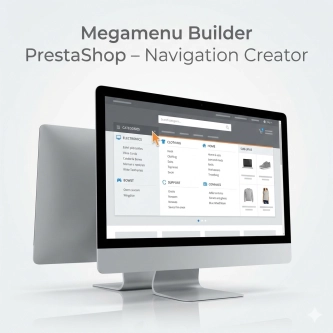
Megamenu Builder PrestaShop – Navigation Creator (Atomic Cache Technology)
Change the way customers navigate your store. PP Megamenu is an advanced navigation builder that combines Premium design with uncompromising performance. Thanks to our...

- New
Shipping Costs and Delivery Time on Product Page (Popup)
A free PrestaShop module that adds a convenient shipping information button directly to the product page . When clicked, customers instantly view a popup with rates and...

Custom HTML Descriptions and SEO Optimisation for PrestaShop Promo, Best Sellers and New...
The default PrestaShop configuration does not allow entering custom texts or graphics on key subpages that generate organic search traffic. The ppcorepagesseo module is a...
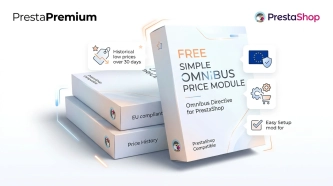
- New
Free Simple Omnibus Price Module – Omnibus Directive for PrestaShop
Simple Omnibus Price is a completely free PrestaShop module that automates displaying the lowest price from the 30 days prior to a price reduction. Protect your store...

Clean URLs Pro – remove IDs from PrestaShop URLs
Clean URLs Pro removes numerical IDs from product, category, CMS category, CMS page, brand, and supplier URLs — without core modifications and with zero overrides. Simply...
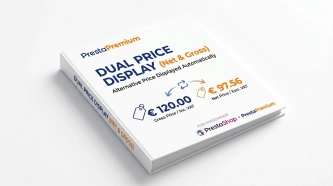
Dual Price Display (Net & Gross) — Alternative Price Displayed Automatically
Dual Price Display (Net & Gross) does the heavy lifting for you: it automatically checks which price is currently active in your shop and instantly displays the other...
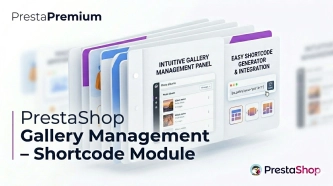
PrestaShop Gallery Management – Shortcode Module
Looking for a better way to showcase images in your store? Advanced Image Gallery for PrestaShop is a purpose-built module that lets merchants create, edit, and embed...
Ask about product / price (PRO)
Ask about product / price (PRO) is an advanced PrestaShop module that adds an enquiry form on the product page and directly on the product list (categories, homepage,...
Custom Product Groups on the Product Page in PrestaShop
With Product Accessories Plus , you can create any product groups you need , set their order, and display them directly on the product page in your PrestaShop shop. You...
Information and Announcement Bar for PrestaShop (Free Edition)
PP Top Bar is a lightweight and intuitive module that lets you add an eye-catching information bar to the top of your shop in just a few seconds. Inform your customers...
- Discount
Price available only until: 25.09.2026
Extra Product Tabs – Tab Creator, CSV Import and SEO
Transform chaotic descriptions into a professional offer that sells! The Extra Product Tabs module allows you to instantly add unlimited tabs (e.g. Size Guide, Video,...
Dynamic Product Labels and Stickers for PrestaShop
The PP Product Stickers module is designed for automated product labelling in your store using graphic and text stickers. The tool allows you to implement clear sales...
PrestaShop Promotion Module: Free Gifts, Quantity Discounts, Buy X Get Y and Category Offers
The PP Promo module for PrestaShop makes it easy to create and automate popular sales campaigns, from "Buy 2, Pay for 1" offers and free gifts to discounts on selected...
Custom CSS & JS – Free code editor in the PrestaShop panel
PP Custom CSS & JS is a free and highly practical module for every PrestaShop administrator. It allows you to instantly add your own CSS styles and JavaScript scripts...
GPSR — Compliance Module for PrestaShop
GPSR Module for PrestaShop enables quick and compliant management of information required by the GPSR regulation. Automate obligations and increase your shop's security.
Do you need additional features or custom solutions?
- Module customisation tailored to your specific requirements.
- Extending functionality to enhance your store's capabilities.
- Developing bespoke modules designed to meet your unique needs.
- Integrating external systems and additional tools.
- Optimisation and improvements for better performance and user experience.
Do you have ideas on how to improve this software? Share your suggestions for optimisation, new features, or bug reports – we’ll be happy to review them!