Information and Announcement Bar for PrestaShop (Free Edition)

PP-M041F
UX & Appearance
1.7.7.x + | 8.x | 9.x
EN, FR, IT, DE, PL
  • 1.0.0
  • 2026-05-02
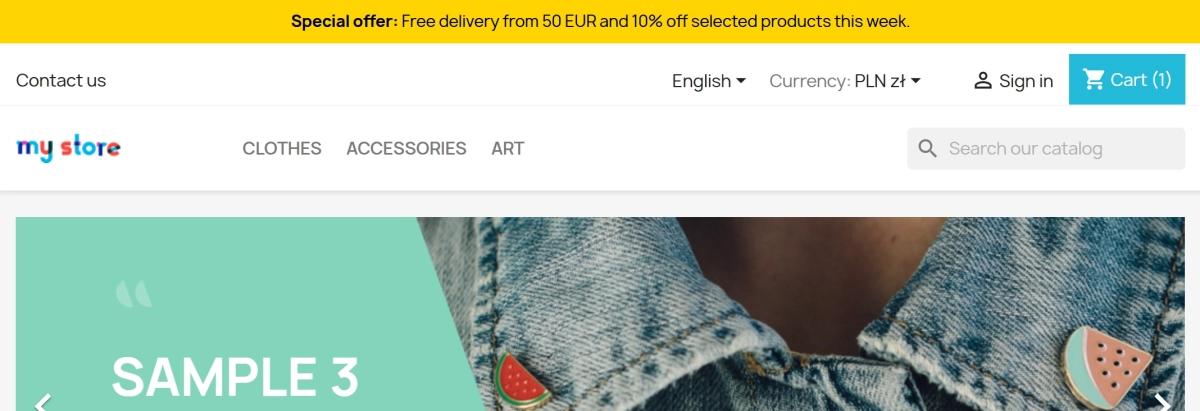
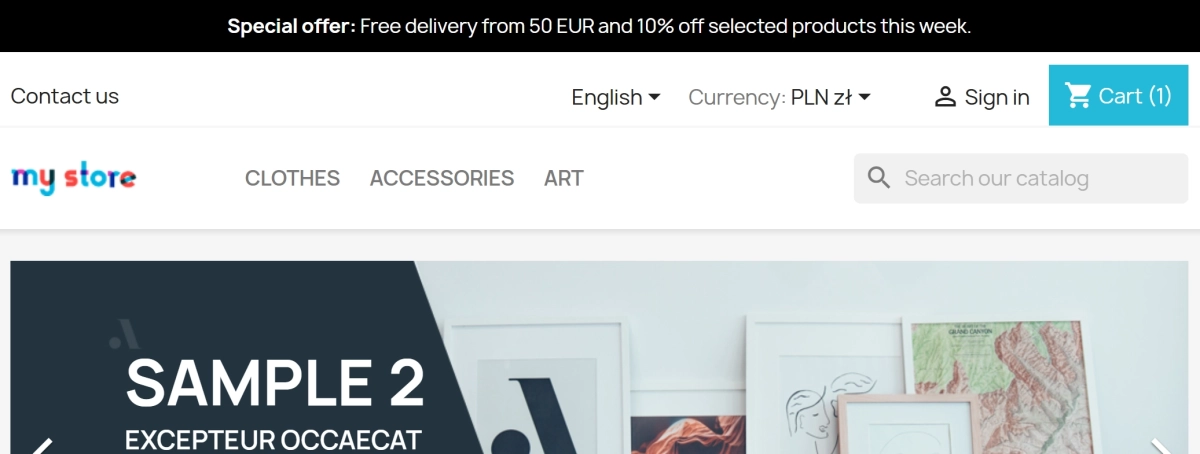
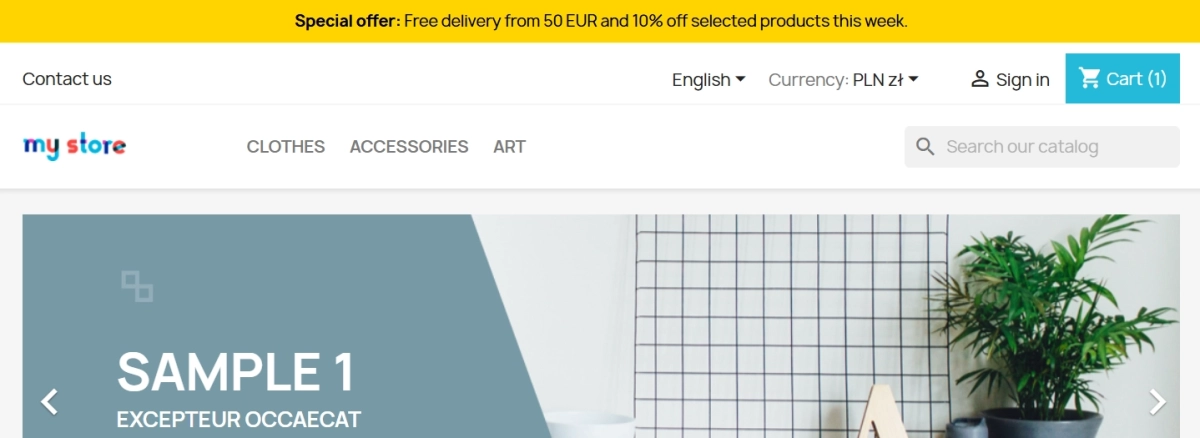
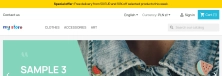
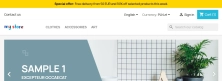
  • PP Top Bar is a lightweight and intuitive module that lets you add an eye-catching information bar to the top of your shop in just a few seconds. Inform your customers about free delivery, a current promotion or important policy changes without touching your theme code.

    The free edition includes everything you need for effective communication: full multilingual support, colour customisation and three placement options: displayBanner, displayNavFullWidth or a custom position via a custom hook. It is an ideal install-and-go solution for any PrestaShop shop owner.

    0.00 € Tax excluded

    Additional services:

    Installation +29.10 €
    Theme Compatibility Support +44.70 €

    7 Downloads
    • Free module shared with the PrestaShop community
    • Possibility to report suggestions and bugs - corrections according to availability
    • No warranty or support as standard (no SLA)
    • Download available after logging into the customer account. Download limit 99
    • Need modifications or support? ask about the service

    Information Parameters:

    • 1.0.0
    • 2026-05-02
    • 1.7.7.x + | 8.x | 9.x
    • EN, FR, IT, DE, PL

    Increase sales with simple communication

    • Immediate impact: A single bar at the top of the page is one of the most effective ways to deliver key information without distracting the customer.
    • Full multilingual support: Selling internationally? You can set the message separately for each language in your shop.
    • Brand fit: Quickly change the background and text colours so the bar matches your shop design perfectly.
    • Flexible placement: Choose whether the bar should appear in displayBanner, displayNavFullWidth or anywhere in your theme via the custom hook.
    • Mobile optimisation: Save space on small screens with a one-click option to hide the bar on mobile devices.

    When is PP Top Bar useful?

    This module is your fastest link to the customer. Use it to announce:

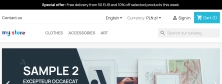
    • A free delivery threshold, for example “Free delivery from £50”.
    • Current discount codes.
    • Holiday breaks or changes to office opening hours.
    • Important technical or legal notices.

    Features in the admin panel

    Intuitive management

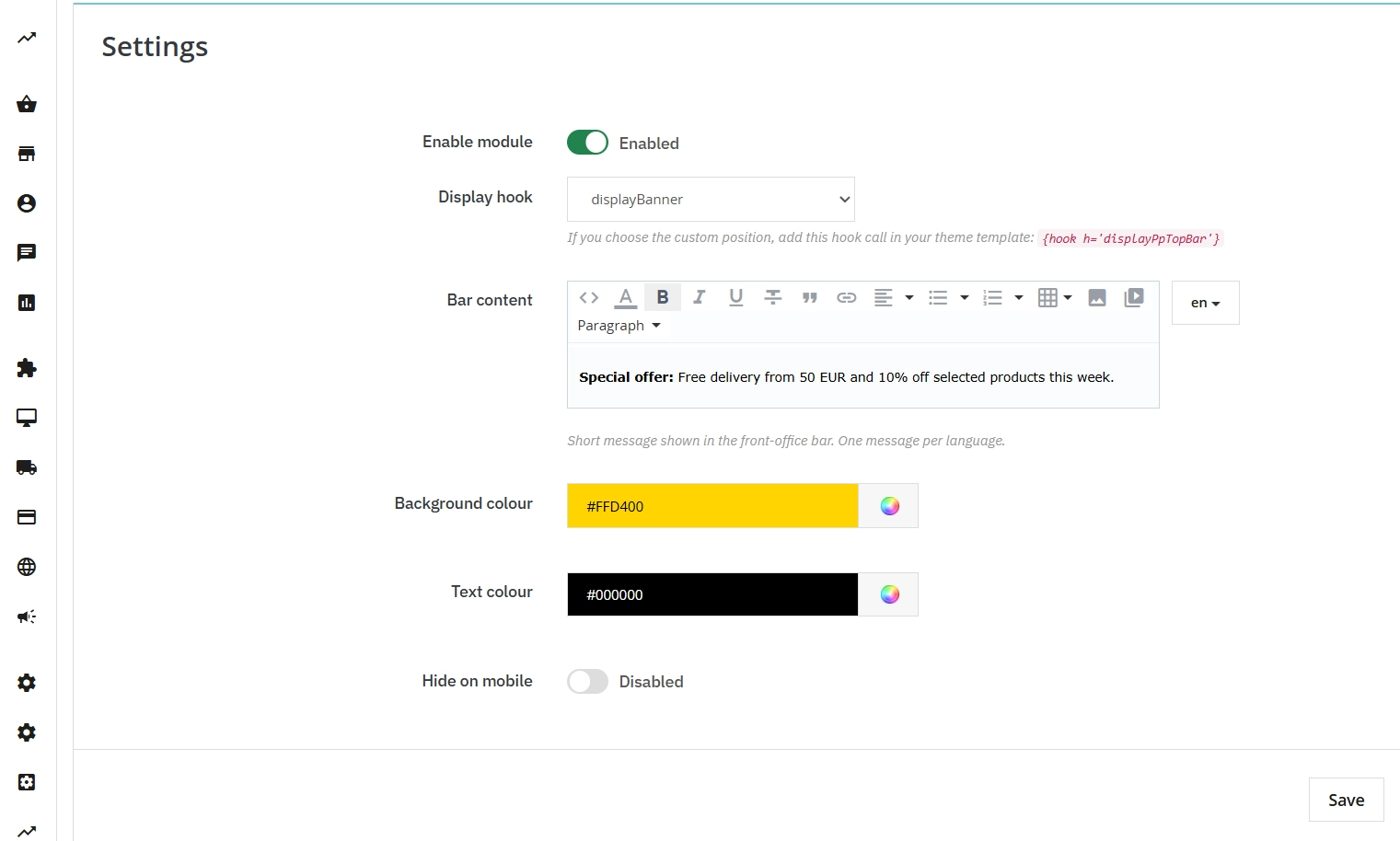
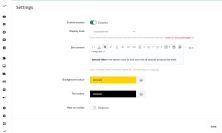
    Configuration is simple enough to take less than a minute. Everything is available in one place:

    • Content editor per language – tailor the message to each market.
    • Hook selection – decide where it appears (displayBanner / displayNavFullWidth / custom hook).
    • Colour picker – choose colours from a palette without typing HEX codes from memory.

    Clean code and performance (UX)

    Lightweight first

    PP Top Bar was built with performance in mind. It does not put extra load on the database and does not slow down page loading.

    • No unnecessary scripts – just clean HTML/CSS.
    • Responsive approach – the mobile hide option helps keep the experience comfortable on smartphones.
    • Standards compliant – the module uses native PrestaShop solutions.

    What do you get in the FREE edition?

    We believe in simple and effective solutions. In the free edition of the module, you get full functionality for one message bar:

    • Display of one information bar.
    • Unlimited number of languages.
    • A choice of placement (displayBanner / displayNavFullWidth / custom hook).
    • Full colour customisation.
    • An option to hide the bar on phones.

    Technical note

    We recommend making a backup before installing new modules. If you choose a custom placement, add {hook h='displayPpTopBar'} in your theme template. The final placement of the bar still depends on your theme structure and on how it handles standard PrestaShop hooks.

    Download:


    PrestaShop module installation (625.83KB)

    Universal documentation describing the module installation process for PrestaShop.

    ## 1.0.0
    
    - Initial free release.
    - Added configurable multilingual top bar for displayTop and displayNav.

    FAQs

    • What payment methods do you accept?

      We accept payments by credit/debit card, bank transfer and online payment systems such as Przelewy24, PayPal. Details can be found on the payment page.

    • Can I test the module before purchasing?

      We do not provide modules for testing on individual PrestaShop instances. If a given module has a demo version, it is available on our test store, where you can familiarize yourself with its functionality. On the product page you will also find a detailed description, screenshots and instructional materials. In case of questions, please contact us - we will be happy to provide additional information.

    • How can I extend technical support or access to updates?
      • Extension of support and updates:

        • If the option to extend support and updates is available, you can order it directly from our store.
        • Simply add the appropriate option to your cart and complete the purchase.
      • No available extension option:

        • If support and update extensions are not offered, purchasing the module again will be required.
    • Are the modules compatible with my version of PrestaShop?

      Each module in our store contains information about compatibility with specific PrestaShop versions. Please check this information carefully before purchasing. If you are not sure, contact us.

    • What should I do if the product does not meet my expectations?

      If the product does not meet your expectations, please contact our customer service department. Any returns are considered individually, in accordance with our regulations.

    • How long can I use the module after purchase?

      Purchased products are available for use without time limits. However, access to updates and technical support is usually limited to 6 or 12 months from the date of purchase, depending on the product. (details on updates/support are always included on the respective product card)

    • How can I download a purchased module?

      After you pay for your order and the payment is posted, the link to download the module will appear in your account in the "Order History and Details" tab ("Details" button). Additionally, we will send you an email with a download link.

    • How long does it take to process an order?

      The order is fulfilled automatically after the payment is posted. The product can then be downloaded immediately after the order has been paid for.

    • Do you offer technical support for products?

      Yes, we provide technical support within the support period assigned to a given product. You can contact us via the contact form or e-mail.

    • Can I get help installing a module or template?

      Yes, we offer installation and setup service as an additional option. You can add it to your cart when purchasing the product or order it separately.

    • Can I update the module to a newer version?

      Yes, you can download new versions of the product for free during the support and update period. After that time, you can renew your update subscription.

    • What should I do if I have problems downloading the module?

      If you have trouble downloading the module, please make sure your payment has been processed. If you still have trouble, please contact us and we will manually provide you with the module.

    • Are the modules compliant with GDPR regulations?

      We design our modules with GDPR compliance in mind. If a module processes personal data, you will find detailed information on compliance with the regulations in its description. We make every effort to ensure that our solutions meet current data protection standards.

    • Can I ask you to adapt the module to my needs?

      Yes, we offer a module personalization service. Describe your needs and we will prepare an individual quote.

    • Can I ask for advice in choosing a module?

      Of course! Contact us and we will advise you which module best suits your needs.

    • Can I have my store audited before purchasing a module?

      Yes, we offer a store audit service to help you choose the right modules and identify areas for improvement. Contact us for more information.

    • Do you offer help with store optimization after installing the modules?

      Yes, we can help you optimize your store so that your modules run at full efficiency. Ask about our technical support service.

    • Can I get a discount as a regular customer?

      Yes, for our regular customers we offer a loyalty program with attractive discounts. Check the details in your customer panel. If you do not see such an option, contact us - we will be happy to help!

    • What does the module update process look like?

      If the module requires an update, you can download the latest version from your client panel. We recommend backing up your store before updating.

    • Can I modify a purchased module or template?

      Yes, you can modify purchased products for your own needs, but you cannot resell them or share them with third parties. Details can be found in the license terms and conditions.

    • Can I change the domain on which the module runs?

      Yes, if you want to transfer the module to another domain, please contact us to discuss the details and conditions of the license transfer.

    • Can I use the purchased module in multiple stores?

      Purchased modules are licensed for a single store. The exception is the use of the multi-shop feature within a single PrestaShop installation. In this case, you can use the module on multiple stores, even with different domains, provided that:

      • all stores run on the same PrestaShop installation,
      • the module is compatible with the multi-shop feature.
    • What should I do if my store stops working after installing the module?

      If your store encounters problems after installing the module, please contact our technical support immediately. We will help diagnose and resolve the issue.

    • How can I check if a module will work with my other installed modules?

      Our modules are designed to be as compatible as possible with other popular PrestaShop extensions. If you have any doubts, contact us and send us a list of your modules - we will help verify it.

    • Are the modules translated into different languages?

      Most of our modules are available in several languages, including Polish and English. Information about available languages ​​can be found in the module description.

    • What to do if module installation ends with an error?

      Check if your PrestaShop version is compatible with the module and if you have the right permissions for installation. If the problem persists, contact our technical support - we will help you solve the problem.

    • Can I order a module that is not available in your offer?

      Yes, we do custom module creation. Contact us for details and pricing.

    Do you need additional features or custom solutions?

    • Module customisation tailored to your specific requirements.
    • Extending functionality to enhance your store's capabilities.
    • Developing bespoke modules designed to meet your unique needs.
    • Integrating external systems and additional tools.
    • Optimisation and improvements for better performance and user experience.

    Do you have ideas on how to improve this software? Share your suggestions for optimisation, new features, or bug reports – we’ll be happy to review them!