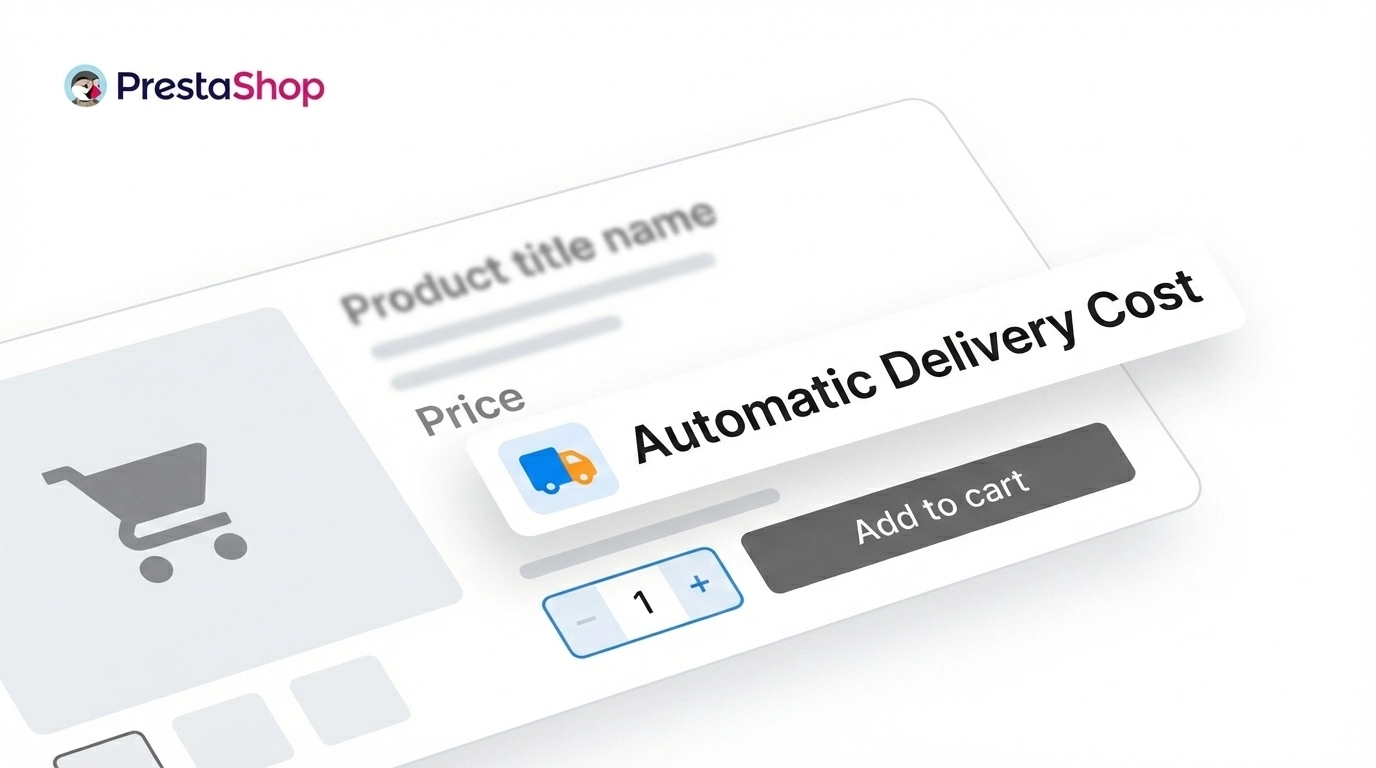
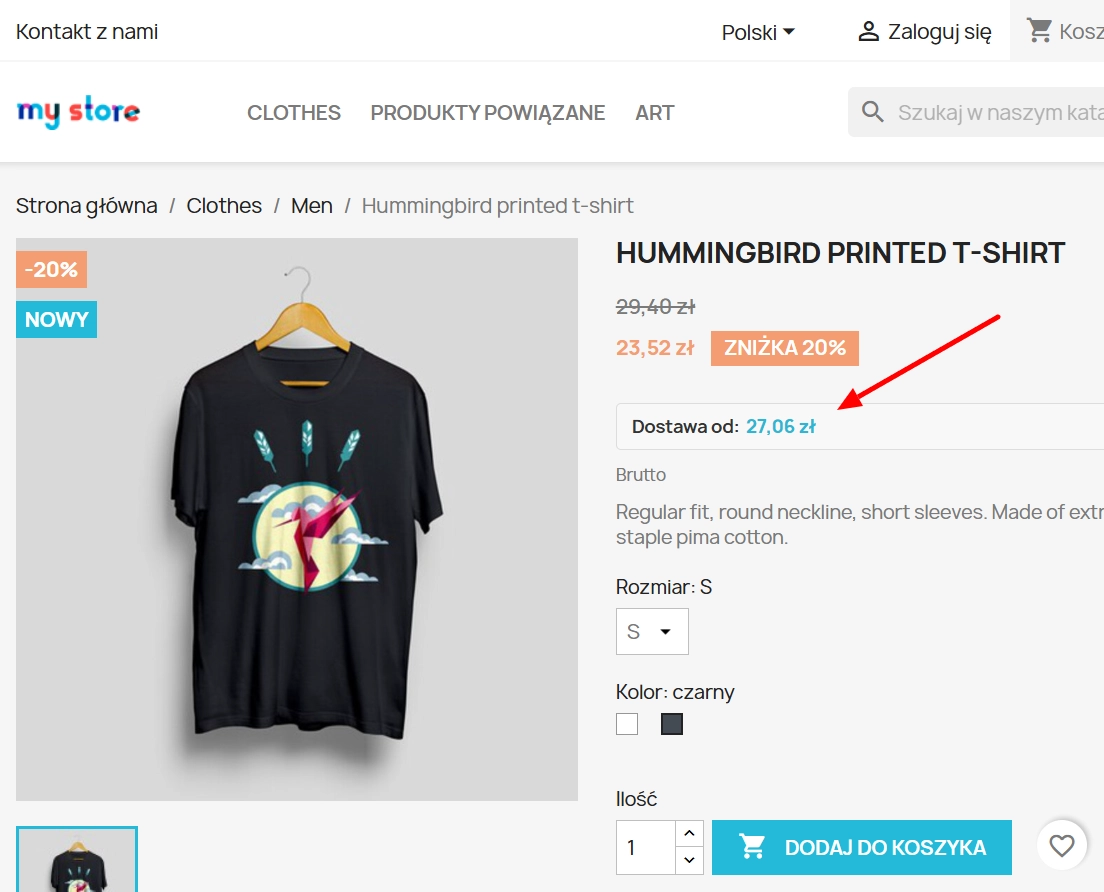
Automatic delivery cost on the product card

PP-M020
  • 8.x
  • 1.0.0
  • 2026-02-20

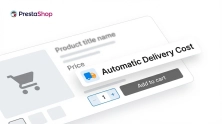
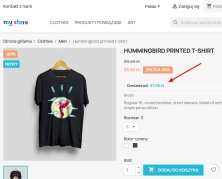
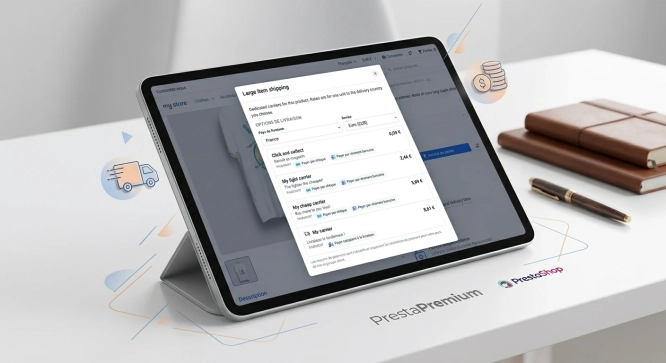
PP Shipping Estimate is an advanced module for PrestaShop that enables automatic calculation of delivery costs on the product page. The customer does not need to proceed to the basket — they immediately see clear information, e.g. "Delivery from £3.50", calculated based on the actual shop settings.

The module analyses the carrier configuration in PrestaShop and dynamically takes into account:

  • product combinations (weight, attributes),
  • quantity selected in the input field,
  • carrier selection logic (default / feature lowest delivery cost / most expensive),
  • weight and price ranges defined in shipping settings.

All calculations take place in real-time, based on the current delivery settings in the shop. No manual defining of rates, no additional configuration. It is a fully automated shipping calculation system that increases price transparency, builds customer trust and tangibly reduces basket abandonment.

29.70 € Tax excluded

Information Parameters:

  • 1.0.0
  • Store Version PHP Version
    8.x 8.1 – 8.3
  • 2026-02-20

Key benefits

  • Reduction of Cart Abandonment Rate – the customer learns the delivery costs before adding goods to the basket, which minimises the phenomenon of abandoning transactions at the checkout stage.
  • Dynamic asynchronous update – the delivery cost refreshes automatically after the customer changes a variant (combination), taking into account differences in weight.
  • Native Integration – the module operates precisely on default zones, geolocation, tax rules and handling charges defined in PrestaShop.
  • B2B / B2C Flexibility – the system automatically adjusts the price display mode (net or gross) based on the group assigned to the customer browsing the shop.
  • Usability Optimisation (UX) – no interference with the DOM structure; information display discreetly disappears for virtual products and in the absence of available carriers.

Module applications

The module is perfect for shops with a diverse assortment of sizes (construction industry, furniture), where weight and the resulting delivery cost are key decision-making factors. It is equally effective in the fashion industry, where product variants (e.g. wholesale clothing) may determine a different logistics rate. The system also functions perfectly in multilingual environments, relying on geolocation and the default country zone assigned to the shop.

Functionalities – Back Office

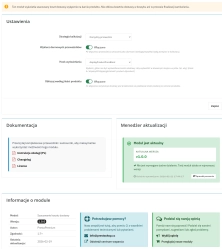
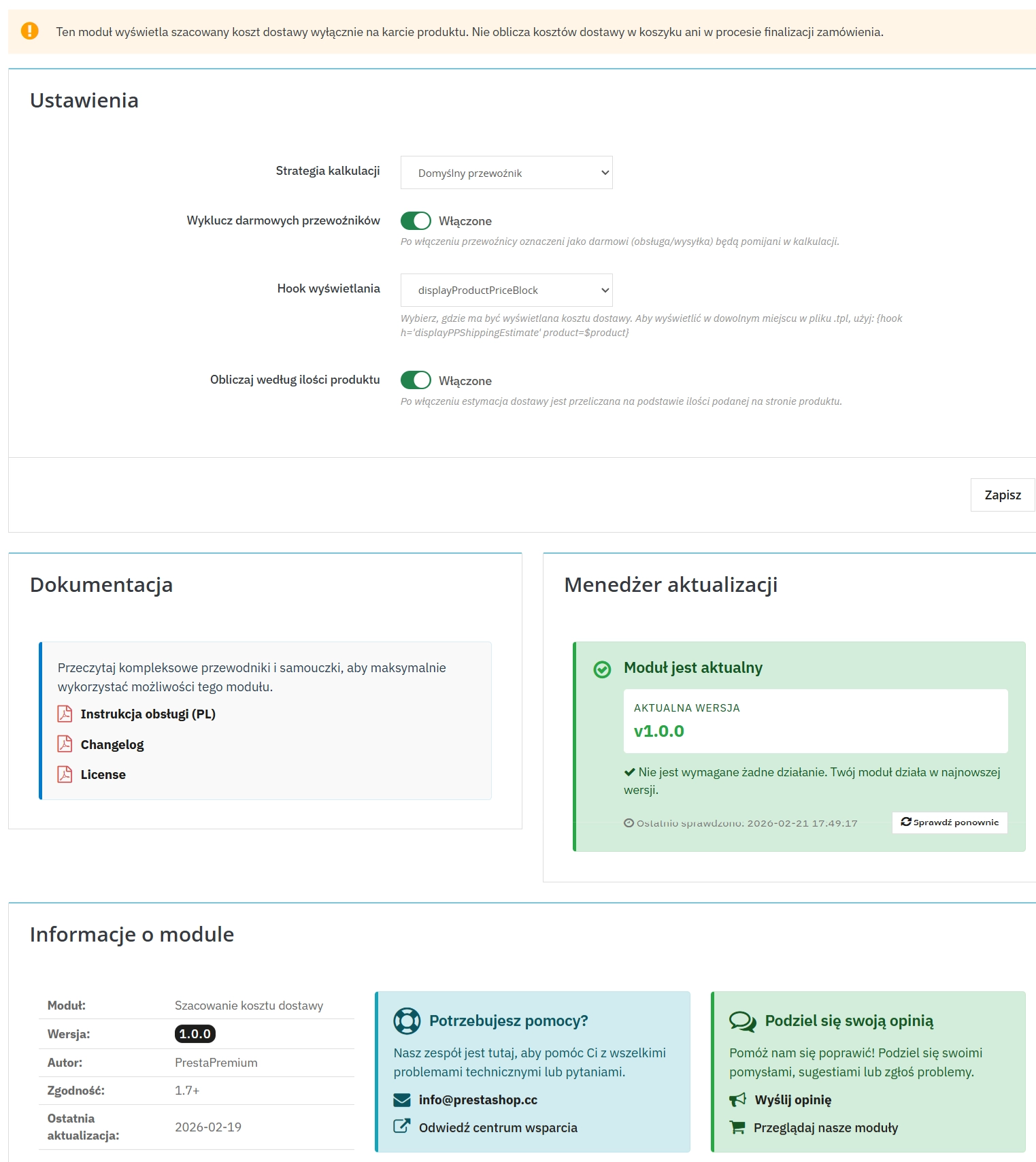
1. Carrier Selection Strategy

Possibility to steer the algorithm logic in terms of the shop's sales strategy:

  • Default – prioritises the default carrier; fallback to the cheapest in case of unavailability.
  • Cheapest – forces rendering of the lowest market rate, ideal for "from £X" strategies.
  • Expensive – precautionary display of the maximum logistics cost for a given assortment.

2. Display Hook Mapping

Full control over the positioning of the information block on the Product Page:

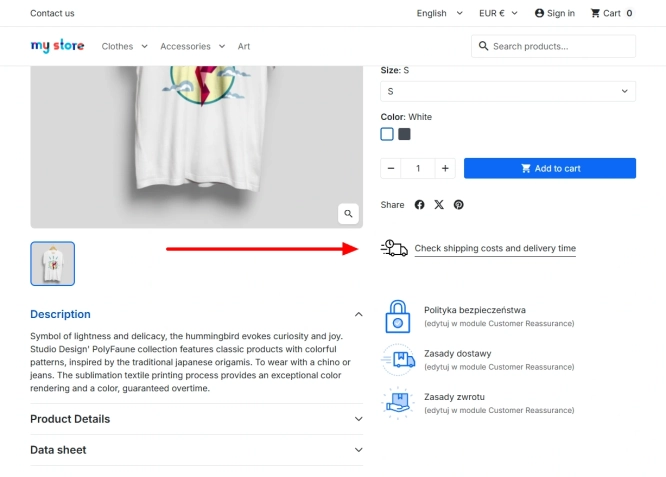
  • Product Additional Info – standard, recommended location below the CTA button.
  • Reassurance – placement in the shop policy and secure payments block.
  • Price Block – strategic pinning of the component in the immediate vicinity of the main retail price.
  • Custom Hook: displayPPShippingEstimate – flexible embedding of the module anywhere in the template on the product page via a hook in .tpl files.

3. Presentation Layer Personalisation (Label Text)

Possibility to adjust the header text to the brand's tone of voice (e.g. "Delivery from:", "Shipping from:", "Delivery cost:") directly in the module configuration.

Functionalities – Front Office

1. Reactivity and attention focus

The module reacts smoothly to changes in product variants and the number of ordered items. With every recalculation of the delivery cost, the price is gently, animatedly highlighted. Thanks to this, the customer immediately notices the update and is sure that the displayed rate relates to their specific choice.

2. Intelligent handling of virtual assortment and thresholds (Free Shipping)

The built-in fallback system automatically hides the delivery cost for downloadable (virtual) products. In the case of reaching the free delivery threshold defined in the system (globally or per carrier), a value of "£0" or a dedicated message is displayed.

3. Cost independence for 1 unit (1 Unit Calculation)

The mechanism on the Product Page maintains independence from the global state of the customer's basket, always rendering an estimate for a single item index, taking into account the customer group ("Guest" or "Visitor").

Impact on sales and SEO

From the SEO strategy side, retaining user attention within the Product Page (without escaping to checkout and abandoning the page) generates a lower Bounce Rate. Business-wise (B2B/B2C), transparency in the "shipping from X" model eliminates major purchasing blocks for customers, increasing the Conversion Rate (CR).

Note!

Before implementation, ensure that the structure of your template does not block native PrestaShop hooks. In the case of non-standard themes, the solution supports manual integration via the custom hook displayPPShippingEstimate nested in .tpl files. Always precede verification of changes by clearing the cache in the Advanced parameters > Performance tab.

Download:


PrestaShop module installation (625.83KB)

Universal documentation describing the module installation process for PrestaShop.

## [1.0.0] - 2026-02-19

### Added

- Initial release of the module.
- Core functionality: Estimated shipping cost calculation based on product weight and price.
- Support for multiple hooks: `displayProductAdditionalInfo`, `displayReassurance`, `displayProductPriceBlock`.
- Configuration panel: Select carrier strategy (Default, Cheapest, Expensive), custom label text, and display hook.
- AJAX updates: Dynamic price refresh on product attribute change.
- Support for PrestaShop 1.7.x, 8.x, 9.x.
- Handling fees and free shipping thresholds support.
- Multistore compatibility.

FAQs

  • Are the modules compatible with my version of PrestaShop?

    Each module in our store contains information about compatibility with specific PrestaShop versions. Please check this information carefully before purchasing. If you are not sure, contact us.

  • Where does the module get the displayed amount?

    PP Shipping Estimate calculates the amount from the current carrier configuration in PrestaShop. It considers, among other factors, defined weight and price ranges and the selected carrier-selection strategy. The information is displayed on the product page without requiring separate rates to be entered manually in the module.

  • Which amount-selection strategies can be configured?

    Three strategies are available: default, lowest and highest amount. Default mode gives priority to the default carrier and uses the lowest rate if that carrier is unavailable. The other strategies display either the lowest or highest value resulting from the shop configuration.

  • Where can the module information be displayed?

    The module lets you place its information block in several locations on the product page. Standard positions include Product Additional Info, Reassurance and Price Block. The description also mentions the custom displayPPShippingEstimate hook, which can be embedded in a .tpl template when a custom component location is needed.

  • Does the module account for how prices are shown to customers?

    Yes. The system can adjust whether net or gross prices are displayed based on the customer group viewing the shop. It uses PrestaShop configuration, so the information can be adapted to B2B and B2C scenarios without creating separate manual values for each customer group.

  • What happens when the amount cannot be calculated?

    The module description states that the information block is hidden for virtual products and when no carriers are available. This prevents a message from appearing on the product page when the system has no basis for presenting a value. The mechanism relies on the current settings available in PrestaShop.

Do you need additional features or custom solutions?

  • Module customisation tailored to your specific requirements.
  • Extending functionality to enhance your store's capabilities.
  • Developing bespoke modules designed to meet your unique needs.
  • Integrating external systems and additional tools.
  • Optimisation and improvements for better performance and user experience.

Do you have ideas on how to improve this software? Share your suggestions for optimisation, new features, or bug reports – we’ll be happy to review them!