PrestaShop withdrawal module for whole orders and selected products

PP-M039S
1.7.6.x + | 8.x | 9.x
EN, FR, IT, DE, PL
  • 1.1.0
  • 2026-04-30
  • Bring order to the withdrawal process in your PrestaShop store. The module moves scattered email exchanges into a clear customer-side panel (Front Office) and a structured workflow for your team in the Back Office. The customer selects an order, submits a withdrawal for the whole order or only selected products and quantities, and the system records the complete operational data.

    This is a practical solution for stores that want to reduce handling time, limit communication errors and give customers a clear post-purchase path. Instead of searching through inboxes, your team sees structured requests directly alongside the order.

    Be prepared for changes in e-commerce law. From 19 June 2026, new EU rules strengthen the requirement to give customers a simple and unambiguous way to withdraw from a contract. This module helps organise such a process in the store and makes it easier to prepare your sales flow for the new requirements.

    Combine PrestaShop returns and contract withdrawal into one coherent process, without interfering with the store's core files.

    89.70 € Tax excluded

    Enter your store domain

    event Important: Domain change possibility expand_more

    If the module will be tested, enter a test domain during purchase.

    You will report the change to a production domain later.

    In case of an incorrectly entered domain, please contact us as well.

    Changing the domain to a production one is possible once and requires reporting within 3 days of starting its use.

    Reports: shop@prestapremium.com

    In the content, provide:

    • order number
    • product name
    • current domain
    • new domain

    Details

    Additional services:

    Installation +29.10 €
    Theme Compatibility Support +44.70 €

    Store Administration Back office demo

    Information Parameters:

    • 1.1.0
    • 2026-04-30
    • 1.7.6.x + | 8.x | 9.x
    • EN, FR, IT, DE, PL
    • demo.admin.shop

    Why this module is worth implementing

    • No more manual correspondence: The customer submits the request directly in their account, and the store immediately receives structured data ready for further handling.
    • Flexible request handling (full and partial): No more guessing what the customer is actually returning. The module allows a request for the whole order or a precise selection of specific products and quantities.
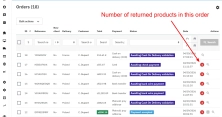
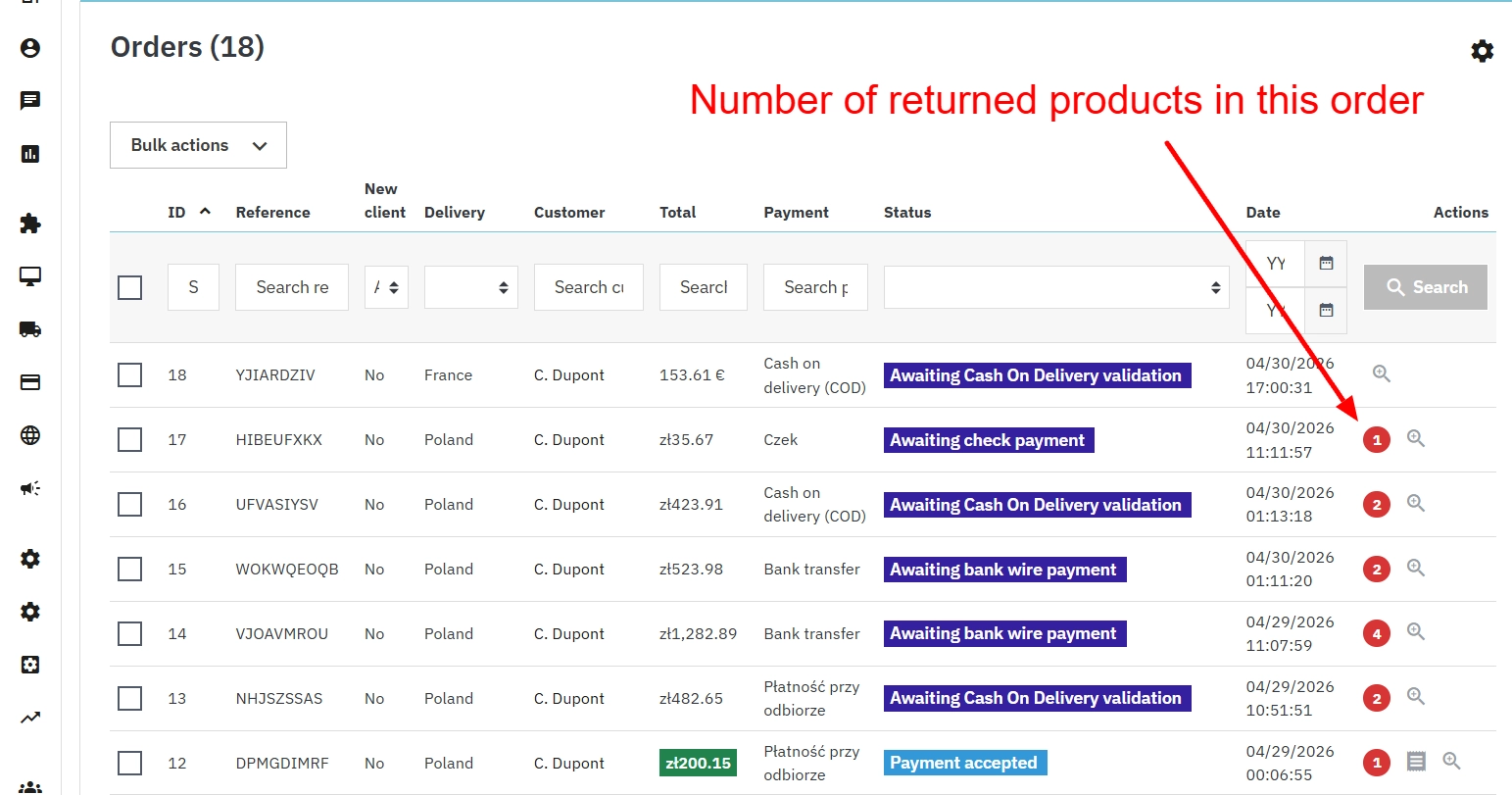
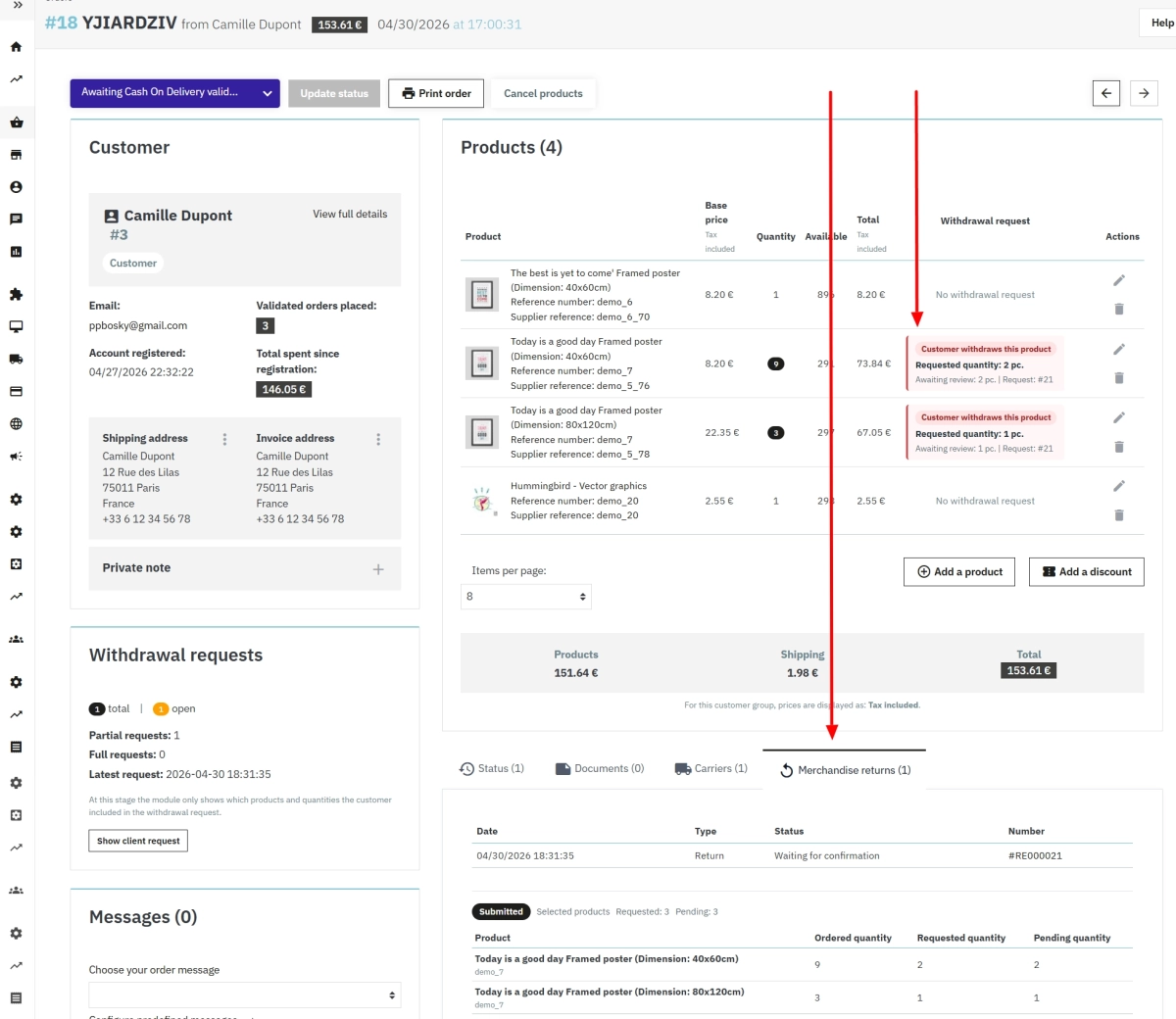
    • Order in the Back Office: Your team sees related requests directly on the order, including pending quantities and the request history.
    • Consistent communication: You can configure your own email notifications and a dedicated return-instructions section, which keeps communication with the customer organised.
    • A workflow tailored to your store: The module integrates with PrestaShop's native return window, delivery statuses and custom order statuses.
    • Security and stability: The module is designed to work on a standard PrestaShop installation without modifying core files.

    Legal context - preparing your store for 2026

    The right to withdraw from a contract in online sales, stemming from consumer rights legislation and Directive 2011/83/EU, is one of the foundations of e-commerce. At the same time, this area continues to evolve.

    At EU level, Directive 2023/2673 has been adopted, strengthening the requirements around how easy it must be to withdraw from a contract. Member States must implement these rules, and their application starts on 19 June 2026. In practice, this means giving customers an easy-to-find and clearly presented way to submit a withdrawal statement.

    This module helps you organise that process now. By implementing it, you improve day-to-day store operations and make it easier to prepare your sales process for the upcoming legal requirements.

    Note: When selling digital content, such as software, the module can support orderly documentation of customer requests, but it does not replace the consent mechanisms required by law.

    Back Office features

    Full control over the request process

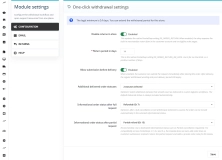
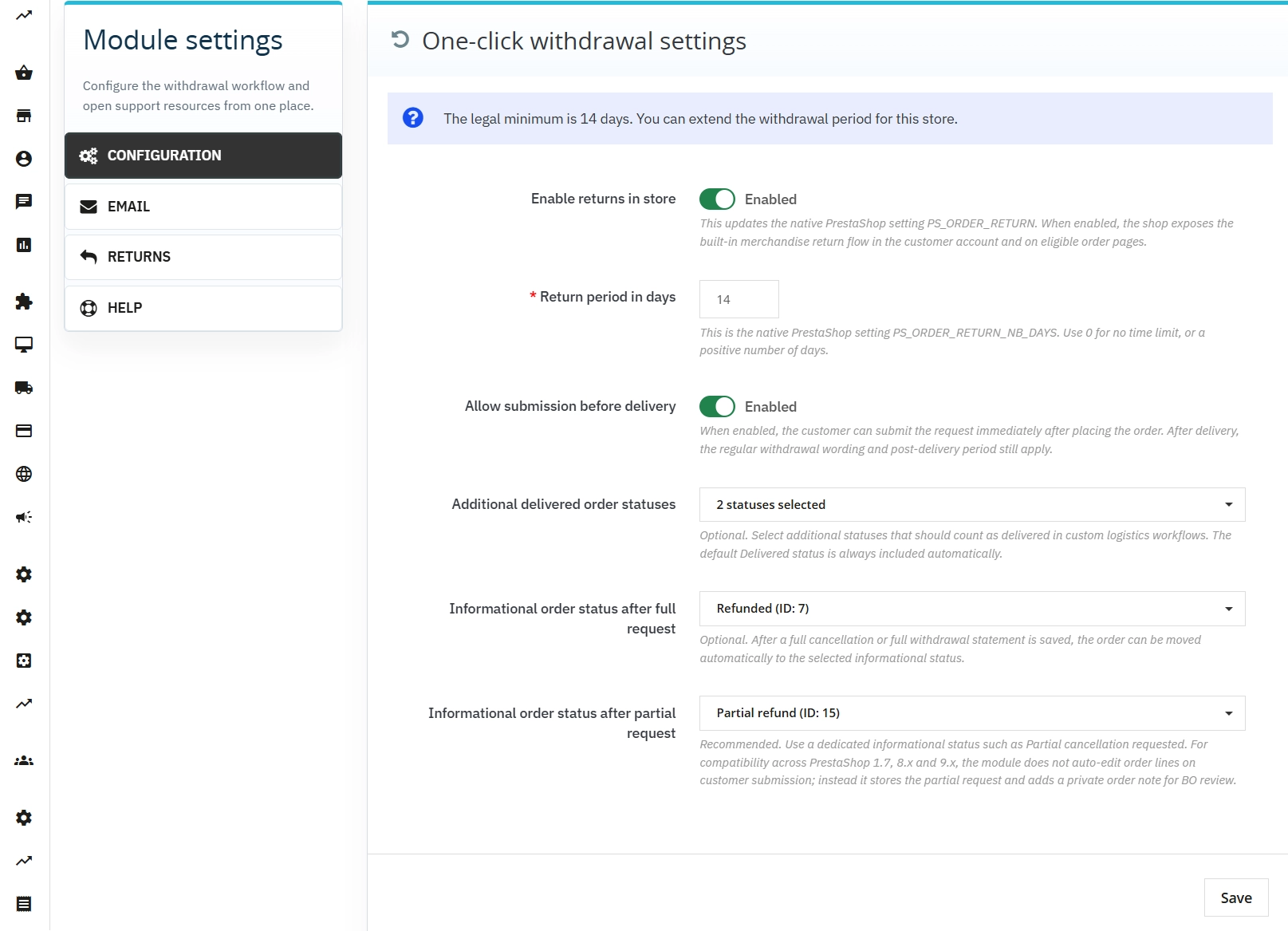
    The administrator defines the withdrawal period, indicates which order statuses are treated as delivered and manages when the withdrawal option is visible.

    • Integration with PrestaShop's native return window.
    • Support for custom logistics through your own delivery-status selection.
    • Automatic request qualification that limits human error.

    Smart order statuses

    The module can automatically change the order status once a request is submitted, separately for full and partial withdrawals.

    • Fast segregation of orders that require attention.
    • Easy identification of partial returns.
    • No single imposed model - full adaptation to your store procedures.

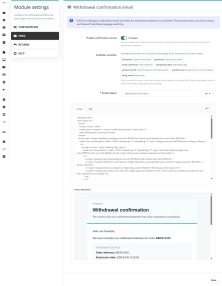
    Personalised confirmation emails

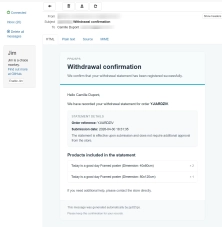
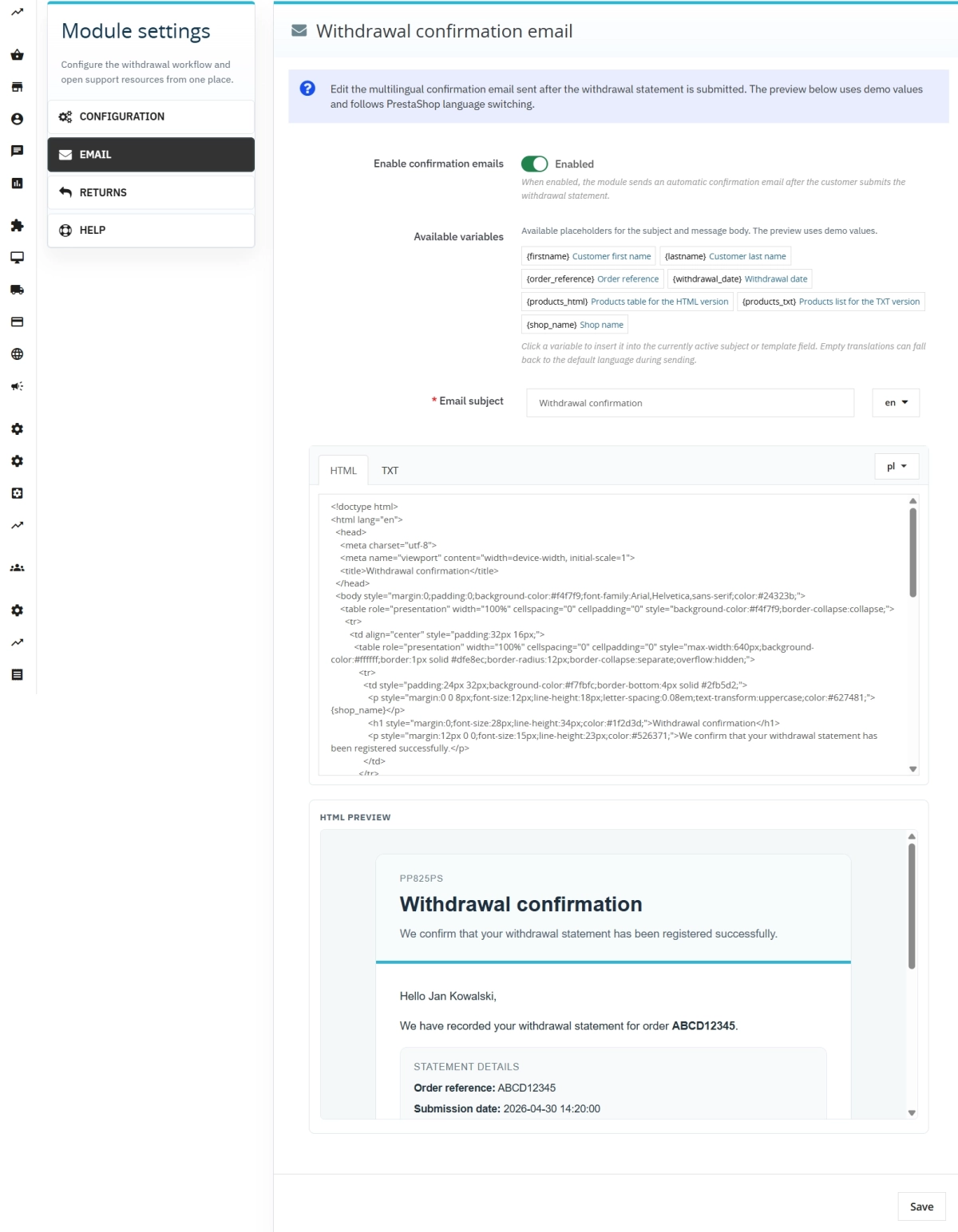
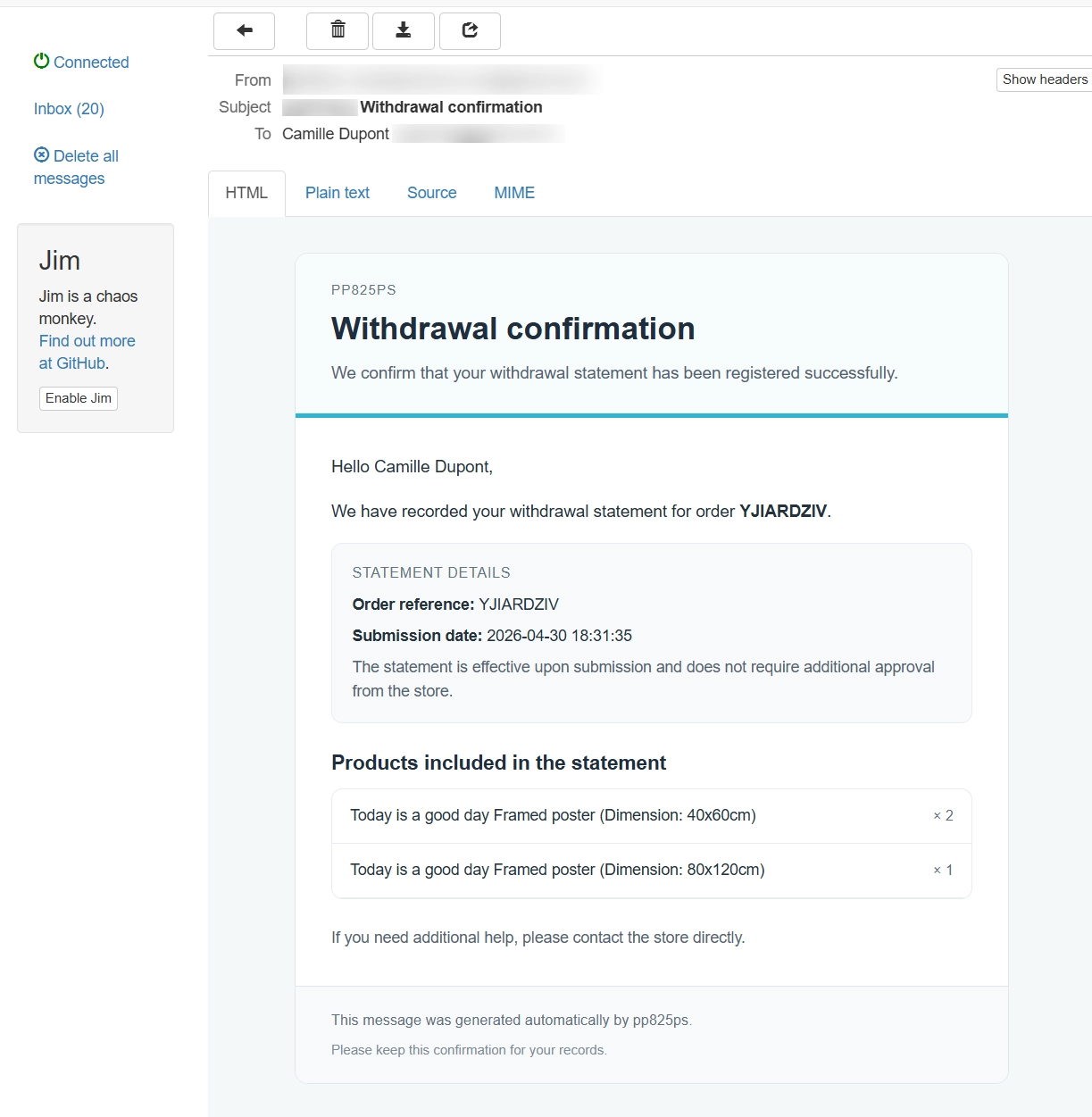
    Create your own multilingual HTML and TXT email templates sent after the withdrawal statement is accepted.

    • Dynamic variables for personalising customer data and product lists.
    • Built-in live preview directly in the panel, without placing test orders.

    Managing requests from the order page

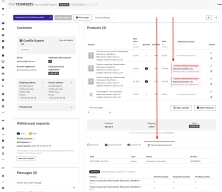
    Your team sees all withdrawal requests directly in the details of a specific order.

    • Current view of requested and pending quantities.
    • Private operational notes for partial withdrawals.
    • Synchronisation with native PrestaShop actions.

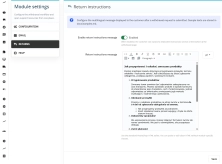
    Editable return instructions

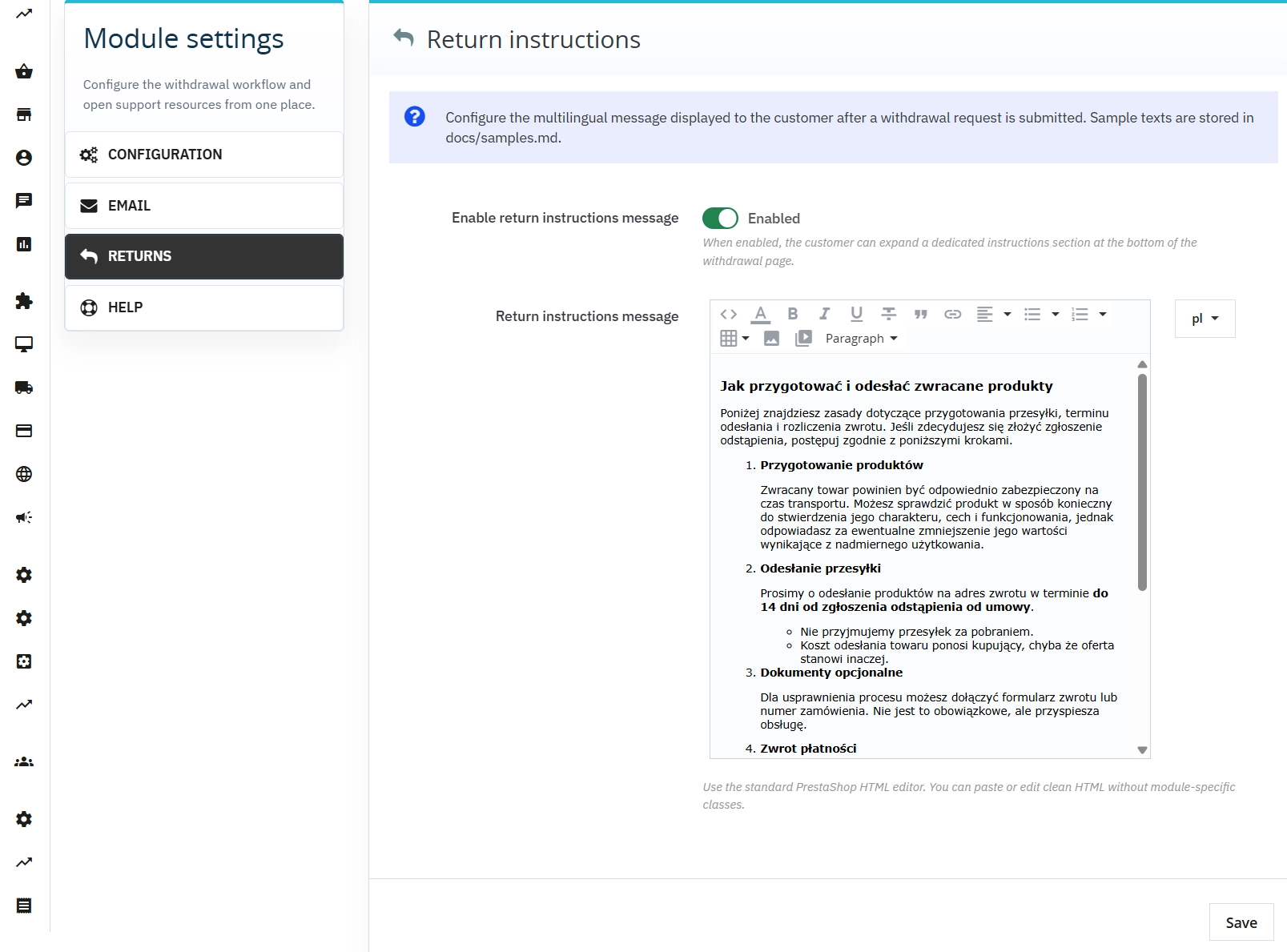
    Create clear instructions for packing and sending products back using the standard PrestaShop WYSIWYG editor.

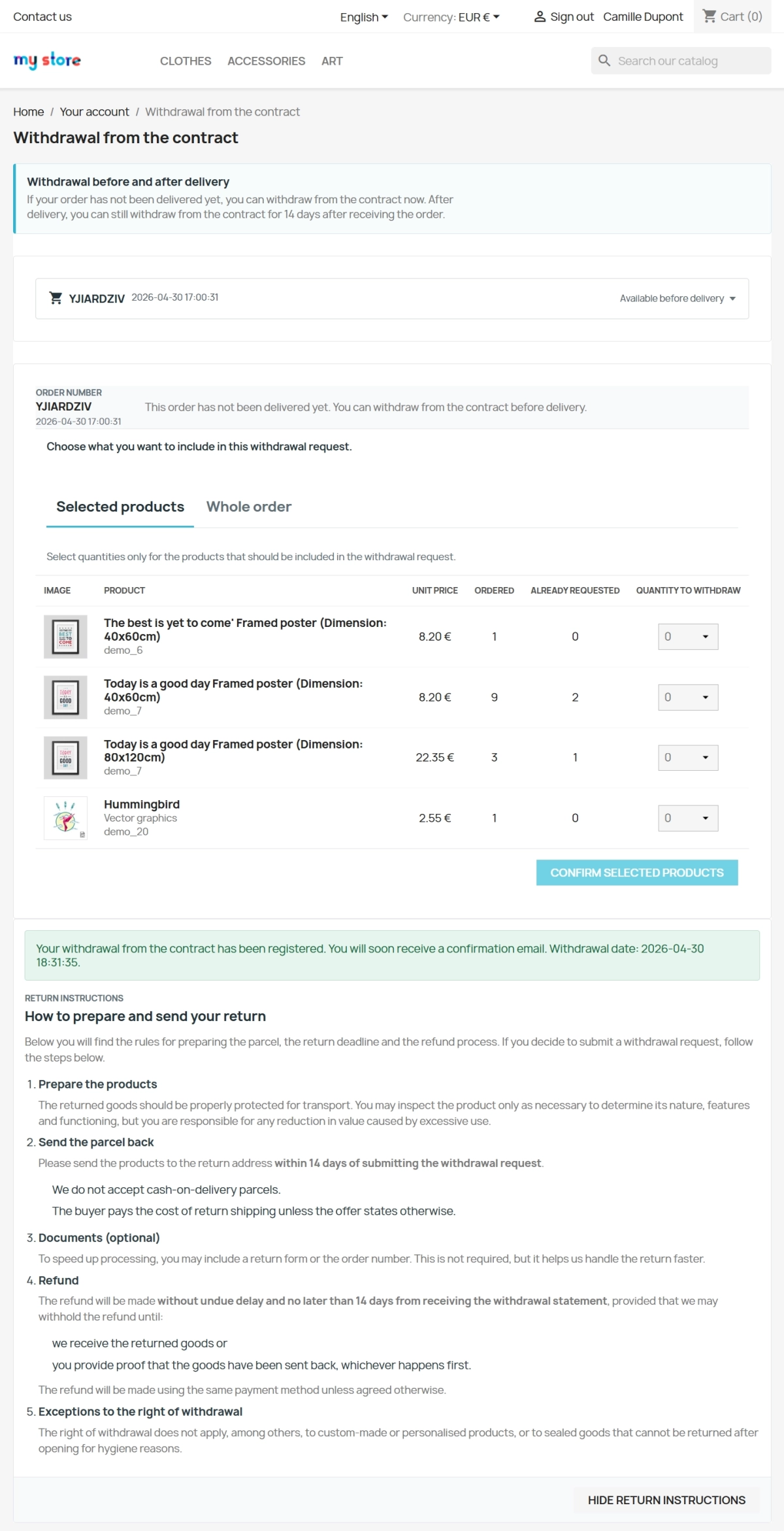
    • Clear guidance for the customer available immediately after submission.
    • Fewer support queries about the return procedure.

    Front Office features

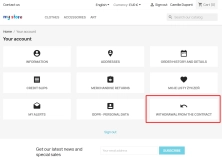
    Dedicated withdrawal panel

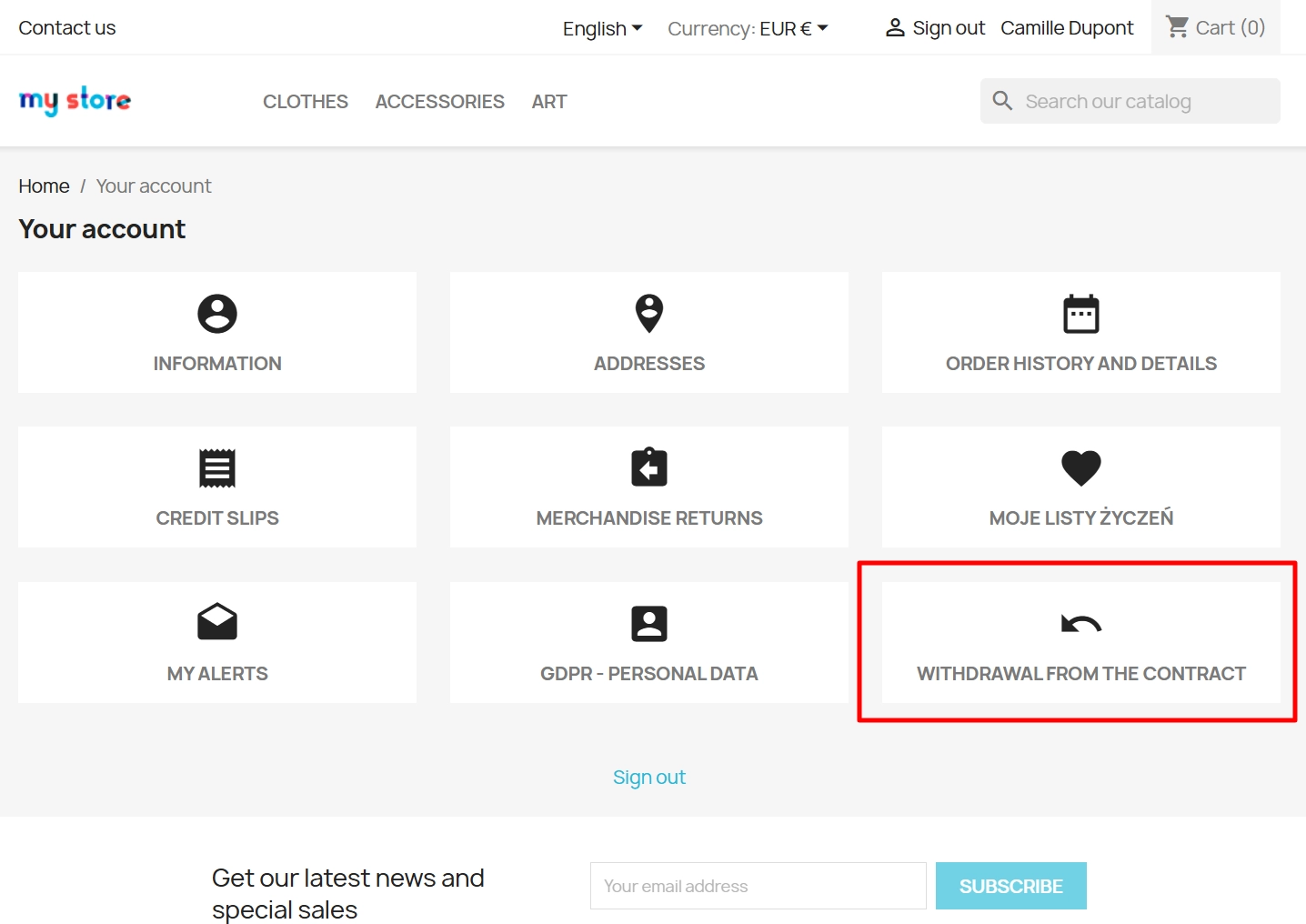
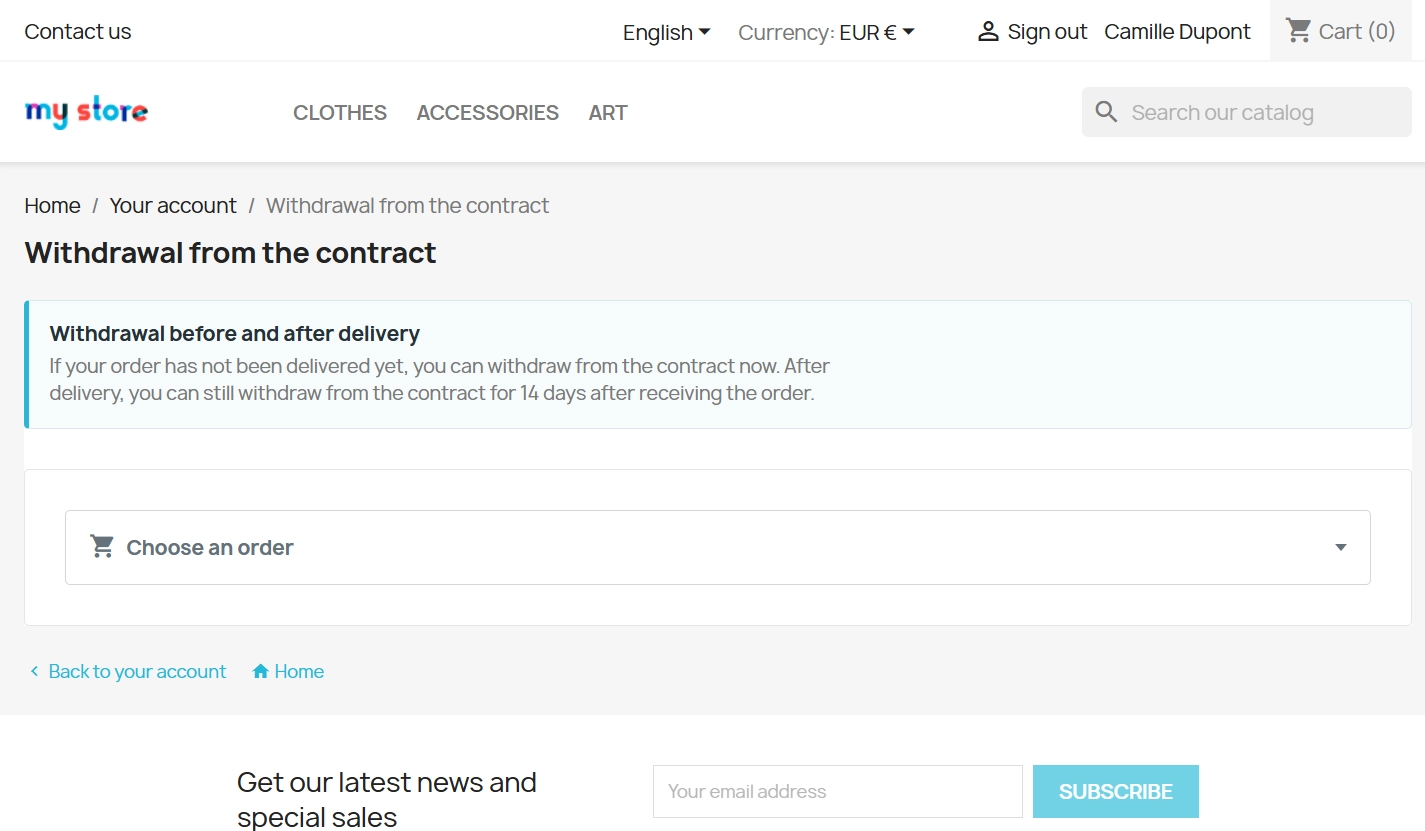
    Instead of using a contact form, the customer gets a dedicated interface in their account.

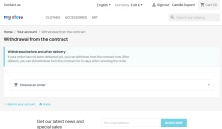
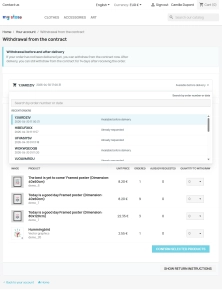
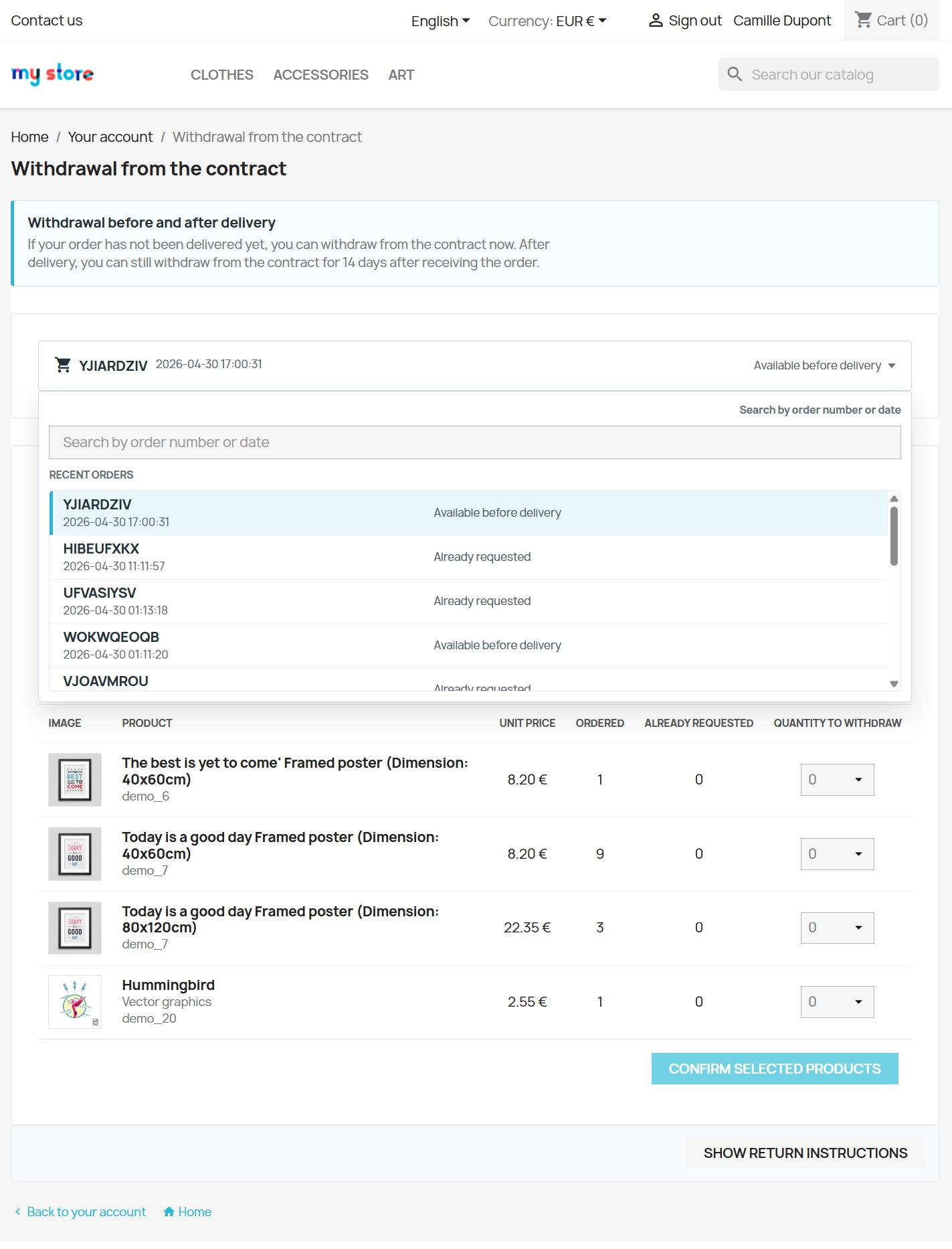
    • Order list with search by reference, date or product.
    • Dynamic validation that checks whether the withdrawal window is still open.
    • A modern and responsive user interface.

    Precise product and quantity selection

    The customer does not need to describe what is being returned. They simply select it from the product list for that order.

    • Partial return requests in seconds.
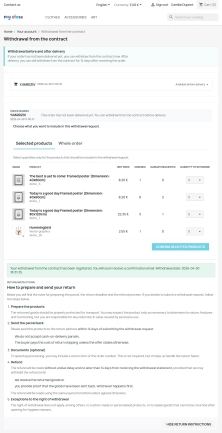
    • Protection against mistakes - the system does not allow a larger quantity to be submitted than remains available for withdrawal.

    Immediate instructions and transparency

    After clicking "Submit", the customer immediately receives a confirmation and an expanded section with the next-step instructions.

    • Clear on-screen confirmation as well as confirmation by email.
    • Request history visible in the order details.
    • Less stress for the buyer and a more predictable post-purchase process.

    Impact on UX and the store's professional image

    Although admin-oriented modules rarely affect a store's technical SEO directly, this module strongly improves user experience (UX) and brand trust. A clear withdrawal procedure reduces post-purchase friction, shortens request-handling time and helps you build a professional after-sales standard.

    Important before installation

    We recommend taking a backup before installing the module.
    The module is used to manage requests, record them and support communication. It does not automatically issue payment-gateway refunds and it does not automatically create invoice corrections. Before going live, make sure you have correctly configured delivery statuses and the withdrawal period in the module settings.

    ## [1.1.0] - 2025-04-30
    ### Added

    FAQs

    • What payment methods do you accept?

      We accept payments by credit/debit card, bank transfer and online payment systems such as Przelewy24, PayPal. Details can be found on the payment page.

    • Can I test the module before purchasing?

      We do not provide modules for testing on individual PrestaShop instances. If a given module has a demo version, it is available on our test store, where you can familiarize yourself with its functionality. On the product page you will also find a detailed description, screenshots and instructional materials. In case of questions, please contact us - we will be happy to provide additional information.

    • How can I extend technical support or access to updates?
      • Extension of support and updates:

        • If the option to extend support and updates is available, you can order it directly from our store.
        • Simply add the appropriate option to your cart and complete the purchase.
      • No available extension option:

        • If support and update extensions are not offered, purchasing the module again will be required.
    • Are the modules compatible with my version of PrestaShop?

      Each module in our store contains information about compatibility with specific PrestaShop versions. Please check this information carefully before purchasing. If you are not sure, contact us.

    • What should I do if the product does not meet my expectations?

      If the product does not meet your expectations, please contact our customer service department. Any returns are considered individually, in accordance with our regulations.

    • How long can I use the module after purchase?

      Purchased products are available for use without time limits. However, access to updates and technical support is usually limited to 6 or 12 months from the date of purchase, depending on the product. (details on updates/support are always included on the respective product card)

    • How can I download a purchased module?

      After you pay for your order and the payment is posted, the link to download the module will appear in your account in the "Order History and Details" tab ("Details" button). Additionally, we will send you an email with a download link.

    • How long does it take to process an order?

      The order is fulfilled automatically after the payment is posted. The product can then be downloaded immediately after the order has been paid for.

    • Do you offer technical support for products?

      Yes, we provide technical support within the support period assigned to a given product. You can contact us via the contact form or e-mail.

    • Can I get help installing a module or template?

      Yes, we offer installation and setup service as an additional option. You can add it to your cart when purchasing the product or order it separately.

    • Can I update the module to a newer version?

      Yes, you can download new versions of the product for free during the support and update period. After that time, you can renew your update subscription.

    • What should I do if I have problems downloading the module?

      If you have trouble downloading the module, please make sure your payment has been processed. If you still have trouble, please contact us and we will manually provide you with the module.

    • Are the modules compliant with GDPR regulations?

      We design our modules with GDPR compliance in mind. If a module processes personal data, you will find detailed information on compliance with the regulations in its description. We make every effort to ensure that our solutions meet current data protection standards.

    • Can I ask you to adapt the module to my needs?

      Yes, we offer a module personalization service. Describe your needs and we will prepare an individual quote.

    • Can I ask for advice in choosing a module?

      Of course! Contact us and we will advise you which module best suits your needs.

    • Can I have my store audited before purchasing a module?

      Yes, we offer a store audit service to help you choose the right modules and identify areas for improvement. Contact us for more information.

    • Do you offer help with store optimization after installing the modules?

      Yes, we can help you optimize your store so that your modules run at full efficiency. Ask about our technical support service.

    • Can I get a discount as a regular customer?

      Yes, for our regular customers we offer a loyalty program with attractive discounts. Check the details in your customer panel. If you do not see such an option, contact us - we will be happy to help!

    • What does the module update process look like?

      If the module requires an update, you can download the latest version from your client panel. We recommend backing up your store before updating.

    • Can I modify a purchased module or template?

      Yes, you can modify purchased products for your own needs, but you cannot resell them or share them with third parties. Details can be found in the license terms and conditions.

    • Can I change the domain on which the module runs?

      Yes, if you want to transfer the module to another domain, please contact us to discuss the details and conditions of the license transfer.

    • Can I use the purchased module in multiple stores?

      Purchased modules are licensed for a single store. The exception is the use of the multi-shop feature within a single PrestaShop installation. In this case, you can use the module on multiple stores, even with different domains, provided that:

      • all stores run on the same PrestaShop installation,
      • the module is compatible with the multi-shop feature.
    • What should I do if my store stops working after installing the module?

      If your store encounters problems after installing the module, please contact our technical support immediately. We will help diagnose and resolve the issue.

    • How can I check if a module will work with my other installed modules?

      Our modules are designed to be as compatible as possible with other popular PrestaShop extensions. If you have any doubts, contact us and send us a list of your modules - we will help verify it.

    • Are the modules translated into different languages?

      Most of our modules are available in several languages, including Polish and English. Information about available languages ​​can be found in the module description.

    • What to do if module installation ends with an error?

      Check if your PrestaShop version is compatible with the module and if you have the right permissions for installation. If the problem persists, contact our technical support - we will help you solve the problem.

    • Can I order a module that is not available in your offer?

      Yes, we do custom module creation. Contact us for details and pricing.

    Do you need additional features or custom solutions?

    • Module customisation tailored to your specific requirements.
    • Extending functionality to enhance your store's capabilities.
    • Developing bespoke modules designed to meet your unique needs.
    • Integrating external systems and additional tools.
    • Optimisation and improvements for better performance and user experience.

    Do you have ideas on how to improve this software? Share your suggestions for optimisation, new features, or bug reports – we’ll be happy to review them!