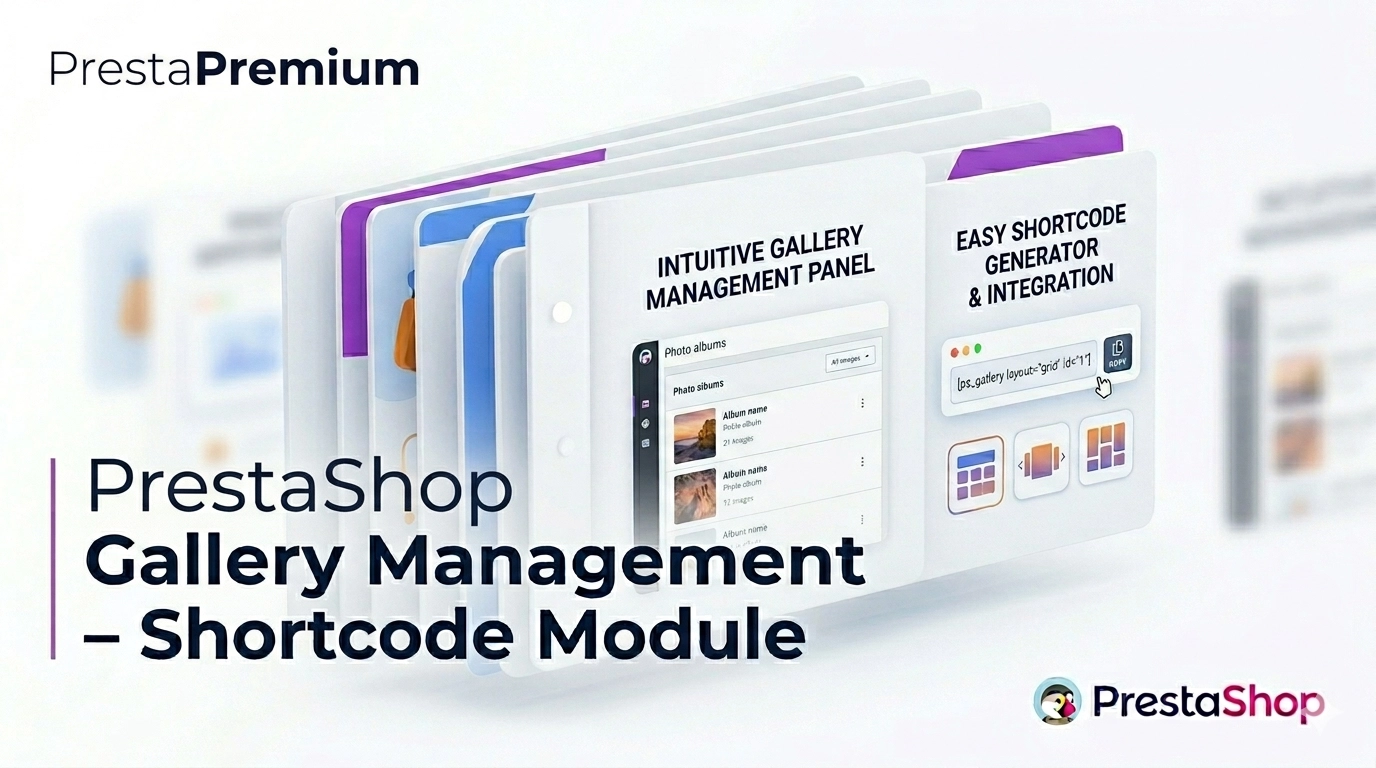
PrestaShop Gallery Management – Shortcode Module

PP-M042
UX & Appearance
1.7.7.x + | 8.x | 9.x
PL, EN
  • 1.0.7
  • 2026-06-08
  • Looking for a better way to showcase images in your store? Advanced Image Gallery for PrestaShop is a purpose-built module that lets merchants create, edit, and embed visual content anywhere via simple shortcodes. Each gallery can render as a carousel or a grid, and the module supports multilingual captions, Multistore, plus native Lightbox and Lazy Loading.

    It’s designed for store owners, administrators, developers, and SEO specialists. Because global defaults and per-gallery overrides are kept separate, teams can scale rich media faster without re-uploading the same files again and again.

    39.90 € Tax excluded

    Enter your store domain

    event Important: Domain change possibility expand_more

    If the module will be tested, enter a test domain during purchase.

    You will report the change to a production domain later.

    In case of an incorrectly entered domain, please contact us as well.

    Changing the domain to a production one is possible once and requires reporting within 3 days of starting its use.

    Reports: shop@prestapremium.com

    In the content, provide:

    • order number
    • product name
    • current domain
    • new domain

    Details

    Additional services:

    Installation +29.10 €

    Information Parameters:

    • 1.0.7
    • 2026-06-08
    • 1.7.7.x + | 8.x | 9.x
    • PL, EN

    Key benefits

    • Faster visual content production — build a gallery once and reuse it in multiple store positions via shortcode, removing duplicate uploads.
    • More compelling merchandising — show images as a responsive grid or dynamic carousel, with optional thumbnail cropping.
    • Consistent back-office UX — the interface is intuitive for admins, developers, and content creators alike.
    • Granular display control — Multistore support, advanced global settings, and a simple on/off toggle give you governance across storefronts.
    • Safer data lifecycle — optional keep-data-on-uninstall behaviour preserves galleries and settings through temporary removals.

    Practical use cases

    Category and product pages

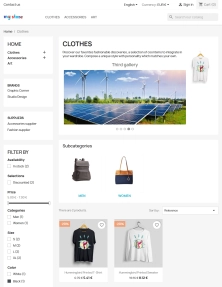
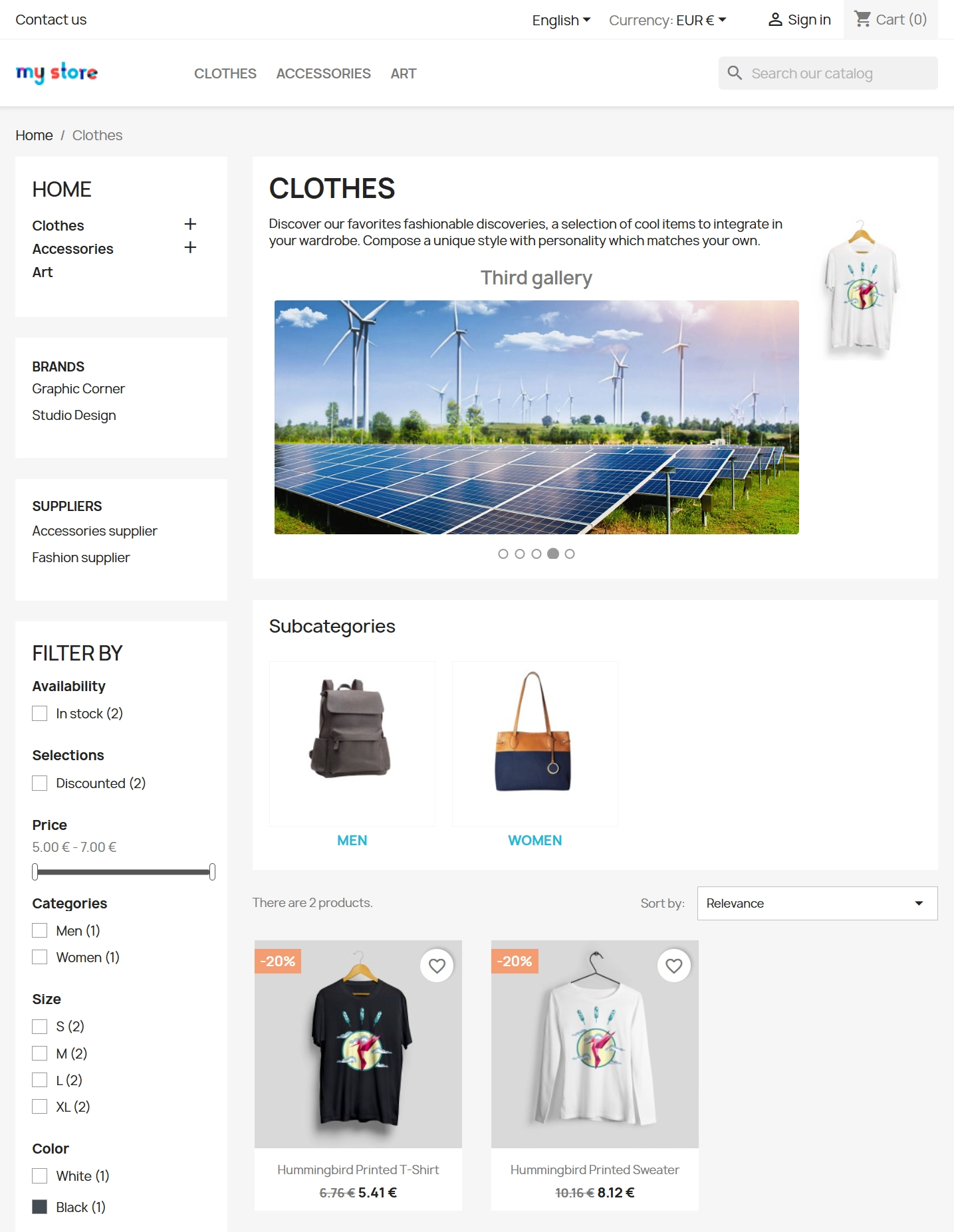
    Use it as an additional gallery on category or CMS pages — ideal for new arrivals, promotions, product bundles, or colour variants.

    Enriched product and CMS descriptions

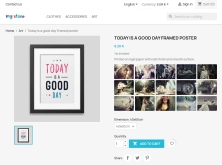
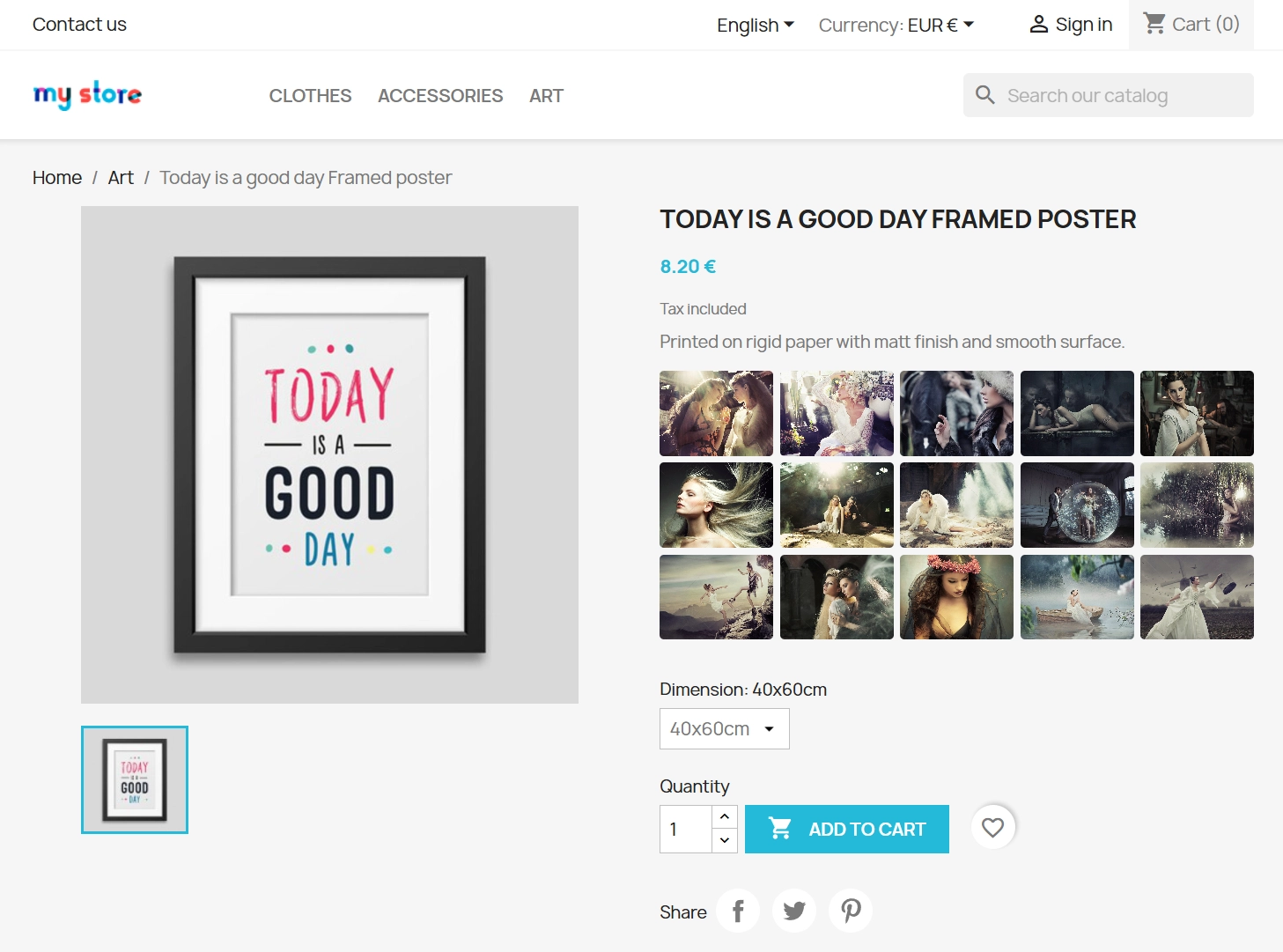
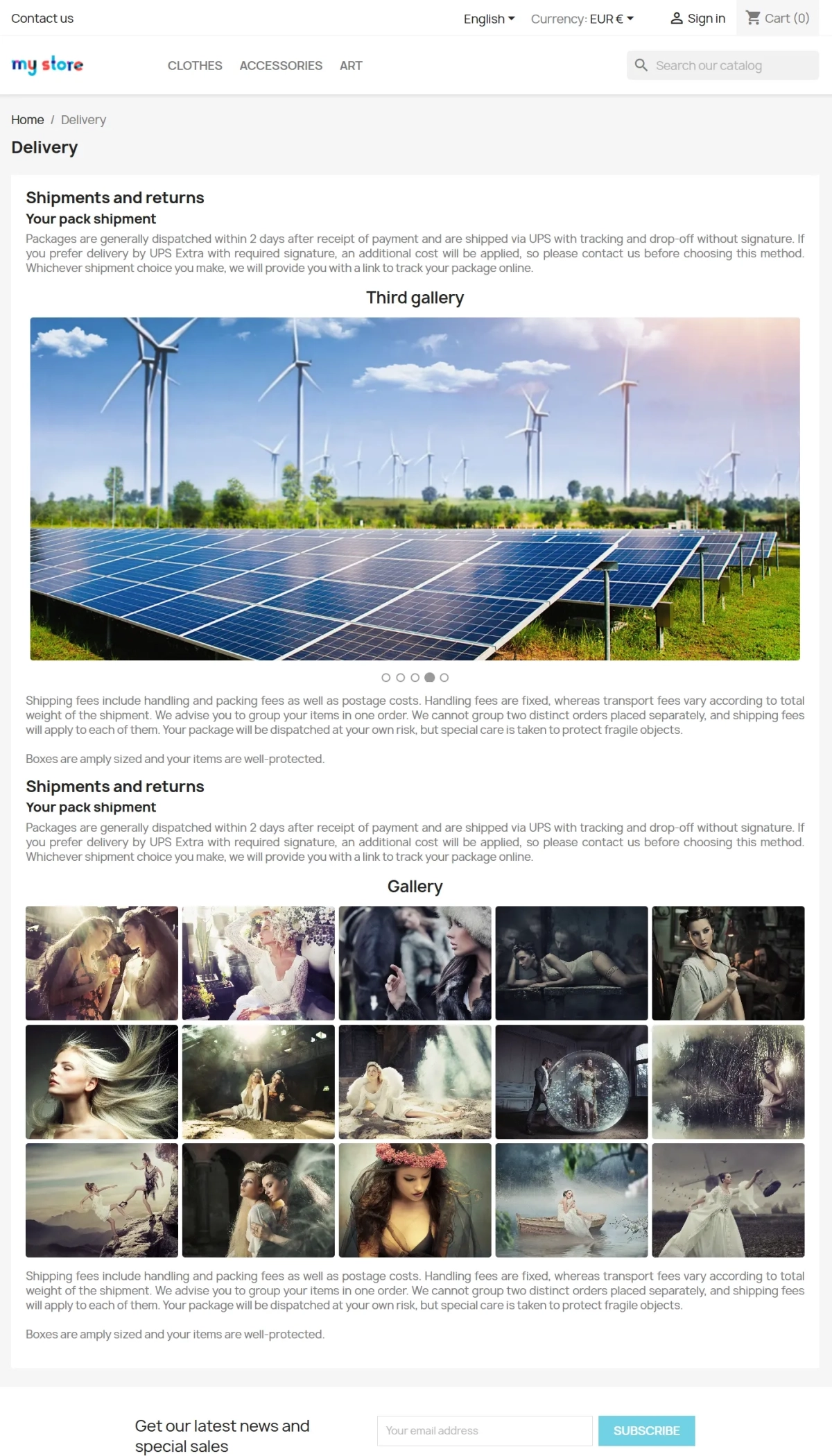
    Embed galleries directly in page copy — paste the shortcode into any text editor in PrestaShop, including product short and long descriptions.

    Multistore campaigns

    The Multistore capability lets you assign distinct image sets to individual stores, or publish shared assets across your entire network.

    Education, portfolio, and lead magnets

    Excellent for B2B, services, and education — produce visually engaging guides, case studies, or service portfolios as styled, captioned grids.

    SEO and conversion support

    Thanks to image optimisation and clean thumbnail structure, the module supports faster page loads (improved First Contentful Paint) and helps crawlers understand visual content.

    Back Office features

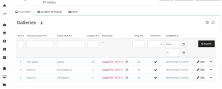
    Streamlined gallery editor

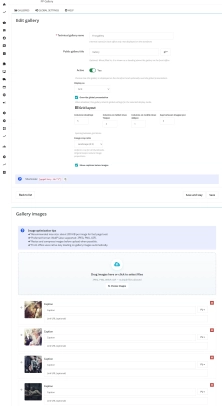
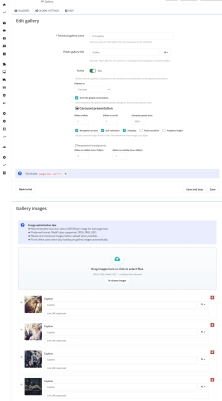
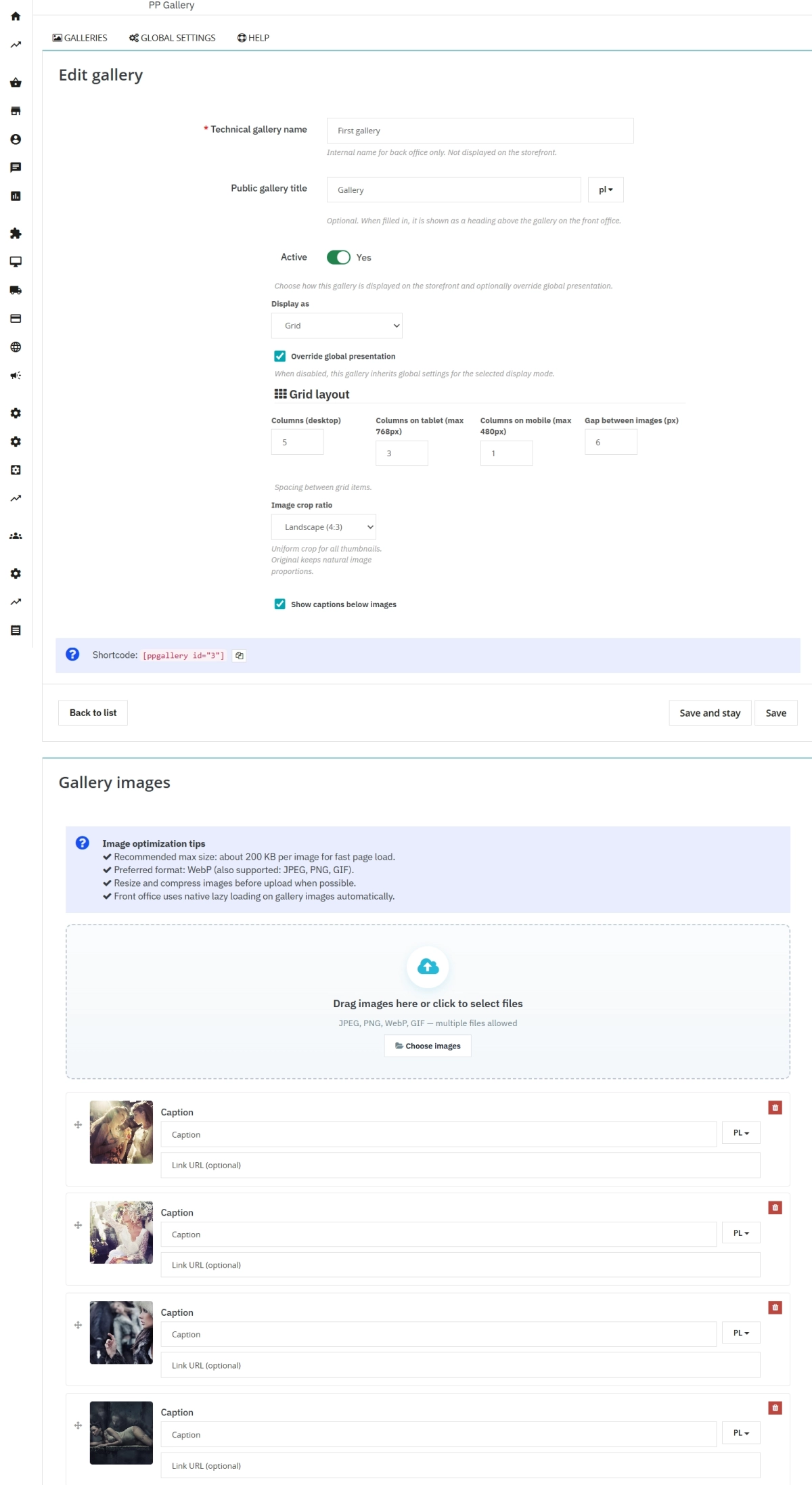
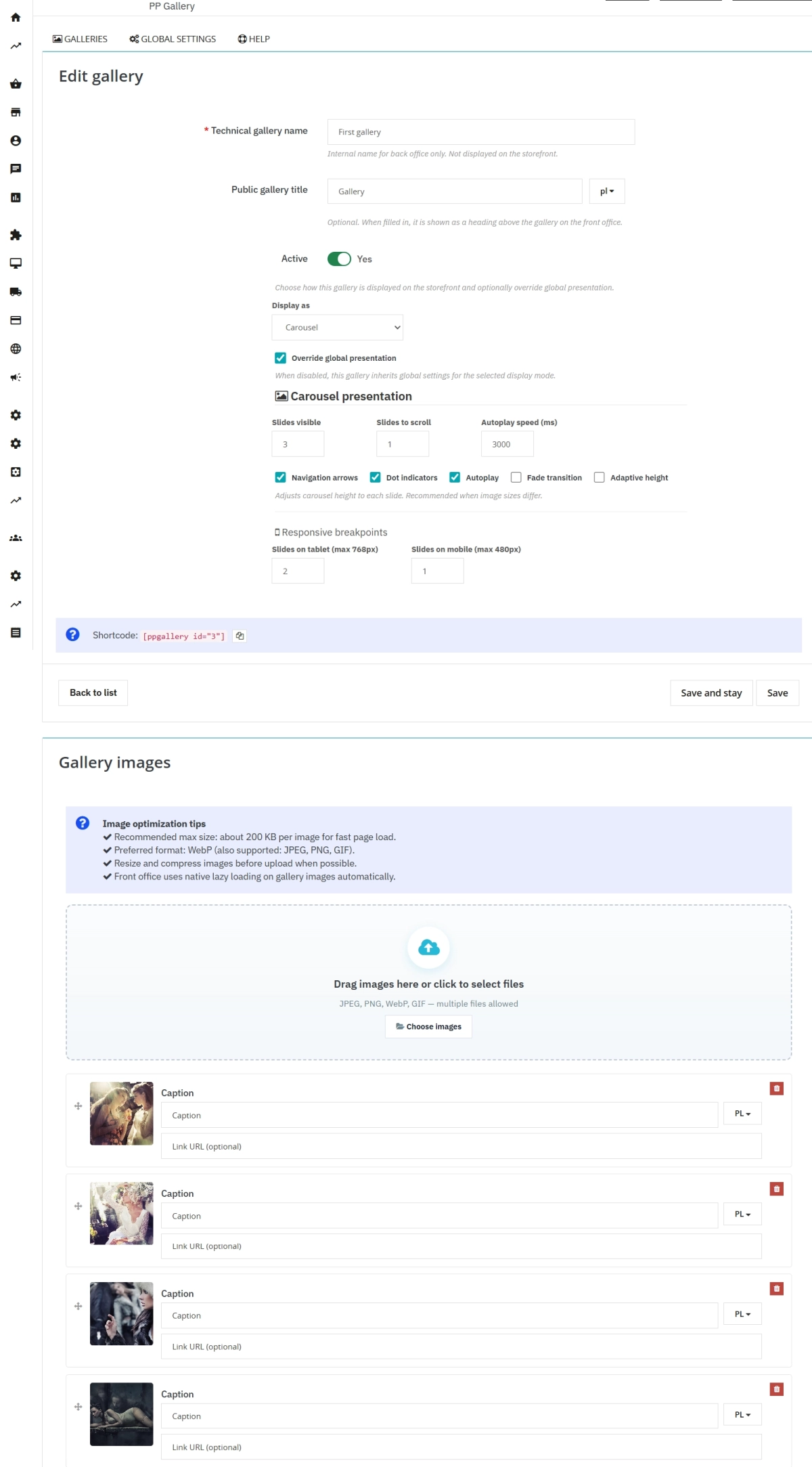
    Configure an internal name (back-office only), a public title (multilingual), display mode (carousel/grid), navigation behaviour, autoplay speed, and responsive layout rules.

    Drag-and-drop ordering

    Reorder photos by dragging and dropping them into place. Captions and custom image links are saved automatically with locale-aware fields.

    Universal shortcodes

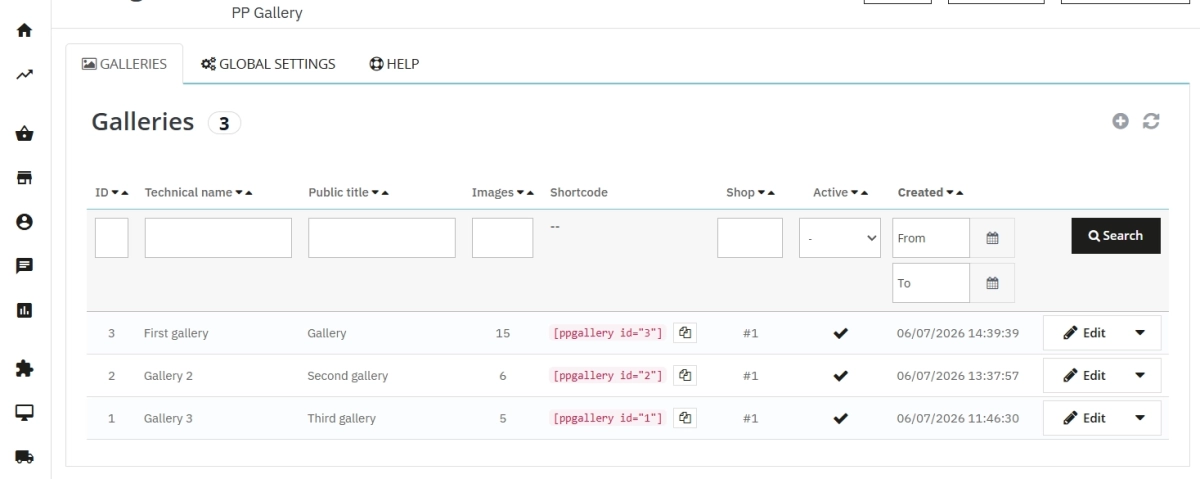
    After saving, you get a copy-ready token such as [ppgallery id="X"] to paste into any HTML-capable text field.

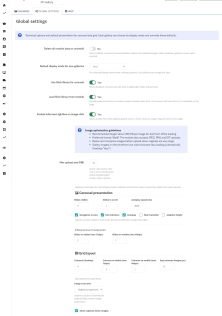
    Advanced global settings

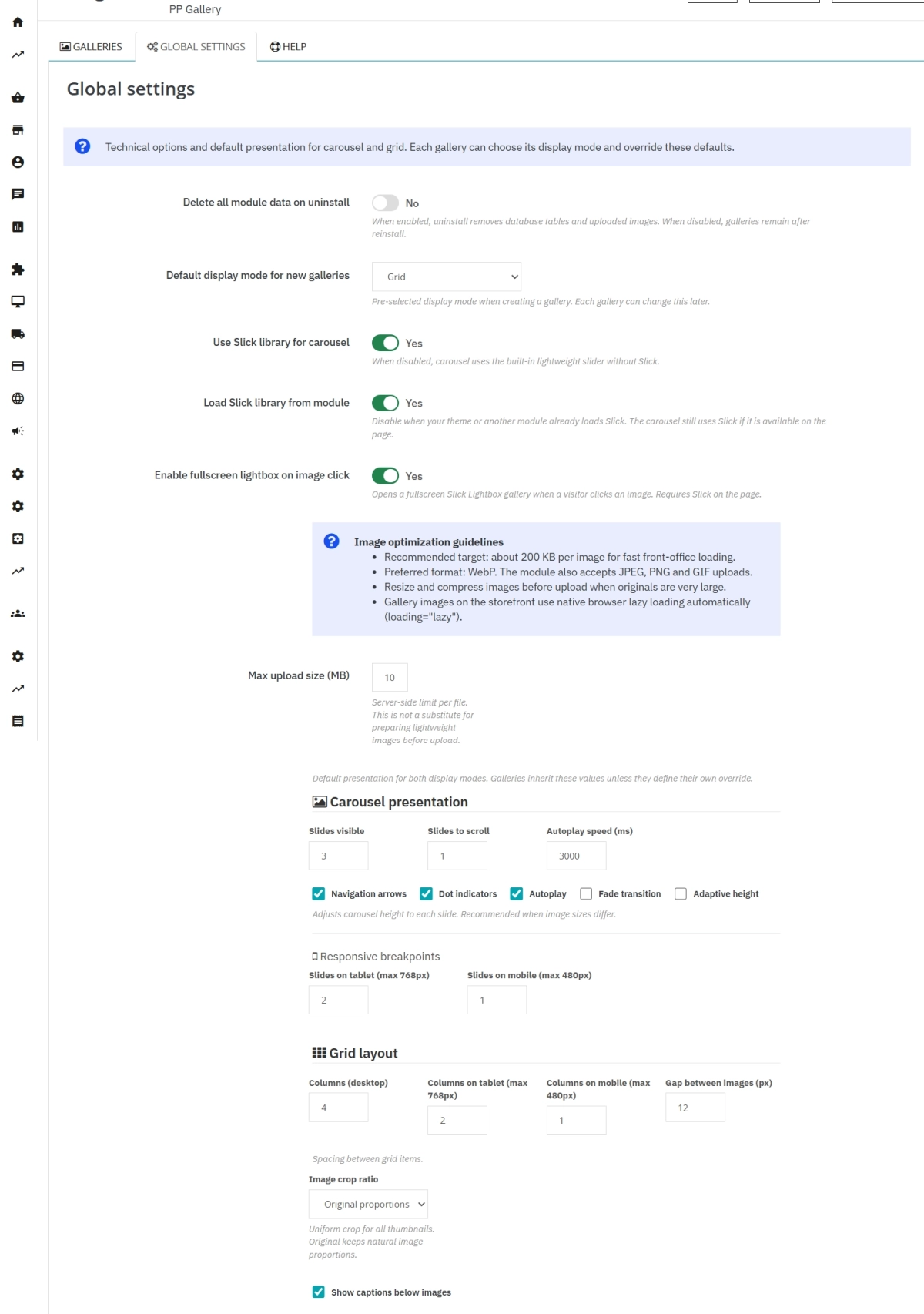
    Manage default parameters, set file-size limits, choose between the native slider behaviour and the lightweight Slick library, and define reinstall behaviour.

    Full Multistore management

    Switch the store context in the back-office header to instantly tailor visibility, settings, and available languages for each domain.

    Front Office features

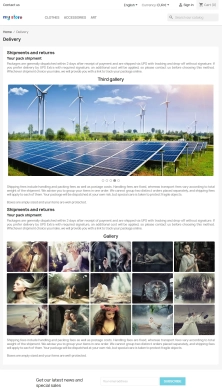
    Carousel or responsive grid

    Shoppers see a smooth slideshow or a clear photo grid that reliably adapts to desktop, tablet, and mobile screens.

    Lightbox with convenient navigation

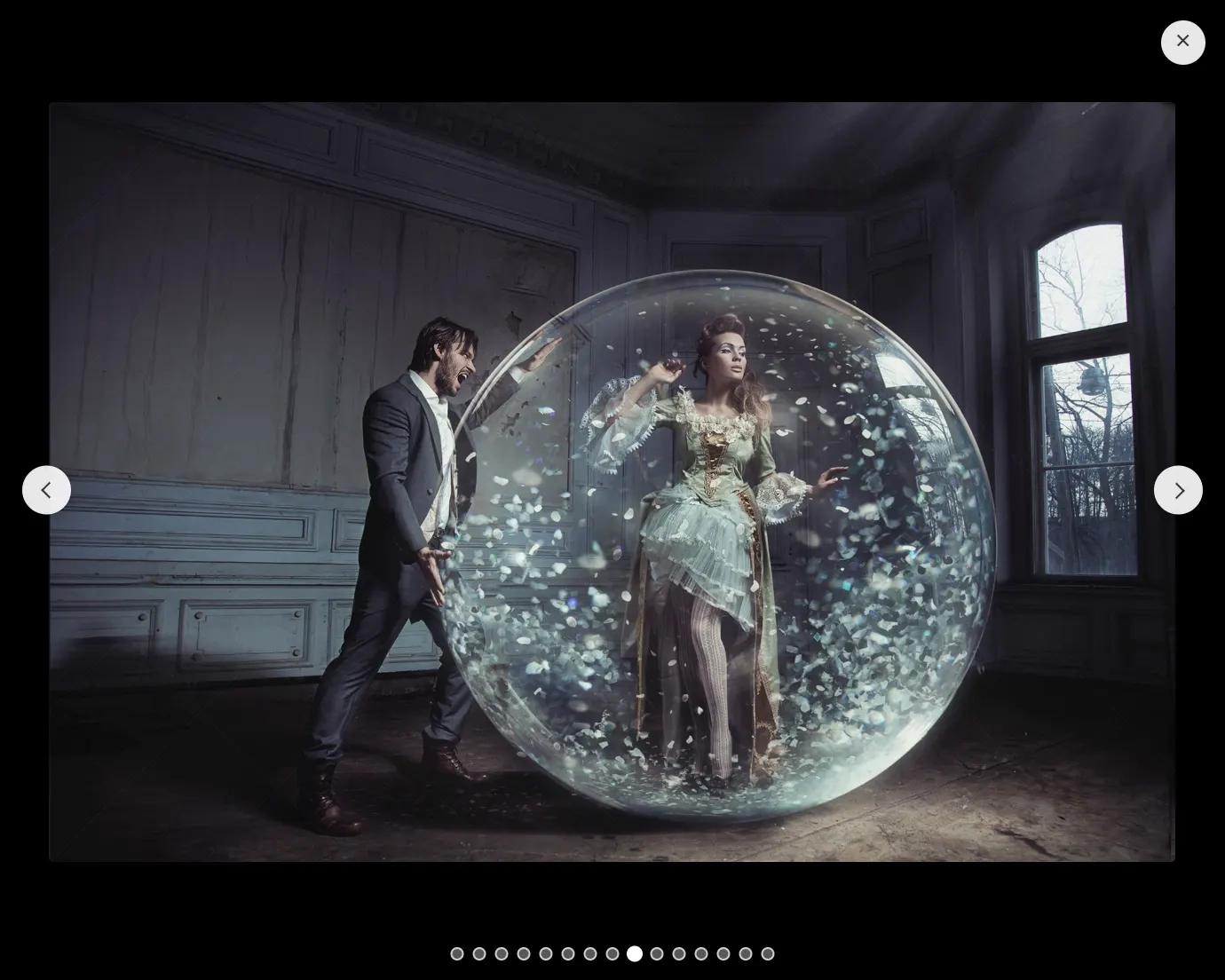
    Clicking a thumbnail opens a full-screen Lightbox experience — available when the option is enabled in settings.

    Performance-first delivery

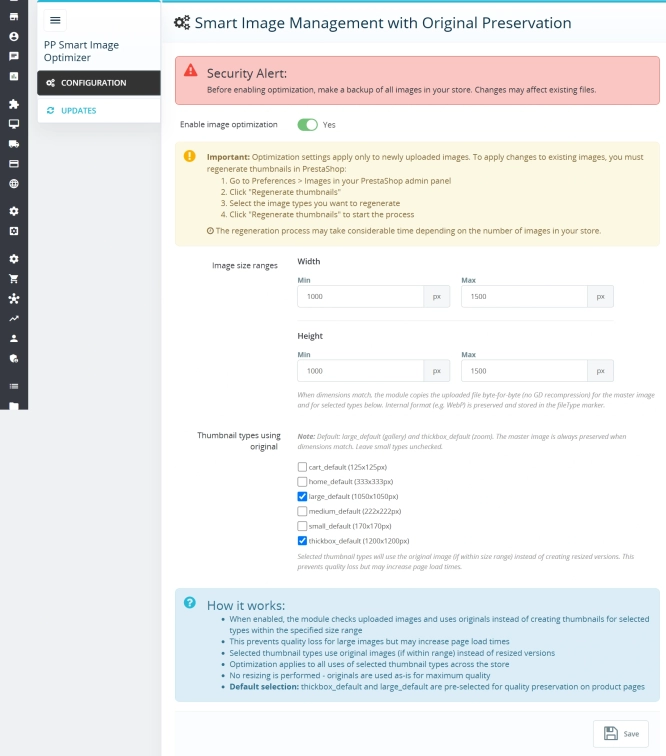
    We use native Lazy Loading, crop thumbnails to chosen proportions, and offer an option to preserve original graphic dimensions for exact visual fidelity.

    Sales and SEO impact

    • Higher conversion — clean visual layouts hold attention longer and reduce bounce rate on category and product pages.
    • Consistent content blocks — shortcodes let you build repeatable, unified information blocks across large product catalogues.
    • Fast, stable loadingLazy Loading plus resized, WebP-ready images directly supports stronger Core Web Vitals.
    • Better navigation and merchandising — optimised alt text and clickable image links can guide shoppers straight from visual interest to product detail pages.

    Important notes

    Backup reminder: If you leave the “remove all module data on uninstall” option off, galleries and settings survive reinstallation. Even so, take a full database and uploads backup before major changes. Also check server limits (upload_max_filesize, post_max_size) before uploading many files at once.
    Lightbox dependency: Full-screen preview relies on the Slick library being present on the page. If your theme or another module already loads Slick, the feature works without additional assets or conflicts.
    Multistore and cache: After switching store contexts or updating global defaults, clear the cache (Advanced > Performance > Clear cache) to prevent stale or mixed data from appearing on your storefronts.

    Download:


    PrestaShop module installation (625.83KB)

    Universal documentation describing the module installation process for PrestaShop.

    ## [1.0.7] - 2026-06-08
    ### Added
    - New feature

    FAQs

    • What payment methods do you accept?

      We accept payments by credit/debit card, bank transfer and online payment systems such as Przelewy24, PayPal. Details can be found on the payment page.

    • Can I test the module before purchasing?

      We do not provide modules for testing on individual PrestaShop instances. If a given module has a demo version, it is available on our test store, where you can familiarize yourself with its functionality. On the product page you will also find a detailed description, screenshots and instructional materials. In case of questions, please contact us - we will be happy to provide additional information.
    • How can I extend technical support or access to updates?
      • Extension of support and updates:

        • If the option to extend support and updates is available, you can order it directly from our store.
        • Simply add the appropriate option to your cart and complete the purchase.
      • No available extension option:

        • If support and update extensions are not offered, purchasing the module again will be required.
    • Are the modules compatible with my version of PrestaShop?

      Each module in our store contains information about compatibility with specific PrestaShop versions. Please check this information carefully before purchasing. If you are not sure, contact us.

    • What should I do if the product does not meet my expectations?

      If the product does not meet your expectations, please contact our customer service department. Any returns are considered individually, in accordance with our regulations.

    • How long can I use the module after purchase?

      Purchased products are available for use without time limits. However, access to updates and technical support is usually limited to 6 or 12 months from the date of purchase, depending on the product. (details on updates/support are always included on the respective product card)

    • How can I download a purchased module?

      After you pay for your order and the payment is posted, the link to download the module will appear in your account in the "Order History and Details" tab ("Details" button). Additionally, we will send you an email with a download link.

    • How long does it take to process an order?

      The order is fulfilled automatically after the payment is posted. The product can then be downloaded immediately after the order has been paid for.

    • Do you offer technical support for products?

      Yes, we provide technical support within the support period assigned to a given product. You can contact us via the contact form or e-mail.

    • Can I get help installing a module or template?

      Yes, we offer installation and setup service as an additional option. You can add it to your cart when purchasing the product or order it separately.
    • Can I update the module to a newer version?

      Yes, you can download new versions of the product for free during the support and update period. After that time, you can renew your update subscription.

    • What should I do if I have problems downloading the module?

      If you have trouble downloading the module, please make sure your payment has been processed. If you still have trouble, please contact us and we will manually provide you with the module.

    • Are the modules compliant with GDPR regulations?

      We design our modules with GDPR compliance in mind. If a module processes personal data, you will find detailed information on compliance with the regulations in its description. We make every effort to ensure that our solutions meet current data protection standards.

    • Can I ask you to adapt the module to my needs?

      Yes, we offer a module personalization service. Describe your needs and we will prepare an individual quote.

    • Can I ask for advice in choosing a module?

      Of course! Contact us and we will advise you which module best suits your needs.

    • Can I have my store audited before purchasing a module?

      Yes, we offer a store audit service to help you choose the right modules and identify areas for improvement. Contact us for more information.

    • Do you offer help with store optimization after installing the modules?

      Yes, we can help you optimize your store so that your modules run at full efficiency. Ask about our technical support service.

    • Can I get a discount as a regular customer?

      Yes, for our regular customers we offer a loyalty program with attractive discounts. Check the details in your customer panel. If you do not see such an option, contact us - we will be happy to help!

    • What does the module update process look like?

      If the module requires an update, you can download the latest version from your client panel. We recommend backing up your store before updating.

    • Can I modify a purchased module or template?

      Yes, you can modify purchased products for your own needs, but you cannot resell them or share them with third parties. Details can be found in the license terms and conditions.

    • Can I change the domain on which the module runs?

      Yes, if you want to transfer the module to another domain, please contact us to discuss the details and conditions of the license transfer.

    • Can I use the purchased module in multiple stores?

      Purchased modules are licensed for a single store. The exception is the use of the multi-shop feature within a single PrestaShop installation. In this case, you can use the module on multiple stores, even with different domains, provided that:

      • all stores run on the same PrestaShop installation,
      • the module is compatible with the multi-shop feature.
    • What should I do if my store stops working after installing the module?

      If your store encounters problems after installing the module, please contact our technical support immediately. We will help diagnose and resolve the issue.

    • How can I check if a module will work with my other installed modules?

      Our modules are designed to be as compatible as possible with other popular PrestaShop extensions. If you have any doubts, contact us and send us a list of your modules - we will help verify it.

    • Are the modules translated into different languages?

      Most of our modules are available in several languages, including Polish and English. Information about available languages ​​can be found in the module description.

    • What to do if module installation ends with an error?

      Check if your PrestaShop version is compatible with the module and if you have the right permissions for installation. If the problem persists, contact our technical support - we will help you solve the problem.

    • Can I order a module that is not available in your offer?

      Yes, we do custom module creation. Contact us for details and pricing.

    Do you need additional features or custom solutions?

    • Module customisation tailored to your specific requirements.
    • Extending functionality to enhance your store's capabilities.
    • Developing bespoke modules designed to meet your unique needs.
    • Integrating external systems and additional tools.
    • Optimisation and improvements for better performance and user experience.

    Do you have ideas on how to improve this software? Share your suggestions for optimisation, new features, or bug reports – we’ll be happy to review them!