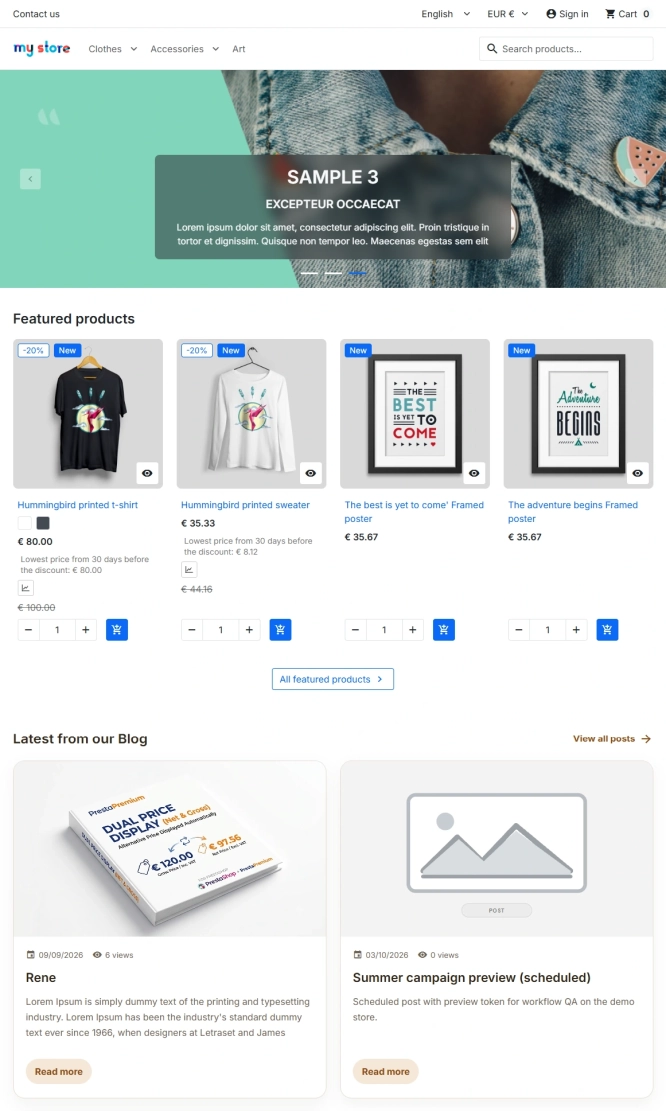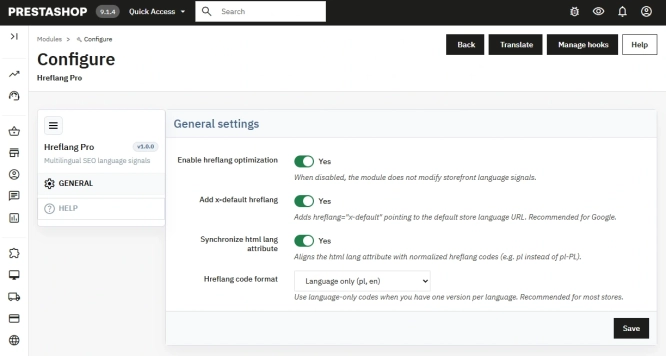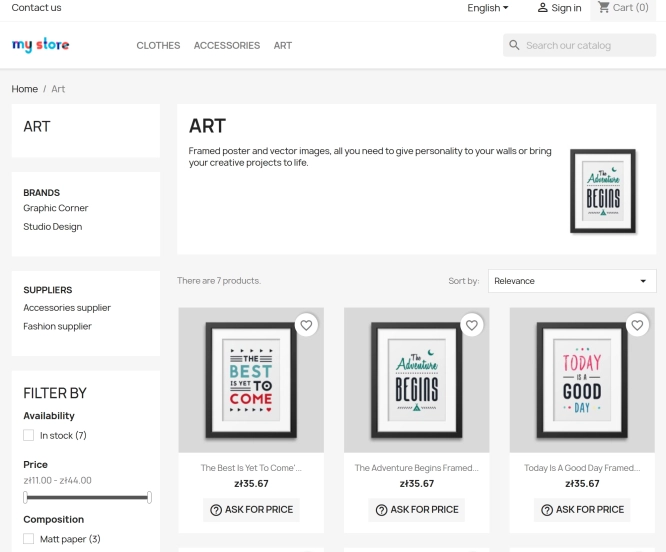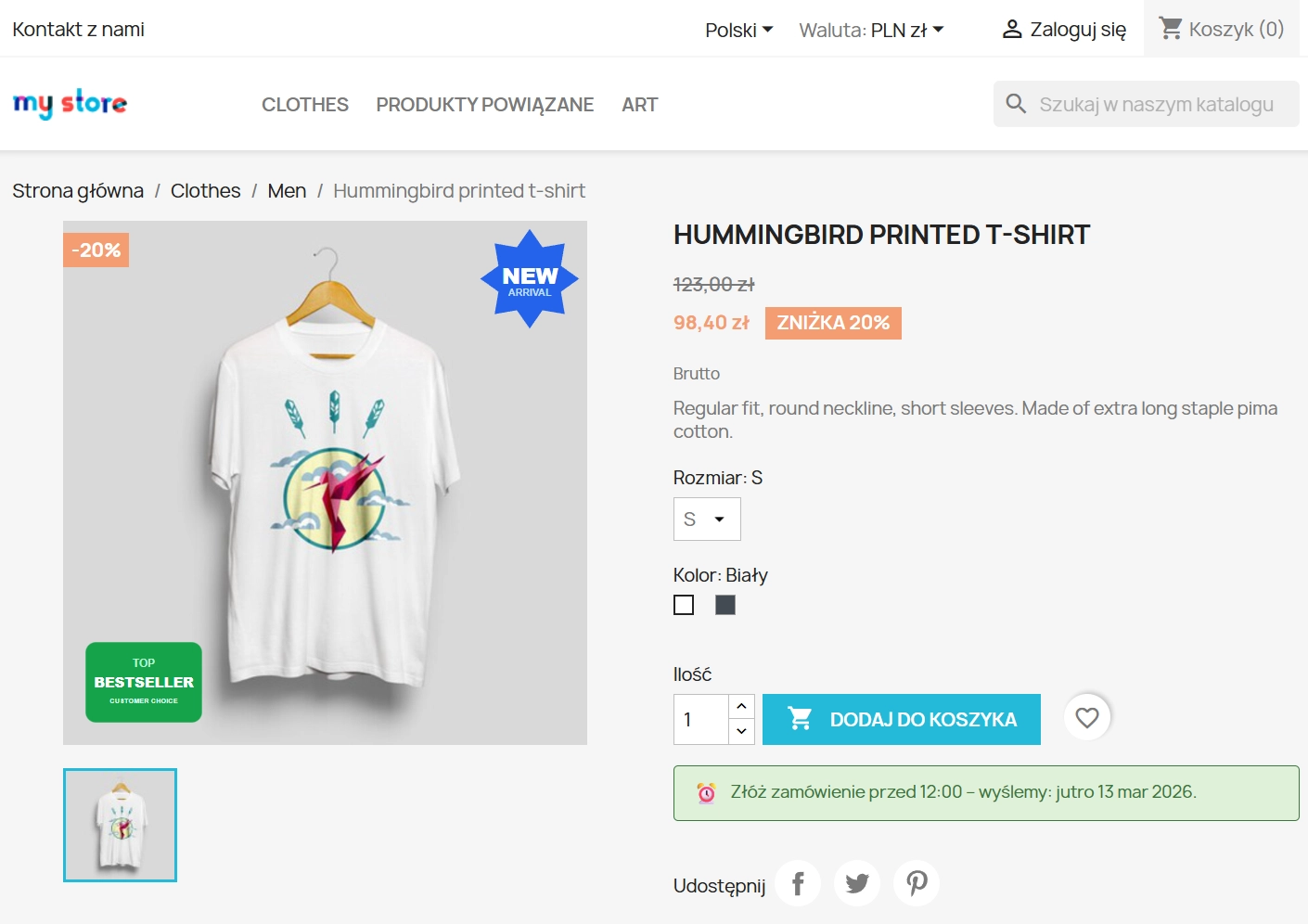

Banner Manager – Highlight promotions, new arrivals and important messages precisely when the customer is most engaged in shopping. Instead of hiding your message in page...
Dynamic Product Labels and Stickers for PrestaShop
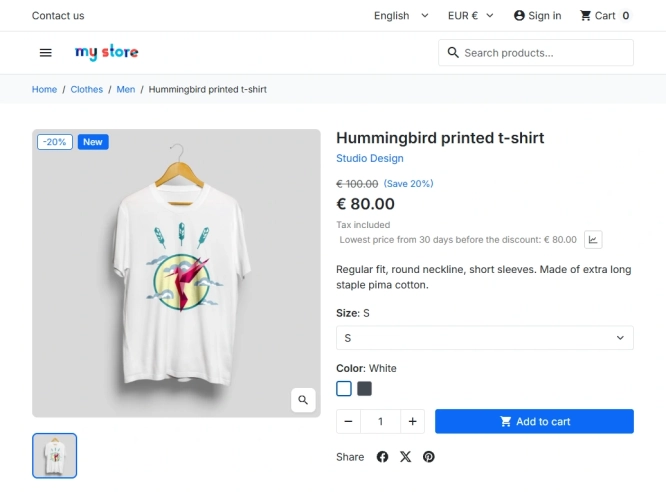
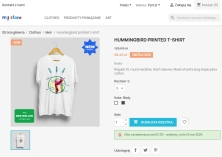
The PP Product Stickers module is designed for automated product labelling in your store using graphic and text stickers. The tool allows you to implement clear sales messages (e.g. sale, new) and an integrated mechanism that physically enforces free delivery for tagged product ranges.
Thanks to dynamic targeting (categories, manufacturers, customer groups) and display scheduling, the module minimises administrators' workload. Support for a Multishop architecture and precise settings for mobile devices make it an ideal solution for scalable e-commerce businesses.
- New
Information Parameters:
- 1.0.0
- 2026-03-12
- 1.7, 8.x, 9.x
- EN, FR, IT, DE, PL
- ✅
- ✅
- ✅
- ✅
Key Benefits
- Increased conversion rates. Visually highlighting key offers reduces the abandonment rate and accelerates the customer's purchasing decisions whilst browsing the catalogue.
- Integrated free delivery. The module goes beyond mere visual representation of a sticker – it features built-in logic that physically zeroes out shipping costs in the basket for products marked as such.
- Full RWD flexibility. The ability to define entirely separate positioning, scaling, and spacing rules specifically designed to optimise the view for mobile devices.
- Granular targeting. Deployment of tailored badge campaigns exclusively for precise segments in a B2B/B2C environment, specific manufacturers, or individual delivery associations.
- Optimised script performance. Intelligent native utilisation of rendering cache does not slow down database operations, maintaining stability and speed within a Multishop architecture.
Business Use Cases
- Sale and seasonal campaigns. Implementation of dynamic occasional labels (e.g., "Black Friday") that trigger automatically only during an active timeframe (Date Schedule).
- Excluding B2B / B2C segments. Differentiating promotional policies so that specific sale stickers do not render and remain invisible to targeted, dedicated retail or wholesale accounts.
- Guaranteed free shipping. Launching special offers where the appearance of a "Free Delivery" badge not only attracts the eye but automatically explicitly exempts the customer from logistical costs upon checkout entirely.
- Brand informational campaigns. Clearly indicating extended warranties and quality (e.g., "5-Year Guarantee") for selected collections from specified creators without the need to re-template the original inventory photography.
Functionality – Back Office
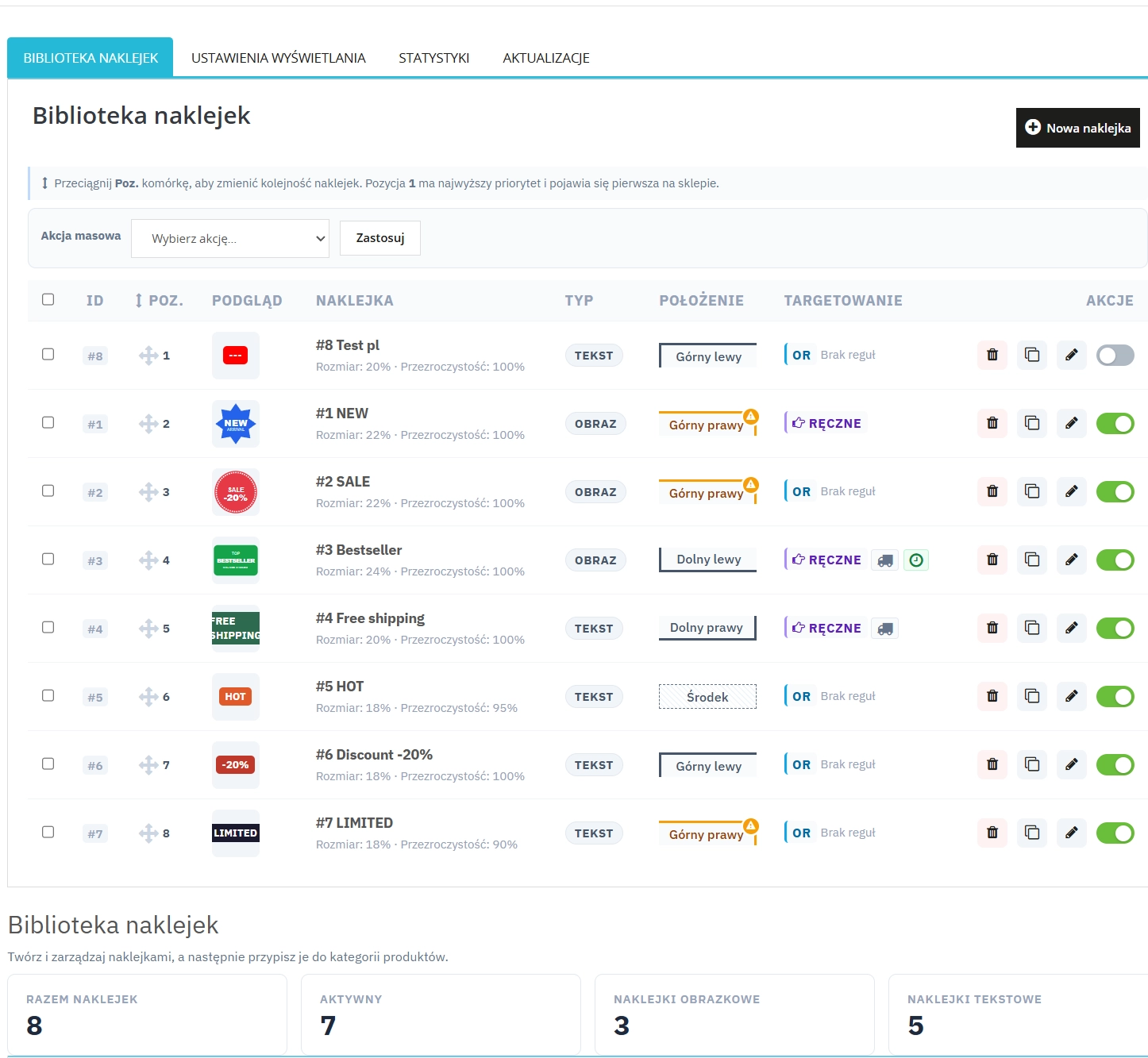
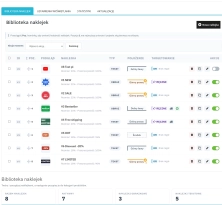
Centralised Sticker Library
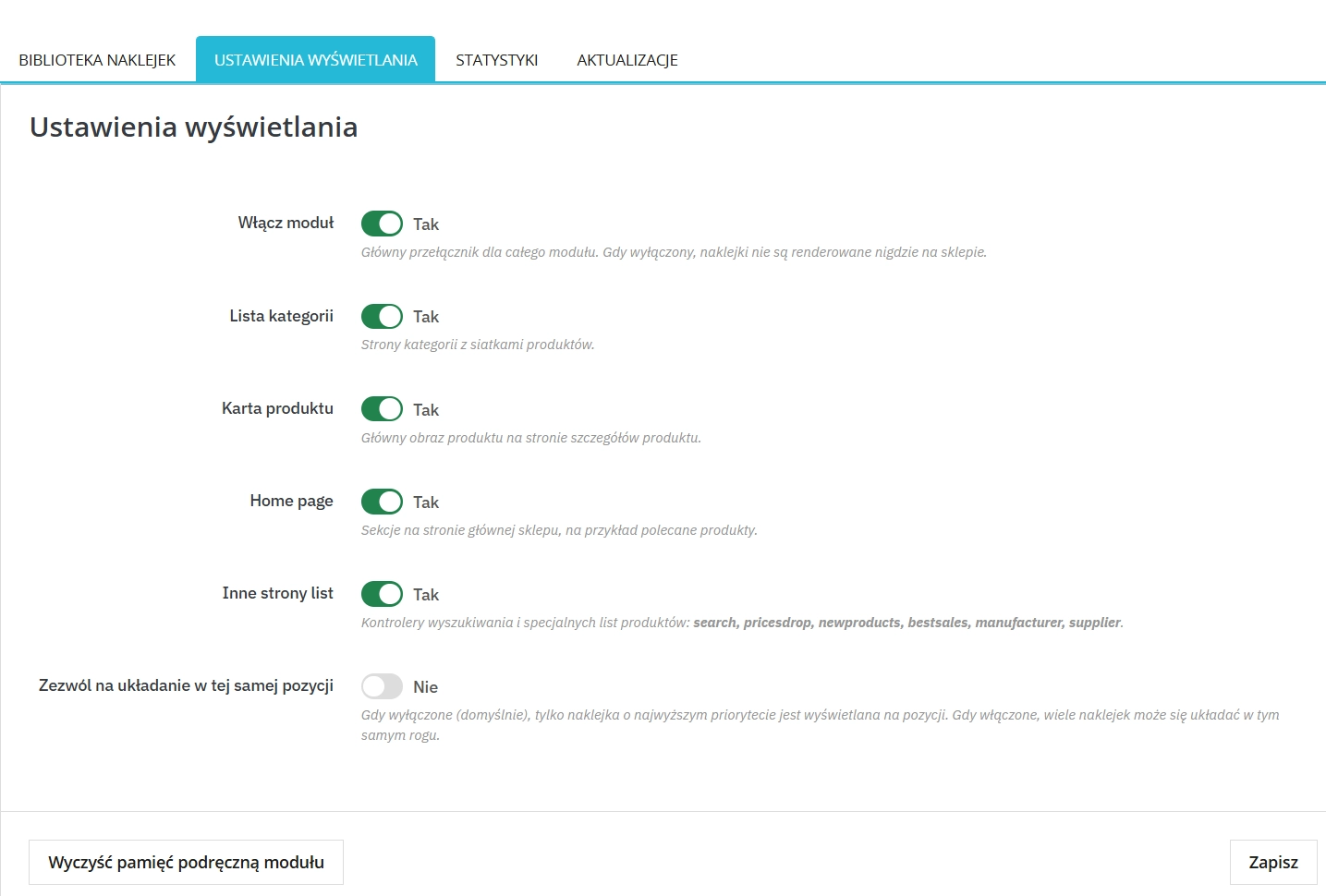
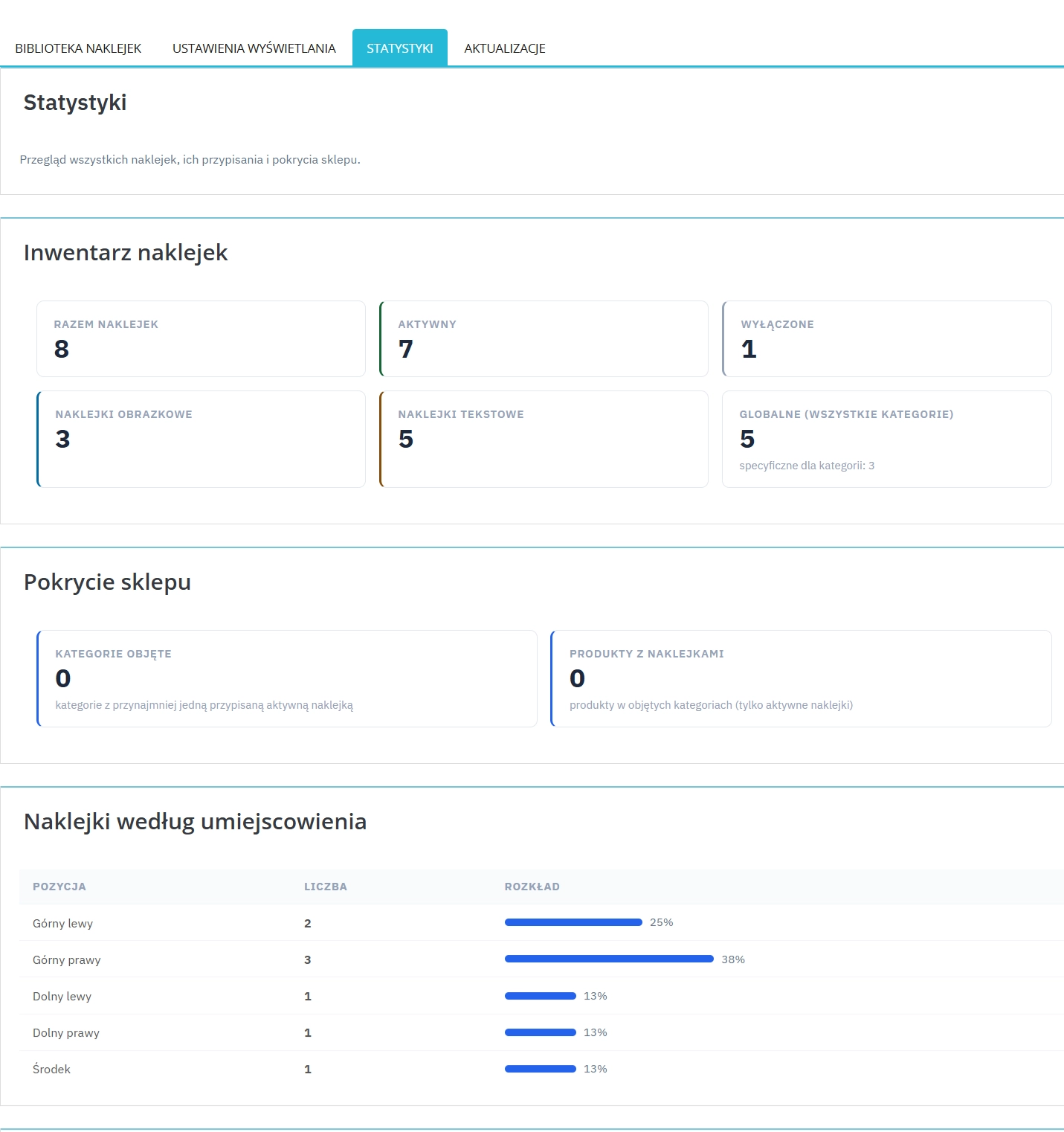
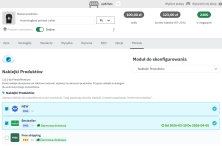
Manage the status, rendering hierarchy for overlapping layers (Drag & Drop priorities), and the physical arrangement of labels from a centralised mass operations grid.
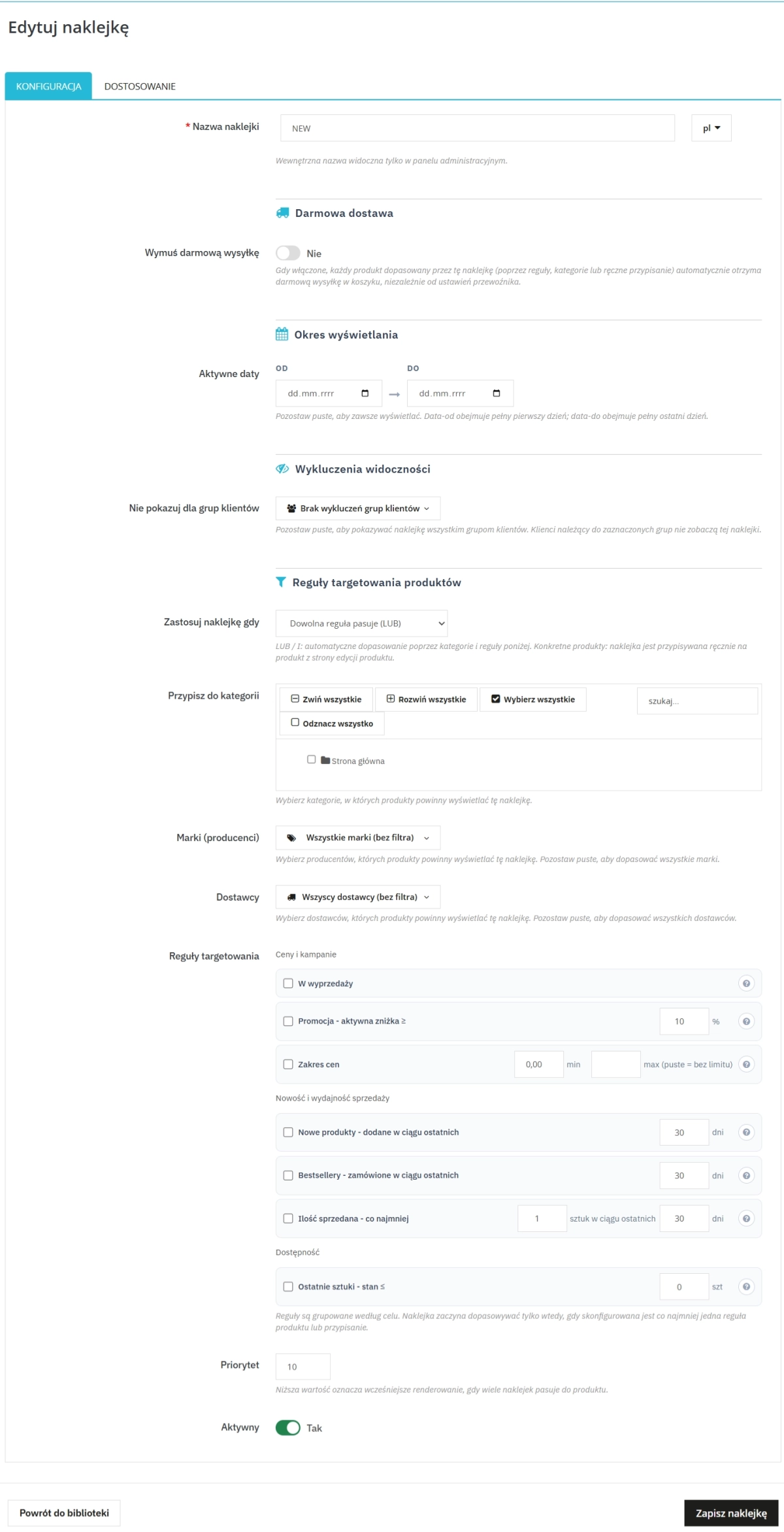
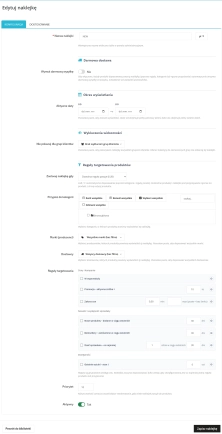
Contextual Targeting Rules
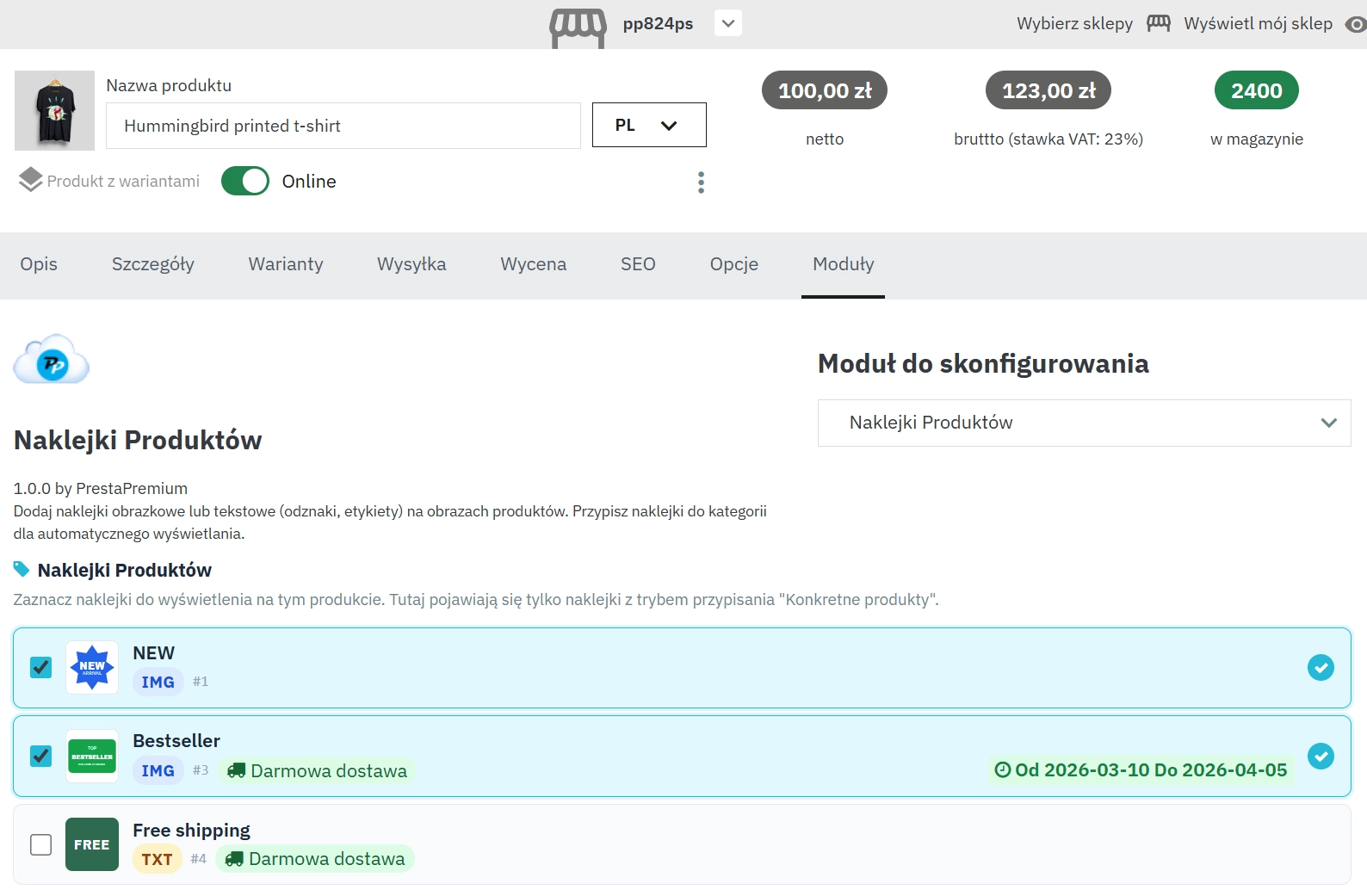
Logically control element visibility based on product availability, buyer groups, and inventory environment configuration (manufacturer/supplier/trading environment).
Time Schedules
Deploy strictly time-planned labelling campaigns, ideally suited for a pre-order model or seasonal sales pools tied to a strict calendar.
Responsive Override (Mobile Settings)
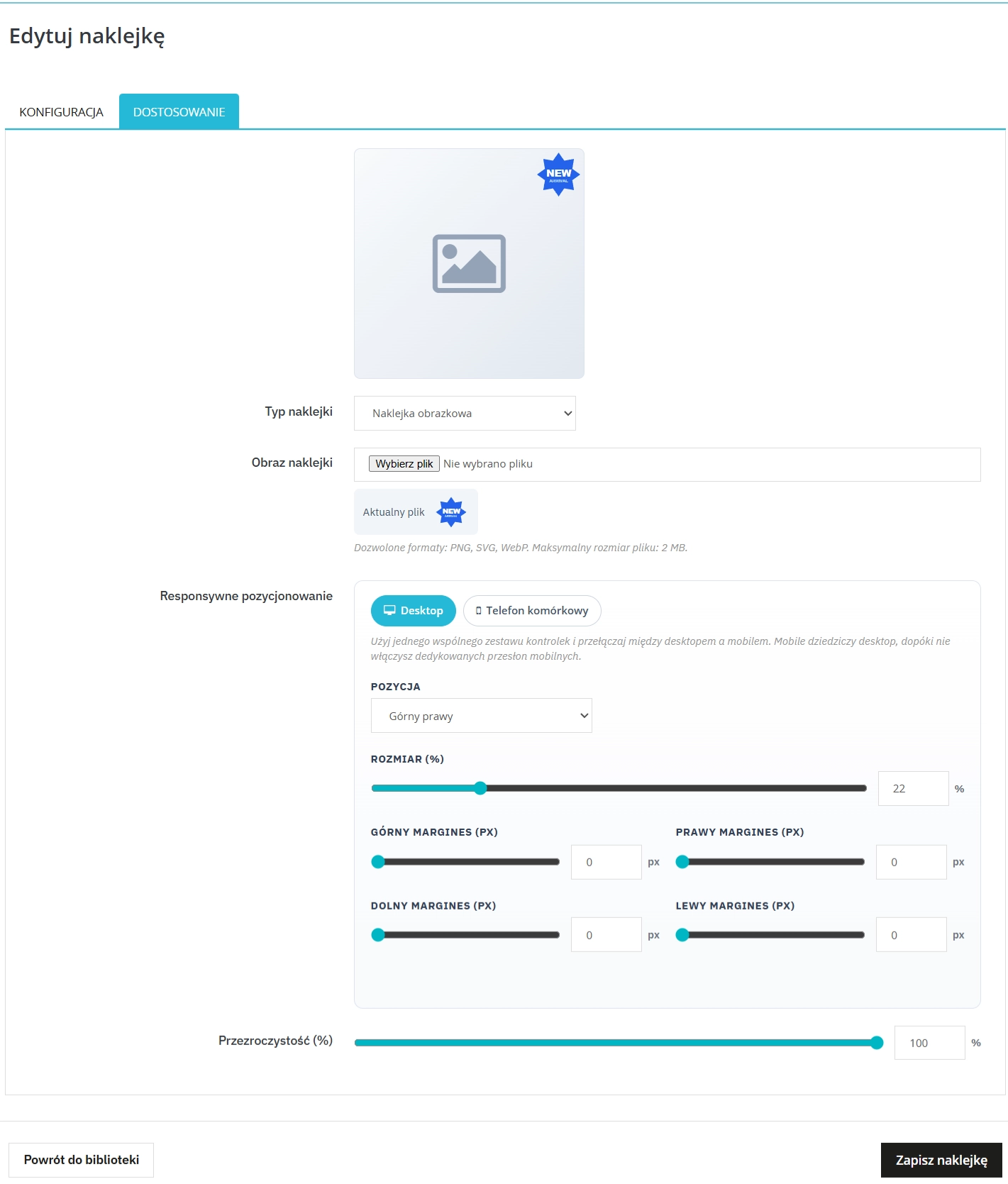
Control independent margin mechanisms and responsive scaling options relative to the device size by using the "Mobile Override" feature for smaller smartphone screens.
Built-in Free Delivery Enforcement Model
Activate a native mechanism that overwrites shipping basket costs directly from the level of an enabled "Free Delivery" sticker, without having to define separate cart pricing rules.
Functionality – Front Office
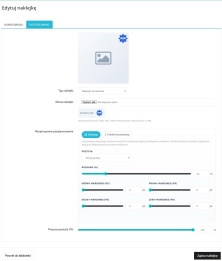
Dual-Track Label Engine (Text / Images)
Implement non-intrusive text content based on translations (Multilingual support) or project ready-made transparent graphics as distinct inventory badges.
Opacity Coefficient
Apply an alpha-opacity effect for the balanced placement of authority marks, reinforcing catalogue design while maintaining total visibility of the photographed object structure.
Comprehensive Edge Grid
Smoothly determine the final corner mapping (left or right top/bottom edges and central positions), safely adapting to even the most non-standard architectural forms of the category grid.
Impact on Sales and SEO
Although the visual elements applied by our plugin do not excessively build up unnecessary SEO code density on your website, they directly project onto a significant reduction in the Bounce Rate. Directing and concentrating the interface on high-margin goods minimises the navigational distance to finalising the order. At the same time, a buffering structure that fully preserves anticipated TTI times and a crash-free resource flow maintain top-tier quality conforming to crawler evaluation guidelines like Core Web Vitals.
Important Notice
Developer Recommendation: Due to deep dynamic interference with the product layout via proprietary hooks dimensioning theme graphics - the manufacturer unequivocally recommends making a complete backup of the database environment, production store files, and modified PrestaShop theme cores at every verification stage prior to initial activation on a LIVE hosting environment.
7 other products in the same category:
Ask about product / price (PRO)
Ask about product / price (PRO) is an advanced PrestaShop module that adds an enquiry form on the product page and directly on the product list (categories, homepage,...
PrestaShop FAQ module to increase conversions
ppfaq is a module that organises store communication: it publishes FAQ in a single, easy-to-read place and helps customers find answers faster without contacting support....
Product recommendation module for PrestaShop
A recommendations module for PrestaShop that displays tailored product suggestions in two key points of the buying journey: the product page and the cart. It reduces...
WhatsApp, Telegram and Phone in one - Increase conversions with Quick Contact
A customer has a question? Don't let them wait for an email. The PP Quick Contact module is your sales hotline. Add an elegant, floating button to your store that, with one...
Automatic delivery cost on the product card
PP Shipping Estimate is an advanced module for PrestaShop that enables automatic calculation of delivery costs on the product page . The customer does not need to...
PrestaShop Schema Pro - Rich Snippets & SEO Booster
Rich Results + AI = More sales in PrestaShop! Automatic JSON-LD with Schema.org module: FAQ, Event, Review, LocalBusiness, Organisation, ContactPoint, Social Media. Benefits:...
FAQs
-
1.
What payment methods do you accept?
We accept payments by credit/debit card, bank transfer and online payment systems such as Przelewy24, PayPal. Details can be found on the payment page.
-
2.
Can I test the module before purchasing?
We do not provide modules for testing on individual PrestaShop instances. If a given module has a demo version, it is available on our test store, where you can familiarize yourself with its functionality. On the product page you will also find a detailed description, screenshots and instructional materials. In case of questions, please contact us - we will be happy to provide additional information.
-
3.
Are the modules compatible with my version of PrestaShop?
Each module in our store contains information about compatibility with specific PrestaShop versions. Please check this information carefully before purchasing. If you are not sure, contact us.
-
4.
How can I download a purchased module?
After you pay for your order and the payment is posted, the link to download the module will appear in your account in the "Order History and Details" tab ("Details" button). Additionally, we will send you an email with a download link.
-
5.
Can I get help installing a module or template?
Yes, we offer installation and setup service as an additional option. You can add it to your cart when purchasing the product or order it separately.
-
6.
Are the modules compliant with GDPR regulations?
We design our modules with GDPR compliance in mind. If a module processes personal data, you will find detailed information on compliance with the regulations in its description. We make every effort to ensure that our solutions meet current data protection standards.
-
7.
Can I have my store audited before purchasing a module?
Yes, we offer a store audit service to help you choose the right modules and identify areas for improvement. Contact us for more information.
-
8.
Can I get a discount as a regular customer?
Yes, for our regular customers we offer a loyalty program with attractive discounts. Check the details in your customer panel. If you do not see such an option, contact us - we will be happy to help!
-
9.
What should I do if the product does not meet my expectations?
If the product does not meet your expectations, please contact our customer service department. Any returns are considered individually, in accordance with our regulations.
-
10.
Can I modify a purchased module or template?
Yes, you can modify purchased products for your own needs, but you cannot resell them or share them with third parties. Details can be found in the license terms and conditions.
-
11.
Can I use the purchased module in multiple stores?
Purchased modules are licensed for a single store. The exception is the use of the multi-shop feature within a single PrestaShop installation. In this case, you can use the module on multiple stores, even with different domains, provided that:
- all stores run on the same PrestaShop installation,
- the module is compatible with the multi-shop feature.
-
12.
How can I check if a module will work with my other installed modules?
Our modules are designed to be as compatible as possible with other popular PrestaShop extensions. If you have any doubts, contact us and send us a list of your modules - we will help verify it.
-
13.
Are the modules translated into different languages?
Most of our modules are available in several languages, including Polish and English. Information about available languages can be found in the module description.
-
14.
How long does it take to process an order?
The order is fulfilled automatically after the payment is posted. The product can then be downloaded immediately after the order has been paid for.
-
15.
What to do if module installation ends with an error?
Check if your PrestaShop version is compatible with the module and if you have the right permissions for installation. If the problem persists, contact our technical support - we will help you solve the problem.
-
16.
Can I order a module that is not available in your offer?
Yes, we do custom module creation. Contact us for details and pricing.
-
17.
How can I extend technical support or access to updates?
-
Extension of support and updates:
- If the option to extend support and updates is available, you can order it directly from our store.
- Simply add the appropriate option to your cart and complete the purchase.
-
No available extension option:
- If support and update extensions are not offered, purchasing the module again will be required.
-
-
18.
How long can I use the module after purchase?
Purchased products are available for use without time limits. However, access to updates and technical support is usually limited to 6 or 12 months from the date of purchase, depending on the product. (details on updates/support are always included on the respective product card)
-
19.
Do you offer technical support for products?
Yes, we provide technical support within the support period assigned to a given product. You can contact us via the contact form or e-mail.
-
20.
Can I update the module to a newer version?
Yes, you can download new versions of the product for free during the support and update period. After that time, you can renew your update subscription.
-
21.
Can I ask you to adapt the module to my needs?
Yes, we offer a module personalization service. Describe your needs and we will prepare an individual quote.
-
22.
What should I do if I have problems downloading the module?
If you have trouble downloading the module, please make sure your payment has been processed. If you still have trouble, please contact us and we will manually provide you with the module.
-
23.
Do you offer help with store optimization after installing the modules?
Yes, we can help you optimize your store so that your modules run at full efficiency. Ask about our technical support service.
-
24.
What does the module update process look like?
If the module requires an update, you can download the latest version from your client panel. We recommend backing up your store before updating.
-
25.
Can I change the domain on which the module runs?
Yes, if you want to transfer the module to another domain, please contact us to discuss the details and conditions of the license transfer.
-
26.
What should I do if my store stops working after installing the module?
If your store encounters problems after installing the module, please contact our technical support immediately. We will help diagnose and resolve the issue.
-
27.
Can I ask for advice in choosing a module?
Of course! Contact us and we will advise you which module best suits your needs.
Do you need additional features or custom solutions?
- Module customisation tailored to your specific requirements.
- Extending functionality to enhance your store's capabilities.
- Developing bespoke modules designed to meet your unique needs.
- Integrating external systems and additional tools.
- Optimisation and improvements for better performance and user experience.
Do you have ideas on how to improve this software? Share your suggestions for optimisation, new features, or bug reports – we’ll be happy to review them!
Write your review