PrestaShop Omnibus Price Pro Module – Lowest Price in 30 Days (EU Omnibus Directive)
PP-M068P
- 1.7.5 + | 8.x | 9.x
- FR, ES, PL, IT, DE, EN
- 1.2.0
- 2026-09-07
Omnibus Price Pro is an advanced PrestaShop module designed to automate the display of the lowest price prior to a discount (default 30 days). Ensure full compliance with EU consumer protection law while intelligently adapting reference prices to each customer's context (customer group, currency, and country).
Powered by efficient CRON jobs, the system builds daily price histories without overloading your server. It features smart marketing tools (Smart Badges, price charts) and an emergency price history editor in the Back Office to swiftly correct system or manual pricing errors. Native Multistore support and safe, override-free architecture.

- Discount
Price available only until: 30.11.2026
27.30 €
Tax excluded
39.00 €
Save 30%
Information Parameters:
- 1.2.0
-
Store Version PHP Version1.7.5 + 7.1 – 7.48.x 8.1 – 8.39.x 8.1 – 8.5
- 2026-09-07
- FR, ES, PL, IT, DE, EN
- ✅
- ✅
- ✅
- ✅
- ❌
Key Benefits for Your Store
- 100% Compliant Promotions – Accurately calculates reference prices based on snapshots taken prior to discount launches. Protects your store from legal penalties and builds consumer trust during Black Friday and seasonal sales.
- Multi-Dimensional Price History – Stores separate price records for customer groups (e.g., B2B vs. B2C), currencies, and countries. International shoppers always see the exact reference price relevant to their context.
- High Performance & DB Optimization – Built for massive catalogs. Daily CRON jobs process data in manageable batches, allowing you to disable unnecessary dimensions (e.g., non-EU countries or inactive combinations).
- Clutter-Free Interface (Smart Badge) – Replaces lengthy, redundant text blocks on the storefront with a clean Smart Badge when the current promotional price matches the 30-day minimum level.
- Full Control Over History (CSV Import) – Features secure, product-level price editing tools (disabled by default for compliance). Easily import missing historical data via CSV, tweak reference snapshots, and perform price audits.
- Native Integration (Zero Overrides) – Full support for classic PrestaShop hooks and custom themes. Delivers 100% stability and native Multistore compatibility without overriding core files.
Who Is This Module For?
Designed specifically for PrestaShop merchants selling within or to the EU market who rely on catalog discounts (Specific Prices). An essential tool for industries like fashion, consumer electronics, home & garden, and any store running cyclical sales campaigns.
Ideal for multi-currency international stores, complex B2B pricing structures, and Multistore setups. Includes an advanced diagnostic dashboard to easily monitor CRON indexing across catalog sizes ranging from hundreds to hundreds of thousands of products.
Back Office Features (Admin Panel)
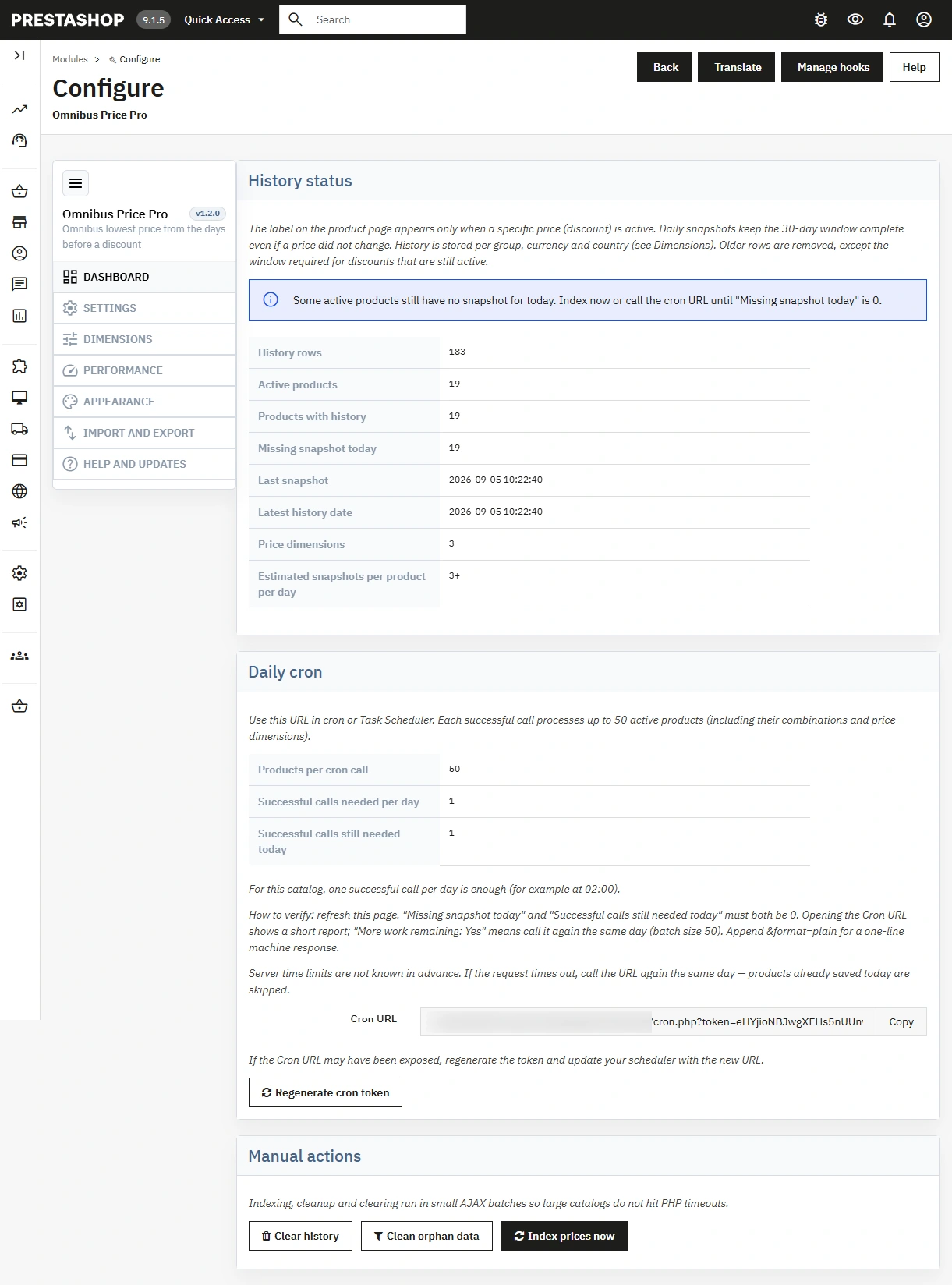
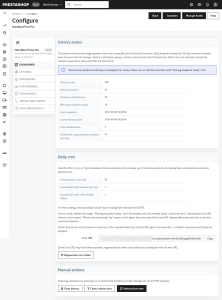
Diagnostic Operations Dashboard
Complete overview of your historical database: total row counts, missing daily snapshots, estimated CRON load, and last execution timestamps.
- Operational Certainty – Instantly verify that daily price indexing completed successfully and in full.
Reliable & Secure CRON Automation
Trigger indexing via a secure, tokenized URL with optional token regeneration. Supports logging in Markdown or &format=plain for external monitoring systems.
- Unbroken Omnibus Window – Maintains continuous price history tracking, even on days without active promotions.
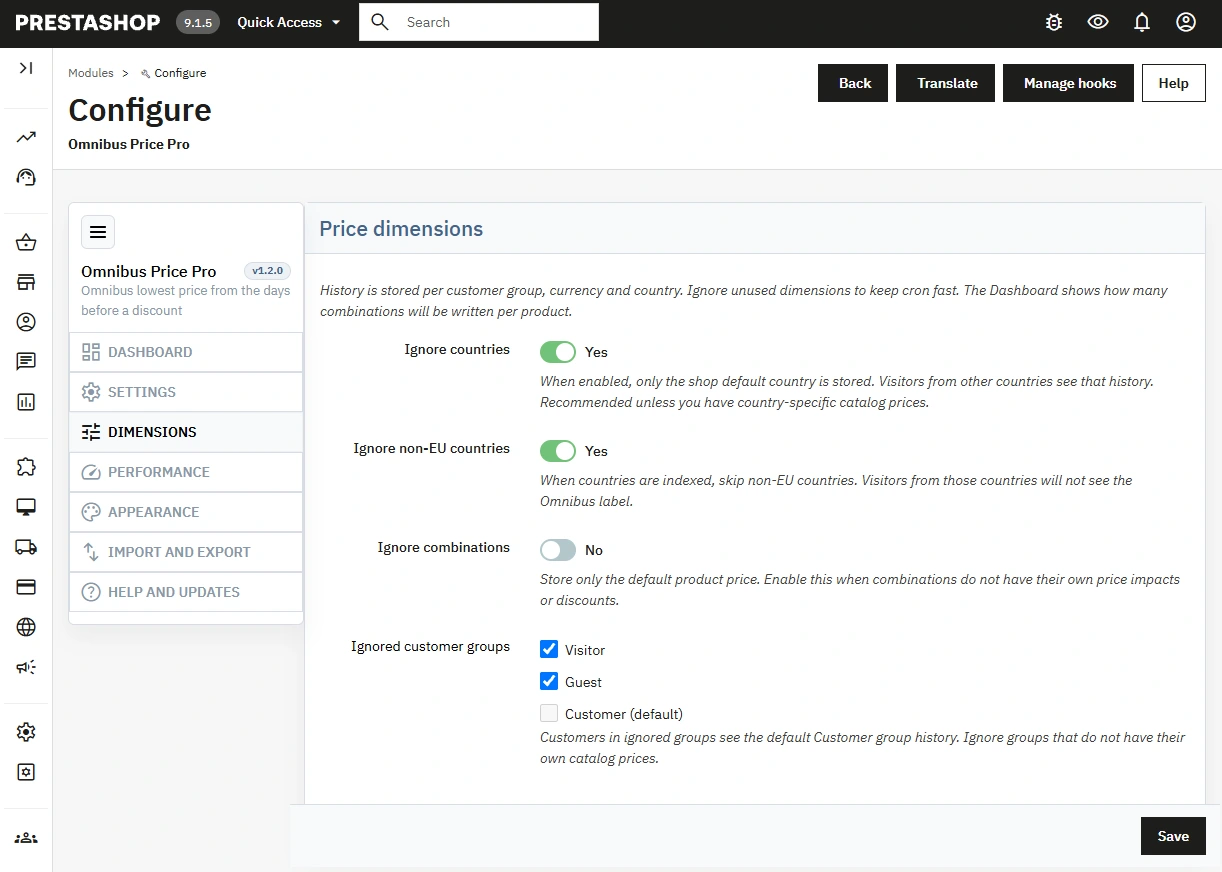
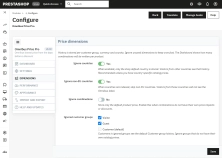
Advanced Dimensions (Group × Currency × Country)
Collect price history based on active customer contexts with granular exclusions: ignore non-EU countries, zero-impact combinations, or specific customer groups.
- Lightweight Database – Prevents unnecessary database growth while ensuring 100% context accuracy for every visitor.
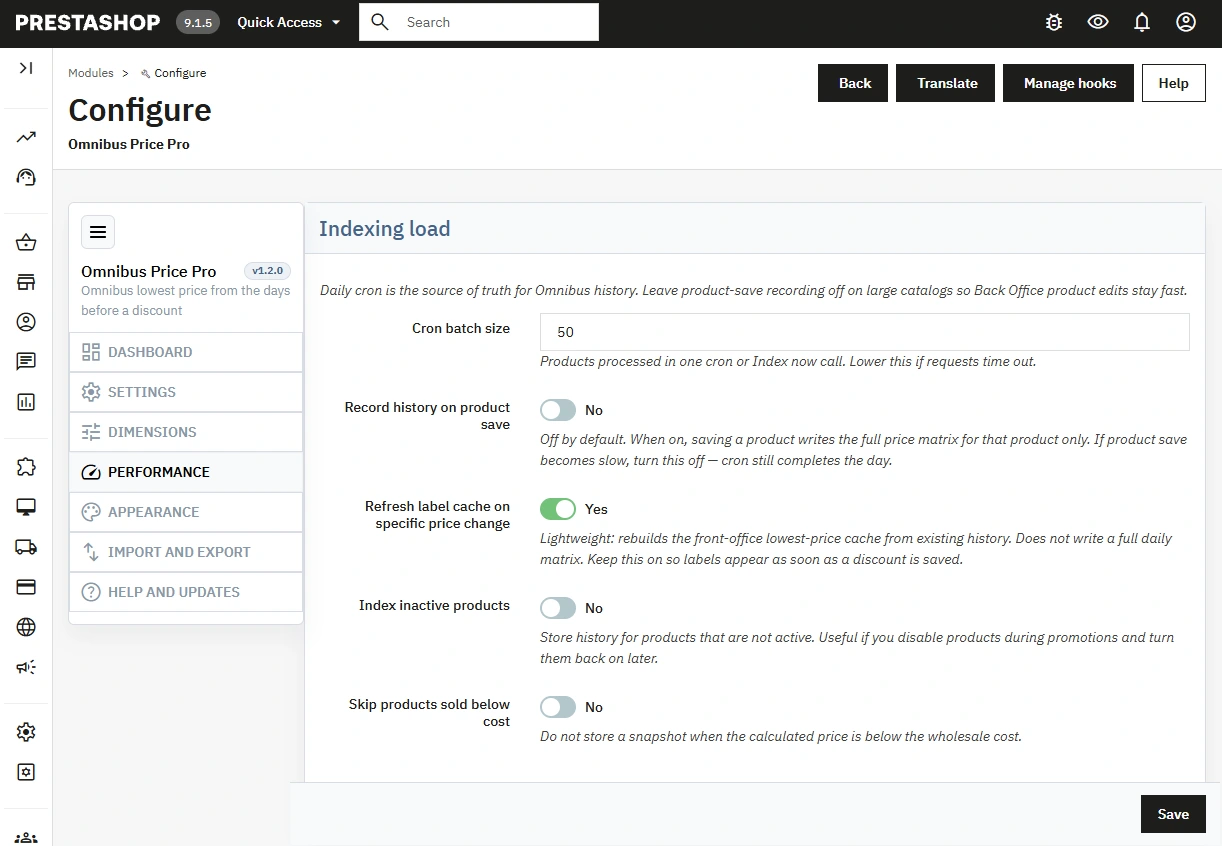
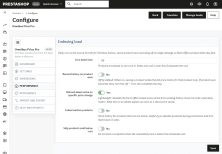
AJAX Indexing Performance
Configurable batch sizes for CRON runs, option to skip indexing for products priced below cost, and lightweight cache rebuilds triggered only when a new specific price is added.
- CRON as the Single Source of Truth – Prevents backend lag by avoiding heavy matrix calculations during normal Back Office product saves.
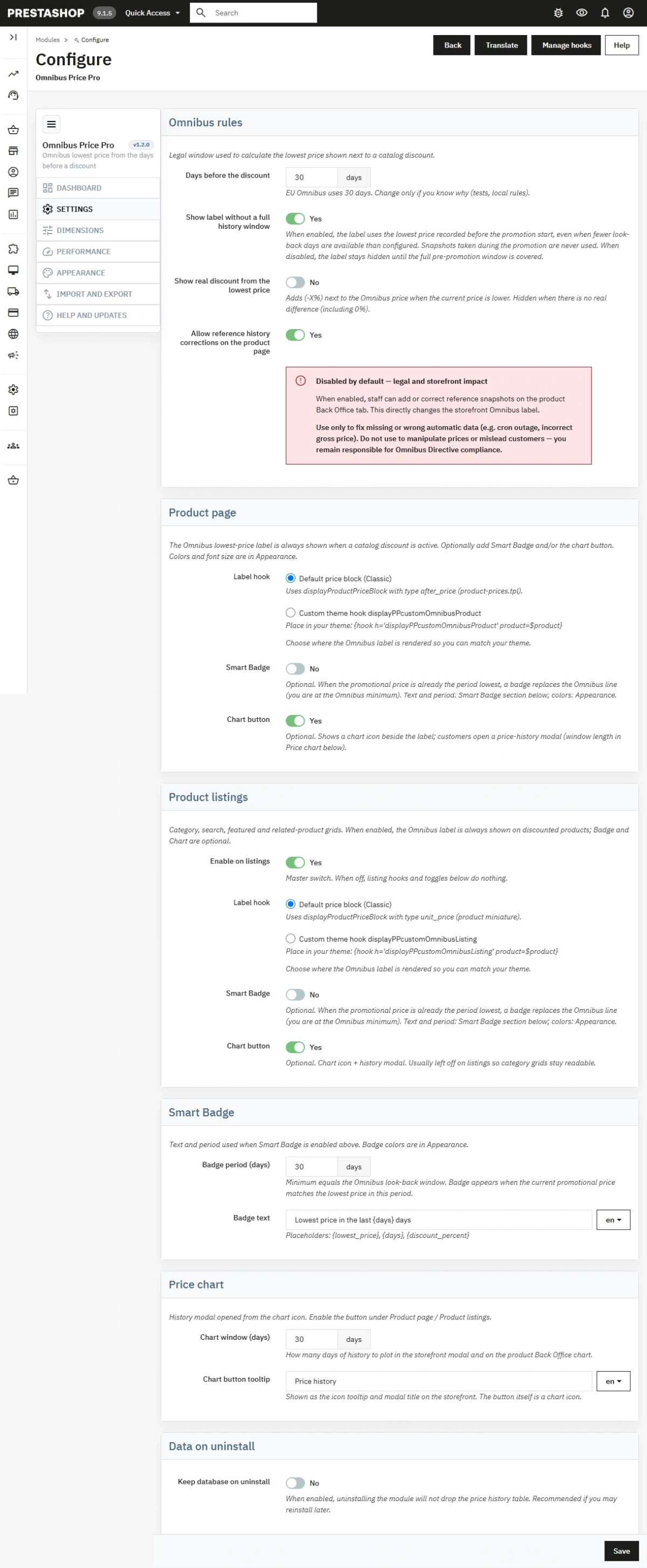
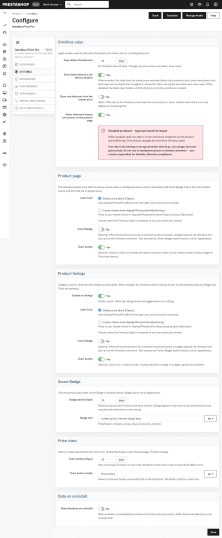
Visual Customization & Omnibus Rules
Set custom lookback periods (e.g., 30 days), configure incomplete history fallback rules, and toggle Smart Badges or price charts independently for product pages and category listings.
- Compliant & Flexible – Mandatory compliance text always displays during sales, while charts and badges add marketing appeal without violating legal requirements.
Product-Level History Management
Dedicated tab on the product edit page (locked by default for legal compliance). Allows manual snapshot additions, edits, variant filtering, and real-time label previews.
- Emergency Price Corrections – Quickly fix missing records or system glitches, complete with clear seller responsibility disclaimers.
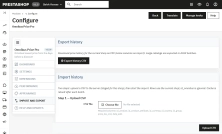
Bulk CSV Import & Export
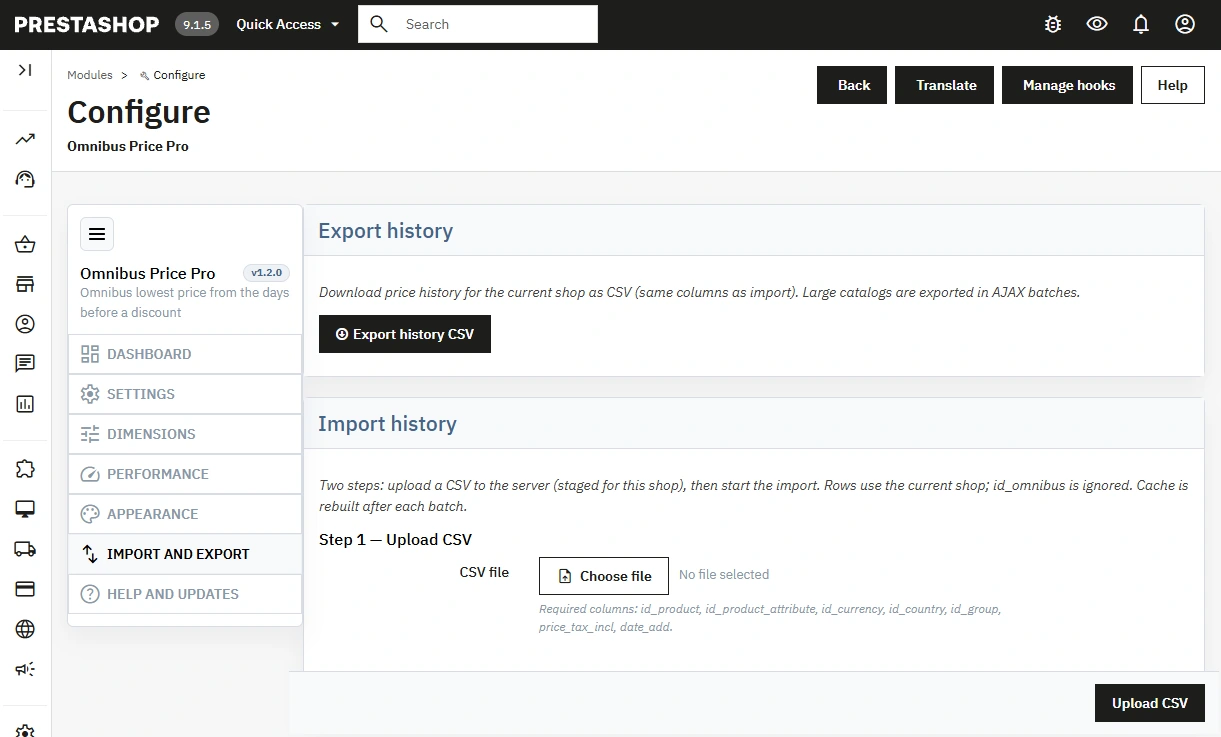
Batch-based history data export via AJAX and a safe, two-stage import workflow: secure file staging followed by pre-commit validation.
- Hassle-Free Migration – Transfer massive price history datasets between stores or staging environments effortlessly (Multistore supported).
Database Maintenance & Cleanup
Built-in utilities to clear orphaned records, reset history logs, or preserve database tables during module uninstallation.
- Zero-SQL Maintenance – Keep database tables healthy and lean with single-click admin actions.
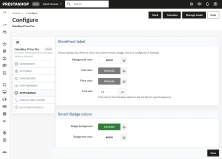
Visual Label Editor
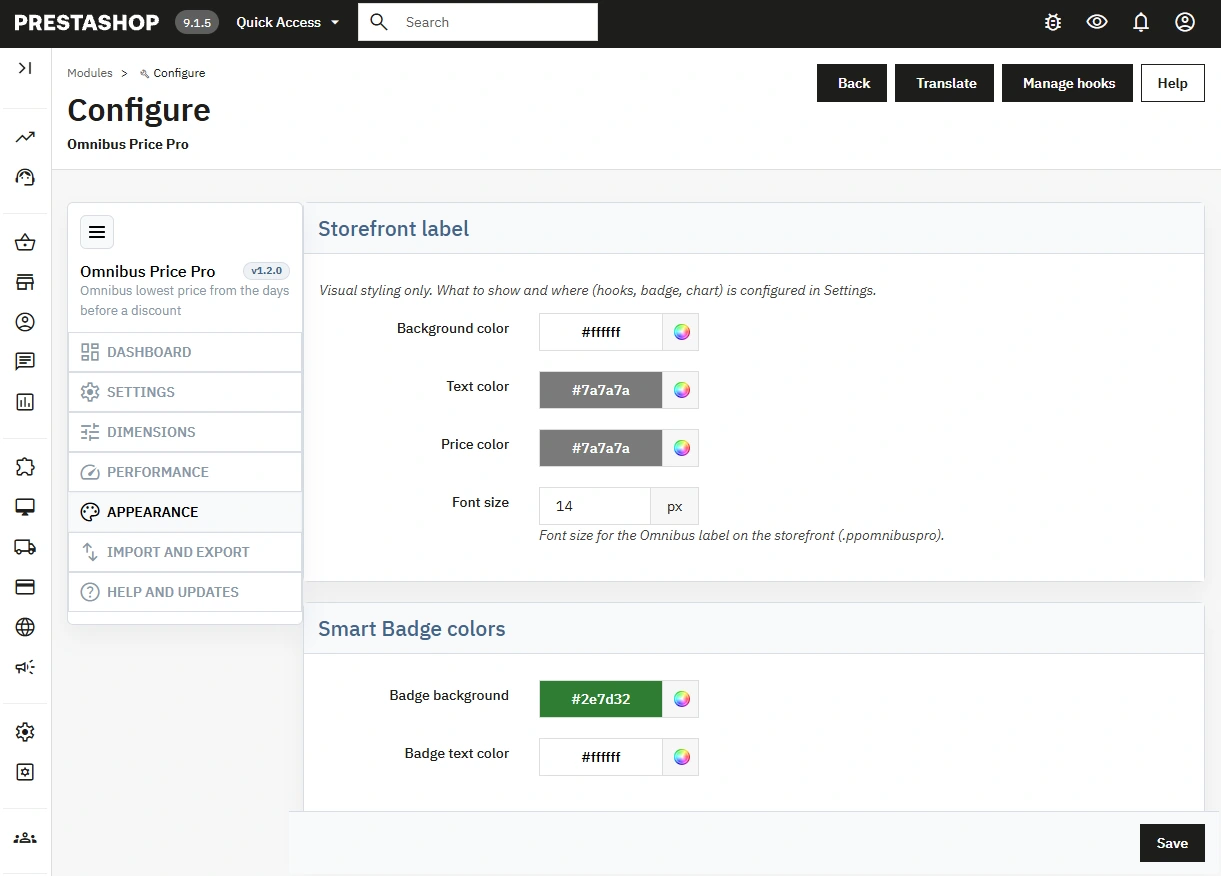
Customize color palettes (background, text, price highlights), adjust Smart Badge styling, and tune font sizes (10px to 32px).
- Instant Theme Matching – Match your store's branding effortlessly without touching TPL or CSS files.
Front Office Features (Storefront)
Dedicated Omnibus Price Notice
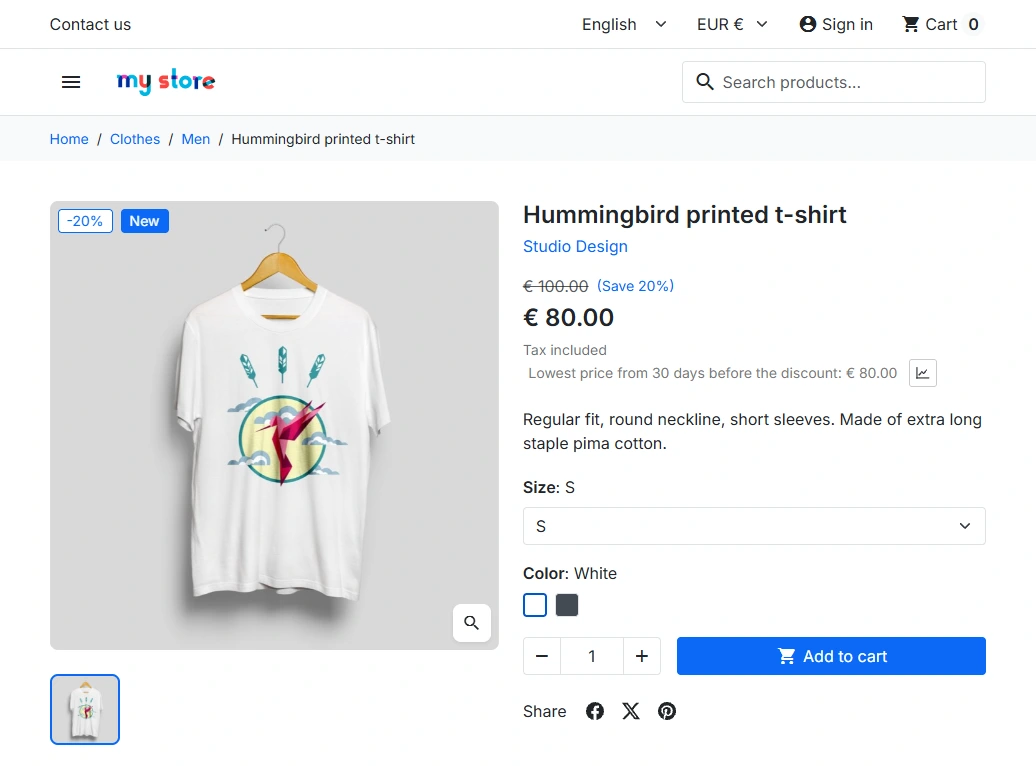
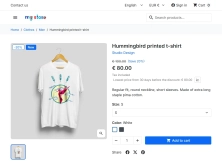
Displays the 30-day lowest reference price strictly when an active discount (specific price) is applied to the product.
- Flexible Integration – Native display via the
displayProductPriceBlockhook or custom integration (displayPPcustomOmnibusProduct).
Smart Badges
Automatically upgrades standard text into an eye-catching Smart Badge when the current sale price matches or beats the lowest 30-day price.
- Enhanced Readability – Maximizes conversion impact without cluttering product pages with duplicate notices.
Interactive Price Chart (AJAX)
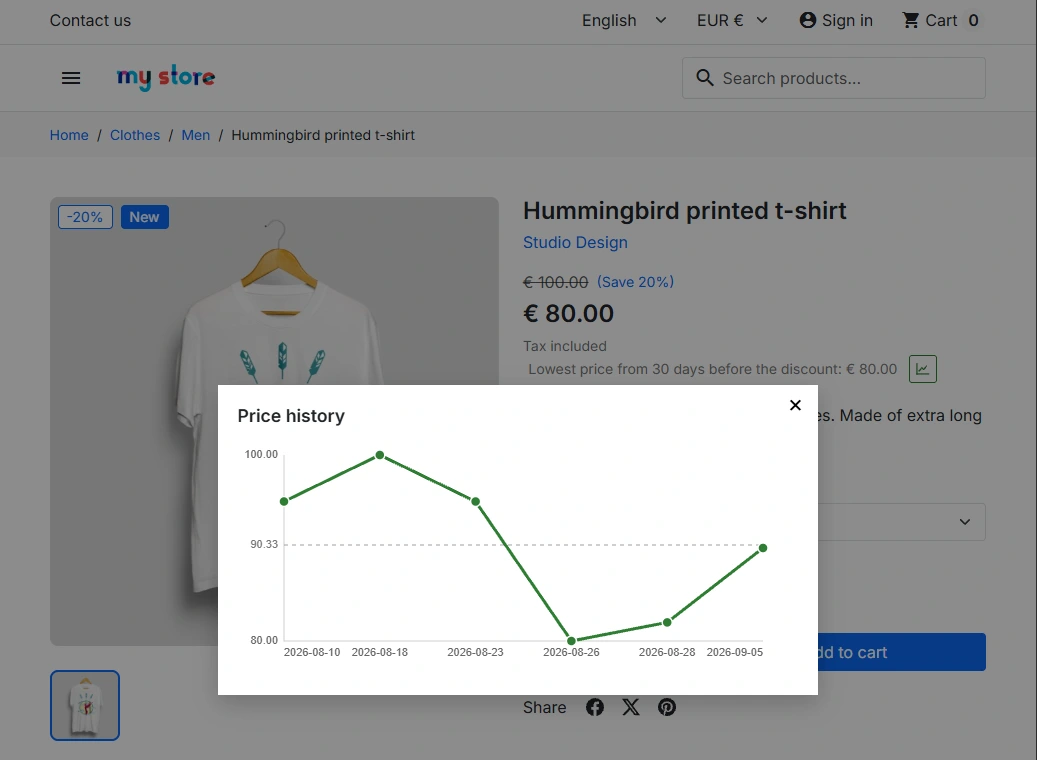
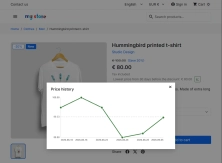
Clickable icon opens a modal featuring an interactive price history chart (including average price line) that dynamically updates upon attribute selection.
- Optimized Performance – Loads chart data on demand to protect your store's Core Web Vitals and page speed scores.
Real Discount Calculation (-X%)
Optional badge displaying actual percentage savings calculated against the true Omnibus base price rather than an inflated list price.
- Transparent Value – Helps shoppers immediately recognize genuine deals, boosting store credibility and sales.
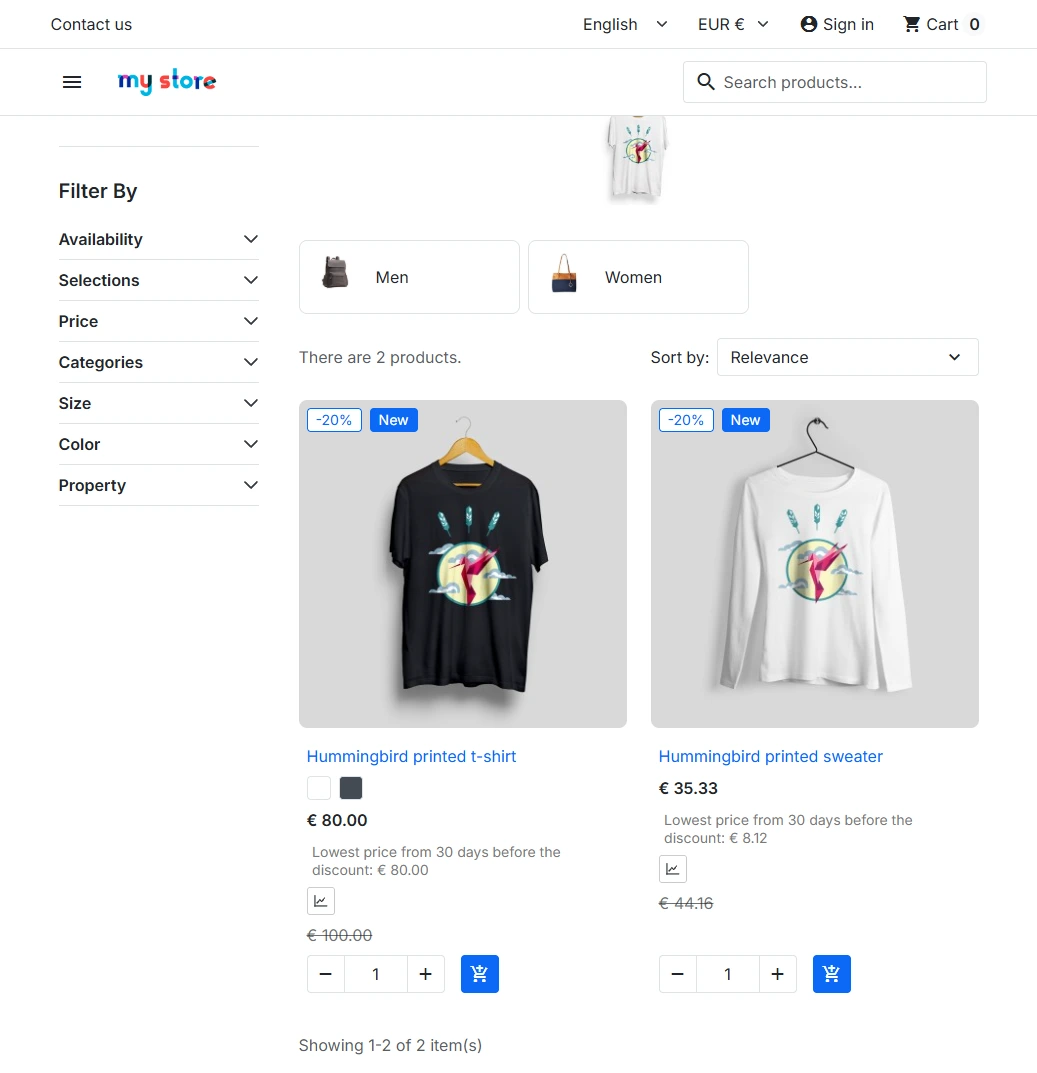
Category Page & Variant Support
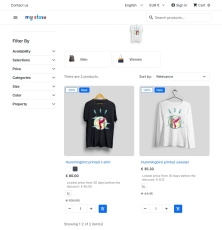
Enable notices and badges across category listings, search results, and brand pages with full dynamic updates on product combination changes (color, size, etc.).
- End-to-End Consistency – Ensures shoppers see accurate, legally compliant pricing throughout their entire browsing journey.
Business Impact (Conversion & Trust)
- Build Brand Credibility – Transparent price histories prove your sales are genuine, reducing cart abandonment from customers price-checking elsewhere.
- Hassle-Free EU Compliance – Automates complex legal obligations so you stay prepared for audits (legal responsibility remains with the seller, but this tool handles the heavy technical lifting).
- Accelerate Buying Decisions – Visual price trend charts, true discount tags (
-X%), and Smart Badges create effective social proof during major shopping events like Black Friday and Cyber Monday. - SEO & Speed Friendly – Built with lightweight, clean HTML/CSS markup. Asynchronous AJAX data fetching ensures core page rendering and Google Core Web Vitals remain fast.
Important Installation Notes!
Before installing the module, perform a full backup of your store (files and database). This module strictly tracks catalog discounts (Specific Prices) and does not analyze cart rules or voucher codes. A reliable price history begins building from your first indexing run — configuring a daily server CRON job is required for proper operation. Carefully configure context dimensions (countries, customer groups, combinations) to prevent excessive database bloat. Keep your tokenized CRON URL secure and private. Leave manual history editing disabled by default, using it only for emergency data corrections. For custom themes, using the provided custom TPL hooks is highly recommended.
# Changelog

## [1.2.0] - 2026-08-30

### Added

- Settings: storefront placement (hooks + product/listing line|badge|chart), Smart Badge text/period, chart window and button label.
- Appearance: label and Smart Badge **colors** only; real discount percentage toggle.
- Smart Badge when the promotional price matches the period lowest (replaces the Omnibus line).
- Storefront price-history **modal** (vanilla canvas) with chart button.
- Dashboard and product-tab **CSV export** of history (batched); dedicated **Import and export** BO tab with CSV import (batched insert + cache rebuild).
- Product Back Office tab: edit / delete / add history rows, Canvas chart, per-product CSV.

### Notes

- Pre-release Pro line; version stays **1.2.0** until release. Fresh install / `installDefaults` (no upgrade scripts).
## [1.1.0] - 2026-08-30

### Added

- **Omnibus Price Pro**: price history per customer group, currency and country.
- Front-office lowest-price **cache** (O(1) label, listing preload).
- Back Office sections: Dashboard, Settings, Dimensions, Performance, Appearance, Help and updates.
- Dimension filters: ignore countries (default on), ignore non-EU, ignore combinations, ignored customer groups.
- Performance: configurable cron batch size, record-on-product-save (default off), light cache refresh on specific price change, index inactive products, skip below cost.
- Appearance: label colors and real discount percentage vs the lowest previous price.
- Product page Back Office tab: history preview for default dimensions.
- Dashboard: clean orphan / ignored-dimension rows; estimated snapshots per product.
- Settings: choose default Classic price-block hooks or custom theme hooks (`displayPPcustomOmnibusProduct` / `displayPPcustomOmnibusListing`) for product page and listings.

### Changed

- Module class and admin tab renamed to `Ppomnibuspro` / `AdminPpomnibuspro`.
- Daily cron remains the source of truth; product save no longer writes history unless enabled.

## [1.0.7] - 2026-08-30

### Added

- Initial public release of **Simple Omnibus Price** (free lite): lowest catalog price from the look-back window before an active discount (Omnibus Directive).
- Daily price history snapshots via cron URL and optional Back Office indexing.
- Front Office label on the product page (and Classic theme listing when a discount is shown).
- Back Office dashboard: snapshot status, cron URL, manual index/clear.
- Configuration: look-back days (default 30), show label with short history, keep database on uninstall.
- PrestaPremium admin tab under Product; help and updates panel.
- Distribution packages for PrestaShop 1.7.5+, 8.x and 9.x (install only the ZIP matching your shop).
You might also like

FAQs
-
Are the modules compatible with my version of PrestaShop?
Each module in our store contains information about compatibility with specific PrestaShop versions. Please check this information carefully before purchasing. If you are not sure, contact us.
-
Does Omnibus Price Pro comply with the EU Omnibus Directive?
Yes. The module shows the lowest price in the period before the discount (default 30 days) when a product has an active specific price. The label is based on price snapshots, not on a crossed-out catalog price. You remain responsible for your pricing policy, but the module makes the information duty much easier to meet.
-
Does it support multiple currencies, countries and customer groups?
Yes. Price history is stored per customer group × currency × country, so each visitor sees the correct reference for their context. In the back office you can limit data growth (e.g. ignore non-EU countries or selected groups) while keeping valid context for EU shoppers.
-
Why is daily CRON required and what happens without it?
Daily CRON (unique token URL) is the source of truth for price history — it builds snapshots in batches without recalculating the full matrix on every product save. Without regular CRON the Omnibus window will be incomplete and labels may be wrong. Keep the CRON token private.
-
Are cart rules and voucher codes included?
No. The module only handles catalog discounts (specific prices). Voucher codes, cart rules and other non-catalog mechanisms are not part of Omnibus history, as stated in the product description.
-
How is Pro different from the free Simple Omnibus Price?
Pro adds multi-dimensional history, a diagnostic dashboard, CRON performance options, Smart Badge, AJAX price chart modal, optional discount vs Omnibus baseline, CSV import/export, product-tab history tools (locked by default), and richer listing/theme hooks. The free edition is a lite line for a basic label.
-
Does it override core files and support Multistore?
The module uses no core overrides — standard hooks or custom theme hooks. Multistore is supported on PrestaShop 1.7.5+, 8.x and 9.x. Always back up files and database before installation.
-
What are Smart Badge, the price chart and listing display for?
Smart Badge can replace the long Omnibus line when the current promo price is already the lowest in the window (e.g. 30 days), avoiding duplicate messages. The price history chart opens in a modal on click (AJAX-loaded data, listing stays light). You can also enable labels on categories, search results and variant changes for a consistent message across the purchase path.
15 other products in the same category:
- Discount
Price available only until: 30.11.2026
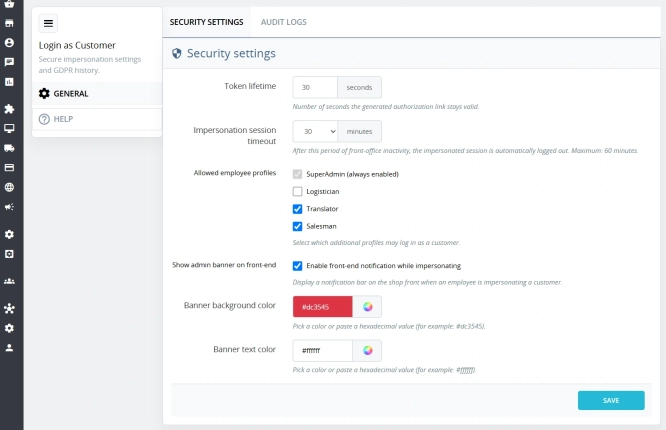
Login as Customer – Log into user accounts from PrestaShop Back Office
This module enables instant access to any customer account directly from the PrestaShop administration panel. It allows quick verification of issues reported by buyers...
32.70 €
-30%
22.89 €
Lowest price within 30 days before promotion:
33.30 €
- Discount
Price available only until: 30.11.2026
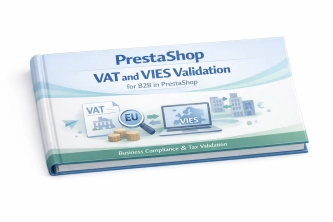
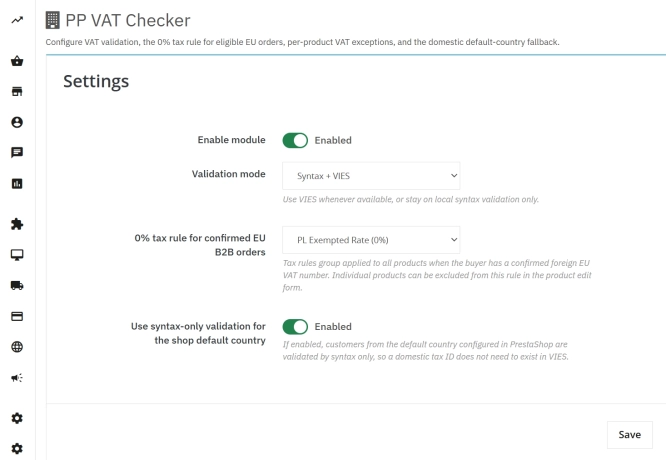
VAT and VIES Validation for B2B in PrestaShop
PP VAT Checker is a reliable PrestaShop module that automates VAT number verification for your business customers. With direct integration with the VIES database, it...
39.00 €
-30%
27.30 €
- Discount
Price available only until: 30.11.2026
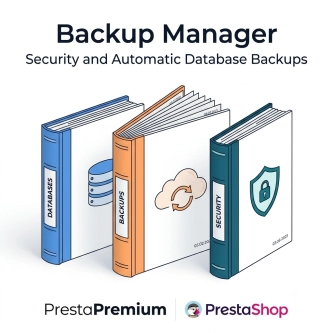
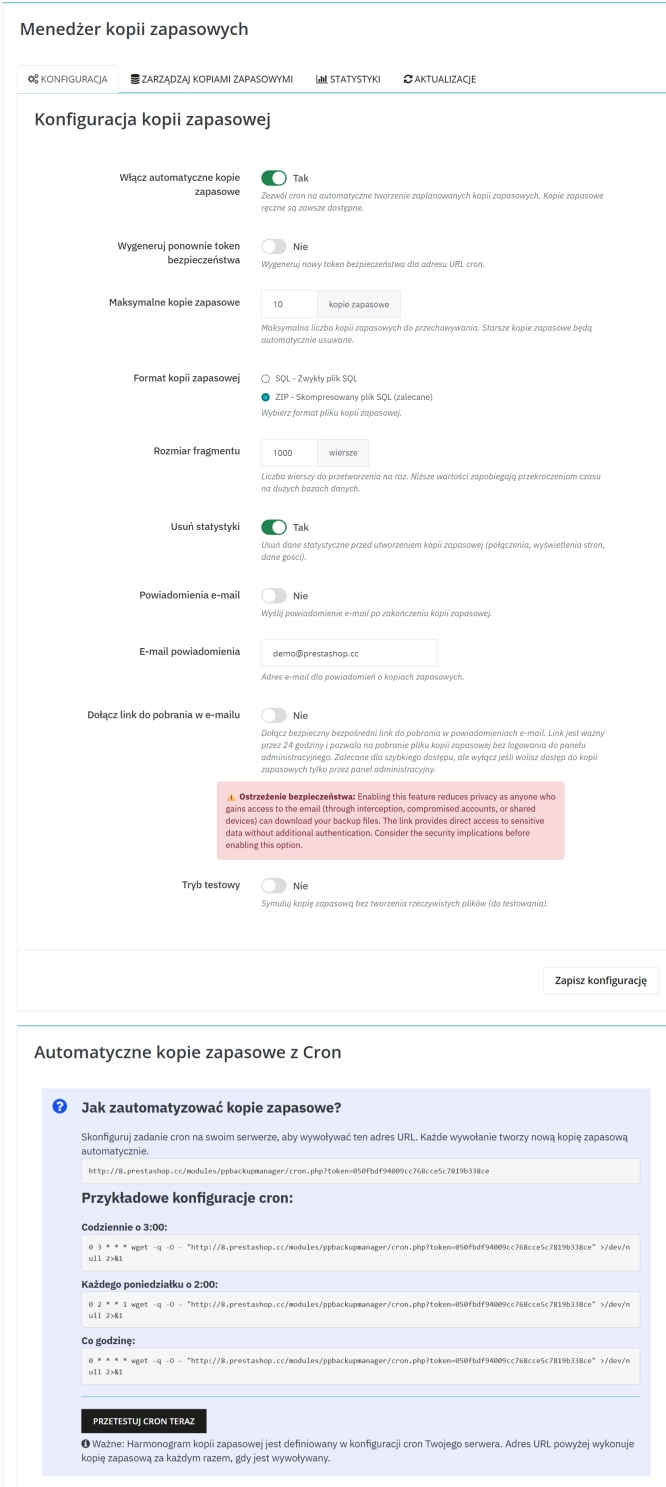
Backup Manager – Security and Automatic Database Backups
PP Backup Manager is a module for PrestaShop , which organises the process of performing database backups : manually in the administration or automatically when called...
46.50 €
-30%
32.55 €
- New
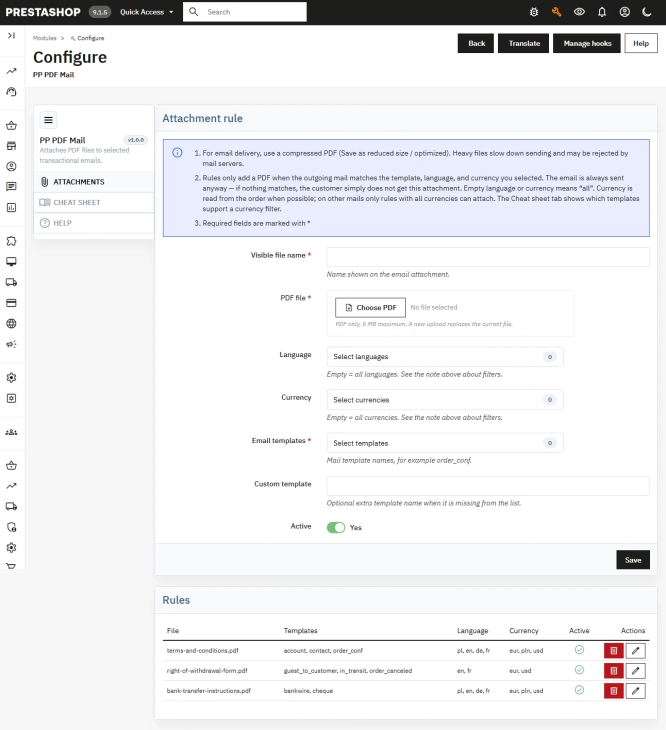
PDF Attachments for Selected PrestaShop Emails
Automatically attach dedicated PDF files (terms & conditions, manuals, warranty terms) to system emails in PrestaShop. Precise Rules: Match attachments by email...
50.10 €

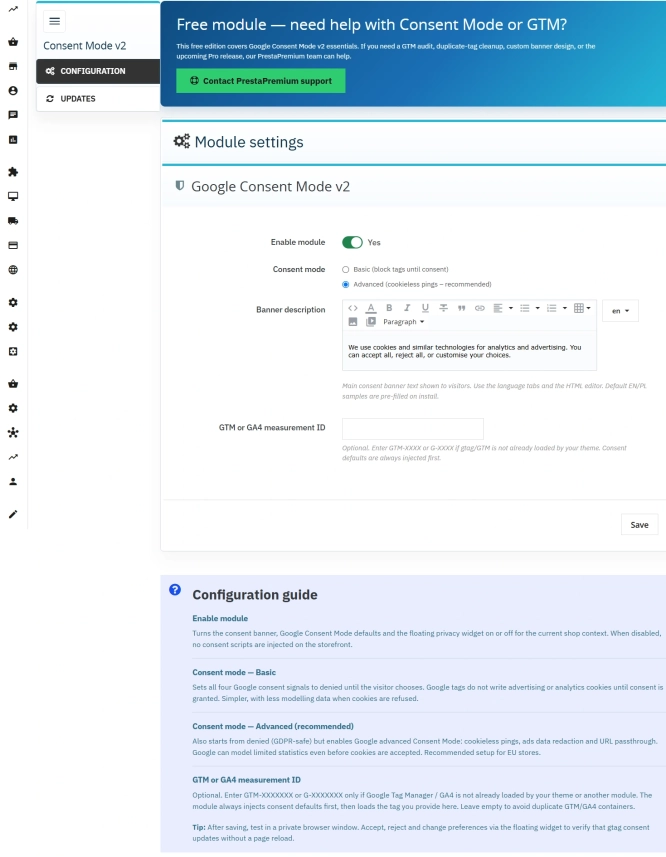
Cookie Banner and Google Consent Mode v2 for PrestaShop (Free)
PrestaPremium Consent Mode v2 (Free) is a reliable, free PrestaShop module that implements a fully GDPR-compliant cookie banner and handles Google Consent Mode v2 for...
0.00 €
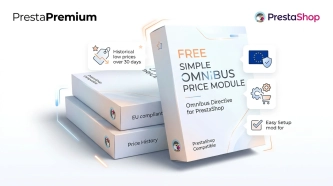
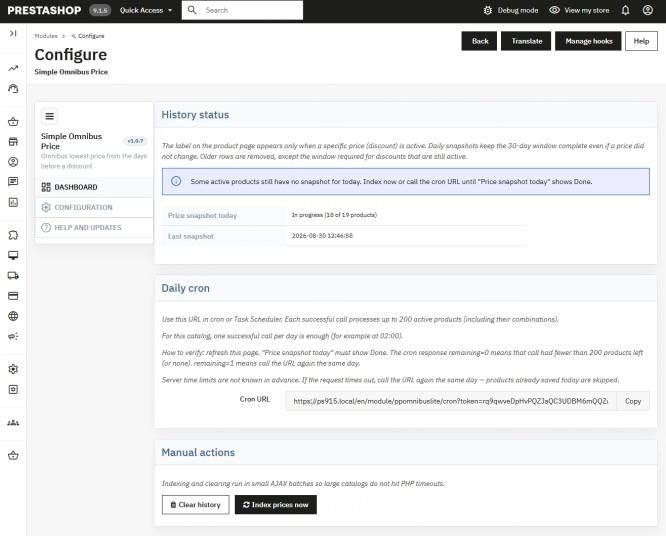
Free Simple Omnibus Price Module – Omnibus Directive for PrestaShop
Simple Omnibus Price is a completely free PrestaShop module that automates displaying the lowest price from the 30 days prior to a price reduction. Protect your store...
0.00 €
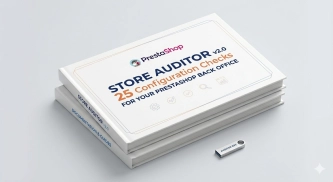
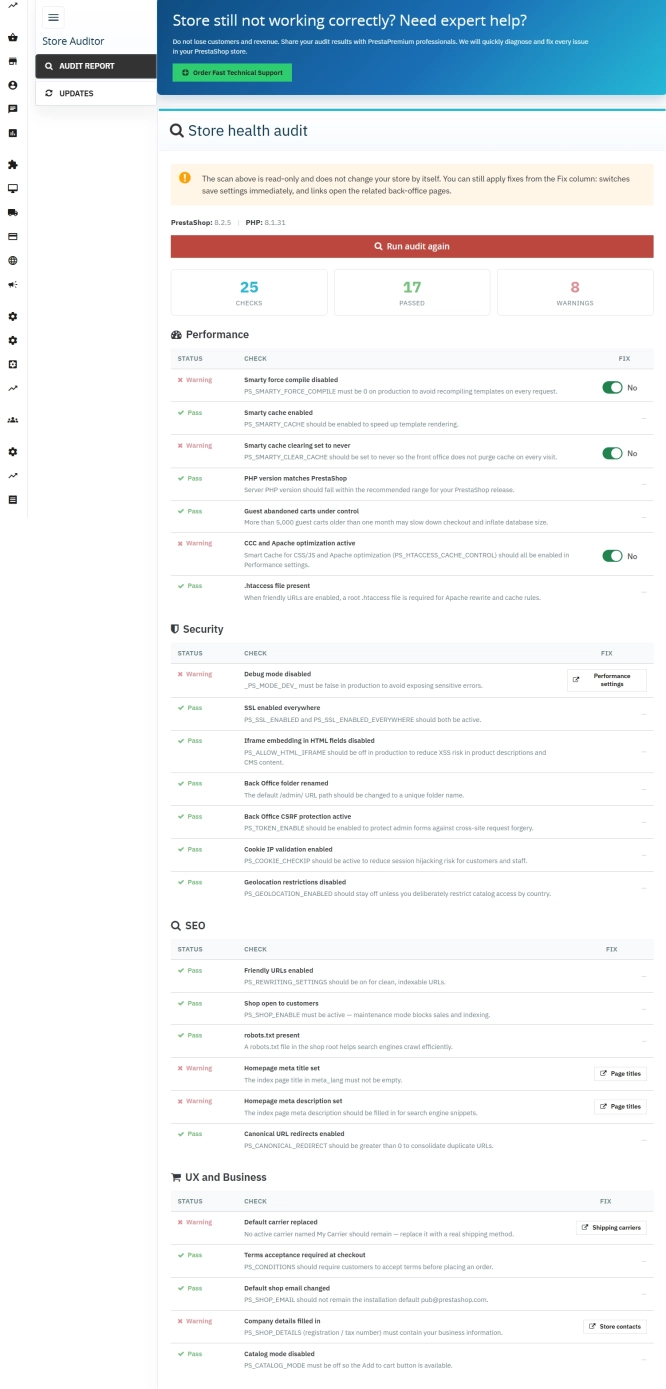
Store Auditor — 25 Configuration Checks for Your PrestaShop Back Office
Store Auditor is a completely free PrestaShop module that checks 25 core settings of your store with a single click. It instantly lets you know if your website is...
0.00 €
- Discount
Price available only until: 30.11.2026
Google Maps Reviews Module for PrestaShop – Automatic Import and Display of Customer Ratings
This module serves to increase trust in your shop by displaying authentic reviews from Google Maps. Thanks to the automatic generation of JSON-LD structured data, star...
39.00 €
-30%
27.30 €
- Discount
Price available only until: 30.11.2026
New email templates for PrestaShop with appearance configuration
The module allows you to refresh default PrestaShop emails and give them a new look . You receive ready-made email templates with a choice of different visual variants,...
52.50 €
-30%
36.75 €
- Discount
Price available only until: 30.11.2026
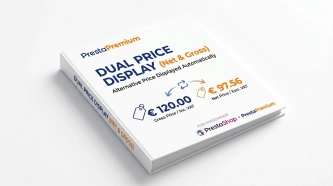
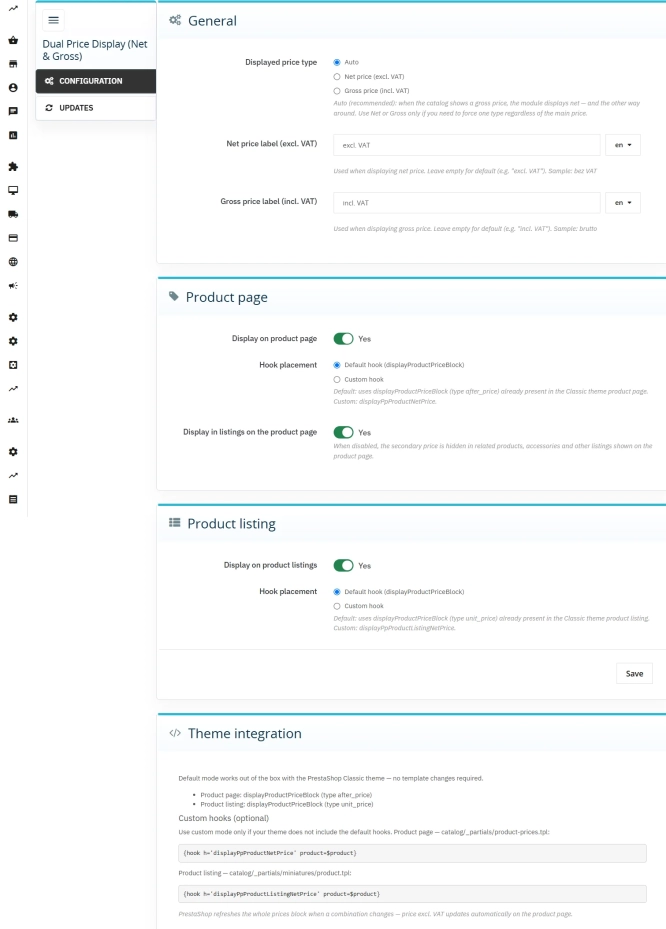
Dual Price Display (Net & Gross) — Alternative Price Displayed Automatically
Dual Price Display (Net & Gross) does the heavy lifting for you: it automatically checks which price is currently active in your shop and instantly displays the other...
33.00 €
-30%
23.10 €
- Discount
Price available only until: 31.12.2026
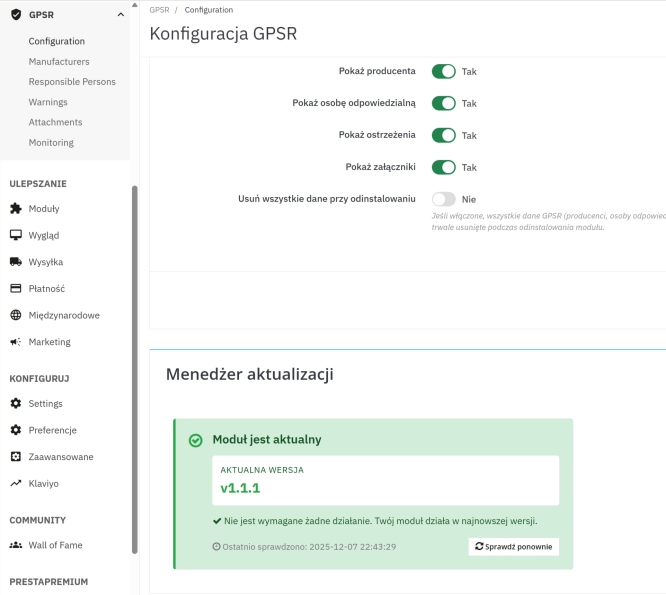
GPSR — Compliance Module for PrestaShop
GPSR Module for PrestaShop enables quick and compliant management of information required by the GPSR regulation. Automate obligations and increase your shop's security.
50.70 €
-30%
35.49 €
Lowest price within 30 days before promotion:
39.04 €

- Discount
Price available only until: 30.11.2026
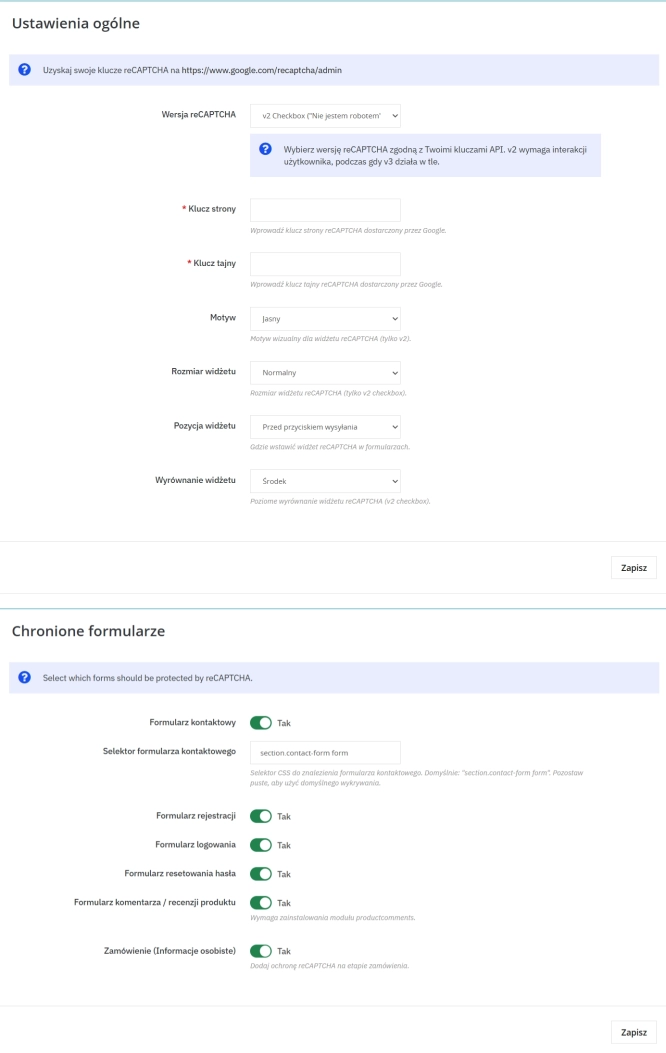
Google reCAPTCHA (v2 + v3) – Stop Bots, Yes to Customers
Tired of deleting spam from your inbox and fake accounts from your store panel? This module is your digital guardian that lets only real people into your store. Install...
39.00 €
-30%
27.30 €
Lowest price within 30 days before promotion:
43.89 €
- Discount
Price available only until: 30.11.2026
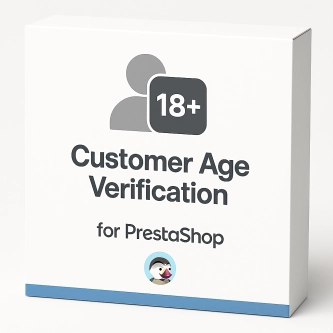
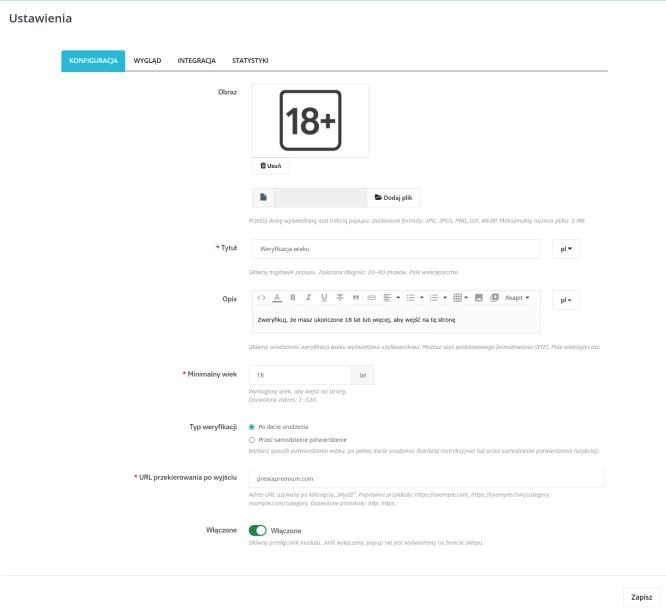
PrestaShop Age Verification Module (Age Gate 18+) – Standard Edition
Protect your shop quickly and effectively with the Standard edition of the Age Gate module for PrestaShop . This lightweight, easy-to-configure tool provides everything you...
32.70 €
-30%
22.89 €
- Discount
Price available only until: 31.10.2026
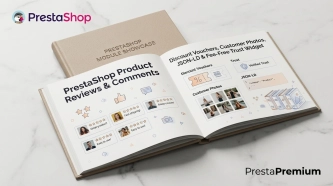
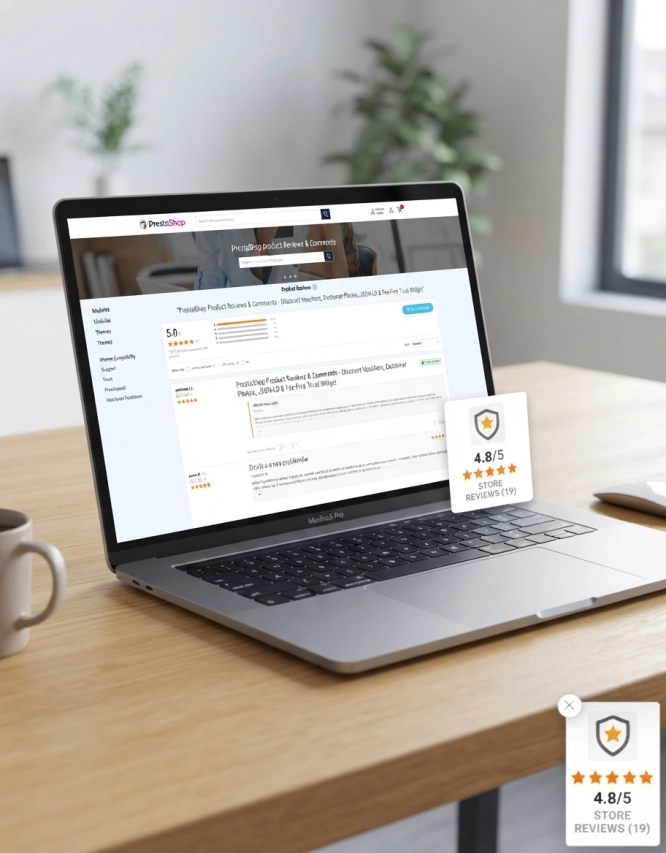
PrestaShop Product Reviews & Comments – Discount Vouchers, Customer Photos, JSON-LD & Fee-Free...
This module serves as a complete alternative to paid SaaS review platforms (such as Trustpilot, Opineo, or Trusted Shops) and allows you to bypass complex Google...
149.10 €
-20%
119.28 €
Lowest price within 30 days before promotion:
114.81 €
Customer Email Verification after Registration in PrestaShop
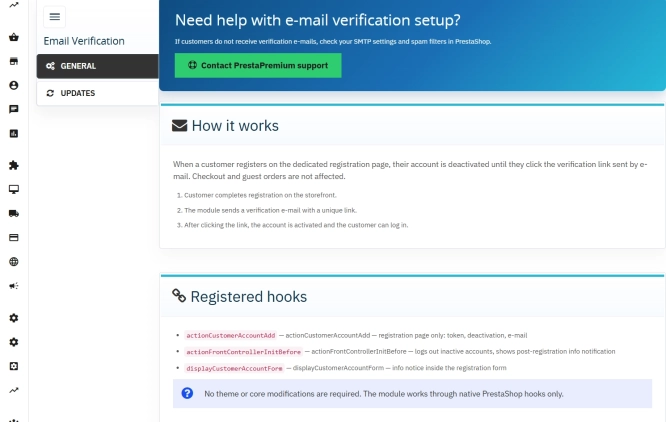
Tired of fake accounts and typos in customer email addresses? Meet Email Verification – a simple and completely free PrestaShop module designed to keep your database...
0.00 €
Do you need additional features or custom solutions?
- Module customisation tailored to your specific requirements.
- Extending functionality to enhance your store's capabilities.
- Developing bespoke modules designed to meet your unique needs.
- Integrating external systems and additional tools.
- Optimisation and improvements for better performance and user experience.
Do you have ideas on how to improve this software? Share your suggestions for optimisation, new features, or bug reports – we’ll be happy to review them!