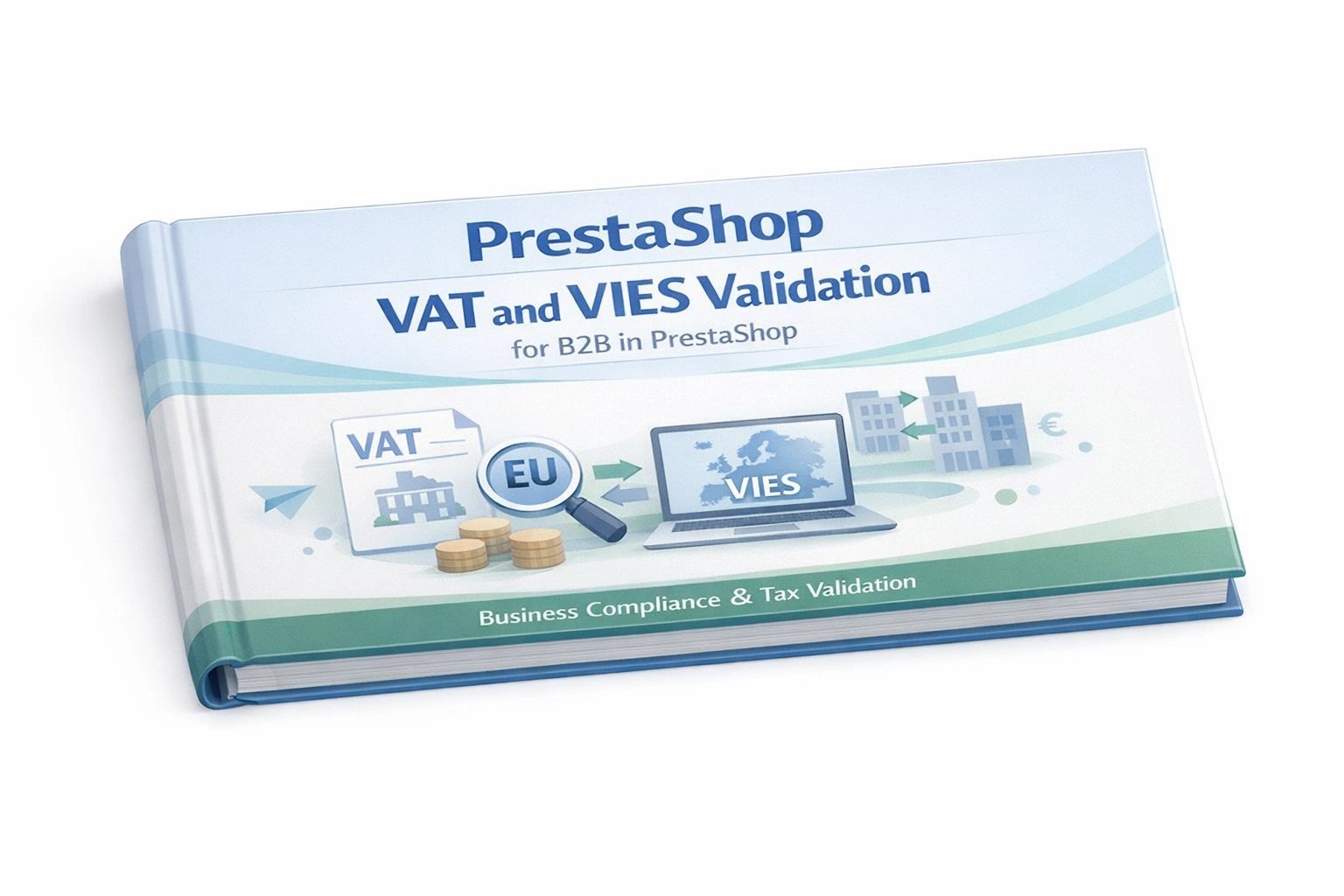
VAT and VIES Validation for B2B in PrestaShop

PP-M040S
1.7.7.x + | 8.x | 9.x
EN, FR, IT, DE, PL
  • 1.0.0
  • 2026-05-01
  • PP VAT Checker is a reliable PrestaShop module that automates VAT number verification for your business customers. With direct integration with the VIES database, it checks the entered details while the address is being completed, reducing mistakes and typos before they reach your orders.

    It is a strong fit for B2B and B2B/B2C stores that need to apply the 0% VAT rate safely to eligible intra-EU business sales. Simple configuration, full control over product-level exceptions, and far less manual invoice correction.

    You get a more reliable checkout flow: the module guides customers when they make a mistake, while the final validation still happens on the server side. Fast, secure and aligned with day-to-day tax handling.

    26.70 € Tax excluded

    Enter your store domain

    event Important: Domain change possibility expand_more

    If the module will be tested, enter a test domain during purchase.

    You will report the change to a production domain later.

    In case of an incorrectly entered domain, please contact us as well.

    Changing the domain to a production one is possible once and requires reporting within 3 days of starting its use.

    Reports: shop@prestapremium.com

    In the content, provide:

    • order number
    • product name
    • current domain
    • new domain

    Details

    Information Parameters:

    • 1.0.0
    • 2026-05-01
    • 1.7.7.x + | 8.x | 9.x
    • EN, FR, IT, DE, PL

    Key Benefits for Your Store

    • Fewer incorrect invoice details: The VAT number is checked in real time before the customer saves the address.
    • Automated B2B sales across the EU: A correctly verified European VAT number can automatically trigger the selected 0% VAT rule for the basket.
    • A customer-friendly address form: The module intelligently accepts VAT numbers entered with or without a country prefix, such as PL or DE.
    • Full control over tax exceptions: You can exclude selected products from the 0% VAT mechanism so they always keep their standard tax rate.
    • Less work for finance and support teams: The VIES validation status is stored permanently and displayed clearly in the order view and on the customer card.
    • Safer transactions: The customer cannot complete checkout with 0% VAT if VIES is unavailable or rejects the entered VAT number.

    Ideal Use Cases

    This module is a strong fit for e-commerce businesses selling internationally and serving company buyers. It works especially well for stores that want to automate intra-EU B2B VAT handling, avoid chasing customers about incorrect VAT numbers after the order is placed, and keep flexibility through precise control over product-level VAT exceptions.

    Features - Back Office (For the Administrator)

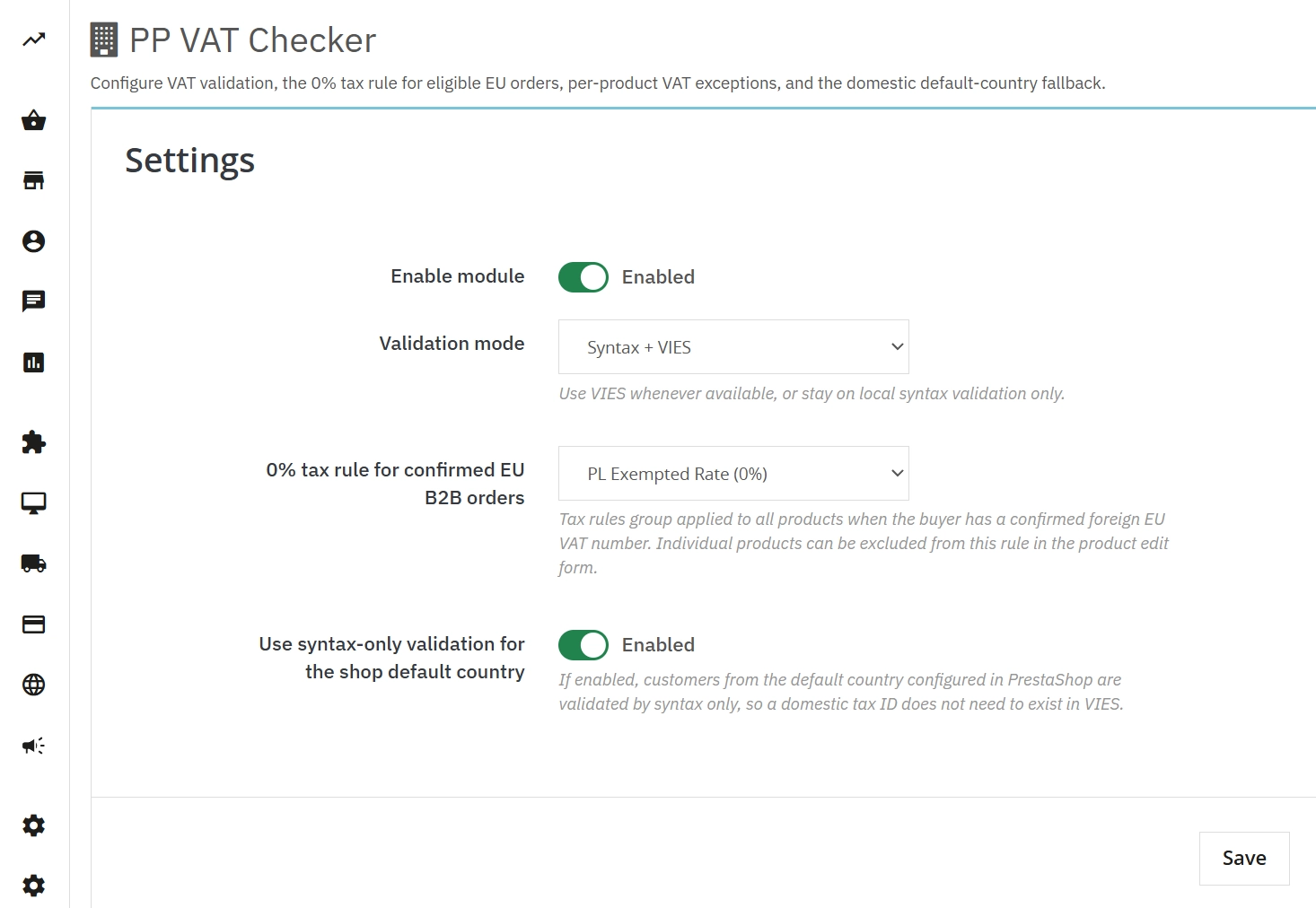
    Validation and 0% VAT rule setup

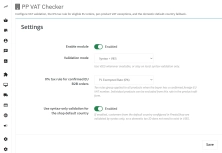
    You stay in control of how strictly the store validates business customers and which tax rule should be applied to verified EU buyers.

    • Choose the validation mode: Check VAT number syntax only or query the European VIES database directly.
    • Adapt the flow to your local market: The store's default country can rely on syntax-only validation to speed up domestic checkout.
    • Automate tax handling: A successful verification can be linked directly to a dedicated 0% VAT rule.

    Clear order and customer status

    Your team can immediately see whether a VAT number was accepted and, if not, why it failed.

    • Customer card: A full history of completed validations.
    • Order page: A clear status for both the delivery and invoice address.
    • Precise error messages: Faster diagnosis for support or finance teams.

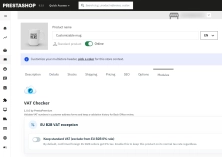
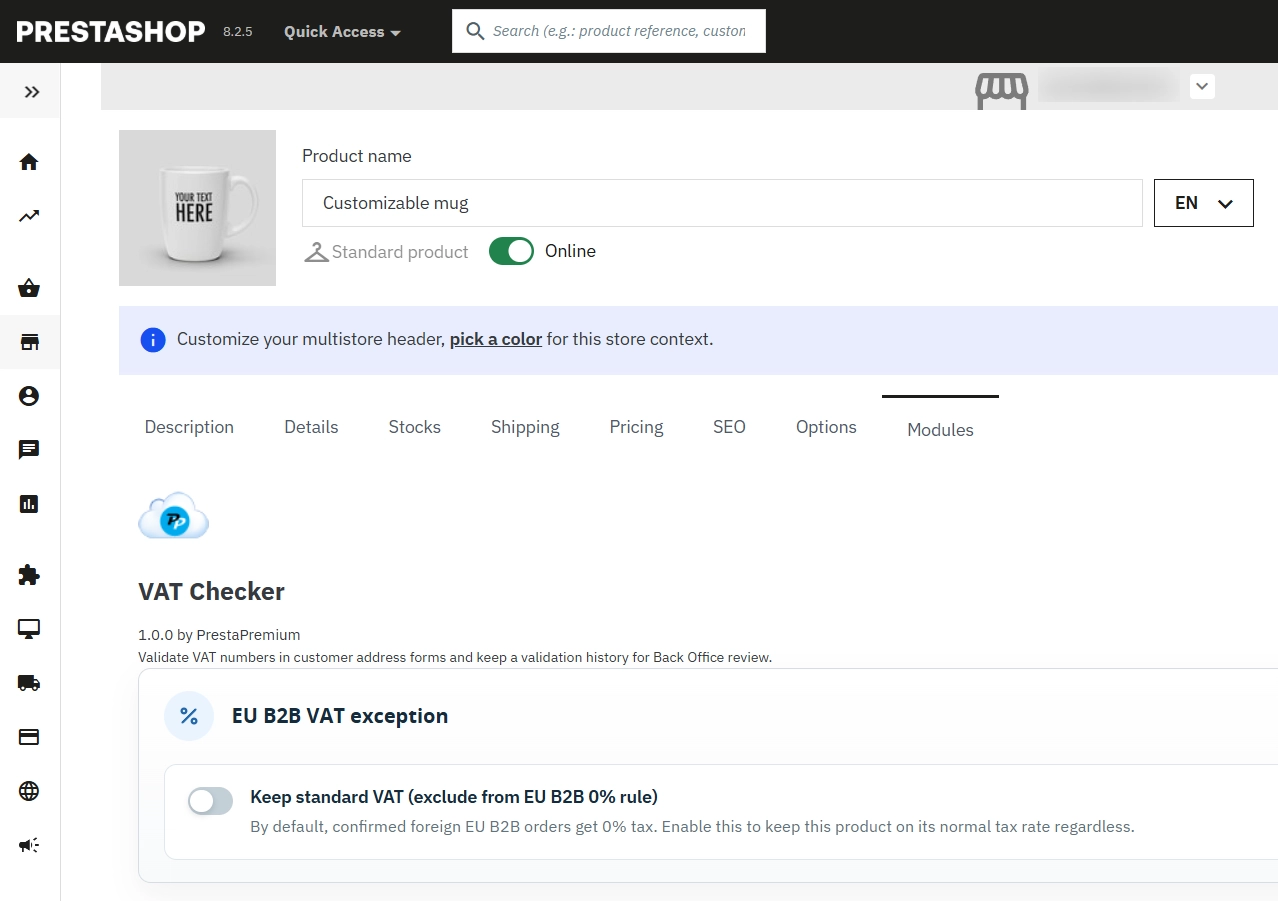
    VAT exceptions on the product page

    Not every item in your catalogue should qualify for 0% VAT. Manage those exceptions directly on the product.

    • Product-level tax policy: Exclude selected items from the 0% VAT mechanism in just a few clicks.
    • No manual recalculation: The module splits the basket automatically between items with 0% VAT and those that keep the standard rate.
    • Margin protection and tax compliance: Lower risk of applying reduced tax where it should not be used.

    Features - Front Office (For the Customer)

    Immediate feedback at checkout

    The customer sees straight away whether the entered number matches the selected country, making it easier to fix issues at the earliest step.

    • Real-time messages: Fewer wrongly completed forms.
    • Flexible prefix handling: Customers can enter "PL123..." or just "123..." and the module handles both correctly.
    • Cross-checking: The module makes sure the VAT prefix matches the country selected in the address form.

    Reliable and secure data validation

    The module does not rely only on browser-side scripts. The final validation happens securely on the store server.

    • Server-side validation: Protection against incorrect data being pushed into the database.
    • Full VIES mode: A strict requirement to confirm that the business is active in the European register.
    • Fallback guidance: Clear instructions for the customer if the VIES service is temporarily unavailable.

    Impact on Conversion and Internal Processes

    A well-structured B2B checkout matters. Although the module works quietly in the background, it has a real impact on the buying experience for business customers. A smoother basket flow with fewer tax-related errors helps build confidence, while your team spends less time on invoice corrections, VAT disputes and manual order handling.

    Important Technical Notes

    Before installation or update, we recommend creating a full backup of the store files and database. If your shop uses a custom checkout module such as One Page Checkout or its own product class overrides, confirm compatibility of the vat_number field and the Product.php override responsible for switching the 0% VAT rule before going live.

    Download:


    PrestaShop module installation (625.83KB)

    Universal documentation describing the module installation process for PrestaShop.

    ## [1.0.0] - 2026-05-01
    
    ### Added
    
    - Initial free release of PP VAT Checker.
    - VAT syntax validation with optional VIES verification.
    - Front Office preview for address forms using the VAT number field.
    - Back Office configuration, validation history and customer or order status panels.
    - Required package components: `ppupdater` and `ppadmintabinstaller`.
    - Domestic default-country switch that can reduce validation to syntax only.
    
    ### Fixed
    
    - Configuration page compatibility with external HelperForm wrapper classes.

    FAQs

    • What payment methods do you accept?

      We accept payments by credit/debit card, bank transfer and online payment systems such as Przelewy24, PayPal. Details can be found on the payment page.

    • Can I test the module before purchasing?

      We do not provide modules for testing on individual PrestaShop instances. If a given module has a demo version, it is available on our test store, where you can familiarize yourself with its functionality. On the product page you will also find a detailed description, screenshots and instructional materials. In case of questions, please contact us - we will be happy to provide additional information.

    • How can I extend technical support or access to updates?
      • Extension of support and updates:

        • If the option to extend support and updates is available, you can order it directly from our store.
        • Simply add the appropriate option to your cart and complete the purchase.
      • No available extension option:

        • If support and update extensions are not offered, purchasing the module again will be required.
    • Are the modules compatible with my version of PrestaShop?

      Each module in our store contains information about compatibility with specific PrestaShop versions. Please check this information carefully before purchasing. If you are not sure, contact us.

    • What should I do if the product does not meet my expectations?

      If the product does not meet your expectations, please contact our customer service department. Any returns are considered individually, in accordance with our regulations.

    • How long can I use the module after purchase?

      Purchased products are available for use without time limits. However, access to updates and technical support is usually limited to 6 or 12 months from the date of purchase, depending on the product. (details on updates/support are always included on the respective product card)

    • How can I download a purchased module?

      After you pay for your order and the payment is posted, the link to download the module will appear in your account in the "Order History and Details" tab ("Details" button). Additionally, we will send you an email with a download link.

    • How long does it take to process an order?

      The order is fulfilled automatically after the payment is posted. The product can then be downloaded immediately after the order has been paid for.

    • Do you offer technical support for products?

      Yes, we provide technical support within the support period assigned to a given product. You can contact us via the contact form or e-mail.

    • Can I get help installing a module or template?

      Yes, we offer installation and setup service as an additional option. You can add it to your cart when purchasing the product or order it separately.

    • Can I update the module to a newer version?

      Yes, you can download new versions of the product for free during the support and update period. After that time, you can renew your update subscription.

    • What should I do if I have problems downloading the module?

      If you have trouble downloading the module, please make sure your payment has been processed. If you still have trouble, please contact us and we will manually provide you with the module.

    • Are the modules compliant with GDPR regulations?

      We design our modules with GDPR compliance in mind. If a module processes personal data, you will find detailed information on compliance with the regulations in its description. We make every effort to ensure that our solutions meet current data protection standards.

    • Can I ask you to adapt the module to my needs?

      Yes, we offer a module personalization service. Describe your needs and we will prepare an individual quote.

    • Can I ask for advice in choosing a module?

      Of course! Contact us and we will advise you which module best suits your needs.

    • Can I have my store audited before purchasing a module?

      Yes, we offer a store audit service to help you choose the right modules and identify areas for improvement. Contact us for more information.

    • Do you offer help with store optimization after installing the modules?

      Yes, we can help you optimize your store so that your modules run at full efficiency. Ask about our technical support service.

    • Can I get a discount as a regular customer?

      Yes, for our regular customers we offer a loyalty program with attractive discounts. Check the details in your customer panel. If you do not see such an option, contact us - we will be happy to help!

    • What does the module update process look like?

      If the module requires an update, you can download the latest version from your client panel. We recommend backing up your store before updating.

    • Can I modify a purchased module or template?

      Yes, you can modify purchased products for your own needs, but you cannot resell them or share them with third parties. Details can be found in the license terms and conditions.

    • Can I change the domain on which the module runs?

      Yes, if you want to transfer the module to another domain, please contact us to discuss the details and conditions of the license transfer.

    • Can I use the purchased module in multiple stores?

      Purchased modules are licensed for a single store. The exception is the use of the multi-shop feature within a single PrestaShop installation. In this case, you can use the module on multiple stores, even with different domains, provided that:

      • all stores run on the same PrestaShop installation,
      • the module is compatible with the multi-shop feature.
    • What should I do if my store stops working after installing the module?

      If your store encounters problems after installing the module, please contact our technical support immediately. We will help diagnose and resolve the issue.

    • How can I check if a module will work with my other installed modules?

      Our modules are designed to be as compatible as possible with other popular PrestaShop extensions. If you have any doubts, contact us and send us a list of your modules - we will help verify it.

    • Are the modules translated into different languages?

      Most of our modules are available in several languages, including Polish and English. Information about available languages ​​can be found in the module description.

    • What to do if module installation ends with an error?

      Check if your PrestaShop version is compatible with the module and if you have the right permissions for installation. If the problem persists, contact our technical support - we will help you solve the problem.

    • Can I order a module that is not available in your offer?

      Yes, we do custom module creation. Contact us for details and pricing.

    Do you need additional features or custom solutions?

    • Module customisation tailored to your specific requirements.
    • Extending functionality to enhance your store's capabilities.
    • Developing bespoke modules designed to meet your unique needs.
    • Integrating external systems and additional tools.
    • Optimisation and improvements for better performance and user experience.

    Do you have ideas on how to improve this software? Share your suggestions for optimisation, new features, or bug reports – we’ll be happy to review them!