Customer Email Verification after Registration in PrestaShop
- 1.7.5 + | 8.x | 9.x
- EN, FR, IT, DE, PL, ES
- 1.0.7
- 2026-07-27
Tired of fake accounts and typos in customer email addresses? Meet Email Verification – a simple and completely free PrestaShop module designed to keep your database clean. After registration, the system automatically sends a secure activation link to the customer. The new account remains inactive until the user confirms their email. Best of all? It works seamlessly without any code modifications or theme tweaks.
Crucially, the module only monitors standard registration on the Create an Account page. The entire checkout process (including guest checkout) remains untouched, ensuring you don't lose customers at the finish line. It also fully supports multistore environments – each of your shops sends emails with its own logo and domain. It’s the perfect tool for any store that wants to be 100% sure they are connecting with real people.

Information Parameters:
- 1.0.7
-
Store Version PHP Version1.7.5 + 7.1 – 7.48.x 8.1 – 8.39.x 8.1 – 8.5
- 2026-07-27
- EN, FR, IT, DE, PL, ES
- ✅
- ✅
- ✅
- ✅
Key Benefits for Your Store
- Peace of mind & security — Forget about ghost accounts. The account is activated only after the customer clicks the verification link in their inbox.
- Stress-free installation — The module leverages native PrestaShop hooks. No need to modify the Classic theme or core system files.
- Frictionless checkout — Guest checkout and registration during ordering work exactly as before, ensuring your conversion rate stays safe.
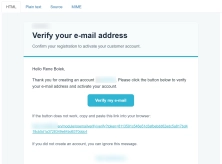
- Consistent branding — HTML emails automatically match the look and feel of your transactional messages and include your store's logo.
- Full Multistore support — Activation links and tokens are tied to the specific shop. Customers are always redirected to the correct store with the right branding.
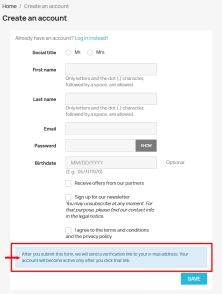
- Clear customer guidance — Your users receive explicit, clear instructions right within the registration form, guiding them step-by-step.
Who is this module for?
- Small B2C e-commerce sites looking to eliminate spam accounts and shipping address typos once and for all.
- Stores running loyalty programs where you need to ensure welcome rewards go to real, verifiable users.
- Businesses post-migration, seeking a simple, cost-effective verification layer without relying on expensive third-party services.
- Multilingual stores and multistore setups requiring automatic domain and email template adaptation per market.
Features – Back Office (Merchant Panel)
Instant Start
The module is ready to work right out of the box – no complex configuration required.
- Convenient menu access — Quickly find it under PrestaPremium → Customer.
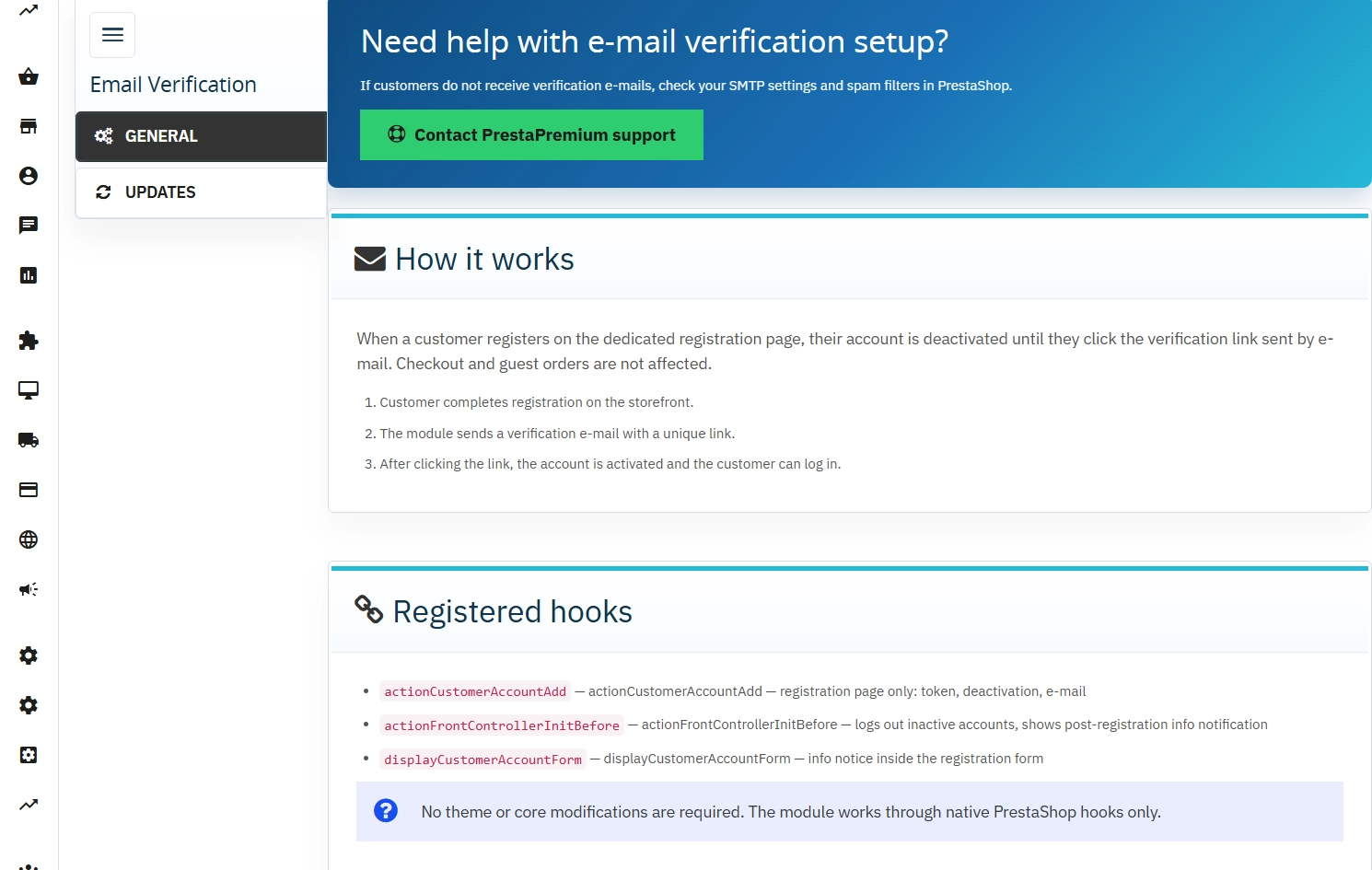
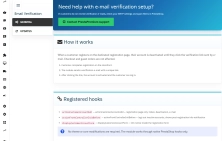
- General tab — A quick overview of how it works and a complete list of active hooks in one place.
- Token table — Securely track and monitor generated activation links associated with specific customers and stores.
Stay Up-to-Date
With the built-in Update tab (PP Updater), you'll instantly know when a new, enhanced version of the module is available.
Multistore Ready
Managing multiple stores from a single panel? The module adapts perfectly. You can flexibly enable or disable it for specific shops, and the system handles the correct logos and domains automatically.
Features – Front Office (Customer Perspective)
Intuitive Registration
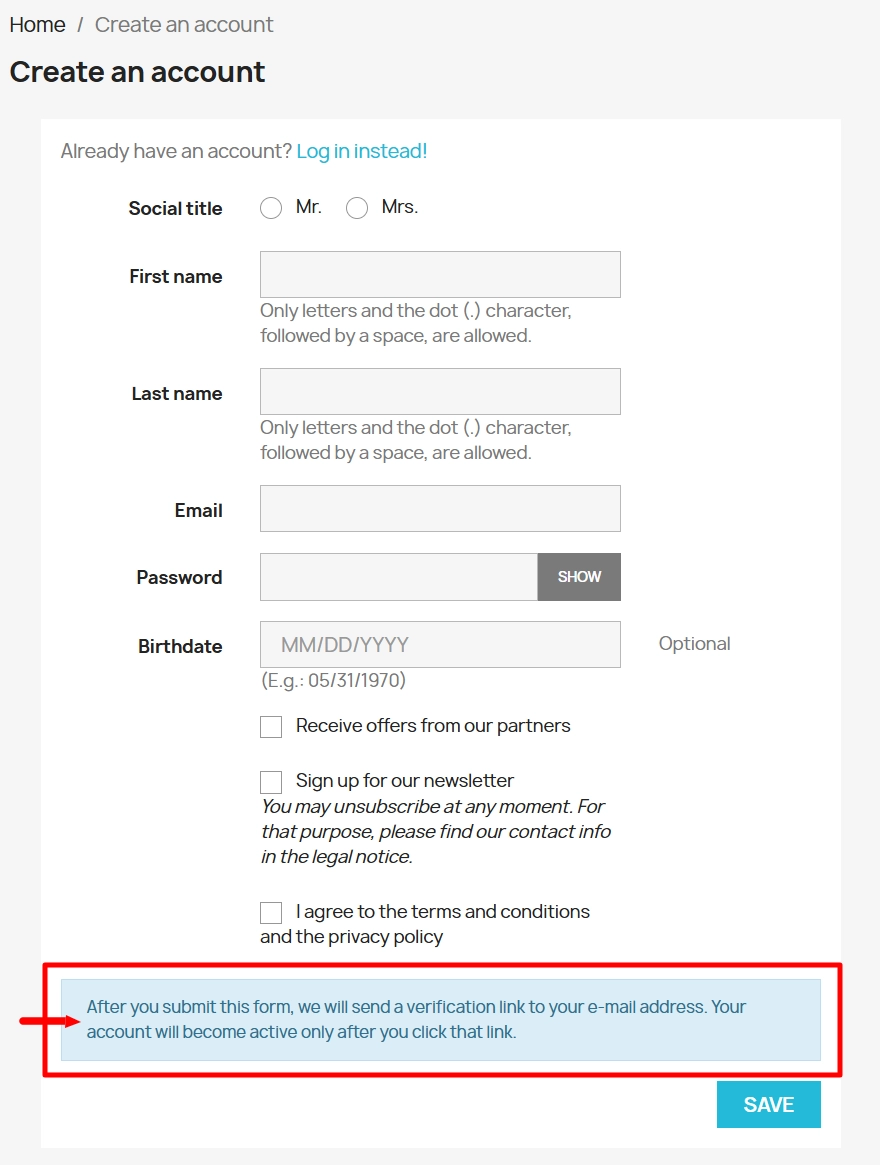
The customer fills out the form, clicks "Save", and immediately knows that a confirmation email is on its way. Simple and transparent.
- In-form hint — We inform customers about the email verification requirement before they even submit the form.
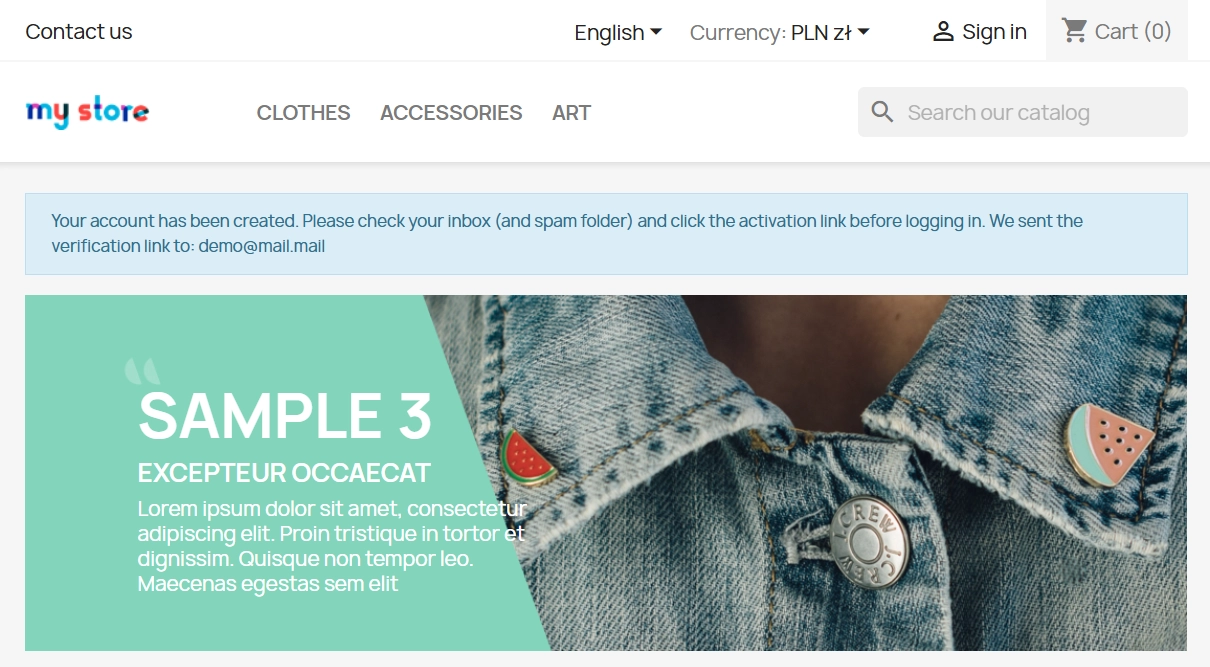
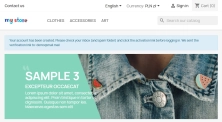
- Clean notifications — Uses native notification blocks in the Classic theme, keeping the look natural and integrated.
- Pre-activation lock — The account securely waits until the email address is verified; premature logging in is blocked.
Seamless Shopping Experience
We care about your conversions! The module stays out of the way during guest checkouts and quick checkout processes – customers can buy instantly without any extra steps.
Impact on Sales and SEO
- Clean database — Your newsletters and marketing campaigns reach active, real inboxes, which significantly improves your email deliverability rates.
- Reliable communication — Rest easy knowing critical updates, like order statuses, always reach the intended recipient.
- SEO safe — The module strictly focuses on the post-registration workflow, ensuring Google bots see your site exactly as they should.
A Quick Note Before You Start
To ensure everything runs like clockwork, make sure your PrestaShop has a properly configured email setup (SMTP or PHP mail) – we highly recommend sending a test email from your dashboard first. Also, don't forget to set your shop logo in preferences so it automatically pulls into the welcome email template. If you ever uninstall the module, accounts pending activation won't automatically activate – you can easily enable them manually in the Back Office (BO) if needed.
# Changelog — Email Verification (ppemailverify)

## [1.0.7] - 2026-07-27

### Fixed
- Registration form notice uses Smarty `{l}` so merchants can edit the text via International → Translations (or theme override).

## [1.0.6] - 2026-06-16

### Added
- Full multistore support: `id_shop` on verification tokens, shop-scoped e-mail and activation links.
- Multistore info panel in Back Office configuration (General tab).
- Upgrade script to add `id_shop` column for existing installations.

## [1.0.5] - 2026-06-16

### Added
- Shop logo and shop URL in HTML verification e-mails (`{shop_logo}`, `{shop_url}` — injected by PrestaShop Mail).

### Fixed
- Account is deactivated only after the verification e-mail is sent successfully.
- Failed mail delivery is logged in PrestaShop logs; customer account stays active.
- Token format validation (64-char hex) before database lookup.
- Unique index on verification token column.

## [1.0.4] - 2026-06-16

### Changed
- Post-registration notice uses native `notifications.tpl` instead of `displayBanner`.
- Pre-registration info via `displayCustomerAccountForm` hook.

## [1.0.3] - 2026-06-16

### Added
- Registration-page-only verification (checkout and guest orders excluded).
- Pending verification notices for customers.

## [1.0.2] - 2026-06-16

### Fixed
- Module install SQL require operator precedence bug.
- PPAdminTabInstaller global class reference in namespaced Installer.

## [1.0.1] - 2026-06-16

### Changed
- PSR-4 architecture refactor (`src/`, services, installer).

## [1.0.0] - 2026-06-16

### Added
- Initial release: e-mail verification on customer registration.


FAQs
-
Are the modules compatible with my version of PrestaShop?
Each module in our store contains information about compatibility with specific PrestaShop versions. Please check this information carefully before purchasing. If you are not sure, contact us.
-
When is a customer account activated?
After registration, the module sends the customer an email with an activation link. The account is activated only after the customer clicks that link in their inbox. This mechanism confirms the address provided when the account was created. The form clearly explains the next steps required to complete verification.
-
Does verification block guest checkout?
The module description indicates that registration during checkout and guest checkout continue to work unchanged. Email verification applies to activation of the customer account being created. This preserves the standard PrestaShop checkout paths, and the module does not require changes to the Classic theme or core files.
-
What do the activation emails look like?
The messages are prepared in HTML format and automatically match the appearance of the store’s other correspondence. They also include the store logo, keeping activation communications visually consistent. The customer receives the account-confirmation link in the email sent to the address provided during registration.
-
How does the module handle Multistore?
In a Multistore environment, activation tokens and links are assigned to a specific shop. After clicking the link, the customer reaches the shop where they registered and sees the appropriate branding. The module can be enabled or disabled for selected shops, allowing its operation to be managed in an installation with more than one shop.
-
Where can I check generated tokens?
The module panel includes a token table that lets you safely view generated activation links associated with a customer and shop. The module is available in PrestaPremium → Customer, and the General tab includes a brief explanation of how it works and a list of hooks in use. It does not require extensive configuration before use.
14 other products in the same category:
Login as Customer – Log into user accounts from PrestaShop Back Office
This module enables instant access to any customer account directly from the PrestaShop administration panel. It allows quick verification of issues reported by buyers...
Cookie Banner and Google Consent Mode v2 for PrestaShop (Free)
PrestaPremium Consent Mode v2 (Free) is a reliable, free PrestaShop module that implements a fully GDPR-compliant cookie banner and handles Google Consent Mode v2 for...

Google Maps Reviews Module for PrestaShop – Automatic Import and Display of Customer Ratings
This module serves to increase trust in your shop by displaying authentic reviews from Google Maps. Thanks to the automatic generation of JSON-LD structured data, star...
Backup Manager – Security and Automatic Database Backups
PP Backup Manager is a module for PrestaShop , which organises the process of performing database backups : manually in the administration or automatically when called...

Dual Price Display (Net & Gross) — Alternative Price Displayed Automatically
Dual Price Display (Net & Gross) does the heavy lifting for you: it automatically checks which price is currently active in your shop and instantly displays the other...

- Discount
Google reCAPTCHA (v2 + v3) – Stop Bots, Yes to Customers
Tired of deleting spam from your inbox and fake accounts from your store panel? This module is your digital guardian that lets only real people into your store. Install...
- New
PrestaShop Omnibus Price Pro Module – Lowest Price in 30 Days (EU Omnibus Directive)
Omnibus Price Pro is an advanced PrestaShop module designed to automate the display of the lowest price prior to a discount (default 30 days). Ensure full compliance...

- Discount
Price available only until: 30.09.2026
PrestaShop Product Reviews & Comments – Discount Vouchers, Customer Photos, JSON-LD & Fee-Free...
This module serves as a complete alternative to paid SaaS review platforms (such as Trustpilot, Opineo, or Trusted Shops) and allows you to bypass complex Google...
New email templates for PrestaShop with appearance configuration
The module allows you to refresh default PrestaShop emails and give them a new look . You receive ready-made email templates with a choice of different visual variants,...

Store Auditor — 25 Configuration Checks for Your PrestaShop Back Office
Store Auditor is a completely free PrestaShop module that checks 25 core settings of your store with a single click. It instantly lets you know if your website is...
VAT and VIES Validation for B2B in PrestaShop
PP VAT Checker is a reliable PrestaShop module that automates VAT number verification for your business customers. With direct integration with the VIES database, it...
PrestaShop Age Verification Module (Age Gate 18+) – Standard Edition
Protect your shop quickly and effectively with the Standard edition of the Age Gate module for PrestaShop . This lightweight, easy-to-configure tool provides everything you...

GPSR — Compliance Module for PrestaShop
GPSR Module for PrestaShop enables quick and compliant management of information required by the GPSR regulation. Automate obligations and increase your shop's security.

- New
Free Simple Omnibus Price Module – Omnibus Directive for PrestaShop
Simple Omnibus Price is a completely free PrestaShop module that automates displaying the lowest price from the 30 days prior to a price reduction. Protect your store...
Do you need additional features or custom solutions?
- Module customisation tailored to your specific requirements.
- Extending functionality to enhance your store's capabilities.
- Developing bespoke modules designed to meet your unique needs.
- Integrating external systems and additional tools.
- Optimisation and improvements for better performance and user experience.
Do you have ideas on how to improve this software? Share your suggestions for optimisation, new features, or bug reports – we’ll be happy to review them!