Store Auditor — 25 Configuration Checks for Your PrestaShop Back Office
- 1.7.5 + | 8.x | 9.x
- EN, FR, IT, DE, PL, ES
- 1.0.1
- 2026-06-16
Store Auditor is a completely free PrestaShop module that checks 25 core settings of your store with a single click. It instantly lets you know if your website is secure, fast, and fully prepared for both human customers and Google bots — without the need to manually dig through dozens of tabs in your admin panel.
The module runs a "safe preview" scan — the audit itself will never break or change anything in your store without your permission. If any issues are found, you can easily fix them directly from the report using a handy toggle or a direct link that takes you exactly where you need to go. It is the perfect tool for small business owners and beginner creators who want to make sure everything runs like clockwork before launching their sales.


Information Parameters:
- 1.0.1
-
Store Version PHP Version1.7.5 + 7.1 – 7.48.x 8.1 – 8.39.x 8.1 – 8.5
- 2026-06-16
- EN, FR, IT, DE, PL, ES
- ✅
- ✅
- ✅
- ✅
Why should you install this module?
- Everything in one place (25 checks) — verify your cache settings, SSL certificate, friendly URLs, company details, and other essential tweaks that are incredibly easy to miss after installing the store.
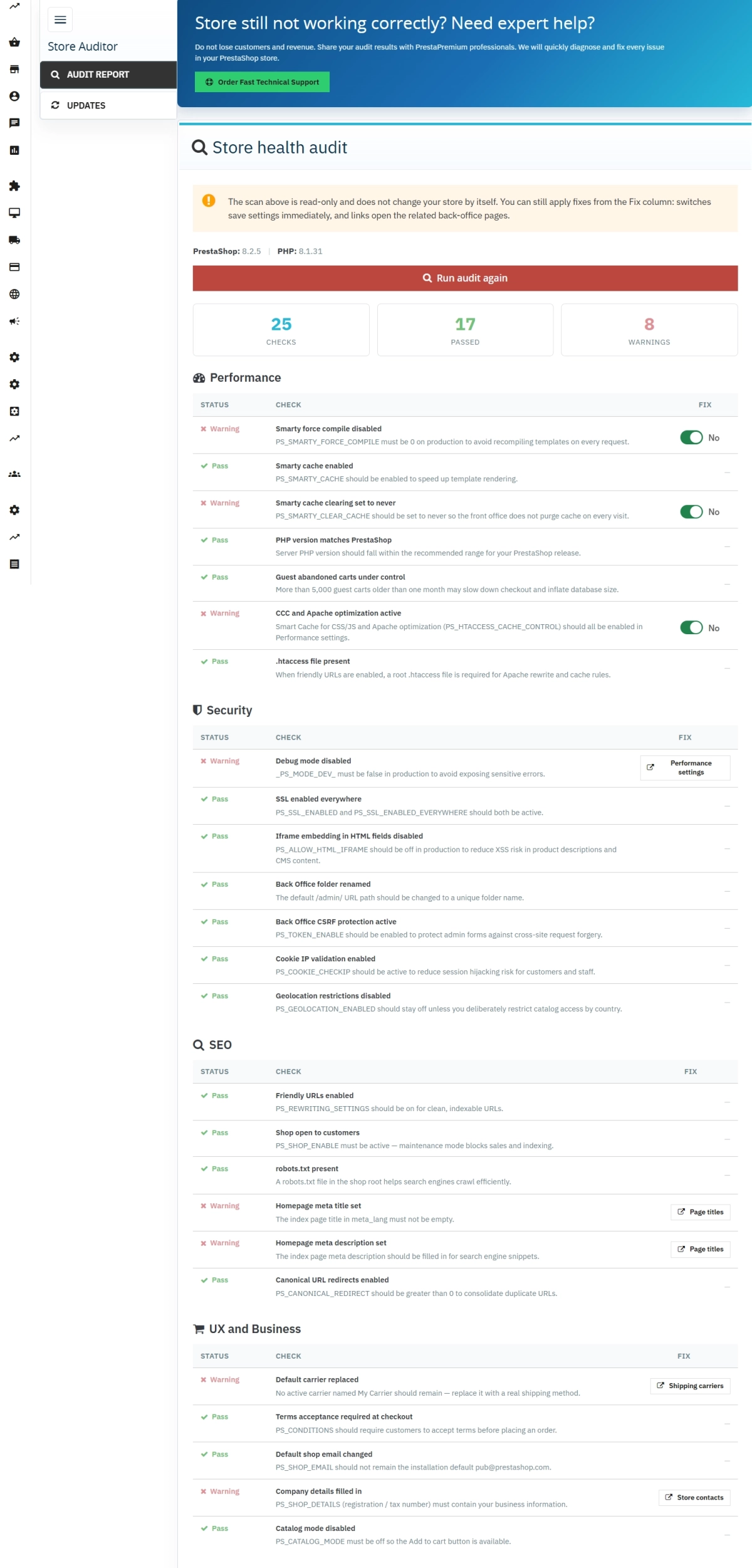
- Results in seconds — you instantly get a clear visual status: a green "Passed" or an orange "Warning" for each test, alongside a simple numerical summary.
- 100% safe scanning — the module only reads your current configuration. You are the one who decides if and when to apply the suggested fixes.
- Lightning-fast troubleshooting — you can fix some of the most critical settings with a single click directly inside the audit table. For others, the module provides a direct shortcut to the exact page in your shop.
- Invisible to your customers — the tool works strictly in the Back Office. It does not affect your store's appearance and will never slow down the browsing experience for your buyers.
When will this module save the day?
- When launching a brand new store — you gain peace of mind knowing that your basic configuration is 100% ready to handle your very first orders.
- After updating PrestaShop or other modules — quickly double-check that the system didn't accidentally disable crucial options (like your Smarty cache or SSL certificate).
- When running a store on your own (without an IT department) — instead of guessing what might be misconfigured or why customers are leaving, you get a clear, actionable to-do list.
- Before launching ad campaigns or peak sales seasons — make sure that Google can see your website correctly and that nothing is blocking the checkout process.
- When managing multiple stores (Multistore) — easily switch between your shops in the Back Office and audit the configuration for each store individually.
What exactly does the module do? (Back Office Features)
Running the audit
Full control over the tool. The scan doesn't run automatically upon entering the page to avoid unnecessary server load — you only trigger it when you want to.
- On-demand — a clear "Run store audit" / "Re-run audit" button.
- Secure requests — the module utilizes PrestaShop's official built-in security (CSRF tokens).
- Read-only scan — simply clicking the audit button does not modify any files or database records.
Report split into 4 clear areas
Results are grouped by topic, so you know exactly which section requires your immediate attention.
- Performance — 7 tests evaluating optimization settings (CCC), Smarty cache, PHP version, and guest checkouts.
- Security — 7 tests checking your SSL certificate, debug mode status, and the visibility of your admin folder.
- SEO (Google Visibility) — 6 tests controlling friendly URLs, homepage meta titles/descriptions, and your robots.txt file.
- UX & Business — 5 tests verifying carrier setup, terms and conditions requirements, company details, and catalog mode status.
Clear results overview
A numeric counter at the top of the page shows you the overall technical health score of your store.
- Straightforward statuses — color-coded indicators highlight what is working perfectly and what needs a quick double-check.
- System metrics — the module displays your current PrestaShop and PHP versions right above the report, making communication with your hosting provider easier.
Smart "Fix" Column
No more searching through complex PrestaShop menus. The module gives you a helping hand right where you need it.
- Quick toggle (Auto-fix) — turn on friendly URLs, cache, or the terms of service requirement with a single click.
- Direct links — if a fix requires entering text (like company info or email setup), the module takes you straight to that specific configuration page.
- Modern workflow — settings are saved instantly via AJAX without annoying page reloads.
Lightweight & Future-proof
Built with clean code following the latest development standards.
- No database clutter — the module doesn't create extra database tables, leaving zero "junk" behind if you ever decide to uninstall it.
- Wide compatibility — works flawlessly on PrestaShop versions from 1.7.7 all the way up to the latest 9.x releases.
How does the module affect your storefront?
It doesn't! The module has no Front Office functionality. This means it doesn't add any banners, scripts, or badges visible to your visitors. Your store's front-end code remains completely untouched, and your loading speeds won't change by a single millisecond.
How proper configuration translates into profit
- Fewer abandoned checkouts — ensuring that your shop is online, catalog mode is off, and the terms and conditions are correctly mapped means customers can actually complete their purchases smoothly.
- Better visibility on Google — checking your friendly URLs, homepage meta data, and robots.txt prevents Google from indexing an empty or broken storefront.
- Faster user experience — enabling the recommended cache options speeds up page loading, keeping impatient buyers from leaving for a competitor.
- Building trust (Security) — a secure connection (SSL) and hidden technical errors give your customers peace of mind that their personal data and money are safe with you.
An important tip before you start
While this module is completely safe to use, please remember that using the features in the "Fix" column changes your actual shop settings. Before making bulk changes, it is always a best practice to create a full backup of your database and store files. Also, keep in mind that certain advanced configurations (like a complete SSL rollout or custom Nginx server rewrites) may still require manual adjustments on your hosting panel.
## [1.0.0] - 2026-06-16
### Added

FAQs
-
Are the modules compatible with my version of PrestaShop?
Each module in our store contains information about compatibility with specific PrestaShop versions. Please check this information carefully before purchasing. If you are not sure, contact us.
-
Which areas does the store audit check?
Store Auditor runs 25 automated tests grouped into four areas: performance, security, SEO, and shopping and business. Checks include cache settings, SSL, friendly URLs, company details, and selected parts of the checkout process. The results help you quickly review the store’s basic configuration after installation or an update, or before planned sales activity.
-
How are test results presented?
Each test receives a clear “Passed” or “Warning” status, and the top of the page provides a numerical summary of the store’s technical condition. The report is divided by topic, making it easier to identify settings that need attention. The module also shows the current PrestaShop and PHP versions, so the collected information is available in one place.
-
Does the audit run automatically?
The scan is started on demand with the “Run store audit” button. The audit itself is read-only and does not modify the store’s files or database. The administrator therefore retains control over when the configuration is checked. The module description also states that the scan does not place an automatic background load on the server.
-
How do the fix suggestions work?
For some checks, the module provides a switch in the “Fix” column that lets you change a setting directly from the audit table. When a change requires additional data, the report links to the appropriate Back Office section. Before making bulk configuration changes, the module description recommends backing up the store database and files.
-
Do customers see the module in operation?
The module operates exclusively in the Back Office and, according to its description, has no Front Office features. It does not add banners, scripts, or notices to the store theme. Its purpose is to analyse the current administrative configuration and present a report to the person managing the store. Customers do not use the audit panel while browsing the catalogue or placing orders.
16 other products in the same category:

Google Maps Reviews Module for PrestaShop – Automatic Import and Display of Customer Ratings
This module serves to increase trust in your shop by displaying authentic reviews from Google Maps. Thanks to the automatic generation of JSON-LD structured data, star...

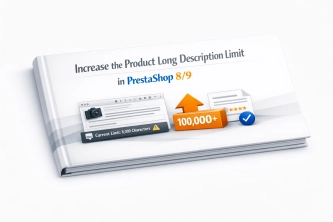
Increase the long product description and image ALT text limit in PrestaShop 8/9
PP Limit Manager removes the length restriction applied to the long product description and product image ALT text in the new PrestaShop 8 and 9 product form. The module...

- Discount
Price available only until: 30.09.2026
PrestaShop Product Reviews & Comments – Discount Vouchers, Customer Photos, JSON-LD & Fee-Free...
This module serves as a complete alternative to paid SaaS review platforms (such as Trustpilot, Opineo, or Trusted Shops) and allows you to bypass complex Google...

- Discount
Price available only until: 11.10.2026
Product recommendation module for PrestaShop
A recommendations module for PrestaShop that displays tailored product suggestions in two key points of the buying journey: the product page and the cart. It reduces...
- Discount
Price available only until: 11.10.2026
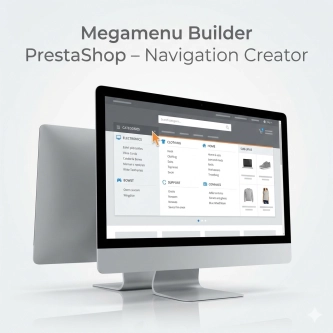
Megamenu Builder PrestaShop – Navigation Creator (Atomic Cache Technology)
Change the way customers navigate your store. PP Megamenu is an advanced navigation builder that combines Premium design with uncompromising performance. Thanks to our...

PrestaShop Promotion Module: Free Gifts, Quantity Discounts, Buy X Get Y and Category Offers
The PP Promo module for PrestaShop makes it easy to create and automate popular sales campaigns, from "Buy 2, Pay for 1" offers and free gifts to discounts on selected...
- New
Free PrestaShop Database Audit & Controlled Cleanup
Database Cleaner Lite is a free PrestaShop module designed for auditing and safely deleting statistical data and system logs. It helps administrators quickly assess...

Advanced Search for PrestaShop
Advanced product search for PrestaShop that helps customers find the right products faster and makes it easier to complete purchases in your PrestaShop store . The module...
Take SEO and conversion further: a PrestaShop FAQ module with a built-in editor and FAQPage JSON-LD
The FAQ Builder module makes it easy to add question and answer (FAQ) sections directly to your PrestaShop product descriptions. The management interface sits just above the...

llms.txt for PrestaShop — Dynamic Store Index for AI Bots
AiLlmTxt publishes llms.txt and llms-full.txt files on the fly, without physical file generation on the disk — PrestaShop generates them dynamically under public URLs....
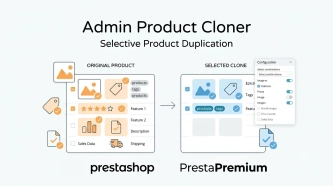
Admin Product Cloner – Selective Product Duplication
Admin Product Cloner is a simple, handy tool for PrestaShop administrators, designed to streamline daily catalogue management. The module replaces the standard, full...

- New
Free PrestaShop Video Module (YouTube & Vimeo)
Product Video Lite is a free and exceptionally lightweight module that allows you to assign an unlimited number of YouTube and Vimeo videos to your products. Instantly...

Clean URLs Pro – remove IDs from PrestaShop URLs
Clean URLs Pro removes numerical IDs from product, category, CMS category, CMS page, brand, and supplier URLs — without core modifications and with zero overrides. Simply...

PrestaShop blog module with SEO, post-linked FAQ, FAQPage JSON-LD, editorial workflow and comments
A blog for PrestaShop built for real organic visibility, content commerce and better coverage of question-style search queries. The module gives full control over SEO...

Advanced PrestaShop traffic and performance optimization generator (htaccess)
Stack Pro is a protective module for PrestaShop that restricts artificial and automated traffic at the server level through controlled modification of the .htaccess file....
Do you need additional features or custom solutions?
- Module customisation tailored to your specific requirements.
- Extending functionality to enhance your store's capabilities.
- Developing bespoke modules designed to meet your unique needs.
- Integrating external systems and additional tools.
- Optimisation and improvements for better performance and user experience.
Do you have ideas on how to improve this software? Share your suggestions for optimisation, new features, or bug reports – we’ll be happy to review them!