Error Radar & Toolbox — PrestaShop Error Diagnosis & Server Utilities
- 1.7.5 + | 8.x | 9.x
- PL, EN
- 1.0.0
- 2026-06-15
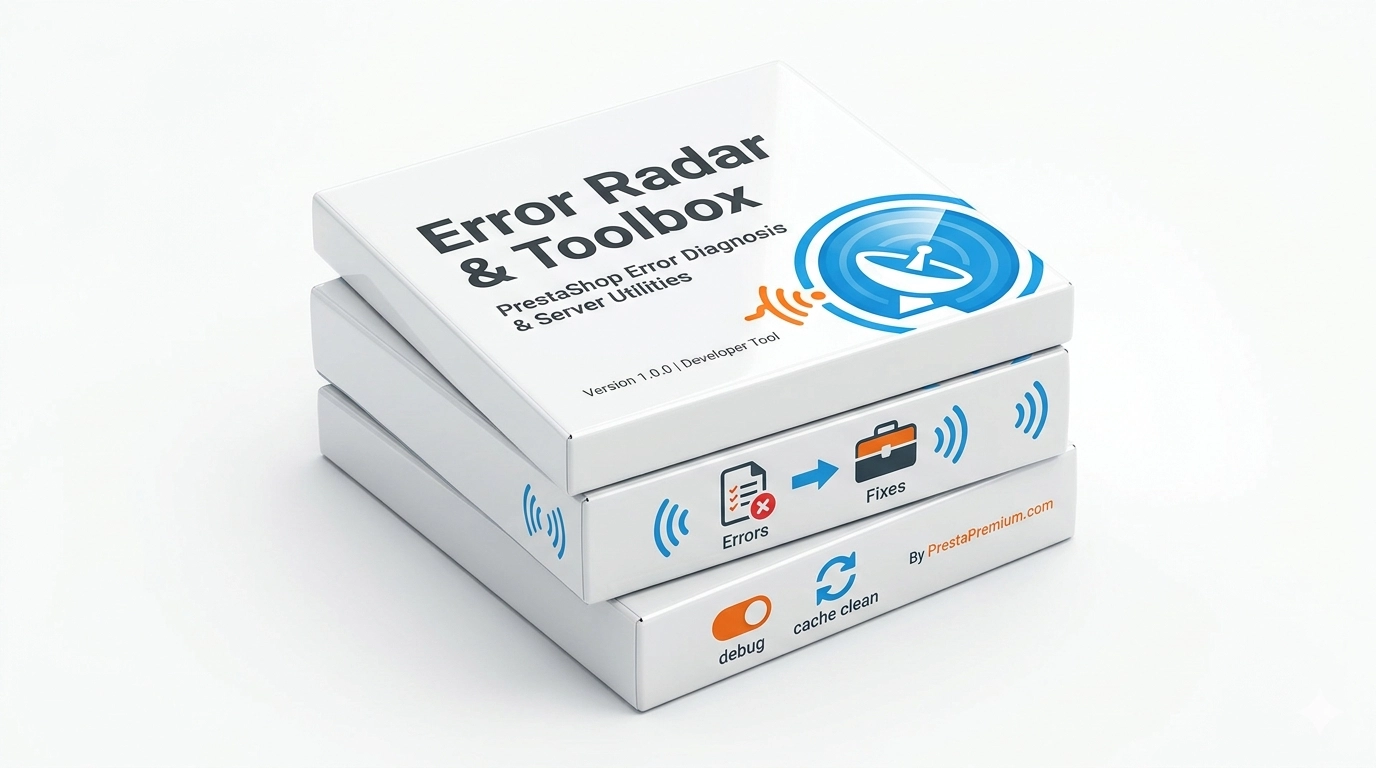
Error Radar & Toolbox is a powerful, free administrative module for PrestaShop that allows you to instantly diagnose technical store issues directly from your Back Office—no FTP or server login required. Symfony logs, a live debug mode switcher, and deep cache purging are now available within a single control panel.
This module is built for store owners, administrators, and e-commerce agencies who need immediate answers to the question: "Why is the store down?". Pinpoint crashes before you lose customers, traffic, or sales. The tool operates strictly within the Back Office and is 100% invisible and safe for your frontend visitors.

Information Parameters:
- 1.0.0
-
Store Version PHP Version1.7.5 + 7.1 – 7.48.x 8.1 – 8.39.x 8.1 – 8.5
- 2026-06-15
- PL, EN
- ✅
- ✅
- ✅
- ✅
Key Benefits for Your E-Commerce Business
- Server Logs at Your Fingertips — Forget logging into FTP every time an error occurs. Gain instant access to the last 150 lines of critical log files located in the
var/logs/directory. - Lightning-Fast Crash Localization — An intelligent parsing algorithm automatically highlights critical entries (CRITICAL, ERROR, Exception, Fatal error), drastically reducing troubleshooting time.
- Safe Debug Mode Switcher — Toggle the
_PS_MODE_DEV_constant in yourdefines.inc.phpfile with a single click, without risking manual code syntax errors. - Flawless Cache Purge (No Freezing) — A smart directory-renaming method safely forces a complete regeneration of the Symfony container, even when native PrestaShop clear-cache mechanisms freeze up.
- Expert Support Ready — Built-in, direct access to professional technical assistance from PrestaPremium whenever an issue requires advanced developer intervention.
When Will This Module Save Your Store?
- 500 Internal Server Error or "White Screen of Death" occurs right after installing a new module, modifying a theme, or updating the server's PHP version.
- Managing Multiple Stores as a freelancer or agency — a single, universal service panel replaces tedious hosting log searches across multiple clients.
- Development and Testing Phase — Easily enable development environment features during deployments and immediately disable them on production.
- Locked or Stuck Cache — When the standard button in *Advanced Parameters → Performance* stops responding and front-end changes refuse to display.
- Shared Hosting Without SSH/FTP Access — A lifesaver for administrators operating on traditional shared environments with limited server access.
Full Feature Specifications – Back Office
Symfony & PHP Log Viewer
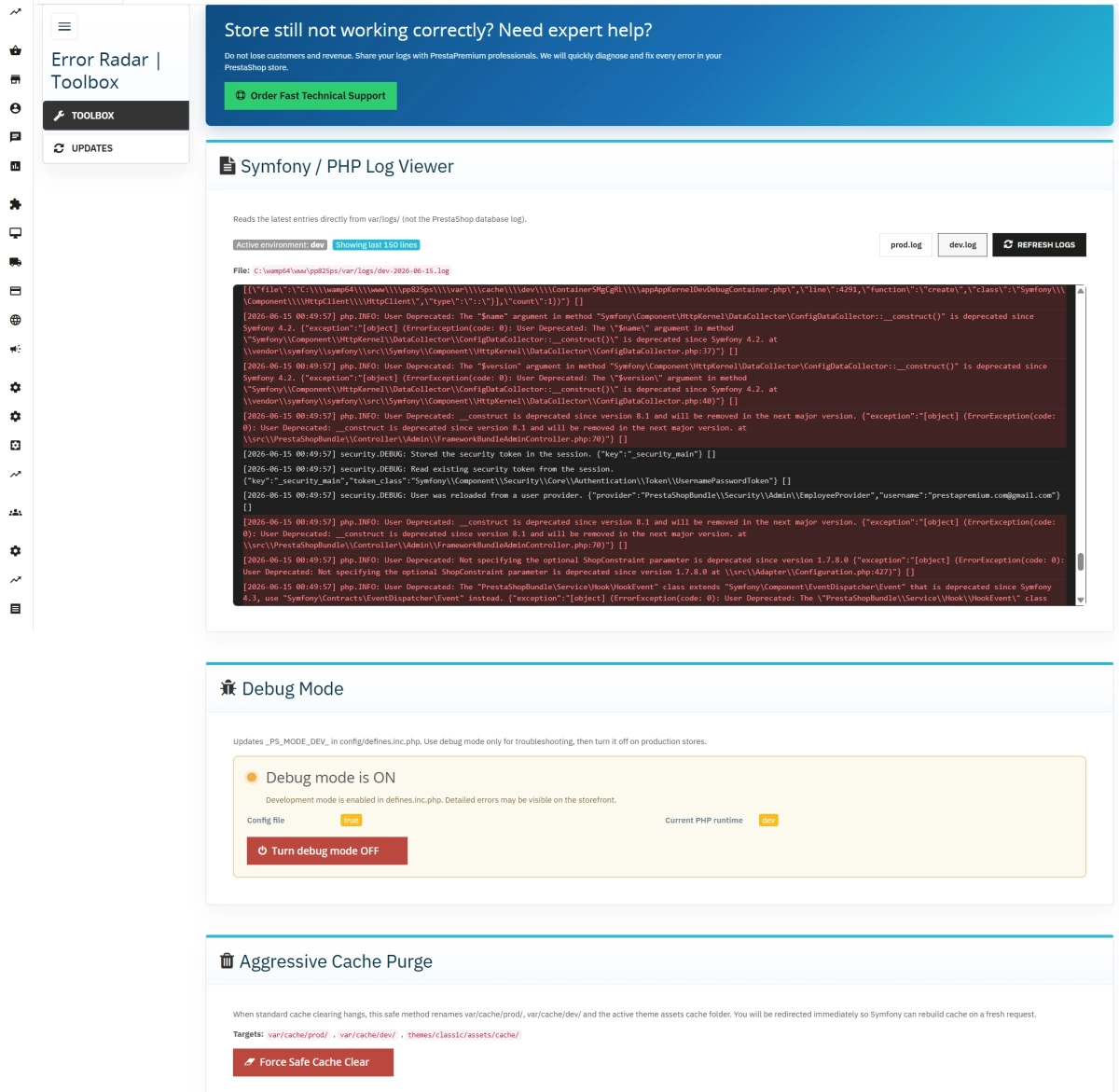
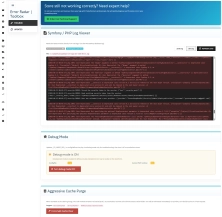
The module analyzes real, physical files within the var/logs/ folder. It fully supports prod.log, dev.log, and date-rotated log structures (e.g., dev-2026-06-15.log).
- Intuitive Environment Toggle — Seamlessly switch views between production and development log files.
- Clean Viewer Window — A convenient terminal-style container with automatic scrolling to the most recent system events.
- Visual Error Highlighting — Critical crash reports and exceptions are instantly rendered on a clear, red background.
- Path Verification — Full transparency on exactly which system file is being read at any given moment.
Advanced Debug Mode Switcher
Safely modifies the _PS_MODE_DEV_ constant in config/defines.inc.php, accurately cross-checking the file status against the active PHP session.
- Clear Technical Status — High-visibility ON/OFF indicator paired with warnings regarding the performance impact of leaving debug active on live sites.
- Smart Alert System — The system instantly notifies you if the file configuration contradicts the current runtime state.
- One-Click Action — Spin up diagnostic environments and close them immediately once the troubleshooting is finished.
Forced Deep Cache Purging
An innovative folder-renaming technique (rename) used instead of slow file-by-file deletion. Guarantees a fully refreshed environment without freezing current user requests.
- Full System Scope — Simultaneous clearing of both
var/cache/prod/andvar/cache/dev/environments. - Frontend Asset Optimization — Clears compiler cache for CSS and JS assets within the active theme layout (
themes/{your-theme}/assets/cache/). - Operation Safety Nets — Built-in confirmation dialogue prior to execution, followed by a secure, automated page reload.
Streamlined Admin Interface
A clean, modern, and fully responsive layout featuring a dedicated sidebar menu, integrating perfectly into your PrestaShop Back Office style.
- Toolbox Section — Your full arsenal of advanced diagnostic utilities organized on a single screen.
- Updates System — Native integration with the PP Updater ecosystem, providing instant notifications for new module versions.
Authorized PrestaPremium Technical Support
A dedicated help desk block integrated right into the control panel, making developer communication quick and easy when things get tough.
- Express Contact — Direct hyperlink to the official support contact form (opens securely in a new tab).
- Easy Data Export — Copy filtered log lines with one click to attach them to your service ticket, dramatically reducing repair turnarounds.
Impact on Sales, Stability, and SEO
- Minimize Financial Losses — Every minute of a down store means lost checkout sessions. Swift diagnostics help restore sales in record time.
- Brand & Data Protection — Ensuring debug mode is quickly turned off prevents sensitive database details and PHP warnings from being exposed to random visitors.
- Uninterrupted Search Engine Indexing (SEO) — Eradicating prolonged server faults (500 errors) shields your keyword rankings from sudden drops in Google Search results.
- Seamless Updates Deployment — Efficient cache clearing ensures that your live customers instantly see new discounts, products, or design tweaks.
Important Technical Information
Safety Recommendation: We highly recommend performing a standard file and database backup prior to toggling debug modes or forcing cache purges. Keeping debug mode active on a production site may reveal underlying technical code structures to end-users. During deep purging, the module creates temporary _purge_* directories, which can be safely deleted via FTP after confirming the store operates correctly. The module requires standard write permissions for files within the config/ directory and folder modification rights inside var/cache/.
## [1.0.0] - 2026-06-15
### Added


FAQs
-
Are the modules compatible with my version of PrestaShop?
Each module in our store contains information about compatibility with specific PrestaShop versions. Please check this information carefully before purchasing. If you are not sure, contact us.
-
Which logs can I view in the module?
The module displays the last 150 lines from files located in var/logs/ in the Back Office. It supports prod.log, dev.log, and rotated files. The administrator selects the prod or dev environment and sees the path of the file currently being read without using FTP. The relevant settings are available in the Back Office.
-
Which log entries are highlighted?
The viewer automatically highlights entries containing CRITICAL, ERROR, Exception, or Fatal error. These entries are marked with a red background to make issues easier to find in the latest log lines. This diagnostic feature is available directly from the Back Office. The relevant settings are available in the Back Office.
-
Can the module enable debug mode?
Yes. The module can enable and disable _PS_MODE_DEV_ in config/defines.inc.php. The panel shows both the value saved in the file and the value active at runtime. After a change, it may indicate that the Back Office needs to be reloaded if the two states differ.
-
How does forced cache clearing work?
The tool renames folders instead of deleting them to force a Symfony container rebuild without hanging the current request. It supports prod and dev caches as well as the active theme’s CSS/JS cache. Before the operation, the module displays a confirmation dialog. The relevant settings are available in the Back Office.
-
Does the module add anything on the customer side?
No. Error Radar & Toolbox operates exclusively in the Back Office. It does not add customer-visible elements, modify store templates, or affect product-page loading time. All described diagnostic features are available to the administrator in the store panel. The relevant settings are available in the Back Office.
16 other products in the same category:
Clean URLs Pro – remove IDs from PrestaShop URLs
Clean URLs Pro removes numerical IDs from product, category, CMS category, CMS page, brand, and supplier URLs — without core modifications and with zero overrides. Simply...
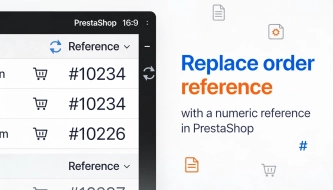
Replace order reference with a numeric reference in PrestaShop
The module organises order identification by replacing the default reference with a numeric one (random or based on the order ID ). It makes customer communication easier,...
Advanced PrestaShop traffic and performance optimization generator (htaccess)
Stack Pro is a protective module for PrestaShop that restricts artificial and automated traffic at the server level through controlled modification of the .htaccess file....

- New
Free Simple Omnibus Price Module – Omnibus Directive for PrestaShop
Simple Omnibus Price is a completely free PrestaShop module that automates displaying the lowest price from the 30 days prior to a price reduction. Protect your store...
SEO Scanner - fast SEO auditing for products, categories and CMS pages in PrestaShop
PP SEO Scanner is an efficient diagnostic tool for PrestaShop, designed to automate on-site SEO auditing. The module analyses products, categories and CMS pages for...

Advanced Search for PrestaShop
Advanced product search for PrestaShop that helps customers find the right products faster and makes it easier to complete purchases in your PrestaShop store . The module...
Custom CSS & JS – Free code editor in the PrestaShop panel
PP Custom CSS & JS is a free and highly practical module for every PrestaShop administrator. It allows you to instantly add your own CSS styles and JavaScript scripts...
- Discount
Price available only until: 25.09.2026
Extra Product Tabs – Tab Creator, CSV Import and SEO
Transform chaotic descriptions into a professional offer that sells! The Extra Product Tabs module allows you to instantly add unlimited tabs (e.g. Size Guide, Video,...
Increase the long product description and image ALT text limit in PrestaShop 8/9
PP Limit Manager removes the length restriction applied to the long product description and product image ALT text in the new PrestaShop 8 and 9 product form. The module...
SEO Custom Code Manager for PrestaShop Products Categories and CMS
A module for PrestaShop that allows adding custom JSON-LD , JavaScript, and CSS resources individually to each product, category and CMS . Increase search engine...

Ready-made cart link for PrestaShop (free version)
How does it work? The administrator creates a ready-made cart link -> sends it to the customer -> the customer opens it and lands in a prepared cart. PP Cart...
- New
PrestaShop Omnibus Price Pro Module – Lowest Price in 30 Days (EU Omnibus Directive)
Omnibus Price Pro is an advanced PrestaShop module designed to automate the display of the lowest price prior to a discount (default 30 days). Ensure full compliance...

PrestaShop Promotion Module: Free Gifts, Quantity Discounts, Buy X Get Y and Category Offers
The PP Promo module for PrestaShop makes it easy to create and automate popular sales campaigns, from "Buy 2, Pay for 1" offers and free gifts to discounts on selected...
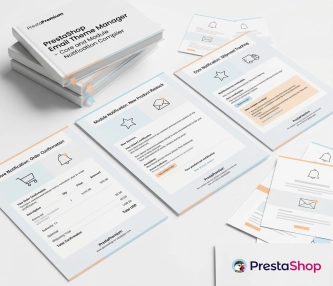
New email templates for PrestaShop with appearance configuration
The module allows you to refresh default PrestaShop emails and give them a new look . You receive ready-made email templates with a choice of different visual variants,...

PrestaShop Integration with Google Merchant Centre (Version Pro)
Product Feed PRO streamlines catalogue publishing between your store and advertising platforms. It is practical for e-commerce teams that need faster time-to-market for new...
Additional Product Fields and Options – Attributes without Combinations (Custom Fields)
This module enables the creation of additional product options without using native PrestaShop combinations. Each option can have a price impact (positive or negative) but...
Do you need additional features or custom solutions?
- Module customisation tailored to your specific requirements.
- Extending functionality to enhance your store's capabilities.
- Developing bespoke modules designed to meet your unique needs.
- Integrating external systems and additional tools.
- Optimisation and improvements for better performance and user experience.
Do you have ideas on how to improve this software? Share your suggestions for optimisation, new features, or bug reports – we’ll be happy to review them!