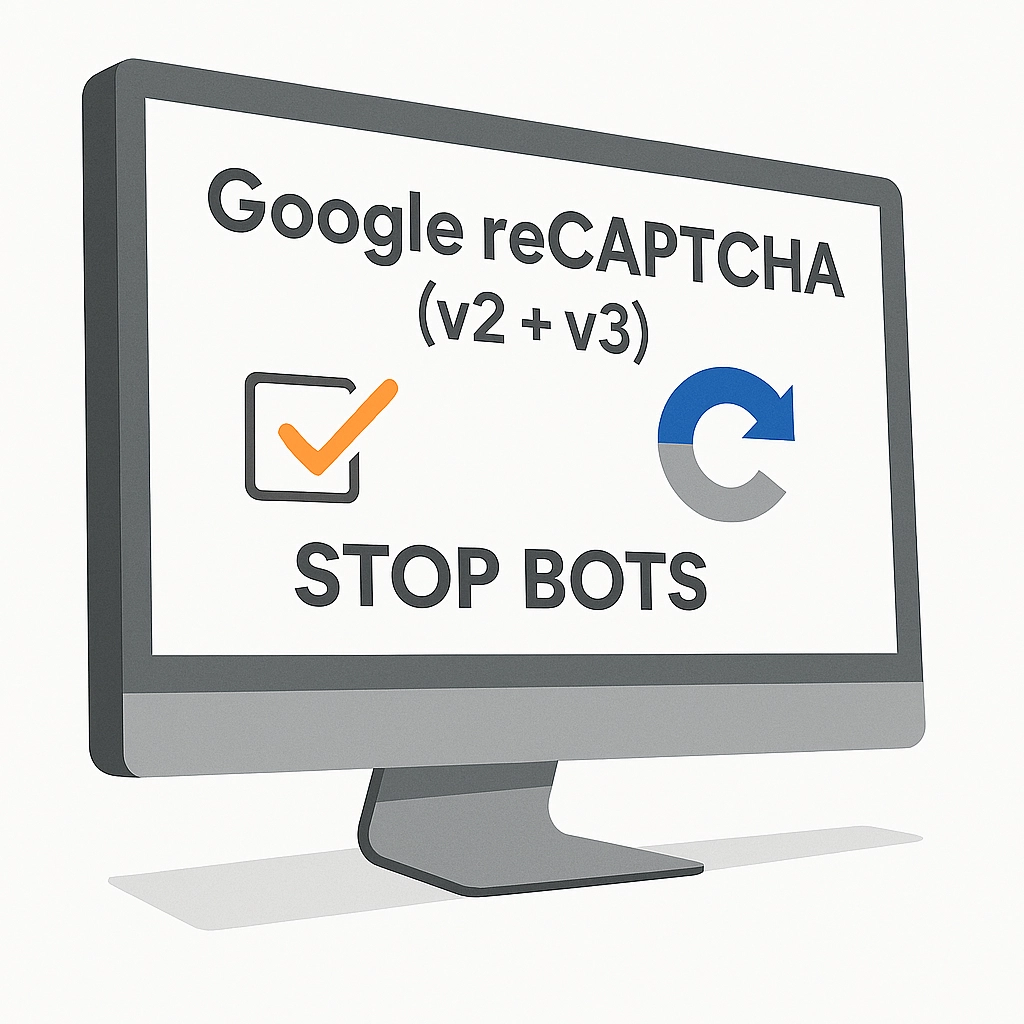
Google reCAPTCHA (v2 + v3) – Stop Bots, Yes to Customers

PP-M017
  • 1.7.5 + | 8.x | 9.x
  • EN, FR, IT, DE, PL
  • 1.0.1
  • 2026-02-12

Tired of deleting spam from your inbox and fake accounts from your store panel? This module is your digital guardian that lets only real people into your store.

Install official Google reCAPTCHA protection (including the latest invisible v3 version) and forget about bots. Secure login, registration, and orders without annoying customers with image puzzles.

43.89 € Tax excluded
57.00 €
Save 23%
Lowest price within 30 days before promotion: 57.00 €

Information Parameters:

  • 1.0.1
  • Store Version PHP Version
    1.7.5 + 7.1 – 7.4
    8.x 8.1 – 8.3
    9.x 8.1 – 8.5
  • 2026-02-12
  • EN, FR, IT, DE, PL

3 reasons why you'll love this module

  • Peace from spam – The module automatically blocks bots spamming contact forms and creating fake accounts. Your customer database will finally be clean, and your marketing statistics – reliable.
  • Customers buy, not solve puzzles – Thanks to support for reCAPTCHA v3 and Invisible, verification happens completely in the background. A real customer won't even notice they're being checked, which increases the chance of order completion.
  • Protect your business – You block attempts to extract data, test stolen cards (carding), and attacks on customer passwords. You build the image of a secure store.

Key features (simple and straightforward)

All Google versions in one place

Choose what you prefer: classic checkbox "I'm not a robot" (v2) or modern invisible protection based on artificial intelligence (v3).

Works on any template

Does your store have an unusual look or custom forms? No problem. The module allows advanced configuration for any graphic theme.

Better SEO and faster store

By blocking thousands of bot queries, you relieve the server. A faster store and no spammy content in comments is a signal to Google that your site is valuable.

Full responsiveness

The protection looks good and works smoothly on both computers and smartphones (compact mode), without breaking your site's layout.

Where does the protection work?

  • Login and registration (B2C and B2B)
  • Contact form
  • Order process (addresses, checkout)
  • Password recovery
  • Comments (depending on configuration)

How to generate API keys? (Step-by-Step)

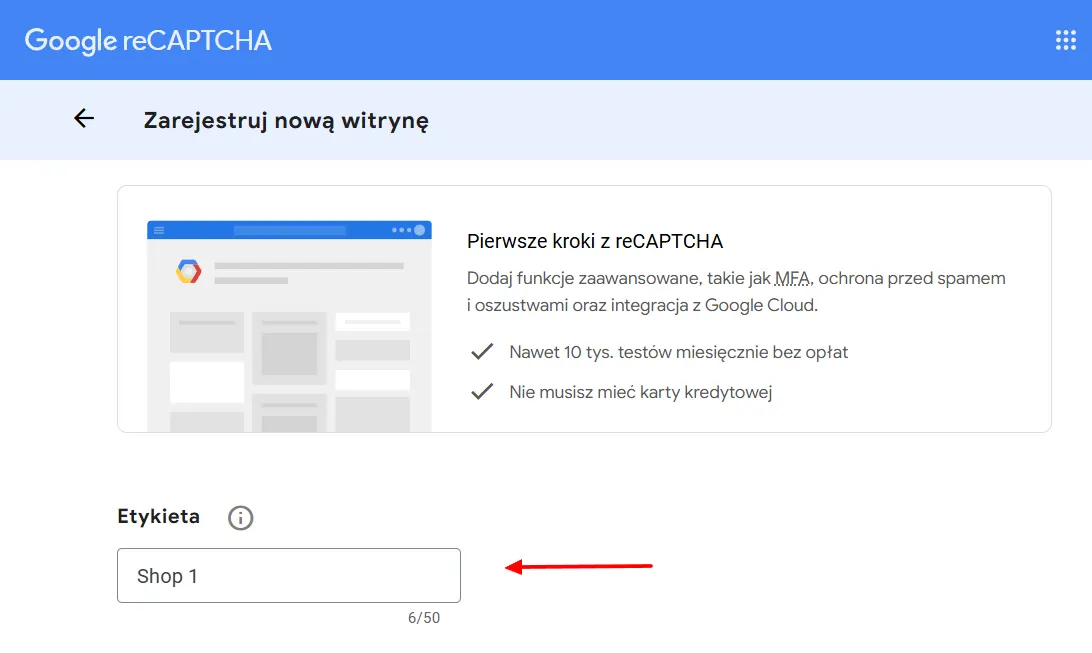
Step 1: Open Google Admin Console

Log in to your Google account and visit reCAPTCHA Admin Console.

reCAPTCHA

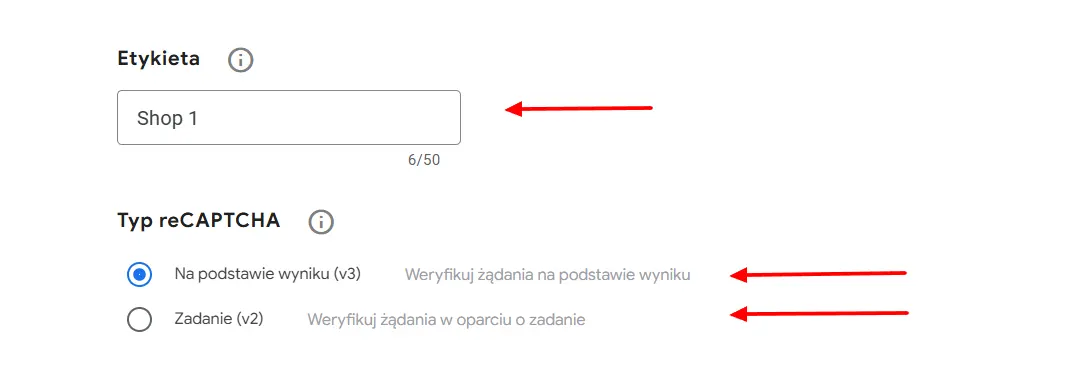
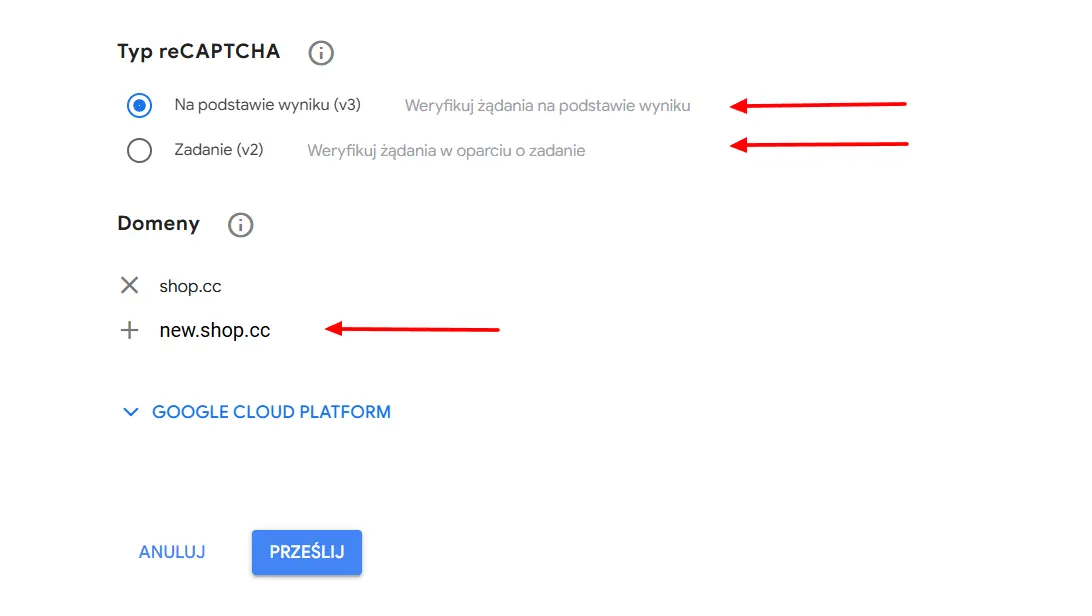
Step 2: Choose reCAPTCHA type

Crucial Step! The type you select here MUST match the configuration in your PrestaShop module.

  • Select reCAPTCHA v3 for invisible, score-based protection (recommended).
  • Select reCAPTCHA v2 for the classic "I'm not a robot" checkbox.
reCAPTCHA Type

Step 3: Add domains and Submit

Enter your store's domain name (e.g. mystore.com) without http/www. Accept the Terms of Service and click Submit.

reCAPTCHA Domains

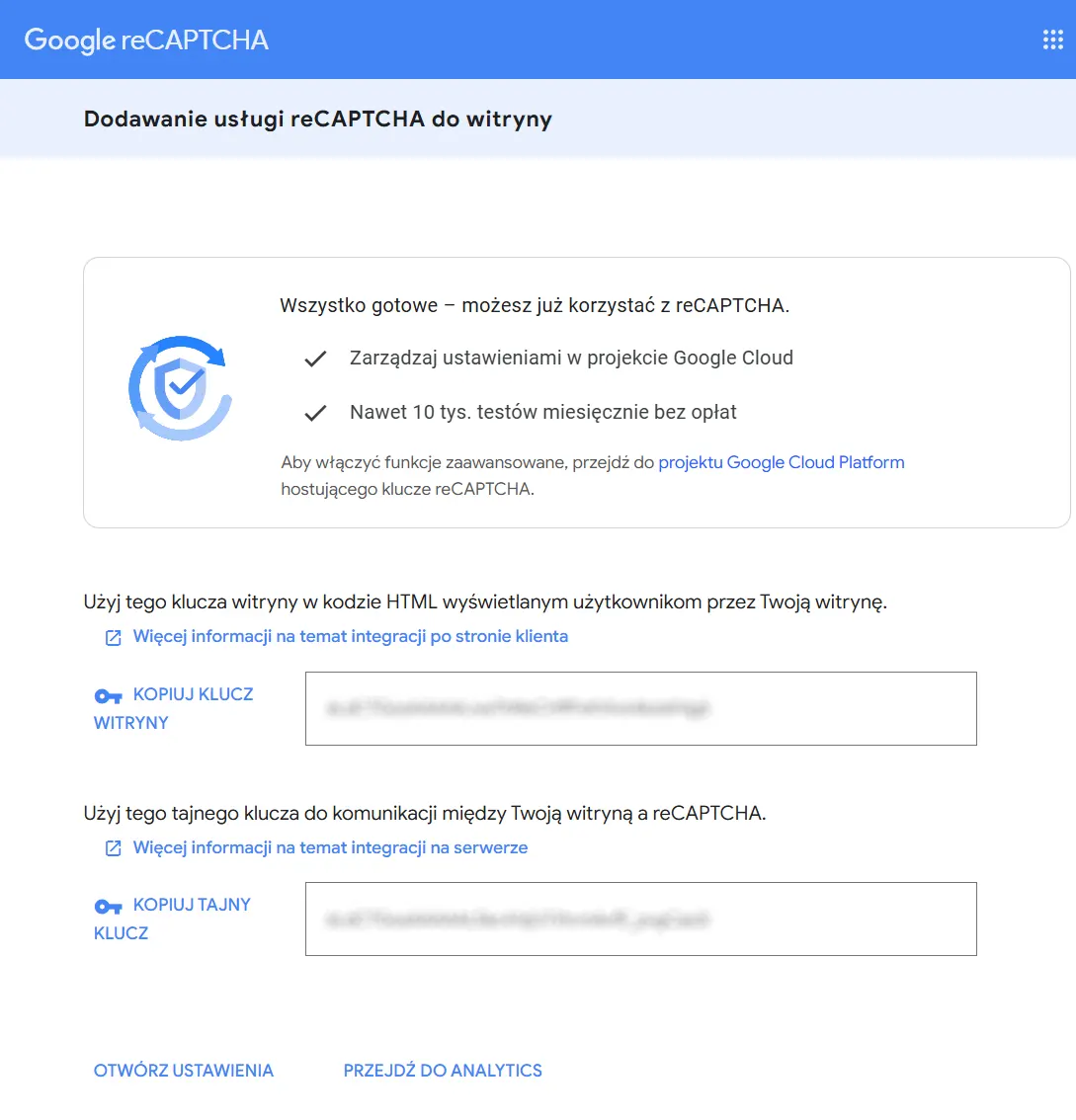
Step 4: Copy your Keys

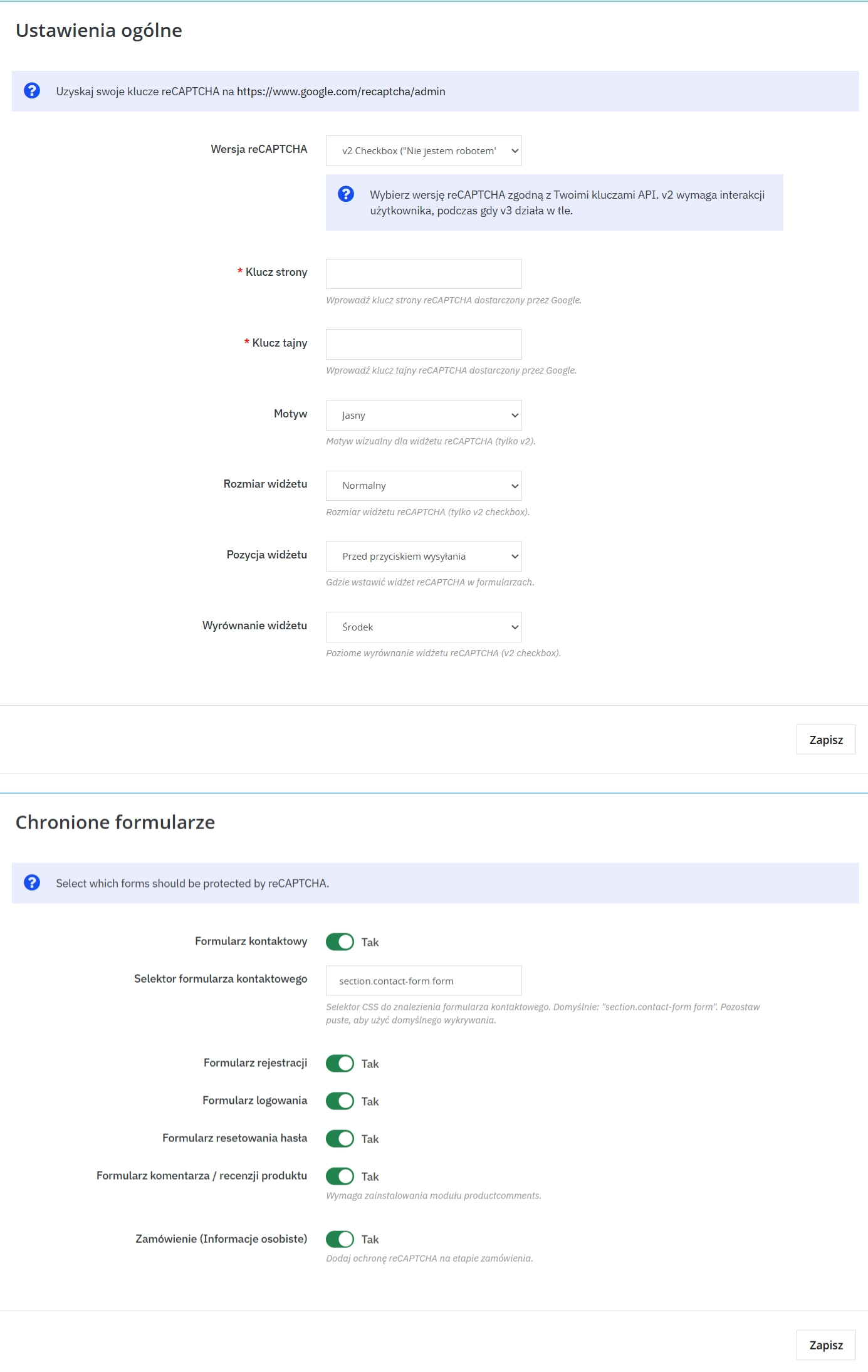
You will see the Site Key and Secret Key. Copy these strings and paste them into the corresponding fields in the module settings.

reCAPTCHA Keys

Technical note

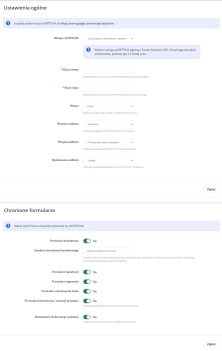
To enable protection, you'll need API keys from Google (free). It's simple – go to Google reCAPTCHA, generate keys for your domain and paste them in the module. Just remember that the key type (v2 or v3) must match what you choose in the module settings!
After configuring the module, check all selected forms (contact, registration, login, checkout, password recovery, comments) to ensure that the reCAPTCHA protection displays in the appropriate places correctly.

Download:


PrestaShop module installation (625.83KB)

Universal documentation describing the module installation process for PrestaShop.

## [1.0.1] - 2026-02-13

### Fixed

- Registration validation compatibility for PrestaShop 1.7.8.5: now returns explicit boolean (`true`/`false`).

## [1.0.0] - 2025-02-11

### Added

FAQs

  • Are the modules compatible with my version of PrestaShop?

    Each module in our store contains information about compatibility with specific PrestaShop versions. Please check this information carefully before purchasing. If you are not sure, contact us.

  • Which Google reCAPTCHA versions does the module support?

    The module supports classic Google reCAPTCHA v2 with the “I’m not a robot” checkbox and reCAPTCHA v3, which assesses traffic in the background. In the configuration, choose the version that matches the keys created in the Google panel. The reCAPTCHA type selected in the module must match the generated key type.

  • Which areas of the shop can be protected?

    Protection can be applied to login, account registration, password recovery, the contact form and checkout, among other areas. Depending on the configuration, the product description also indicates that comments can be protected. The scope can be adapted to the forms used by the shop.

  • How do I prepare keys for reCAPTCHA configuration?

    Keys must be created in the Google reCAPTCHA administration console. When creating the configuration, select the appropriate protection type and enter the shop domain without the protocol or www prefix. Then paste the site key and secret key into the relevant fields in the PrestaShop module settings.

  • Does reCAPTCHA v3 require clicking images?

    The product description states that reCAPTCHA v3 and Invisible mode can perform verification in the background. Customers therefore do not need to use the classic “I’m not a robot” checkbox associated with v2. The module lets you choose a verification method suited to the intended form experience.

  • Can the module be adapted to a custom theme?

    Yes. The module provides advanced configuration for different shop themes and forms. Its description also mentions responsive operation and a compact mobile mode. This makes it possible to implement verification in shops using both standard and custom page layouts.

Do you need additional features or custom solutions?

  • Module customisation tailored to your specific requirements.
  • Extending functionality to enhance your store's capabilities.
  • Developing bespoke modules designed to meet your unique needs.
  • Integrating external systems and additional tools.
  • Optimisation and improvements for better performance and user experience.

Do you have ideas on how to improve this software? Share your suggestions for optimisation, new features, or bug reports – we’ll be happy to review them!