Replace order reference with a numeric reference in PrestaShop
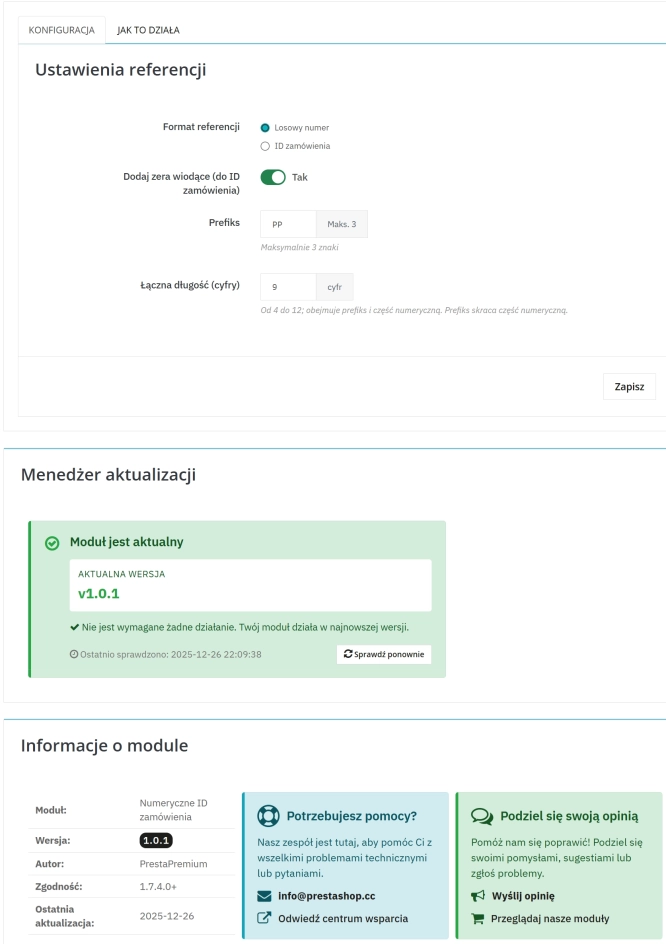
The module organises order identification by replacing the default reference with a numeric one (random or based on the order ID ). It makes customer communication easier,...
Automatic currency rate updates is a PrestaShop module that automates a critical area of e-commerce: updating exchange rates based on the NBP API and your own margin rules. The ideal solution for B2B/B2C sales, where outdated conversion rates directly reduce the profitability of your offer. The administrator gains full control and access to logs, whilst the technical team benefits from a secure synchronisation process using CRON in a multistore environment.
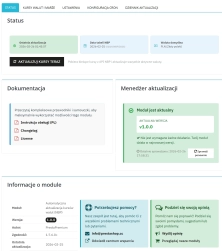
Information Parameters:
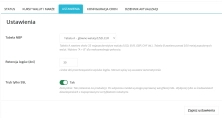
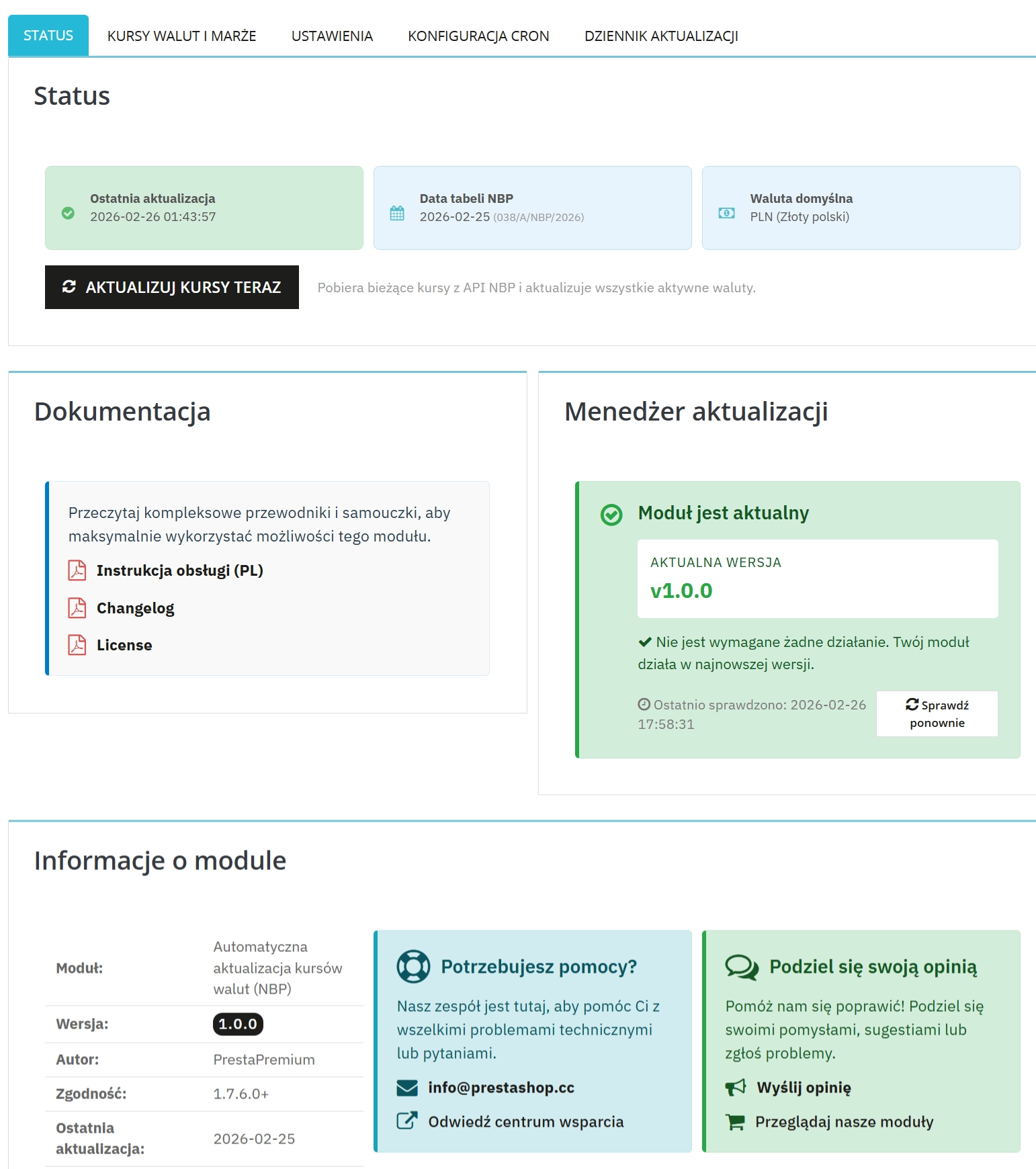
The administrator can see the date of the last update, the date of the retrieved NBP table, and the shop's default currency.
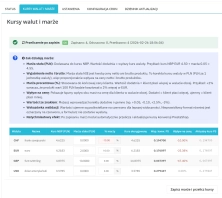
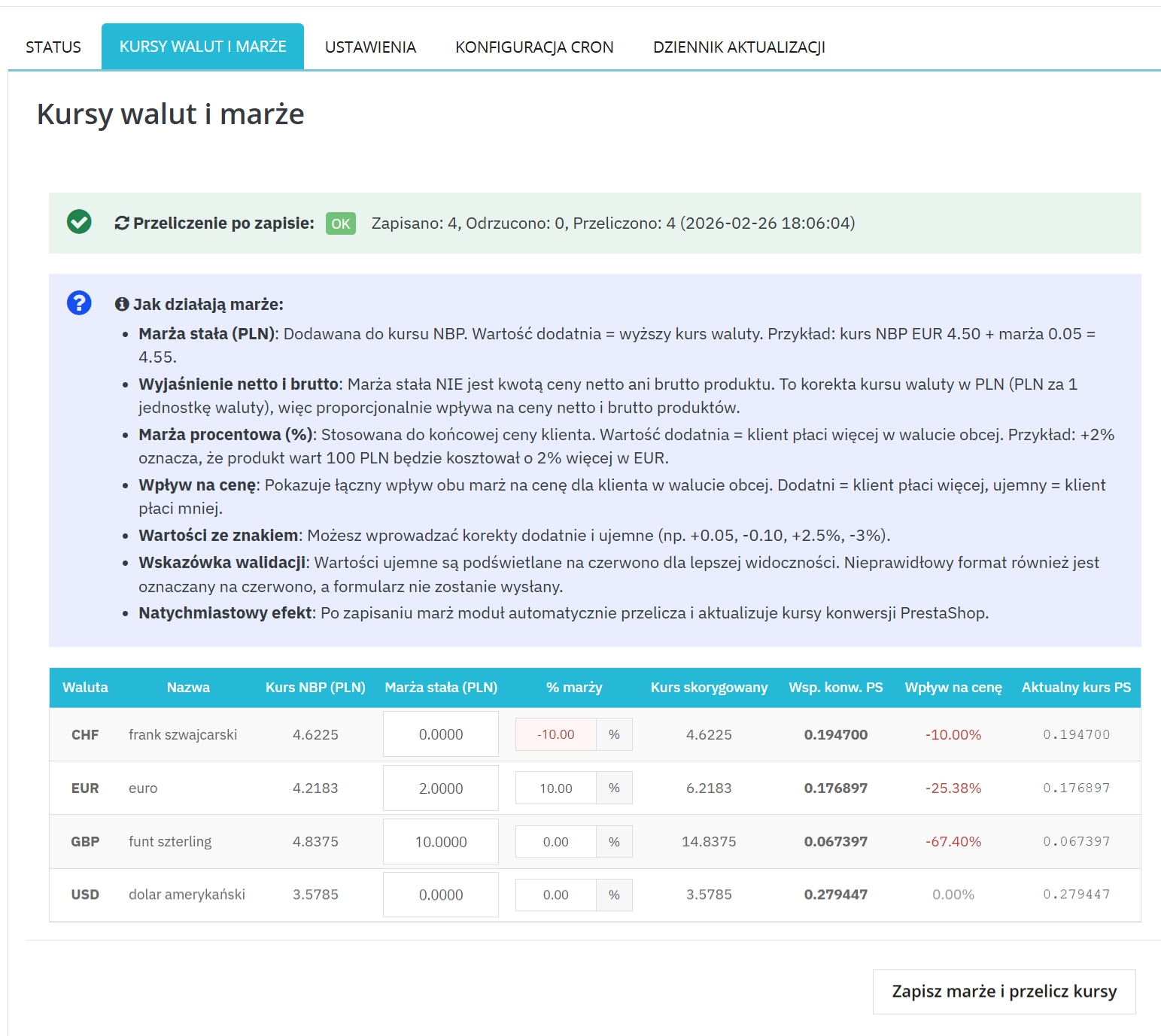
The panel allows separate configuration of a fixed margin (e.g. in PLN) and a percentage margin (%) for each currency in the shop.
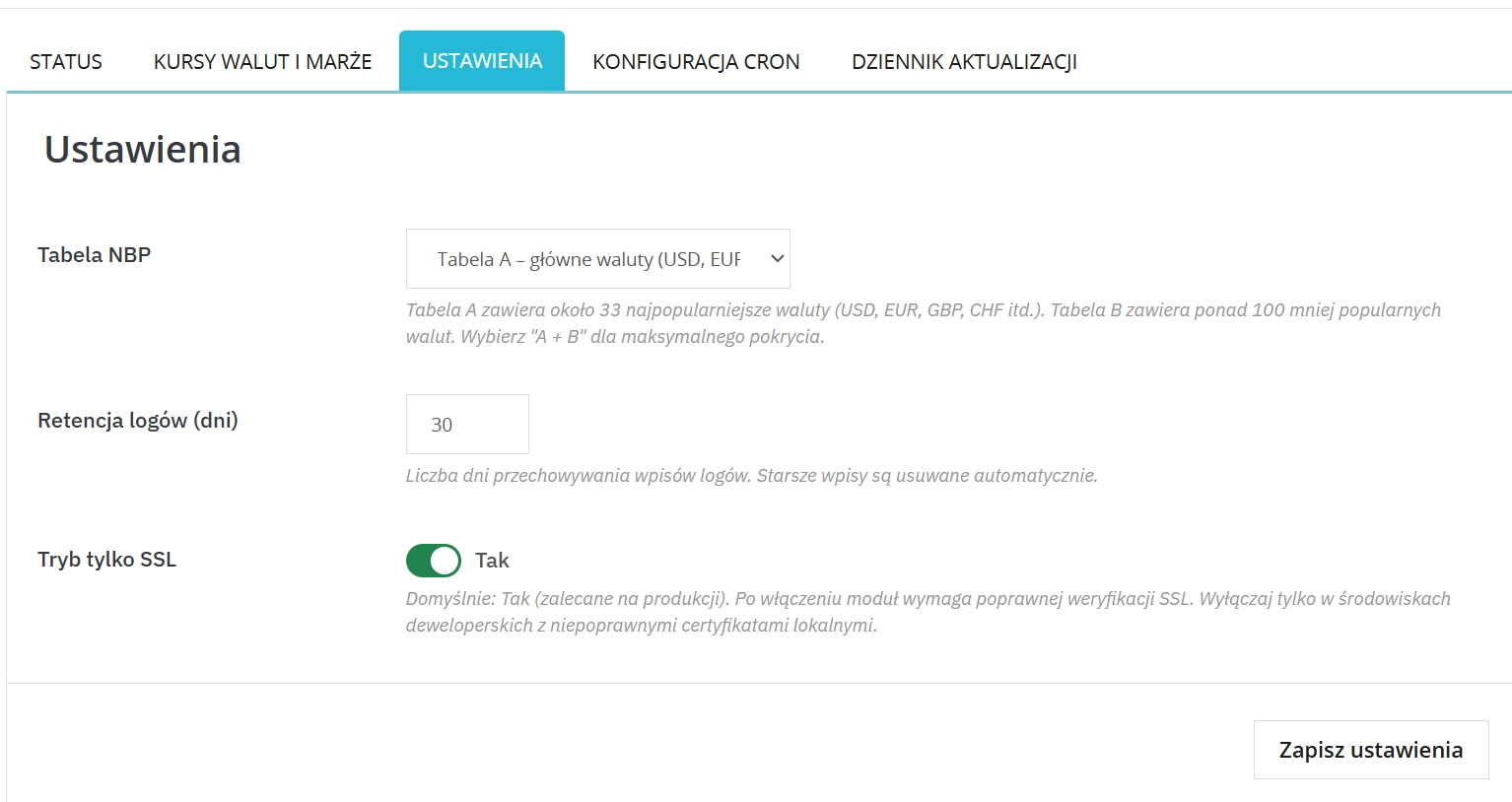
The module fully supports currency tables A, B, and A+B depending on the range of target markets.
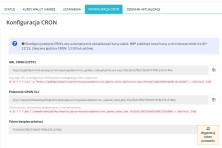
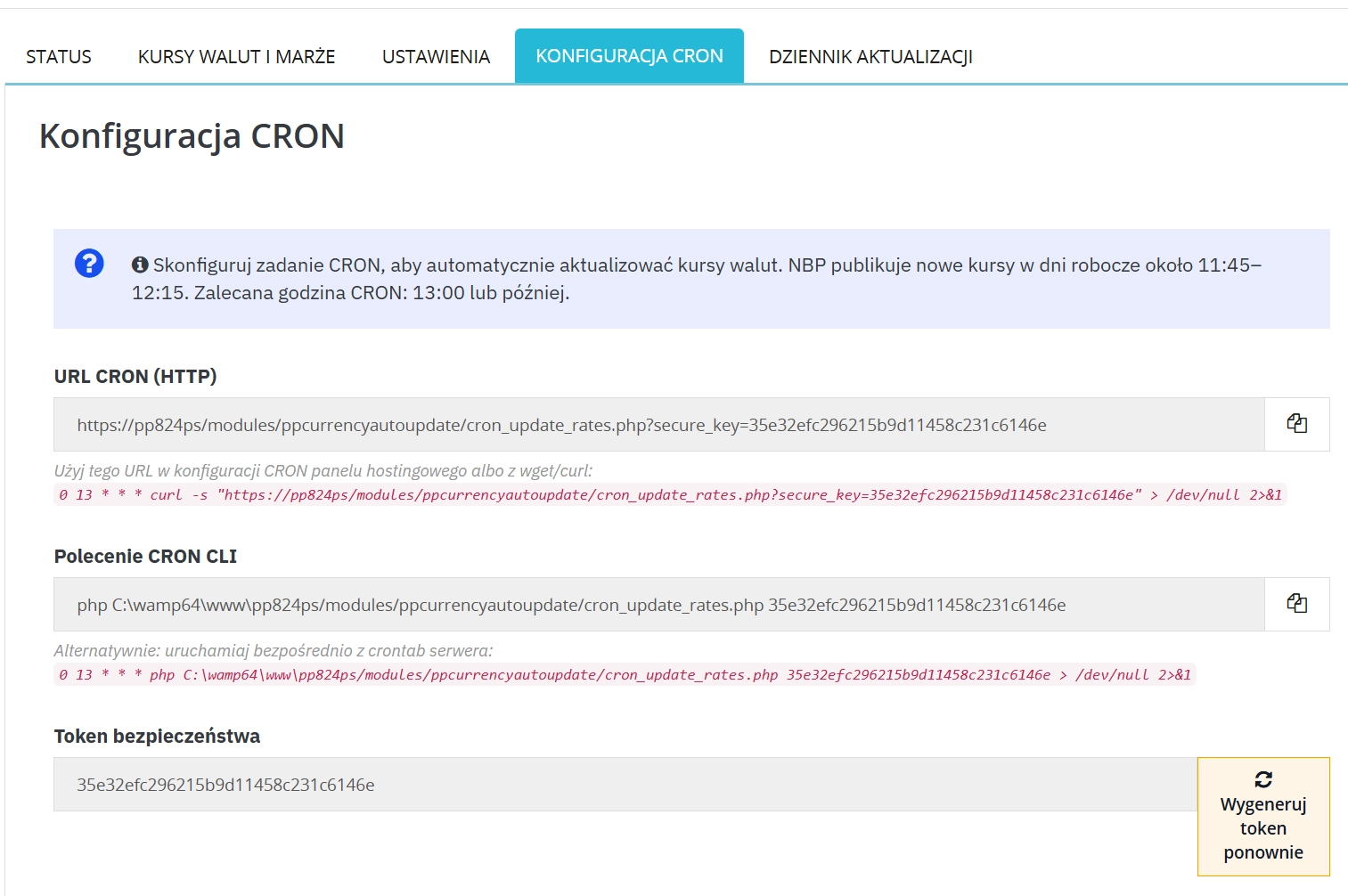
The system generates ready-to-use URLs and a CLI command for automating rate updates on the server.
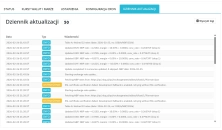
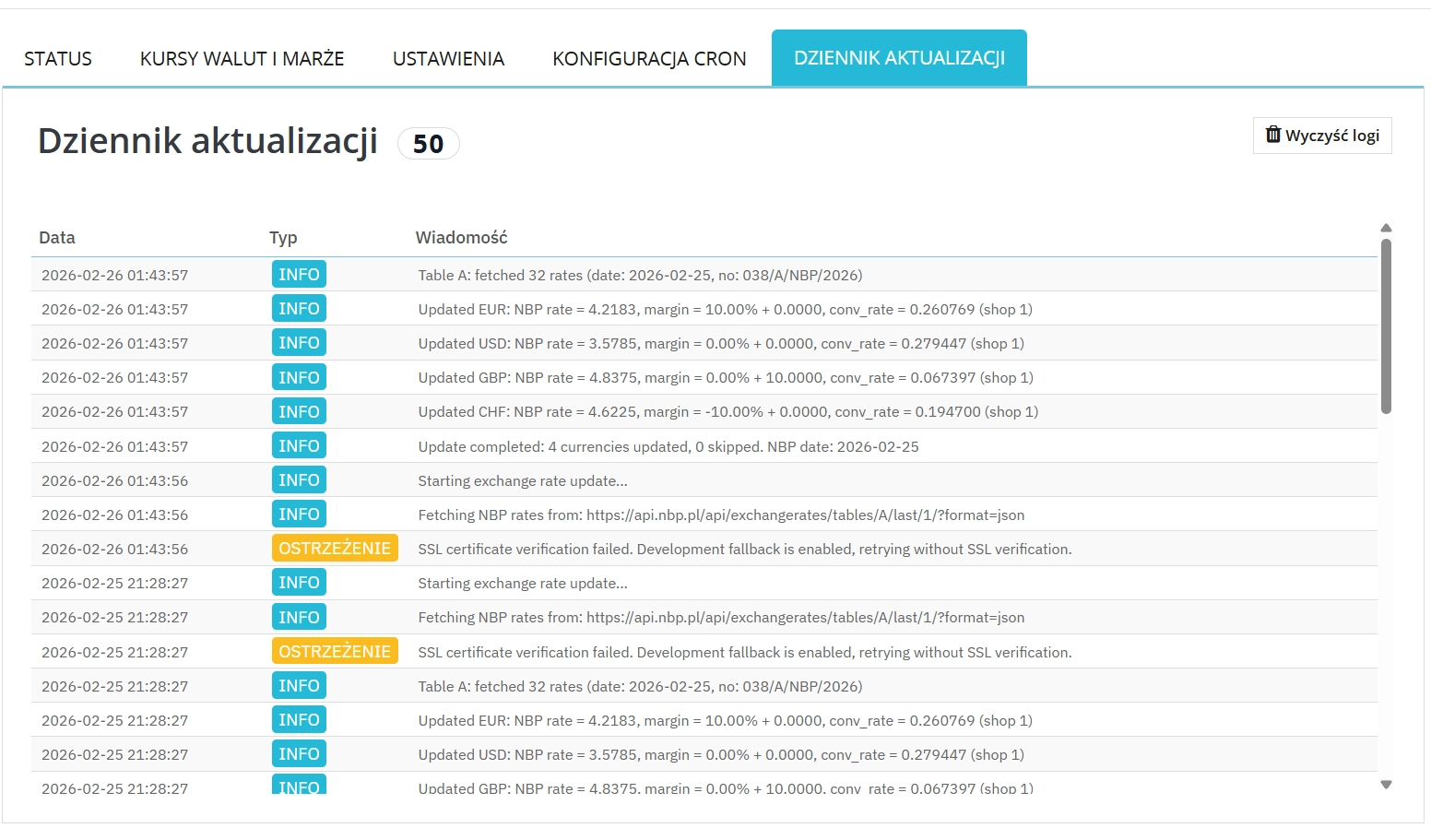
The built-in update log records INFO / WARNING / ERROR entries with the option of automatic clearing.
The module does not add any heavy UI widgets to the Front Office, but directly updates the core PrestaShop data, which affects the final prices displayed in the shop.
Before deploying to production, perform a full backup (shop files + database) and test the CRON configuration and SSL policy in a staging environment. Changing the NBP table, CRON token, or margins directly affects prices throughout the entire shop, therefore we recommend following a change management procedure and preparing a rollback plan for rapid system recovery.
## [1.0.0] - 2026-02-25 ### Added - Initial public release of `ppcurrencyautoupdate`. - NBP API integration with table selection: `A`, `B`, `A + B`. - Manual update action in BO (`Update rates now`). - CRON support (HTTP and CLI) with security token. - Per-currency margin management: - fixed margin (PLN), - percentage margin (%). - Automatic recalculation of PrestaShop conversion rates after margin save. - Validation summary after save: saved/rejected/recalculated counters. - Update log panel with levels `INFO`, `WARNING`, `ERROR`. - Log retention settings with automatic old-entry cleanup. - SSL mode switch with secure default (`SSL-only = ON`) and optional dev fallback. - Non-PLN default currency handling (cross-rate computation). - BO tabbed interface: Status, Exchange rates & margins, Settings, CRON Configuration, Update log. - Multistore-aware configuration and per-shop processing. - Integration with PP updater and admin tab installer components. ### Changed - Improved admin UX for margin editing and save feedback. - Clearer help text for fixed margin behavior (net/gross clarification). - Persistent active tab in BO after form submissions. ### Fixed - Updater output visibility issue caused by namespace mismatch. - Immediate propagation of recalculation flow after margin save/settings changes. - Translation coverage in `pl`, `de`, `fr`, `it` language files.
3 other products in the same category:
Replace order reference with a numeric reference in PrestaShop
The module organises order identification by replacing the default reference with a numeric one (random or based on the order ID ). It makes customer communication easier,...
PrestaShop Integration with Google Merchant Centre (Free Version)
PrestaShop integration with Google Merchant Centre via a standards-compliant XML feed. A lightweight, secure and production-ready free edition, optimised for performance and...
WhatsApp, Telegram and Phone in one - Increase conversions with Quick Contact
A customer has a question? Don't let them wait for an email. The PP Quick Contact module is your sales hotline. Add an elegant, floating button to your store that, with one...
We accept payments by credit/debit card, bank transfer and online payment systems such as Przelewy24, PayPal. Details can be found on the payment page.
We do not provide modules for testing on individual PrestaShop instances. If a given module has a demo version, it is available on our test store, where you can familiarize yourself with its functionality. On the product page you will also find a detailed description, screenshots and instructional materials. In case of questions, please contact us - we will be happy to provide additional information.
Each module in our store contains information about compatibility with specific PrestaShop versions. Please check this information carefully before purchasing. If you are not sure, contact us.
After you pay for your order and the payment is posted, the link to download the module will appear in your account in the "Order History and Details" tab ("Details" button). Additionally, we will send you an email with a download link.
Yes, we offer installation and setup service as an additional option. You can add it to your cart when purchasing the product or order it separately.
We design our modules with GDPR compliance in mind. If a module processes personal data, you will find detailed information on compliance with the regulations in its description. We make every effort to ensure that our solutions meet current data protection standards.
Yes, we offer a store audit service to help you choose the right modules and identify areas for improvement. Contact us for more information.
Yes, for our regular customers we offer a loyalty program with attractive discounts. Check the details in your customer panel. If you do not see such an option, contact us - we will be happy to help!
If the product does not meet your expectations, please contact our customer service department. Any returns are considered individually, in accordance with our regulations.
Yes, you can modify purchased products for your own needs, but you cannot resell them or share them with third parties. Details can be found in the license terms and conditions.
Purchased modules are licensed for a single store. The exception is the use of the multi-shop feature within a single PrestaShop installation. In this case, you can use the module on multiple stores, even with different domains, provided that:
Our modules are designed to be as compatible as possible with other popular PrestaShop extensions. If you have any doubts, contact us and send us a list of your modules - we will help verify it.
Most of our modules are available in several languages, including Polish and English. Information about available languages can be found in the module description.
The order is fulfilled automatically after the payment is posted. The product can then be downloaded immediately after the order has been paid for.
Check if your PrestaShop version is compatible with the module and if you have the right permissions for installation. If the problem persists, contact our technical support - we will help you solve the problem.
Yes, we do custom module creation. Contact us for details and pricing.
Extension of support and updates:
No available extension option:
Purchased products are available for use without time limits. However, access to updates and technical support is usually limited to 6 or 12 months from the date of purchase, depending on the product. (details on updates/support are always included on the respective product card)
Yes, we provide technical support within the support period assigned to a given product. You can contact us via the contact form or e-mail.
Yes, you can download new versions of the product for free during the support and update period. After that time, you can renew your update subscription.
Yes, we offer a module personalization service. Describe your needs and we will prepare an individual quote.
If you have trouble downloading the module, please make sure your payment has been processed. If you still have trouble, please contact us and we will manually provide you with the module.
Yes, we can help you optimize your store so that your modules run at full efficiency. Ask about our technical support service.
If the module requires an update, you can download the latest version from your client panel. We recommend backing up your store before updating.
Yes, if you want to transfer the module to another domain, please contact us to discuss the details and conditions of the license transfer.
If your store encounters problems after installing the module, please contact our technical support immediately. We will help diagnose and resolve the issue.
Of course! Contact us and we will advise you which module best suits your needs.
Do you have ideas on how to improve this software? Share your suggestions for optimisation, new features, or bug reports – we’ll be happy to review them!
Write your review