PrestaShop Integration with Google Merchant Centre (Free Version)

PP-M023F
Integrations & API
  • 1.7.5 + | 8.x | 9.x
  • EN, FR, IT, DE, PL
  • 1.0.0
  • 2026-02-28

PrestaShop integration with Google Merchant Centre via a standards-compliant XML feed. A lightweight, secure and production-ready free edition, optimised for performance and stability in live environments.

0.00 € Tax excluded

Additional services:

Installation +29.10 €

469 Downloads
  • Free module shared with the PrestaShop community
  • Possibility to report suggestions and bugs - corrections according to availability
  • No warranty or support as standard (no SLA)
  • Download available after logging into the customer account. Download limit 99
  • Need modifications or support? ask about the service

Information Parameters:

  • 1.0.0
  • Store Version PHP Version
    1.7.5 + 7.1 – 7.4
    8.x 8.1 – 8.3
    9.x 8.1 – 8.5
  • 2026-02-28
  • EN, FR, IT, DE, PL

Key Technical Parameters

  • SQL Query Optimisation: The module is designed to eliminate the N+1 query problem. Product data is retrieved in a single consolidated query, significantly reducing database load during feed generation.
  • File-Based Cache (12h): A 12-hour XML file refresh cycle — with support for manual invalidation — ensures high feed availability at minimal CPU cost.
  • Endpoint Security: Optional authorisation via a security token prevents unauthorised access to the full product catalogue and pricing data by third parties.
  • Multistore Compatibility: Full data isolation per shop in a Multistore environment — independent cache files, tokens and configuration values for each store context.

Data Fields Exported to Google

The module automatically maps and exports the key attributes required by Google Merchant Centre:

XML Attribute Source in PrestaShop
g:id / title Product ID and name as defined in the back office.
g:price Gross price calculated within the current shop context (tax-inclusive).
g:availability Automatic mapping of stock status (in stock / out of stock).
g:gtin / g:brand EAN-13 barcode and manufacturer name.

Implementation and Back Office

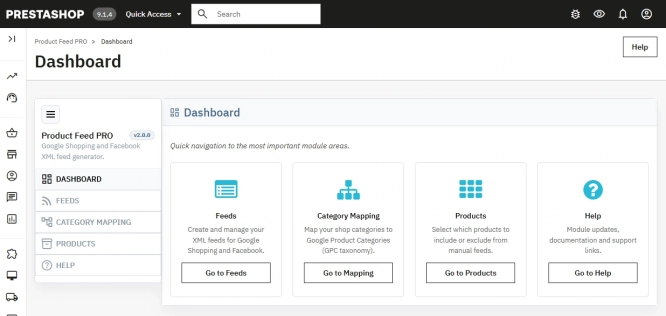
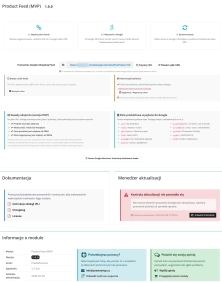
The module is managed through a dedicated administration panel, which provides:

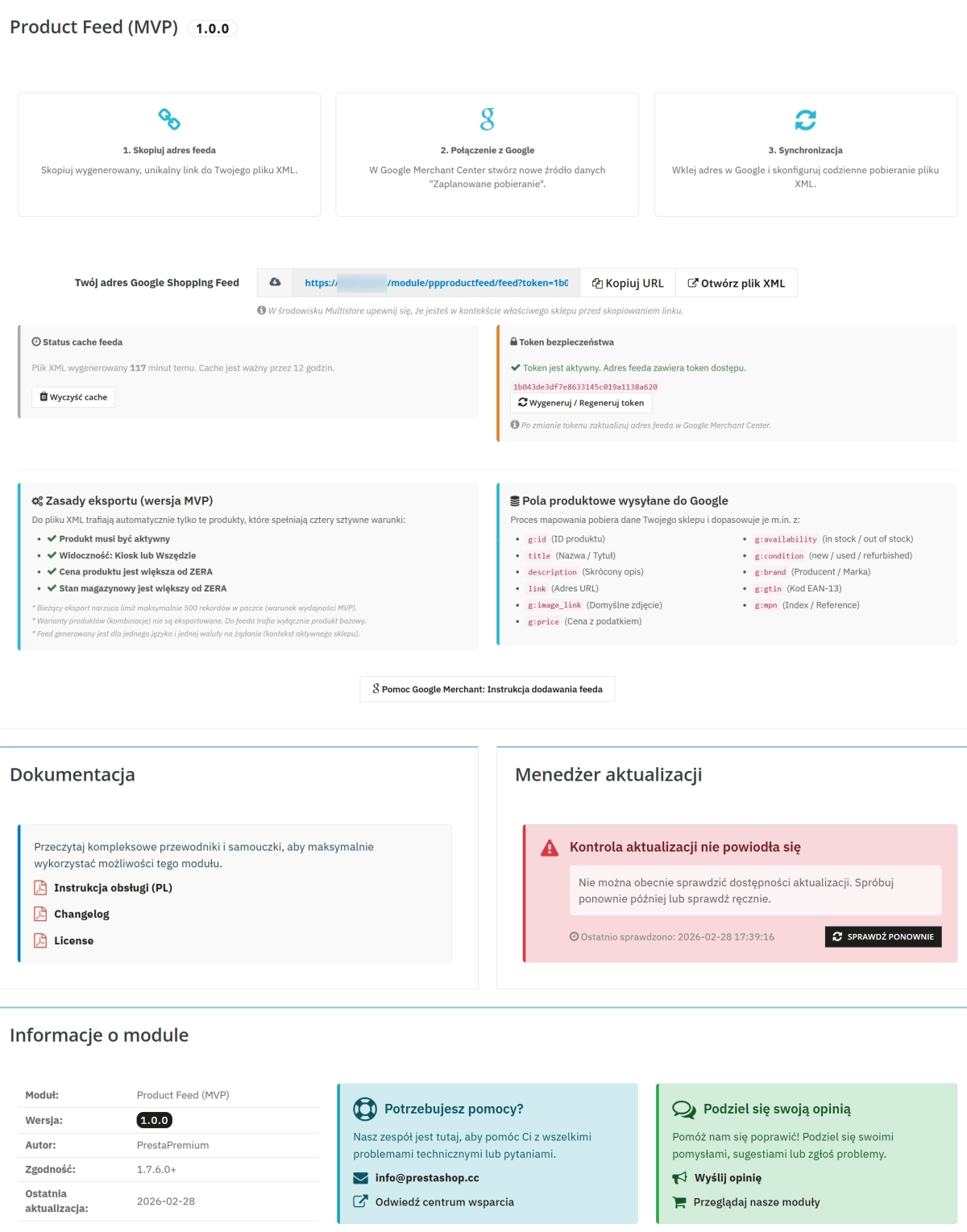
  • XML File Monitoring: Overview of the feed generation time and the age of the current cache file.
  • Access Management: Generation and rotation of the per-shop security token.
  • Rule Verification: Clear summary of product qualification criteria (active, visible in catalogue, price > 0, stock > 0).

Free Version Specification (Core)

Licence and Limitations:

  • Performance limit: Optimised for catalogues of up to 500 products.
  • Export scope: Base product only (product combinations/variants are not supported in the Core edition).
  • Context: Single language and currency per endpoint URL.
  • Requirements: Write access to the var/cache/prod/ directory.

* A standard database backup is recommended prior to deploying the module in a production environment.

Download:


PrestaShop module installation (625.83KB)

Universal documentation describing the module installation process for PrestaShop.

## [1.0.0] - 2026-02-28

### Added

- Initial release of the `ppproductfeed` module (MVP edition) for PrestaShop 1.7.6+.
- Public XML feed endpoint available at `module/ppproductfeed/feed`.
- Google Shopping feed generator built on `DOMDocument` with correct `g:` namespace handling.
- Layered architecture: `ProductRepository` (data retrieval), `GoogleShoppingMapper` (field mapping), `FeedGenerator` (XML rendering).
- Back office configuration panel with a ready-to-use feed URL field and one-click copy button.
- Integration with PrestaPremium components: `PPAdminTabInstaller` and `PPUpdater`.
- 12-hour file-based XML cache with atomic write (`rename()`) to prevent partial reads.
- Optional per-shop security token (`PPPRODUCTFEED_TOKEN`) validated via `hash_equals()`.

### Changed

- Hook `displayBackOfficeHeader` registered during module installation.
- Back office asset loading (`views/css/admin.css`) restricted to the module configuration page only.

### Feed Scope (MVP)

- Only products that are active and visible in the catalogue (`both`, `catalog`) are included.
- Products with `quantity <= 0` or `price <= 0` are excluded automatically.
- Maximum of `500` records per feed request (MVP performance limit).
- Mapped Google Shopping fields: `id`, `title`, `description`, `link`, `image_link`, `availability`, `price`, `condition`, `brand`, `gtin`, `mpn`.
- `g:condition` read from the product attribute (`new` / `used` / `refurbished`); values outside this set fall back to `new`.
- Product variants (combinations) are **not exported** — base product only (`id_product_attribute = 0`).
- Feed generated for one language and one currency per request (active shop context).

FAQs

  • Are the modules compatible with my version of PrestaShop?

    Each module in our store contains information about compatibility with specific PrestaShop versions. Please check this information carefully before purchasing. If you are not sure, contact us.

  • Which product data is included in the Google Merchant Center feed?

    The XML feed includes the product ID and name, gross price, availability, EAN-13 code, and manufacturer name, among other data. These values are mapped from PrestaShop to the required Google Merchant Center fields. This lets the module generate a basic product feed without manually preparing every XML entry.

  • How often is the XML file refreshed?

    The module uses a 12-hour XML file cache refresh cycle, reducing CPU usage when the feed is made available regularly. Administrators can force a refresh manually when needed. This approach keeps the file current while limiting server load during generation and subsequent Google downloads.

  • Can access to the XML feed be secured?

    Yes. The module provides optional security-token authorisation for the feed endpoint. The token restricts unauthorised third-party access to the complete product and price catalogue. You can generate and rotate a token separately for each store in the panel, making it easier to control the public feed URL.

  • How does the module reduce database load when generating a feed?

    Data retrieval is designed as consolidated SQL queries to avoid numerous additional queries for successive catalogue items. According to the description, this reduces database load during XML feed generation. Caching further reduces the need to regenerate the same file frequently when it is published regularly.

  • What conditions must a product meet to be included in the feed?

    The module panel shows the basic eligibility criteria: a product should be active and visible, have a price greater than zero, and have positive stock. This makes it easier to determine why a selected item is missing from the generated XML feed and which data needs correcting.

Do you need additional features or custom solutions?

  • Module customisation tailored to your specific requirements.
  • Extending functionality to enhance your store's capabilities.
  • Developing bespoke modules designed to meet your unique needs.
  • Integrating external systems and additional tools.
  • Optimisation and improvements for better performance and user experience.

Do you have ideas on how to improve this software? Share your suggestions for optimisation, new features, or bug reports – we’ll be happy to review them!