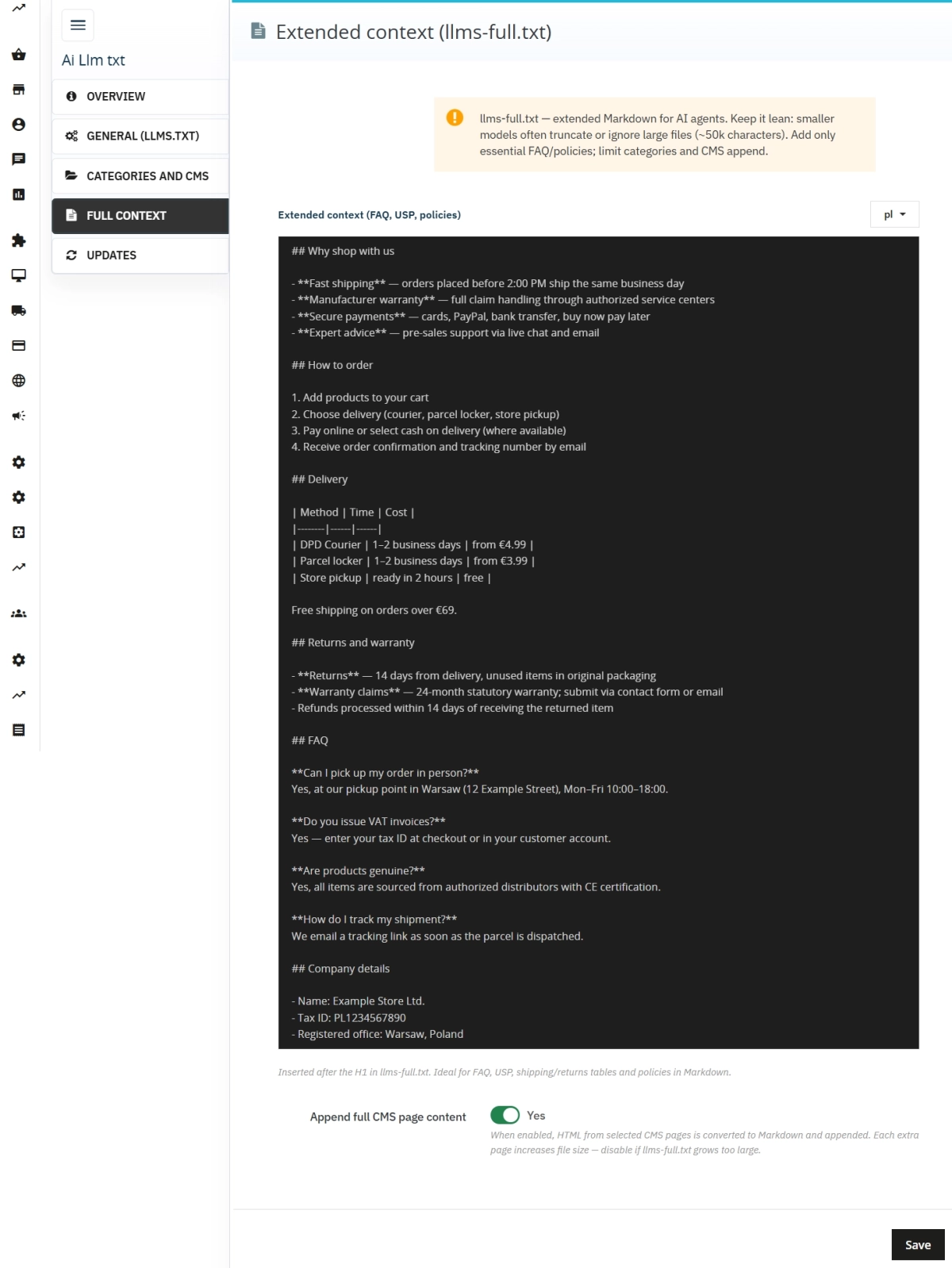
llms.txt for PrestaShop — Dynamic Store Index for AI Bots
- 1.7.5 + | 8.x | 9.x
- PL, EN
- 1.0.7
- 2026-08-05
AiLlmTxt publishes llms.txt and llms-full.txt files on the fly, without physical file generation on the disk — PrestaShop generates them dynamically under public URLs. A brief index precisely describes the store for AI agents, while the extended file provides full context: FAQ bases, policies, and selected CMS content converted to Markdown.
The module works natively via hooks and the PrestaShop routing system, eliminating any need for template modifications or .htaccess rules. It offers full support for multilingualism and multi-store architectures. The ideal solution for developers, SEO agencies, and store owners who want to ensure full readability for ChatGPT, Perplexity, or Claude — without time-consuming, manual text file creation.

Information Parameters:
- 1.0.7
-
Store Version PHP Version1.7.5 + 7.1 – 7.48.x 8.1 – 8.39.x 8.1 – 8.5
- 2026-08-05
- PL, EN
- ✅
- ✅
- ✅
- ✅
Key Benefits
- Dynamic Generation (llms.txt / llms-full.txt) — full compliance with the official llmstxt.org convention, without generating empty files or cluttering the store's root directory.
- Curated Index Instead of Sitemap Chaos — precise store profile, links to key sections, main categories, CMS pages, and custom URLs (Custom links). Deliver only the assets you select in the back office to AI models.
- Automated HTML → Markdown Conversion — an advanced on-the-fly parser converts the formatting of category descriptions and CMS pages into clean, structured text fully understood by LLMs.
- Efficient Cache with Auto-Refresh — integration with PrestaShop's native cache layer guarantees zero server overhead. Files are automatically revalidated after editing CMS content, categories, or modifying module settings.
- Full Multi-Language Support (Multilingual) — automatic handling of structures like `/pl/llms.txt` or `/en/llms-full.txt`. The main root `/llms.txt` intelligently serves an index of available language versions.
- Live Preview Panel — instant mapping of settings to real output, one-click URL testing, and a built-in warning system for exceeding safe token/size limits.
Use Cases & Target Audience
- SEO Agencies & Developers — a ready-made tool for instant deployment of the GEO (Generative Engine Optimisation) standard for your clients. Save hours of work writing custom controllers.
- Stores with Extensive CMS and FAQ Sections — full business context goes into `llms-full.txt`, while the main index remains completely concise and readable.
- Modern E-Commerce (PrestaShop 1.7.5+ / 8 / 9) — full compatibility with the latest environments and technical standards, completely free of technical debt.
- Multi-Store Architecture — independent configuration, content mapping, and unique domains per store within a single module installation.
- Stores with Landing Pages and Blog Modules — the Custom links section lets you add up to 30 multilingual entries to
llms.txtfor routes outside native CMS (e.g./blog/delivery). - B2C & B2B Stores with Rich Catalogues — AI agents instantly understand what inventory you carry, delivery terms, and return policies, allowing for precise recommendation serving in next-generation search engines.
Features – Back Office
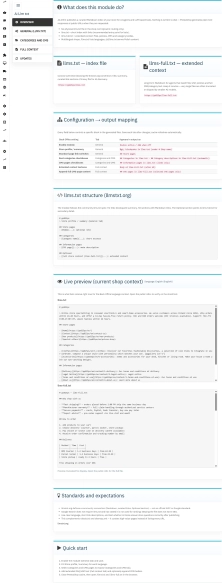
Overview — Start & Preview
First tab upon entering the module configuration.
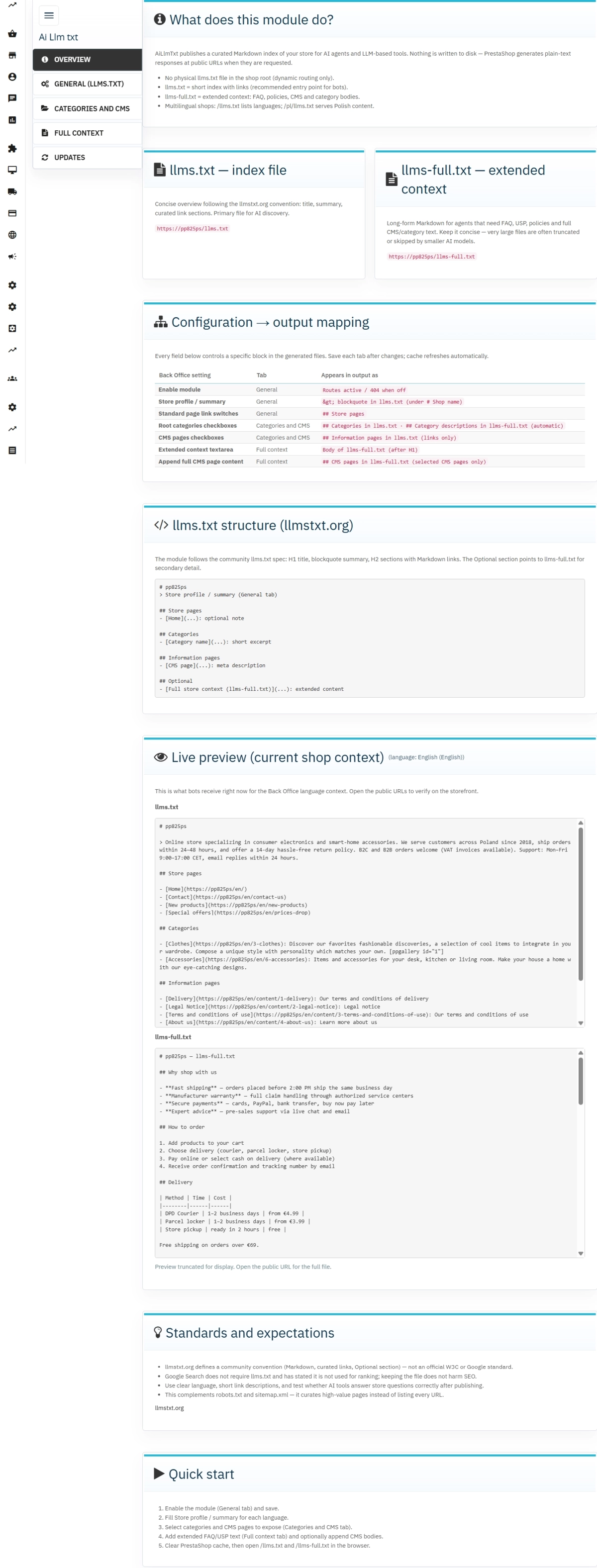
- Field mapping → file sections — transparent blueprint showing which database records map to specific text files.
- Live Preview — verify the generated Markdown content for the selected back office language context directly in the panel.
- Quick start — a clear, step-by-step setup guide for a hassle-free deployment in under 5 minutes.
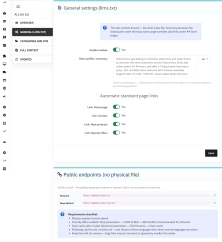
General (llms.txt)
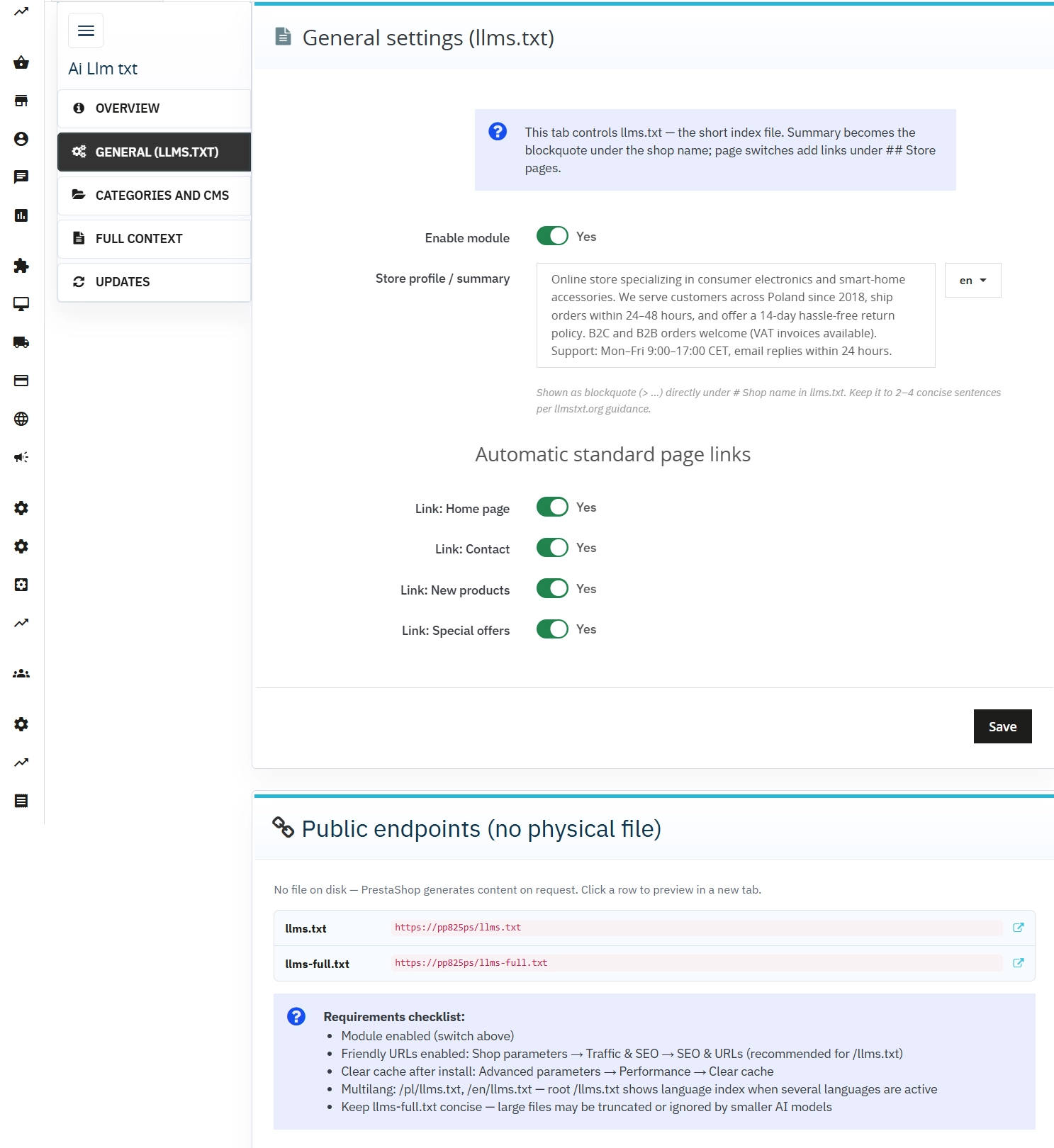
Control over the main indexing file.
- Store Profile / Summary — a multilingual, dedicated description block (blockquote) positioned directly under the H1 heading.
- Standard Links — quick toggles for key system pages (Home, Contact, New Products, Price Drops).
- Public URLs — direct, clickable hyperlinks to verify and test endpoint performance.
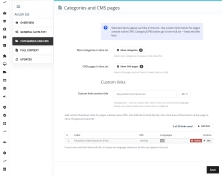
Categories and CMS
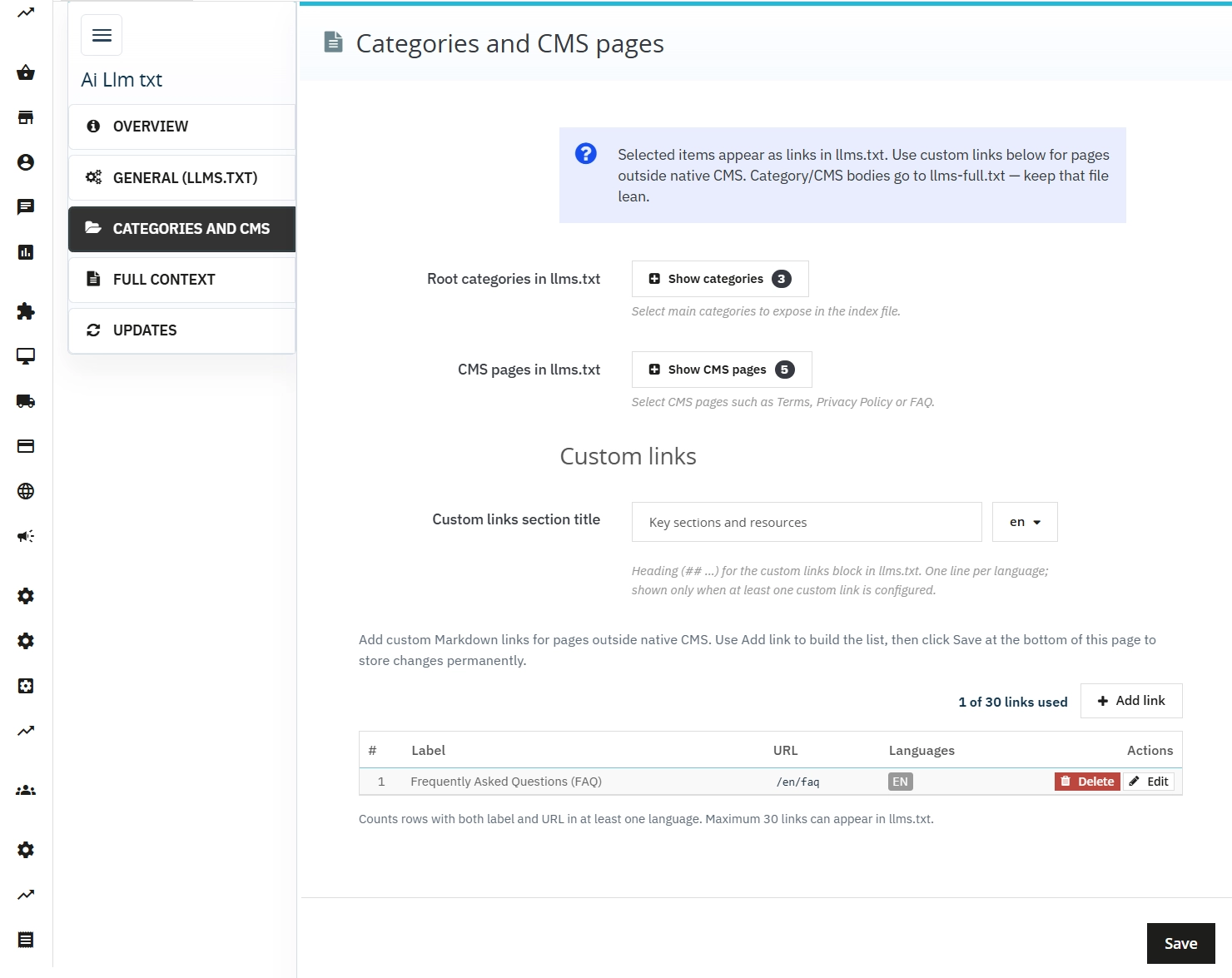
Managing the scope of exported data.
- Main Categories — precise selection of product categories from the catalogue tree to define the store structure for bots.
- CMS Pages — selection of static pages containing terms and conditions, privacy policies, size guides, or knowledge bases.
- Custom links — up to 30 manually curated, multilingual rows (label + URL + optional note) in the
## Key sections and resourcessection ofllms.txt. Perfect for module landings, blogs, or any route outside native CMS. Back-office UI: sortable list with edit/delete, relative paths (e.g./blog/delivery) instead of full URLs. - Size Warning — data volume control system helping to optimise files for LLM context limits.
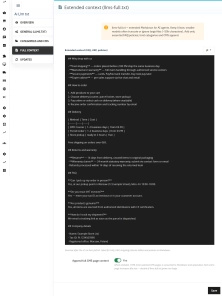
Full Context
Managing the extended llms-full.txt file.
- Extended Context — a section for dedicated text blocks (e.g., unique USPs, global shipping rules) entered directly in Markdown.
- Append Full CMS — an option to decide whether to append the full, mapped content of selected CMS information pages.
Updates
PP Updater tab — an integrated notification and seamless update system to keep the module aligned with evolving AI interpretation standards without needing reconfiguration.
Features – Front Office
Public Text Endpoints
Indexing bots and crawling systems receive a raw, clean, and optimised data stream.
- /llms.txt — a clean index: H1 heading, profile summary, link sections (including
## Key sections and resourcesfrom Custom links), optional resources, and a full language index for the root domain. - /llms-full.txt — extended section: integrated FAQs, policies, clean and complete category descriptions, and CMS page content.
- text/plain Header — data is served raw, entirely isolated from the store's graphic layout, with an additional
X-Robots-Tag: noindexheader (protecting against duplication in traditional Google).
Zero Theme Impact (Invisible to Users)
The module operates entirely in the background. Store customers see no new elements in the graphic theme – the content is accessible exclusively to robots via the dedicated URLs.
Impact on Sales & GEO / SEO
- Higher Visibility in AI Search Responses — agents and language models receive a condensed, official, and flawless store description instead of chaotically scraping random bits of HTML code from subpages.
- Full Control Over LLM Brand Image (GEO) — you decide what AI models treat as the "official, verified context" of your business.
- Safe for Traditional SEO — files do not conflict with meta tags, XML sitemaps, or the robots.txt file. Google does not consider llms.txt for traditional page ranking, eliminating the risk of position fluctuations.
- Perfect Structural Supplement — indexes the most critical, unique, and value-rich pages regarding brand knowledge, rather than thousands of repetitive, simple product pages.
Please Note!
The module requires Friendly URLs to be enabled for seamless mapping of `/llms.txt` paths. After completing the configuration, clearing PrestaShop's cache is recommended. We recommend keeping the llms-full.txt file concise (optimally up to ~50k characters) — smaller or older AI models may truncate or ignore excessively large data blocks. The module does not generate a physical text file on the server, making management and backups straightforward directly from the database (ps_configuration table).
## [1.0.7] - 2026-06-19
### Added



FAQs
-
Are the modules compatible with my version of PrestaShop?
Each module in our store contains information about compatibility with specific PrestaShop versions. Please check this information carefully before purchasing. If you are not sure, contact us.
-
How does the module provide llms.txt files?
The module dynamically generates the /llms.txt and /llms-full.txt URLs without creating physical files in the store’s root directory. Content is served as plain text with the text/plain header and an additional X-Robots-Tag: noindex header. This lets you manage the content through the module configuration instead of maintaining separate server files.
-
What can the main llms.txt index contain?
The main file can include a heading, a summary of the store profile, links to key sections, and selected resources. The administrator specifies the main categories, CMS pages, and custom links to include in the index. Custom entries are placed in the “Key sections and resources” section, and an index of language versions is also available for the main URL.
-
How are category and CMS descriptions processed?
The module converts HTML descriptions of categories and CMS pages into structured Markdown text. The administrator chooses the scope of exported categories and information pages, and the Append full CMS option can add the complete remapped content of selected pages to llms-full.txt. This lets the extended file include information previously managed in the store’s standard sections.
-
When is the generated-content cache refreshed?
The module uses PrestaShop’s native cache layer so content does not have to be regenerated for every request. Its description states that content is automatically revalidated after editing a CMS page, category, or module configuration. The panel also includes a live preview for checking the result in a selected language.
-
How are language versions handled?
The module supports multilingual paths such as /pl/llms.txt and /en/llms-full.txt. The main /llms.txt URL can serve an index of the available language versions. Configuration also includes multilingual content for custom links and the store profile. Friendly URLs must be enabled in PrestaShop to map /llms.txt paths correctly.
16 other products in the same category:
Error Radar & Toolbox — PrestaShop Error Diagnosis & Server Utilities
Error Radar & Toolbox is a powerful, free administrative module for PrestaShop that allows you to instantly diagnose technical store issues directly from your Back...

Take SEO and conversion further: a PrestaShop FAQ module with a built-in editor and FAQPage JSON-LD
The FAQ Builder module makes it easy to add question and answer (FAQ) sections directly to your PrestaShop product descriptions. The management interface sits just above the...

Advanced PrestaShop traffic and performance optimization generator (htaccess)
Stack Pro is a protective module for PrestaShop that restricts artificial and automated traffic at the server level through controlled modification of the .htaccess file....
- Discount
Price available only until: 25.09.2026
Extra Product Tabs – Tab Creator, CSV Import and SEO
Transform chaotic descriptions into a professional offer that sells! The Extra Product Tabs module allows you to instantly add unlimited tabs (e.g. Size Guide, Video,...

- New
Hreflang and X-Default Normalisation for PrestaShop
Hreflang Pro solves the issue of directing shoppers to the wrong language version of your store (for instance, when a local customer lands on a foreign-language page from...

- New
Free Simple Omnibus Price Module – Omnibus Directive for PrestaShop
Simple Omnibus Price is a completely free PrestaShop module that automates displaying the lowest price from the 30 days prior to a price reduction. Protect your store...
Automatic currency matching by shop language in PrestaShop
PP Smart Currency automatically matches the currency to the language a customer is using in your PrestaShop store. Visitors immediately see the right currency, while the...

- Discount
Price available only until: 11.10.2026
Product recommendation module for PrestaShop
A recommendations module for PrestaShop that displays tailored product suggestions in two key points of the buying journey: the product page and the cart. It reduces...


PrestaShop Schema Pro - Rich Snippets & SEO Booster
Rich Results + AI = dominate search results and increase sales in PrestaShop! Automatic JSON-LD generator with full support for more than 15 Schema.org types, including...

Google Maps Reviews Module for PrestaShop – Automatic Import and Display of Customer Ratings
This module serves to increase trust in your shop by displaying authentic reviews from Google Maps. Thanks to the automatic generation of JSON-LD structured data, star...

Unused Product Images — Free Server Cleanup for PrestaShop
Unused Product Images (Free) is a free PrestaShop module designed to optimize disk space and file limits (Inodes) on your hosting. The tool automatically locates and...
- Discount
Price available only until: 11.10.2026
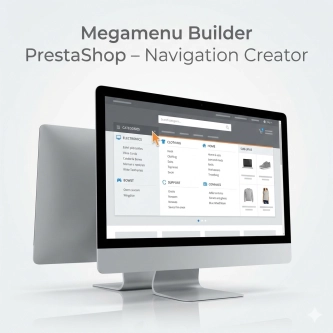
Megamenu Builder PrestaShop – Navigation Creator (Atomic Cache Technology)
Change the way customers navigate your store. PP Megamenu is an advanced navigation builder that combines Premium design with uncompromising performance. Thanks to our...
- New
Free PrestaShop Database Audit & Controlled Cleanup
Database Cleaner Lite is a free PrestaShop module designed for auditing and safely deleting statistical data and system logs. It helps administrators quickly assess...
Remove ID from URLs (CMS, Brands) PrestaShop [Free]
The free Clean URLs Lite module modifies native PrestaShop routing by removing numeric identifiers (IDs) from CMS page, CMS category, and brand (manufacturer) URLs. It...

Smart Image Optimiser — Lossless Quality and Perfect PrestaShop Product Images
Smart Image Optimizer is an advanced tool that effectively eliminates the problem of automatic, lossy recompression of graphics files by PrestaShop's engines (GD/Imagick)....
Do you need additional features or custom solutions?
- Module customisation tailored to your specific requirements.
- Extending functionality to enhance your store's capabilities.
- Developing bespoke modules designed to meet your unique needs.
- Integrating external systems and additional tools.
- Optimisation and improvements for better performance and user experience.
Do you have ideas on how to improve this software? Share your suggestions for optimisation, new features, or bug reports – we’ll be happy to review them!