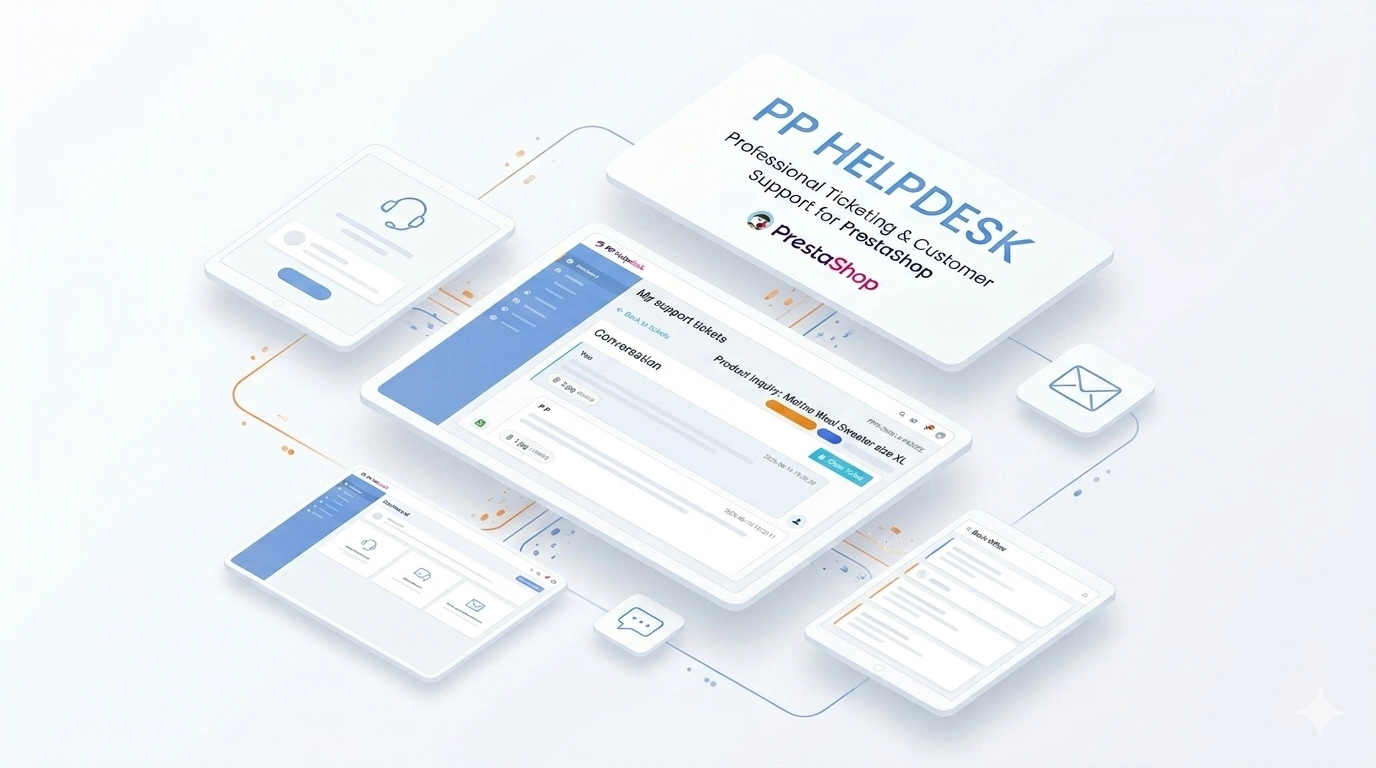
Helpdesk — professional ticketing and customer support system for PrestaShop

PP-M043
1.7.7.x + | 8.x | 9.x
PL, EN
  • 1.0.0
  • 2026-06-14
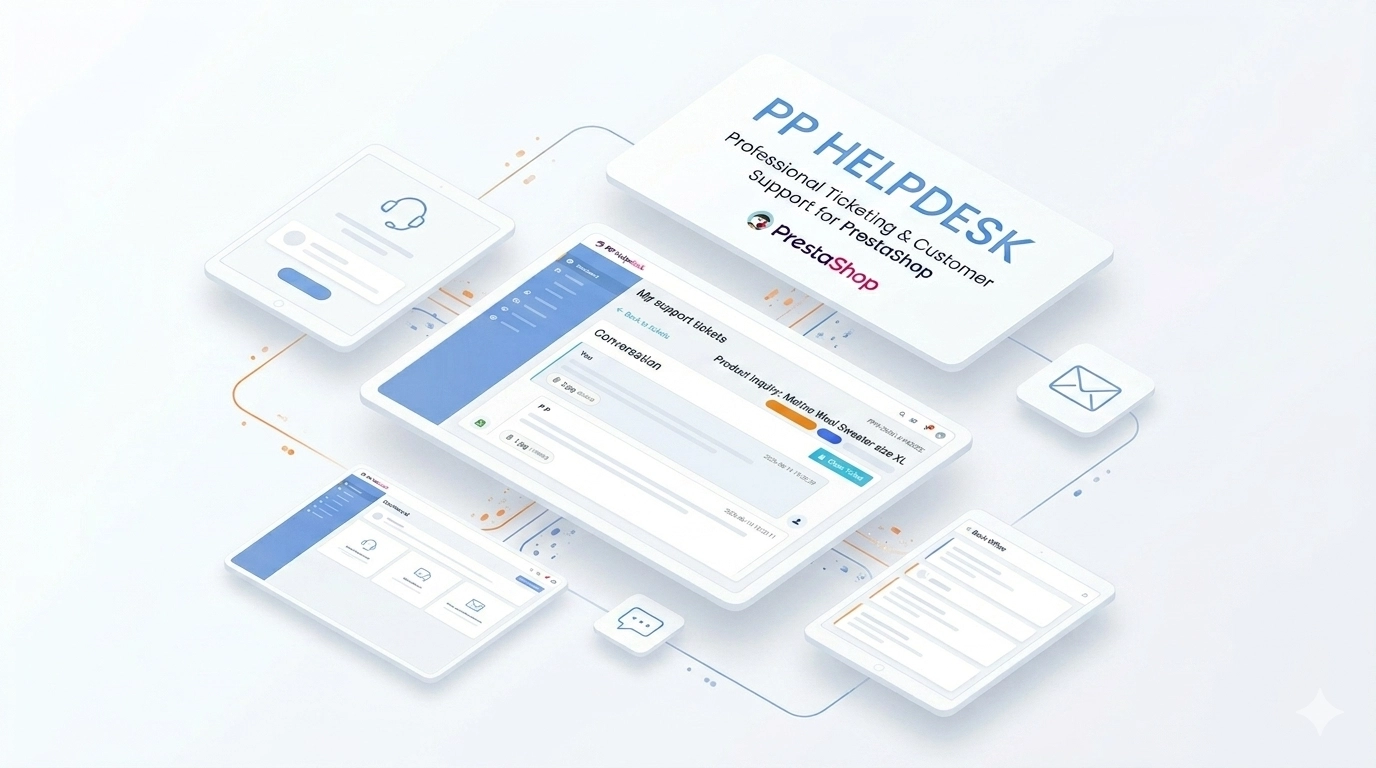
  • PP Helpdesk is a module that turns chaotic email exchanges into a clear, organised ticketing system directly within your PrestaShop store. Customers can comfortably create and track their enquiries in their account panel, whilst your team handles them from the Back Office — utilising statuses, priorities, and a full conversation history.

    We designed this solution for e-commerce owners, support departments, and administrators who need a reliable helpdesk without relying on external SaaS platforms. Full GDPR compliance, seamless email integration, an optional contact form, and customisable entry points (hooks) will allow you to reduce response times and organise all communication with buyers.

    Price available only until: 14.07.2026

    79.30 € Tax excluded
    89.10 €
    Save 11%
    Lowest price within 30 days before promotion: 79.30 €

    Additional services:

    Installation +29.10 €
    Theme Compatibility Support +44.70 €

    Store Administration Back office demo

    Information Parameters:

    • 1.0.0
    • 2026-06-14
    • 1.7.7.x + | 8.x | 9.x
    • PL, EN
    • demo.admin.shop

    Key benefits

    • Centralised ticket management — all customer enquiries gathered in one convenient administrative panel instead of being scattered across multiple email inboxes.
    • Self-service in the customer panel — buyers can view the entire history in the store, reply to the thread, and close the issue themselves without needing to call.
    • Ready workflow for your team — the module offers proven processes: statuses, priorities, staff assignment, internal notes, and an archive of issues.
    • Automated email notifications — the system automatically sends messages to the store staff and the customer with a link to the ticket (supports ready-made templates in PL and EN).
    • GDPR compliance — data security and control through export and deletion hooks, as well as strict integration with the psgdpr module.
    • Instant theme integration — flexible management of helpdesk access points. You can select single or multiple hooks directly from the BO panel, without needing to edit the theme's code.

    Module use cases

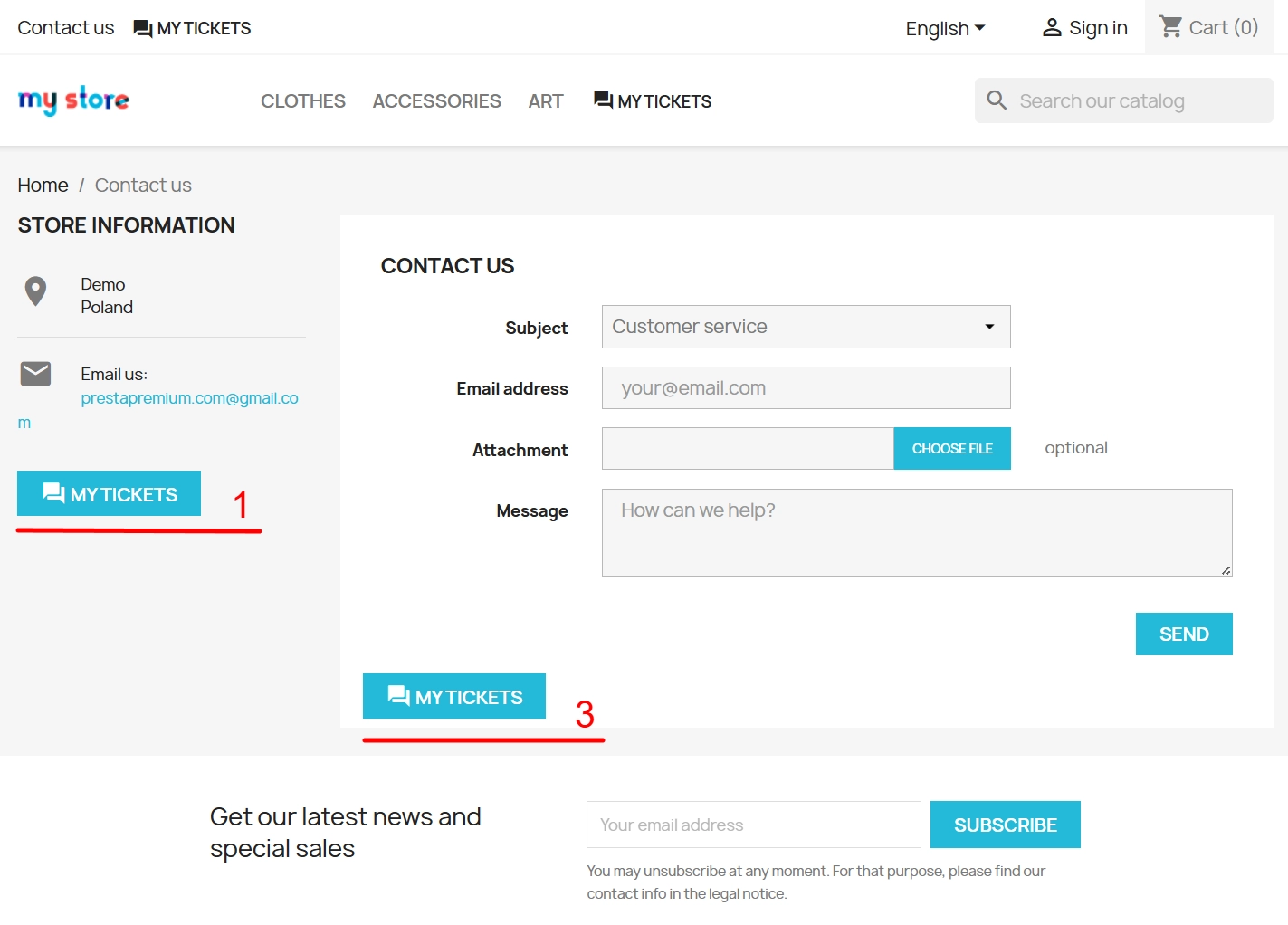
    • B2C stores — perfect support for complaints, returns, and delivery enquiries. Customers can conveniently link a ticket to a specific order.
    • B2B platforms — indispensable for long-term after-sales support, requiring the assignment of specific tickets to designated staff members.
    • Multilingual stores — the module supports labels and message templates in multiple languages. The system precisely sends content to the customer in the language the ticket was created in.
    • Multistore environments — tickets and statistics are strictly separated for individual stores within a single, shared PrestaShop installation.
    • Contact form replacement — optionally, you can replace the standard store contact hooks with the built-in helpdesk form.

    Features – Back Office

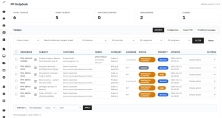
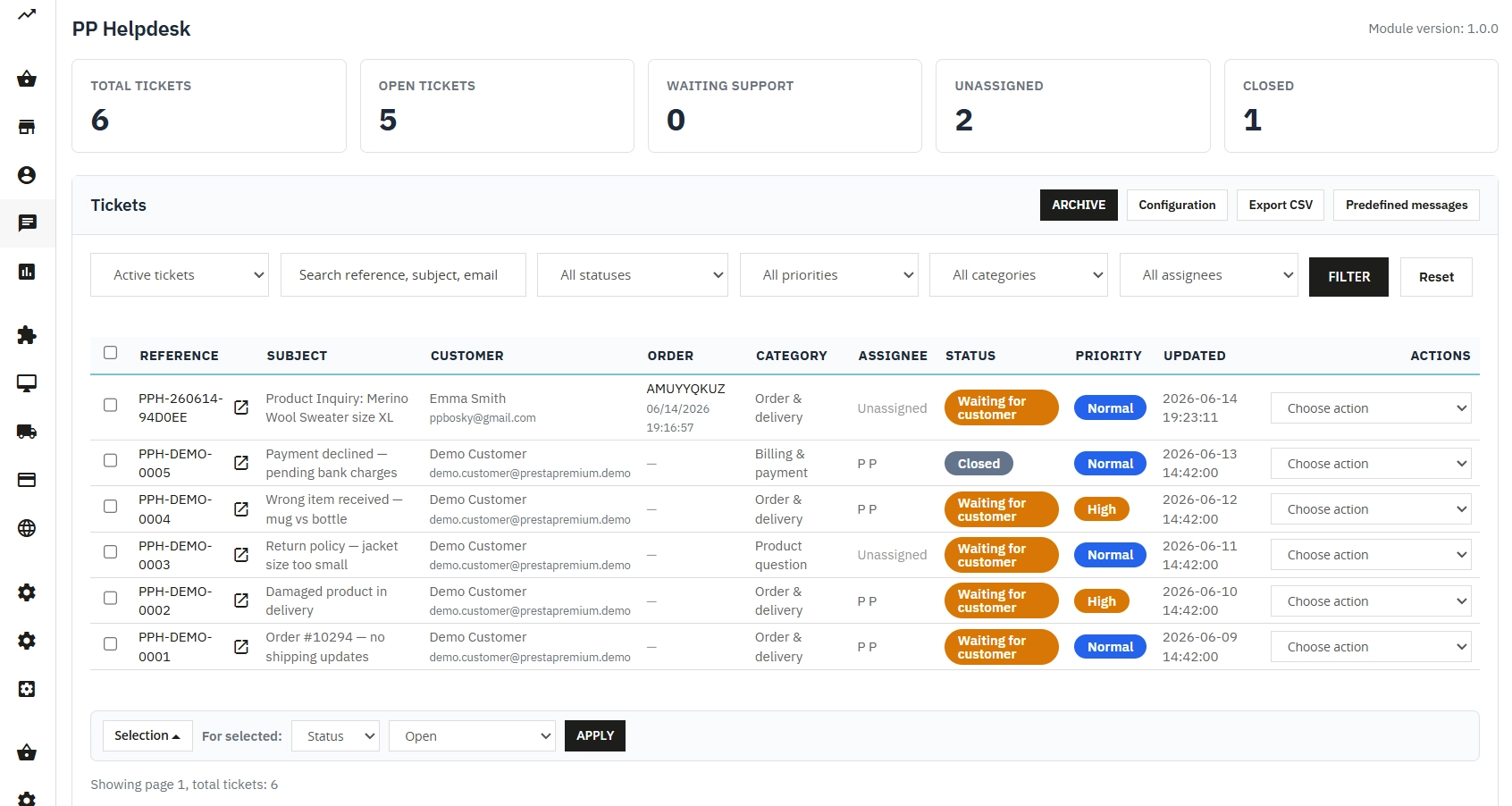
    Ticket list and dashboard

    A clear overview of all tickets with quick workflow statistics: open, waiting for support, unassigned, and closed tickets.

    • Filters and precise search — sort by status, priority, assigned employee, or search by a specific phrase.
    • View management — separate lists for active tickets, the spam folder, and the archive.
    • CSV export — convenient data download for external reporting and offline analysis.

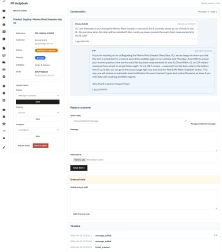
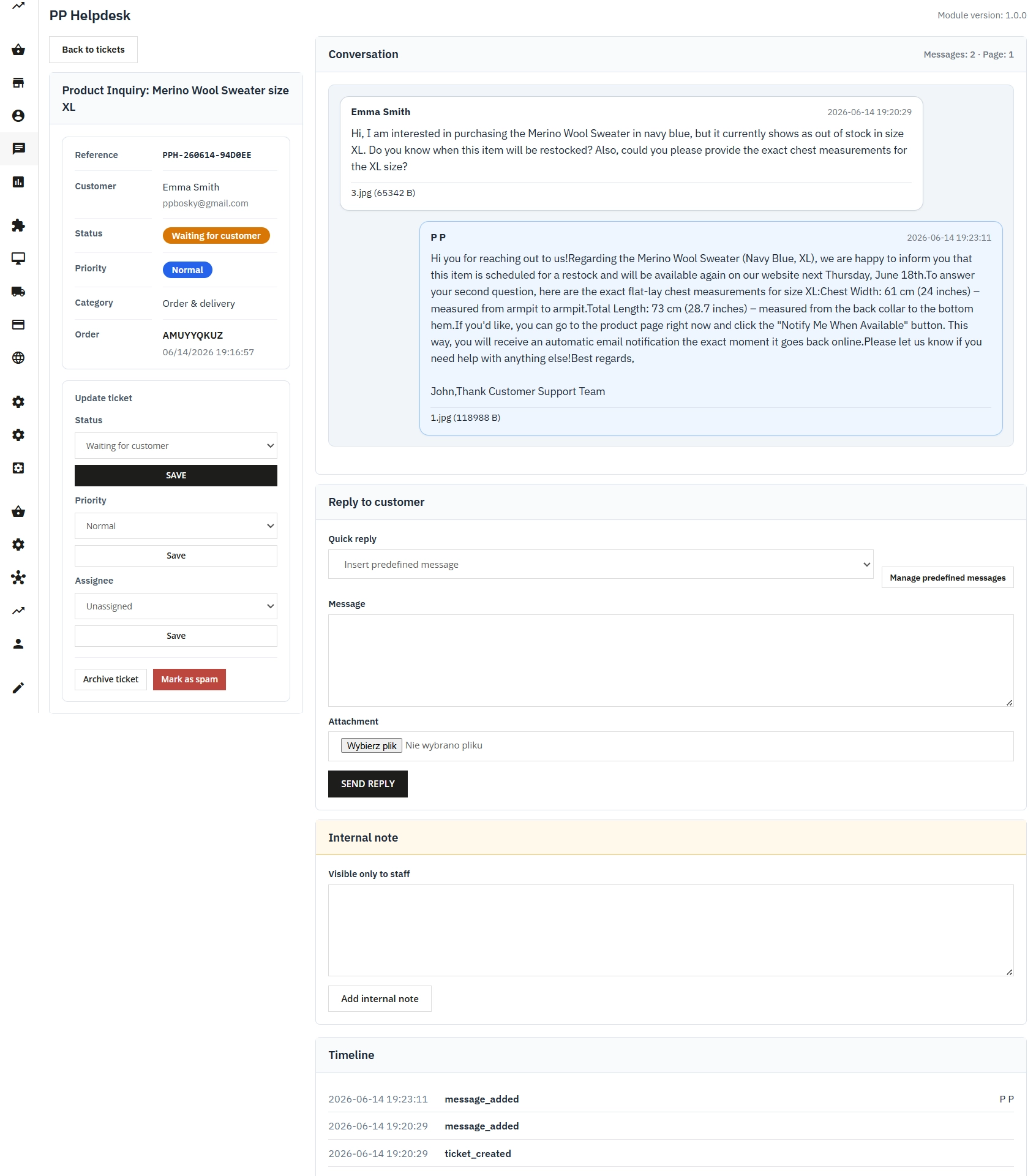
    Conversation thread

    The full history of correspondence without losing context, with a clear visual distinction between customer messages, support replies, and team notes.

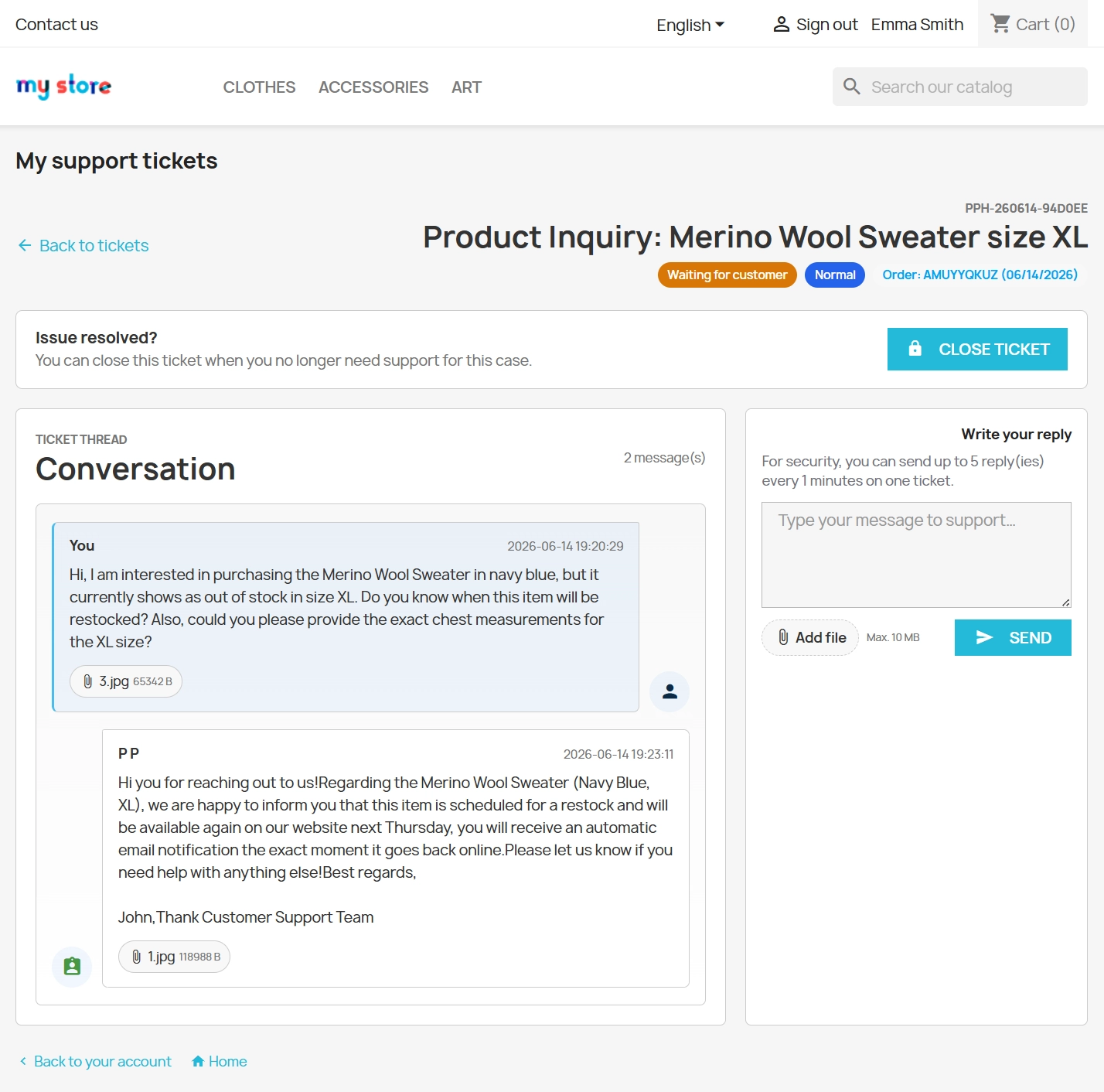
    • Public reply — a standard message visible in the customer panel and (optionally) sent via email.
    • Internal note — hidden information visible only to your team (not sent to the buyer).
    • Attachment support — smooth downloading of files added to the thread by both the customer and support.

    Statuses, priorities, and assignment

    A ready, standard helpdesk workflow straight out of the box, with no need to configure external tools.

    • Status management — available statuses include Open, Waiting Customer, Waiting Support, Closed.
    • Priority setting — marking the urgency of issues (Low, Normal, High).
    • Staff assignment — a clear division of duties along with an automated email notification about a new ticket for the designated employee.

    Quick replies (templates)

    Noticeable time savings for your team on repetitive questions, thanks to a database of previously prepared content.

    • Template categories — thematic grouping of standard replies (e.g., returns, dispatch, payment issues).
    • Multilingualism — the ability to add completely separate template content for each language available in the store.

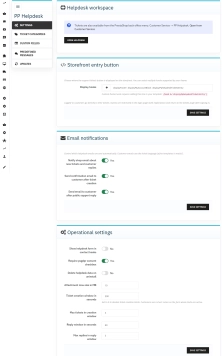
    Module configuration

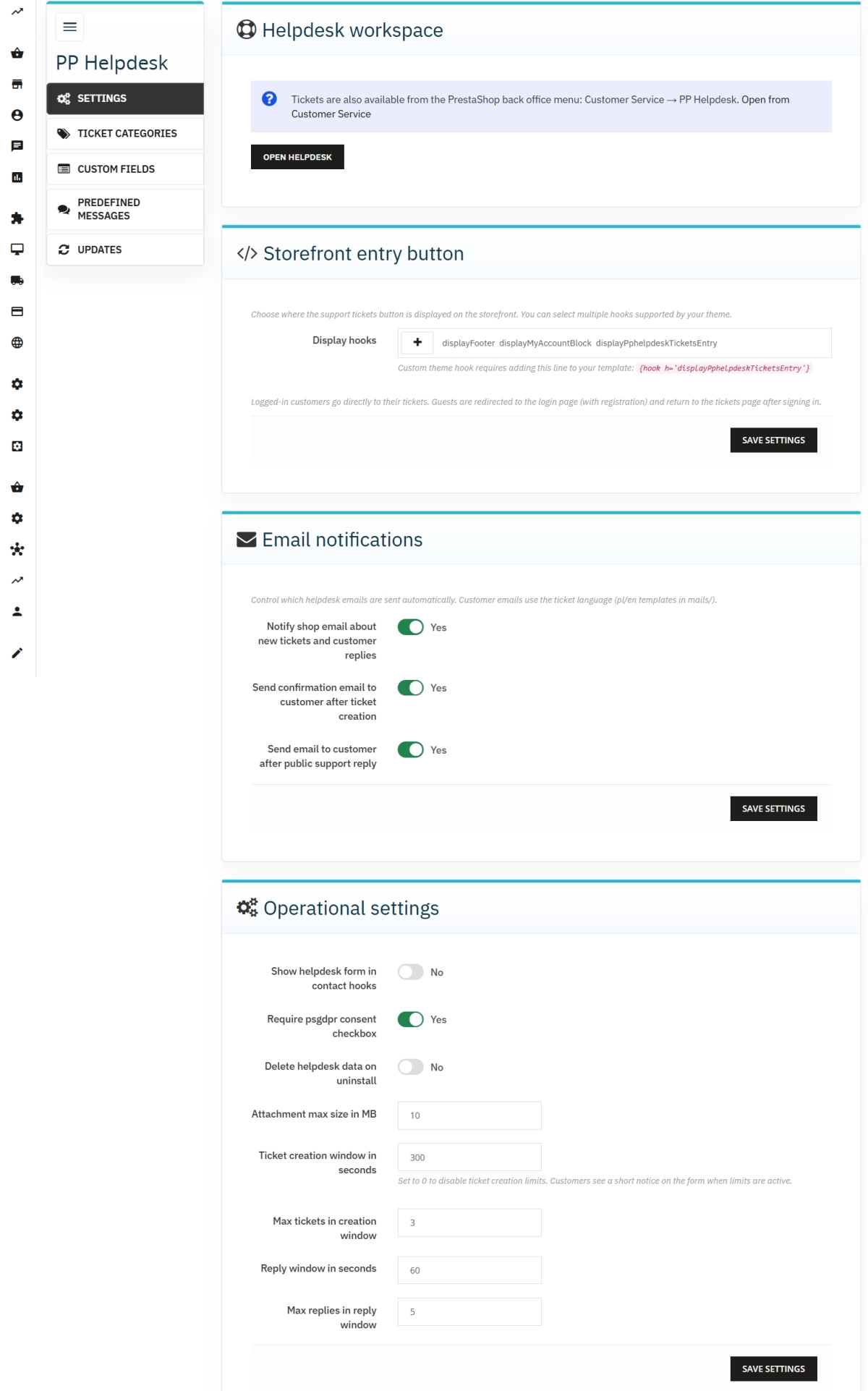
    An intuitive settings panel divided into clear tabs: operational settings, ticket categories, custom fields, and quick replies.

    • Entry button hook selection — flexible selection of multiple hooks simultaneously (header, contact, custom theme hook) straight from the administrator panel, without editing files.
    • Anti-spam limits — flexibly customisable time windows securing ticket creation and replies.
    • Email notifications — separate, independent activation switches for store and customer messages.

    Features – Front Office

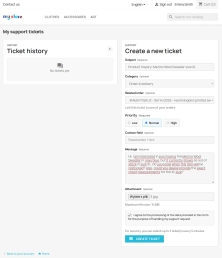
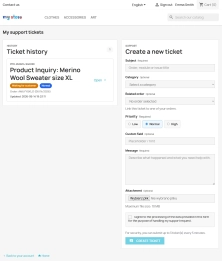
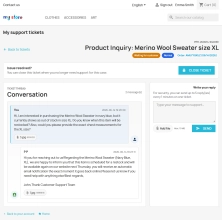
    "My tickets" panel

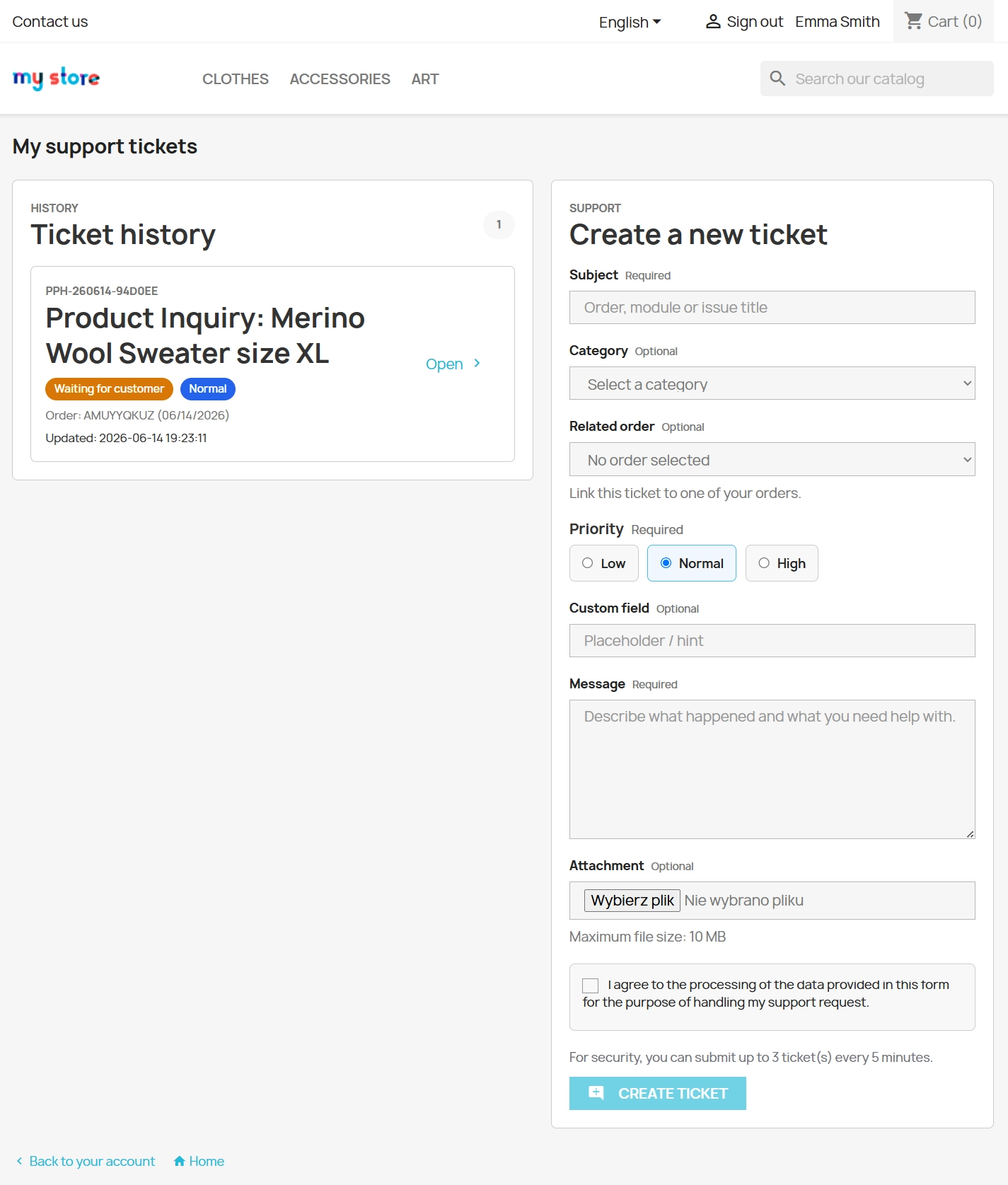
    A dedicated, secure subpage for logged-in store customers. It allows them to view the ticket list, preview the thread, add replies, and close resolved issues.

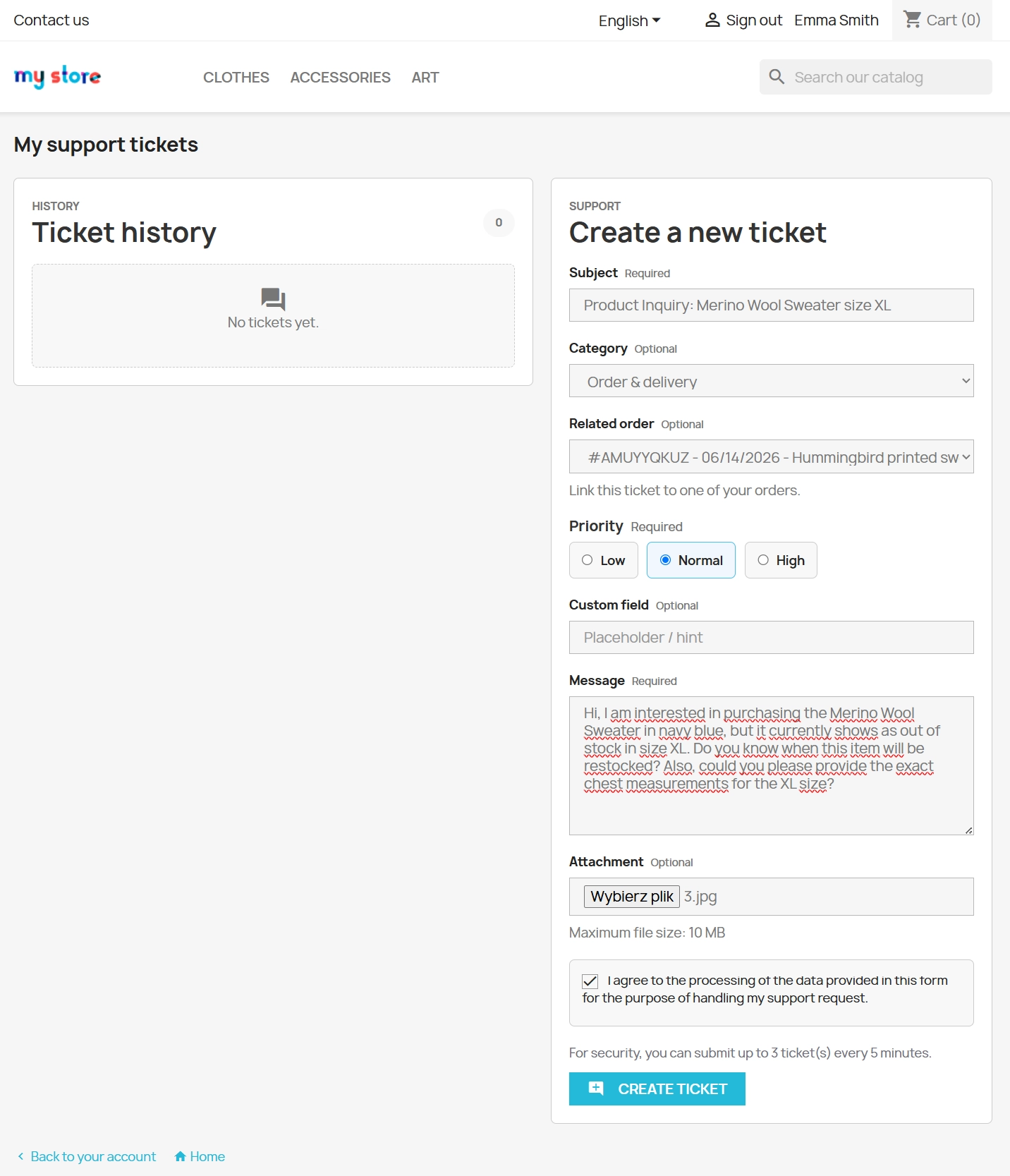
    • Creating a ticket — the customer specifies the subject, assigns a category and priority, can link the ticket to their own order, and fill in custom fields.
    • Attachments — the ability for customers to upload files (with an upload size limit configured in the Back Office).

    Contact form (optional)

    The module allows you to completely replace the default PrestaShop contact form. This ensures that enquiries from guests and customers drop directly into the centralised helpdesk.

    • Rate limiting protection — effective protection against spam generating a dedicated message for a user attempting to abuse the system.
    • GDPR consent — a special, optional checkbox required to send a message (supported by the psgdpr module).

    Helpdesk entry in the theme

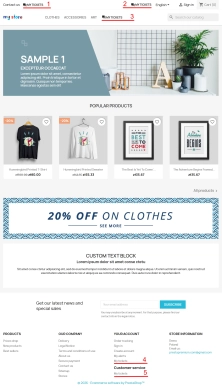
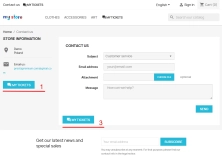
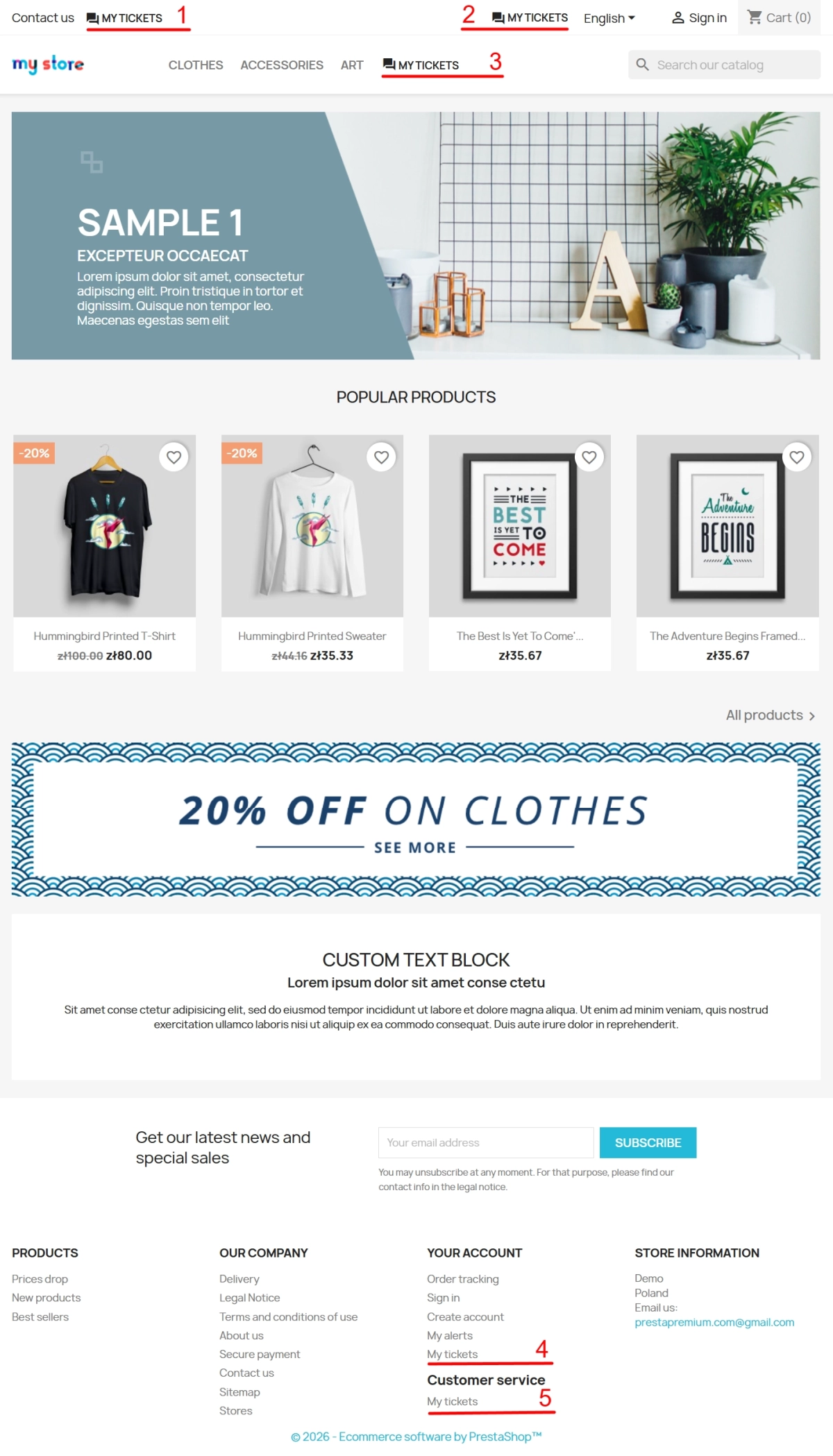
    You can instantly display the My tickets button in multiple places across the store. The administrator simply ticks the desired hooks on the checkbox list (the + button in configuration).

    • Standard PrestaShop hooks — support for popular hooks: displayNav1, displayNav2, displayTop, displayContactContent (ideal for the Classic theme and compatible solutions).
    • Custom theme hook — availability of the displayPphelpdeskTicketsEntry hook, which can be inserted manually into the selected template file.
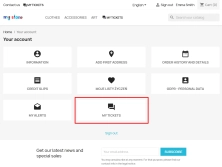
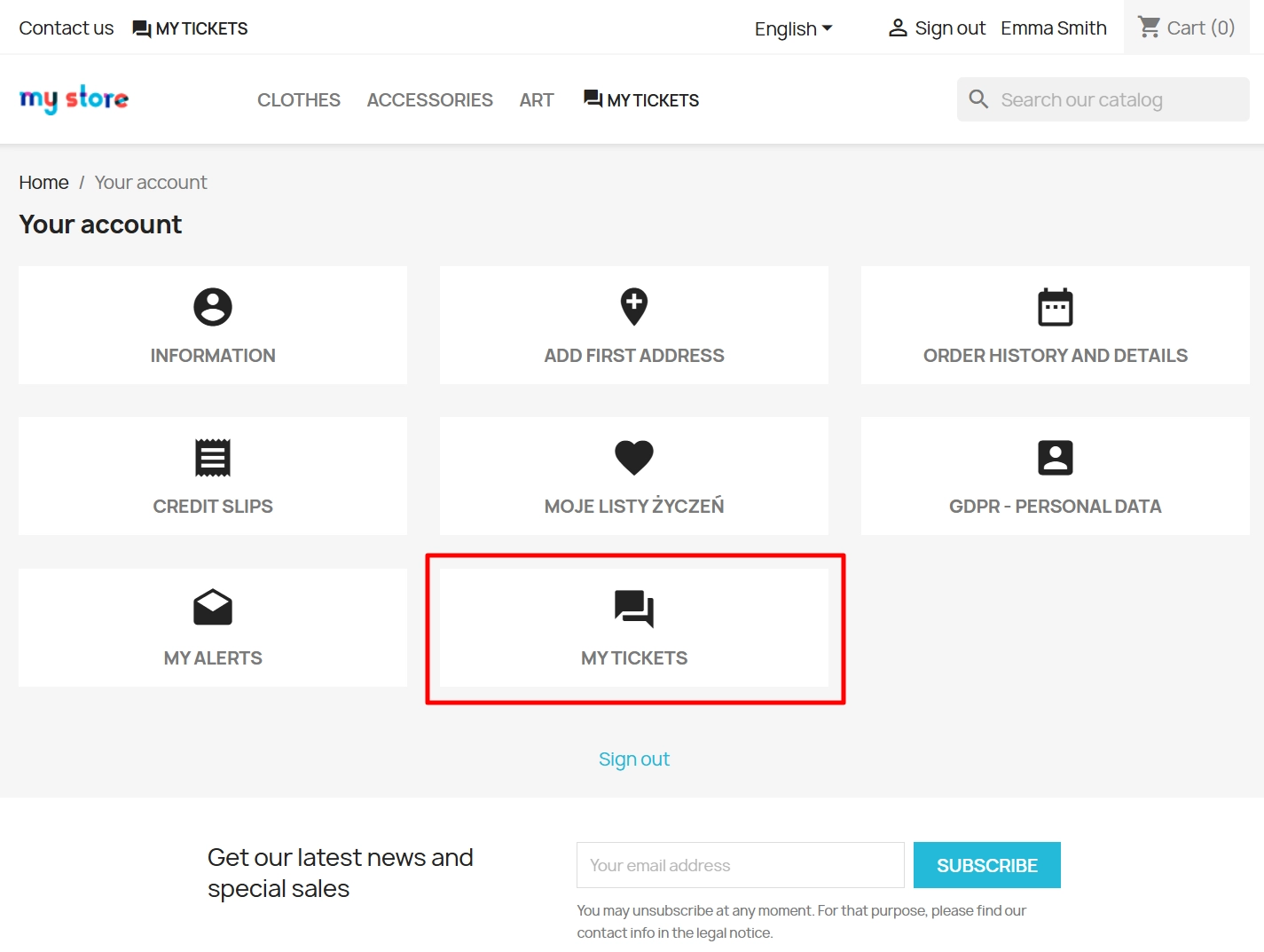
    • Link in "My account" — a permanent, always accessible button for logged-in customers.
    • Guest redirection — intelligent redirection to the login panel, retaining the path back to the ticketing page.
    • Responsive UI — excellent appearance on any screen thanks to dedicated CSS styles provided in the module.

    Impact on sales and SEO

    • Shorter response times — a central queue of issues and clear assignment of responsible staff noticeably shorten the reaction time to pre- and post-purchase questions.
    • Fewer abandoned issues — real-time visibility into the ticket status (visible in the account) builds customer trust, effectively reducing the number of follow-up messages regarding the same matter.
    • Exemplary after-sales support — the mechanism of strictly linking a ticket with an order speeds up complaint management, which strongly supports loyalty and returning buyers.
    • Professional brand image — an organised and coherent support process within the store interface looks far more reliable than chaotic message exchanges in private email inboxes.

    Technical note!

    Before proceeding with the installation or update of the module, please make a backup copy of your store's database and files. If you are using nginx servers, configure a block on direct access to the modules/pphelpdesk/var/ directory — for security reasons, attachments within the module are served exclusively via PHP. Additionally, it is highly recommended to configure cron tasks in PrestaShop, which will guarantee the fully reliable dispatch of emails from the module's queue.

    Download:


    PrestaShop module installation (625.83KB)

    Universal documentation describing the module installation process for PrestaShop.

    ## [1.0.0] - 2026-06-14
    ### Added

    FAQs

    • What payment methods do you accept?

      We accept payments by credit/debit card, bank transfer and online payment systems such as Przelewy24, PayPal. Details can be found on the payment page.

    • Can I test the module before purchasing?

      We do not provide modules for testing on individual PrestaShop instances. If a given module has a demo version, it is available on our test store, where you can familiarize yourself with its functionality. On the product page you will also find a detailed description, screenshots and instructional materials. In case of questions, please contact us - we will be happy to provide additional information.

    • How can I extend technical support or access to updates?
      • Extension of support and updates:

        • If the option to extend support and updates is available, you can order it directly from our store.
        • Simply add the appropriate option to your cart and complete the purchase.
      • No available extension option:

        • If support and update extensions are not offered, purchasing the module again will be required.
    • Are the modules compatible with my version of PrestaShop?

      Each module in our store contains information about compatibility with specific PrestaShop versions. Please check this information carefully before purchasing. If you are not sure, contact us.

    • What should I do if the product does not meet my expectations?

      If the product does not meet your expectations, please contact our customer service department. Any returns are considered individually, in accordance with our regulations.

    • How long can I use the module after purchase?

      Purchased products are available for use without time limits. However, access to updates and technical support is usually limited to 6 or 12 months from the date of purchase, depending on the product. (details on updates/support are always included on the respective product card)

    • How can I download a purchased module?

      After you pay for your order and the payment is posted, the link to download the module will appear in your account in the "Order History and Details" tab ("Details" button). Additionally, we will send you an email with a download link.

    • How long does it take to process an order?

      The order is fulfilled automatically after the payment is posted. The product can then be downloaded immediately after the order has been paid for.

    • Do you offer technical support for products?

      Yes, we provide technical support within the support period assigned to a given product. You can contact us via the contact form or e-mail.

    • Can I get help installing a module or template?

      Yes, we offer installation and setup service as an additional option. You can add it to your cart when purchasing the product or order it separately.

    • Can I update the module to a newer version?

      Yes, you can download new versions of the product for free during the support and update period. After that time, you can renew your update subscription.

    • What should I do if I have problems downloading the module?

      If you have trouble downloading the module, please make sure your payment has been processed. If you still have trouble, please contact us and we will manually provide you with the module.
    • Are the modules compliant with GDPR regulations?

      We design our modules with GDPR compliance in mind. If a module processes personal data, you will find detailed information on compliance with the regulations in its description. We make every effort to ensure that our solutions meet current data protection standards.

    • Can I ask you to adapt the module to my needs?

      Yes, we offer a module personalization service. Describe your needs and we will prepare an individual quote.
    • Can I ask for advice in choosing a module?

      Of course! Contact us and we will advise you which module best suits your needs.

    • Can I have my store audited before purchasing a module?

      Yes, we offer a store audit service to help you choose the right modules and identify areas for improvement. Contact us for more information.

    • Do you offer help with store optimization after installing the modules?

      Yes, we can help you optimize your store so that your modules run at full efficiency. Ask about our technical support service.

    • Can I get a discount as a regular customer?

      Yes, for our regular customers we offer a loyalty program with attractive discounts. Check the details in your customer panel. If you do not see such an option, contact us - we will be happy to help!

    • What does the module update process look like?

      If the module requires an update, you can download the latest version from your client panel. We recommend backing up your store before updating.

    • Can I modify a purchased module or template?

      Yes, you can modify purchased products for your own needs, but you cannot resell them or share them with third parties. Details can be found in the license terms and conditions.

    • Can I change the domain on which the module runs?

      Yes, if you want to transfer the module to another domain, please contact us to discuss the details and conditions of the license transfer.

    • Can I use the purchased module in multiple stores?

      Purchased modules are licensed for a single store. The exception is the use of the multi-shop feature within a single PrestaShop installation. In this case, you can use the module on multiple stores, even with different domains, provided that:

      • all stores run on the same PrestaShop installation,
      • the module is compatible with the multi-shop feature.
    • What should I do if my store stops working after installing the module?

      If your store encounters problems after installing the module, please contact our technical support immediately. We will help diagnose and resolve the issue.

    • How can I check if a module will work with my other installed modules?

      Our modules are designed to be as compatible as possible with other popular PrestaShop extensions. If you have any doubts, contact us and send us a list of your modules - we will help verify it.

    • Are the modules translated into different languages?

      Most of our modules are available in several languages, including Polish and English. Information about available languages ​​can be found in the module description.

    • What to do if module installation ends with an error?

      Check if your PrestaShop version is compatible with the module and if you have the right permissions for installation. If the problem persists, contact our technical support - we will help you solve the problem.

    • Can I order a module that is not available in your offer?

      Yes, we do custom module creation. Contact us for details and pricing.

    Do you need additional features or custom solutions?

    • Module customisation tailored to your specific requirements.
    • Extending functionality to enhance your store's capabilities.
    • Developing bespoke modules designed to meet your unique needs.
    • Integrating external systems and additional tools.
    • Optimisation and improvements for better performance and user experience.

    Do you have ideas on how to improve this software? Share your suggestions for optimisation, new features, or bug reports – we’ll be happy to review them!