Advanced PrestaShop traffic and performance optimization generator (htaccess)

PP-M025
SEO & Optimization
1.7, 8.x, 9.x
EN, FR, IT, DE, PL, ES
  • 1.0.0
  • 2026-03-03
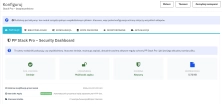
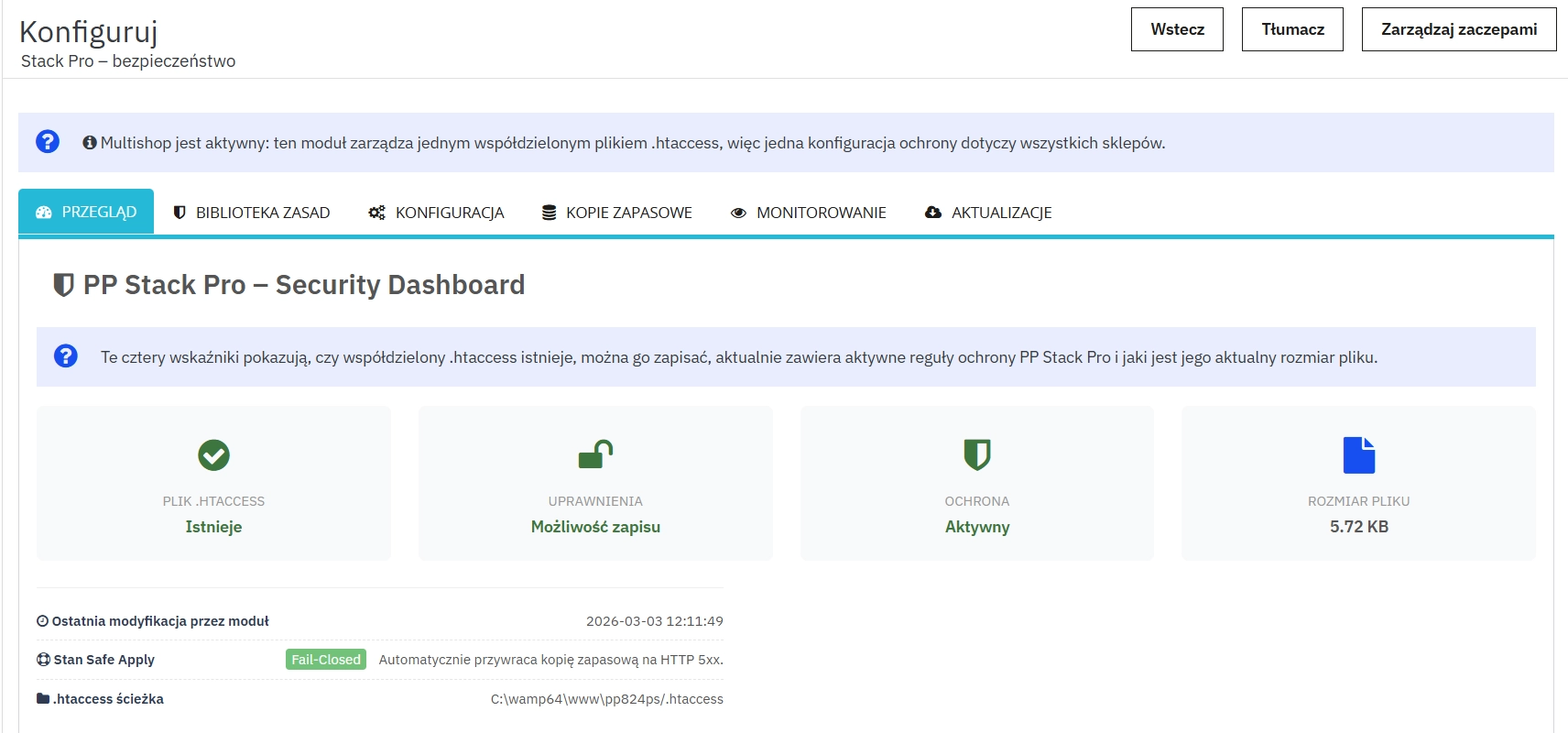
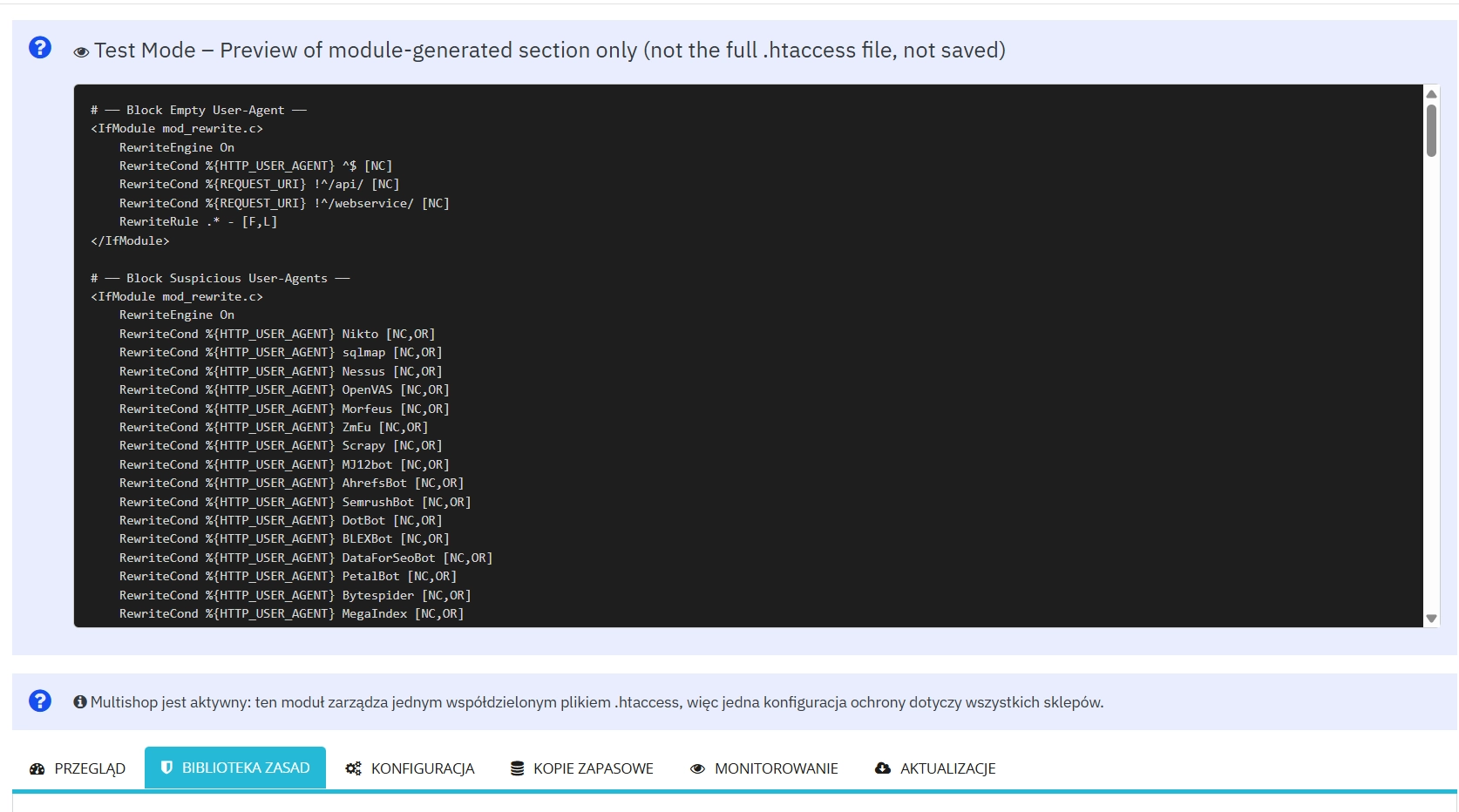
  • Stack Pro is a protective module for PrestaShop that restricts artificial and automated traffic at the server level through controlled modification of the .htaccess file. Blocking rules are executed before PHP and database queries are initialised, ensuring that unwanted requests are rejected at the HTTP stage.

    The solution reduces CPU and MySQL workload, stabilises response time (TTFB), and minimises the impact of bot attacks, AI crawlers, and exploitation attempts (e.g., SQLi, XSS, brute-force). The module operates without interfering with the PrestaShop core and edits exclusively its own section within the server configuration file.

    299.00 zł Tax excluded

    Enter your store domain

    event Important: Domain change possibility expand_more

    If the module will be tested, enter a test domain during purchase.

    You will report the change to a production domain later.

    In case of an incorrectly entered domain, please contact us as well.

    Changing the domain to a production one is possible once and requires reporting within 3 days of starting its use.

    Reports: shop@prestapremium.com

    In the content, provide:

    • order number
    • product name
    • current domain
    • new domain

    Details

    Additional services:

    Installation +97.00 zł

    Information Parameters:

    • 1.0.0
    • 2026-03-03
    • 1.7, 8.x, 9.x
    • EN, FR, IT, DE, PL, ES
    • Common configuration

    Key Benefits

    • Reduction of server load: requests are filtered at the .htaccess level before PHP and database queries are executed.
    • Stability with Safe Apply: automatic testing and rollback of changes in the event of an HTTP 5xx error detection.
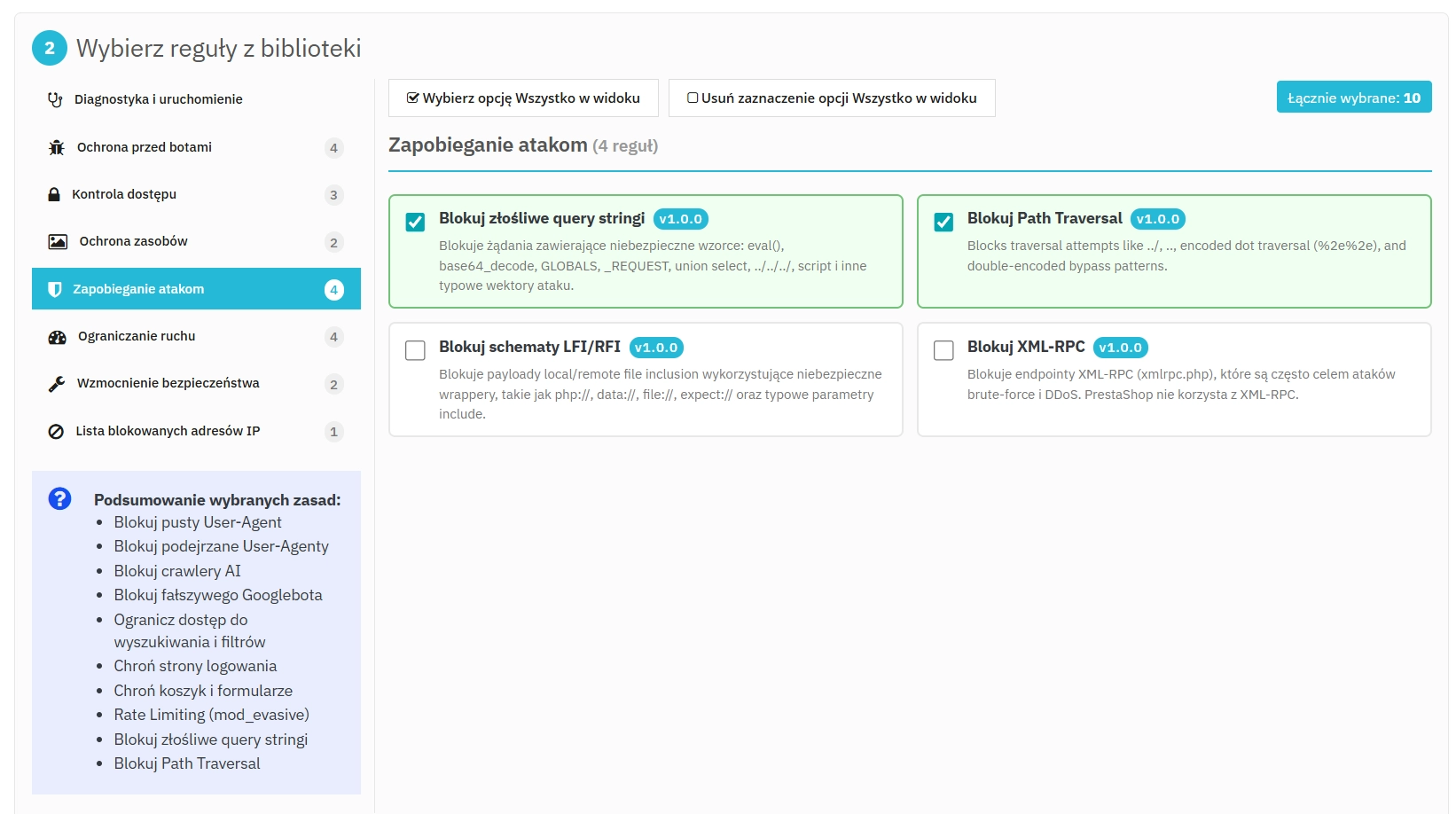
    • Protection against bots and scrapers: blocking of AI traffic, price-scraping tools, brute-force attacks, and exploitation attempts (SQLi, XSS, LFI/RFI).
    • No core interference: the module exclusively edits its own section in the .htaccess file without modifying the PrestaShop core.
    • Event monitoring: analysis of server logs and identification of 403 responses for rapid administrator reaction.

    Module Applications

    The module is designed for shops hosted on shared servers, VPS, or servers with CPU/RAM limits, where sudden bot traffic causes performance drops or account suspensions.

    It is highly effective in B2B and B2C shops exposed to brute-force attacks, mass form scanning, automated stock level extraction, and competitor price monitoring.

    Back Office Features

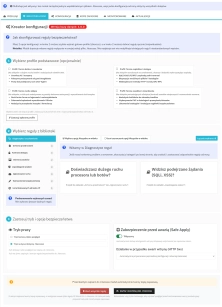
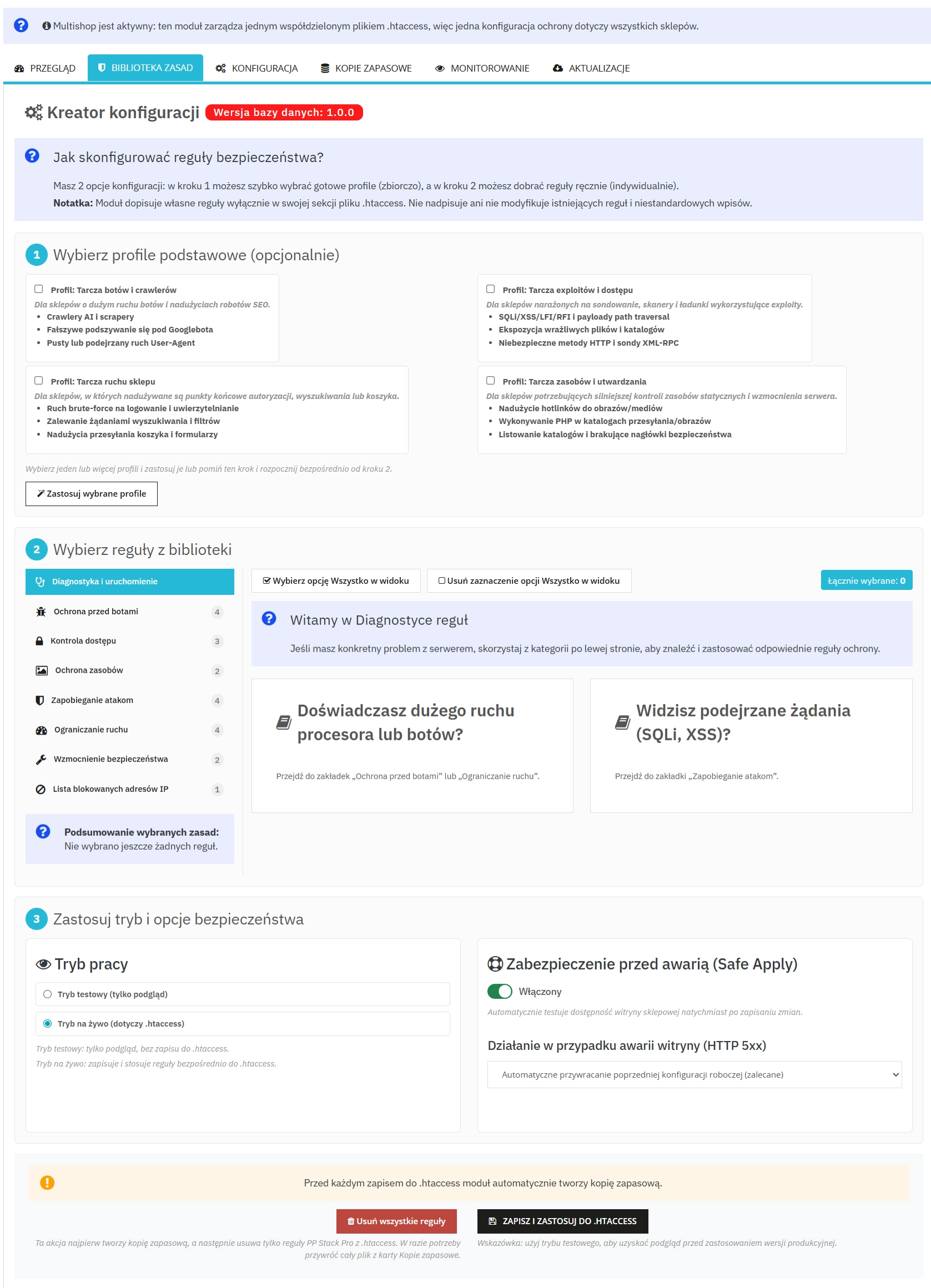
    1. Safe Apply Engine

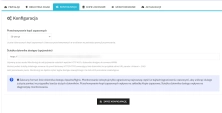
    Safe implementation of changes in .htaccess with automatic validation testing.

    • Automatic rollback – restoration of the previous file version upon detecting an HTTP 500 error.
    • Background testing – deployment without interrupting shop operations.

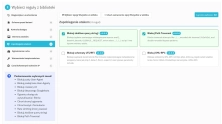
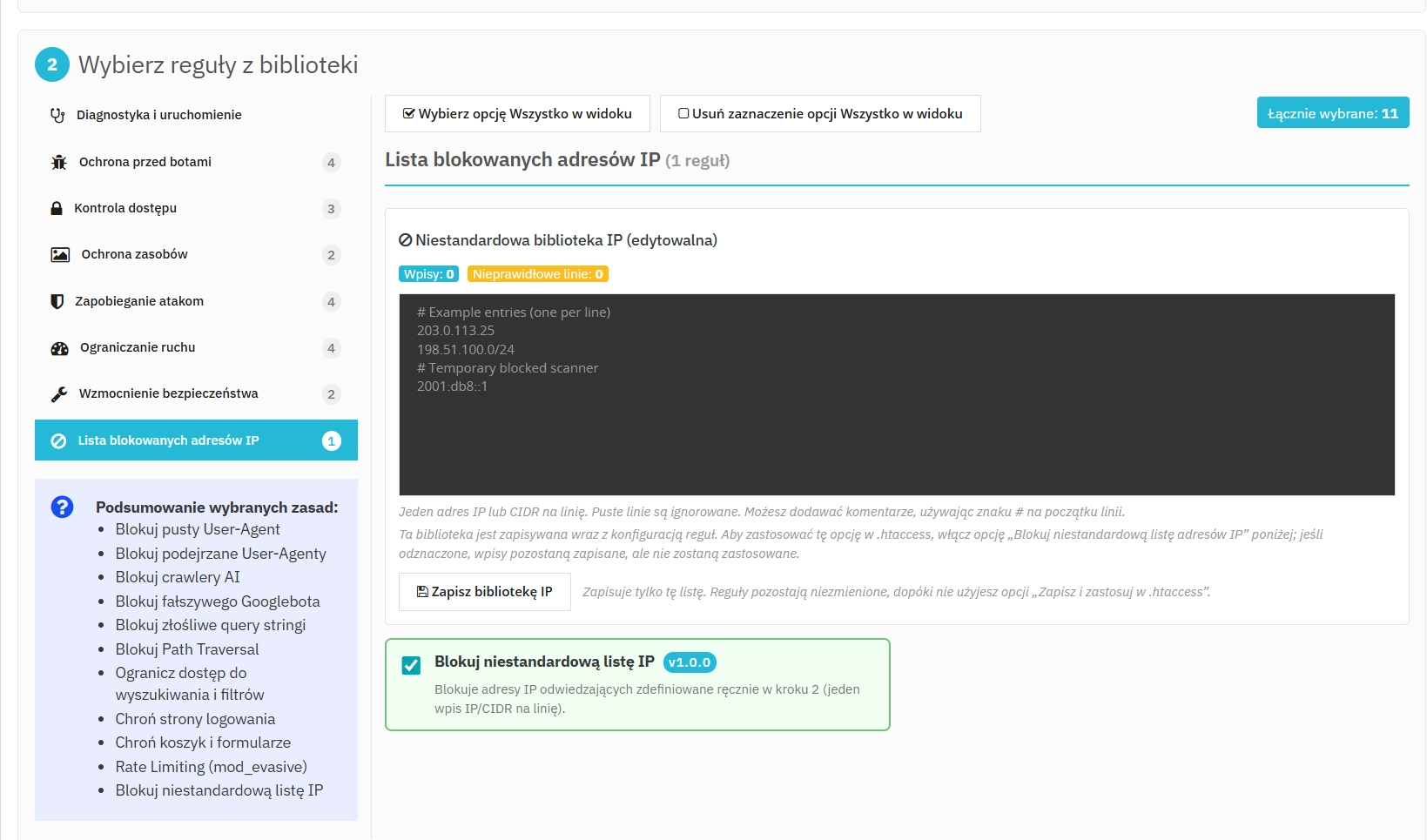
    2. Rule Profiles (ready-made configurations)

    Sets of pre-defined security policies for quick deployment.

    • Balanced profile – protection with minimal risk of blocking legitimate traffic.
    • Specialised profiles – form protection, anti-hotlinking, and restrictions for specific endpoints.

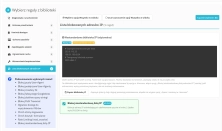
    3. IP Blacklist Manager

    Manual blocking of IP addresses and ranges.

    • IPv4 / IPv6 / CIDR support – utility for defining entire subnetworks.
    • Quick deployment – instantaneous rule saving to .htaccess.

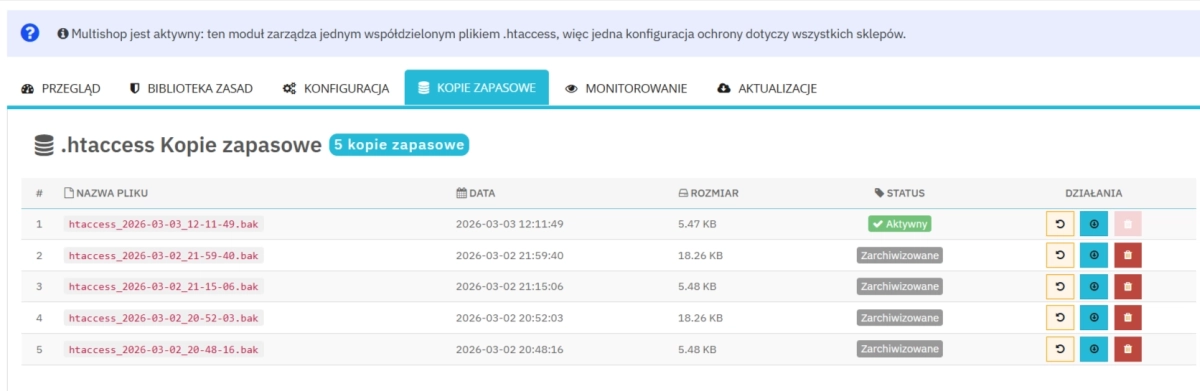
    4. Backup Manager

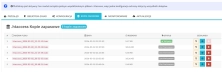
    Automated management of .htaccess file copies.

    • Pre-change snapshot – saving a security version before any modification.
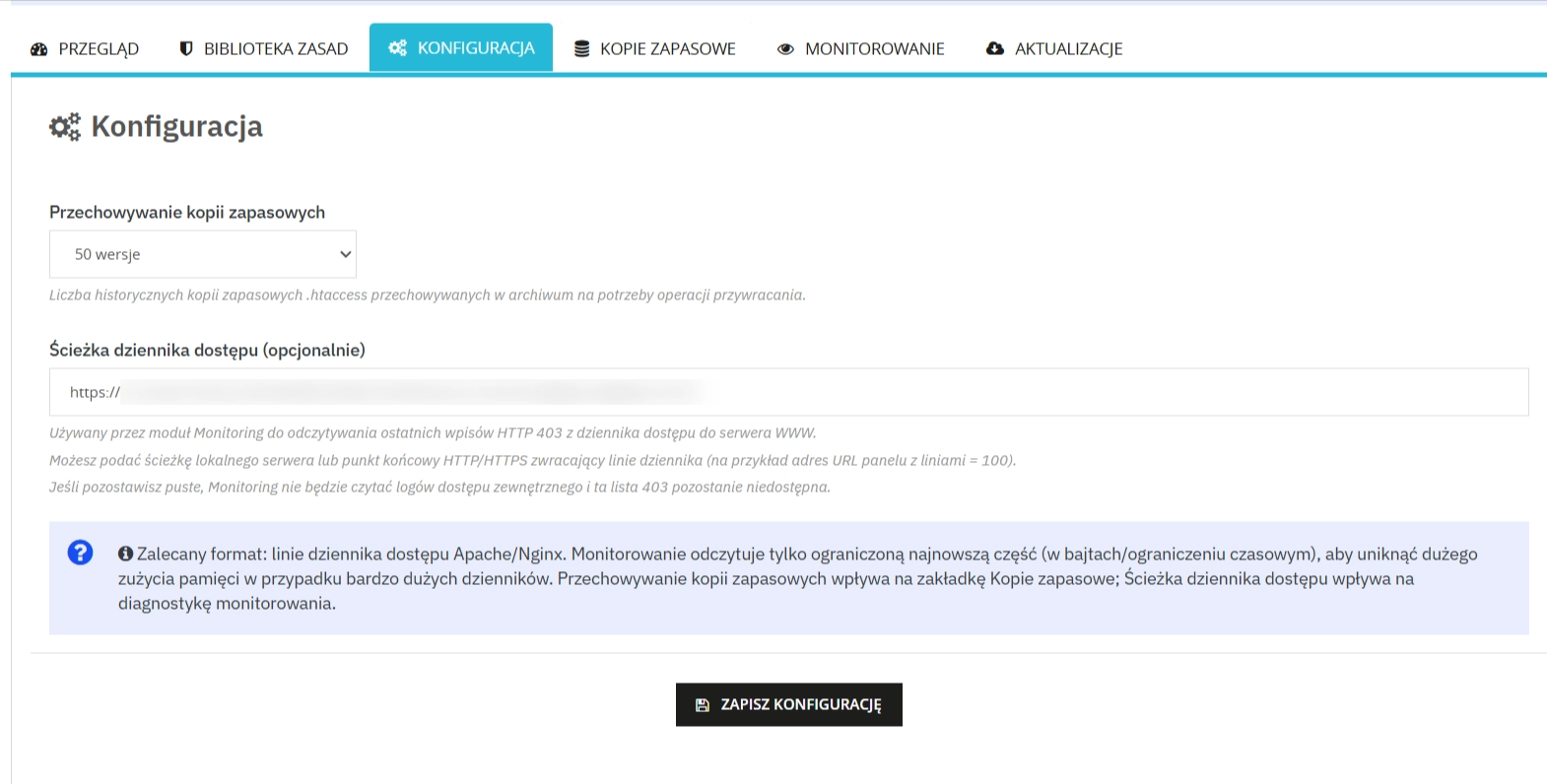
    • Retention control – deletion of outdated copies to save storage space.

    5. Log Tracking (Event Monitoring)

    Built-in server access log reader directly within the administrative panel.

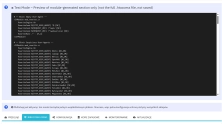
    • Real-time analysis – preview of IP addresses and bots rejected by the firewall (403 Forbidden responses).
    • Convenient diagnostics – comprehensive monitoring of malicious traffic from the Back Office, without the need for server console (SSH) usage.

    Front Office Features

    1. Strictly Server-Side Operation

    No additional JavaScript and zero impact on page weight.

    • Pre-PHP filtration – rejection of requests at the Apache/LiteSpeed level.
    • CAPTCHA-free – genuine customers are not burdened with supplementary tests.

    2. Form and Search Abuse Restriction

    Blocking of mass queries that generate excessive load.

    • Search/Filter Flooding control – restriction of automated queries and manipulated referrers.

    Impact on Sales and SEO

    Rejecting unwanted traffic prior to executing MySQL queries reduces server response time (TTFB) and stabilises shop performance during traffic spikes.

    Blocking artificial crawling and resource scanning aids in recovering the crawl budget and improves the quality of analytical data by eliminating empty sessions.

    Important Information

    Best practices: Although the module is safe and creates its own snapshots, we encourage performing a standard backup of your firewall file (.htaccess) and the database before the first use. Furthermore, please note that the built-in access log reader is an optional and auxiliary feature – due to the varied configurations and restrictions of individual hosting providers, we cannot guarantee its operability on every server environment.

    Disclaimer of Liability

    Legal & SEO Notice: The software is provided "as-is". This module directly interacts with the server's network traffic filtration logic (application layer). The purchaser (administrator) assumes full responsibility for any unwarranted modifications, manual IP scope blocks, or misconfigured traffic restrictions. Incorrect configuration may result in blocking legitimate customers and strictly preventing vital search engine crawler operations (e.g., Googlebot), potentially leading to severe SEO ranking drops or Google de-indexing. Always verify your website's accessibility via external performance tools, such as the fetch validation in Google Search Console, immediately after deploying new rules. The module creators and authors bear no liability for consequential damages, loss of profits, administrative configuration errors, or decline in overall search engine visibility resulting from the use of this product.

    ## [1.0.0] - 2026-03-02
    
    ### Added
    
    - Initial release of PP Stack Pro – Security module.

    FAQs

    • 1. What payment methods do you accept?

      We accept payments by credit/debit card, bank transfer and online payment systems such as Przelewy24, PayPal. Details can be found on the payment page.

    • 2. Can I test the module before purchasing?

      We do not provide modules for testing on individual PrestaShop instances. If a given module has a demo version, it is available on our test store, where you can familiarize yourself with its functionality. On the product page you will also find a detailed description, screenshots and instructional materials. In case of questions, please contact us - we will be happy to provide additional information.

    • 3. Are the modules compatible with my version of PrestaShop?

      Each module in our store contains information about compatibility with specific PrestaShop versions. Please check this information carefully before purchasing. If you are not sure, contact us.

    • 4. How can I download a purchased module?

      After you pay for your order and the payment is posted, the link to download the module will appear in your account in the "Order History and Details" tab ("Details" button). Additionally, we will send you an email with a download link.

    • 5. Can I get help installing a module or template?

      Yes, we offer installation and setup service as an additional option. You can add it to your cart when purchasing the product or order it separately.

    • 6. Are the modules compliant with GDPR regulations?

      We design our modules with GDPR compliance in mind. If a module processes personal data, you will find detailed information on compliance with the regulations in its description. We make every effort to ensure that our solutions meet current data protection standards.

    • 7. Can I have my store audited before purchasing a module?

      Yes, we offer a store audit service to help you choose the right modules and identify areas for improvement. Contact us for more information.

    • 8. Can I get a discount as a regular customer?

      Yes, for our regular customers we offer a loyalty program with attractive discounts. Check the details in your customer panel. If you do not see such an option, contact us - we will be happy to help!

    • 9. What should I do if the product does not meet my expectations?

      If the product does not meet your expectations, please contact our customer service department. Any returns are considered individually, in accordance with our regulations.

    • 10. Can I modify a purchased module or template?

      Yes, you can modify purchased products for your own needs, but you cannot resell them or share them with third parties. Details can be found in the license terms and conditions.

    • 11. Can I use the purchased module in multiple stores?

      Purchased modules are licensed for a single store. The exception is the use of the multi-shop feature within a single PrestaShop installation. In this case, you can use the module on multiple stores, even with different domains, provided that:

      • all stores run on the same PrestaShop installation,
      • the module is compatible with the multi-shop feature.
    • 12. How can I check if a module will work with my other installed modules?

      Our modules are designed to be as compatible as possible with other popular PrestaShop extensions. If you have any doubts, contact us and send us a list of your modules - we will help verify it.

    • 13. Are the modules translated into different languages?

      Most of our modules are available in several languages, including Polish and English. Information about available languages ​​can be found in the module description.

    • 14. How long does it take to process an order?

      The order is fulfilled automatically after the payment is posted. The product can then be downloaded immediately after the order has been paid for.

    • 15. What to do if module installation ends with an error?

      Check if your PrestaShop version is compatible with the module and if you have the right permissions for installation. If the problem persists, contact our technical support - we will help you solve the problem.

    • 16. Can I order a module that is not available in your offer?

      Yes, we do custom module creation. Contact us for details and pricing.

    • 17. How can I extend technical support or access to updates?
      • Extension of support and updates:

        • If the option to extend support and updates is available, you can order it directly from our store.
        • Simply add the appropriate option to your cart and complete the purchase.
      • No available extension option:

        • If support and update extensions are not offered, purchasing the module again will be required.
    • 18. How long can I use the module after purchase?

      Purchased products are available for use without time limits. However, access to updates and technical support is usually limited to 6 or 12 months from the date of purchase, depending on the product. (details on updates/support are always included on the respective product card)
    • 19. Do you offer technical support for products?

      Yes, we provide technical support within the support period assigned to a given product. You can contact us via the contact form or e-mail.
    • 20. Can I update the module to a newer version?

      Yes, you can download new versions of the product for free during the support and update period. After that time, you can renew your update subscription.

    • 21. Can I ask you to adapt the module to my needs?

      Yes, we offer a module personalization service. Describe your needs and we will prepare an individual quote.

    • 22. What should I do if I have problems downloading the module?

      If you have trouble downloading the module, please make sure your payment has been processed. If you still have trouble, please contact us and we will manually provide you with the module.

    • 23. Do you offer help with store optimization after installing the modules?

      Yes, we can help you optimize your store so that your modules run at full efficiency. Ask about our technical support service.

    • 24. What does the module update process look like?

      If the module requires an update, you can download the latest version from your client panel. We recommend backing up your store before updating.

    • 25. Can I change the domain on which the module runs?

      Yes, if you want to transfer the module to another domain, please contact us to discuss the details and conditions of the license transfer.

    • 26. What should I do if my store stops working after installing the module?

      If your store encounters problems after installing the module, please contact our technical support immediately. We will help diagnose and resolve the issue.

    • 27. Can I ask for advice in choosing a module?

      Of course! Contact us and we will advise you which module best suits your needs.

    Do you need additional features or custom solutions?

    • Module customisation tailored to your specific requirements.
    • Extending functionality to enhance your store's capabilities.
    • Developing bespoke modules designed to meet your unique needs.
    • Integrating external systems and additional tools.
    • Optimisation and improvements for better performance and user experience.

    Do you have ideas on how to improve this software? Share your suggestions for optimisation, new features, or bug reports – we’ll be happy to review them!