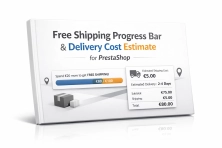
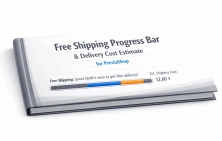
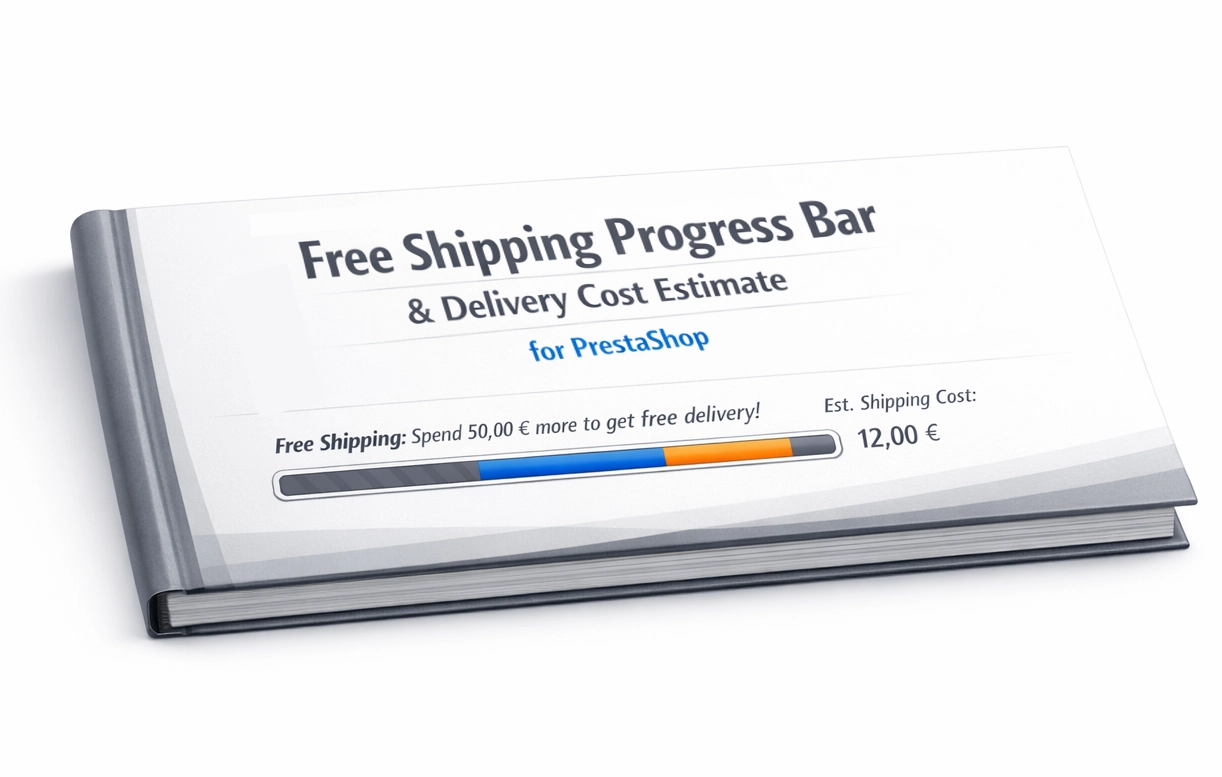
Free Shipping Progress Bar & Delivery Cost Estimate for PrestaShop

PP-M027P
Sales & Marketing
1.7, 8.x, 9.x
EN, FR, IT, DE, PL
  • 1.0.0
  • 2026-03-14
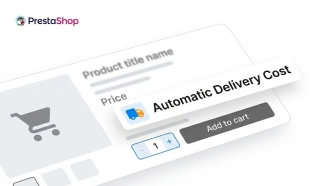
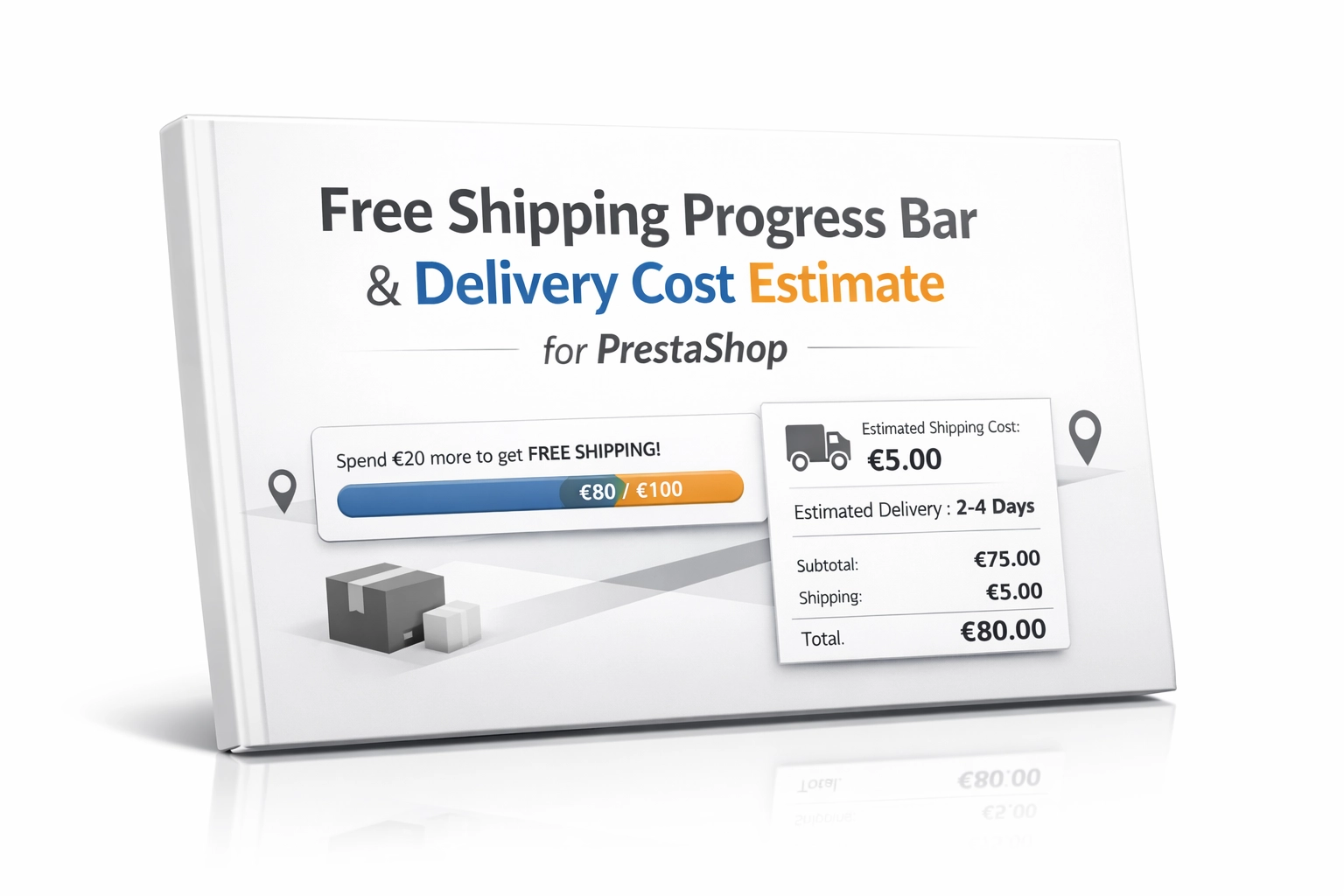
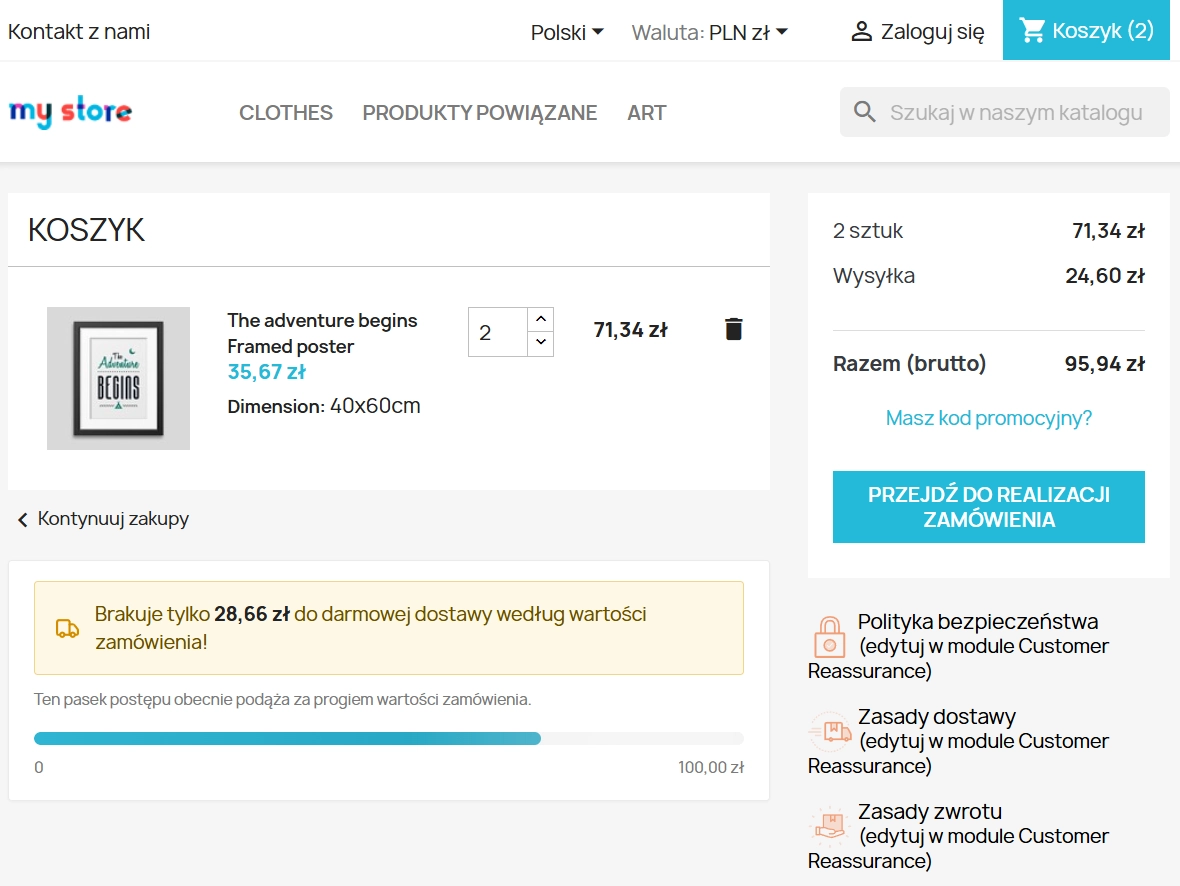
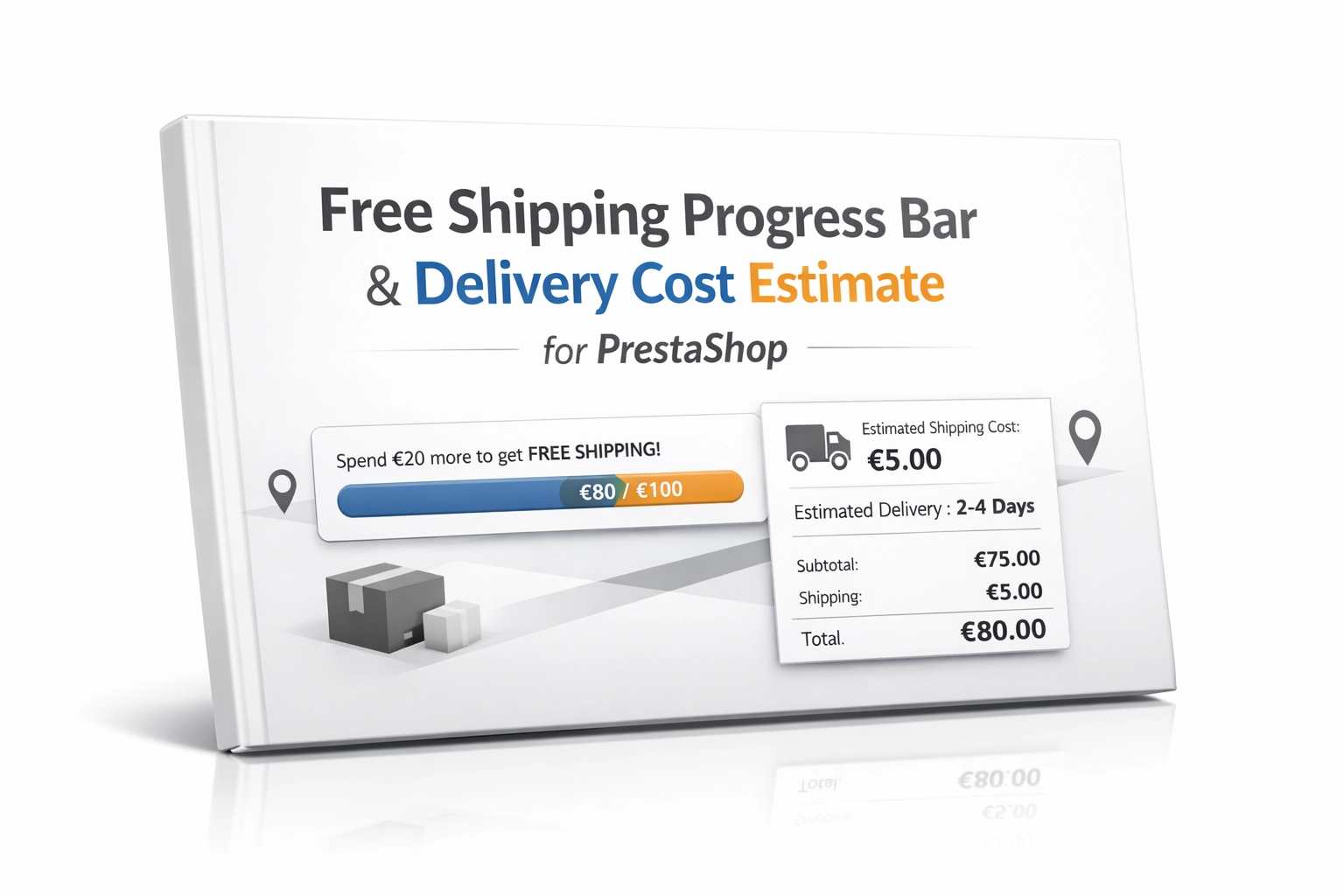
  • Encourage customers to spend more by showing them exactly how much is left until free shipping. The module also displays an estimated delivery cost on the product page, updating dynamically as the quantity changes. It is a simple tool that can significantly improve conversion and basket value by removing unpleasant surprises at checkout.

    Price available only until: 15.04.2026

    114.73 zł Tax excluded
    149.00 zł
    Save 23%
    Lowest price within 30 days before promotion: 249.00 zł

    Enter your store domain

    event Important: Domain change possibility expand_more

    If the module will be tested, enter a test domain during purchase.

    You will report the change to a production domain later.

    In case of an incorrectly entered domain, please contact us as well.

    Changing the domain to a production one is possible once and requires reporting within 3 days of starting its use.

    Reports: shop@prestapremium.com

    In the content, provide:

    • order number
    • product name
    • current domain
    • new domain

    Details

    Additional services:

    Installation +97.00 zł

    Information Parameters:

    • 1.0.0
    • 2026-03-14
    • 1.7, 8.x, 9.x
    • EN, FR, IT, DE, PL

    Key benefits

    • Higher average order value (AOV) – customers are more likely to add extra items when they can see on the interactive progress bar how little is left to qualify for free shipping.
    • Lower cart abandonment – a transparent presentation of estimated delivery costs directly on the product page removes friction and reduces negative surprises at checkout.
    • Full control over profitability – you can precisely exclude heavy or bulky products from the calculation, helping to protect your margins.
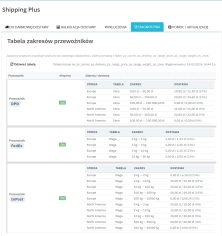
    • Faster logistics verification – the built-in diagnostic panel lets your e-commerce team review all carrier thresholds and rates in seconds, without jumping through multiple tabs.
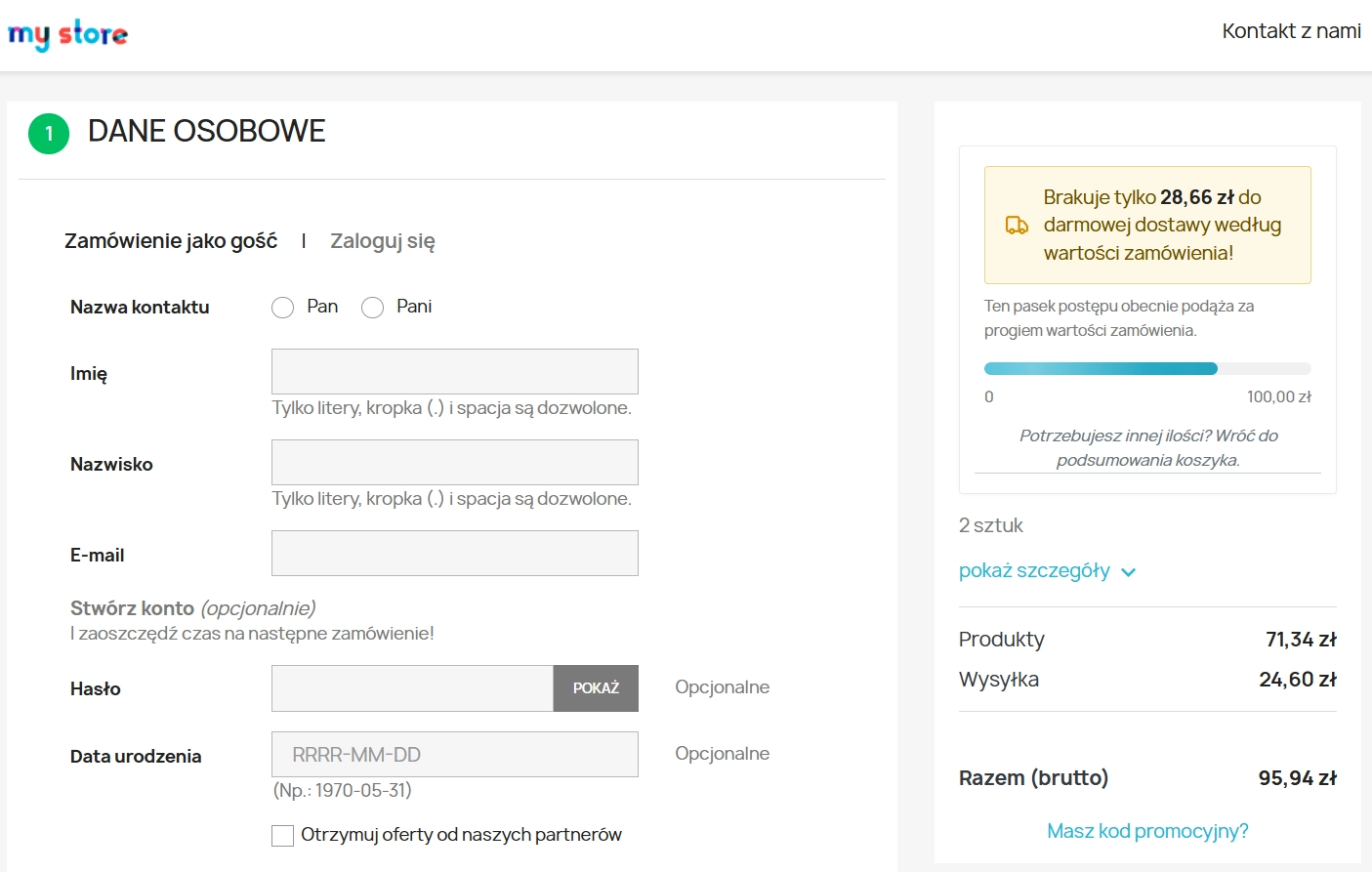
    • Better user experience (UX) – clean notifications in the mini-cart, order summary and product page help shoppers make quicker buying decisions.

    Where this module works best

    This module is especially useful in shops with a varied catalogue, where shipping costs must remain transparent while still being tightly controlled from an operational perspective. It is particularly valuable for:

    • E-commerce shops using different transport pricing strategies based on actual weight or basket value.
    • Multi-category shops selling heavy goods such as appliances or furniture, where free shipping must be excluded for selected categories or manufacturers.
    • Businesses driven mainly by mobile traffic, where quick access to delivery information inside the mini-cart window (off-canvas or dropdown) can directly influence checkout completion.

    Features – Back Office

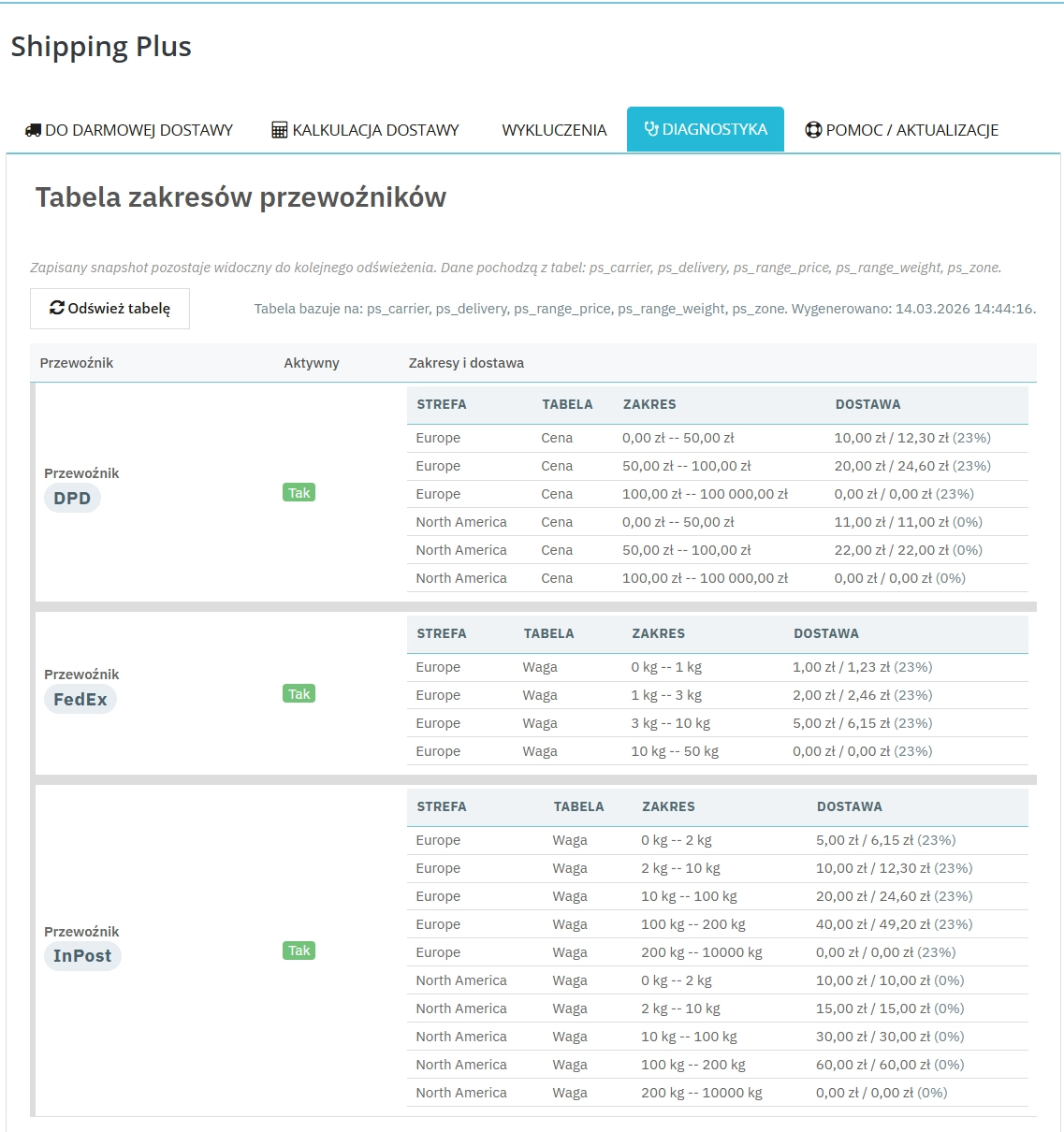
    Built-in rate diagnostics

    The tool generates an instant snapshot of current carrier charges, broken down by zones and taxes, making it easier for e-commerce teams to verify shipping tables.

    Advanced exclusion system

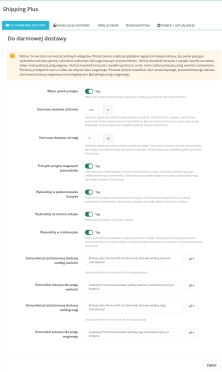
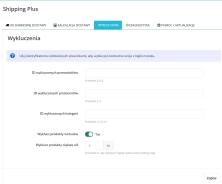
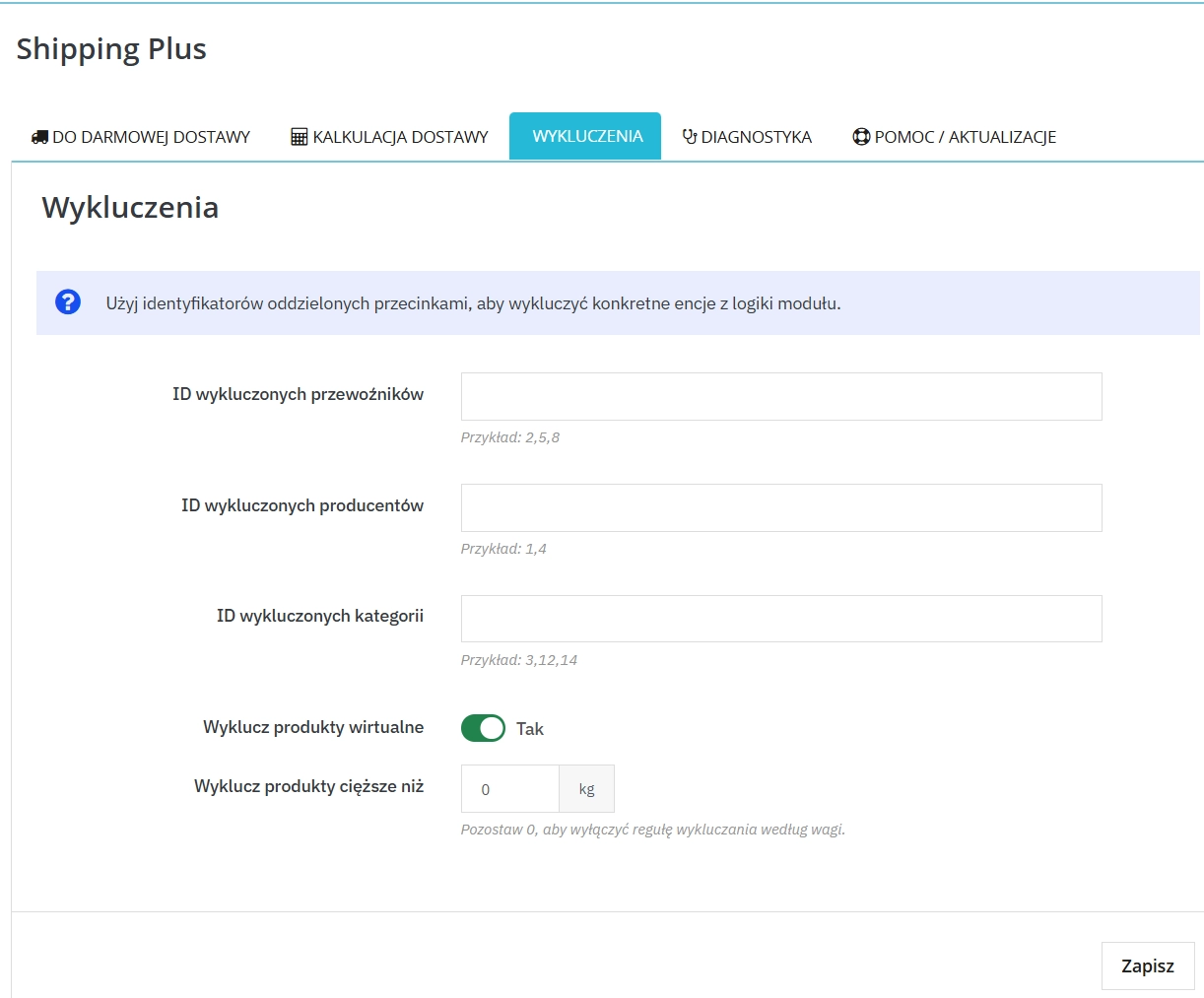
    Restrict how the progress bar works with precise rules by excluding carrier IDs, manufacturers, selected categories or products exceeding a defined weight limit.

    Support for weight and price priorities

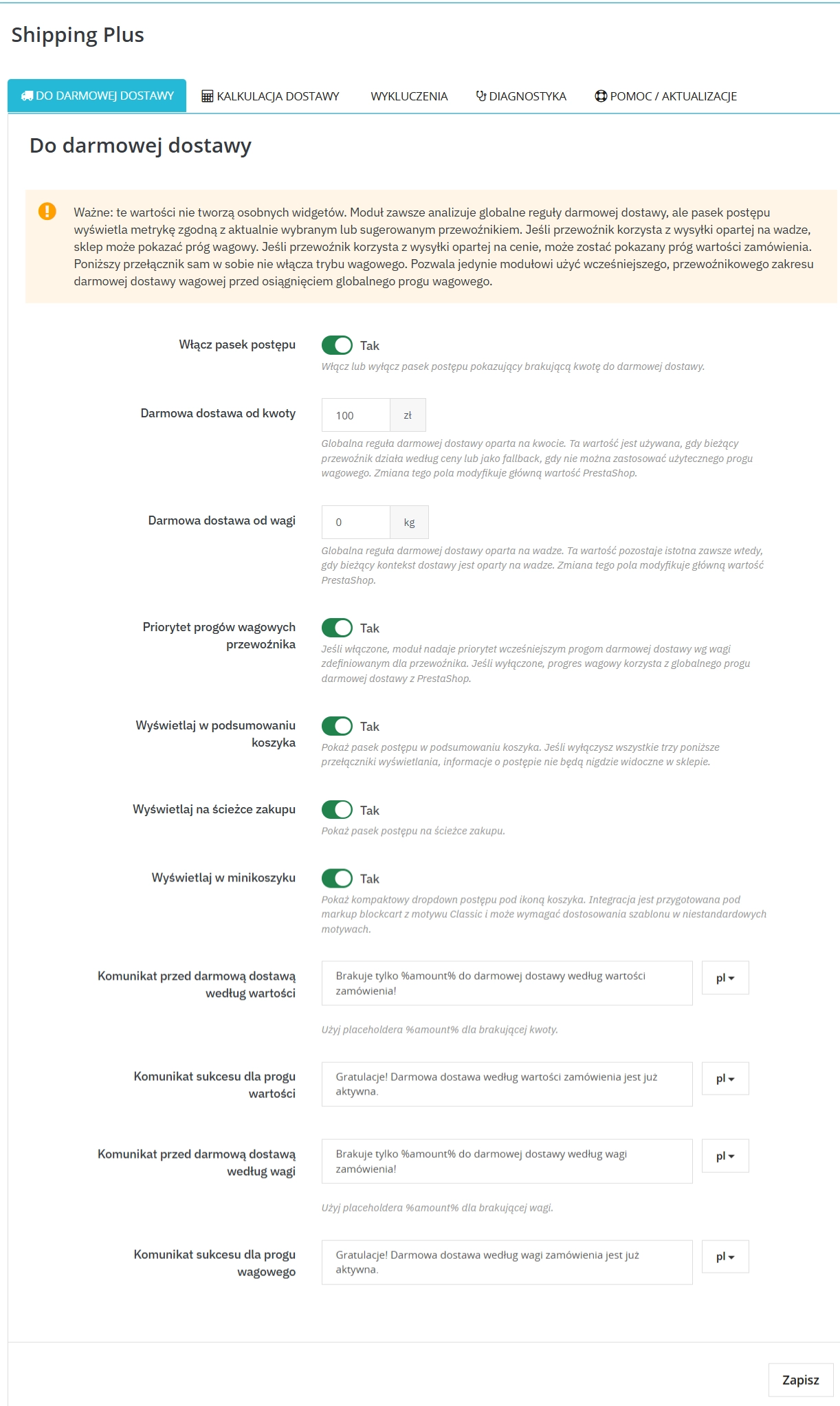
    The module automatically reads native free shipping settings such as PS_SHIPPING_FREE_PRICE and also allows you to prioritise custom weight-based thresholds assigned to individual carriers.

    Advanced estimation strategies

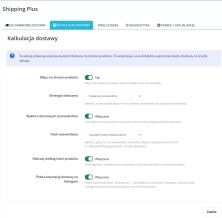
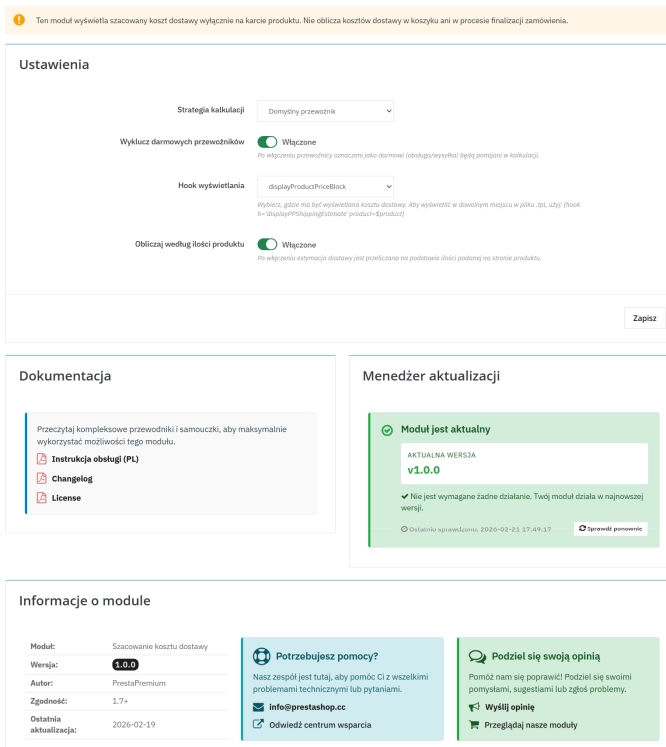
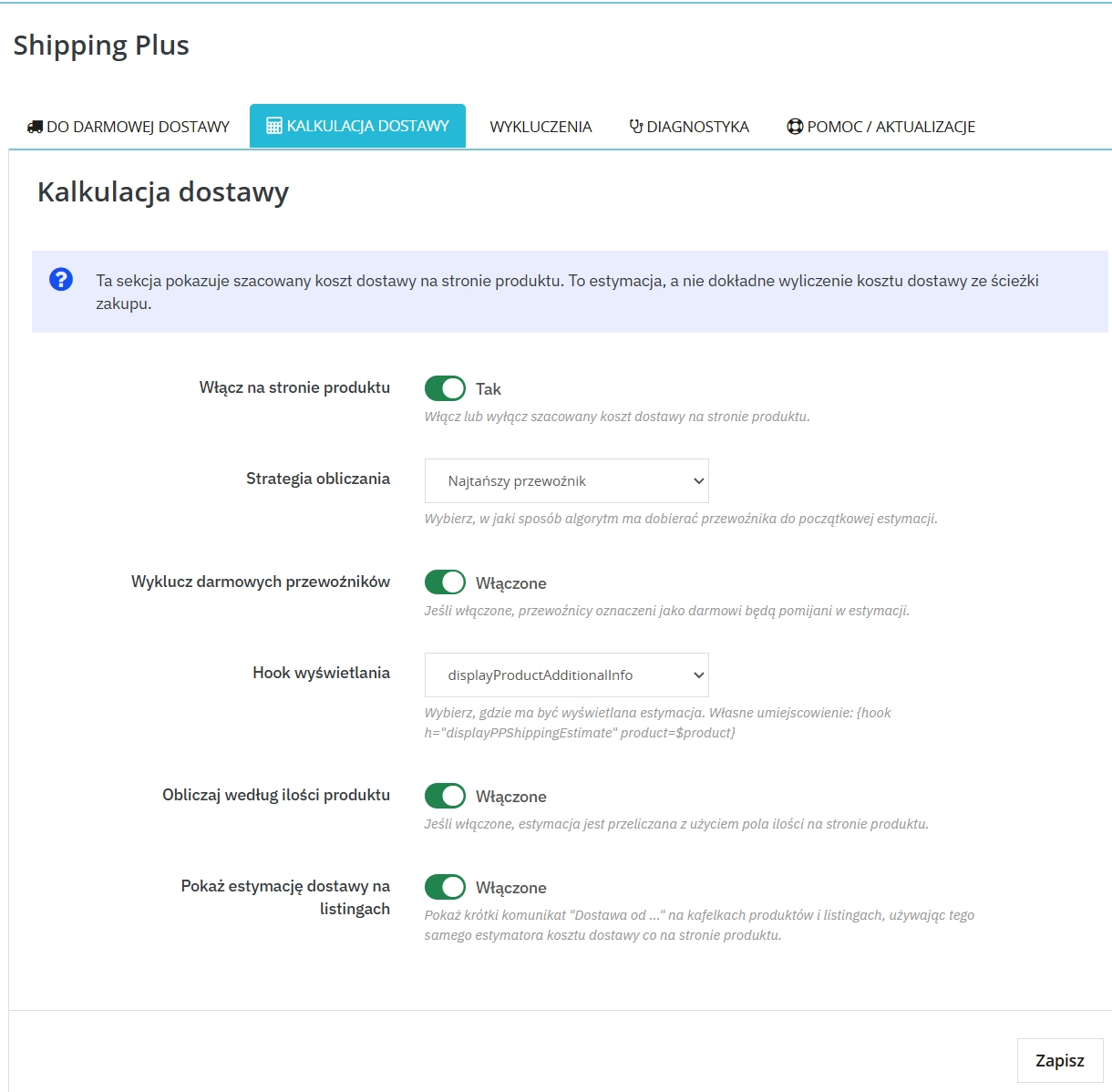
    Choose how projected delivery costs are presented on the front office by deciding whether the preview should use the default, cheapest or most expensive carrier, with the option to hide free delivery methods.

    Features – Front Office

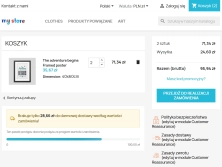
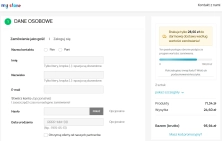
    Free shipping progress bar

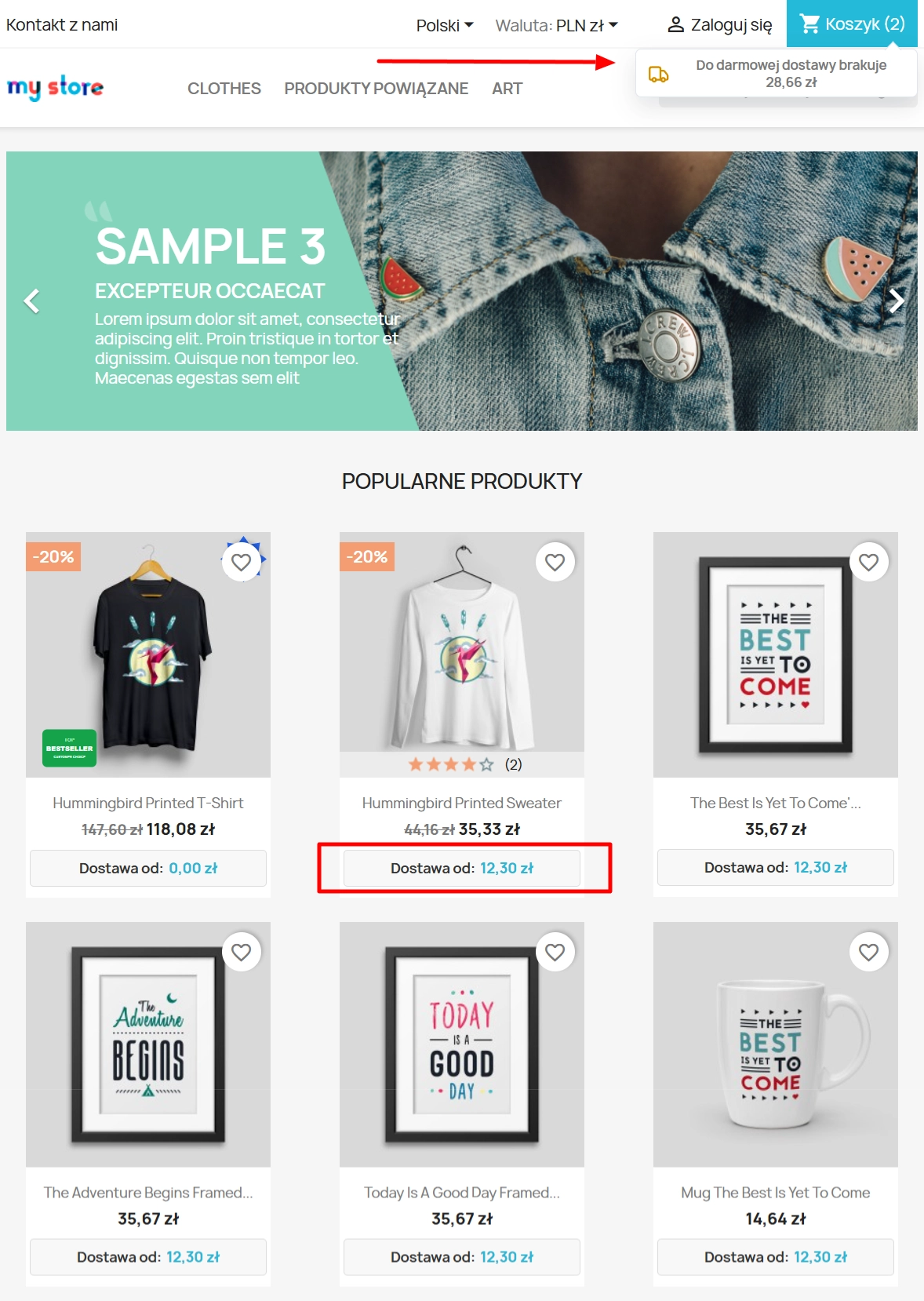
    An interactive element rendered at the most important touchpoints of the purchasing journey (displayShoppingCartFooter, displayCheckoutSummaryTop, nav panel), encouraging shoppers to add more items to the basket.

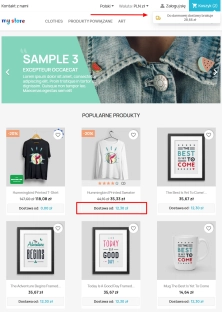
    Operational estimate on the product page

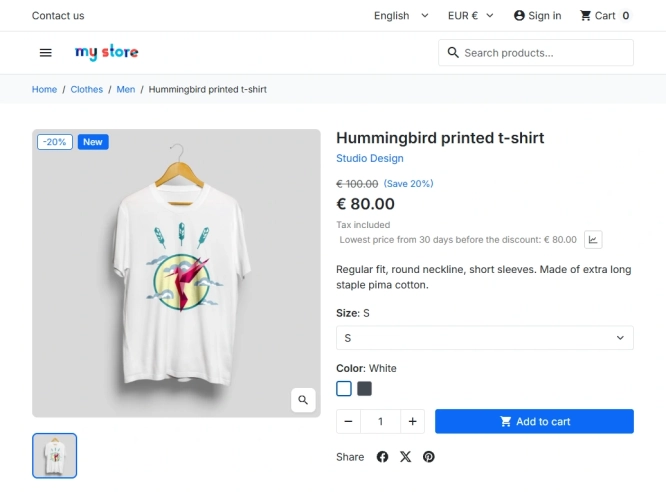
    Delivery cost guidance displayed just below the price (or near the variants), intelligently reacting to quantity changes so the estimate remains as accurate as possible.

    Multilingual notifications and statuses

    Full support for custom multilingual messages showing the remaining amount needed for free delivery (using the %amount% placeholder), followed by a smooth status update once the benefit has been unlocked.

    Impact on sales and SEO

    Implementing the module directly addresses one of the main causes of cart abandonment: uncertainty about the final order cost. Clear delivery information builds trust and makes the offer easier to assess from the first moments spent on the landing page. This transparency can measurably improve conversion rate (CR) and increase average order value (AOV) through the goal-oriented mechanics of the free shipping progress bar. Because the module does not inject heavy third-party scripts and instead relies on native PrestaShop mechanisms, it also helps preserve Core Web Vitals performance, particularly LCP, while keeping your organic visibility in Google safe.

    Please note

    Before changing native free shipping thresholds or carrying out large-scale view configuration, we recommend making a full backup first. You should also make sure that carrier charges, price ranges and weight tables have been set up correctly in the main PrestaShop configuration, as PP Shipping Plus visualises and processes those central values.

    ## [1.0.0] - 2026-03-14
    ### Added

    FAQs

    • 1. What payment methods do you accept?

      We accept payments by credit/debit card, bank transfer and online payment systems such as Przelewy24, PayPal. Details can be found on the payment page.

    • 2. Can I test the module before purchasing?

      We do not provide modules for testing on individual PrestaShop instances. If a given module has a demo version, it is available on our test store, where you can familiarize yourself with its functionality. On the product page you will also find a detailed description, screenshots and instructional materials. In case of questions, please contact us - we will be happy to provide additional information.

    • 3. Are the modules compatible with my version of PrestaShop?

      Each module in our store contains information about compatibility with specific PrestaShop versions. Please check this information carefully before purchasing. If you are not sure, contact us.

    • 4. How can I download a purchased module?

      After you pay for your order and the payment is posted, the link to download the module will appear in your account in the "Order History and Details" tab ("Details" button). Additionally, we will send you an email with a download link.

    • 5. Can I get help installing a module or template?

      Yes, we offer installation and setup service as an additional option. You can add it to your cart when purchasing the product or order it separately.

    • 6. Are the modules compliant with GDPR regulations?

      We design our modules with GDPR compliance in mind. If a module processes personal data, you will find detailed information on compliance with the regulations in its description. We make every effort to ensure that our solutions meet current data protection standards.

    • 7. Can I have my store audited before purchasing a module?

      Yes, we offer a store audit service to help you choose the right modules and identify areas for improvement. Contact us for more information.

    • 8. Can I get a discount as a regular customer?

      Yes, for our regular customers we offer a loyalty program with attractive discounts. Check the details in your customer panel. If you do not see such an option, contact us - we will be happy to help!

    • 9. What should I do if the product does not meet my expectations?

      If the product does not meet your expectations, please contact our customer service department. Any returns are considered individually, in accordance with our regulations.

    • 10. Can I modify a purchased module or template?

      Yes, you can modify purchased products for your own needs, but you cannot resell them or share them with third parties. Details can be found in the license terms and conditions.

    • 11. Can I use the purchased module in multiple stores?

      Purchased modules are licensed for a single store. The exception is the use of the multi-shop feature within a single PrestaShop installation. In this case, you can use the module on multiple stores, even with different domains, provided that:

      • all stores run on the same PrestaShop installation,
      • the module is compatible with the multi-shop feature.
    • 12. How can I check if a module will work with my other installed modules?

      Our modules are designed to be as compatible as possible with other popular PrestaShop extensions. If you have any doubts, contact us and send us a list of your modules - we will help verify it.

    • 13. Are the modules translated into different languages?

      Most of our modules are available in several languages, including Polish and English. Information about available languages ​​can be found in the module description.

    • 14. How long does it take to process an order?

      The order is fulfilled automatically after the payment is posted. The product can then be downloaded immediately after the order has been paid for.

    • 15. What to do if module installation ends with an error?

      Check if your PrestaShop version is compatible with the module and if you have the right permissions for installation. If the problem persists, contact our technical support - we will help you solve the problem.

    • 16. Can I order a module that is not available in your offer?

      Yes, we do custom module creation. Contact us for details and pricing.

    • 17. How can I extend technical support or access to updates?
      • Extension of support and updates:

        • If the option to extend support and updates is available, you can order it directly from our store.
        • Simply add the appropriate option to your cart and complete the purchase.
      • No available extension option:

        • If support and update extensions are not offered, purchasing the module again will be required.
    • 18. How long can I use the module after purchase?

      Purchased products are available for use without time limits. However, access to updates and technical support is usually limited to 6 or 12 months from the date of purchase, depending on the product. (details on updates/support are always included on the respective product card)

    • 19. Do you offer technical support for products?

      Yes, we provide technical support within the support period assigned to a given product. You can contact us via the contact form or e-mail.

    • 20. Can I update the module to a newer version?

      Yes, you can download new versions of the product for free during the support and update period. After that time, you can renew your update subscription.

    • 21. Can I ask you to adapt the module to my needs?

      Yes, we offer a module personalization service. Describe your needs and we will prepare an individual quote.

    • 22. What should I do if I have problems downloading the module?

      If you have trouble downloading the module, please make sure your payment has been processed. If you still have trouble, please contact us and we will manually provide you with the module.

    • 23. Do you offer help with store optimization after installing the modules?

      Yes, we can help you optimize your store so that your modules run at full efficiency. Ask about our technical support service.

    • 24. What does the module update process look like?

      If the module requires an update, you can download the latest version from your client panel. We recommend backing up your store before updating.

    • 25. Can I change the domain on which the module runs?

      Yes, if you want to transfer the module to another domain, please contact us to discuss the details and conditions of the license transfer.

    • 26. What should I do if my store stops working after installing the module?

      If your store encounters problems after installing the module, please contact our technical support immediately. We will help diagnose and resolve the issue.

    • 27. Can I ask for advice in choosing a module?

      Of course! Contact us and we will advise you which module best suits your needs.

    Do you need additional features or custom solutions?

    • Module customisation tailored to your specific requirements.
    • Extending functionality to enhance your store's capabilities.
    • Developing bespoke modules designed to meet your unique needs.
    • Integrating external systems and additional tools.
    • Optimisation and improvements for better performance and user experience.

    Do you have ideas on how to improve this software? Share your suggestions for optimisation, new features, or bug reports – we’ll be happy to review them!