PrestaShop Schema Pro - Rich Snippets & SEO Booster

PP-M008
SEO & Optimization
1.7.6.x + | 8.x | 9.x
EN, FR, IT, DE, PL
  • 1.5.1
  • 2026-03-02
  • Grade

    Rich Results + AI = dominate search results and increase sales in PrestaShop! Automatic JSON-LD generator with full support for more than 15 Schema.org types, including extended Product Schema, Shipping & Returns, FAQ, How-To and LocalBusiness. Gain stars in Google, save time on manual configuration, and adapt your store to the era of AI-powered search engines. Compatible with PS 1.7 - 9.x, Multi-shop ready!

    89.70 € Tax excluded

    Enter your store domain

    event Important: Domain change possibility expand_more

    If the module will be tested, enter a test domain during purchase.

    You will report the change to a production domain later.

    In case of an incorrectly entered domain, please contact us as well.

    Changing the domain to a production one is possible once and requires reporting within 3 days of starting its use.

    Reports: shop@prestapremium.com

    In the content, provide:

    • order number
    • product name
    • current domain
    • new domain

    Details

    Additional services:

    Installation +29.10 €

    Store Administration Back office demo

    Information Parameters:

    • 1.5.1
    • 2026-03-02
    • 1.7.6.x + | 8.x | 9.x
    • EN, FR, IT, DE, PL
    • demo.admin.shop

    PrestaShop Schema Pro - Schema.org Structured Data Module

    The module automatically generates Schema.org structured data in JSON-LD format for PrestaShop stores, enabling Rich Snippets to appear in Google search results by adding the markup to the <head> section of pages.

    Key module features

    • More than 15 JSON-LD schemas in a single module, including extended Product Schema for e-commerce
    • Ready for the AI era - structured data helps search engines and AI assistants understand your store offer more accurately
    • Built-in Schema Scanner for detecting existing markup and limiting duplicate JSON-LD
    • Compatible with PrestaShop 1.7 - 9.x with support for Multi-shop environments
    • Automated deployment without manually building Schema.org markup for each page
    AI-friendly: The module generates structured JSON-LD optimised for automated processing. This makes safe and consistent integration with AI-based tools easier, such as recommendation systems, personalisation engines, semantic search solutions, and AI assistants. As a result, your store offer has a better chance of being interpreted correctly and presented attractively in AI-generated answers as well.

    How the module works - step by step

    Important note: The module integrates automatically with the PrestaShop system, allowing configuration without deep technical knowledge.

    Step 1: Installation and automatic registration

    After installation, the module automatically registers itself in PrestaShop. All structured data are added to the <head> section of every store page as <script type="application/ld+json"> tags.

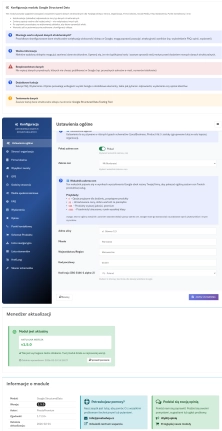
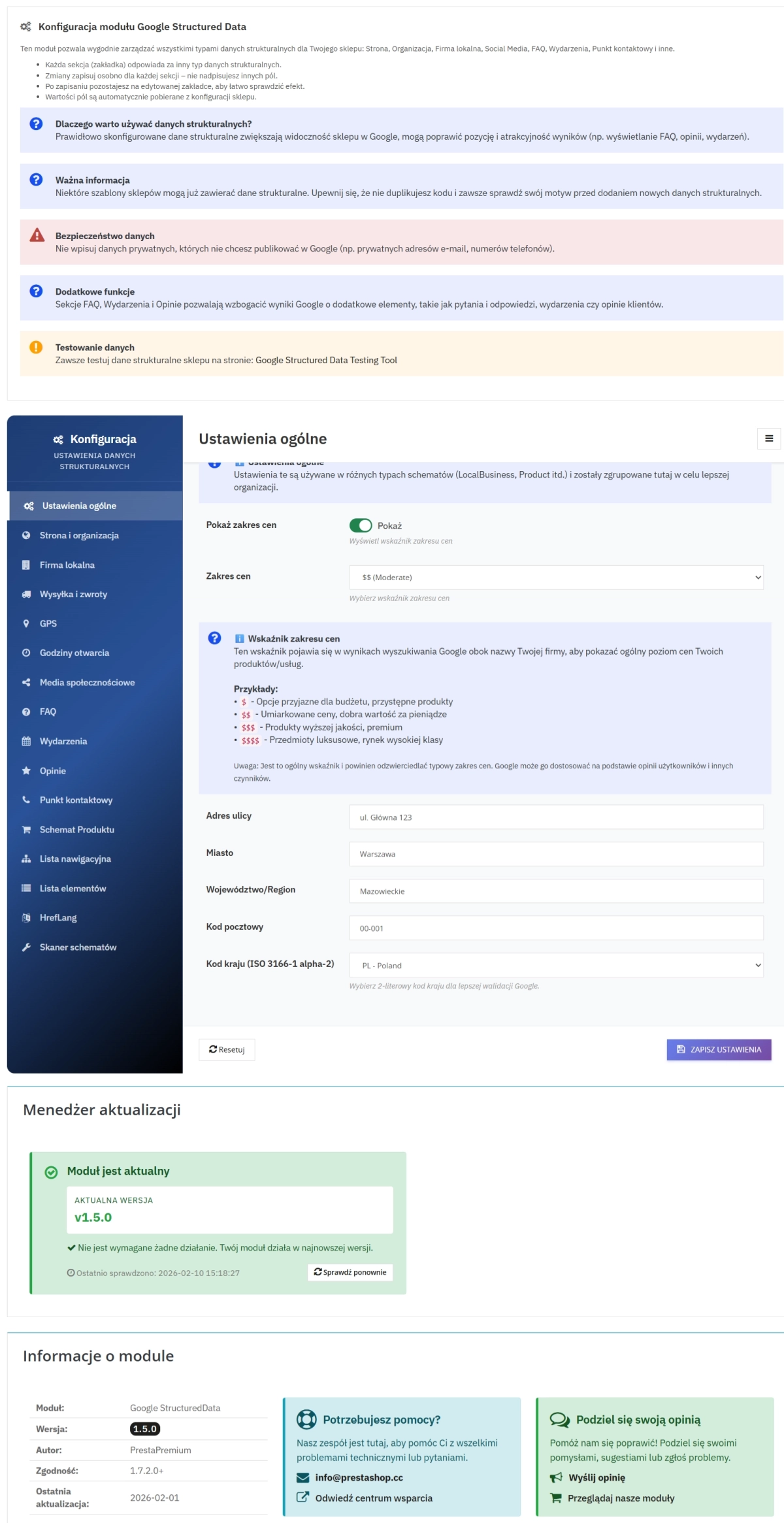
    Step 2: Configuration through an intuitive panel

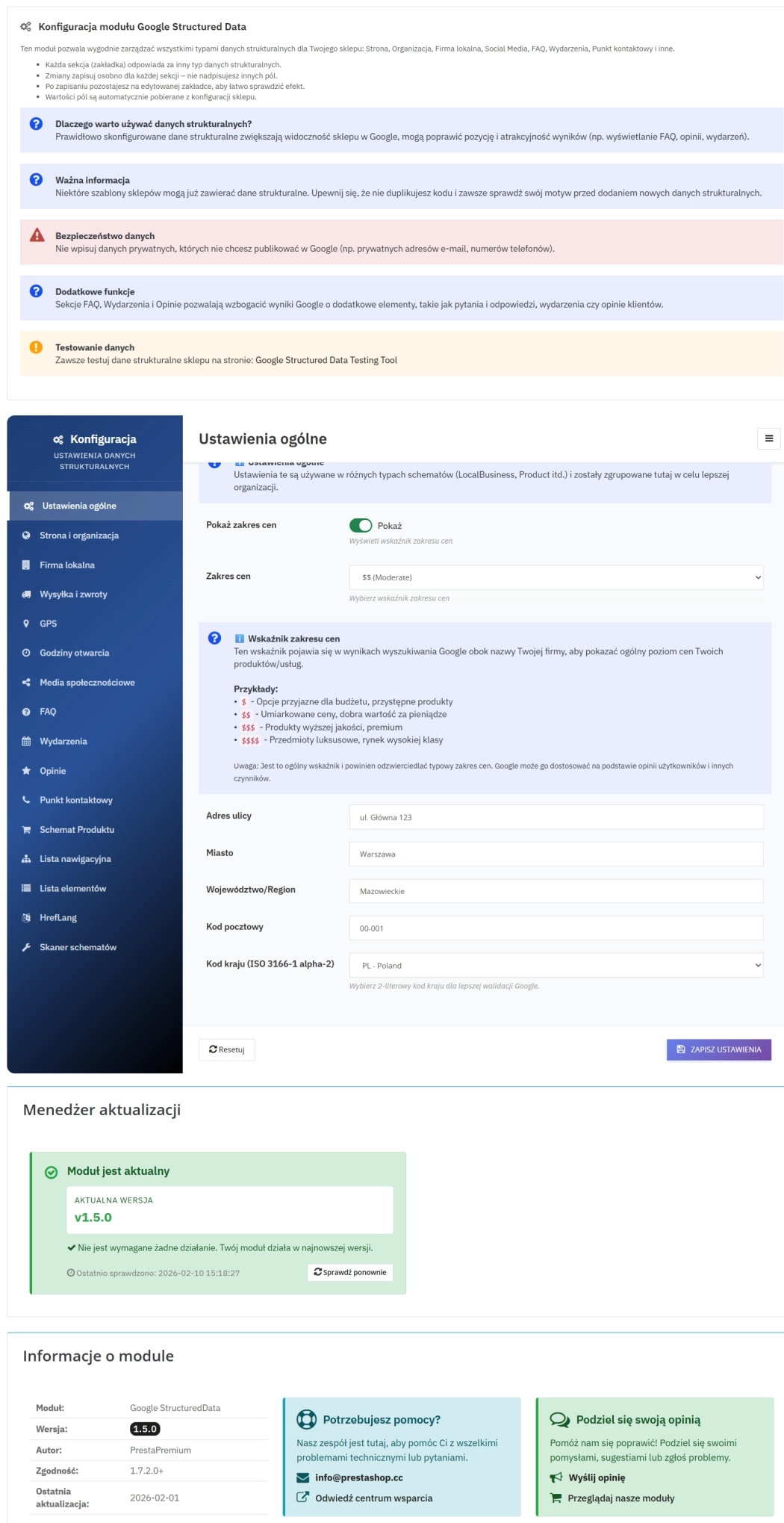
    The module offers more than 15 configuration tabs grouped by topic. Each tab contains dedicated forms for entering schema-specific data.

    Step 3: Automatic JSON-LD generation

    The module processes the entered data and generates valid JSON objects compliant with Schema.org standards. Built-in validation ensures the correctness of all data structures.

    Step 4: Display in search results

    Google indexes the structured data and can display them as Rich Snippets - enhanced results with star ratings, prices, availability, and other elements.

    Complete set of Schema.org schemas and extensions

    The module provides full support for both core and advanced Schema.org schemas. Below you will find an overview of the available schemas, ordered from the most important for an e-commerce store to the blocks that support technical SEO and module management.

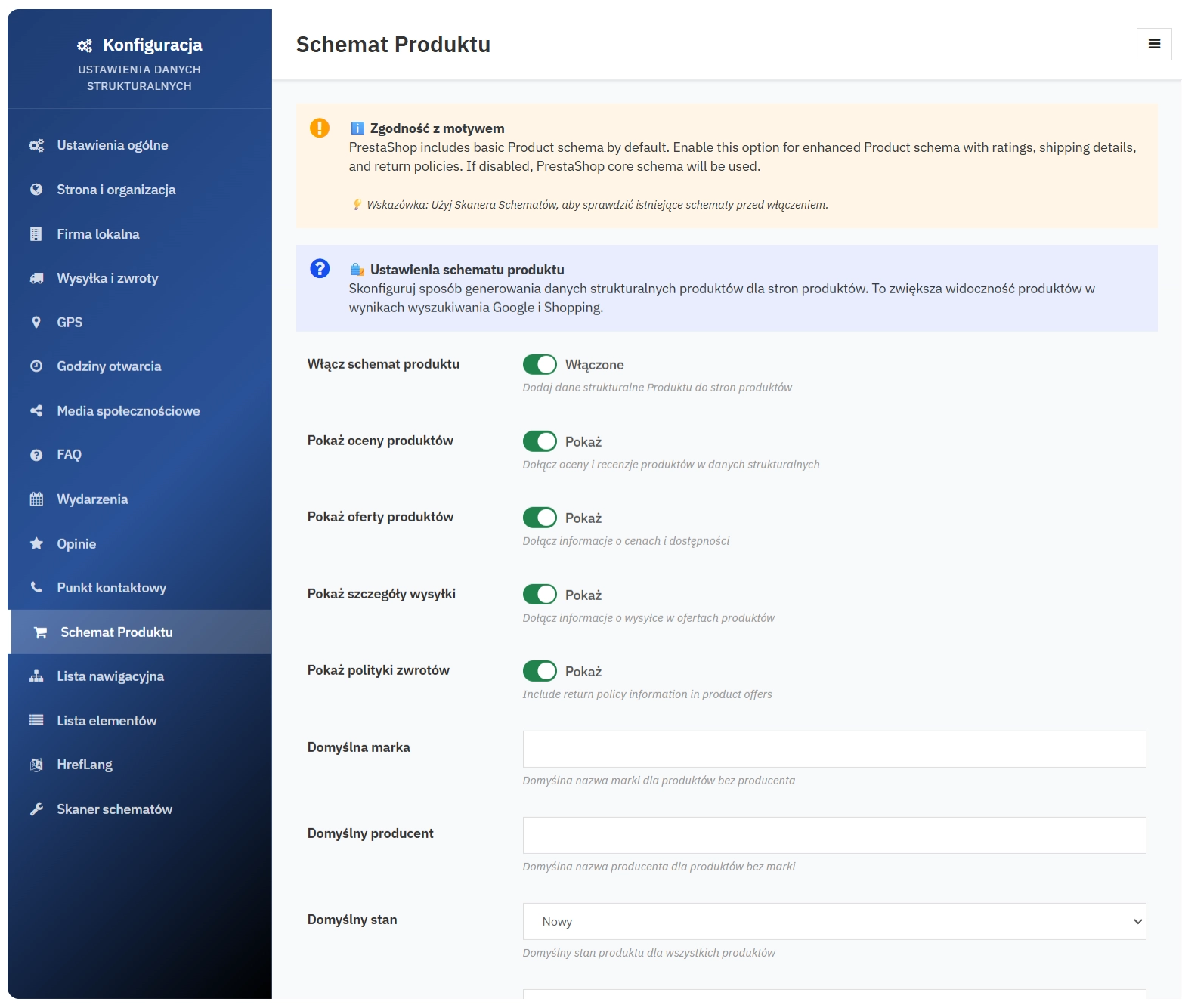
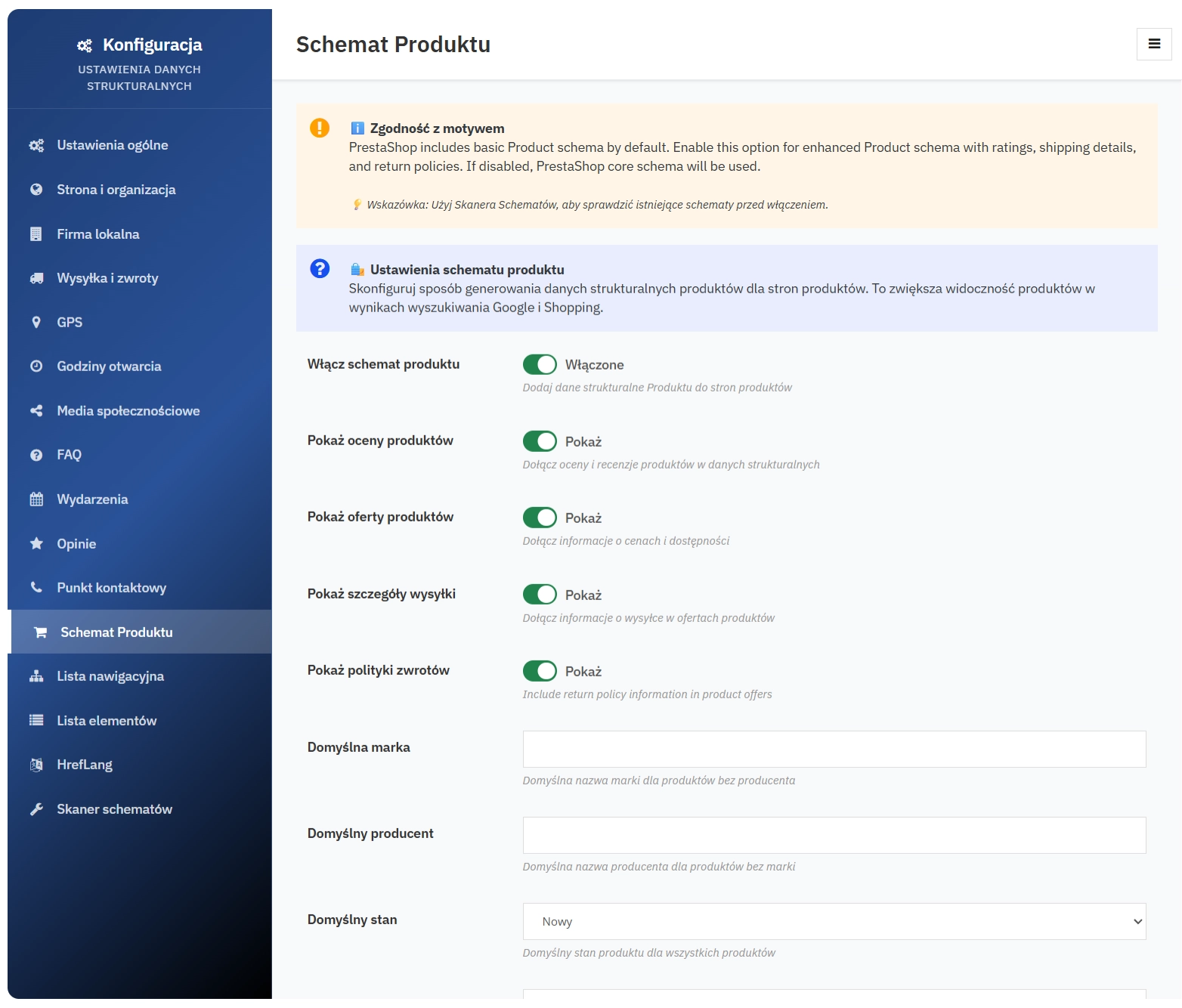
    1. Product Schema (extended)

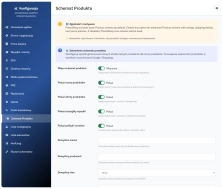
    The most important schema for e-commerce. Full control over product data, useful for online stores:

    • Basic product data (name, description, category, image, URL)
    • Product identifiers (SKU, MPN) and product weight
    • Ratings and reviews (average score, review count, review details) - integration with the native PrestaShop Product Comments module
    • Offers (price, currency, price validity date, availability, seller)
    • Shipping information including cost and handling/delivery time
    • Returns policy linked to the product
    • Brand and manufacturer as well as item condition (e.g. new, used)

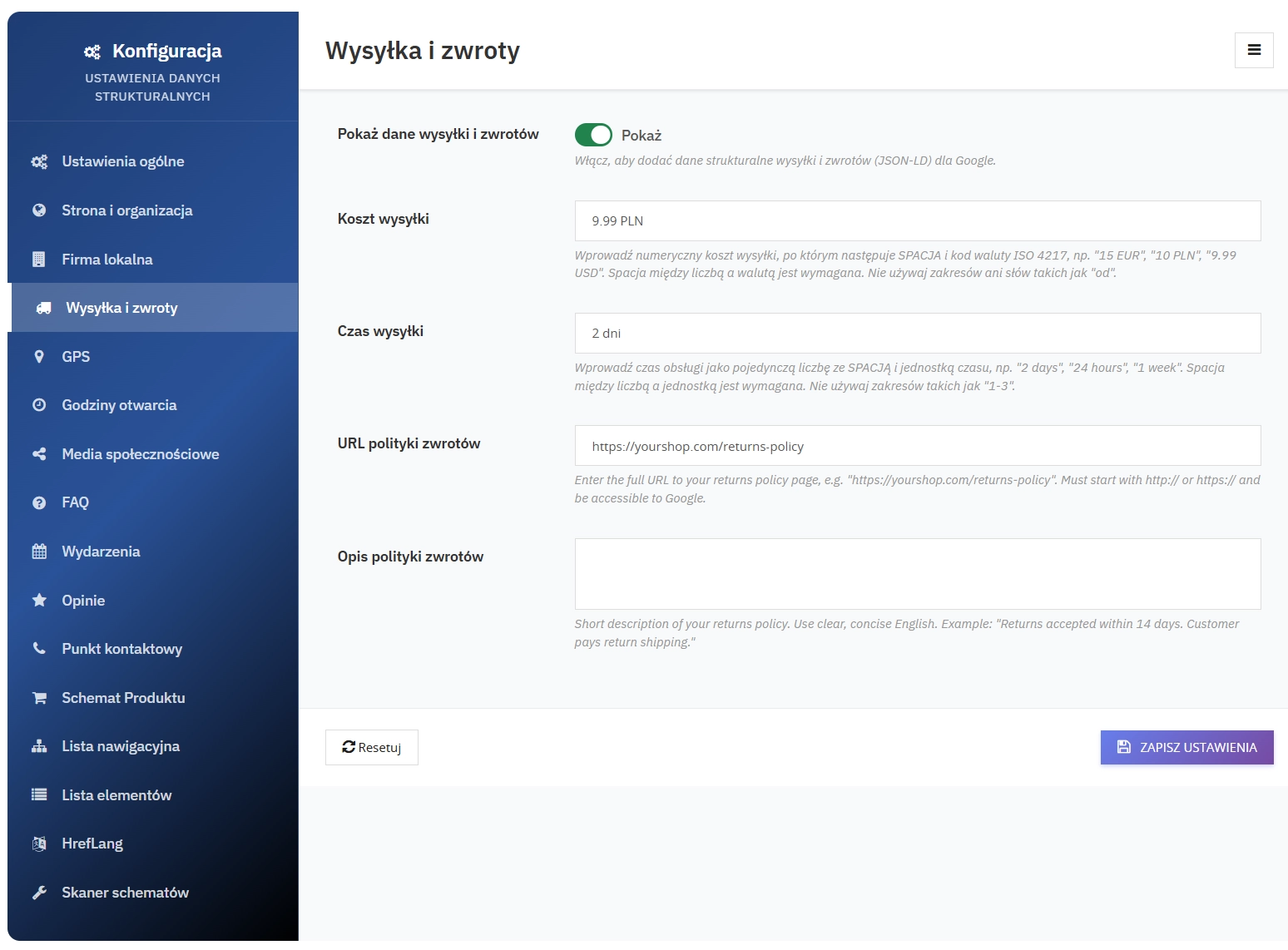
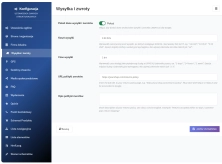
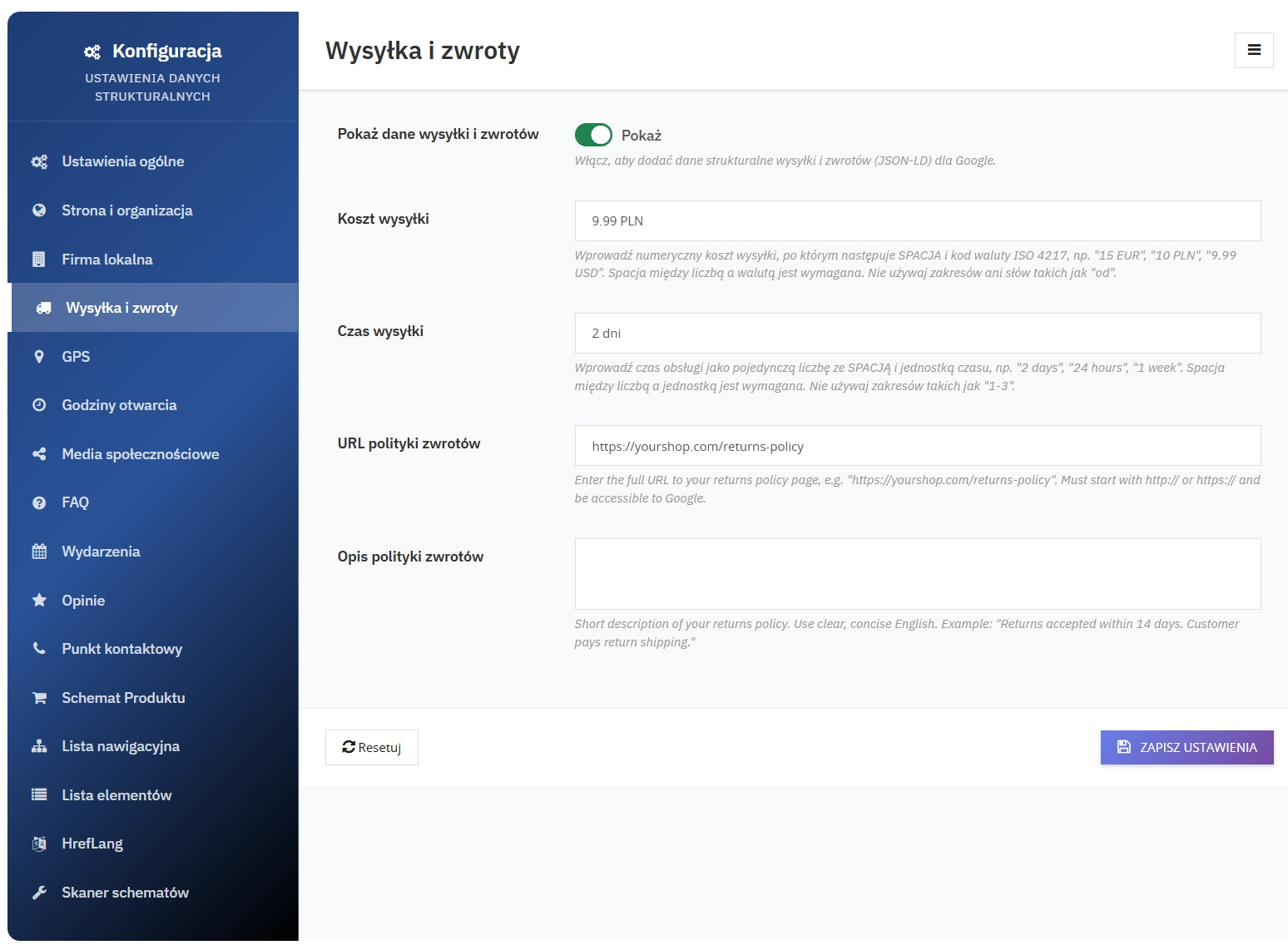
    2. Shipping & Returns Schema

    Delivery and returns information that is crucial for customer purchase decisions:

    • Shipping cost with currency
    • Delivery time (e.g. 1-3 days)
    • Returns policy URL
    • Description of return conditions
    • Delivery country

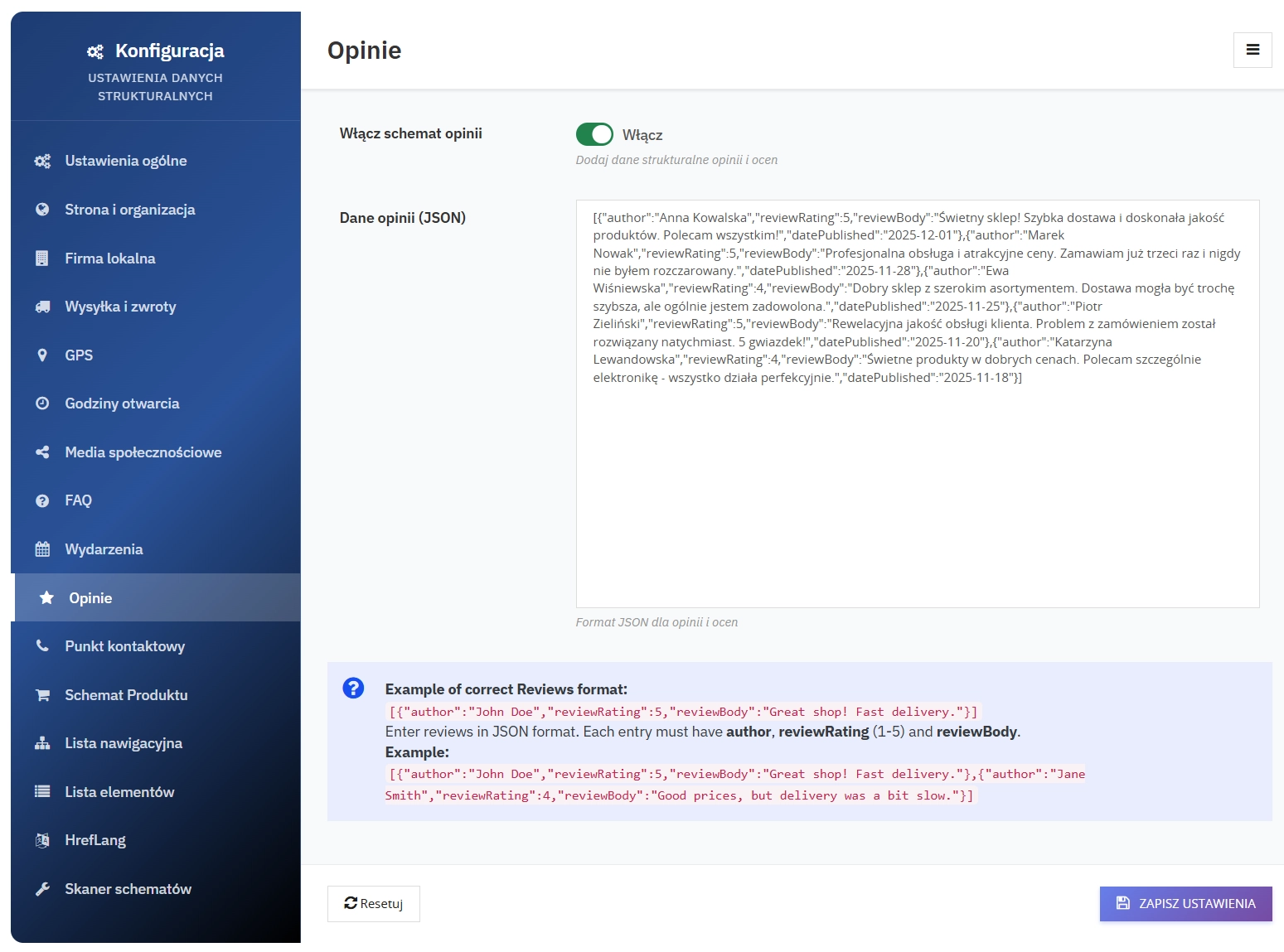
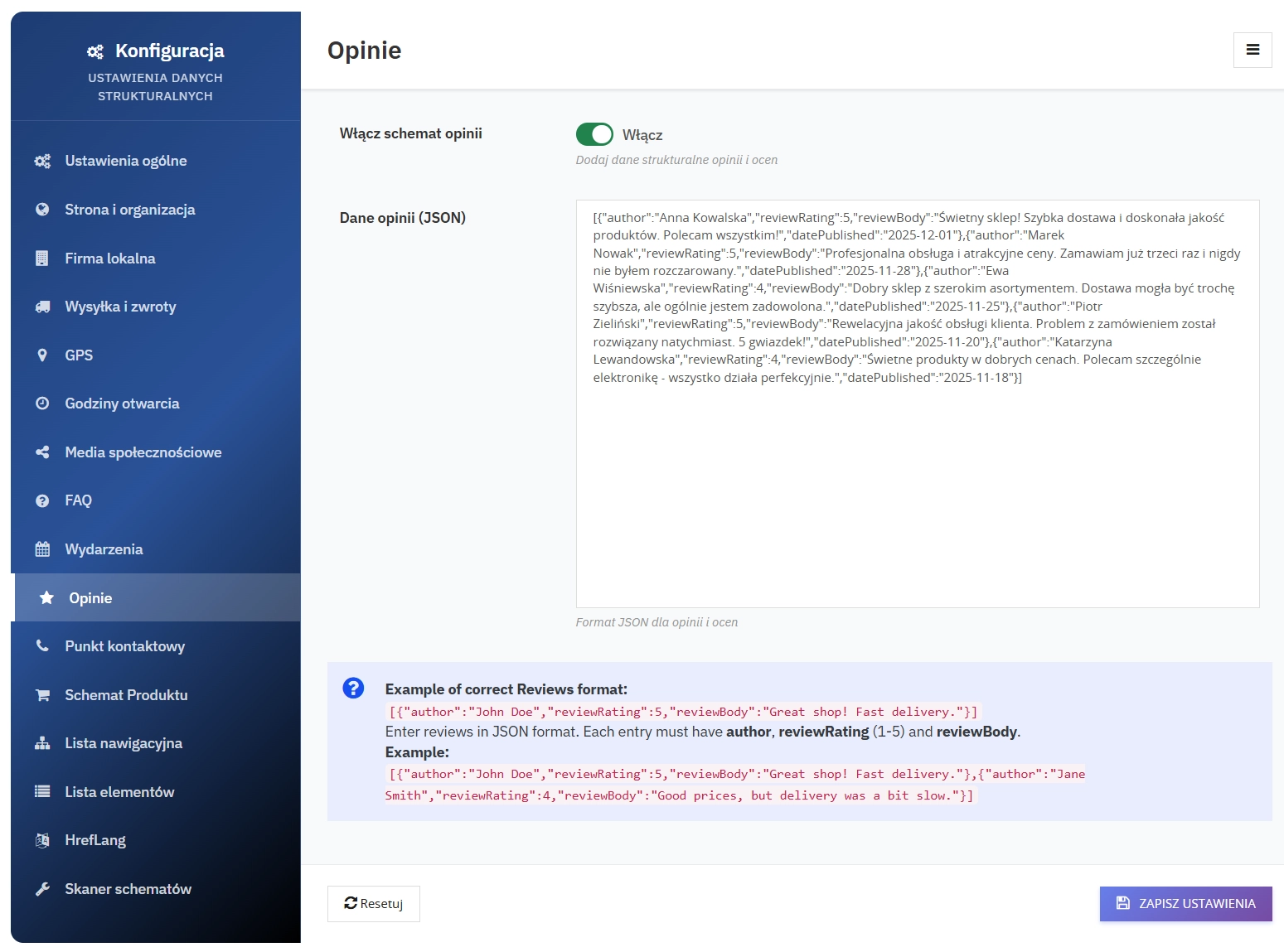
    3. Reviews Schema

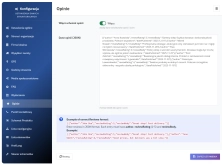
    Reviews and ratings for products or services that build trust and support star-based Rich Snippets:

    • Review author
    • 1-5 star rating
    • Review content
    • Publication date
    • Review language
    • Rich Snippets with star ratings in search results

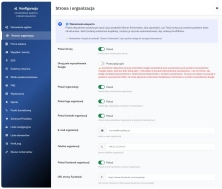
    4. Website & Organization Schema

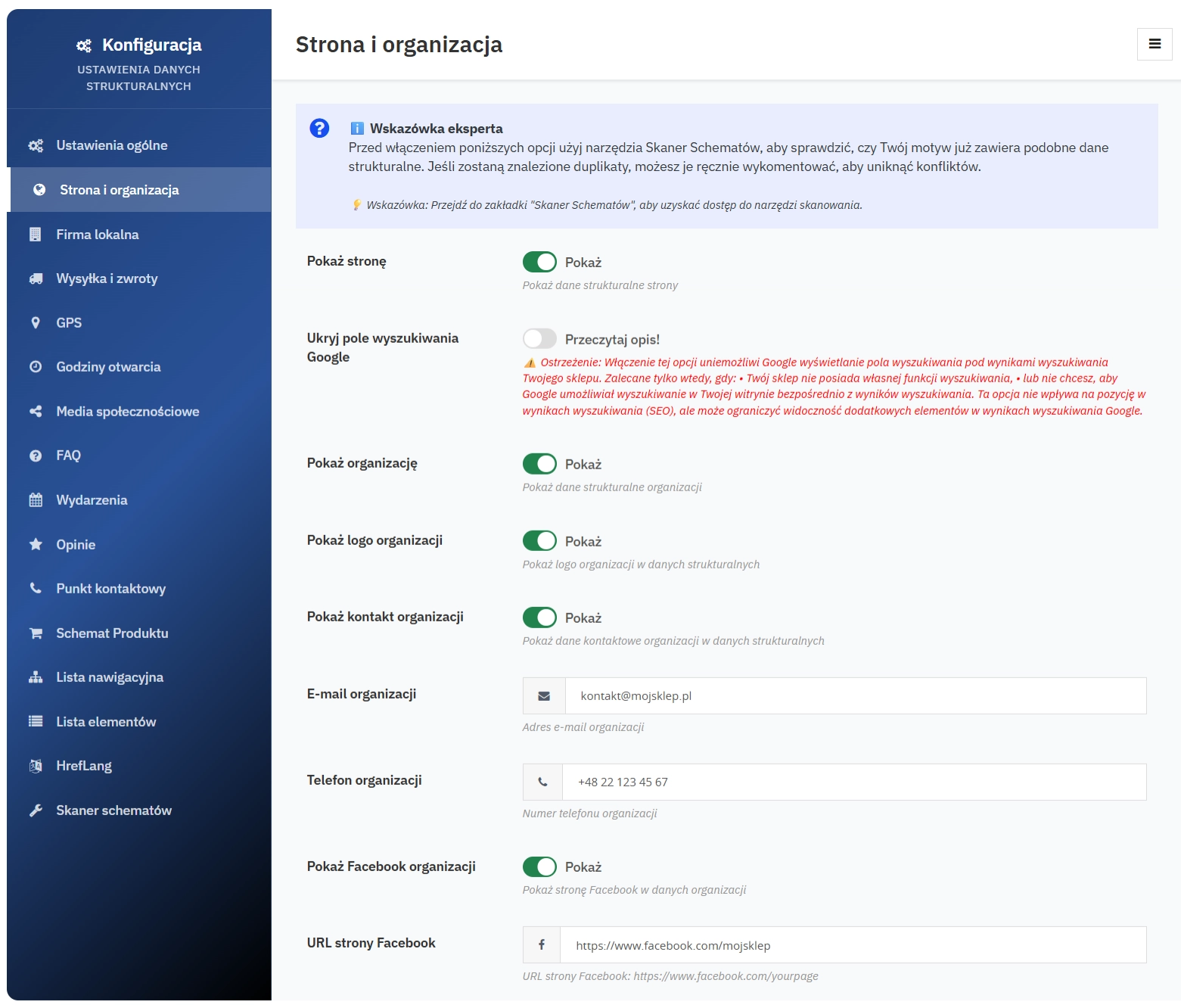
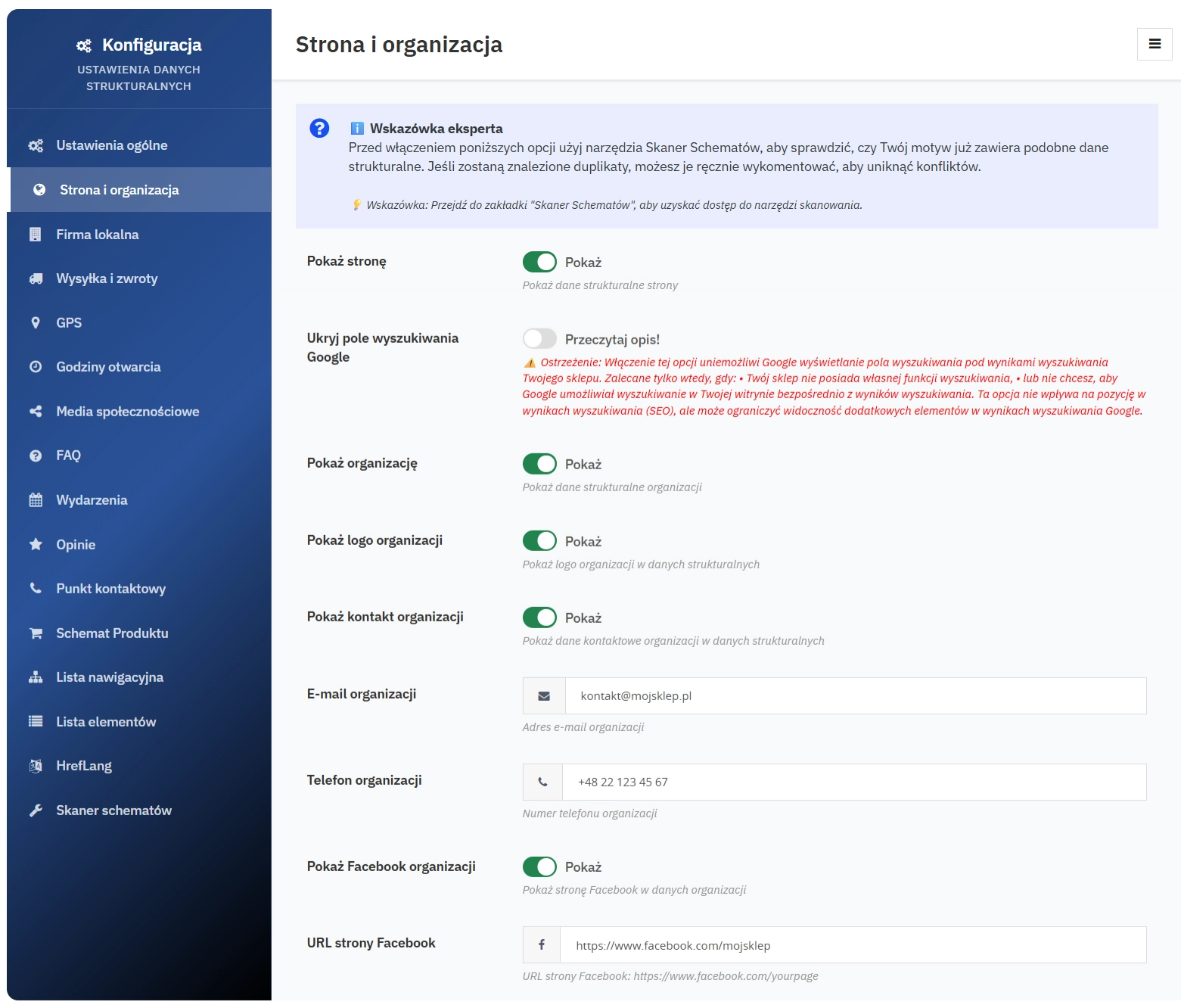
    Defines the site as a website together with organisation information. Includes:

    • Company name and description
    • Organisation logo
    • Contact details (phone, email)
    • Social media profiles
    • VAT ID and other identifiers

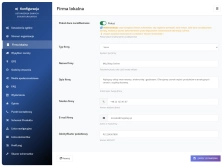
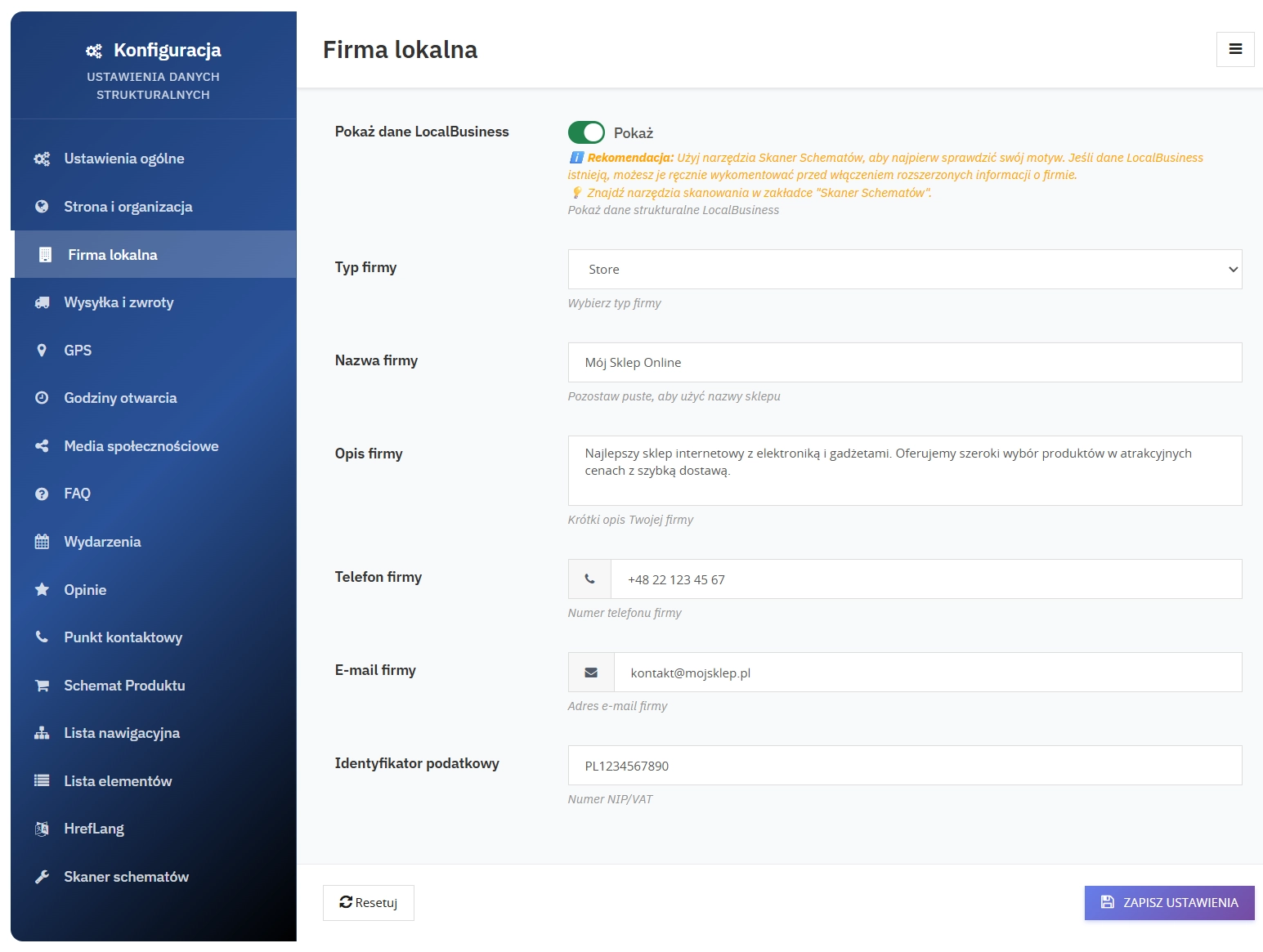
    5. LocalBusiness Schema

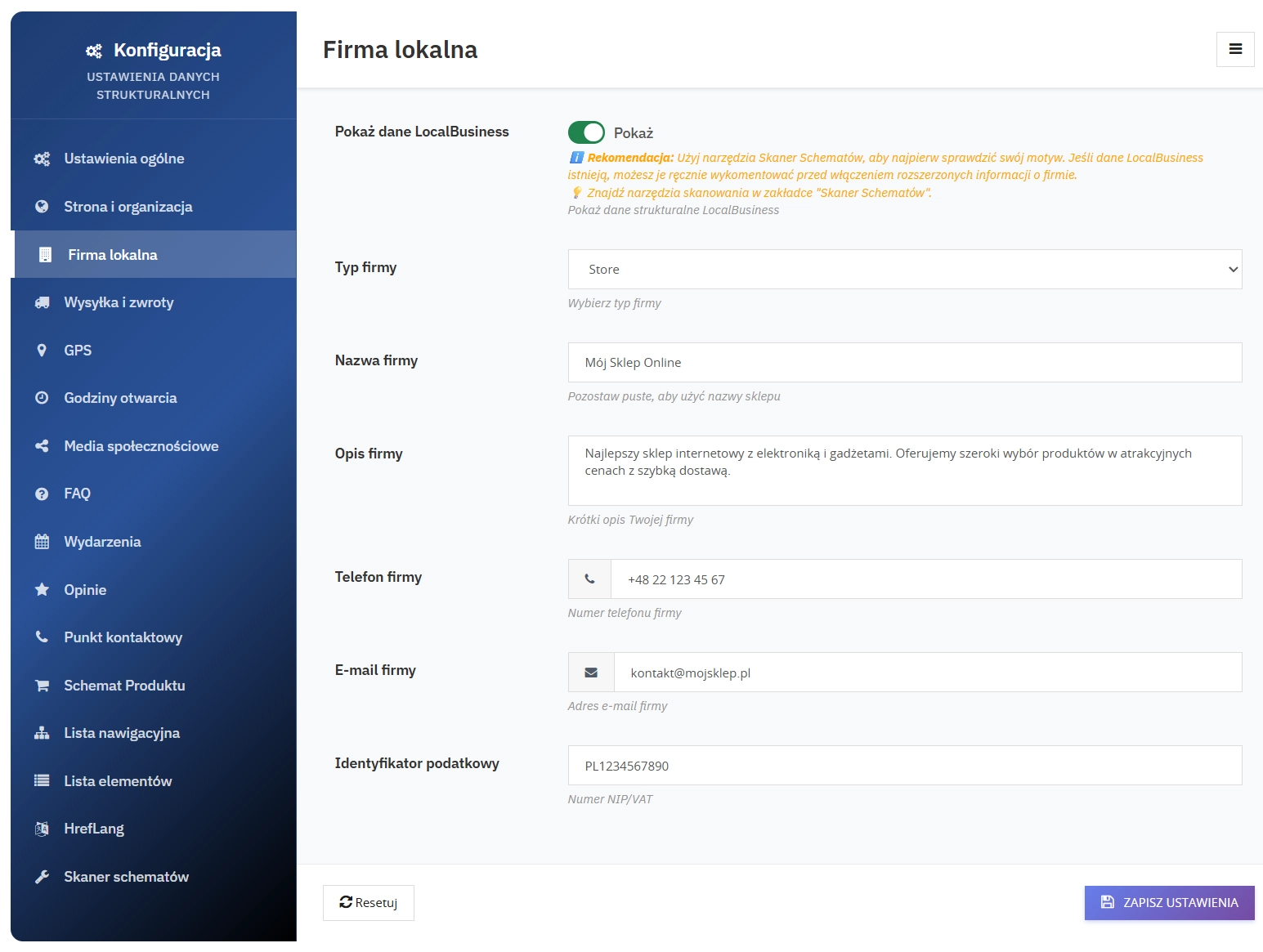
    Complete local business data for physical shops and delivery businesses:

    • Business type (Store, Restaurant, etc.)
    • Full address with postcode and country
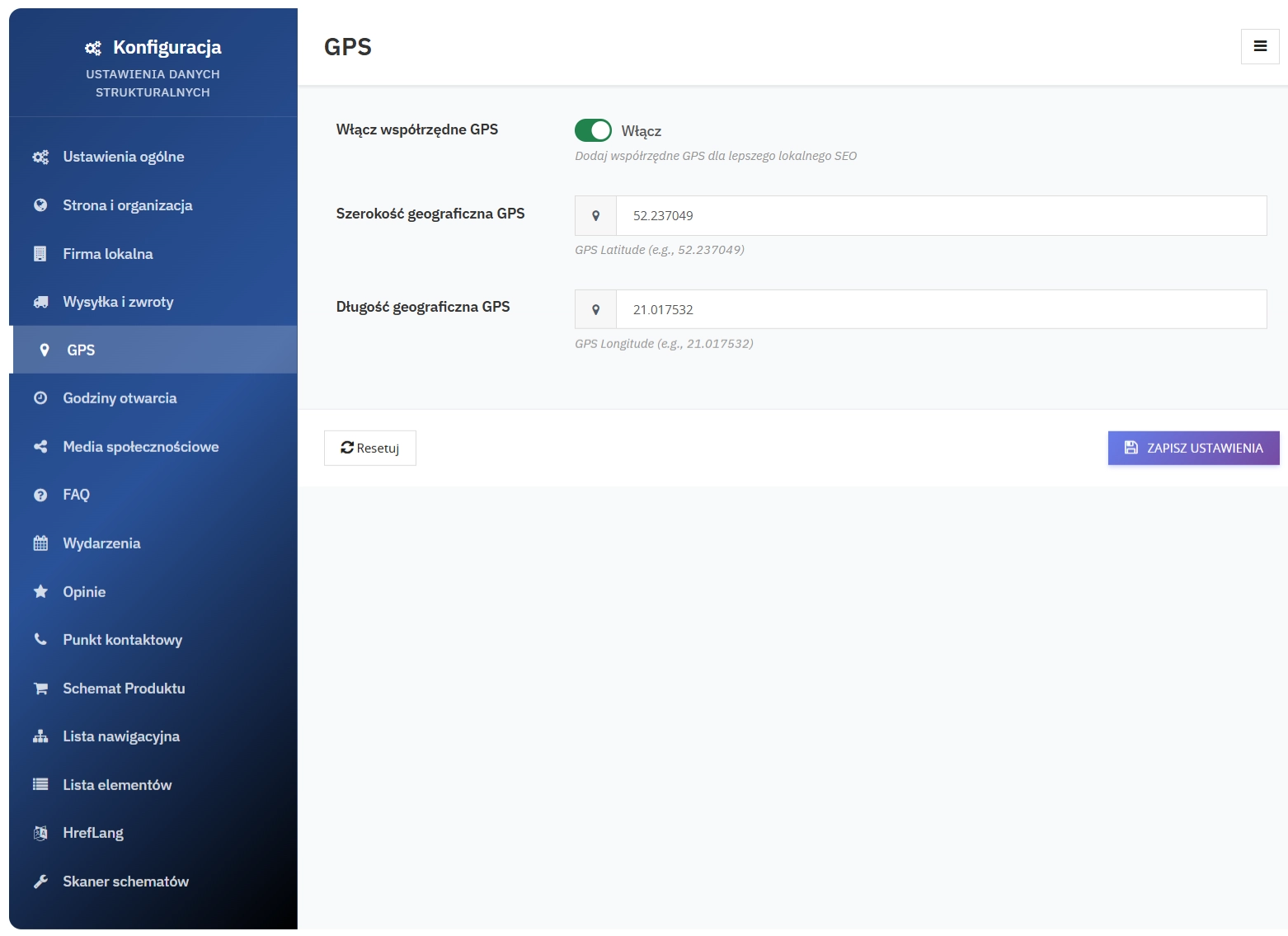
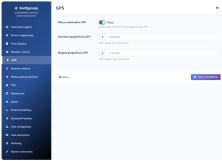
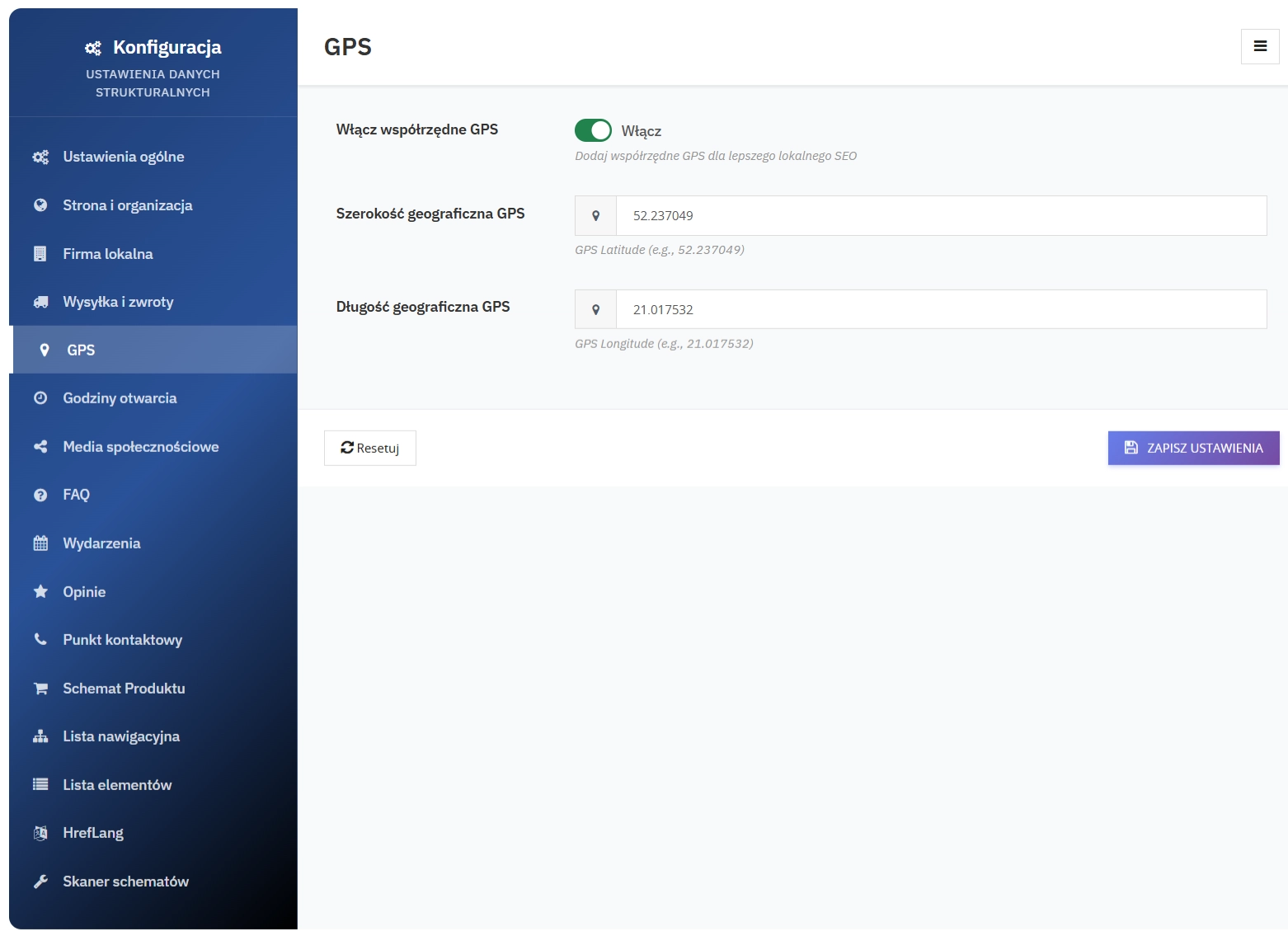
    • GPS coordinates for Google Maps
    • Price range ($, $$, $$$)
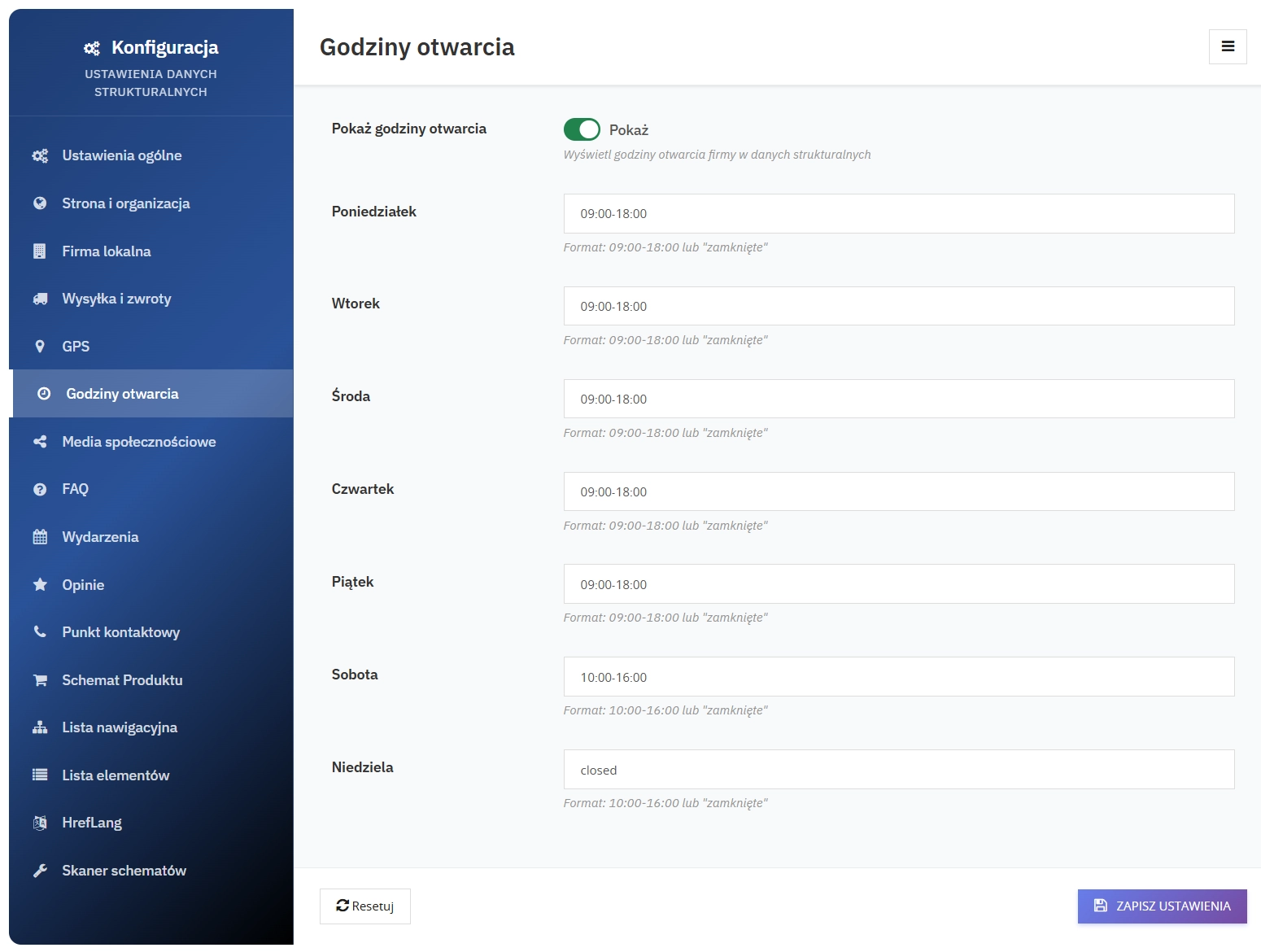
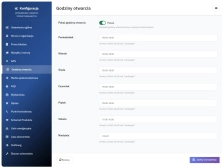
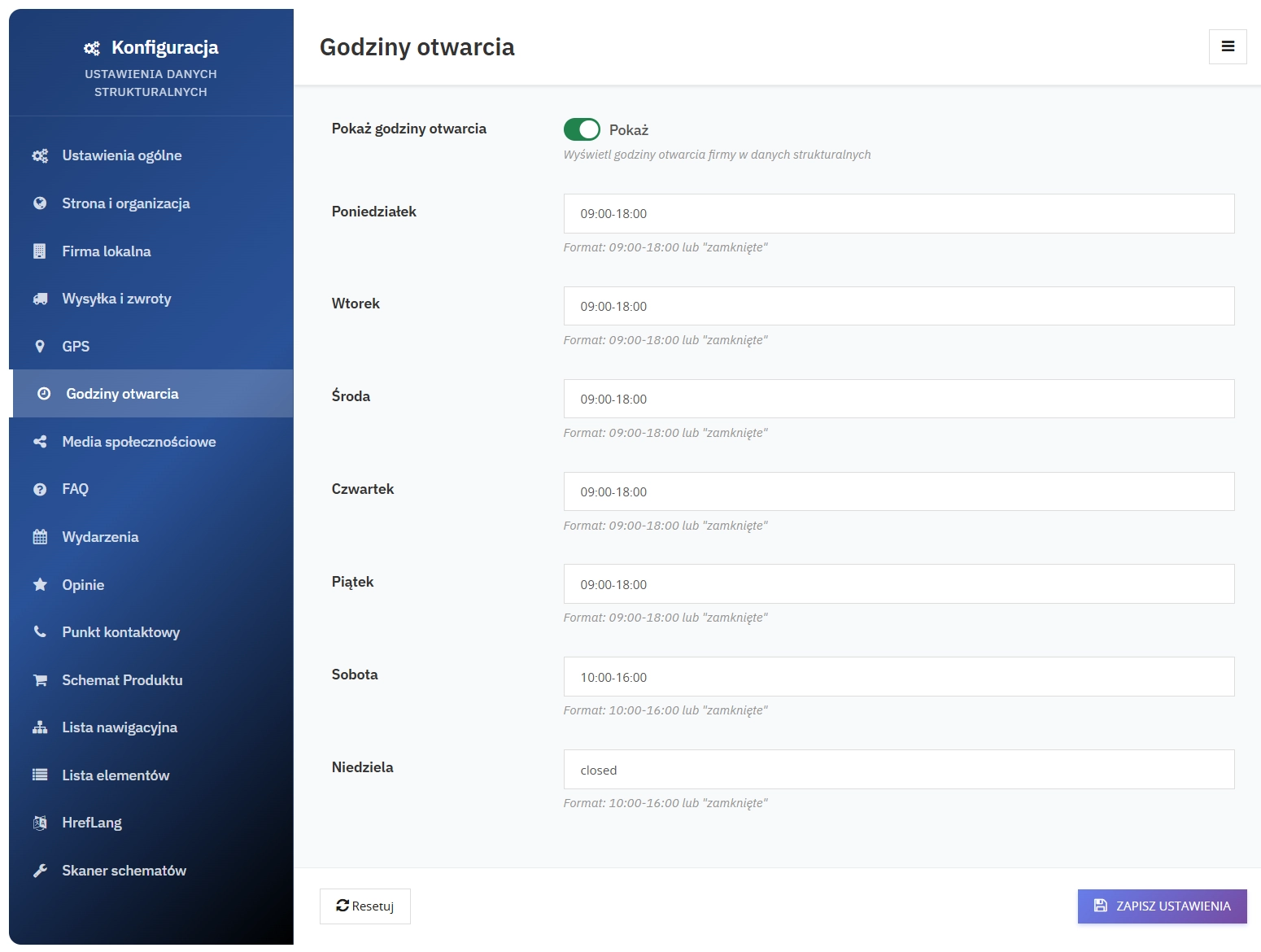
    • Opening hours for each day of the week
    • Accepted payment methods

    6. FAQ Schema

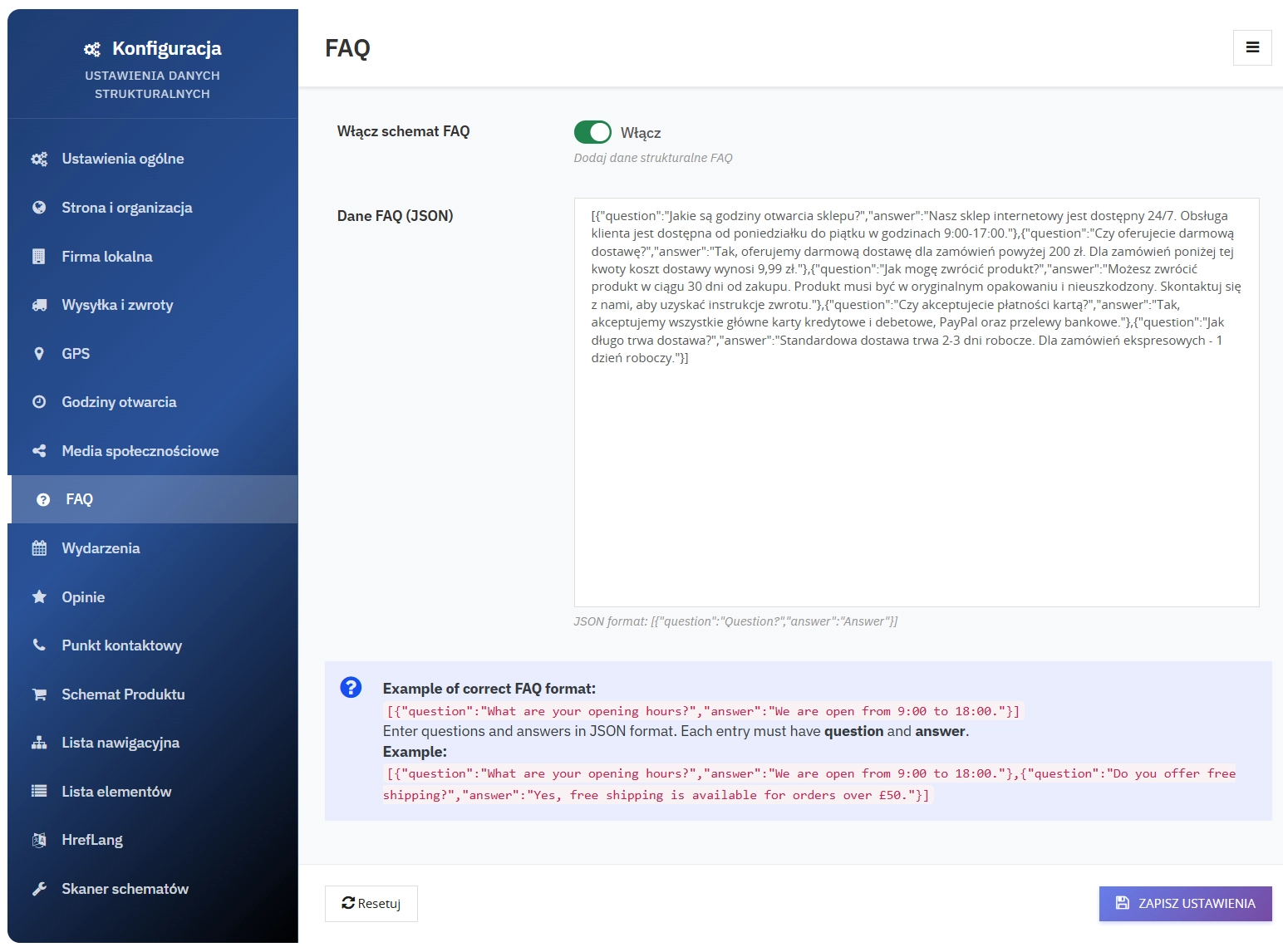
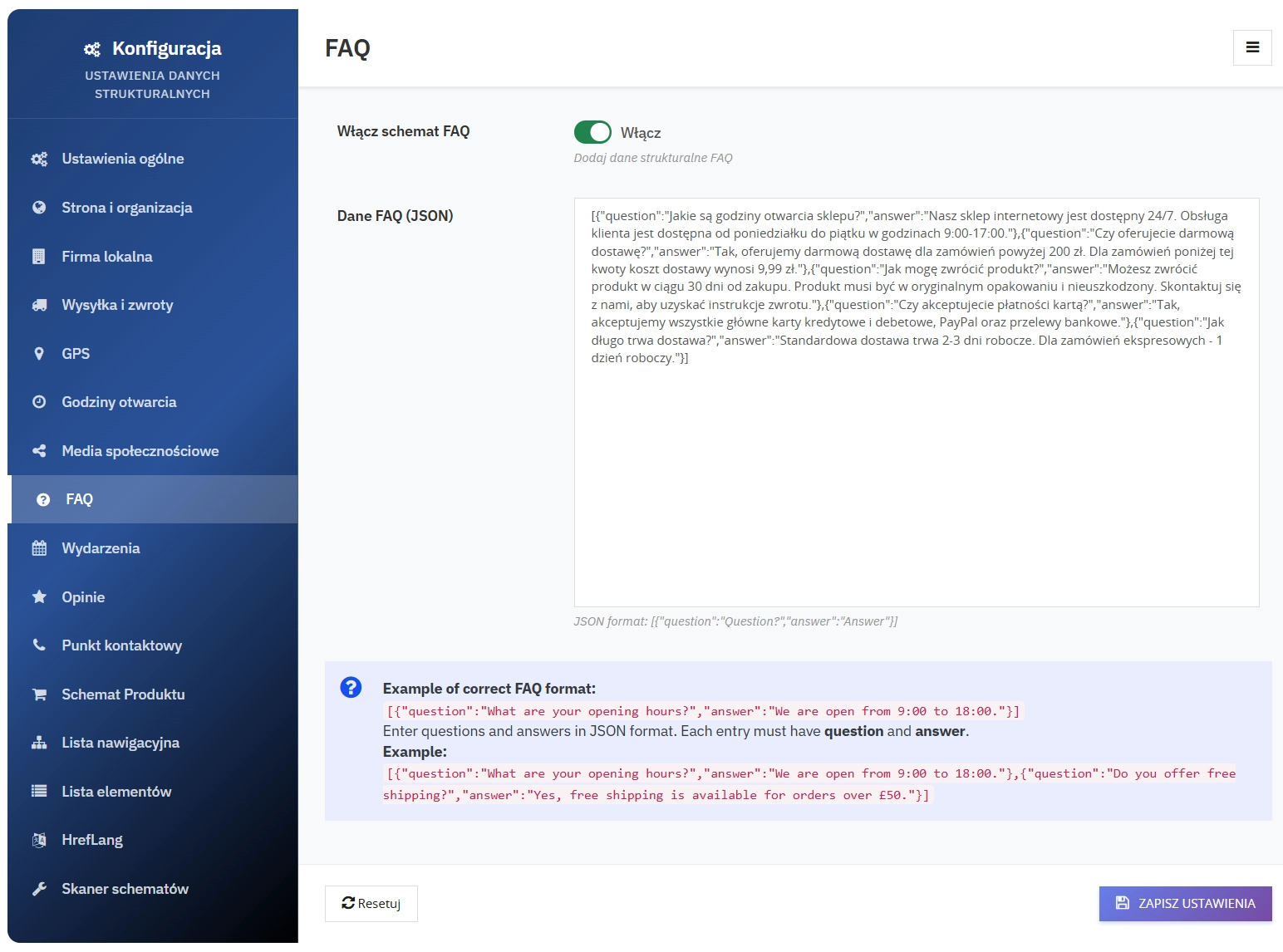
    Questions and answers displayed in search results, increasing result coverage and the chance of a click:

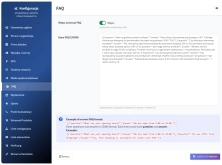
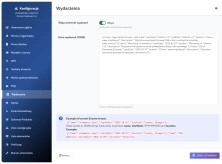
    • JSON format for easy editing
    • Structure validation - checks question-answer pairs
    • Rich Results - expandable questions in Google
    • SEO-friendly - answers to popular questions

    7. How-To Schema

    Add structured step-by-step instructions to increase the visibility of guides, tutorials, and educational content in search results:

    • Instruction title and description
    • Steps (sequence with description, timing, and optional illustrations)
    • Completion time and safety guidance
    • Editable JSON and automatic mapping to JSON-LD

    8. Opening Hours Schema

    Detailed opening hours that support better indexing of local business data:

    • Separate settings for each day of the week
    • 24-hour format (09:00-18:00)
    • Closed option for non-working days
    • Automatic validation of time format

    9. Social Media Schema

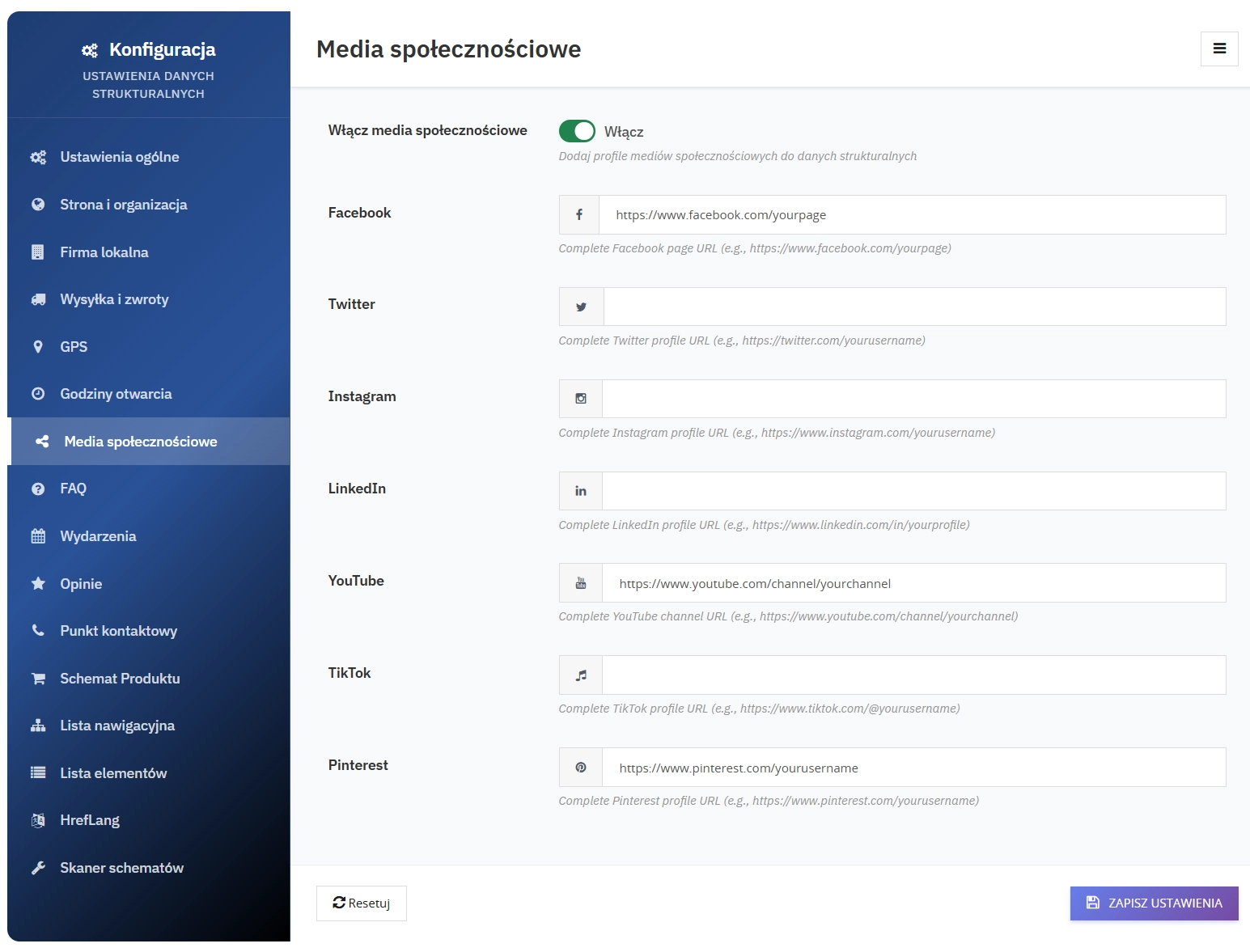
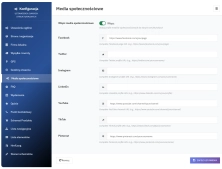
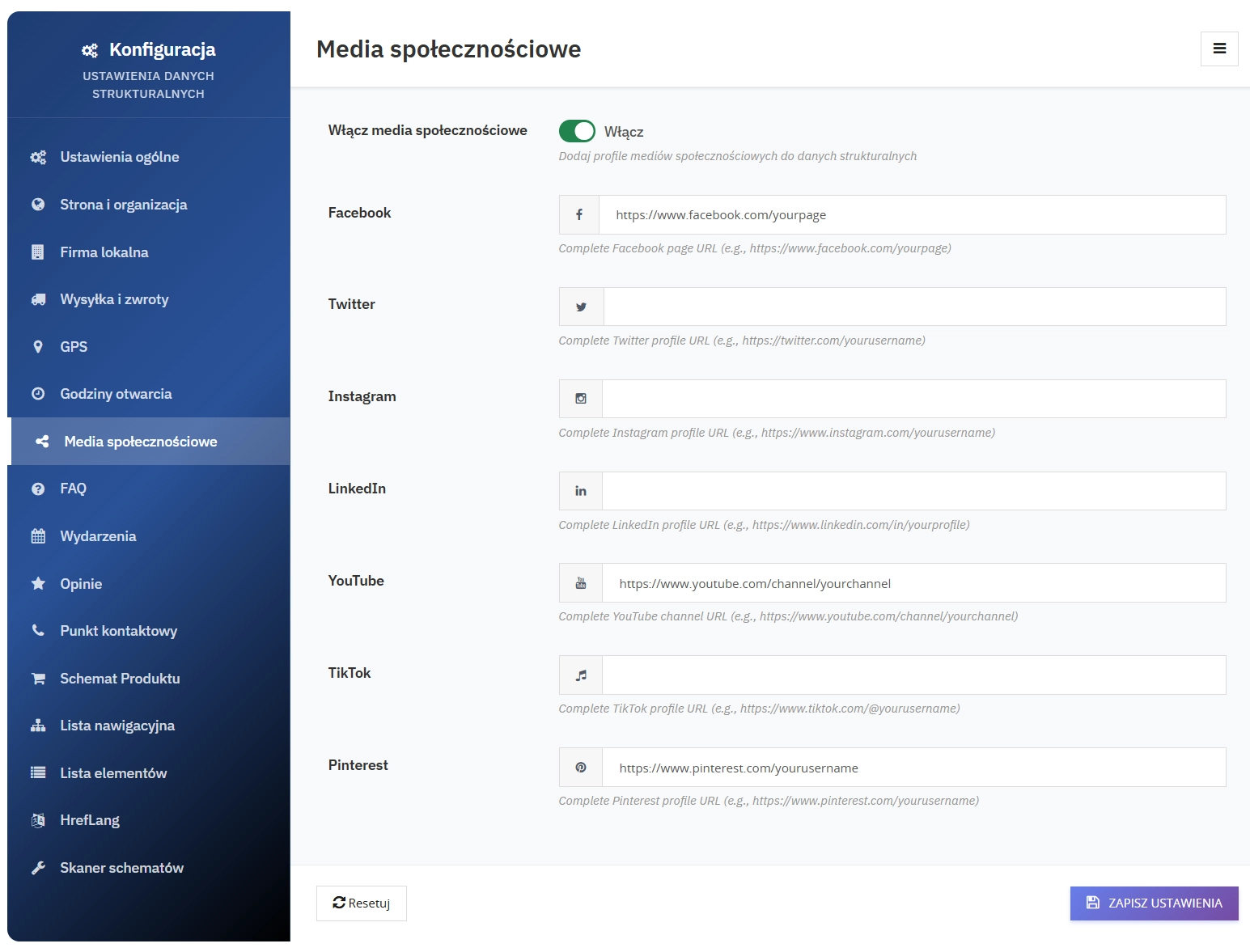
    Complete social media profiles:

    • Facebook - company page
    • Twitter - company profile
    • Instagram - business account
    • LinkedIn - company page
    • YouTube - video channel
    • TikTok - company profile
    • Pinterest - company profile
    • Automatic linking in the Organization Schema

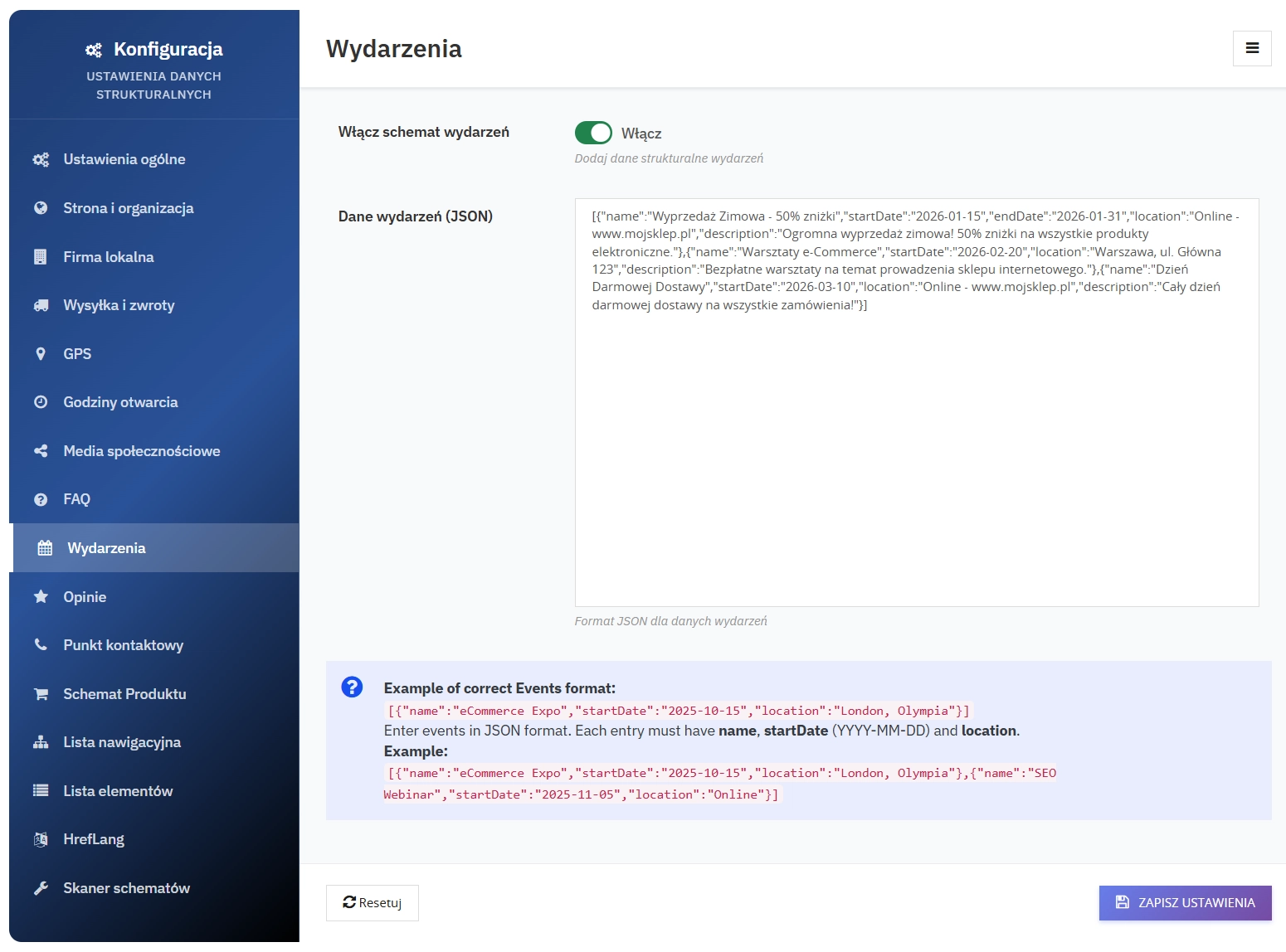
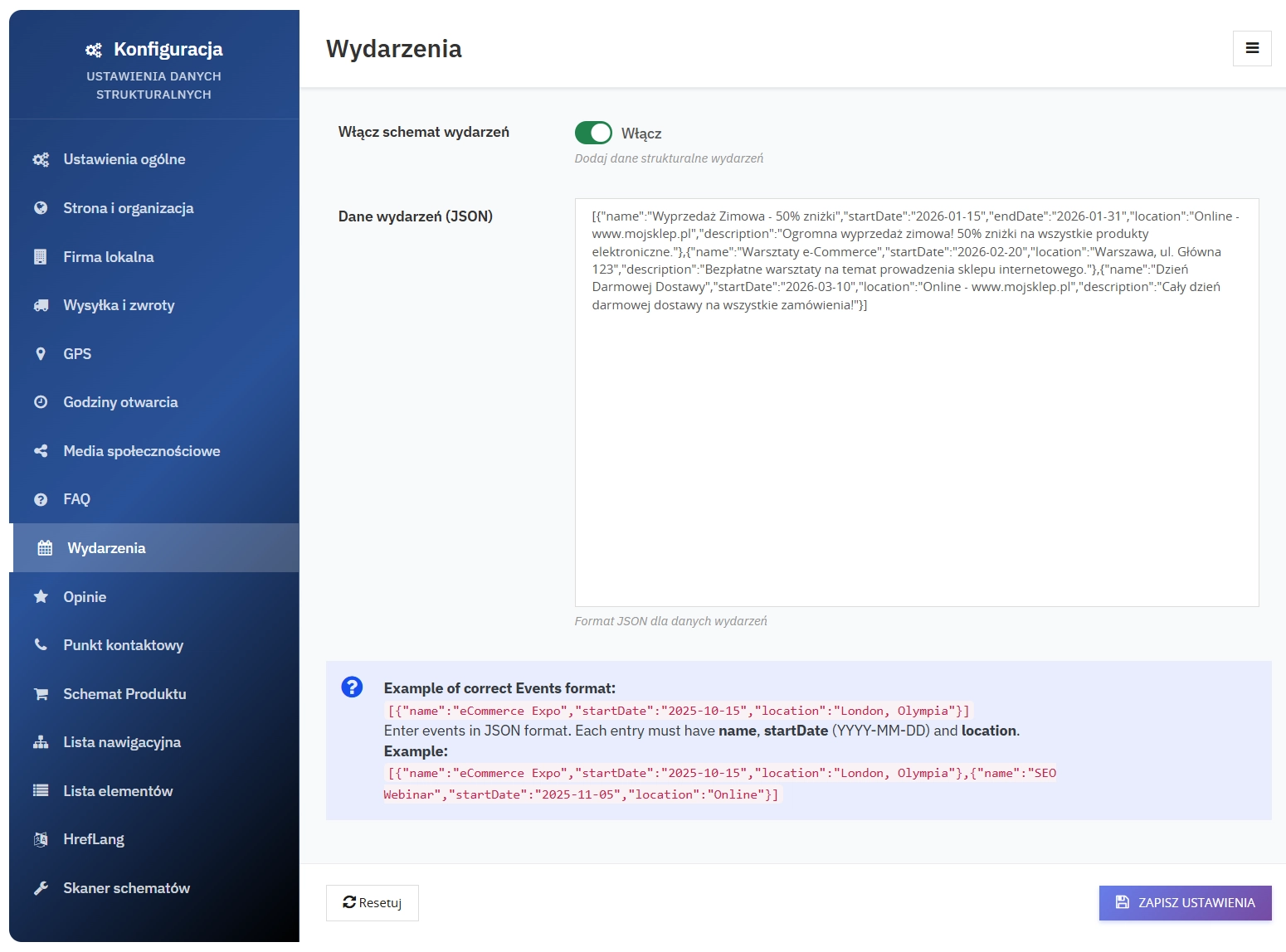
    10. Events Schema

    Company events with full details:

    • Event name
    • Start and end dates
    • Location (address or online)
    • Event description
    • Organiser (automatically set to your company)
    • Event status (scheduled, cancelled)

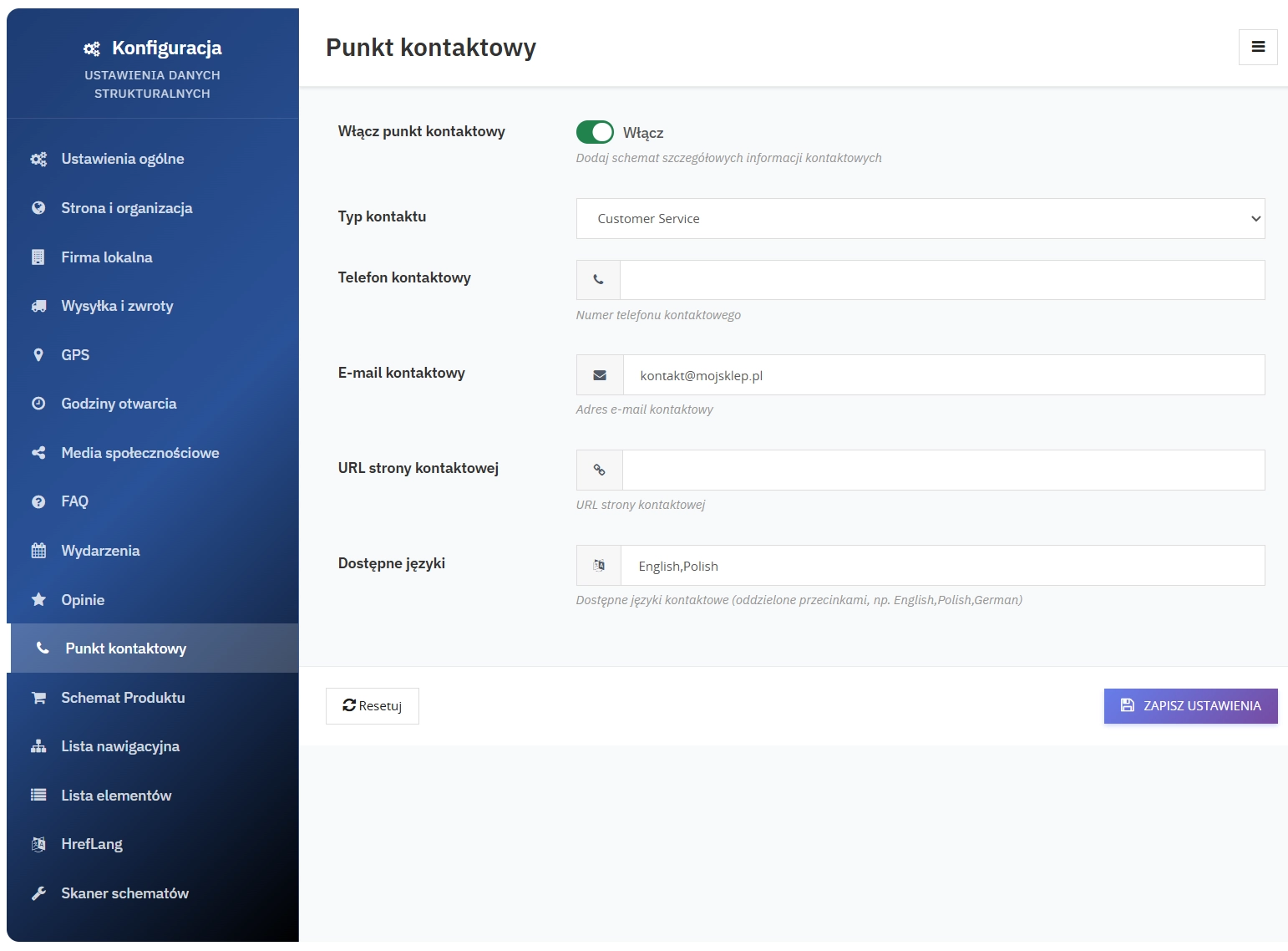
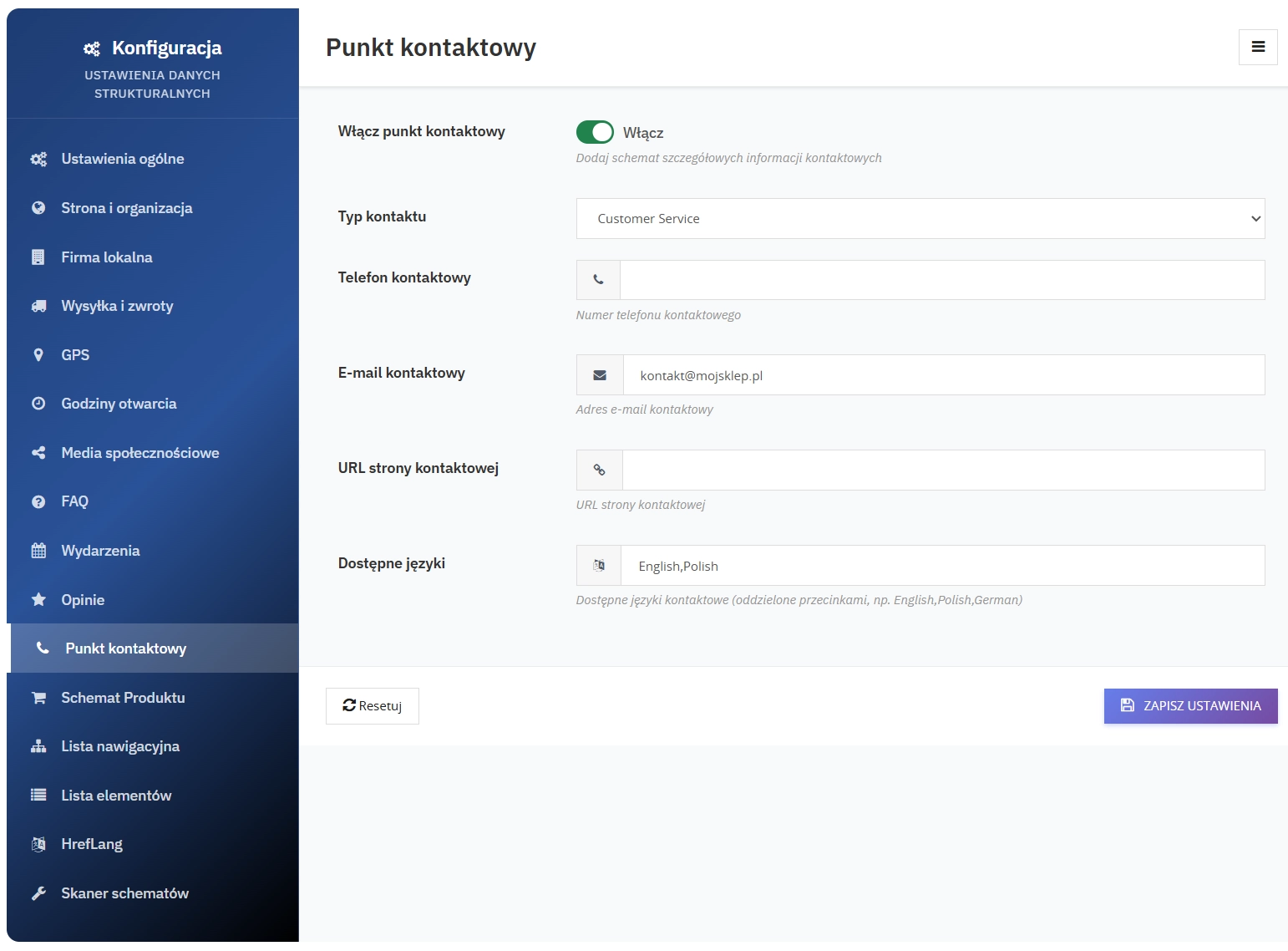
    11. Contact Point Schema

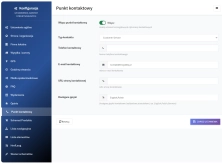
    Detailed contact information:

    • Contact type (customer service, sales, support)
    • Phone number
    • Email address
    • Contact page URL
    • Supported languages (configurable, e.g. Polish,English,German)

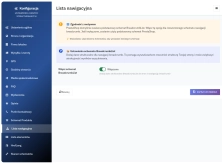
    12. BreadcrumbList

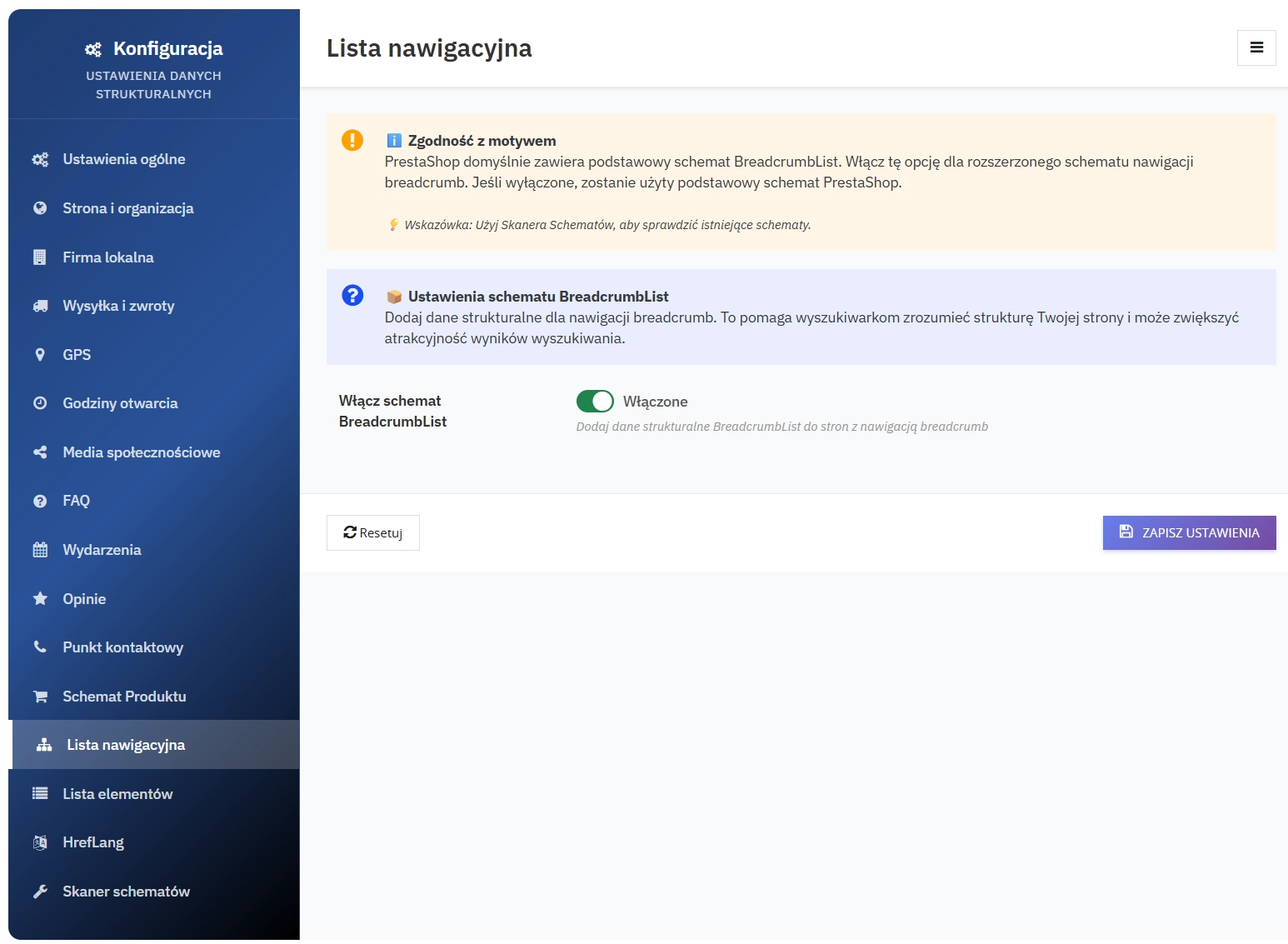
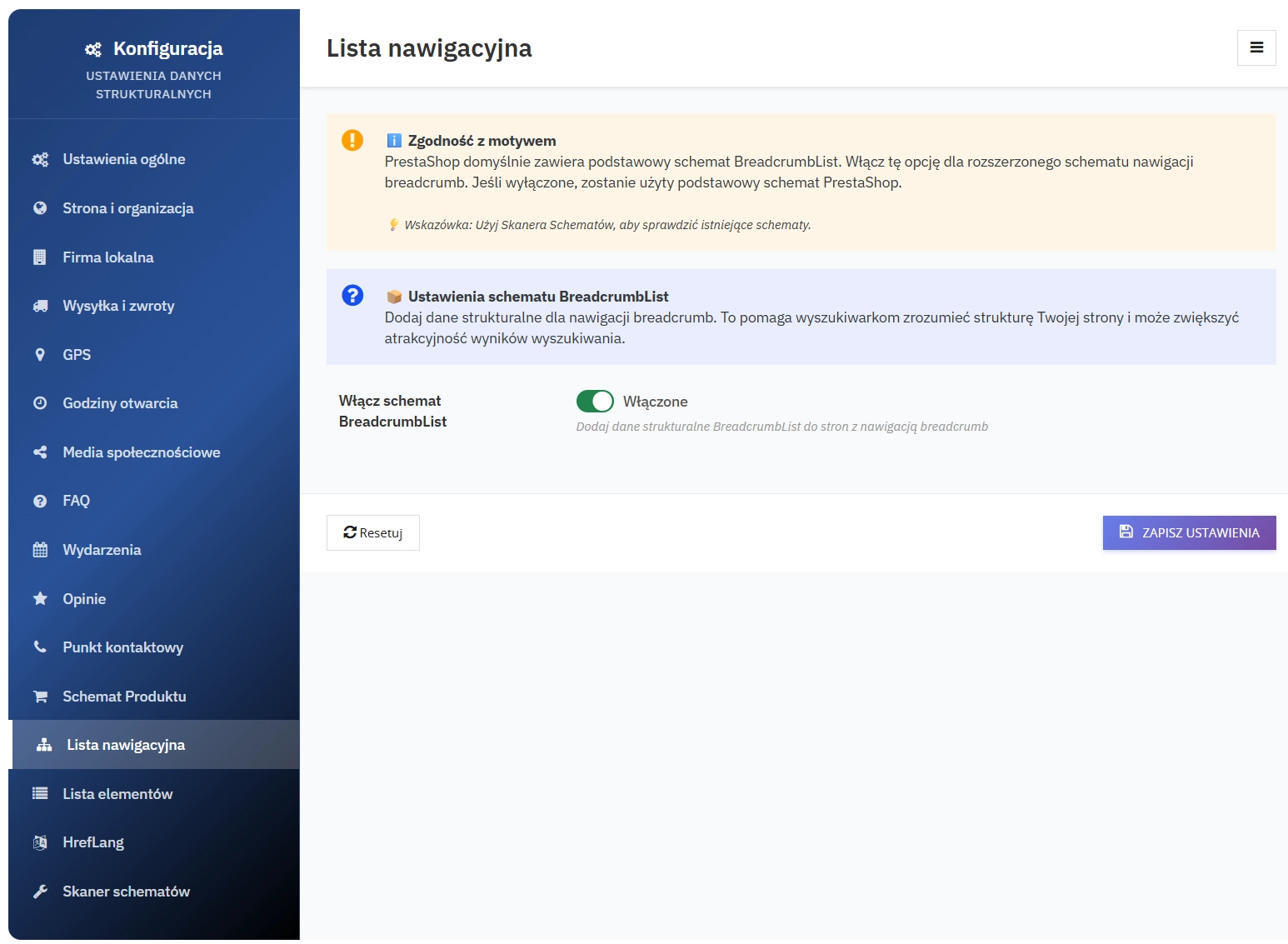
    Generation of breadcrumbs in a Schema.org-compliant format for improved navigation and search visibility.

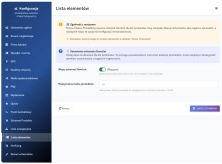
    13. ItemList

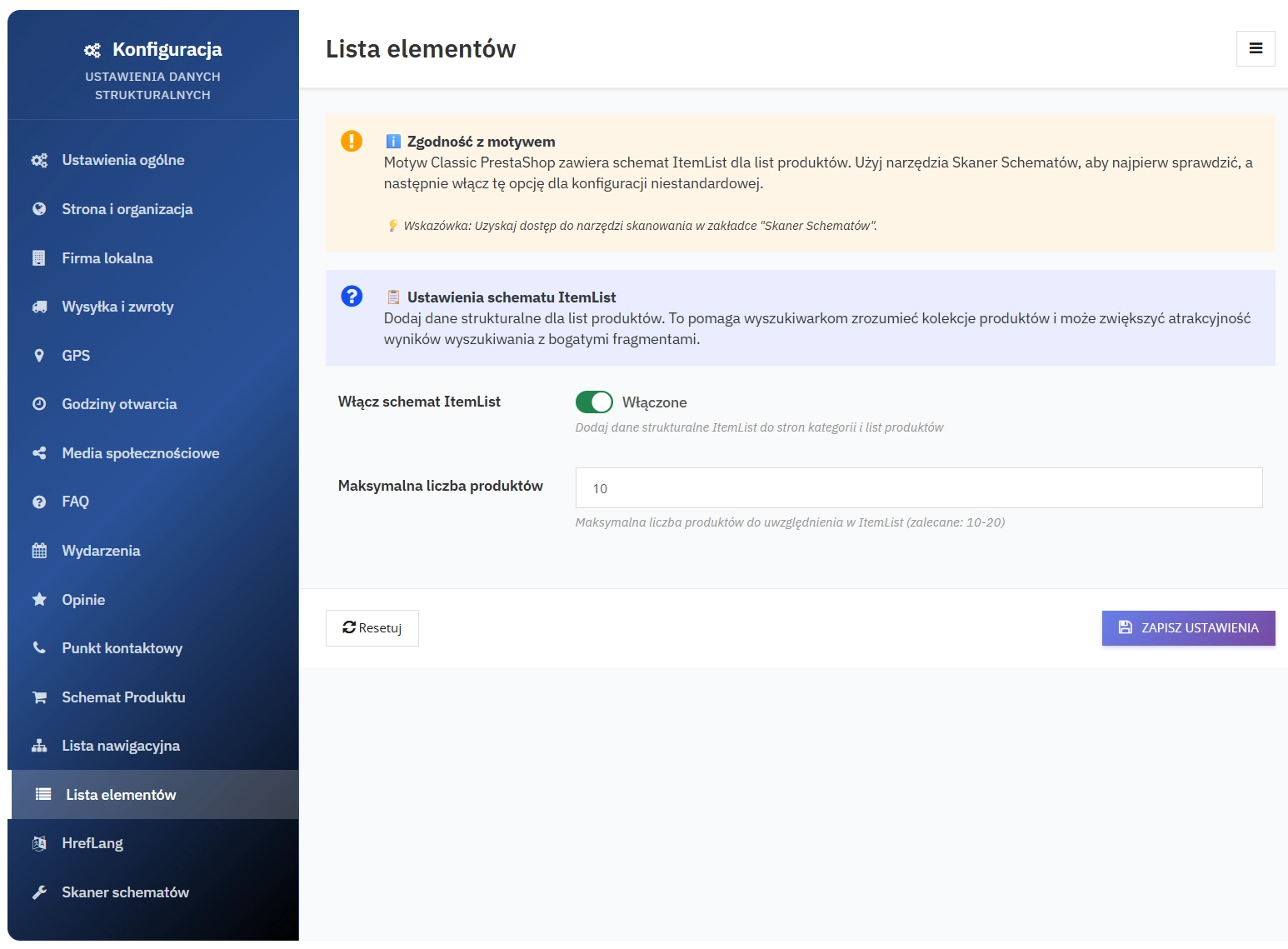
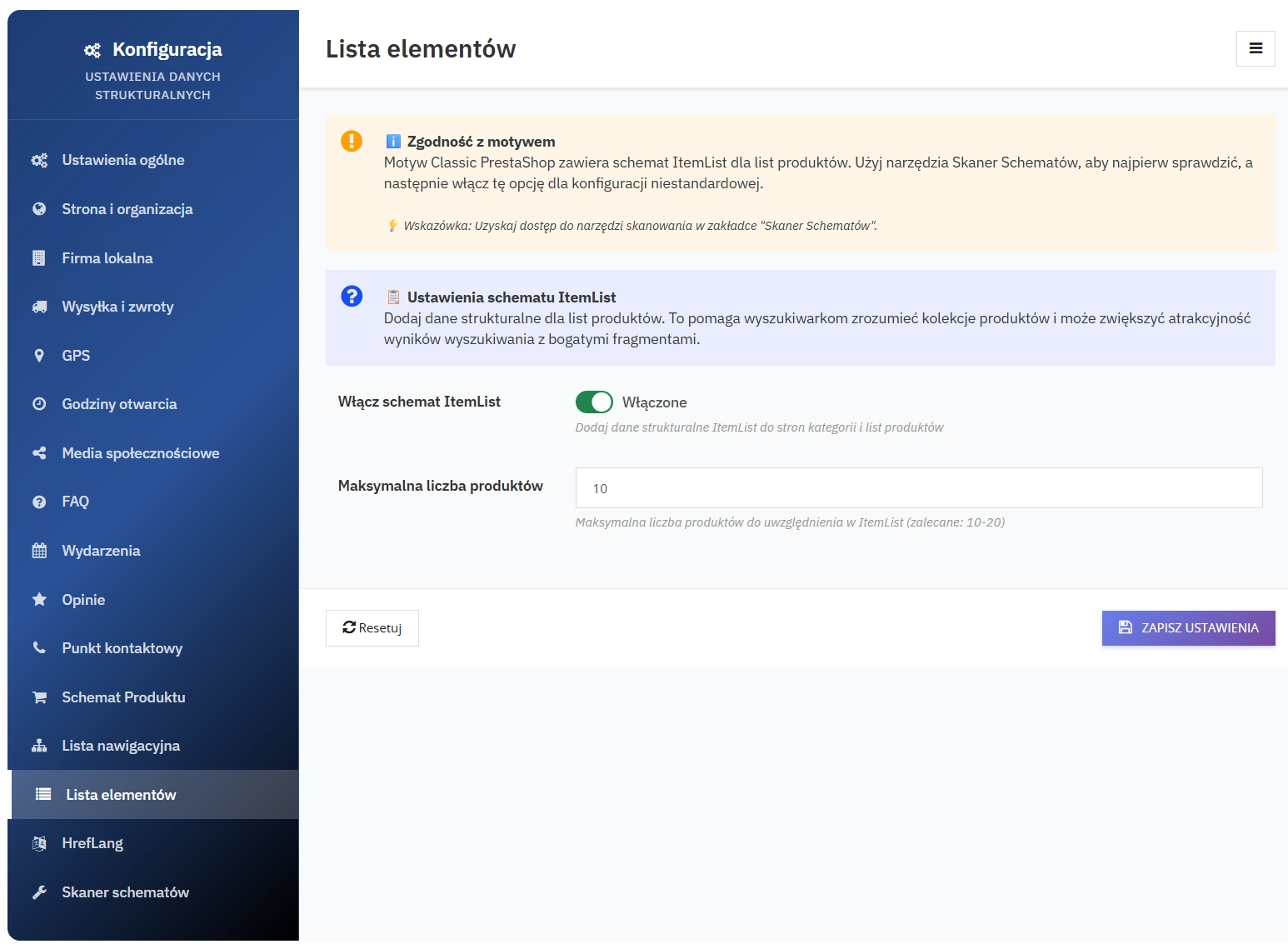
    Product lists (e.g. bestsellers or recommendations) as an ItemList structure with a configurable item limit.

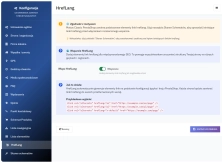
    14. Hreflang Support

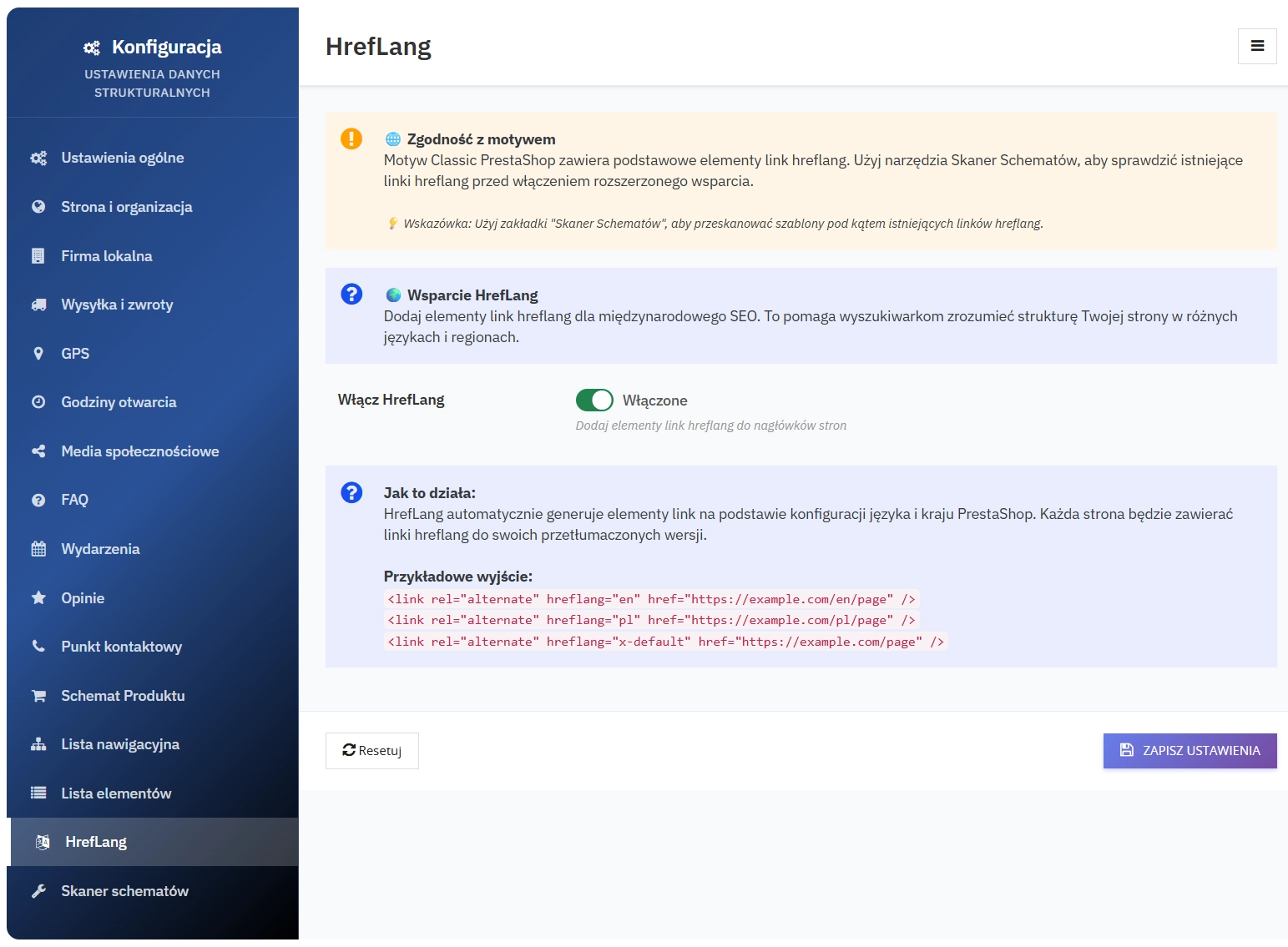
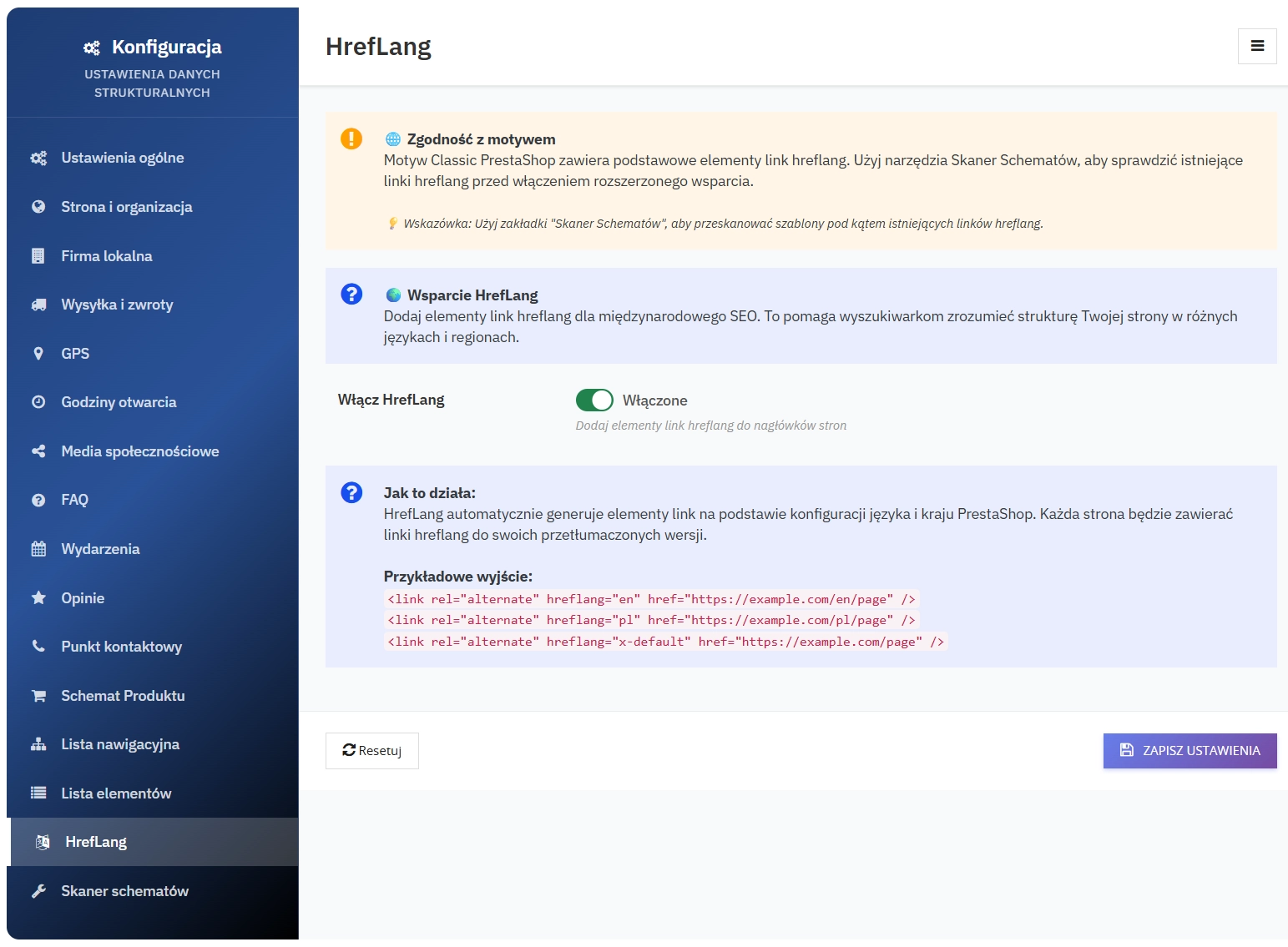
    Support for multilingual versions of the site - automatic addition of rel="alternate" hreflang or appropriate signals in the structure to improve international indexing.

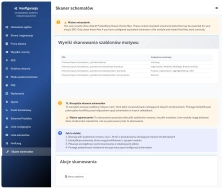
    15. Schema Scanner (Schema Cleanup) and Updater

    Tools for diagnosing and maintaining correct structured data:

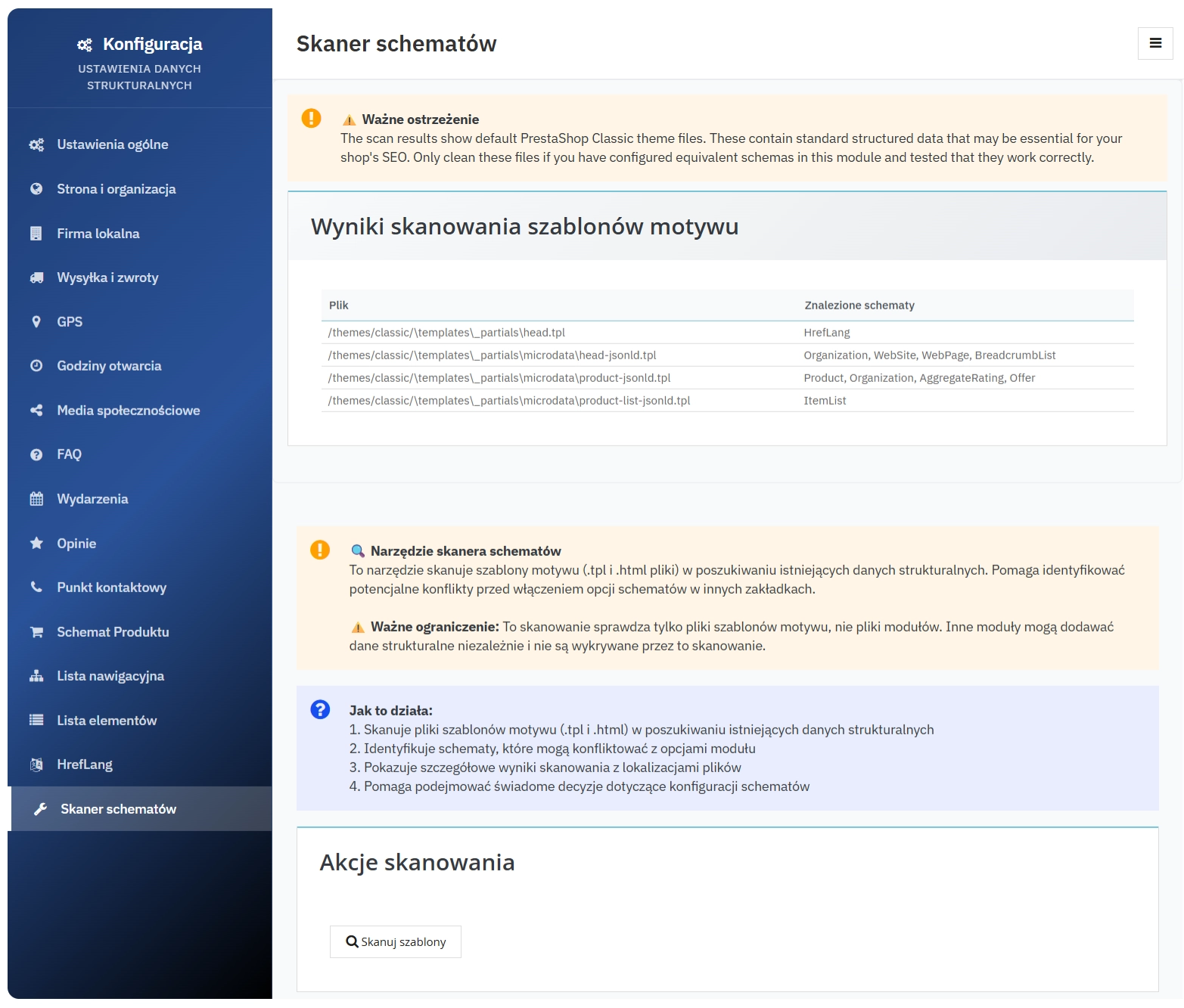
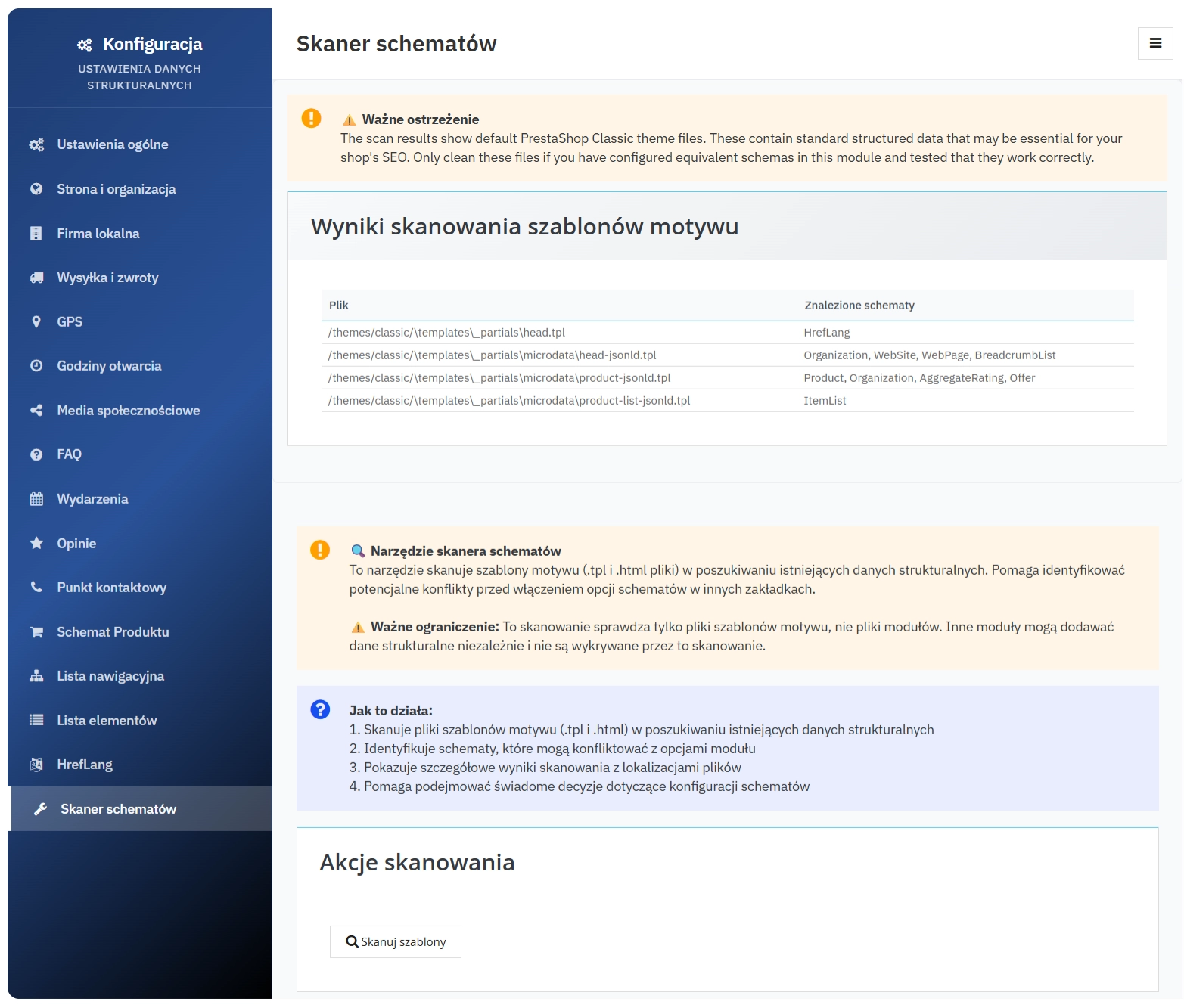
    • Template scanner - scans theme files and reports detected JSON-LD, including files and schema types, which helps with cleaning up old or duplicated markup
    • Note: the scanner checks theme files only; other modules may generate JSON-LD independently
    • Updater - integration with the internal update-check mechanism and an option to clear the updater cache

    16. Administrative panel and integration

    Features that simplify management and deployment:

    • Multi-tab Back Office panel - more than 15 thematic configuration tabs (Website, LocalBusiness, Shipping & Returns, GPS, Hours, Social, FAQ, Events, Reviews, Contact Point, Product Schema, Breadcrumb, ItemList, Hreflang, Schema Scanner, and more)
    • Editable data as JSON for FAQ, Events, Reviews, and How-To, with basic server-side validation
    • Multi-shop ready - automatic context detection and setup, compatible with PrestaShop multi-shop
    • Front-office hooks - the module adds generated data to Smarty and injects it into the header and before the closing body tag (hooks: displayHeader, displayBeforeBodyClosingTag)
    • Full configuration cleanup during uninstallation (removal of settings from Configuration)

    Technical rationale for structured data for SEO

    Schema.org-compliant JSON-LD provides search engines and AI systems with unambiguous fields such as price, availability, and ratings. This makes it easier to map content correctly to Rich Results, improves content clarity for search engines, and supports automated processing by analytics tools and AI answer engines.

    SEO benefits

    • Greater chance of clicks and sales: better product presentation in search results (price, availability, ratings) can improve CTR
    • Greater chance of Rich Results: FAQ, How-To, Reviews, Events
    • Stronger international SEO: indexing of language versions thanks to Hreflang
    • Stronger local visibility: LocalBusiness and Opening Hours

    Technical details and compatibility

    • Compatibility: PrestaShop 1.7.2.0+; PHP 7.1+
    • Back Office panel: Bootstrap-based, responsive, multilingual
    • Data output: JSON-LD injected into templates.

    Module installation, configuration and testing

    Important - make a backup: Before installing or updating the module, create a full backup of your database and store files. Test the installation and updates on a staging environment first.

    Step 1: Install the module

    Drag and drop the ZIP file into PrestaShop - Modules - Upload a module - Install.

    Step 2: Basic configuration

    Fill in your company details in the "Local Business" tab - address, phone, email, and opening hours.

    Step 3: Activate schemas

    Enable the selected schemas (Product, FAQ, Reviews, Events) and enter the required data.

    Step 4: Testing

    Use the Google Rich Results Test

    Step 5: Monitor performance

    Track traffic growth in Google Analytics and monitor visibility in Google Search Console.

    Liability information: The information below is general in nature and is intended as a reminder of good practice related to the installation and use of the module. We recommend making a backup and testing the module on a staging environment before deploying it to production. Detailed provisions regarding liability and warranty can be found in the licence agreement: Licence terms

    Information: On request, we can extend the module with additional features or extra Schema.org schemas. Such extensions may involve additional costs depending on the scope of work.


    ## [1.5.1] - 2026-03-02
    ### Changed
    - Minor fixes and corrections in documentation and module configuration
    
    ## [1.5.0] - 2026-02-10
    ### Added
    - New caching system
    
    ## [1.4.3] - 2026-01-23
    ### Added
    - Added Pinterest as a new social media platform for better reach and engagement.
    ### Changed
    - Improved compatibility with PrestaShop 1.7.8.5 for smoother operation.
    
    ## [1.4.1] - 2025-11-19
    ### Fixed
    - Minor fixes and small feature additions.
    
    ## [1.4.0] - 2025-10-01
    ### Changed
    - Stable release with extended schema support and administrative improvements.
    
    ## [1.2.2-4] - 2025-09-15
    ### Fixed
    - Fixed minor issue with schema validation.
    
    ## [1.2.1] - 2025-08-10
    ### Fixed
    - Corrected typo in JSON-LD output.
    
    ## [1.2.0] - 2025-07-20
    ### Added
    - Added structured data for faq.
    
    ## [1.1.1] - 2025-06-05
    ### Fixed
    - Improved error handling for missing data.
    
    ## [1.1.0] - 2025-05-15
    ### Added
    - Added structured data for comments.
    - Implemented JSON-LD schema for better SEO.
    ### Changed
    - Refactored code for better performance.
    ### Fixed
    - Fixed issue with product data.
    
    ## [1.0.0] - 2025-05-14
    ### Added
    - Initial release of ppgooglestructureddata module.
    

    Comments

    Comments (1)
    Grade
    No customer reviews for the moment.

    FAQs

    • 1. What payment methods do you accept?

      We accept payments by credit/debit card, bank transfer and online payment systems such as Przelewy24, PayPal. Details can be found on the payment page.

    • 2. Can I test the module before purchasing?

      We do not provide modules for testing on individual PrestaShop instances. If a given module has a demo version, it is available on our test store, where you can familiarize yourself with its functionality. On the product page you will also find a detailed description, screenshots and instructional materials. In case of questions, please contact us - we will be happy to provide additional information.

    • 3. Are the modules compatible with my version of PrestaShop?

      Each module in our store contains information about compatibility with specific PrestaShop versions. Please check this information carefully before purchasing. If you are not sure, contact us.

    • 4. How can I download a purchased module?

      After you pay for your order and the payment is posted, the link to download the module will appear in your account in the "Order History and Details" tab ("Details" button). Additionally, we will send you an email with a download link.

    • 5. Can I get help installing a module or template?
      Yes, we offer installation and setup service as an additional option. You can add it to your cart when purchasing the product or order it separately.

    • 6. Are the modules compliant with GDPR regulations?

      We design our modules with GDPR compliance in mind. If a module processes personal data, you will find detailed information on compliance with the regulations in its description. We make every effort to ensure that our solutions meet current data protection standards.

    • 7. Can I have my store audited before purchasing a module?

      Yes, we offer a store audit service to help you choose the right modules and identify areas for improvement. Contact us for more information.

    • 8. Can I get a discount as a regular customer?

      Yes, for our regular customers we offer a loyalty program with attractive discounts. Check the details in your customer panel. If you do not see such an option, contact us - we will be happy to help!

    • 9. What should I do if the product does not meet my expectations?

      If the product does not meet your expectations, please contact our customer service department. Any returns are considered individually, in accordance with our regulations.

    • 10. Can I modify a purchased module or template?

      Yes, you can modify purchased products for your own needs, but you cannot resell them or share them with third parties. Details can be found in the license terms and conditions.

    • 11. Can I use the purchased module in multiple stores?

      Purchased modules are licensed for a single store. The exception is the use of the multi-shop feature within a single PrestaShop installation. In this case, you can use the module on multiple stores, even with different domains, provided that:

      • all stores run on the same PrestaShop installation,
      • the module is compatible with the multi-shop feature.
    • 12. How can I check if a module will work with my other installed modules?

      Our modules are designed to be as compatible as possible with other popular PrestaShop extensions. If you have any doubts, contact us and send us a list of your modules - we will help verify it.

    • 13. Are the modules translated into different languages?

      Most of our modules are available in several languages, including Polish and English. Information about available languages ​​can be found in the module description.

    • 14. How long does it take to process an order?

      The order is fulfilled automatically after the payment is posted. The product can then be downloaded immediately after the order has been paid for.

    • 15. What to do if module installation ends with an error?

      Check if your PrestaShop version is compatible with the module and if you have the right permissions for installation. If the problem persists, contact our technical support - we will help you solve the problem.

    • 16. Can I order a module that is not available in your offer?

      Yes, we do custom module creation. Contact us for details and pricing.

    • 17. How can I extend technical support or access to updates?
      • Extension of support and updates:

        • If the option to extend support and updates is available, you can order it directly from our store.
        • Simply add the appropriate option to your cart and complete the purchase.
      • No available extension option:

        • If support and update extensions are not offered, purchasing the module again will be required.
    • 18. How long can I use the module after purchase?

      Purchased products are available for use without time limits. However, access to updates and technical support is usually limited to 6 or 12 months from the date of purchase, depending on the product. (details on updates/support are always included on the respective product card)

    • 19. Do you offer technical support for products?

      Yes, we provide technical support within the support period assigned to a given product. You can contact us via the contact form or e-mail.

    • 20. Can I update the module to a newer version?

      Yes, you can download new versions of the product for free during the support and update period. After that time, you can renew your update subscription.

    • 21. Can I ask you to adapt the module to my needs?

      Yes, we offer a module personalization service. Describe your needs and we will prepare an individual quote.

    • 22. What should I do if I have problems downloading the module?

      If you have trouble downloading the module, please make sure your payment has been processed. If you still have trouble, please contact us and we will manually provide you with the module.

    • 23. Do you offer help with store optimization after installing the modules?

      Yes, we can help you optimize your store so that your modules run at full efficiency. Ask about our technical support service.

    • 24. What does the module update process look like?

      If the module requires an update, you can download the latest version from your client panel. We recommend backing up your store before updating.

    • 25. Can I change the domain on which the module runs?

      Yes, if you want to transfer the module to another domain, please contact us to discuss the details and conditions of the license transfer.

    • 26. What should I do if my store stops working after installing the module?

      If your store encounters problems after installing the module, please contact our technical support immediately. We will help diagnose and resolve the issue.

    • 27. Can I ask for advice in choosing a module?

      Of course! Contact us and we will advise you which module best suits your needs.

    Do you need additional features or custom solutions?

    • Module customisation tailored to your specific requirements.
    • Extending functionality to enhance your store's capabilities.
    • Developing bespoke modules designed to meet your unique needs.
    • Integrating external systems and additional tools.
    • Optimisation and improvements for better performance and user experience.

    Do you have ideas on how to improve this software? Share your suggestions for optimisation, new features, or bug reports – we’ll be happy to review them!