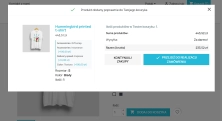
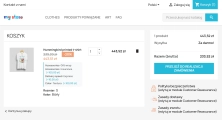
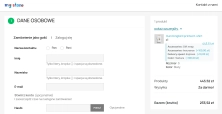
Ask about product / price (PRO)
Ask about product / price (PRO) is an advanced PrestaShop module that adds an enquiry form on the product page and directly on the product list (categories, homepage,...
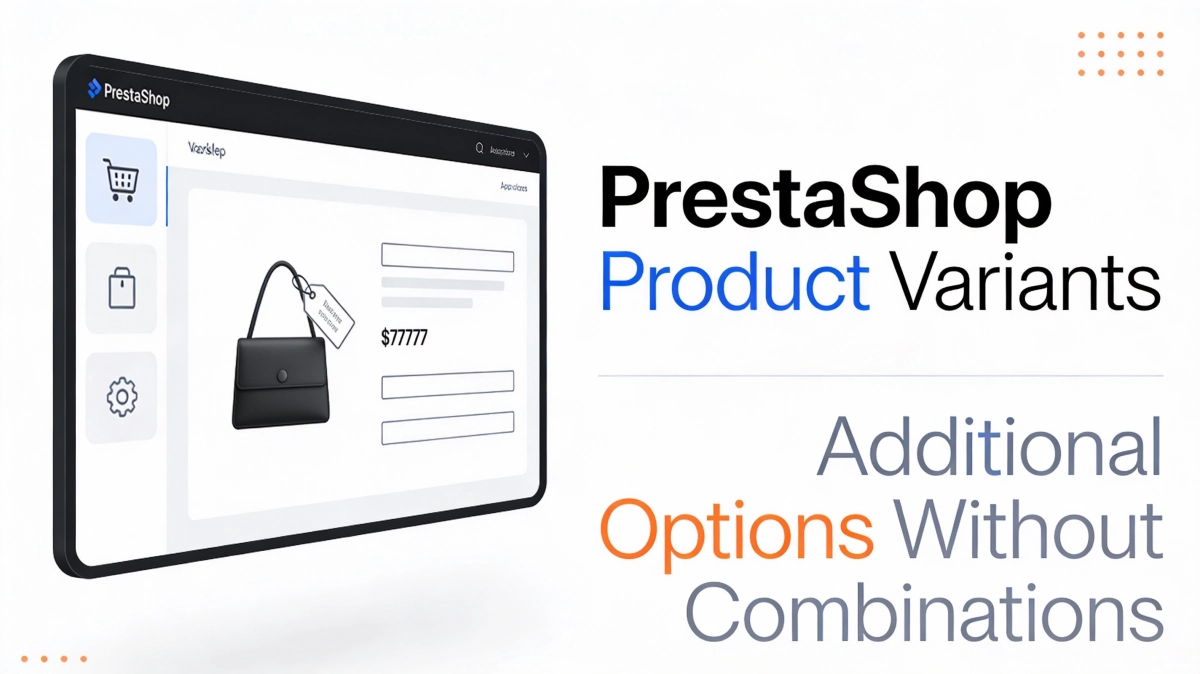
This module enables the creation of additional product options without using native PrestaShop combinations. Each option can have a price impact (positive or negative) but does not affect stock levels.
An ideal solution for virtual products , additional services, extended warranties, or gift wrapping. Variant surcharges are calculated after discounts – promotions do not apply to option costs.
Price available only until: 14.02.2026
Information Parameters:
In PrestaShop, each attribute combination requires a separate stock level. For options such as "gift wrapping" or "extended warranty", this makes no business sense.
Solution: Module variants operate independently of stock – define an option once and assign it to any number of products.
Virtual products (e-books, licences, courses) in PrestaShop have limited support for combinations. Adding price variants requires workarounds or code modifications.
Solution: The module works with every product type – physical, virtual, and downloadable.
With a 20% product discount, the gift wrapping surcharge is also reduced. This generates losses on additional services.
Solution: Variant surcharges are calculated after discounts are applied – promotions only affect the base product price.
A customer wishing to add a warranty or insurance often has to navigate through separate pages or complex forms.
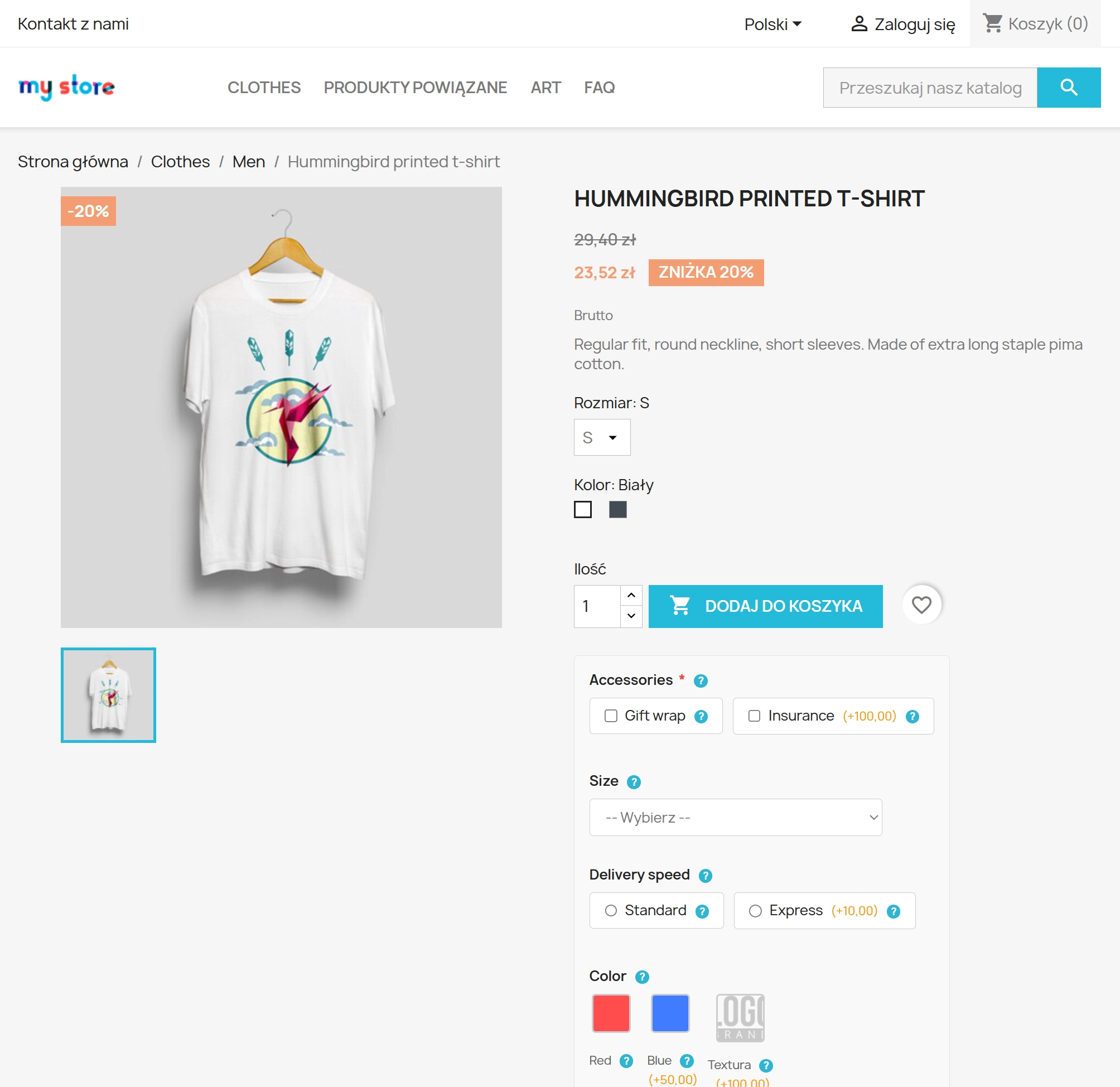
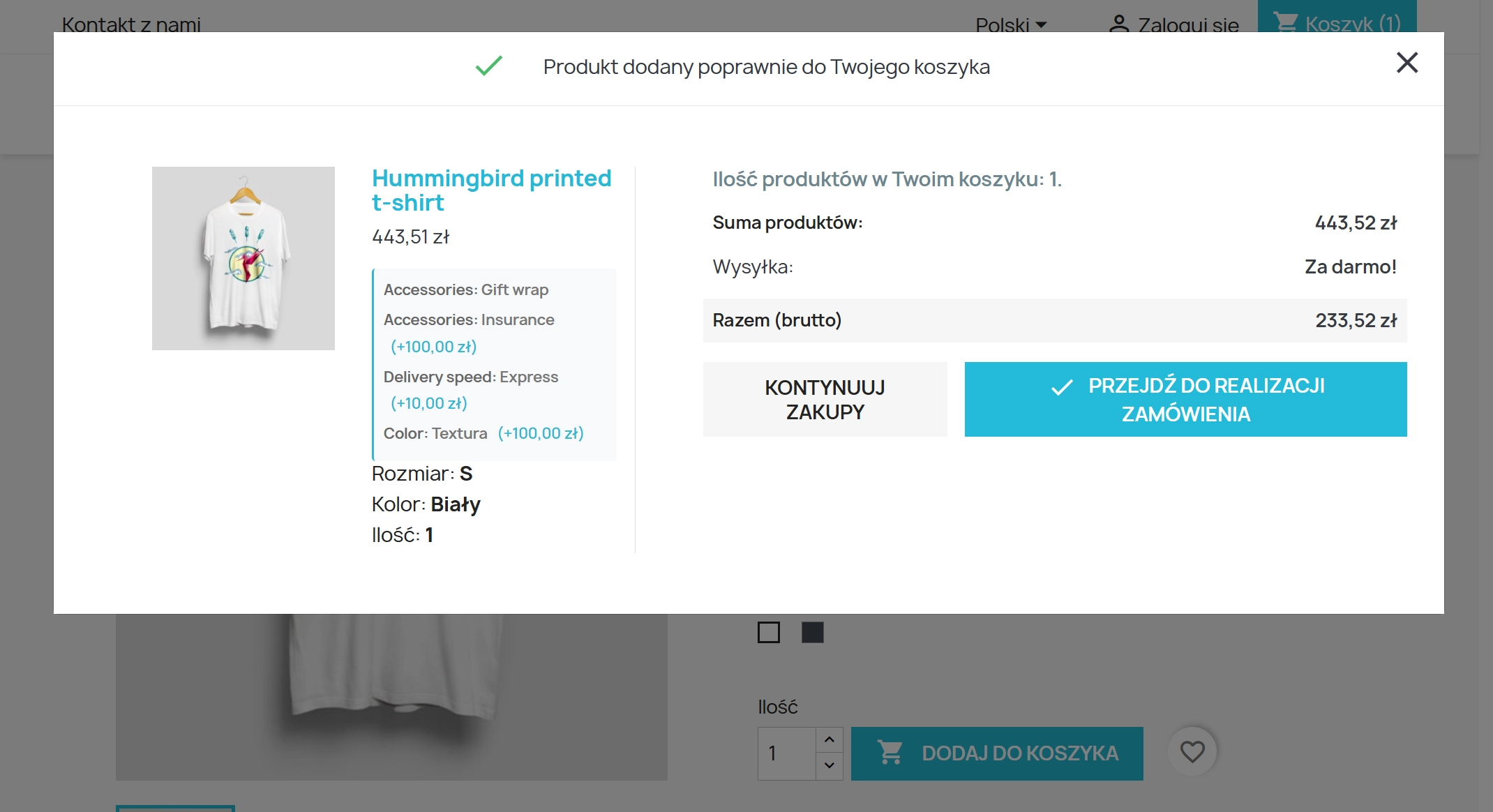
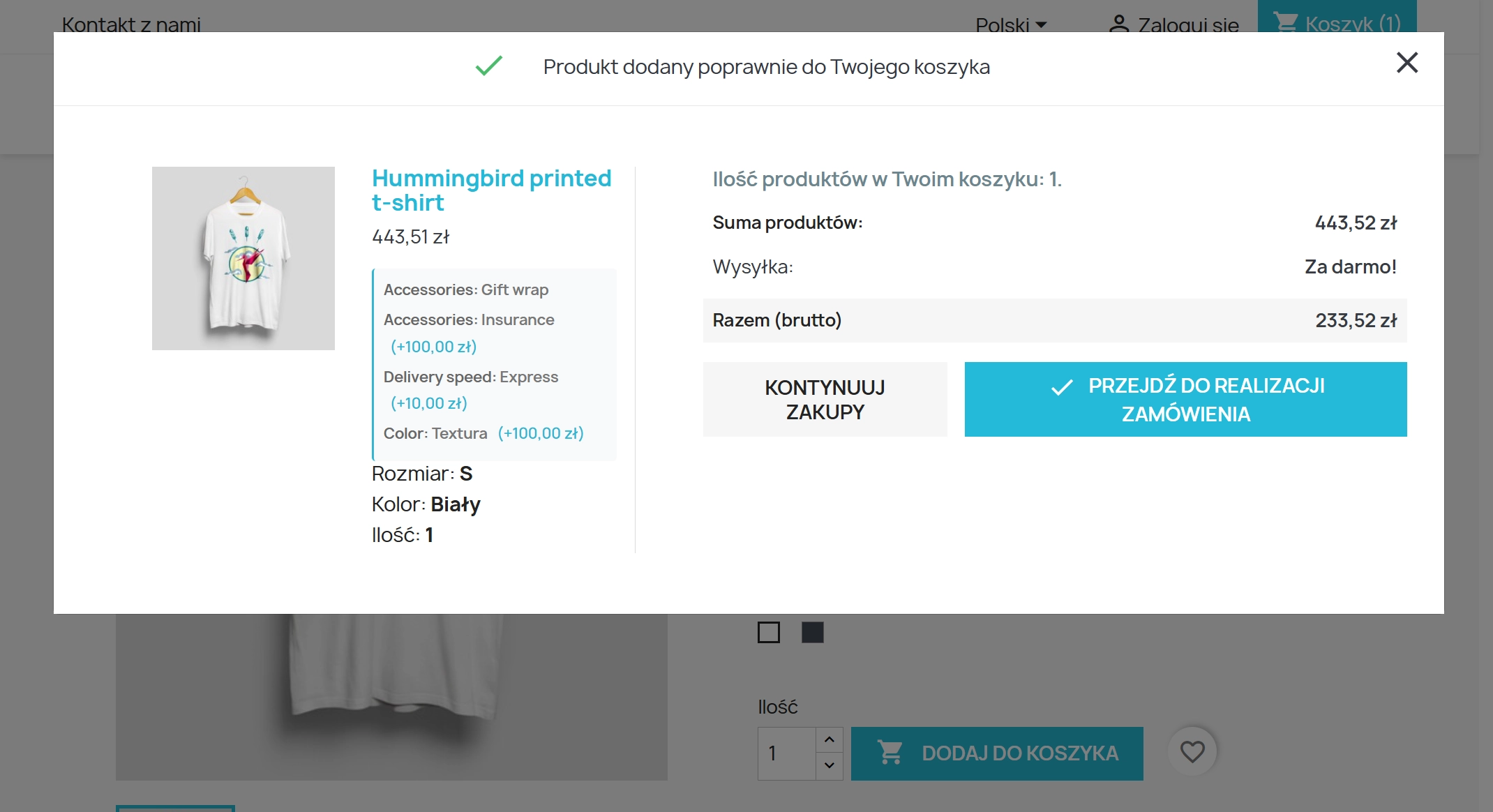
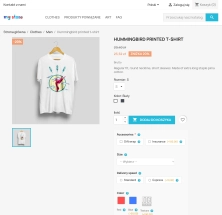
Solution: Variants are displayed directly on the product page – one click and the option is added to the basket.
Standard customisation fields do not block adding to basket. The customer can skip a mandatory selection.
Solution: Variants marked as required block the "Add to basket" button until a selection is made.
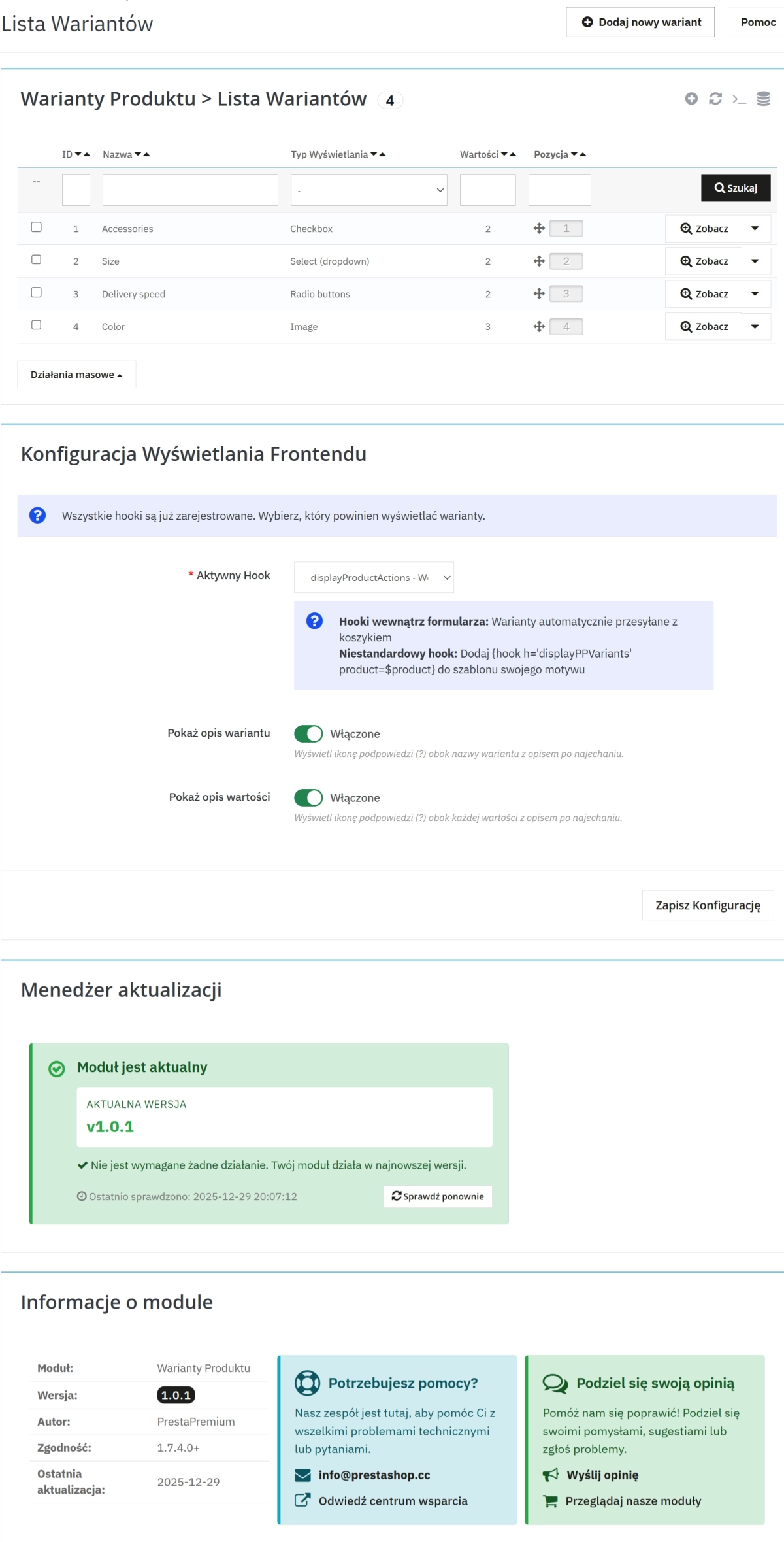
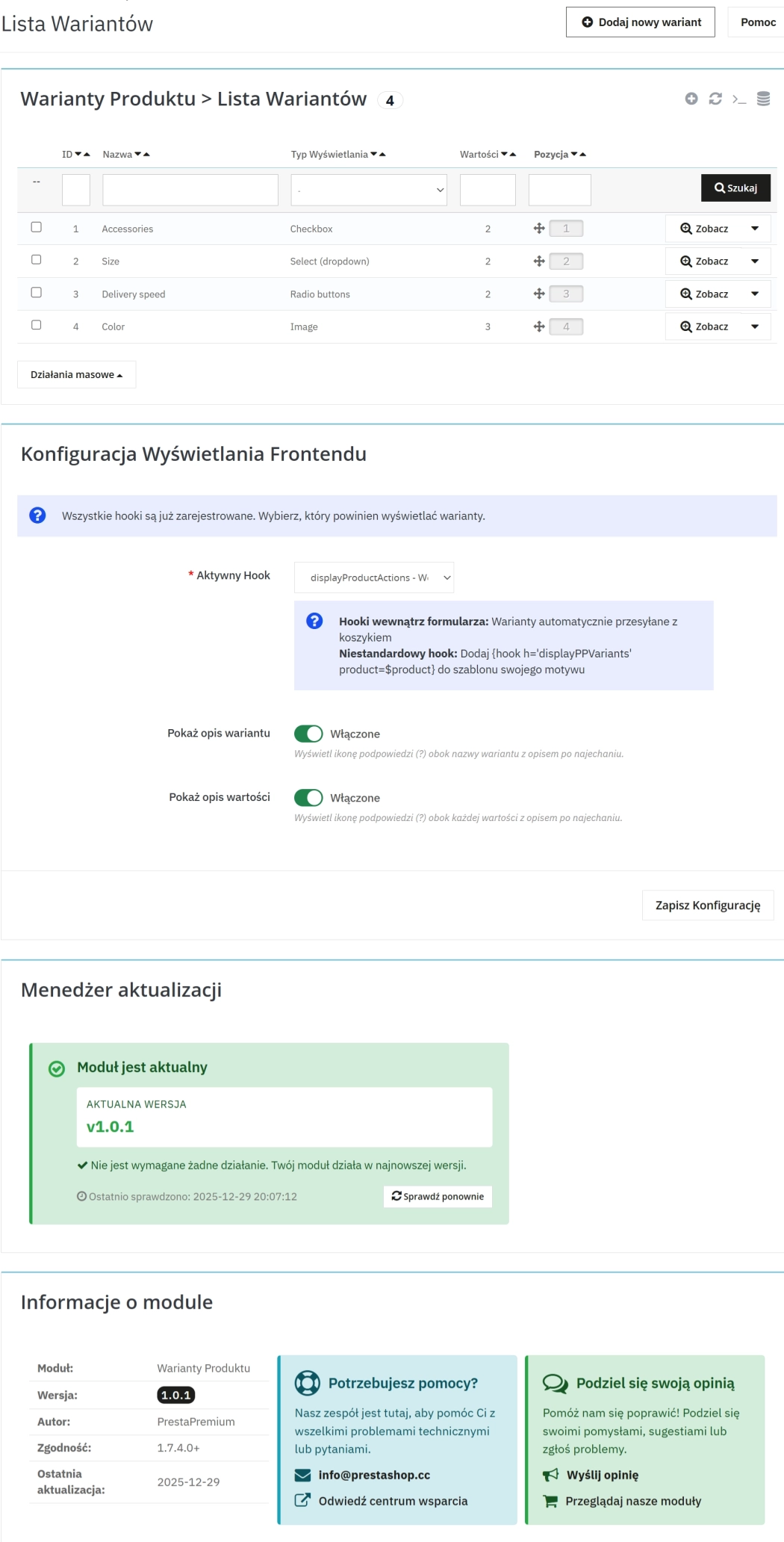
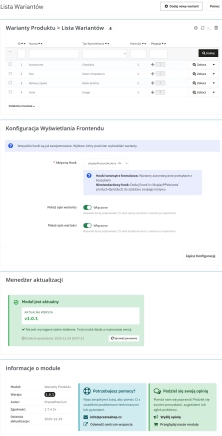
Central list of all variants with drag & drop sorting.
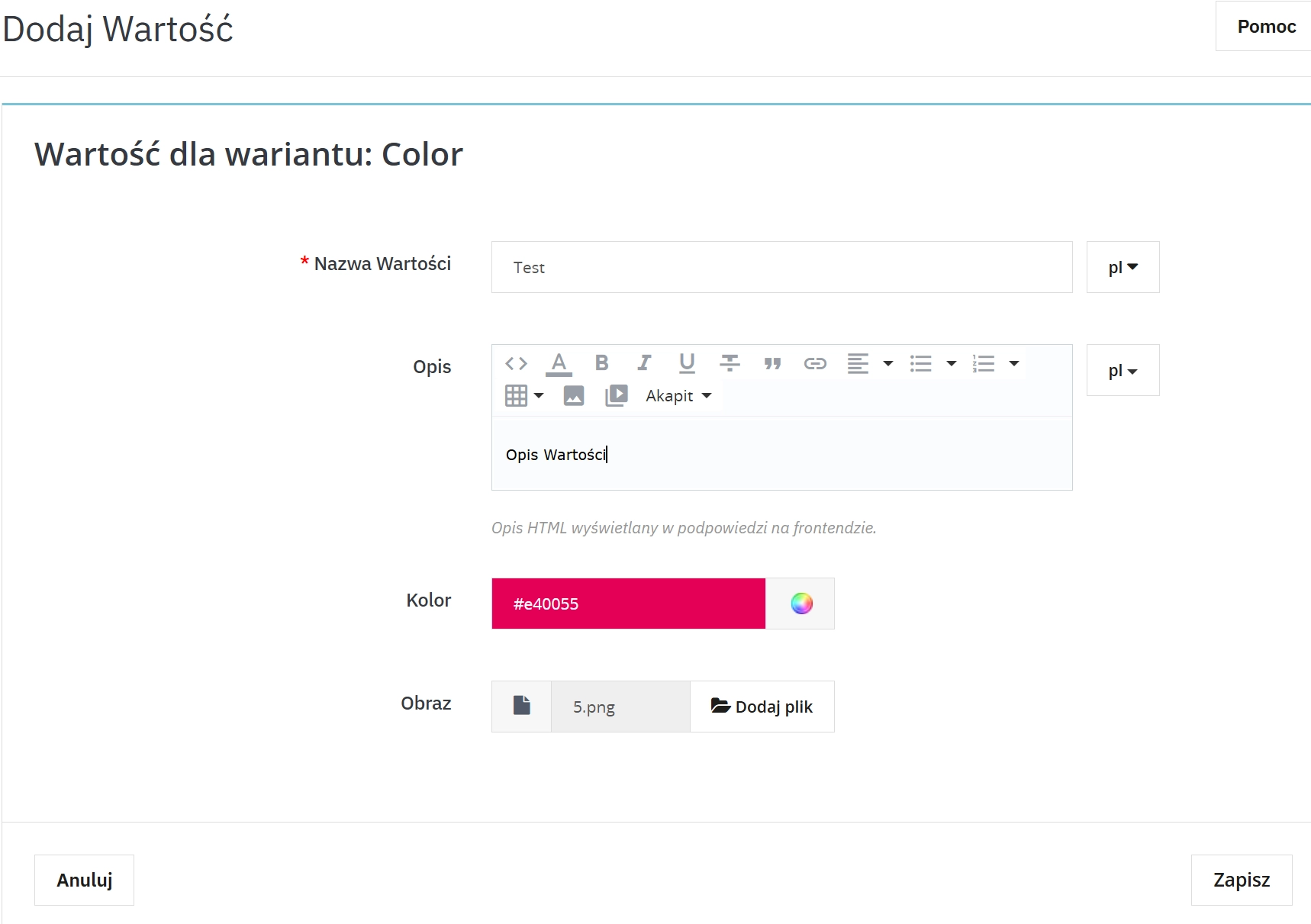
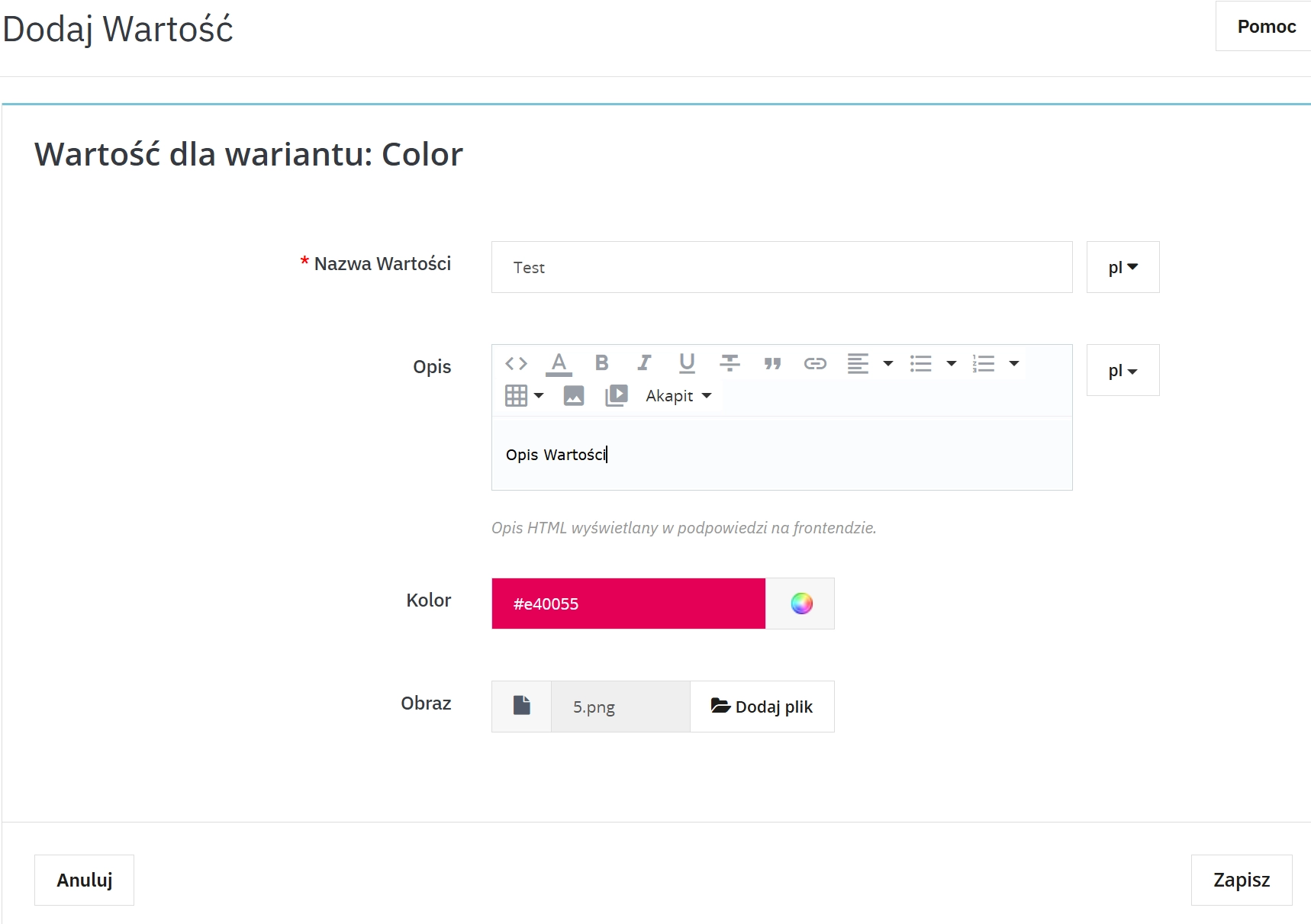
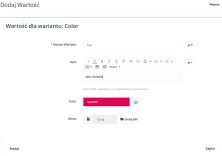
Each variant can have any number of values to choose from.
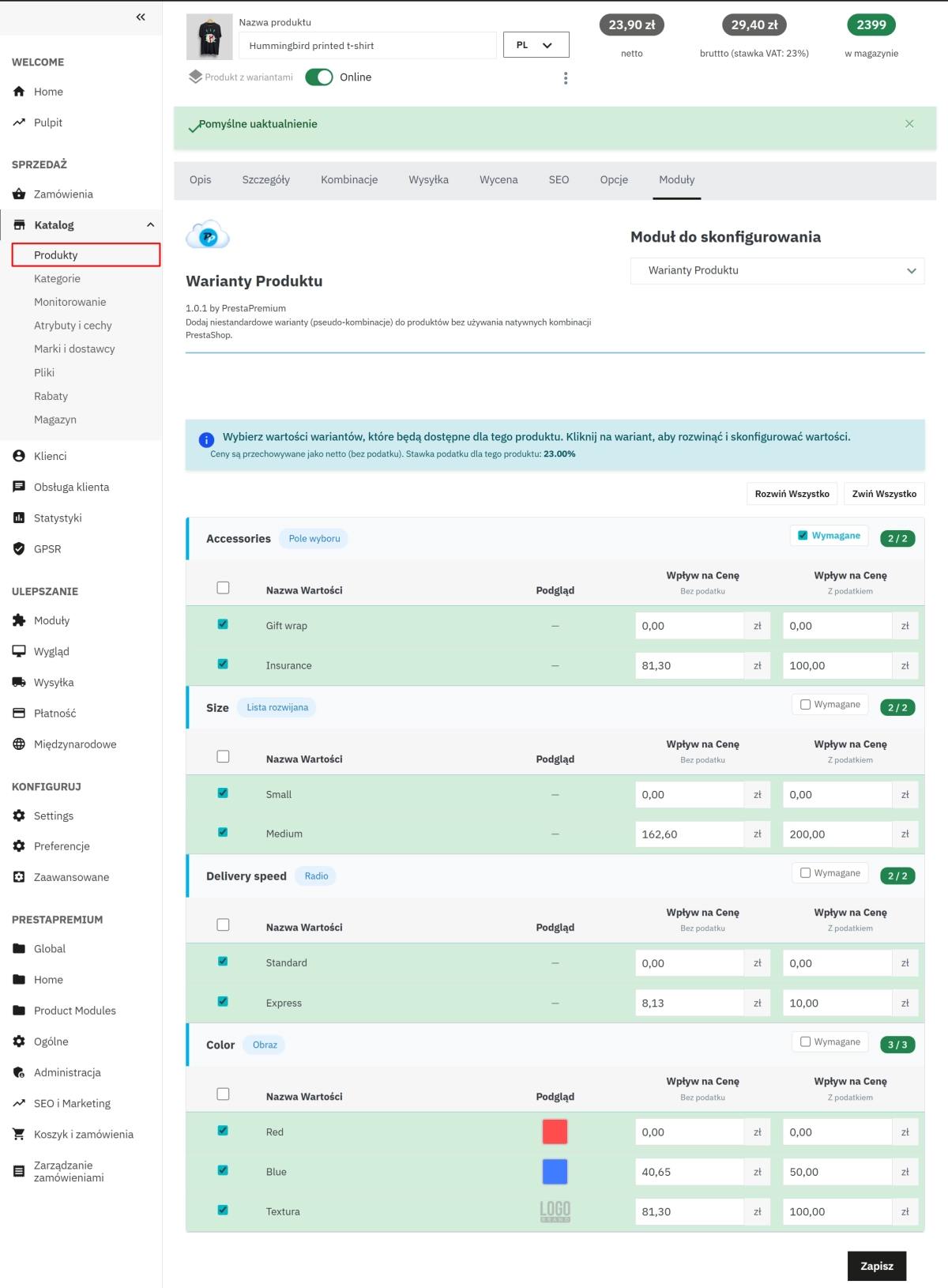
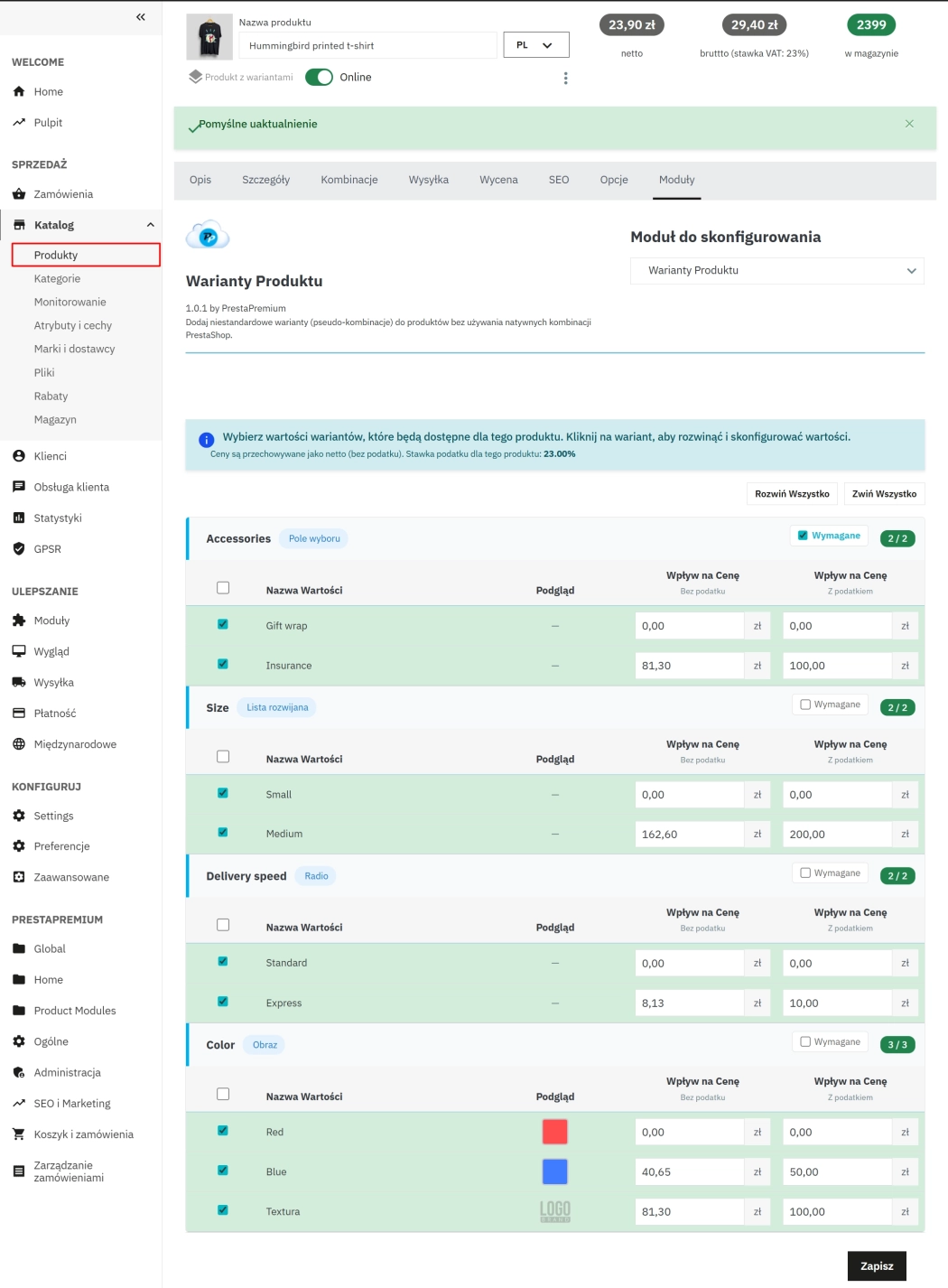
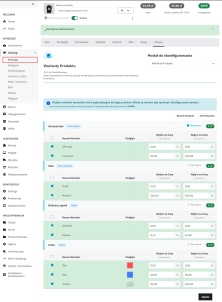
A panel in the product tab allows you to assign variants and set prices.
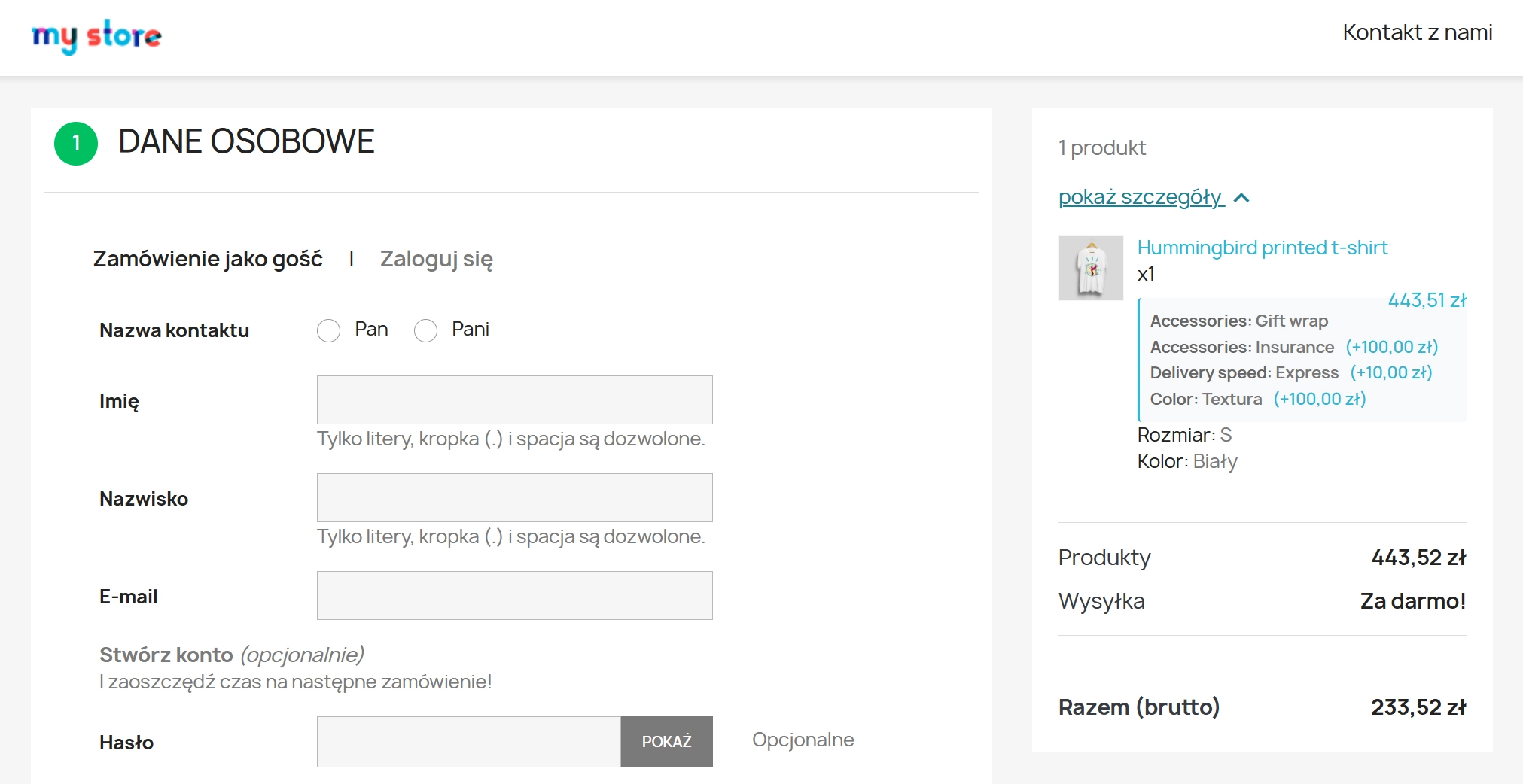
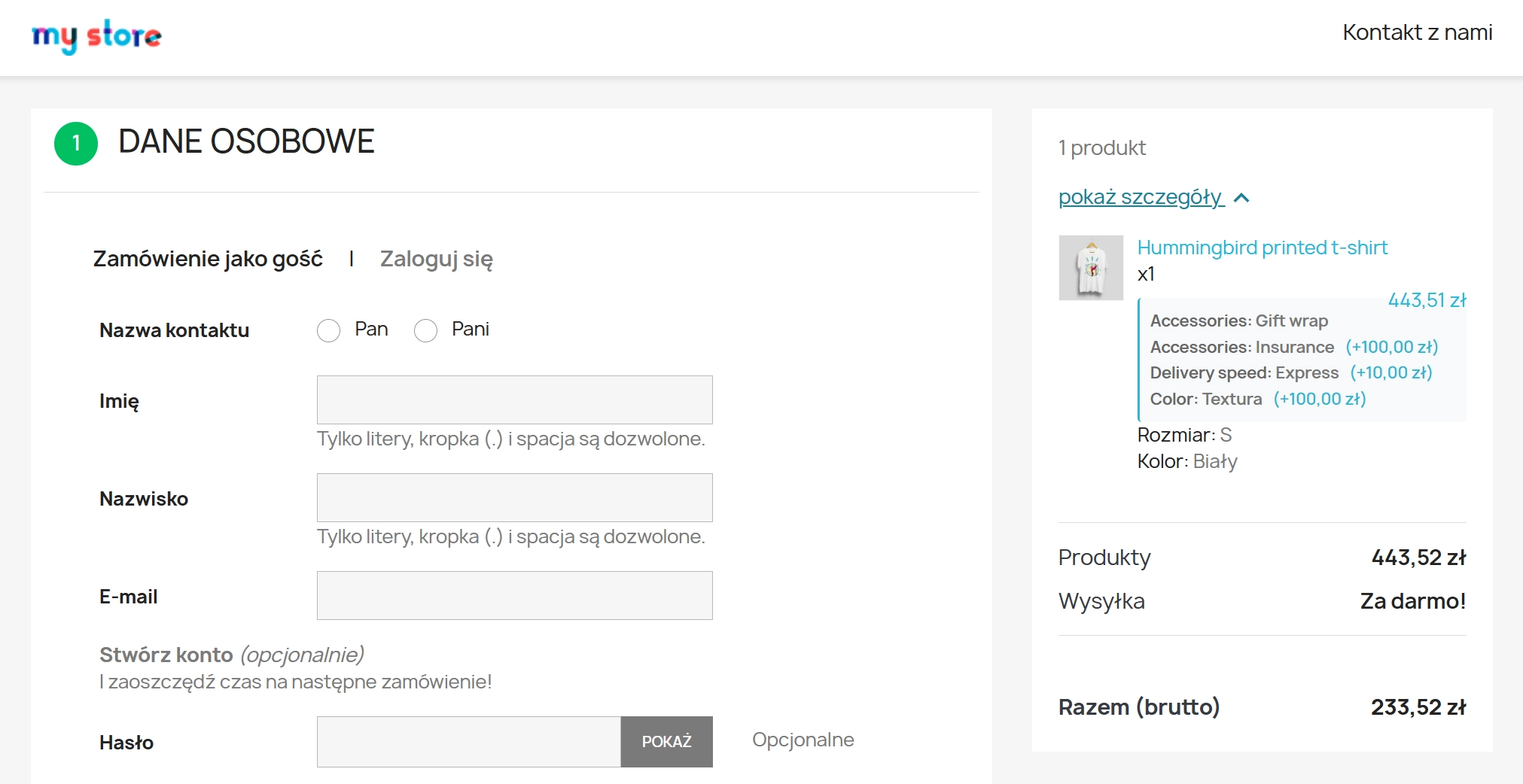
Selected variants visible in order details.
The configuration panel allows you to specify the position and behaviour of the module on the front end.
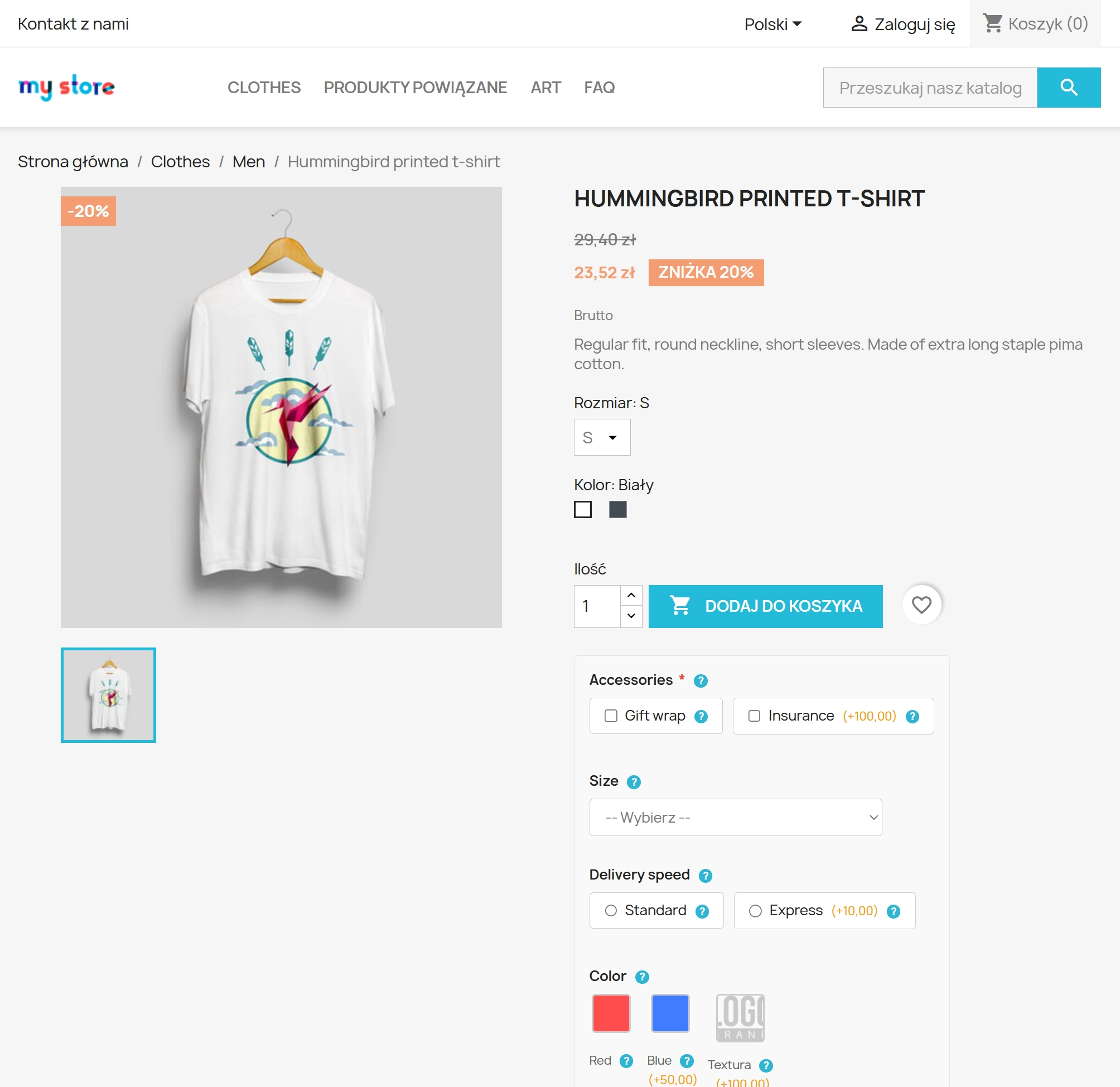
displayProductActions (inside form, after quantity), displayProductAdditionalInfo (inside form, after add to basket button).displayPPVariants – option for developers to manually place in any template location.Variants rendered in the selected hook – inside the add-to-basket form.
Variants marked as required block the form until a selection is made.
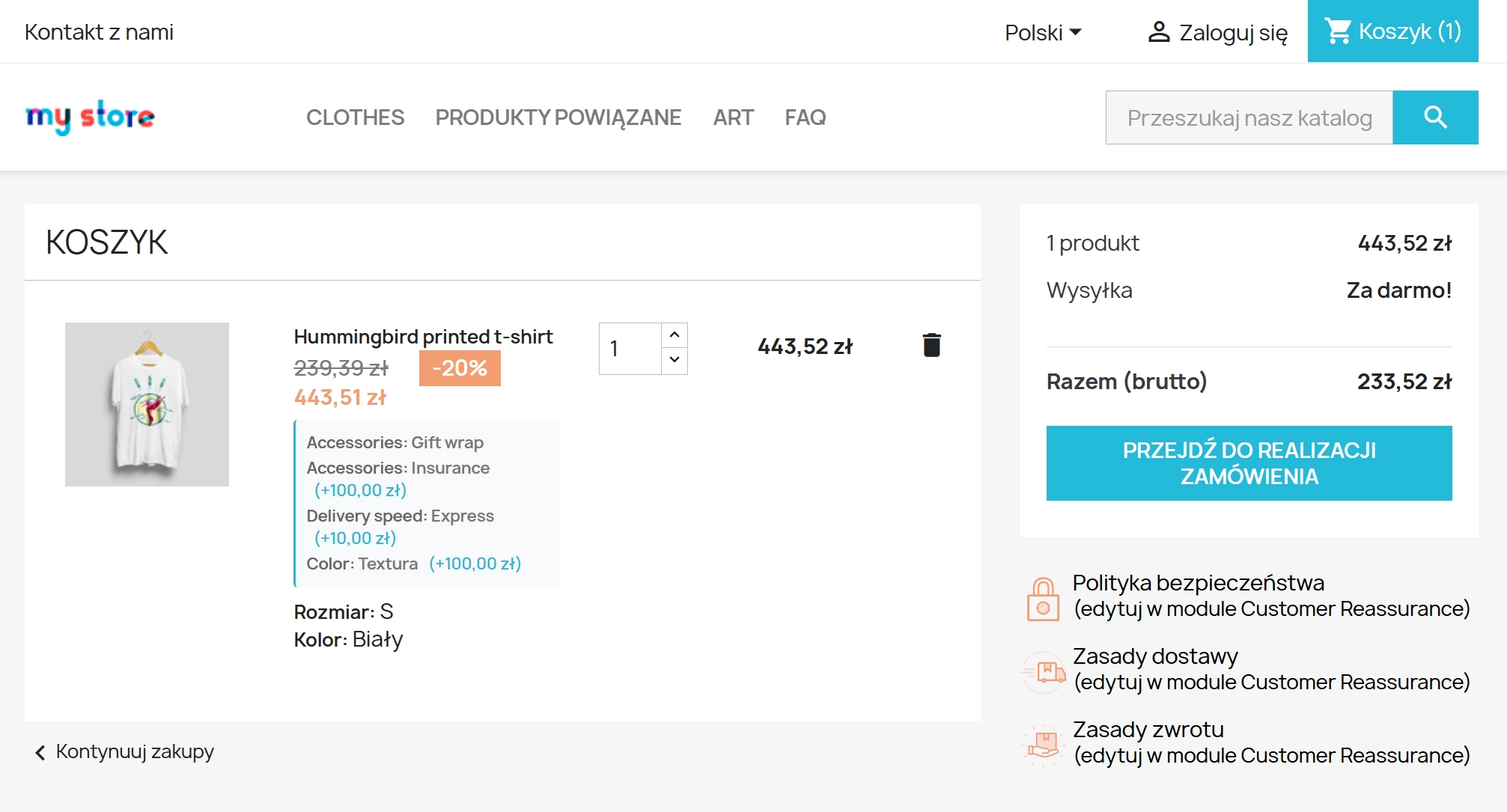
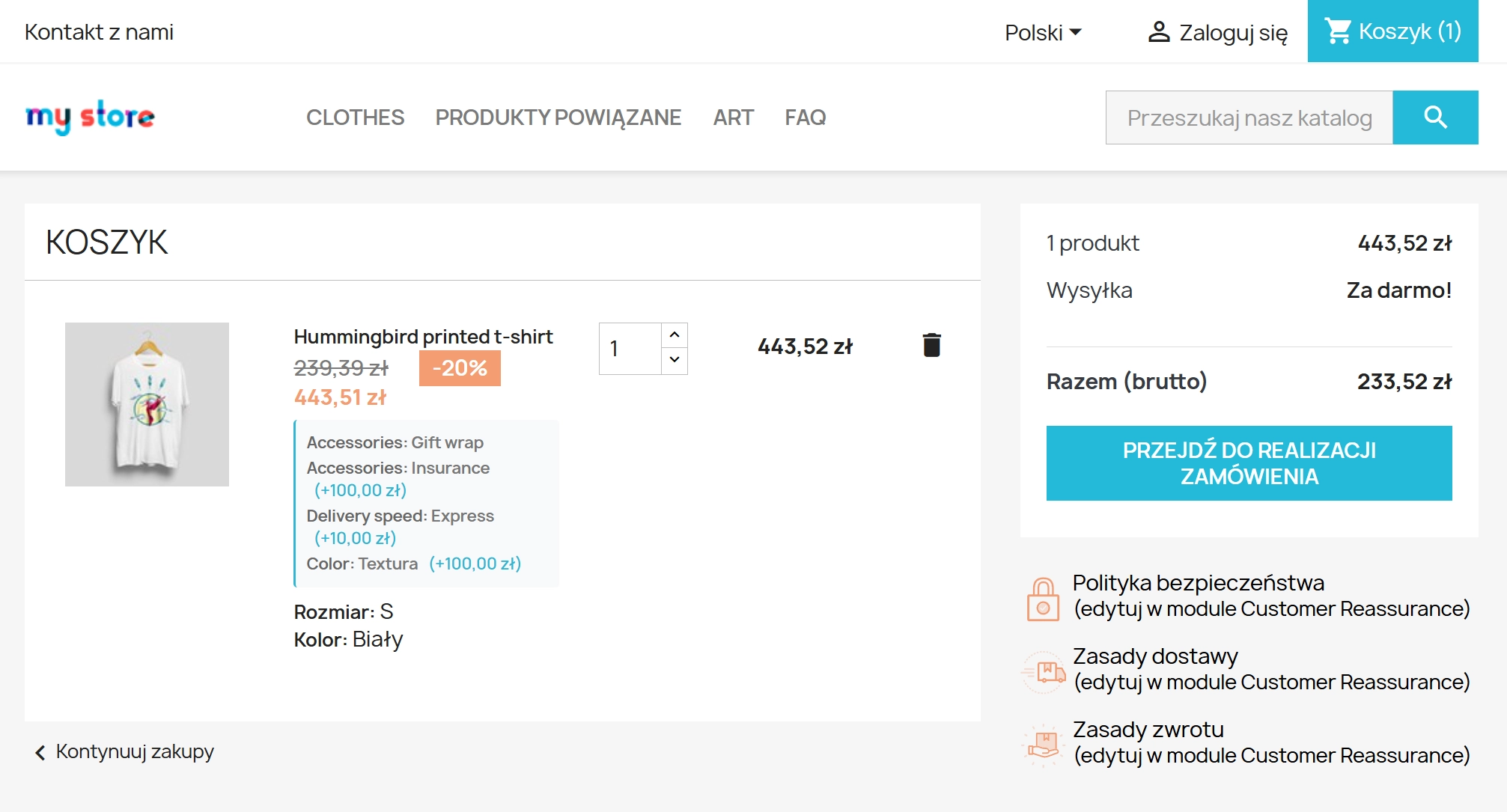
Selected variants visible in every basket presentation.
The "My orders" section displays selected variants with prices.
Additional services such as warranty, wrapping, or express delivery increase average order value. Options visible directly on the product page have a higher conversion rate than separate pages.
Variant surcharges are not subject to discounts. With a "-30% on everything" promotion, the gift wrapping cost remains fixed – you do not lose on additional services.
Instead of creating separate products for each warranty version (product + 12m warranty, product + 24m warranty), you handle everything with one product and variants.
One product URL instead of multiple variants. No content duplication, SEO power consolidated on the main product page. No issues with combination indexing.
{hook h='displayPPVariants' product=$product}
– place anywhere in the product template.displayProductActions and displayProductAdditionalInfo without template modification.pp-variant-* and pp-* prefixes – no conflicts with theme styles.actionProductPriceCalculation – surcharges added after discounts. Before installation: Create a full backup of your shop (files + database).
Overrides: The module installs overrides for Cart.php and Customization.php classes. If you have other modules modifying these classes, check compatibility before deployment.
Cache: After installation, clear the PrestaShop cache (Advanced → Performance → Clear cache).
## [1.0.1] - 2025-12-29 ### Added - **Tooltip configuration**: Added separate toggles for variant and value tooltips in module settings. - **Hook position options**: Introduced `displayPPVariants` custom hook for flexible template placement. ### Changed - **Validation improvements**: Enhanced required variant validation with better error messaging. - **Performance optimization**: Improved JavaScript loading for faster page rendering. ## [1.0.0] - 2025-12-01 ### Added - **Initial release**: Core variant functionality with 4 display types (dropdown, radio, checkbox, image). - **Back Office management**: Variant and value creation with HTML descriptions and multilingual support. - **Front Office integration**: Dynamic pricing, tooltips, and basket/order integration. - **Database structure**: 8 tables with multilang/multishop support. - **Basic configuration**: Hook selection and required variant flags.
Do you have ideas on how to improve this software? Share your suggestions for optimisation, new features, or bug reports – we’ll be happy to review them!
You might also like
Ask about product / price (PRO)
Ask about product / price (PRO) is an advanced PrestaShop module that adds an enquiry form on the product page and directly on the product list (categories, homepage,...
3 other products in the same category:
GPSR — Compliance Module for PrestaShop
GPSR Module for PrestaShop enables quick and compliant management of information required by the GPSR regulation. Automate obligations and increase your shop's security.
Product recommendation module for PrestaShop
A recommendations module for PrestaShop that displays tailored product suggestions in two key points of the buying journey: the product page and the cart. It reduces...
Ask about product / price (PRO)
Ask about product / price (PRO) is an advanced PrestaShop module that adds an enquiry form on the product page and directly on the product list (categories, homepage,...
Comments
We accept payments by credit/debit card, bank transfer and online payment systems such as Przelewy24, PayPal. Details can be found on the payment page.
We do not provide modules for testing on individual PrestaShop instances. If a given module has a demo version, it is available on our test store, where you can familiarize yourself with its functionality. On the product page you will also find a detailed description, screenshots and instructional materials. In case of questions, please contact us - we will be happy to provide additional information.
Each module in our store contains information about compatibility with specific PrestaShop versions. Please check this information carefully before purchasing. If you are not sure, contact us.
After you pay for your order and the payment is posted, the link to download the module will appear in your account in the "Order History and Details" tab ("Details" button). Additionally, we will send you an email with a download link.
Yes, we offer installation and setup service as an additional option. You can add it to your cart when purchasing the product or order it separately.
We design our modules with GDPR compliance in mind. If a module processes personal data, you will find detailed information on compliance with the regulations in its description. We make every effort to ensure that our solutions meet current data protection standards.
Yes, we offer a store audit service to help you choose the right modules and identify areas for improvement. Contact us for more information.
Yes, for our regular customers we offer a loyalty program with attractive discounts. Check the details in your customer panel. If you do not see such an option, contact us - we will be happy to help!
If the product does not meet your expectations, please contact our customer service department. Any returns are considered individually, in accordance with our regulations.
Yes, you can modify purchased products for your own needs, but you cannot resell them or share them with third parties. Details can be found in the license terms and conditions.
Purchased modules are licensed for a single store. The exception is the use of the multi-shop feature within a single PrestaShop installation. In this case, you can use the module on multiple stores, even with different domains, provided that:
Our modules are designed to be as compatible as possible with other popular PrestaShop extensions. If you have any doubts, contact us and send us a list of your modules - we will help verify it.
Most of our modules are available in several languages, including Polish and English. Information about available languages can be found in the module description.
The order is fulfilled automatically after the payment is posted. The product can then be downloaded immediately after the order has been paid for.
Check if your PrestaShop version is compatible with the module and if you have the right permissions for installation. If the problem persists, contact our technical support - we will help you solve the problem.
Yes, we do custom module creation. Contact us for details and pricing.
Extension of support and updates:
No available extension option:
Purchased products are available for use without time limits. However, access to updates and technical support is usually limited to 6 or 12 months from the date of purchase, depending on the product. (details on updates/support are always included on the respective product card)
Yes, we provide technical support within the support period assigned to a given product. You can contact us via the contact form or e-mail.
Yes, you can download new versions of the product for free during the support and update period. After that time, you can renew your update subscription.
Yes, we offer a module personalization service. Describe your needs and we will prepare an individual quote.
If you have trouble downloading the module, please make sure your payment has been processed. If you still have trouble, please contact us and we will manually provide you with the module.
Yes, we can help you optimize your store so that your modules run at full efficiency. Ask about our technical support service.
If the module requires an update, you can download the latest version from your client panel. We recommend backing up your store before updating.
Yes, if you want to transfer the module to another domain, please contact us to discuss the details and conditions of the license transfer.
If your store encounters problems after installing the module, please contact our technical support immediately. We will help diagnose and resolve the issue.
Of course! Contact us and we will advise you which module best suits your needs.