Ask about product / price (PRO)

PP-ASK1
Product Management
1.7.x, 8.x
EN, PL
  • 2.0.0
  • 2025-12-14
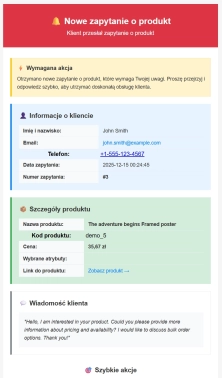
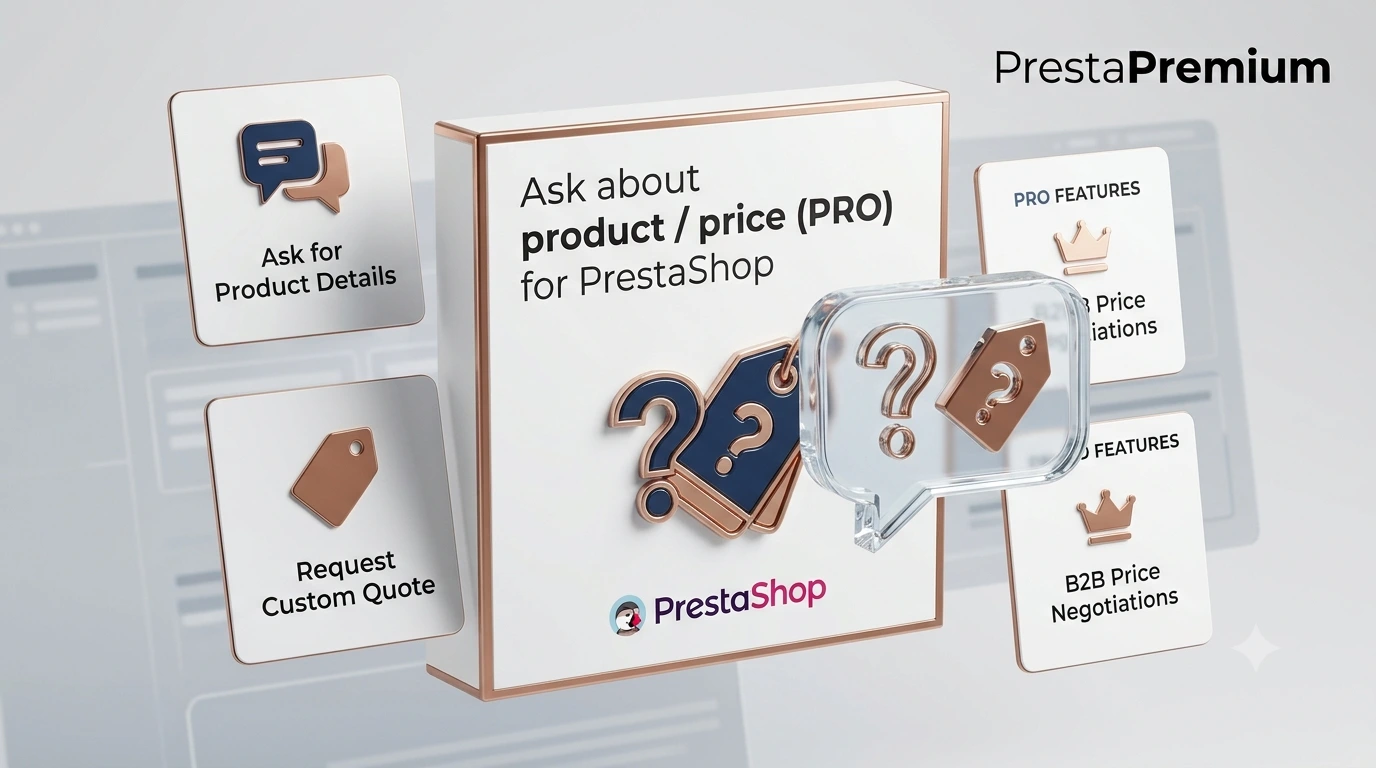
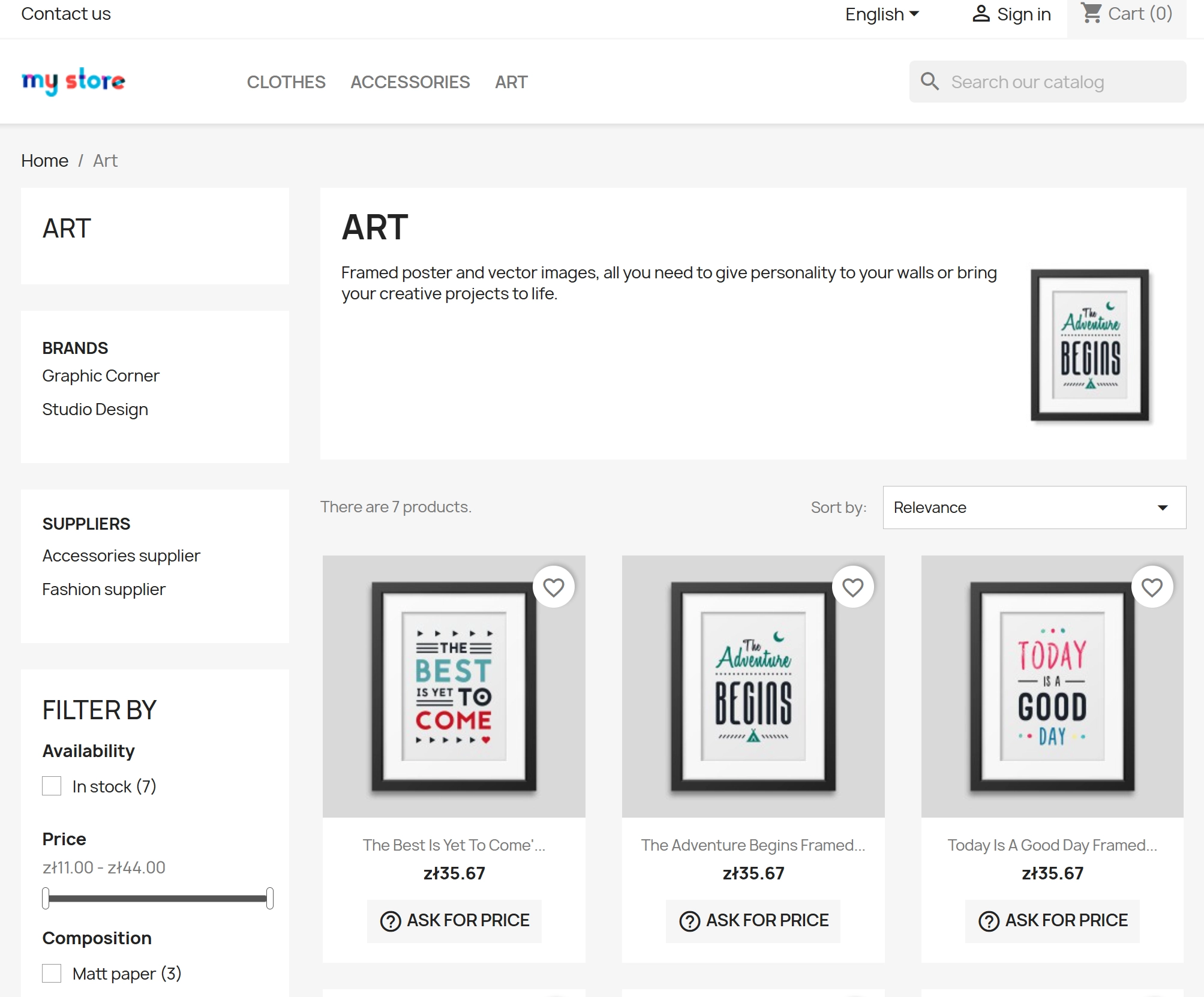
  • Ask about product / price (PRO) is an advanced PrestaShop module that adds an enquiry form on the product page and directly on the product list (categories, homepage, promotions, search results) — a feature rarely found in other solutions. The customer sends a message in a convenient form displayed directly on the page (without leaving the product view), and you receive a clear email notification and statistics on product interest. Optionally: GDPR and reCAPTCHA for better lead quality protection.

    199.00 zł Tax excluded

    Enter domain for this product

    event Important: Domain change possibility expand_more

    If the module will be tested, enter a test domain during purchase.

    You will report the change to a production domain later.

    In case of an incorrectly entered domain, please contact us as well.

    Changing the domain to a production one is possible once and requires reporting within 3 days of starting its use.

    Reports: shop@prestapremium.com

    In the content, provide:

    • order number
    • product name
    • current domain
    • new domain

    Details

    shopping_cart Will be added to cart 1 pieces of this product (one for each domain)

    Store Administration Back office demo
    What will your clients see? Store demo

    Information Parameters:

    • 2.0.0
    • 2025-12-14
    • 1.7.x, 8.x
    • EN, PL
    • Yes
    • demo.admin.shop
    • demo.front.shop

    The customer has a question at the key decision moment: about the price , availability , delivery time , and often also about a specific variant . If they have to search for a general contact form, the risk increases that they will abandon the site. Ask about product / price (PRO) is a solution of the " ask about product / ask about price " type, which shortens the path to contact to one click — exactly where the customer is viewing the product.

    If you sell products that require clarification (B2B, configurable products, more expensive assortment), this PrestaShop module helps collect quotation enquiries faster and in a more organised way.

    What you gain (business-wise)

    • More enquiries thanks to a shorter contact path.
    • Better lead quality with reCAPTCHA enabled.
    • Faster handling : ready email with product data.
    • Insight into demand : statistics on which products generate the most questions.

    What you can do on the front end (Front Office)

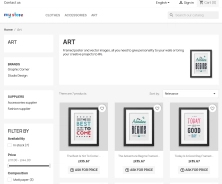
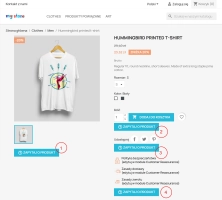
    • Display the enquiry button on the product page and/or in the listing (categories, search etc. — depending on the shop and settings).
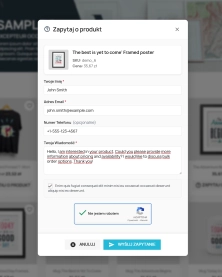
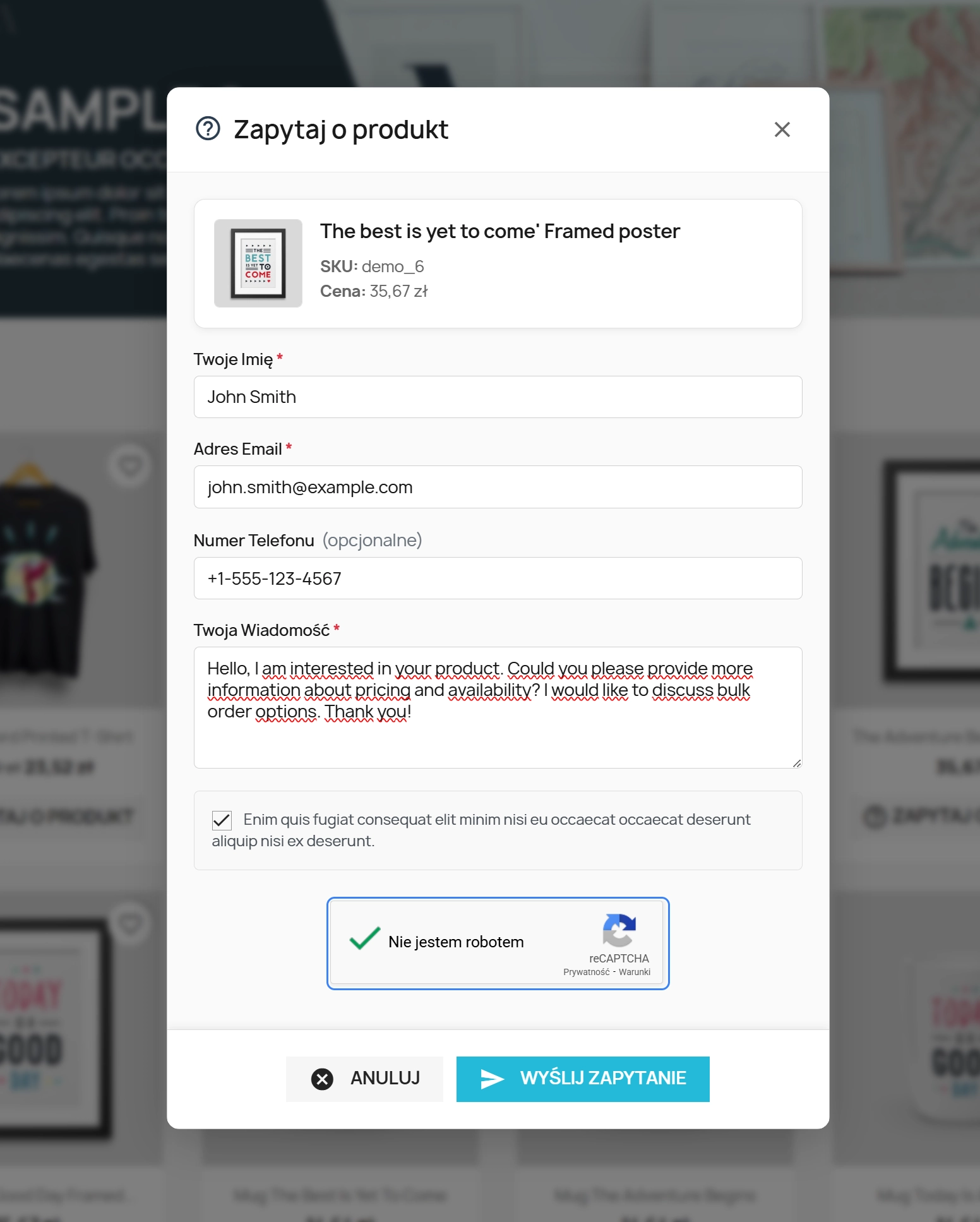
    • After clicking, show a pop-up window with the form (name, email, phone optional/required, message content).
    • If the product has attributes (variants), the enquiry can include the selected variant — the salesperson gets more precise information (e.g. size/colour).
    • Send the enquiry without reloading the page (frictionless UX).
    • Show success/error message after sending.

    What you can do on the back end (Back Office)

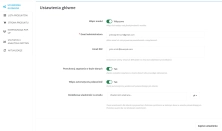
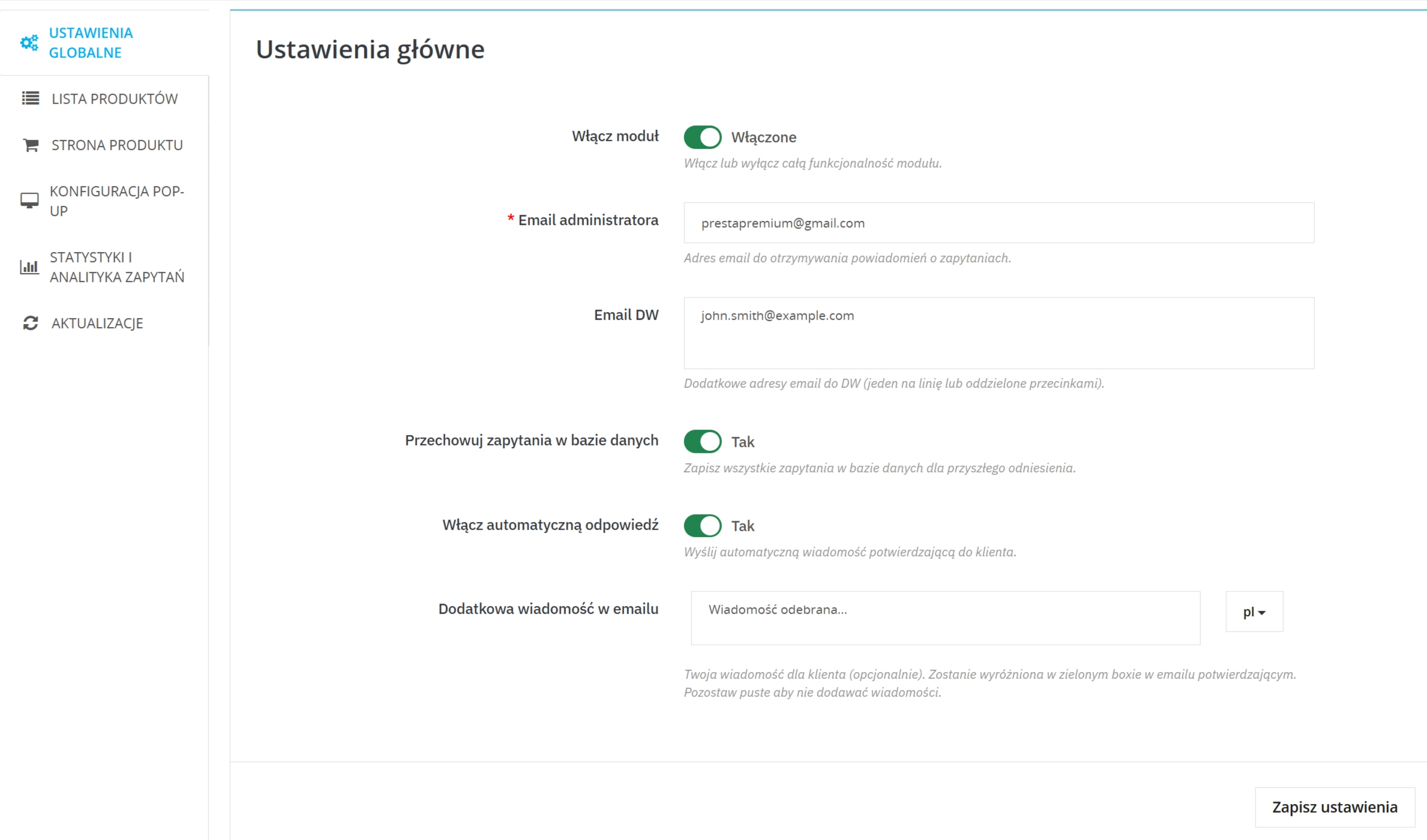
    • Enable/disable the module and set notification addresses ( admin email , optionally CC).
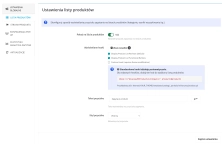
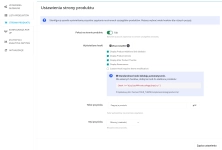
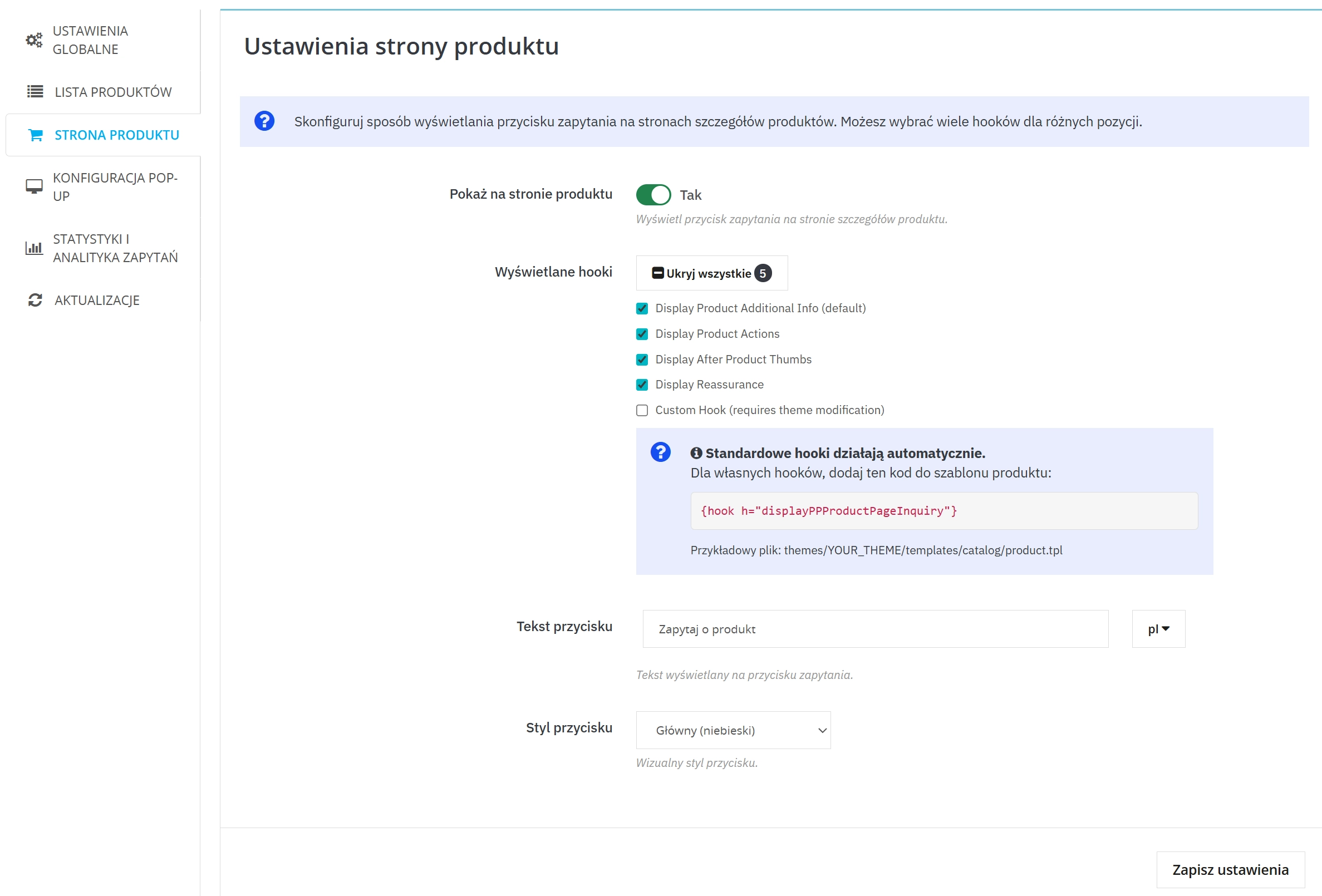
    • Decide where the button should appear: product page and/or listing , and choose the display position (hooks).
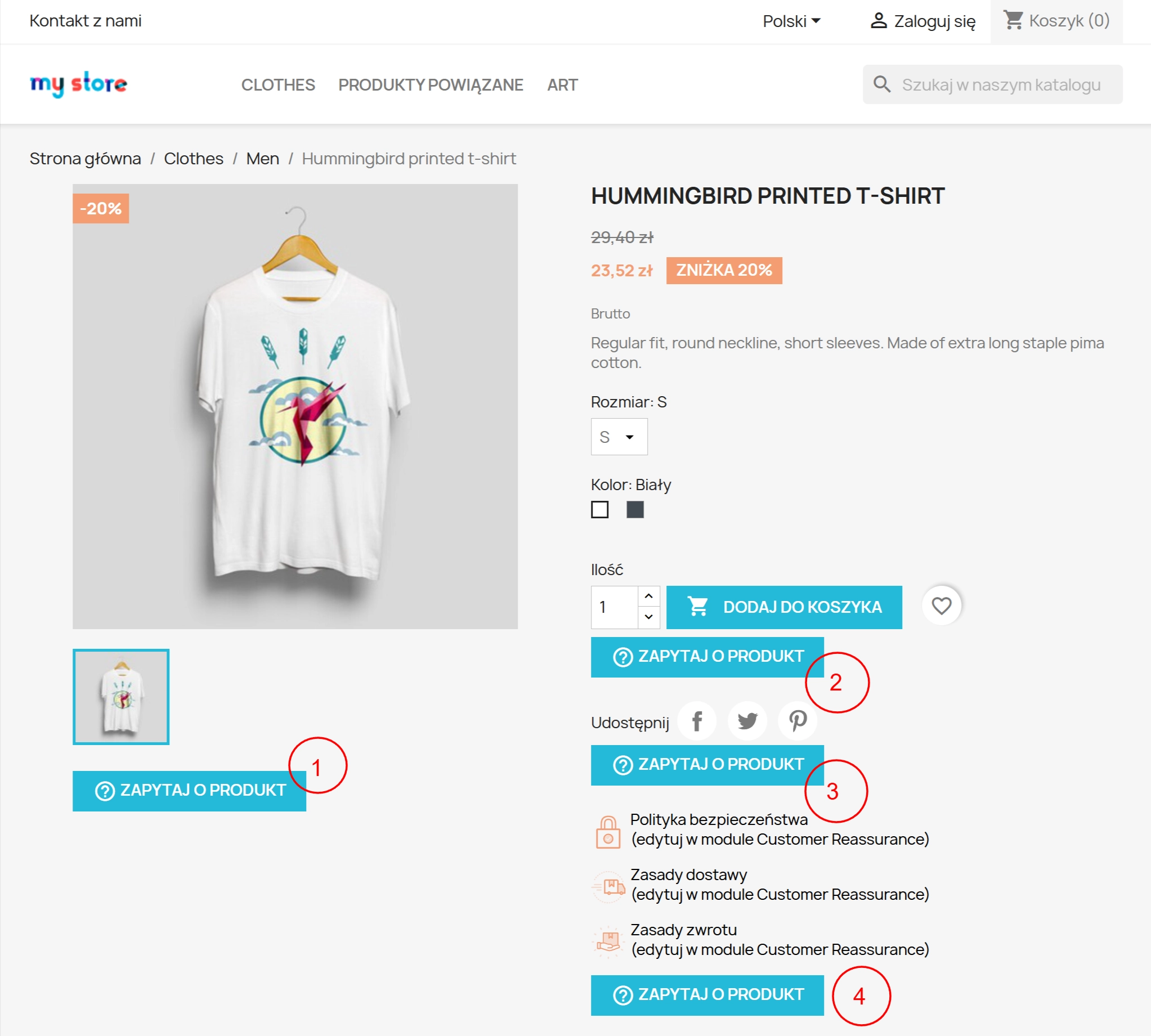
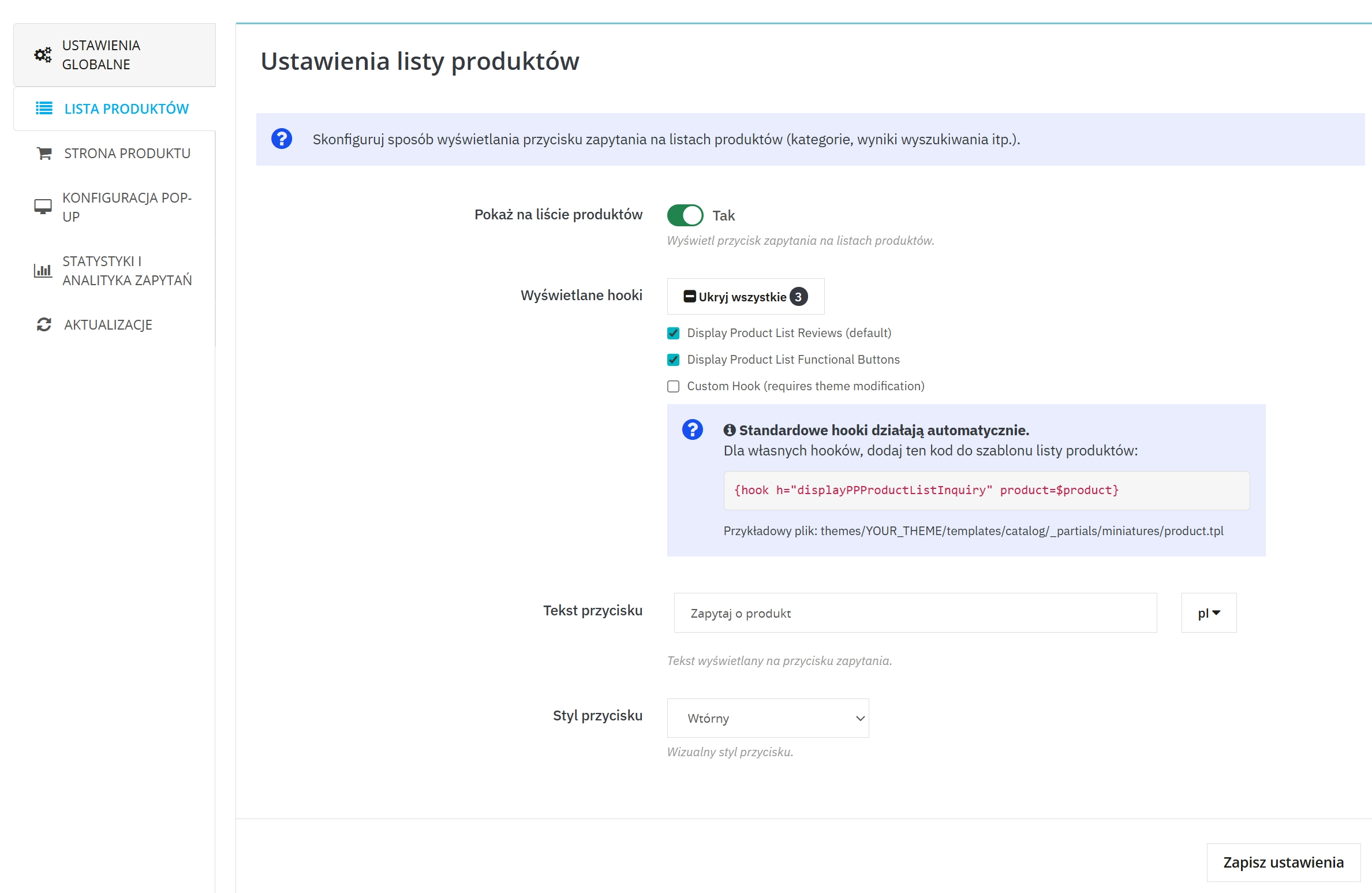
    • Choose hooks for the button: listing: 3 positions (including 1 custom) and product page: 5 positions (including 1 custom).
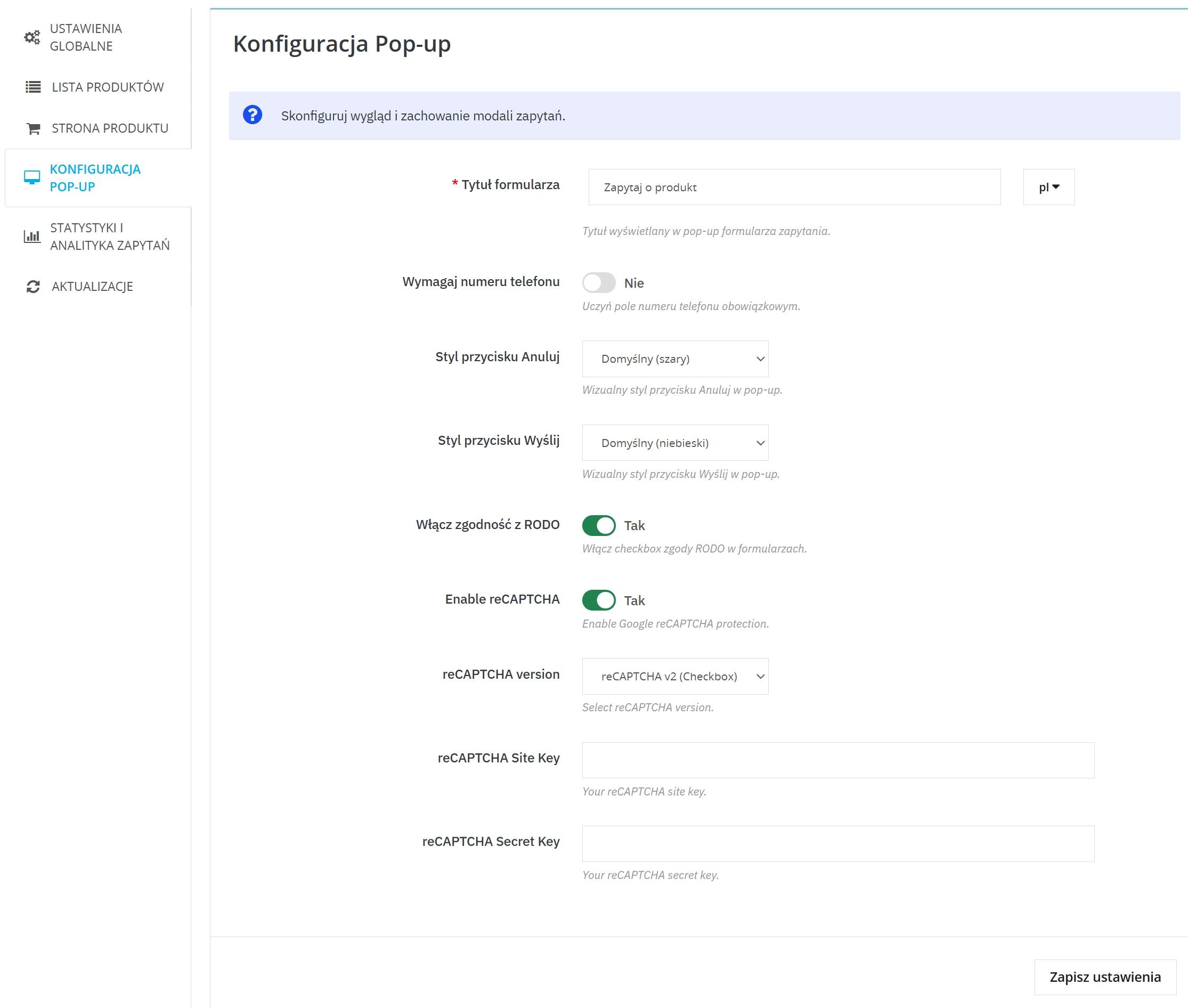
    • Set button texts and form title (multi-language) and choose button styles (including a variant that automatically adapts to the base button colours in your template).
    • Enable/disable enquiry archiving (saving in database) and view statistics of enquiries.
    • Enable auto-reply to the customer (optionally), set the auto-reply message and edit its content.
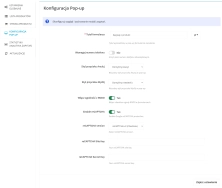
    • Activate reCAPTCHA (v2/v3) and fill in the keys to limit spam.
    • Enable GDPR/RODO support (consents + export/deletion of customer data via GDPR integrations).
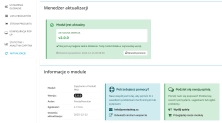
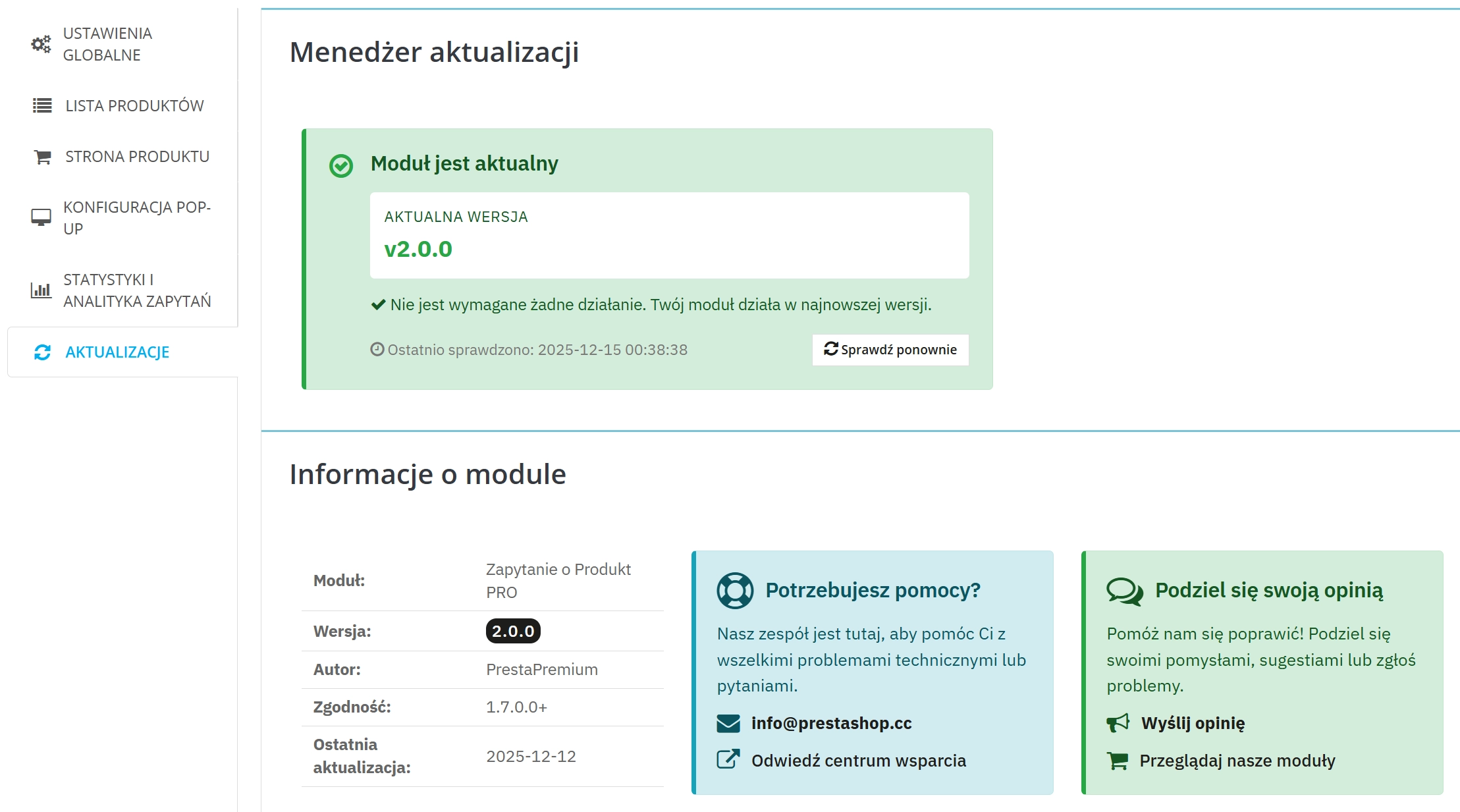
    • Use the update control system ("Updates" tab) to conveniently check for newer versions.

    Key features in brief

    1. "Ask about product/price" button on the product page

    The customer can send an enquiry exactly on the product page.

    • 5 display positions (hooks)
    • 1 custom hook for non-standard templates
    • Consistent look with the template : possibility to set a style that uses the base button colours
    • Variant/attributes : enquiry can indicate the selected variant

    2. Button on the product listing

    Contact already at the stage of browsing the offer — without entering the product page.

    • 3 display positions (hooks)
    • 1 custom hook for individual layouts

    3. Pop-up window with form

    Enquiry sent without reloading the page — faster and more convenient.

    • Name and surname , email , message
    • Phone optional or as a required field

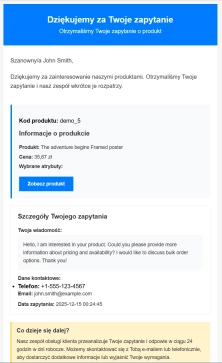
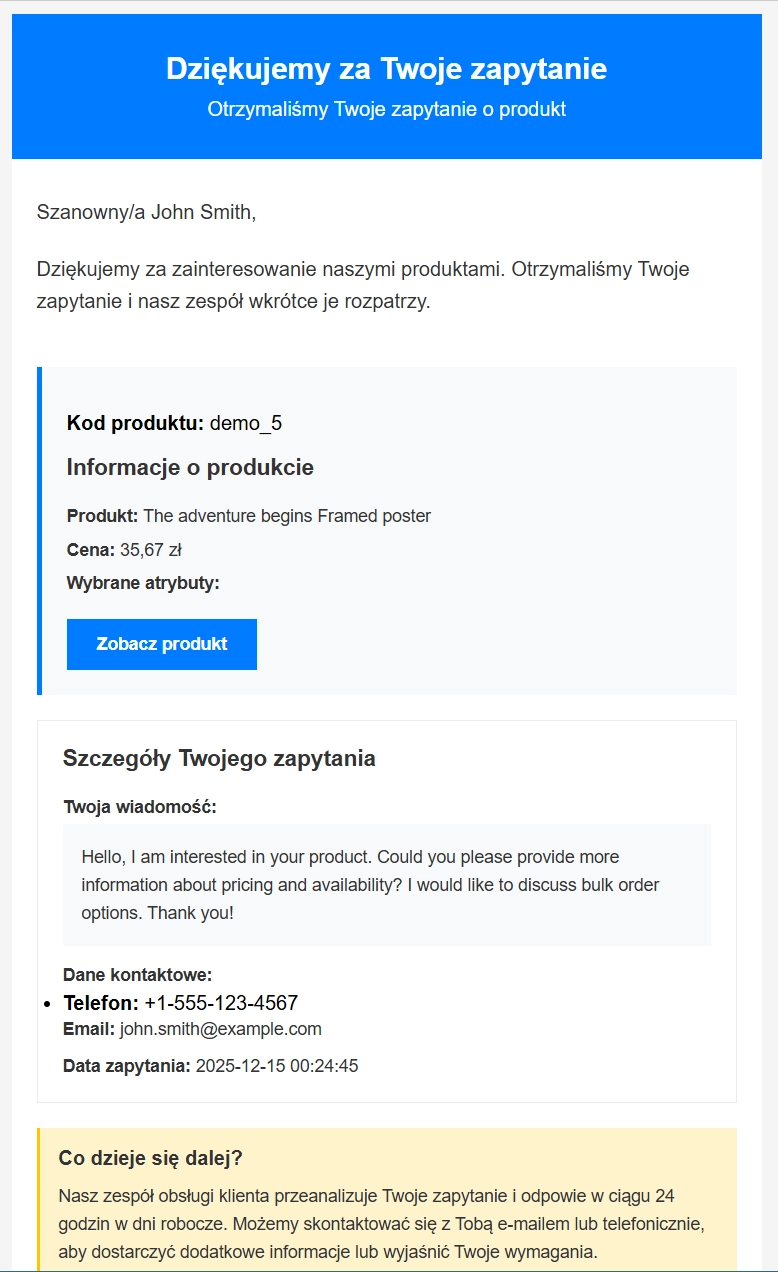
    4. Email notifications (admin + customer)

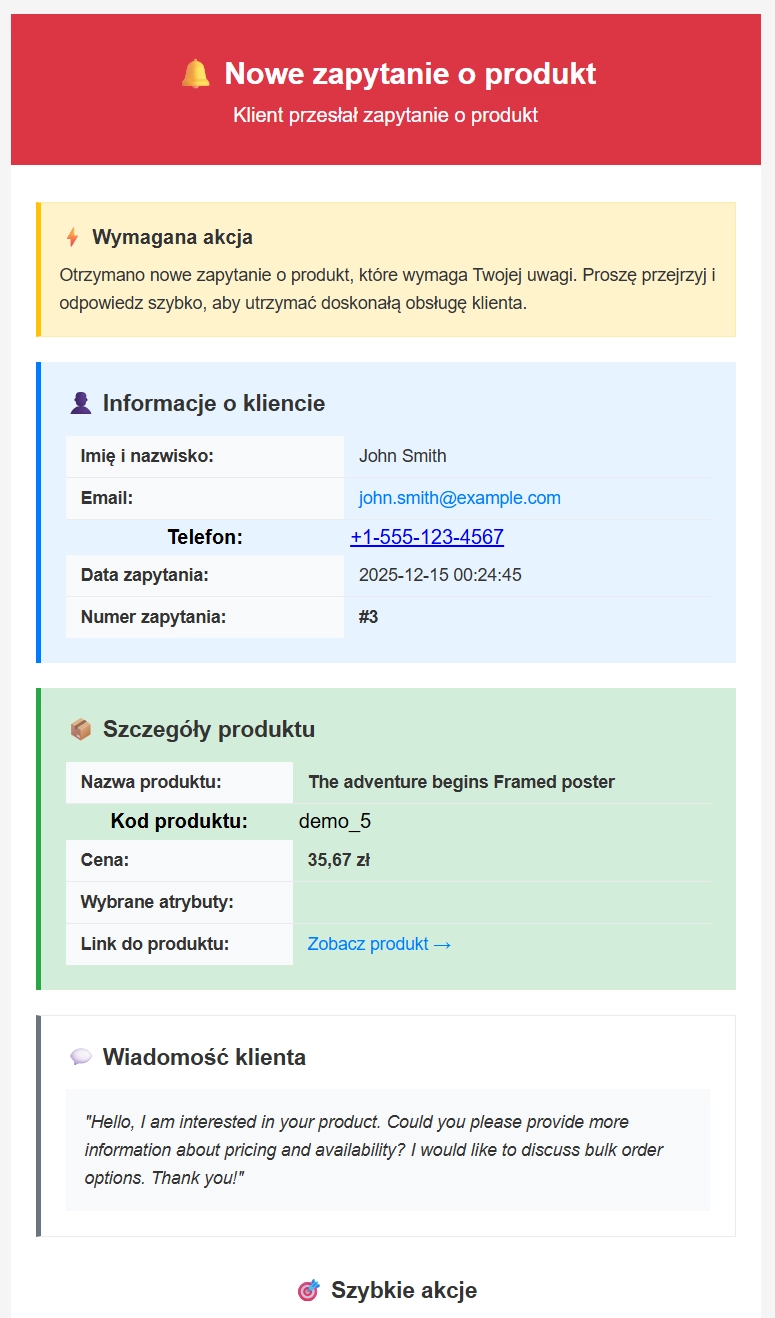
    Messages go directly to sales handlers — in an aesthetic and functional form, ready for work.

    • Email to administrator with enquiry and product data
    • Confirmation to customer (optionally)
    • Possibility to add additional text — administrator can add a short, tailored message to the confirmation email.
    • Email templates in HTML and TXT versions, (possibility to expand templates with any language version)

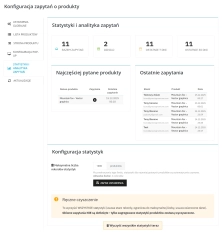
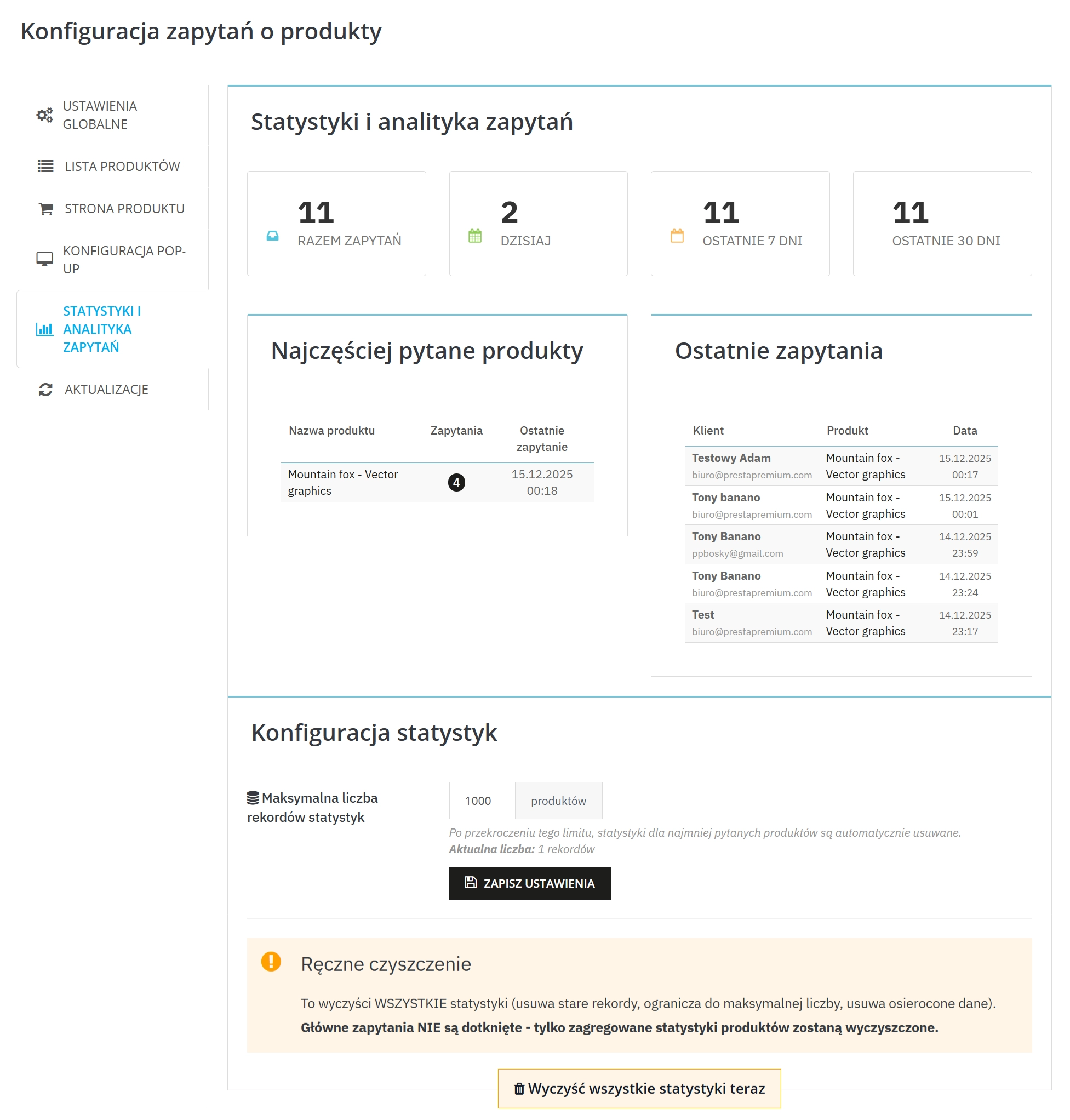
    5. Statistics and enquiry analytics

    You see the trend and products that need description/offer improvement.

    • Summaries (e.g. last days/weeks)
    • Most frequently asked products and latest enquiries

    6. Anti-spam and compliance (reCAPTCHA + GDPR/RODO)

    More control over submission quality and formal process compliance.

    • Google reCAPTCHA (v2/v3) limits spam
    • GDPR/RODO : consent and customer data handling

    7. Texts and settings for languages/shops

    Easy adaptation of communication to the market and shop.

    • Multi-language button texts and titles
    • Multistore (if you use multiple shops)

    8. Process control and order in enquiry handling

    You set the contact rules and the direction of enquiry handling.

    • Notification addresses + CC
    • Auto-reply to customer (optionally)
    • Enquiry archiving in database (optionally) for review/analysis

    Compatibility (requirements)

    • PrestaShop: 7.2+ and 8.x
    • PHP: 7.1 – 8.1

    If you care about quick product enquiries exactly where the customer makes the decision — this module is a simple implementation and quick effect in leads.

    ## [2.0.0] - 2025-12-15
    
    ### Added
    
    - **CC Email Support**: Added ability to send inquiry notifications to multiple CC email addresses, with separate email delivery for each recipient.
    - **Enhanced Auto-Reply System**: Improved multi-language auto-reply messages that use customer's language instead of admin's language.
    - **Advanced Email Templates**: Added support for custom additional messages in customer confirmation emails, displayed in highlighted green boxes.
    - **Statistics Management**: Enhanced statistics cleanup system with configurable retention periods and automatic maintenance.
    - **GDPR Compliance**: Integrated GDPR/RODO support with consent handling and customer data management.
    - **reCAPTCHA Integration**: Added Google reCAPTCHA v2/v3 support to prevent spam submissions.
    - **Multistore Support**: Full multi-shop compatibility with proper shop context handling.
    - **Update Checker**: Built-in system to check for module updates and notify administrators.
    
    ### Changed
    
    - **Email Template Engine**: Refactored email templates to work without Smarty processing, ensuring reliable delivery across all email clients.
    - **Configuration Management**: Improved configuration storage with better multilang and multistore support, eliminating code duplication.
    - **Frontend UX**: Enhanced popup forms with better validation, AJAX submission, and improved user feedback.
    - **Admin Interface**: Redesigned admin configuration tabs with cleaner layout and better form handling.
    - **Database Optimization**: Improved query performance and added proper indexing for statistics and inquiry data.
    
    ### Fixed
    
    - **Auto-Reply Logic Bug**: Critical fix - auto-reply emails were sent regardless of configuration settings.
    - **Shop Context Mismatch**: Resolved configuration save/load issues between different shop contexts.
    - **Statistics Form Submission**: Fixed button name mismatch preventing statistics settings from saving.
    - **Language Detection**: Corrected auto-reply messages to use customer's language instead of admin's.
    - **Email Template Rendering**: Removed Smarty {if} statements that were breaking email formatting.
    - **File Cleanup**: Removed unused configuration keys and deprecated code paths.
    
    ## [1.2.0] - 2025-11-20
    
    ### Added
    
    - **Product Listing Integration**: Added inquiry buttons directly on product listing pages (categories, search results, homepage).
    - **Multiple Hook Positions**: Implemented 5 display positions for product pages and 3 for listings, including custom hook support.
    - **Variant Selection**: Enhanced forms to include selected product variants/attributes in inquiries.
    - **Statistics Dashboard**: Added comprehensive statistics view with inquiry trends, popular products, and recent activity.
    - **Database Archiving**: Option to store all inquiries in database for analysis and compliance.
    
    ### Changed
    
    - **Button Styling**: Improved button appearance with multiple style options and theme color adaptation.
    - **Form Validation**: Enhanced client-side and server-side validation with better error messages.
    - **Email Notifications**: Redesigned admin notification emails with better product information layout.
    
    ### Fixed
    
    - **AJAX Form Submission**: Resolved issues with form submission without page reload.
    - **Multi-language Texts**: Fixed multilang configuration storage and retrieval.
    - **Template Compatibility**: Improved compatibility with various PrestaShop themes.
    
    ## [1.1.0] - 2025-10-15
    
    ### Added
    
    - **Popup Modal Forms**: Implemented modern popup windows for inquiry forms without page navigation.
    - **Phone Field Support**: Added optional/required phone number field in inquiry forms.
    - **Basic Email Templates**: Created HTML and TXT email templates for admin and customer notifications.
    - **Auto-Reply Feature**: Initial auto-reply system for customer confirmations.
    - **Admin Configuration**: Basic admin interface for module settings and email configuration.
    
    ### Changed
    
    - **Code Structure**: Refactored module architecture for better maintainability.
    - **Database Schema**: Initial database tables for inquiry storage and configuration.
    
    ### Fixed
    
    - **Installation Process**: Resolved module installation and uninstallation issues.
    - **Basic Form Handling**: Fixed form submission and validation basics.
    
    ## [1.0.0] - 2025-09-01
    
    ### Added
    
    - **Core Inquiry System**: Basic "ask about product" functionality on product pages.
    - **Email Notifications**: Simple email notifications to administrators.
    - **Basic Configuration**: Essential module settings and enable/disable functionality.
    - **PrestaShop Integration**: Initial hooks and integration with product pages.
    - **Database Foundation**: Basic database structure for storing inquiries.
    
    ### Changed
    
    - Initial module structure and file organization.
    
    ### Fixed
    
    - Core module functionality and basic error handling.

    Do you need additional features or custom solutions?

    • Module customisation tailored to your specific requirements.
    • Extending functionality to enhance your store's capabilities.
    • Developing bespoke modules designed to meet your unique needs.
    • Integrating external systems and additional tools.
    • Optimisation and improvements for better performance and user experience.

    Do you have ideas on how to improve this software? Share your suggestions for optimisation, new features, or bug reports – we’ll be happy to review them!

    Comments

    Comments (0)
    No customer reviews for the moment.

    FAQs

    • 1. What payment methods do you accept?

      We accept payments by credit/debit card, bank transfer and online payment systems such as Przelewy24, PayPal. Details can be found on the payment page.

    • 2. Can I test the module before purchasing?

      We do not provide modules for testing on individual PrestaShop instances. If a given module has a demo version, it is available on our test store, where you can familiarize yourself with its functionality. On the product page you will also find a detailed description, screenshots and instructional materials. In case of questions, please contact us - we will be happy to provide additional information.

    • 3. Are the modules compatible with my version of PrestaShop?

      Each module in our store contains information about compatibility with specific PrestaShop versions. Please check this information carefully before purchasing. If you are not sure, contact us.

    • 4. How can I download a purchased module?

      After you pay for your order and the payment is posted, the link to download the module will appear in your account in the "Order History and Details" tab ("Details" button). Additionally, we will send you an email with a download link.

    • 5. Can I get help installing a module or template?

      Yes, we offer installation and setup service as an additional option. You can add it to your cart when purchasing the product or order it separately.

    • 6. Are the modules compliant with GDPR regulations?

      We design our modules with GDPR compliance in mind. If a module processes personal data, you will find detailed information on compliance with the regulations in its description. We make every effort to ensure that our solutions meet current data protection standards.

    • 7. Can I have my store audited before purchasing a module?

      Yes, we offer a store audit service to help you choose the right modules and identify areas for improvement. Contact us for more information.

    • 8. Can I get a discount as a regular customer?

      Yes, for our regular customers we offer a loyalty program with attractive discounts. Check the details in your customer panel. If you do not see such an option, contact us - we will be happy to help!

    • 9. What should I do if the product does not meet my expectations?

      If the product does not meet your expectations, please contact our customer service department. Any returns are considered individually, in accordance with our regulations.

    • 10. Can I modify a purchased module or template?

      Yes, you can modify purchased products for your own needs, but you cannot resell them or share them with third parties. Details can be found in the license terms and conditions.

    • 11. Can I use the purchased module in multiple stores?

      Purchased modules are licensed for a single store. The exception is the use of the multi-shop feature within a single PrestaShop installation. In this case, you can use the module on multiple stores, even with different domains, provided that:

      • all stores run on the same PrestaShop installation,
      • the module is compatible with the multi-shop feature.
    • 12. How can I check if a module will work with my other installed modules?

      Our modules are designed to be as compatible as possible with other popular PrestaShop extensions. If you have any doubts, contact us and send us a list of your modules - we will help verify it.

    • 13. Are the modules translated into different languages?

      Most of our modules are available in several languages, including Polish and English. Information about available languages ​​can be found in the module description.

    • 14. How long does it take to process an order?

      The order is fulfilled automatically after the payment is posted. The product can then be downloaded immediately after the order has been paid for.

    • 15. What to do if module installation ends with an error?

      Check if your PrestaShop version is compatible with the module and if you have the right permissions for installation. If the problem persists, contact our technical support - we will help you solve the problem.

    • 16. Can I order a module that is not available in your offer?

      Yes, we do custom module creation. Contact us for details and pricing.

    • 17. How can I extend technical support or access to updates?
      • Extension of support and updates:

        • If the option to extend support and updates is available, you can order it directly from our store.
        • Simply add the appropriate option to your cart and complete the purchase.
      • No available extension option:

        • If support and update extensions are not offered, purchasing the module again will be required.
    • 18. How long can I use the module after purchase?

      Purchased products are available for use without time limits. However, access to updates and technical support is usually limited to 6 or 12 months from the date of purchase, depending on the product. (details on updates/support are always included on the respective product card)

    • 19. Do you offer technical support for products?

      Yes, we provide technical support within the support period assigned to a given product. You can contact us via the contact form or e-mail.

    • 20. Can I update the module to a newer version?

      Yes, you can download new versions of the product for free during the support and update period. After that time, you can renew your update subscription.

    • 21. Can I ask you to adapt the module to my needs?

      Yes, we offer a module personalization service. Describe your needs and we will prepare an individual quote.

    • 22. What should I do if I have problems downloading the module?

      If you have trouble downloading the module, please make sure your payment has been processed. If you still have trouble, please contact us and we will manually provide you with the module.

    • 23. Do you offer help with store optimization after installing the modules?

      Yes, we can help you optimize your store so that your modules run at full efficiency. Ask about our technical support service.

    • 24. What does the module update process look like?

      If the module requires an update, you can download the latest version from your client panel. We recommend backing up your store before updating.
    • 25. Can I change the domain on which the module runs?
      Yes, if you want to transfer the module to another domain, please contact us to discuss the details and conditions of the license transfer.

    • 26. What should I do if my store stops working after installing the module?

      If your store encounters problems after installing the module, please contact our technical support immediately. We will help diagnose and resolve the issue.

    • 27. Can I ask for advice in choosing a module?

      Of course! Contact us and we will advise you which module best suits your needs.