
PrestaShop Repair — Store Emergency, 500 Error & Broken Checkout
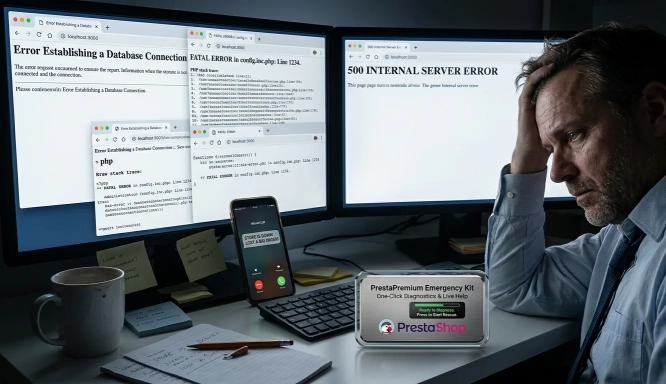
When the shop is down, you lose orders here and now. A white screen, a 500 error or a blocked basket is not a “minor glitch” — it is stopped sales. We restore the shop to working order and remove the cause, not just the symptoms.
Is your shop down or throwing errors?
We will help you restore sales quickly. Decide whether you need an immediate intervention on the server, or would rather discuss the problem first and get an initial quote.
I want the shop fixed immediately
For critical outages (the shop is down and you are losing customers). You pay for billable hours; we contact you at once for access, take a safe backup and start the repair straight away.
Buy hours and start the repairI need a consultation and a quote
Not sure what has actually broken? Describe the problem. During working hours we usually reply within 1 hour — we will review the symptoms and recommend the right next step (no server passwords required).
Describe the fault and get a quoteor send an email:
support@prestapremium.comClicking will open your email application with a prepared priority subject line.
You will speed up diagnosis if your report includes:
- the shop address (URL),
- the PrestaShop version (if you know it),
- a short description of the symptoms (e.g. 500 error, white screen, basket failure),
- whether you have access to the back office / FTP / hosting (do not send credentials in the first message).
We do not patch the shop “for now” and we do not mask errors. You do not need in-house IT — we take on the PHP code, the SQL database and the server configuration so the shop can sell again.
The most common PrestaShop failures we diagnose and fix
We deal with a complete shop standstill, problems in orders and shipping, and with errors that the previous contractor gave up on:
| What fails | How it looks on your side | What we do to fix it |
|---|---|---|
| Critical errors (HTTP 500 / 503) | White screen, the shop will not load, you cannot reach the administration panel (Back Office). | We check server logs (PHP / Nginx / Apache), memory limits and conflicts between modules and core overrides — until we find what is bringing the shop down. |
| Basket, payments and shipping | You cannot add a product, checkout loops, PayU / Przelewy24 disappear, or InPost lockers vanish. | We verify delivery zones, cart rules, browser errors (JavaScript) and API responses from payment and carrier operators. |
| Integrations and APIs (ERP / BaseLinker) | New orders do not come through, currencies convert incorrectly, stock levels do not sync. | We check webhooks, access tokens, request limits and data formats (JSON/XML) so the integration runs stably again. |
| Errors after an update and incompatibility | The shop “falls apart” after a newer PrestaShop or after PHP is raised on the server (e.g. 8.1 / 8.2). | We tidy the code, remove deprecated functions and adapt the theme and engine (Smarty/Twig) to the new version. |
| SQL database damage | DbException messages, lost baskets, product pages load slowly. | We repair table structure, rebuild indexes, cut slow queries and clean the database of junk that is holding the shop back. |
Why every hour without a repair is a real loss
The longer the error sits, the more costs pile up — not only the “technical” ones:
Lost orders and wasted advertising
Every minute without a working basket is a sale you will not close. If Google Ads, Meta Ads or remarketing are running, you pay for clicks on a broken page — traffic is there, sales are not.A disappearing contractor and abandoned code
The freelancer does not pick up, cannot pin down the error, or vanishes in the middle of a crisis. We take over such shops, tidy the code and give you a partner who answers.Warehouse chaos and failing ERPs
When BaseLinker, Subiekt, Comarch and similar integrations go down, stock levels drift apart. You sell something that is not on the shelf — then cancellations and complaints follow.Accounting and legal problems
System errors can duplicate orders, break invoice numbering or miscalculate tax. Outdated, vulnerable modules also mean a risk of data leaks and GDPR trouble.Hosting blocked by overload
Looped SQL queries or PHP errors exhaust CPU and RAM. On shared hosting, administrators often cut the shop off automatically — and sales stop altogether.A drop in Google visibility
Googlebot crawls the shop all the time. With 500/502 errors or redirect loops it wastes crawl budget. A long outage ends in a shallower index and weaker rankings.How we work when clearing an outage
We do not guess. First we restore sales, then we close a lasting repair — always with data protection and clear costs:
- Backup at the start: We always begin with a full backup of the database and files. Even in a crisis we must have a rollback point. We take the backup when paid work starts (hours paid for, or an accepted quote).
- Two ways to start: a standard outage — you buy hours and after payment we go onto the server. An uncertain or larger scope — you report it here; during working hours you get a steer and a recommendation (hours from the product, a quote, or another product). Analysing logs on the server is not a free “1-hour diagnosis”.
- Staging for harder outages: If the problem is complex and the shop is still selling, we do not experiment on the live shop. On a critical standstill we first recover sales, then close the lasting fix.
- We look for the cause, not only the symptom: We analyse server logs, SQL queries and the PrestaShop profiler so the error does not return after a restart or the next update.
- Order in the code and Git: Fixes are described and versioned. We leave readable code that someone can keep working with.
Safe repair — why PrestaPremium?
We work on 1.6, 1.7, 8.x and 9.x. We are not a “do everything” agency.
We write our own modules and fixes. We avoid unsafe core overrides and solutions that will fail on the next update.
We respect customer data and the shop database. We work in line with GDPR and standard security procedures.
We do not touch production without a full copy of the SQL database and files — a standing part of paid work, not an add-on.
Common questions about PrestaShop repair
Report on this page, or buy hours?
Two paths, both lead to a repair:
- Buying hours — the shop is not selling, or you want to skip a quote. After payment we collect access and start on the server. Product: fast PrestaShop repair. For a standstill: 2 hours + URGENT mode.
- A report (form / email) — you do not know how long it will take, you need a figure for accounts, or you are not sure whether it is an outage, malware or hosting. During working hours we reply in about 1 hour with a classification and a recommendation. That is not access to the server.
How long do diagnosis and repair take?
Report: we aim to reply in about 1 hour from the report, during working hours — a steer, not a full diagnosis on the server. Buying hours: we start after payment has cleared and access has been collected; in URGENT mode we begin diagnosis on the server within 2 hours. The repair itself depends on the cause and the hours paid for (or on an accepted quote for a larger scope).
How do you charge for the work?
A standard outage: hours from the product card (1 unit = 1 billable hour). If the repair will not fit into the hours paid for, we stop and you receive a report with a quote to continue — no surprises on the invoice. A larger mess, a vanished developer or an unclear scope: report on this page, then a quote. Ongoing care is a separate subscription — PrestaShop support.
Do you repair the shop on the live system?
For simple, clear outages — yes, after a backup. For complex problems, when the shop is still selling, we first reproduce the error on staging. When the shop is not selling at all, the priority is to restore sales quickly.
What if the previous developer has disappeared?
This is a common scenario. We take over the shop, restore access, tidy the code and carry out the repair without waiting for the previous contractor. If the scope is unclear, start with a report; if sales are down and you want to move at once — buy hours.
Do you support PrestaShop 1.6, 1.7, 8 and 9?
Yes. We work on production shops across all of these version lines.
How does an outage repair differ from malware clean-up?
This page covers technical failures: 500 error, basket, integrations, database, problems after an update. Suspected malware / spam / a break-in is a separate path — repair and malware removal.
Is the shop down? Choose a path now
The sooner we start (paid hours) or receive the URL and symptoms (a steer), the sooner you are back to selling.
Frequently asked questions about PrestaShop repair
We aim to complete an initial diagnosis within about one hour of your report (during working hours). The repair time itself depends on the root cause — after diagnosis you receive a clear estimate of time and cost.
For straightforward faults — yes, after a full backup. For complex issues we first reproduce the error on a staging environment. When the store cannot sell at all, restoring sales takes priority.
This is a common scenario. We take over the store, restore access, tidy up the code, and carry out the repair without waiting for the previous contractor.
Yes. We work on production stores across all of these version lines.
This page covers technical failures: HTTP 500 errors, checkout issues, integrations, database problems, and breakage after updates. Suspected malware, spam or intrusion is a separate path — repair and malware removal.
After diagnosis you receive a time and cost estimate. Charging is transparent — no hidden fees. Ongoing support and hourly packages are discussed separately if you need longer-term cover.
Related Products

Quick PrestaShop Support & Fix – Diagnosis and Error Resolution
Has your store stopped working and customers can no longer place orders? A white screen, HTTP 500 error, blocked cart or failure after an update can cause immediate financial loss. Instead of troubleshooting...