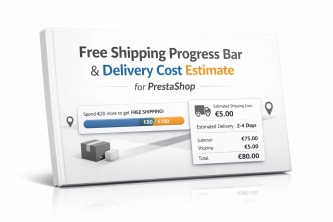
Free Shipping Progress Bar & Delivery Cost Estimate for PrestaShop
Encourage customers to spend more by showing them exactly how much is left until free shipping . The module also displays an estimated delivery cost on the product page ,...
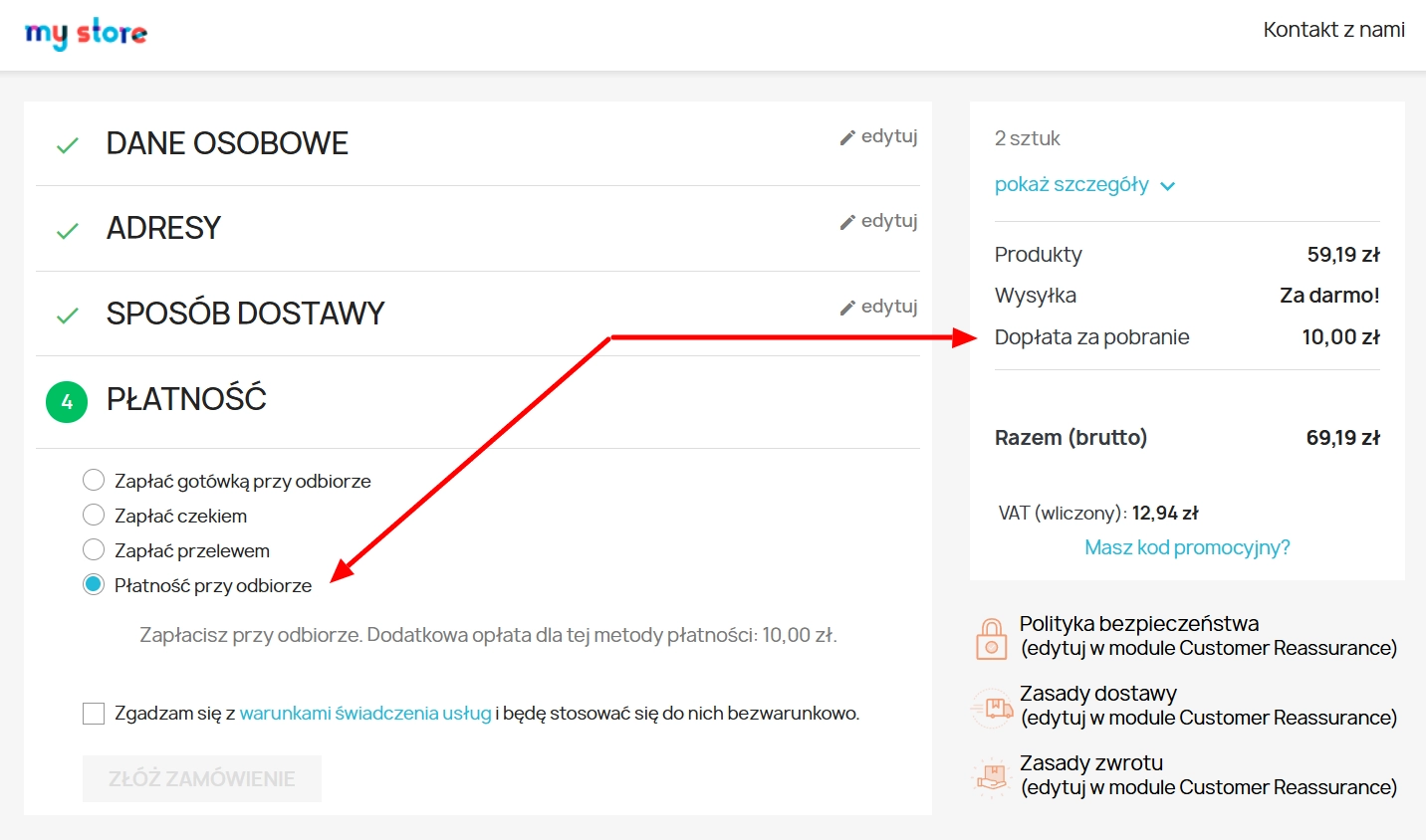
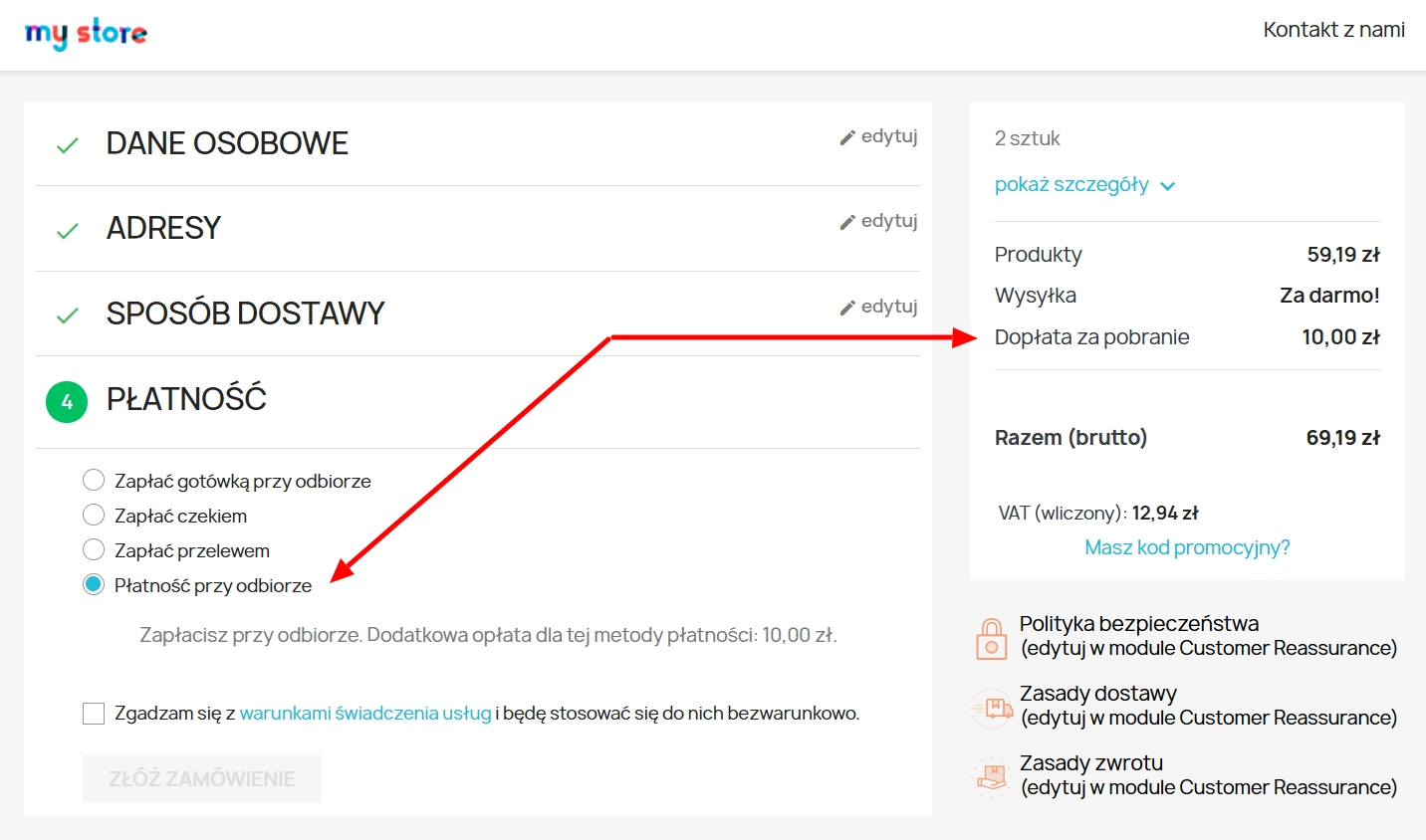
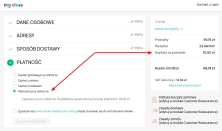
A cash on delivery module for PrestaShop with the option to apply an additional fee. The fee is added to the order automatically and displayed as a separate line in the basket summary.
The module simplifies checkout by removing the need to create separate carriers for COD. One delivery method, fewer customer choices, and a clearer purchasing flow.
Information Parameters:
The module is well suited to shops that still offer cash on delivery and want to move the cost of that service directly into checkout. This includes electronics shops, parts stores, seasonal products, first-order-only assortments, local shops, and B2C implementations where COD can still be an important factor in closing a sale.
The solution is also useful in shops maintained by a software house or freelancer, where clear COD business logic, easy maintenance, and fewer manual corrections in orders matter. In multistore environments it helps keep the same logic in place across different languages and shop configurations.
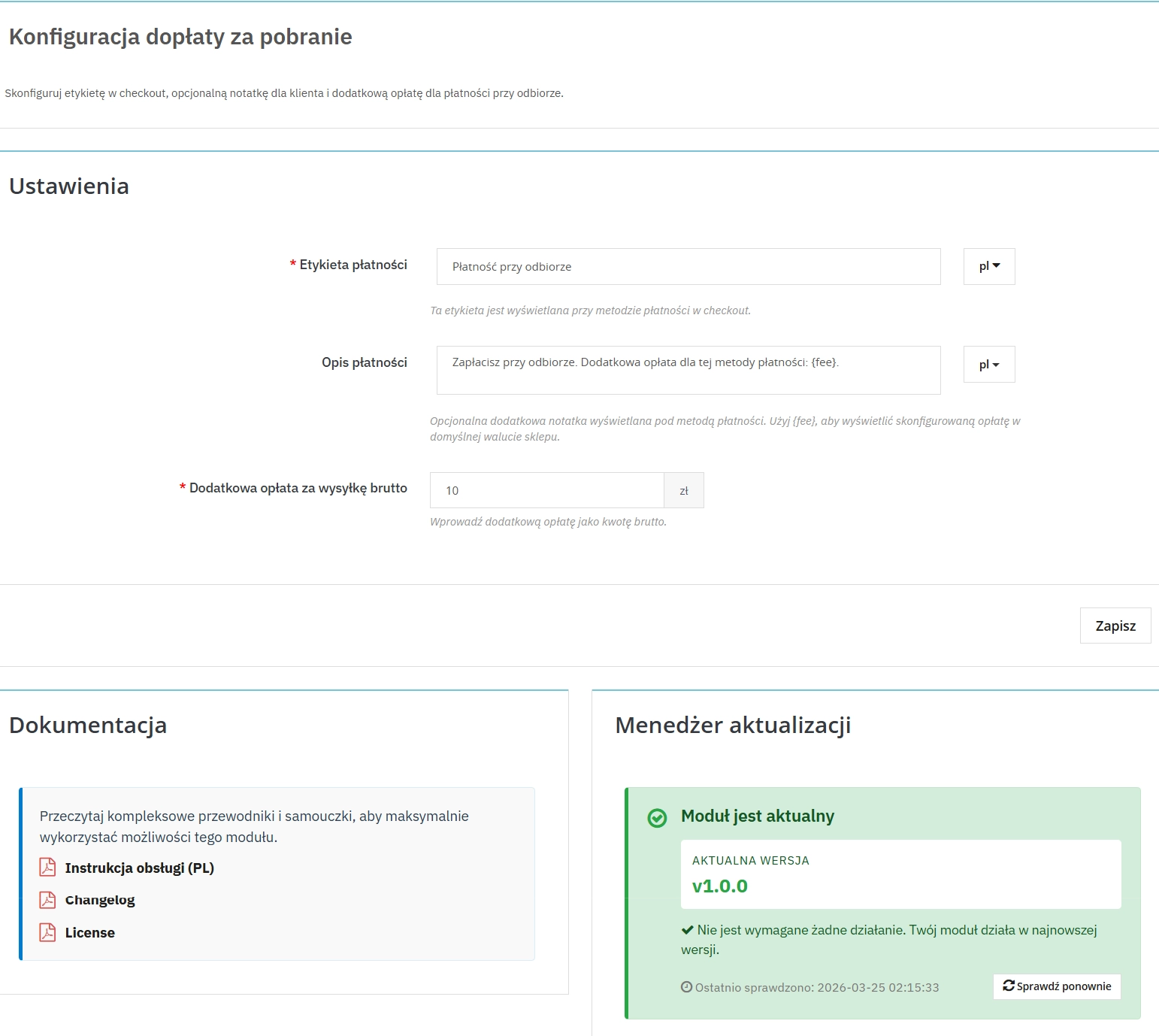
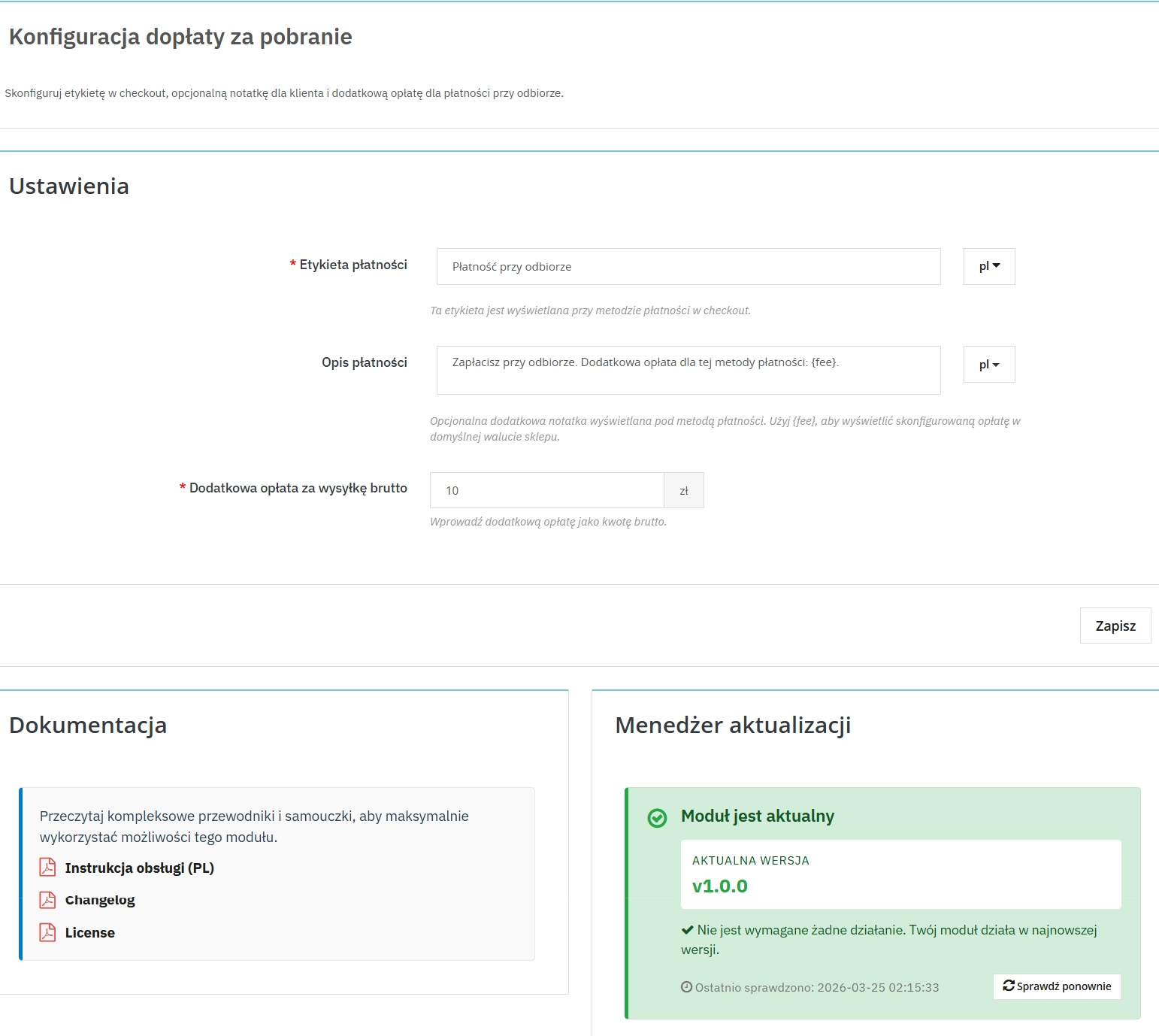
The administrator sets the payment method label shown in checkout without editing templates.
The module can display a custom message below the payment option with a dynamic fee value.
The fee amount is entered in Back Office as a tax-inclusive value, which simplifies day-to-day configuration.
Module installation creates a dedicated order status for handling cash on delivery payments.
The current version stores the fee with a persistent idempotency state and transactional logic.
The customer selects COD without leaving the native PrestaShop flow.
After COD is selected, the module refreshes the key summary fragments without a full checkout reload.
The customer can see a confirmation message about the applied COD surcharge on the order confirmation page.
Before installing or updating the module, create a backup of both files and database. In a production shop, it is advisable to test checkout, multistore, currency and invoice scenarios on a staging environment. If the shop uses a custom checkout or additional payment-related modifications, compatibility should be verified before deployment.
## [1.0.0] - 2026-03-25 ### Added
5 other products in the same category:
Free Shipping Progress Bar & Delivery Cost Estimate for PrestaShop
Encourage customers to spend more by showing them exactly how much is left until free shipping . The module also displays an estimated delivery cost on the product page ,...
Product Availability Labels for Products and Combinations in PrestaShop
A PrestaShop module for advanced management of product and combination availability labels . It supports multiple rule levels (global, product, combination), allows message...
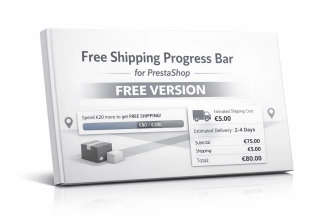
Free Shipping Progress Bar for PrestaShop (Free Version)
Encourage customers to spend more by clearly showing how much is left until they unlock free shipping . This is the free, simplified edition of the module, focused on one...
Automatic delivery cost on the product card
PP Shipping Estimate is an advanced module for PrestaShop that enables automatic calculation of delivery costs on the product page . The customer does not need to...
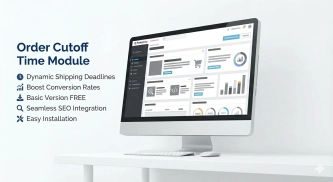
Order Cutoff Time Module – Dynamic Shipping Time (Basic Version)
Optimise logistical communication in your shop with a lightweight Entry-Level solution. The Order Cutoff Time module for PrestaShop (1.7–8.x–9.x) is a tool that automates...
We accept payments by credit/debit card, bank transfer and online payment systems such as Przelewy24, PayPal. Details can be found on the payment page.
We do not provide modules for testing on individual PrestaShop instances. If a given module has a demo version, it is available on our test store, where you can familiarize yourself with its functionality. On the product page you will also find a detailed description, screenshots and instructional materials. In case of questions, please contact us - we will be happy to provide additional information.
Each module in our store contains information about compatibility with specific PrestaShop versions. Please check this information carefully before purchasing. If you are not sure, contact us.
After you pay for your order and the payment is posted, the link to download the module will appear in your account in the "Order History and Details" tab ("Details" button). Additionally, we will send you an email with a download link.
Yes, we offer installation and setup service as an additional option. You can add it to your cart when purchasing the product or order it separately.
We design our modules with GDPR compliance in mind. If a module processes personal data, you will find detailed information on compliance with the regulations in its description. We make every effort to ensure that our solutions meet current data protection standards.
Yes, we offer a store audit service to help you choose the right modules and identify areas for improvement. Contact us for more information.
Yes, for our regular customers we offer a loyalty program with attractive discounts. Check the details in your customer panel. If you do not see such an option, contact us - we will be happy to help!
If the product does not meet your expectations, please contact our customer service department. Any returns are considered individually, in accordance with our regulations.
Yes, you can modify purchased products for your own needs, but you cannot resell them or share them with third parties. Details can be found in the license terms and conditions.
Purchased modules are licensed for a single store. The exception is the use of the multi-shop feature within a single PrestaShop installation. In this case, you can use the module on multiple stores, even with different domains, provided that:
Our modules are designed to be as compatible as possible with other popular PrestaShop extensions. If you have any doubts, contact us and send us a list of your modules - we will help verify it.
Most of our modules are available in several languages, including Polish and English. Information about available languages can be found in the module description.
The order is fulfilled automatically after the payment is posted. The product can then be downloaded immediately after the order has been paid for.
Check if your PrestaShop version is compatible with the module and if you have the right permissions for installation. If the problem persists, contact our technical support - we will help you solve the problem.
Yes, we do custom module creation. Contact us for details and pricing.
Extension of support and updates:
No available extension option:
Purchased products are available for use without time limits. However, access to updates and technical support is usually limited to 6 or 12 months from the date of purchase, depending on the product. (details on updates/support are always included on the respective product card)
Yes, we provide technical support within the support period assigned to a given product. You can contact us via the contact form or e-mail.
Yes, you can download new versions of the product for free during the support and update period. After that time, you can renew your update subscription.
Yes, we offer a module personalization service. Describe your needs and we will prepare an individual quote.
If you have trouble downloading the module, please make sure your payment has been processed. If you still have trouble, please contact us and we will manually provide you with the module.
Yes, we can help you optimize your store so that your modules run at full efficiency. Ask about our technical support service.
If the module requires an update, you can download the latest version from your client panel. We recommend backing up your store before updating.
Yes, if you want to transfer the module to another domain, please contact us to discuss the details and conditions of the license transfer.
If your store encounters problems after installing the module, please contact our technical support immediately. We will help diagnose and resolve the issue.
Of course! Contact us and we will advise you which module best suits your needs.
Do you have ideas on how to improve this software? Share your suggestions for optimisation, new features, or bug reports – we’ll be happy to review them!
Write your review