Google reCAPTCHA (v2 + v3) – Stop Bots, Yes to Customers

PP-RG23
1.7, 8.x, 9.x
EN, FR, IT, DE, PL
  • 1.0.1
  • 2026-02-12
  • Tired of deleting spam from your inbox and fake accounts from your store panel? This module is your digital guardian that lets only real people into your store.

    Install official Google reCAPTCHA protection (including the latest invisible v3 version) and forget about bots. Secure login, registration, and orders without annoying customers with image puzzles.

    190.00 zł Tax excluded

    Enter domain for this product

    event Important: Domain change possibility expand_more

    If the module will be tested, enter a test domain during purchase.

    You will report the change to a production domain later.

    In case of an incorrectly entered domain, please contact us as well.

    Changing the domain to a production one is possible once and requires reporting within 3 days of starting its use.

    Reports: shop@prestapremium.com

    In the content, provide:

    • order number
    • product name
    • current domain
    • new domain

    Details

    shopping_cart Will be added to cart 1 pieces of this product (one for each domain)

    Information Parameters:

    • 1.0.1
    • 2026-02-12
    • 1.7, 8.x, 9.x
    • EN, FR, IT, DE, PL

    3 reasons why you'll love this module

    • Peace from spam – The module automatically blocks bots spamming contact forms and creating fake accounts. Your customer database will finally be clean, and your marketing statistics – reliable.
    • Customers buy, not solve puzzles – Thanks to support for reCAPTCHA v3 and Invisible, verification happens completely in the background. A real customer won't even notice they're being checked, which increases the chance of order completion.
    • Protect your business – You block attempts to extract data, test stolen cards (carding), and attacks on customer passwords. You build the image of a secure store.

    Key features (simple and straightforward)

    All Google versions in one place

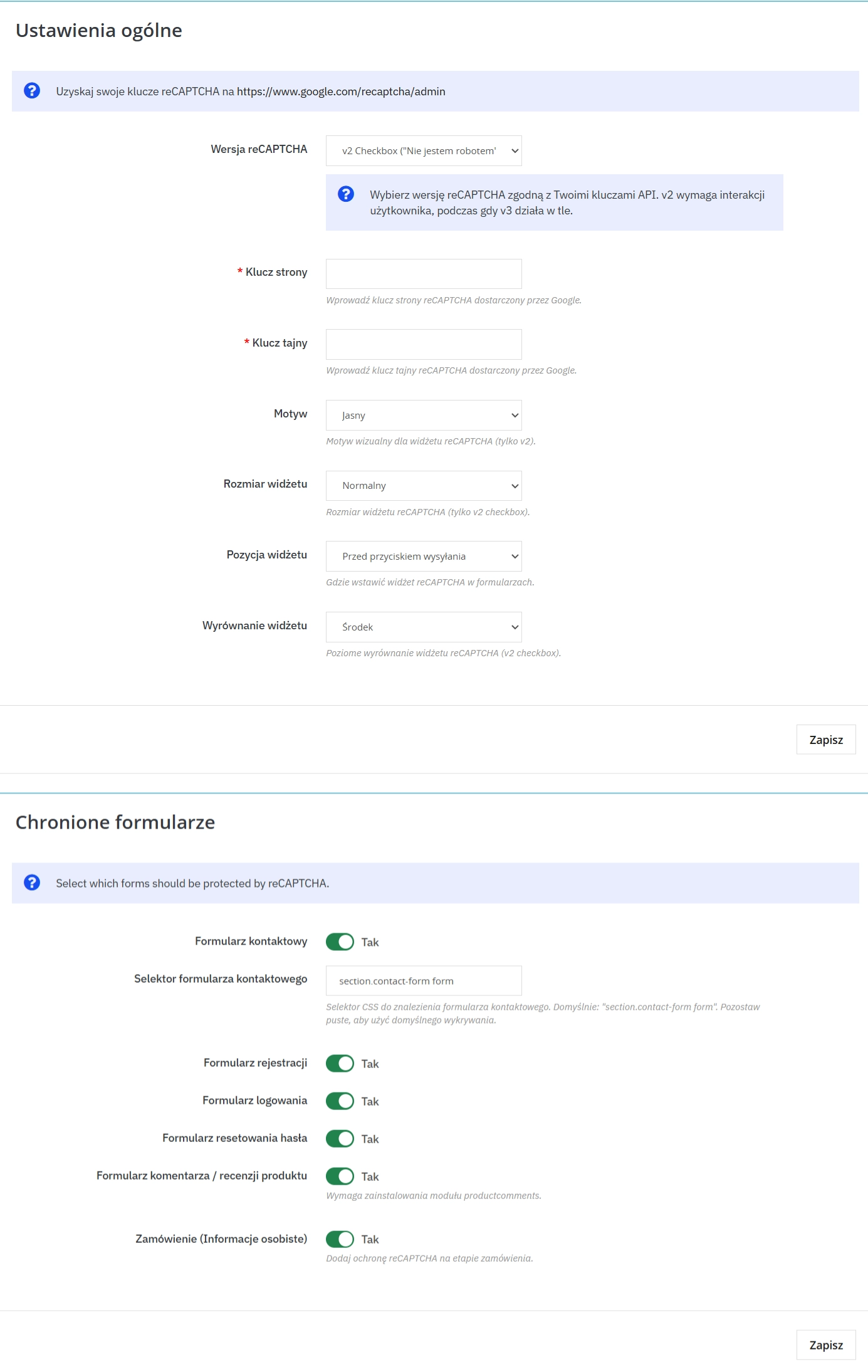
    Choose what you prefer: classic checkbox "I'm not a robot" (v2) or modern invisible protection based on artificial intelligence (v3).

    Works on any template

    Does your store have an unusual look or custom forms? No problem. The module allows advanced configuration for any graphic theme.

    Better SEO and faster store

    By blocking thousands of bot queries, you relieve the server. A faster store and no spammy content in comments is a signal to Google that your site is valuable.

    Full responsiveness

    The protection looks good and works smoothly on both computers and smartphones (compact mode), without breaking your site's layout.

    Where does the protection work?

    • Login and registration (B2C and B2B)
    • Contact form
    • Order process (addresses, checkout)
    • Password recovery
    • Comments (depending on configuration)

    How to generate API keys? (Step-by-Step)

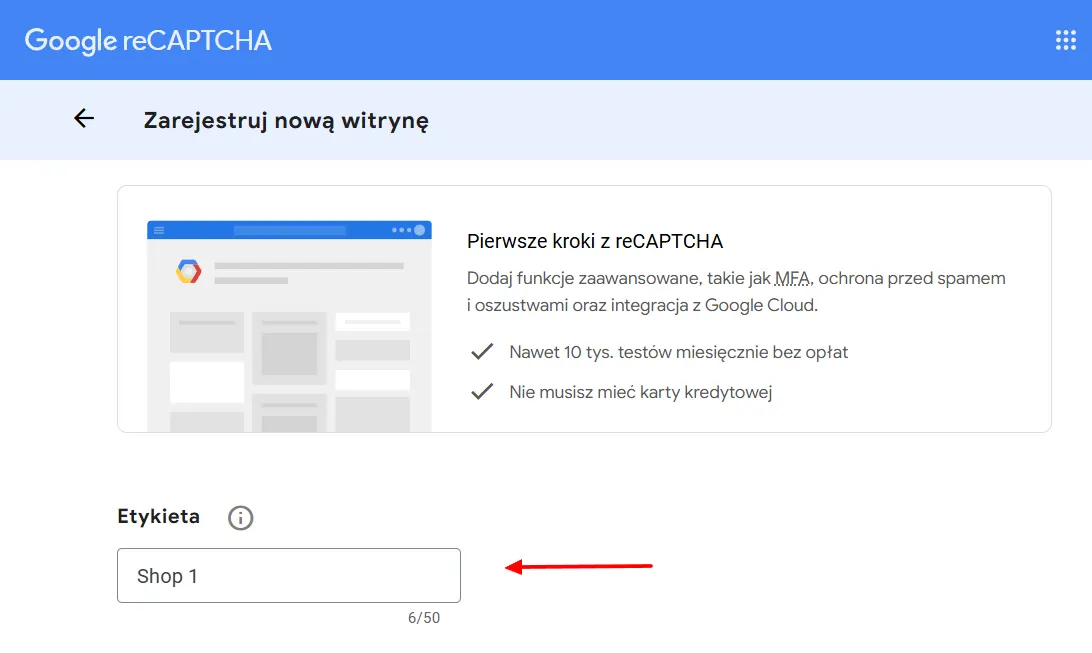
    Step 1: Open Google Admin Console

    Log in to your Google account and visit reCAPTCHA Admin Console.

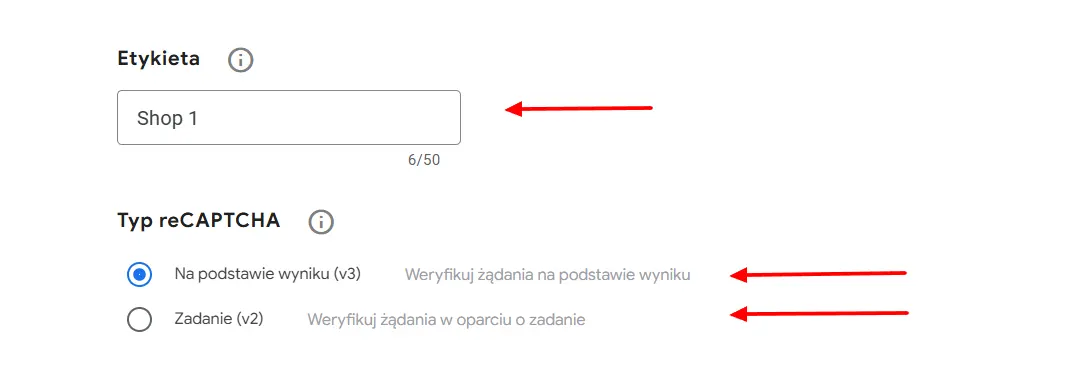
    reCAPTCHA

    Step 2: Choose reCAPTCHA type

    Crucial Step! The type you select here MUST match the configuration in your PrestaShop module.

    • Select reCAPTCHA v3 for invisible, score-based protection (recommended).
    • Select reCAPTCHA v2 for the classic "I'm not a robot" checkbox.
    reCAPTCHA Type

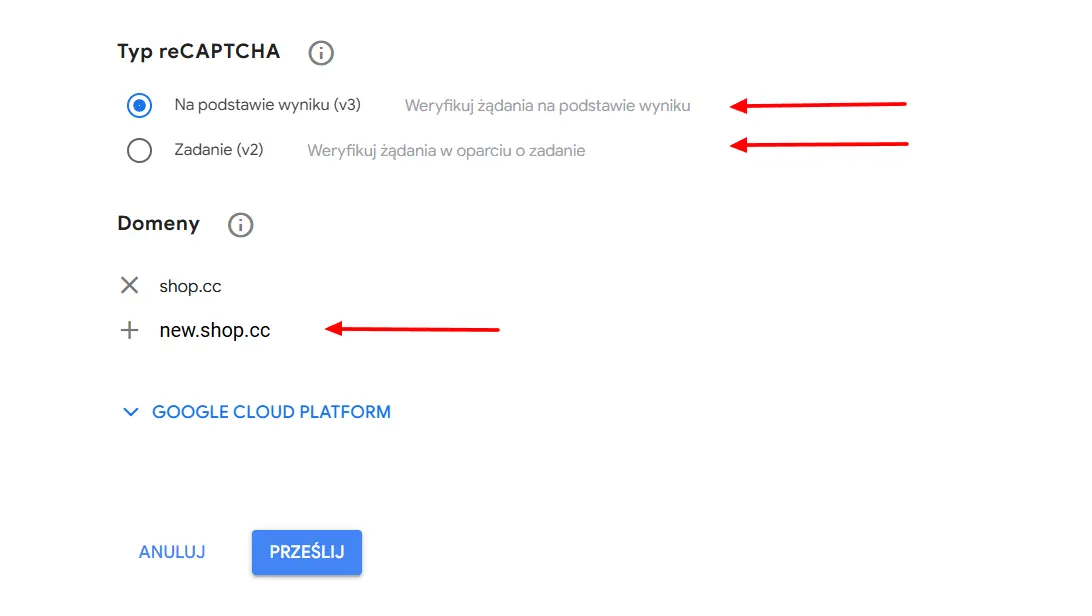
    Step 3: Add domains and Submit

    Enter your store's domain name (e.g. mystore.com) without http/www. Accept the Terms of Service and click Submit.

    reCAPTCHA Domains

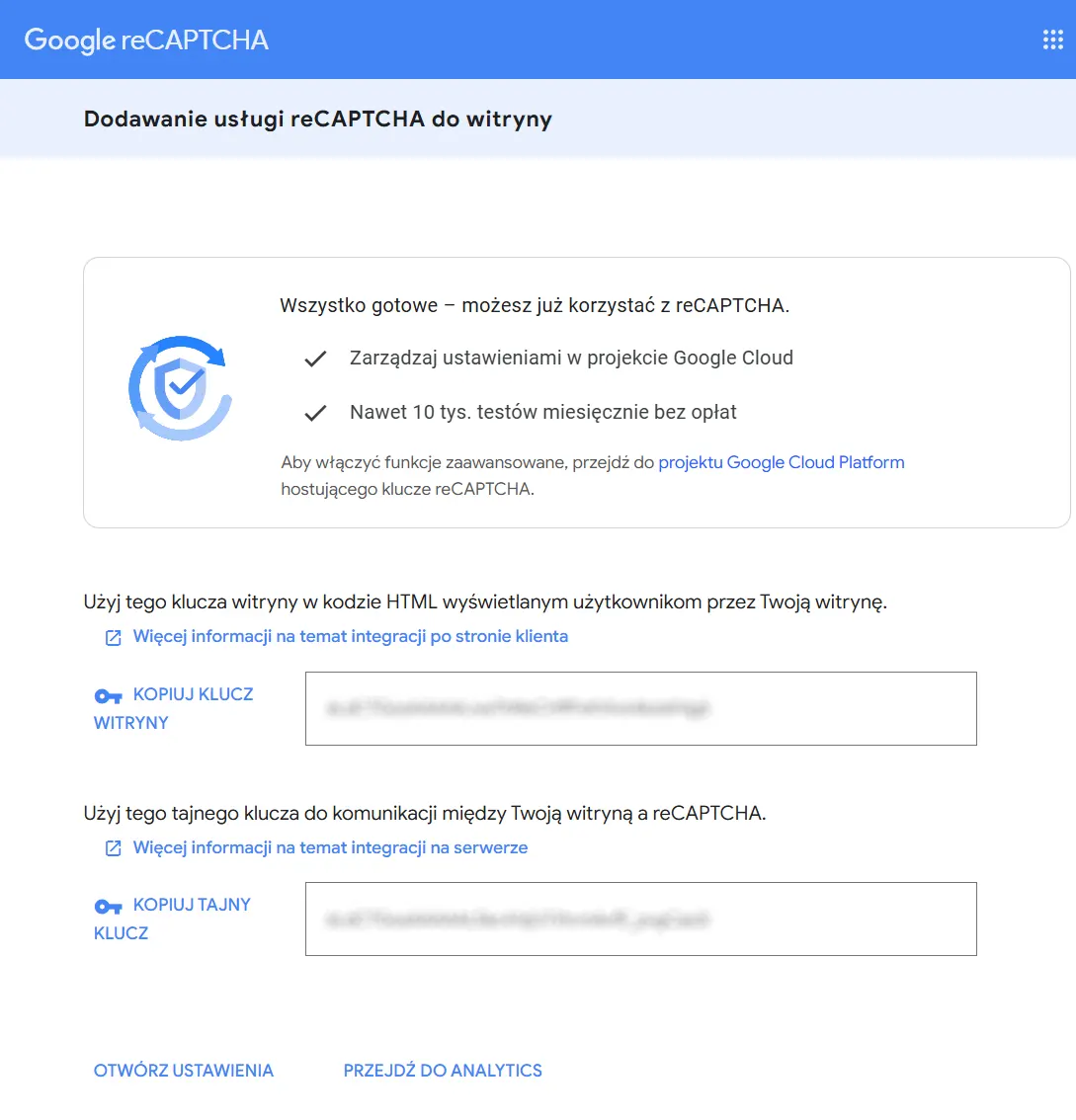
    Step 4: Copy your Keys

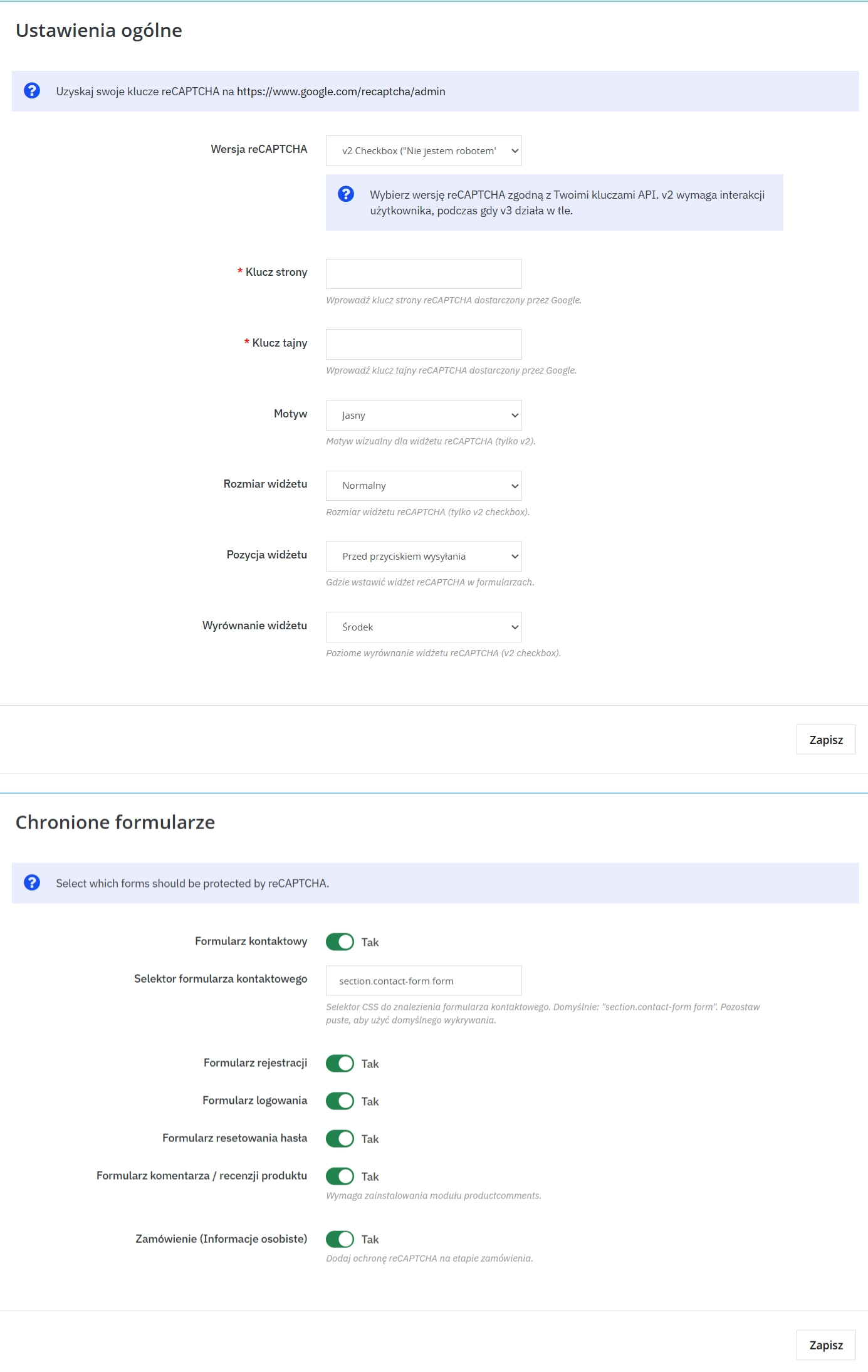
    You will see the Site Key and Secret Key. Copy these strings and paste them into the corresponding fields in the module settings.

    reCAPTCHA Keys

    Technical note

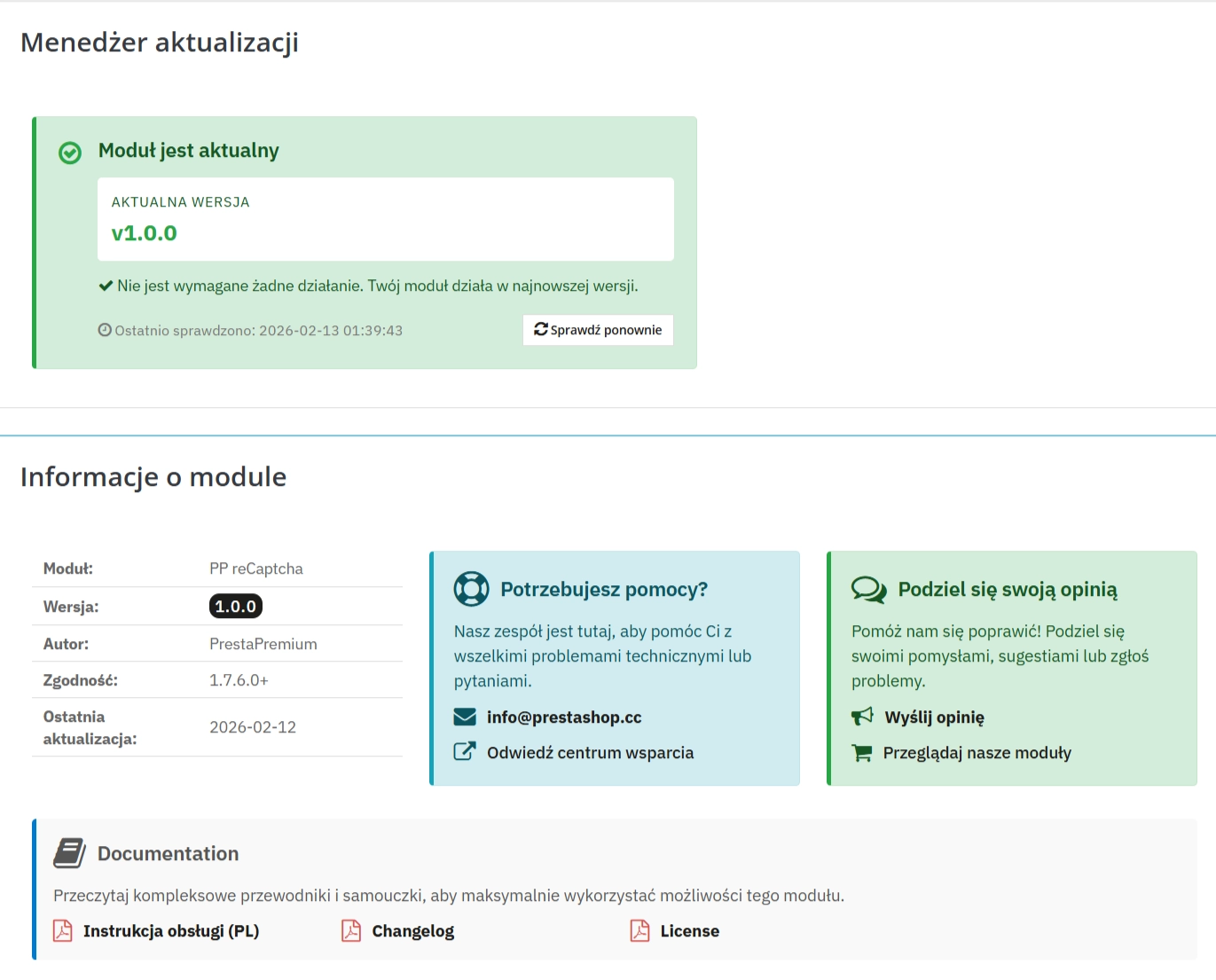
    To enable protection, you'll need API keys from Google (free). It's simple – go to Google reCAPTCHA, generate keys for your domain and paste them in the module. Just remember that the key type (v2 or v3) must match what you choose in the module settings!
    After configuring the module, check all selected forms (contact, registration, login, checkout, password recovery, comments) to ensure that the reCAPTCHA protection displays in the appropriate places correctly.

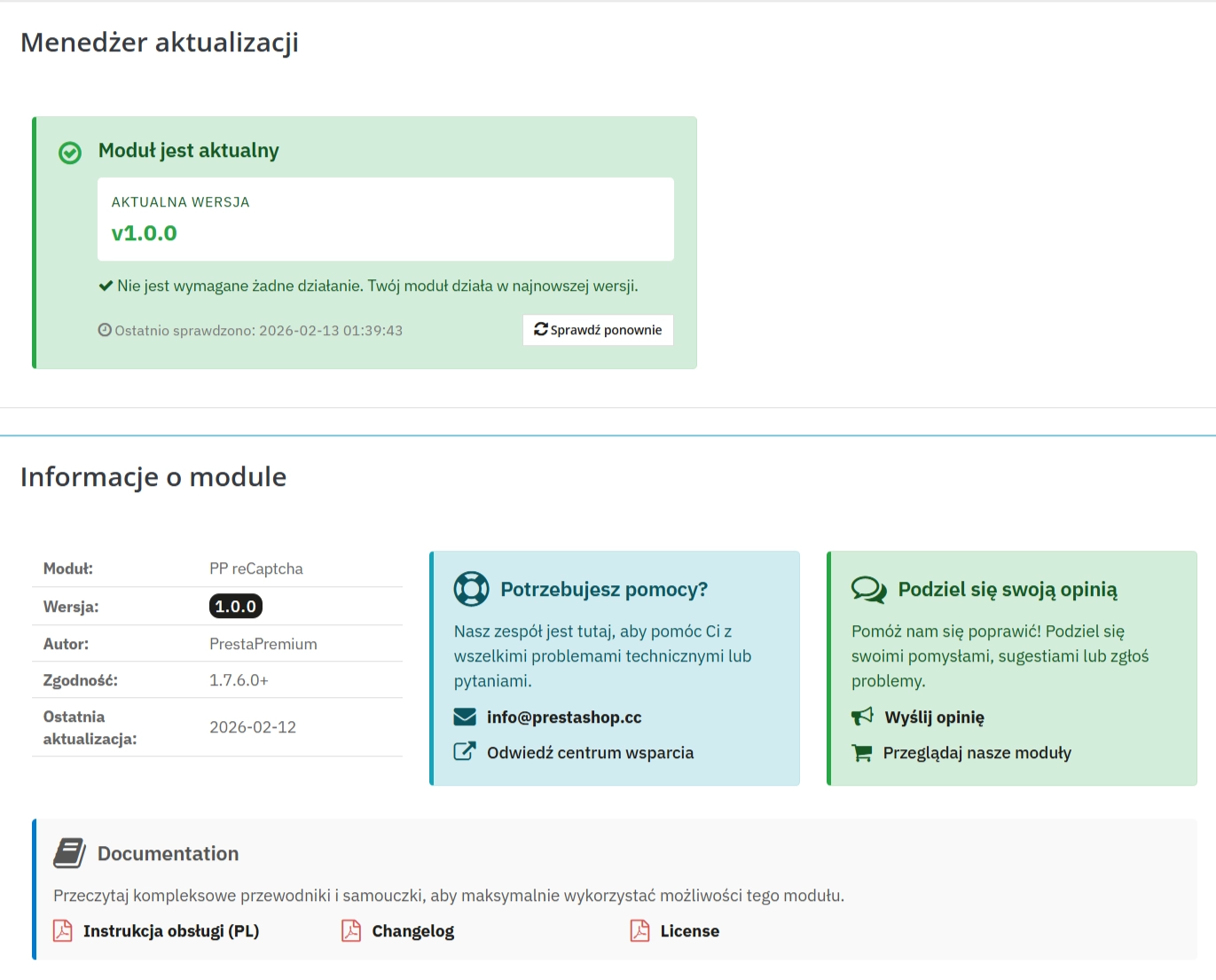
    ## [1.0.1] - 2026-02-13
    
    ### Fixed
    
    - Registration validation compatibility for PrestaShop 1.7.8.5: now returns explicit boolean (`true`/`false`).
    
    ## [1.0.0] - 2025-02-11
    
    ### Added

    Do you need additional features or custom solutions?

    • Module customisation tailored to your specific requirements.
    • Extending functionality to enhance your store's capabilities.
    • Developing bespoke modules designed to meet your unique needs.
    • Integrating external systems and additional tools.
    • Optimisation and improvements for better performance and user experience.

    Do you have ideas on how to improve this software? Share your suggestions for optimisation, new features, or bug reports – we’ll be happy to review them!

    FAQs

    • 1. What payment methods do you accept?

      We accept payments by credit/debit card, bank transfer and online payment systems such as Przelewy24, PayPal. Details can be found on the payment page.

    • 2. Can I test the module before purchasing?

      We do not provide modules for testing on individual PrestaShop instances. If a given module has a demo version, it is available on our test store, where you can familiarize yourself with its functionality. On the product page you will also find a detailed description, screenshots and instructional materials. In case of questions, please contact us - we will be happy to provide additional information.

    • 3. Are the modules compatible with my version of PrestaShop?

      Each module in our store contains information about compatibility with specific PrestaShop versions. Please check this information carefully before purchasing. If you are not sure, contact us.

    • 4. How can I download a purchased module?

      After you pay for your order and the payment is posted, the link to download the module will appear in your account in the "Order History and Details" tab ("Details" button). Additionally, we will send you an email with a download link.

    • 5. Can I get help installing a module or template?

      Yes, we offer installation and setup service as an additional option. You can add it to your cart when purchasing the product or order it separately.

    • 6. Are the modules compliant with GDPR regulations?

      We design our modules with GDPR compliance in mind. If a module processes personal data, you will find detailed information on compliance with the regulations in its description. We make every effort to ensure that our solutions meet current data protection standards.

    • 7. Can I have my store audited before purchasing a module?

      Yes, we offer a store audit service to help you choose the right modules and identify areas for improvement. Contact us for more information.

    • 8. Can I get a discount as a regular customer?

      Yes, for our regular customers we offer a loyalty program with attractive discounts. Check the details in your customer panel. If you do not see such an option, contact us - we will be happy to help!

    • 9. What should I do if the product does not meet my expectations?

      If the product does not meet your expectations, please contact our customer service department. Any returns are considered individually, in accordance with our regulations.

    • 10. Can I modify a purchased module or template?

      Yes, you can modify purchased products for your own needs, but you cannot resell them or share them with third parties. Details can be found in the license terms and conditions.

    • 11. Can I use the purchased module in multiple stores?

      Purchased modules are licensed for a single store. The exception is the use of the multi-shop feature within a single PrestaShop installation. In this case, you can use the module on multiple stores, even with different domains, provided that:

      • all stores run on the same PrestaShop installation,
      • the module is compatible with the multi-shop feature.
    • 12. How can I check if a module will work with my other installed modules?

      Our modules are designed to be as compatible as possible with other popular PrestaShop extensions. If you have any doubts, contact us and send us a list of your modules - we will help verify it.

    • 13. Are the modules translated into different languages?

      Most of our modules are available in several languages, including Polish and English. Information about available languages ​​can be found in the module description.

    • 14. How long does it take to process an order?

      The order is fulfilled automatically after the payment is posted. The product can then be downloaded immediately after the order has been paid for.

    • 15. What to do if module installation ends with an error?

      Check if your PrestaShop version is compatible with the module and if you have the right permissions for installation. If the problem persists, contact our technical support - we will help you solve the problem.

    • 16. Can I order a module that is not available in your offer?

      Yes, we do custom module creation. Contact us for details and pricing.

    • 17. How can I extend technical support or access to updates?
      • Extension of support and updates:

        • If the option to extend support and updates is available, you can order it directly from our store.
        • Simply add the appropriate option to your cart and complete the purchase.
      • No available extension option:

        • If support and update extensions are not offered, purchasing the module again will be required.
    • 18. How long can I use the module after purchase?

      Purchased products are available for use without time limits. However, access to updates and technical support is usually limited to 6 or 12 months from the date of purchase, depending on the product. (details on updates/support are always included on the respective product card)

    • 19. Do you offer technical support for products?

      Yes, we provide technical support within the support period assigned to a given product. You can contact us via the contact form or e-mail.

    • 20. Can I update the module to a newer version?

      Yes, you can download new versions of the product for free during the support and update period. After that time, you can renew your update subscription.

    • 21. Can I ask you to adapt the module to my needs?

      Yes, we offer a module personalization service. Describe your needs and we will prepare an individual quote.

    • 22. What should I do if I have problems downloading the module?

      If you have trouble downloading the module, please make sure your payment has been processed. If you still have trouble, please contact us and we will manually provide you with the module.

    • 23. Do you offer help with store optimization after installing the modules?

      Yes, we can help you optimize your store so that your modules run at full efficiency. Ask about our technical support service.

    • 24. What does the module update process look like?

      If the module requires an update, you can download the latest version from your client panel. We recommend backing up your store before updating.

    • 25. Can I change the domain on which the module runs?

      Yes, if you want to transfer the module to another domain, please contact us to discuss the details and conditions of the license transfer.

    • 26. What should I do if my store stops working after installing the module?

      If your store encounters problems after installing the module, please contact our technical support immediately. We will help diagnose and resolve the issue.

    • 27. Can I ask for advice in choosing a module?

      Of course! Contact us and we will advise you which module best suits your needs.