WhatsApp, Telegram and Phone in one - Increase conversions with Quick Contact

PP-M019
Sales & Marketing
1.7, 8.x, 9.x
EN, FR, IT, DE, PL
  • 1.0.0
  • 2026-02-17
  • A customer has a question? Don't let them wait for an email. The PP Quick Contact module is your sales hotline. Add an elegant, floating button to your store that, with one click, takes the customer straight to a conversation on WhatsApp, Telegram, or connects them by phone.

    It's the easiest way to build trust and rescue abandoned carts. Full Multistore support, works perfectly on smartphones, and setup in 2 minutes.

    0.00 zł Tax excluded

    • Free module shared with the PrestaShop community
    • Possibility to report suggestions and bugs - corrections according to availability
    • No warranty or support as standard (no SLA)
    • Need modifications or support? ask about the service

    Information Parameters:

    • 1.0.0
    • 2026-02-17
    • 1.7, 8.x, 9.x
    • EN, FR, IT, DE, PL
    • âś…
    • âś…
    • âś…
    • âś…

    Why does your store need this?

    • Catch the customer "in the moment" – doubts about size or delivery time? One click and the customer asks on WhatsApp instead of closing the browser tab.
    • Favorite communication channels – email is a thing of the past for many customers. Give them what they know and love: WhatsApp, Telegram, or a quick phone call.
    • Mobile First – most purchases happen on their phone. Our widget uses native apps on the customer's smartphone, ensuring an ultra-smooth experience.
    • Fewer abandoned carts – fast interaction = faster purchasing decisions. It's simple math.
    • Ready for the world (Multistore & Multilang) – Do you run multiple stores? Do you sell internationally? The module will handle various numbers and greeting languages ​​without hesitation.

    The perfect solution for:

    • B2B and service industries – where quick contact with an advisor is key to closing the deal.
    • Technical stores – parts, electronics, construction – where customers always have "just one quick question."
    • International sales – WhatsApp reigns supreme in Europe, Telegram in the East. Be available where your customers feel safe.
    • Anyone who values ​​minimalism – instead of heavy, expensive Live Chat, you get a lightweight and effective tool.

    What can your new command center do? (Back Office)

    Complete freedom of choice

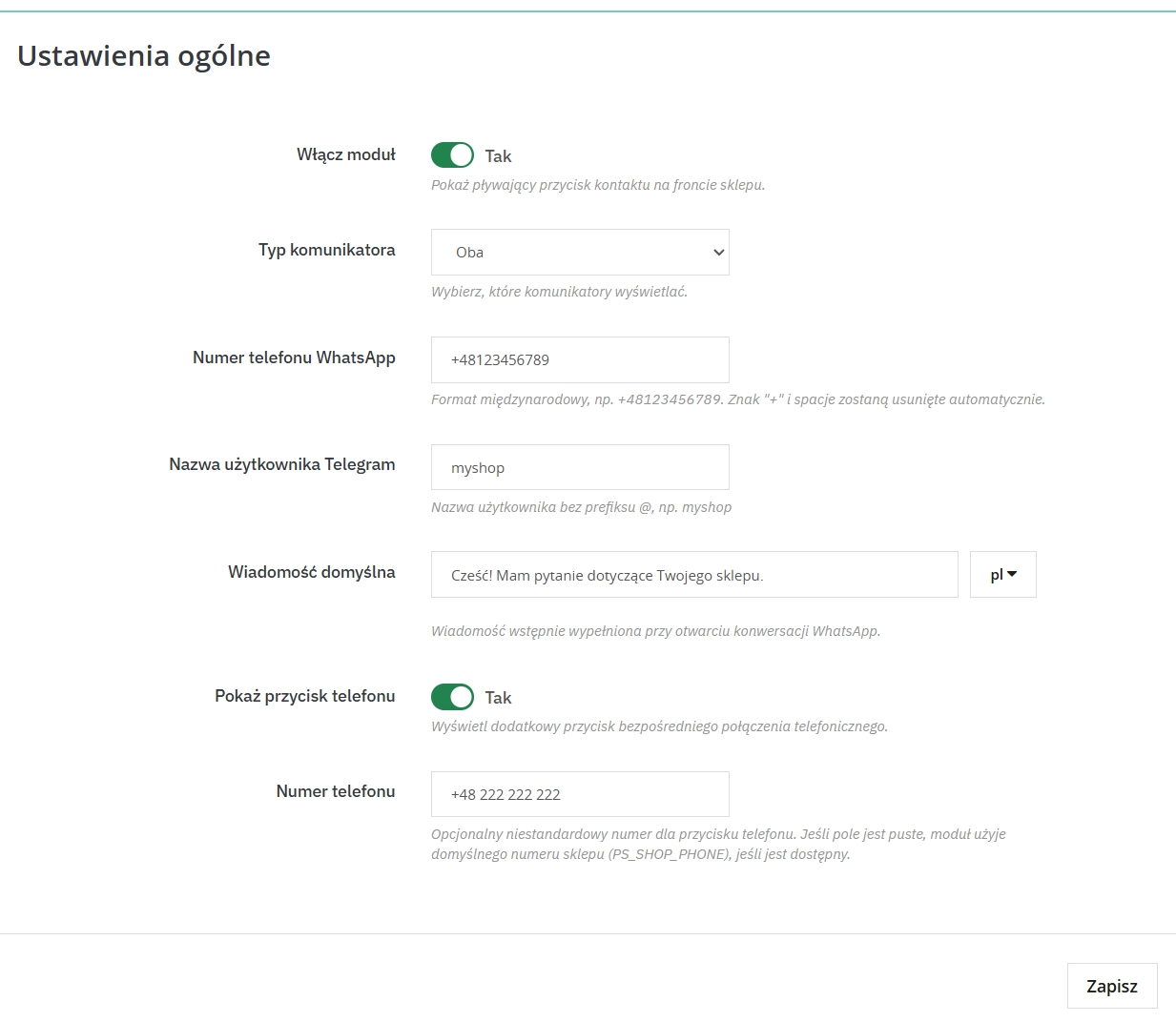
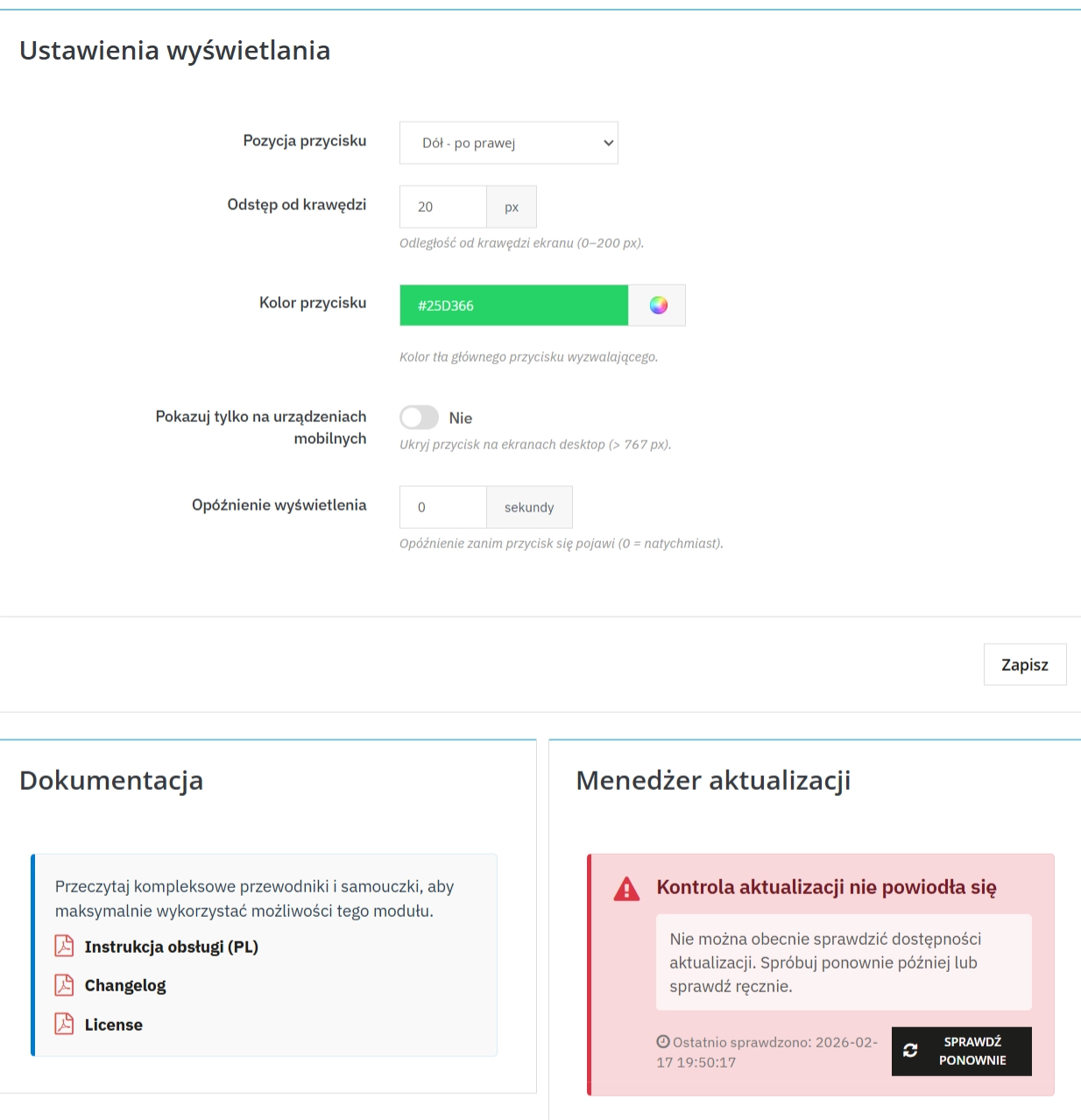
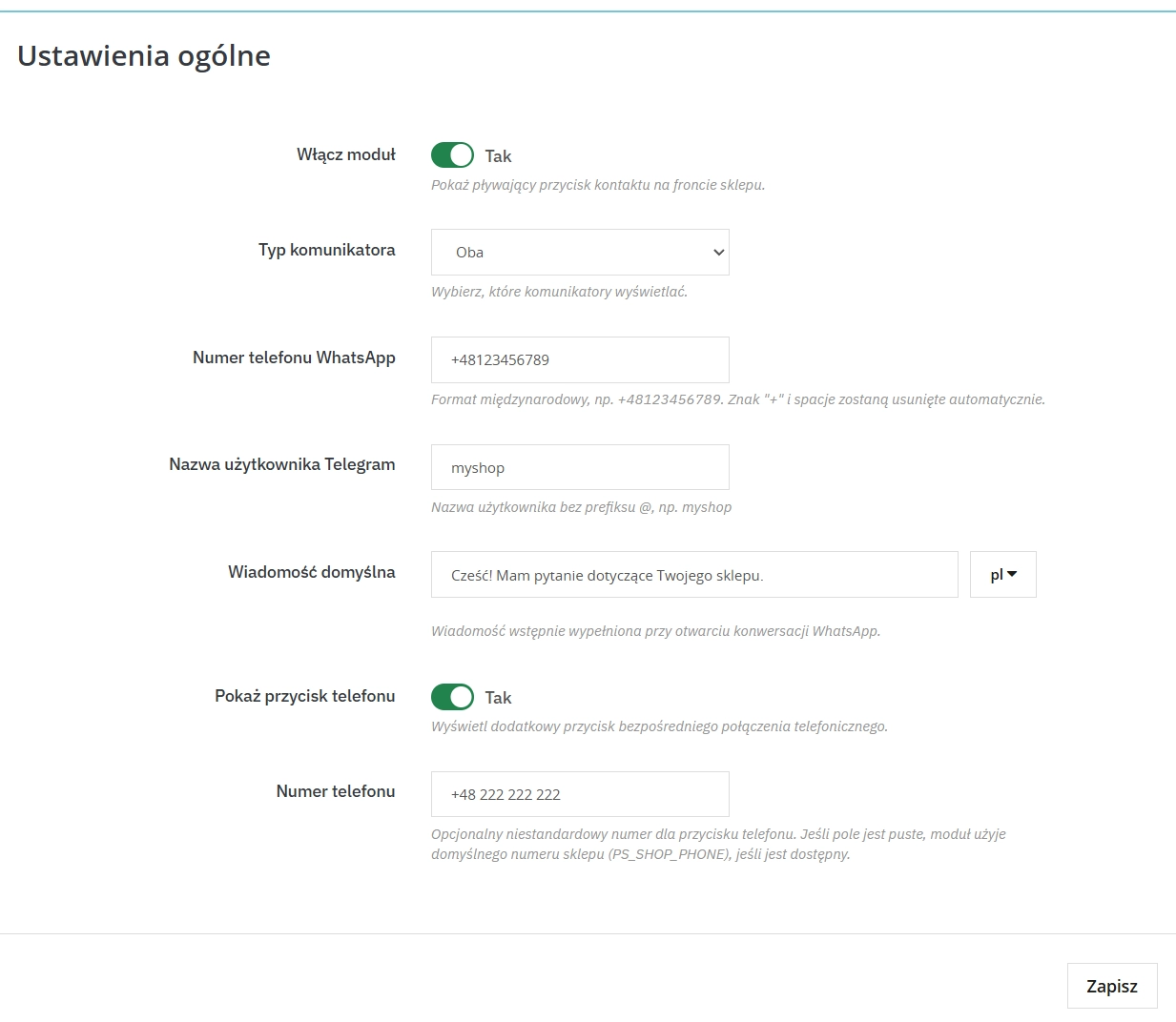
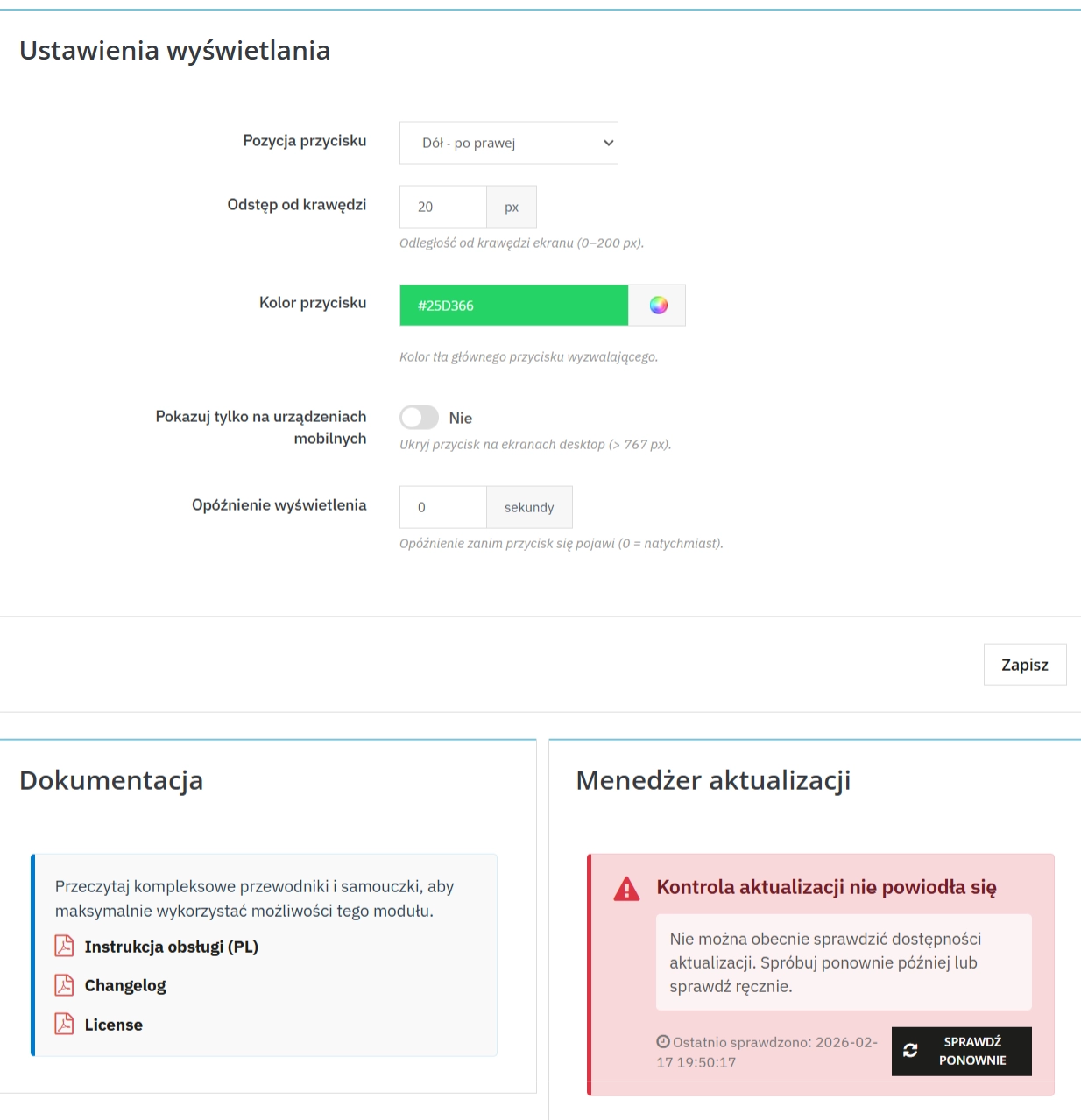
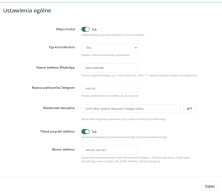
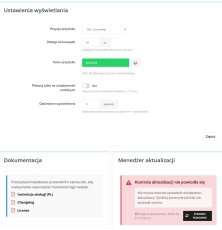
    You're in charge. Choose your primary messenger (WhatsApp or Telegram) and decide whether you want to additionally display a phone icon. Click through everything in a simple panel.

    Multistore Master

    Do you have several stores in one Presta? No problem. Set a different number for wholesalers, retailers, and outlets. The module knows where it's located.

    Design for your brand

    Don't let the widget clash with your template. Choose a background color from the Hex palette, set the position (left/right) and margins so as not to cover, for example, the cookie bar.

    Speak your customer's language

    Define ready-made starter messages (pre-fill). A German customer will see "Guten Tag...", and a Polish customer will see "Good morning, I have a question about the product...". This makes it easy to start a conversation.

    What does your customer see? (Front Office)

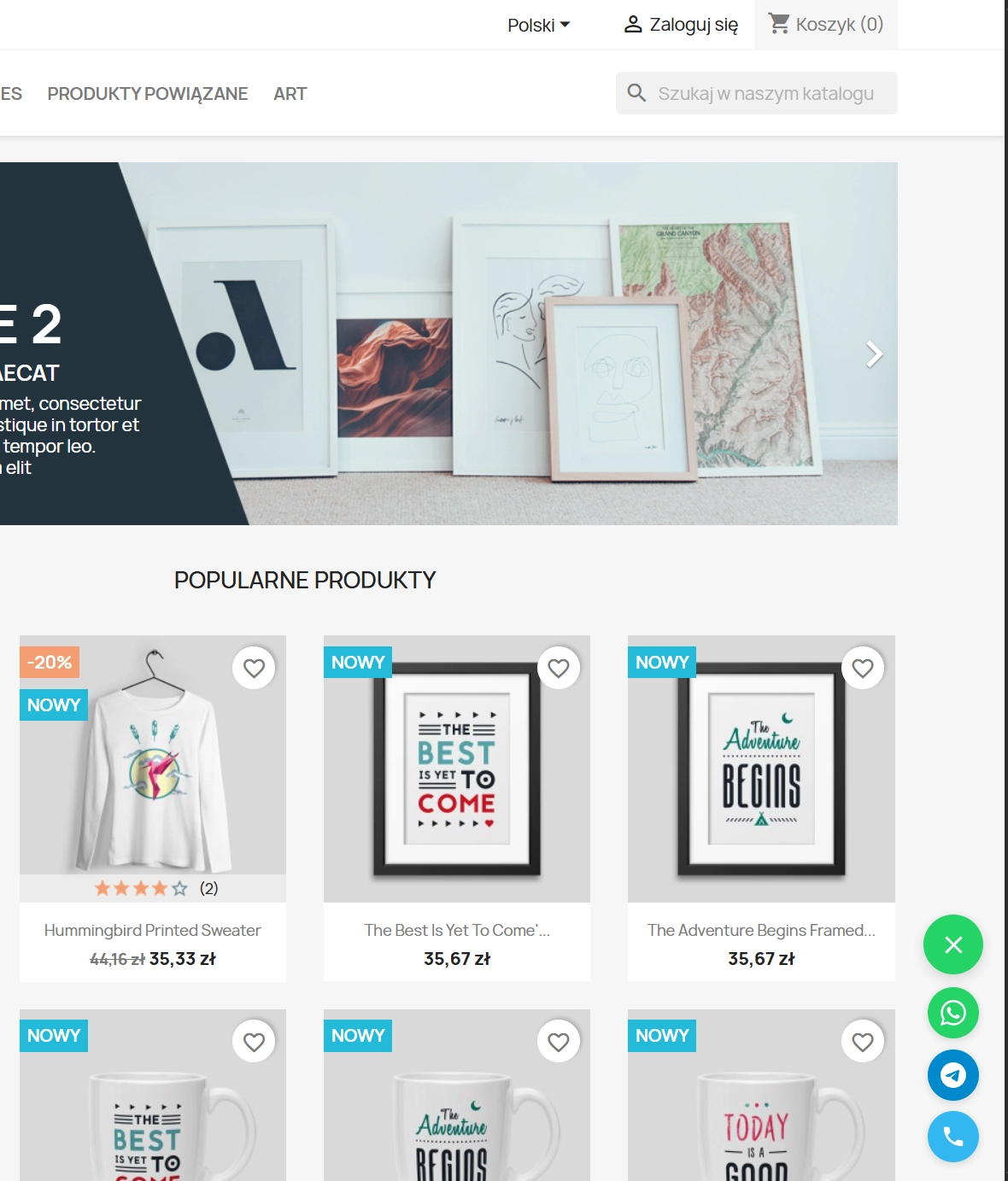
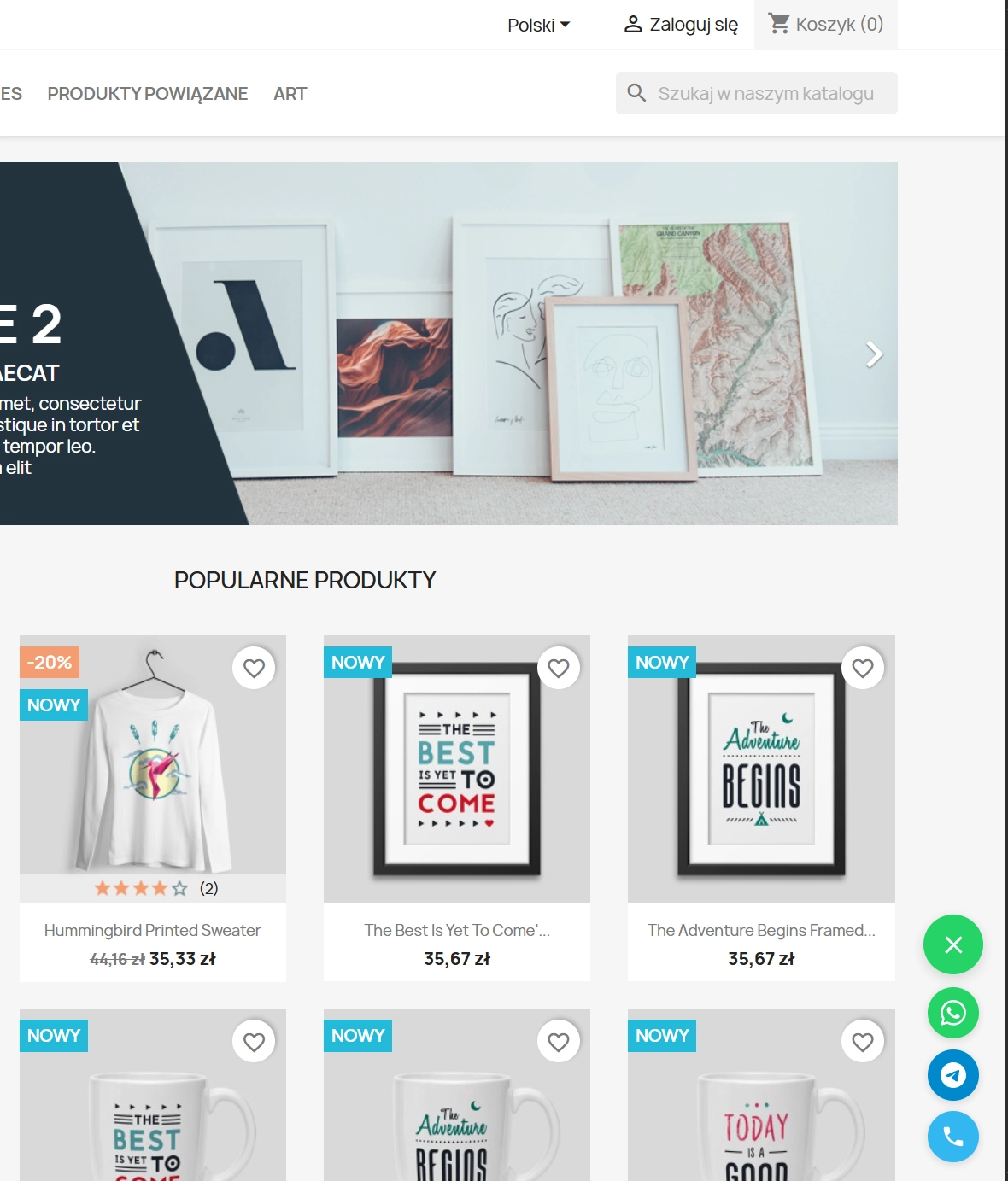
    Always at hand (Floating Button)

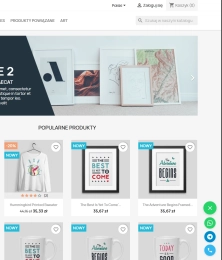
    The button "floats" discreetly above the content. It's always available as the customer scrolls the page, but isn't obtrusive. You can even set a delay before it appears.

    Intelligent Operation

    On a computer, it opens WhatsApp Web, on a phone – the app. Zero errors, zero frustration. It just works.

    Intelligent Fallback

    Forgot to enter your number in the module? Don't worry, the system will automatically pull your store's main number from the PrestaShop settings so you don't lose any connections.

    Speed ​​and SEO – your store will remain lightweight

    Afraid another module will slow down your store? Not here. PP Quick Contact is not some LiveChat-like mare that loads megabytes of scripts. Our module is lightweight, doesn't burden the DOM, and doesn't affect Google PageSpeed ​​Insights (Core Web Vitals). You gain functionality without sacrificing SEO performance.

    Important Tip

    Remember to provide phone numbers in international format (e.g., 48123456789), but without the "+" sign. This ensures that WhatsApp and Telegram interpret the link correctly. And don't forget about updates – you can access them through our convenient PP Updater!
    ## [1.0.0] - 2026-02-17
    
    ### Added
    
    - Initial release of the module.
    - Support for WhatsApp and Telegram messengers.
    - "Call us" phone button feature with custom phone number input.
    - Floating button positioning (Left/Right) and bottom offset customization.
    - Custom button color configuration with default fallback checks.
    - Mobile-only display option.
    - Display delay configuration.
    - Multilingual default messages for pre-filling chats.
    - Multistore support (All Shops / Group / Specific Shop contexts).
    - Built-in update notification system (Integral Component).

    FAQs

    • 1. What payment methods do you accept?

      We accept payments by credit/debit card, bank transfer and online payment systems such as Przelewy24, PayPal. Details can be found on the payment page.

    • 2. Can I test the module before purchasing?

      We do not provide modules for testing on individual PrestaShop instances. If a given module has a demo version, it is available on our test store, where you can familiarize yourself with its functionality. On the product page you will also find a detailed description, screenshots and instructional materials. In case of questions, please contact us - we will be happy to provide additional information.

    • 3. Are the modules compatible with my version of PrestaShop?

      Each module in our store contains information about compatibility with specific PrestaShop versions. Please check this information carefully before purchasing. If you are not sure, contact us.

    • 4. How can I download a purchased module?

      After you pay for your order and the payment is posted, the link to download the module will appear in your account in the "Order History and Details" tab ("Details" button). Additionally, we will send you an email with a download link.

    • 5. Can I get help installing a module or template?

      Yes, we offer installation and setup service as an additional option. You can add it to your cart when purchasing the product or order it separately.

    • 6. Are the modules compliant with GDPR regulations?

      We design our modules with GDPR compliance in mind. If a module processes personal data, you will find detailed information on compliance with the regulations in its description. We make every effort to ensure that our solutions meet current data protection standards.

    • 7. Can I have my store audited before purchasing a module?

      Yes, we offer a store audit service to help you choose the right modules and identify areas for improvement. Contact us for more information.

    • 8. Can I get a discount as a regular customer?

      Yes, for our regular customers we offer a loyalty program with attractive discounts. Check the details in your customer panel. If you do not see such an option, contact us - we will be happy to help!

    • 9. What should I do if the product does not meet my expectations?

      If the product does not meet your expectations, please contact our customer service department. Any returns are considered individually, in accordance with our regulations.

    • 10. Can I modify a purchased module or template?

      Yes, you can modify purchased products for your own needs, but you cannot resell them or share them with third parties. Details can be found in the license terms and conditions.

    • 11. Can I use the purchased module in multiple stores?

      Purchased modules are licensed for a single store. The exception is the use of the multi-shop feature within a single PrestaShop installation. In this case, you can use the module on multiple stores, even with different domains, provided that:

      • all stores run on the same PrestaShop installation,
      • the module is compatible with the multi-shop feature.
    • 12. How can I check if a module will work with my other installed modules?

      Our modules are designed to be as compatible as possible with other popular PrestaShop extensions. If you have any doubts, contact us and send us a list of your modules - we will help verify it.

    • 13. Are the modules translated into different languages?

      Most of our modules are available in several languages, including Polish and English. Information about available languages ​​can be found in the module description.

    • 14. How long does it take to process an order?

      The order is fulfilled automatically after the payment is posted. The product can then be downloaded immediately after the order has been paid for.

    • 15. What to do if module installation ends with an error?

      Check if your PrestaShop version is compatible with the module and if you have the right permissions for installation. If the problem persists, contact our technical support - we will help you solve the problem.

    • 16. Can I order a module that is not available in your offer?

      Yes, we do custom module creation. Contact us for details and pricing.

    • 17. How can I extend technical support or access to updates?
      • Extension of support and updates:

        • If the option to extend support and updates is available, you can order it directly from our store.
        • Simply add the appropriate option to your cart and complete the purchase.
      • No available extension option:

        • If support and update extensions are not offered, purchasing the module again will be required.
    • 18. How long can I use the module after purchase?

      Purchased products are available for use without time limits. However, access to updates and technical support is usually limited to 6 or 12 months from the date of purchase, depending on the product. (details on updates/support are always included on the respective product card)

    • 19. Do you offer technical support for products?

      Yes, we provide technical support within the support period assigned to a given product. You can contact us via the contact form or e-mail.

    • 20. Can I update the module to a newer version?

      Yes, you can download new versions of the product for free during the support and update period. After that time, you can renew your update subscription.

    • 21. Can I ask you to adapt the module to my needs?

      Yes, we offer a module personalization service. Describe your needs and we will prepare an individual quote.

    • 22. What should I do if I have problems downloading the module?

      If you have trouble downloading the module, please make sure your payment has been processed. If you still have trouble, please contact us and we will manually provide you with the module.

    • 23. Do you offer help with store optimization after installing the modules?

      Yes, we can help you optimize your store so that your modules run at full efficiency. Ask about our technical support service.

    • 24. What does the module update process look like?

      If the module requires an update, you can download the latest version from your client panel. We recommend backing up your store before updating.

    • 25. Can I change the domain on which the module runs?

      Yes, if you want to transfer the module to another domain, please contact us to discuss the details and conditions of the license transfer.

    • 26. What should I do if my store stops working after installing the module?

      If your store encounters problems after installing the module, please contact our technical support immediately. We will help diagnose and resolve the issue.

    • 27. Can I ask for advice in choosing a module?

      Of course! Contact us and we will advise you which module best suits your needs.

    Do you need additional features or custom solutions?

    • Module customisation tailored to your specific requirements.
    • Extending functionality to enhance your store's capabilities.
    • Developing bespoke modules designed to meet your unique needs.
    • Integrating external systems and additional tools.
    • Optimisation and improvements for better performance and user experience.

    Do you have ideas on how to improve this software? Share your suggestions for optimisation, new features, or bug reports – we’ll be happy to review them!