Backup Manager — database backups for PrestaShop

PP-BMP01
Administration
1.7.x, 8.x
EN, FR, IT, DE, PL
  • 1.1.0
  • 2025-12-18
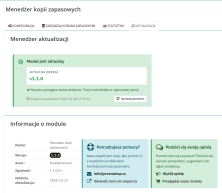
  • PP Backup Manager is a module for PrestaShop , which organises the process of performing database backups : manually in the administration or automatically when called by cron.

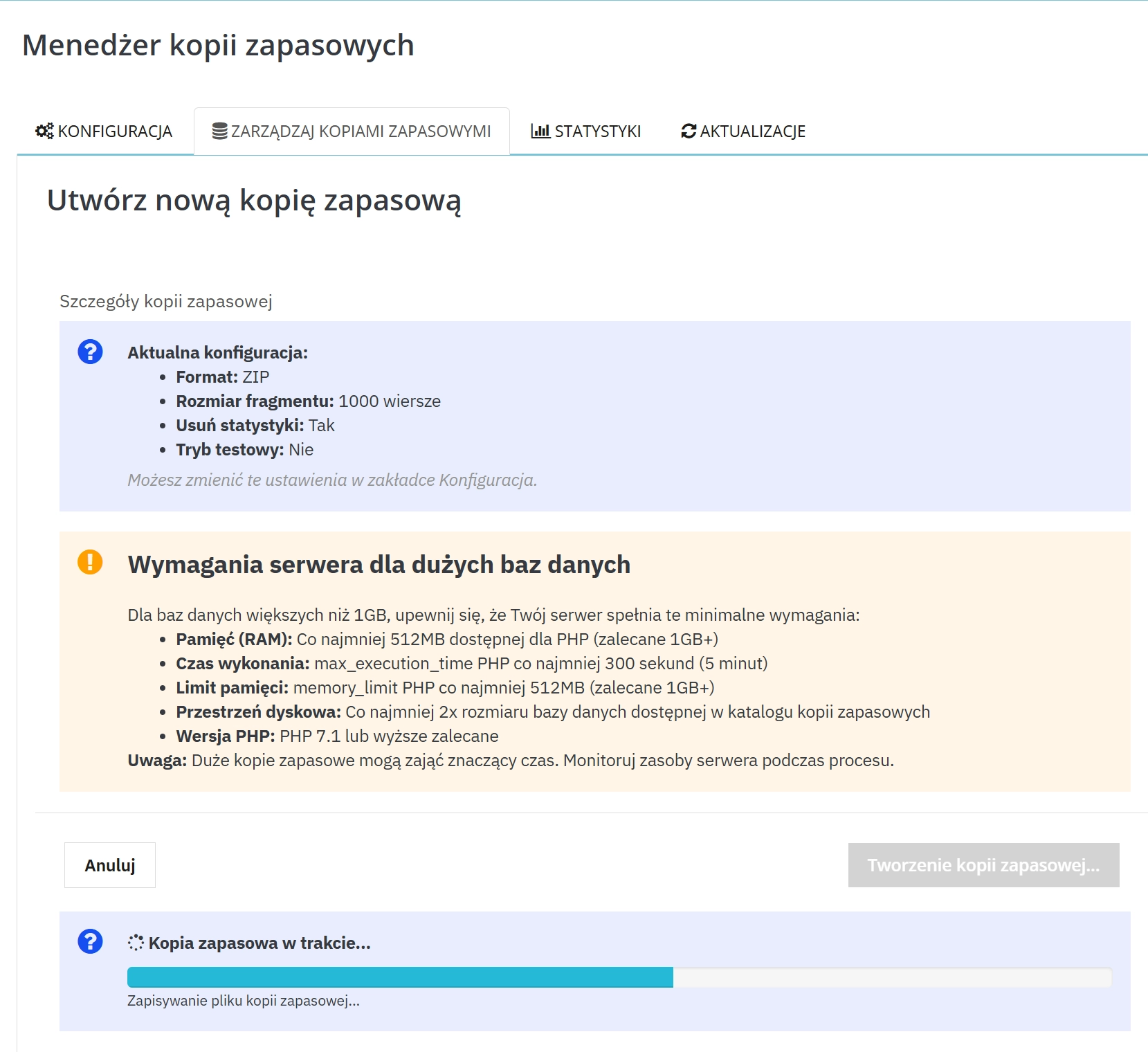
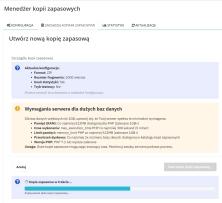
    The module has been prepared with installations in mind where standard backup can cause problems with larger amounts of data. The batch processing mechanism (configurable chunk size ) helps reduce the risk of timeouts and interruptions.

    In practice, you get a consistent standard: backup archive with limit, e-mail after backup execution (optional) and history of actions in logs and statistics.

    149.00 zł Tax excluded

    Enter domain for this product

    event Important: Domain change possibility expand_more

    If the module will be tested, enter a test domain during purchase.

    You will report the change to a production domain later.

    In case of an incorrectly entered domain, please contact us as well.

    Changing the domain to a production one is possible once and requires reporting within 3 days of starting its use.

    Reports: shop@prestapremium.com

    In the content, provide:

    • order number
    • product name
    • current domain
    • new domain

    Details

    shopping_cart Will be added to cart 1 pieces of this product (one for each domain)

    Store Administration Back office demo

    Information Parameters:

    • 1.1.0
    • 2025-12-18
    • 1.7.x, 8.x
    • EN, FR, IT, DE, PL
    • Yes
    • demo.admin.shop

    What does PP Backup Manager solve?

    • Backup "on the spot" before update — copy with one click, without guessing "if it was made".
    • Problems in larger databases — batch work allows better adaptation of backup to server capabilities.
    • Growing archive — limit on storing copies and automatic deletion of older files.
    • Lack of result information — e-mail notification after success or error (optional).
    • Lack of action history — logs and statistics facilitate control and service support.

    Main benefits

    • Less pressure during deployments — database copy before changes is a simple "backup plan".
    • Automation on your terms — backup runs cron exactly when you set it on the server.
    • Order without manual cleaning — backup limit keeps the archive in check.
    • Quick reaction — e-mail with result instead of manual checking of backup directory.
    • More privacy — possibility of skipping selected statistical data and disabling download link.

    Features — Back Office

    Manual copy in the panel

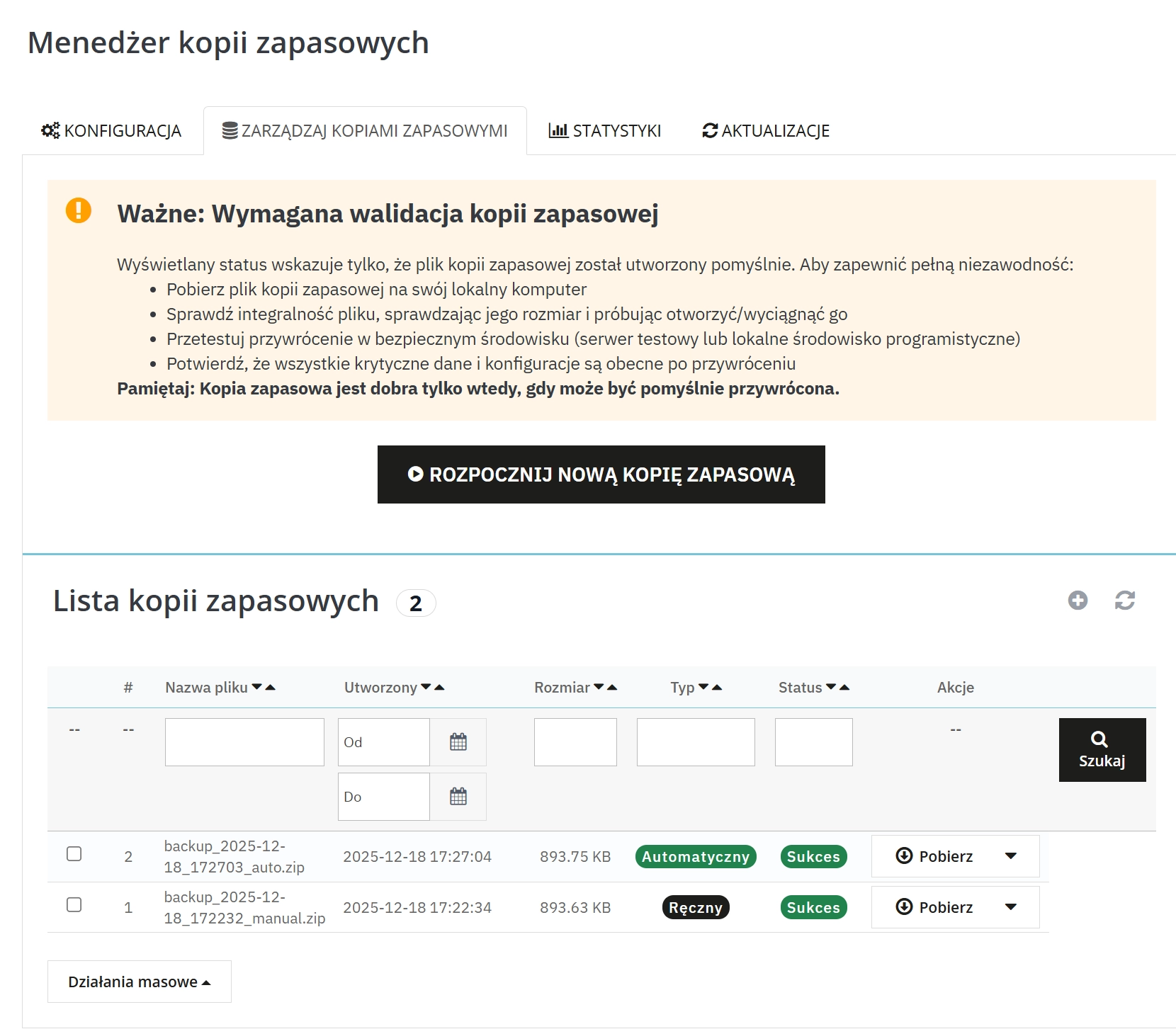
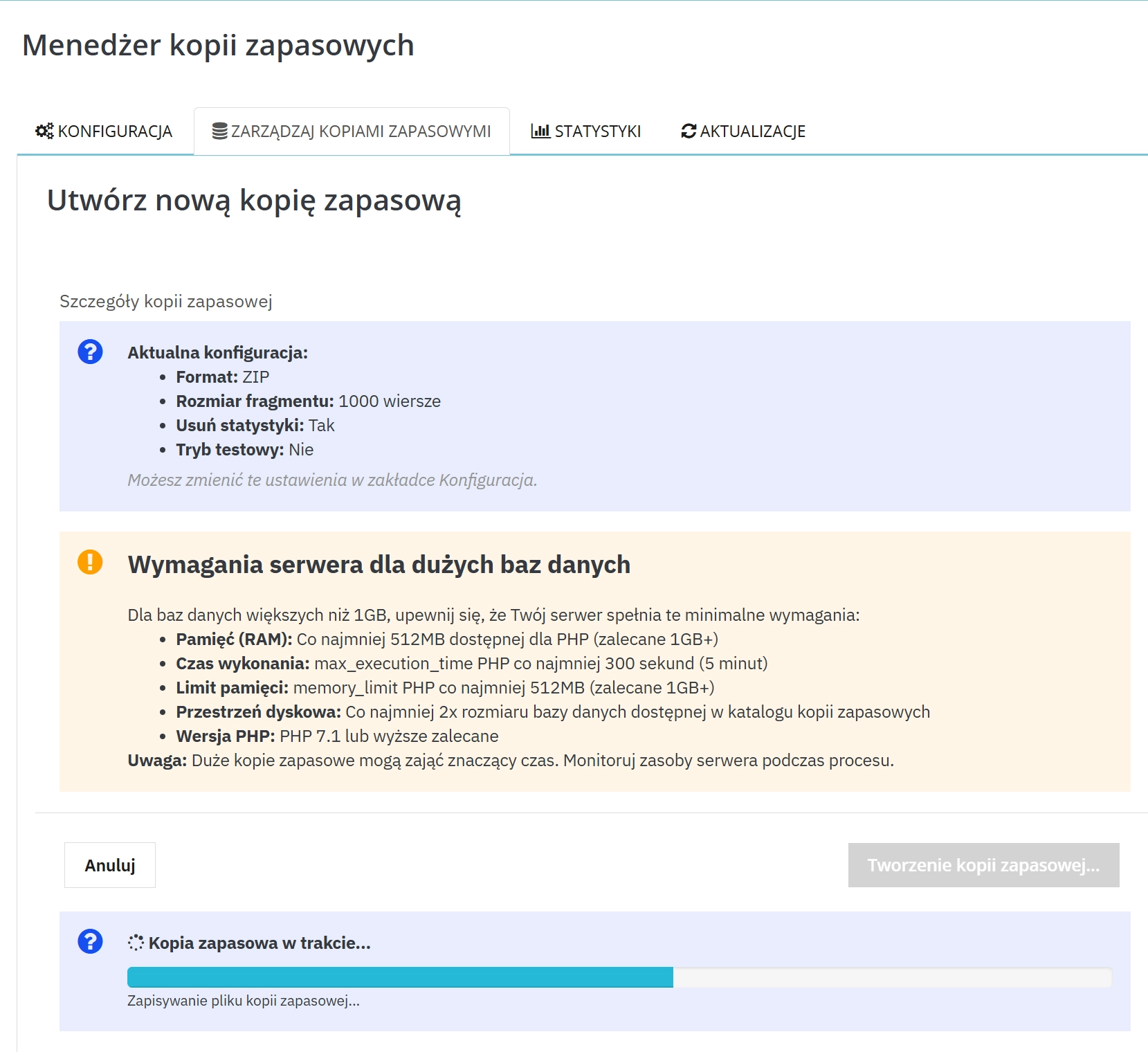
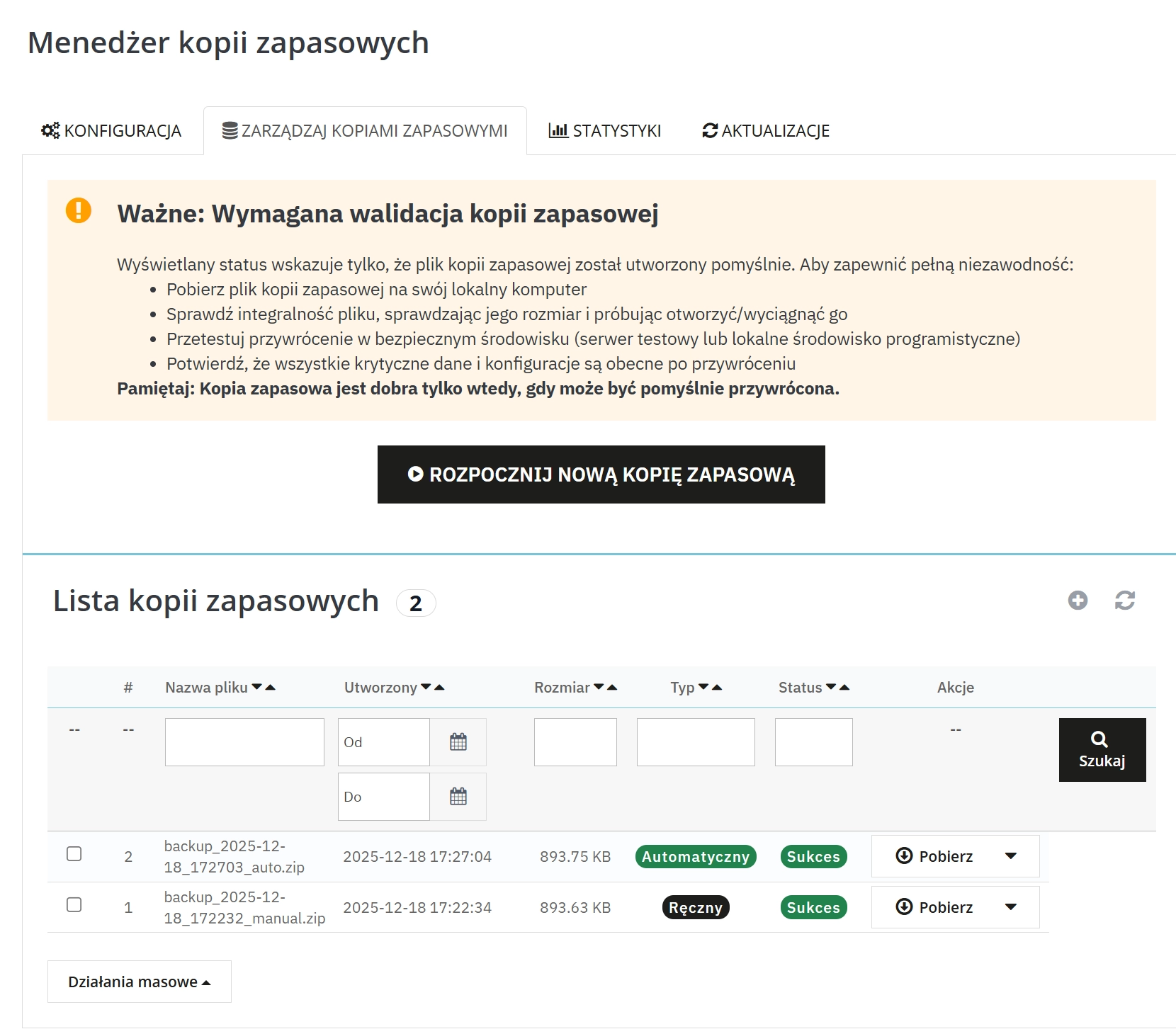
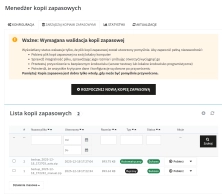
    You create a database copy from the administration level when you need it (e.g. before update).

    Automation via cron (token URL)

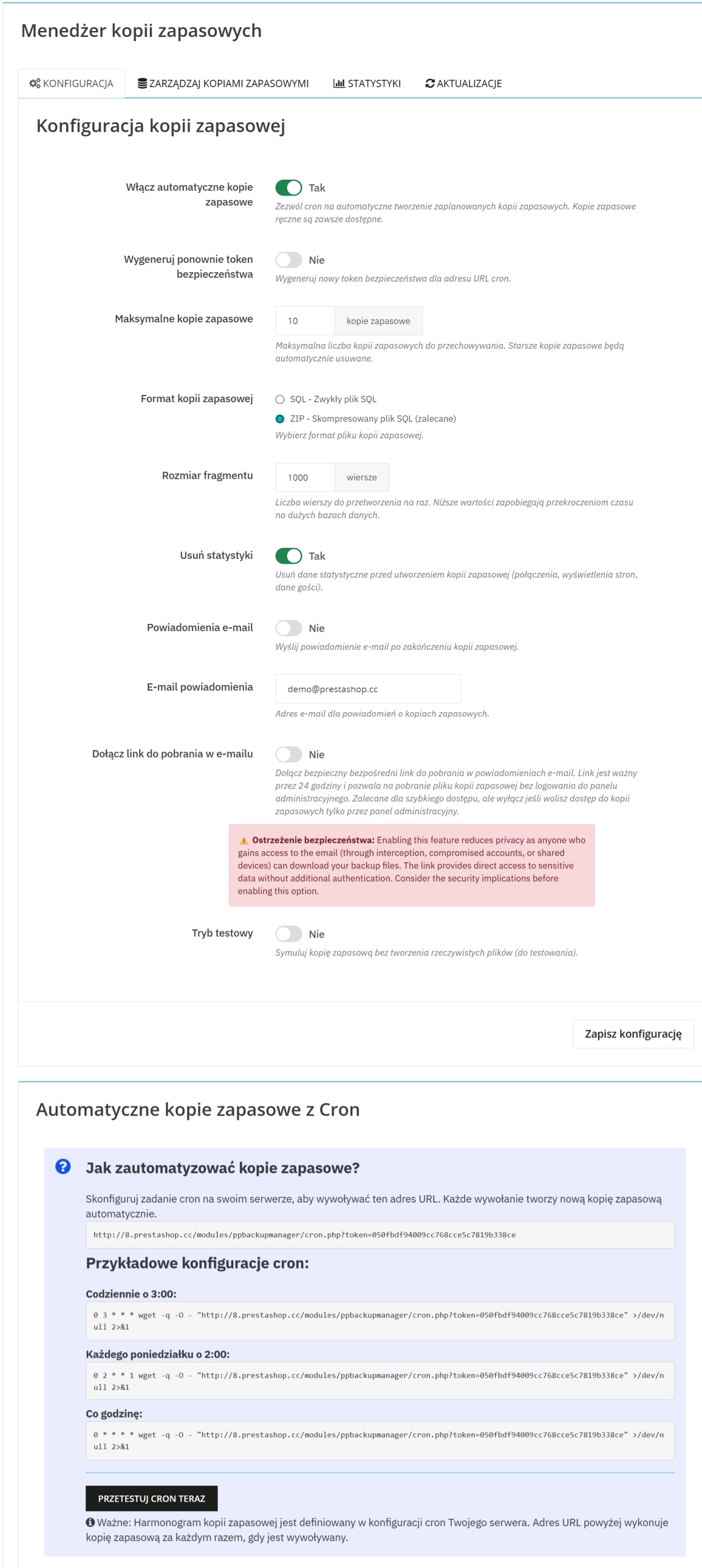
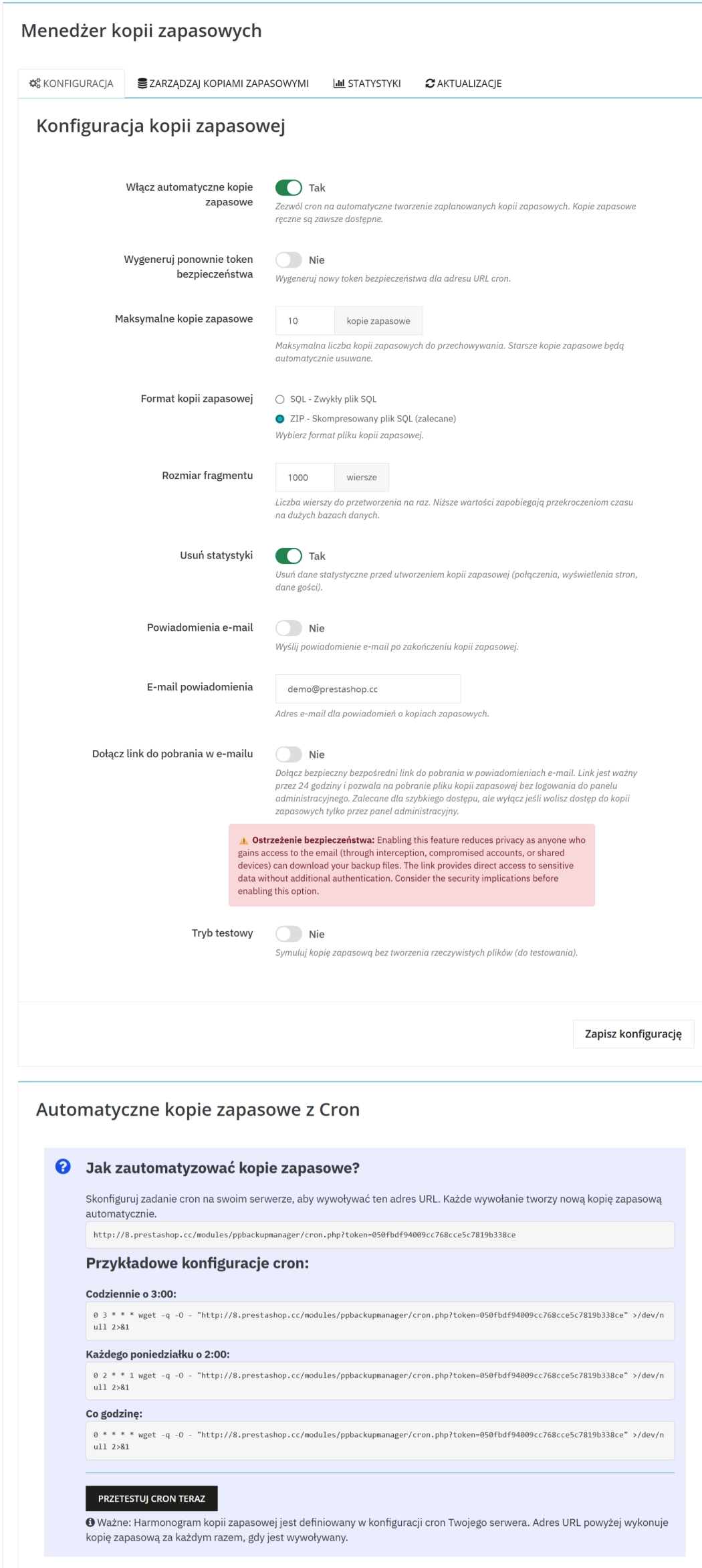
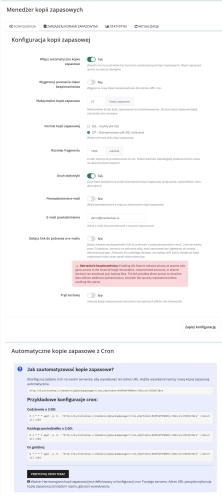
    The module provides a URL for cron with security token. Each URL call creates a new copy.

    SQL or ZIP format

    You choose SQL file or ZIP (compressed SQL) — depending on requirements and disk space.

    Batch work (chunk size)

    You set the number of rows processed at once, which helps avoid problems on larger databases.

    Backup limit and automatic cleaning

    Older copies are deleted automatically after exceeding the set limit.

    E-mail notifications

    Optional e-mail after backup: information about success or error with request for reaction.

    Optional download link (24 hours)

    You can attach a direct download link to the e-mail (valid for 24 hours). The function can be disabled.

    Statistics and logs

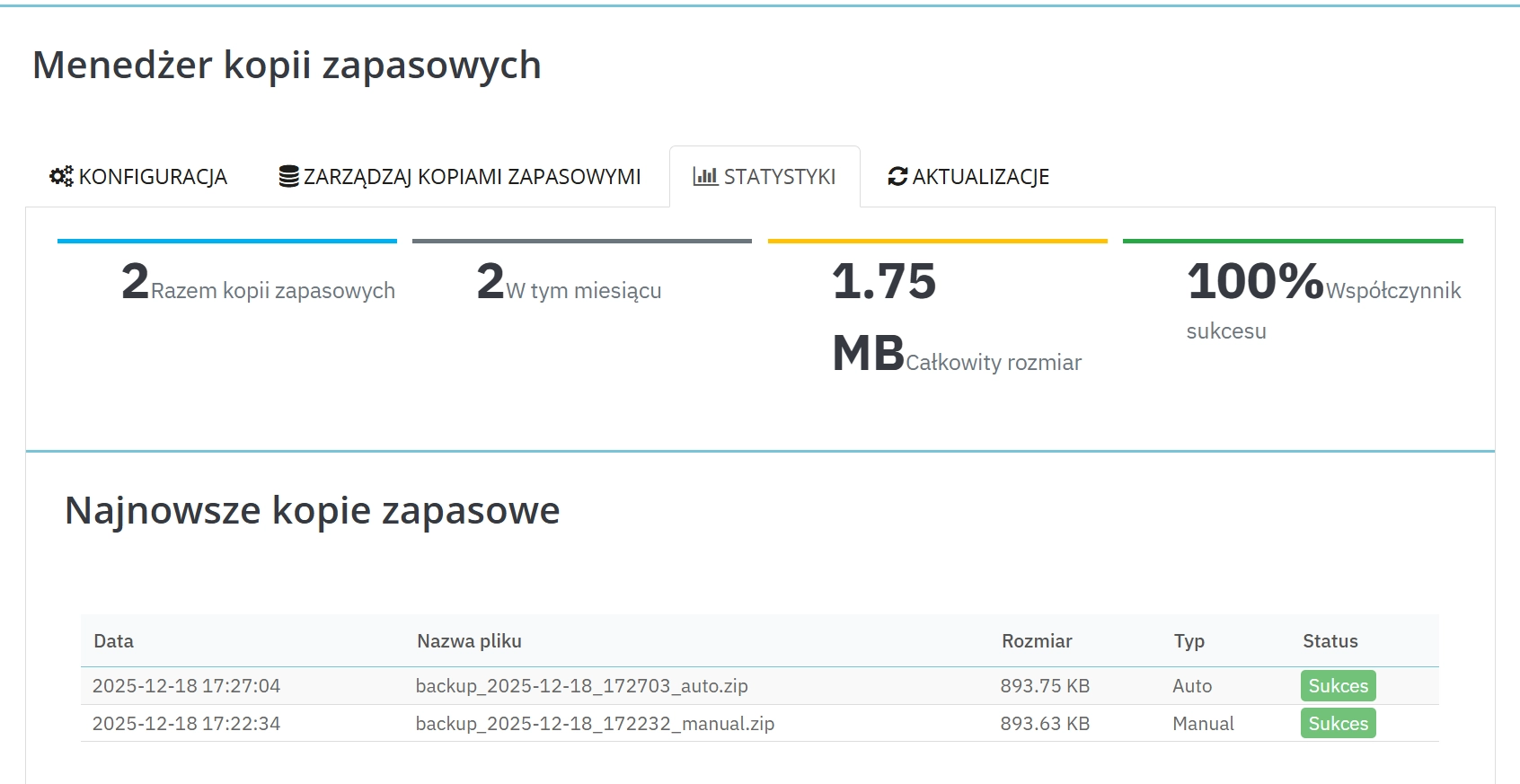
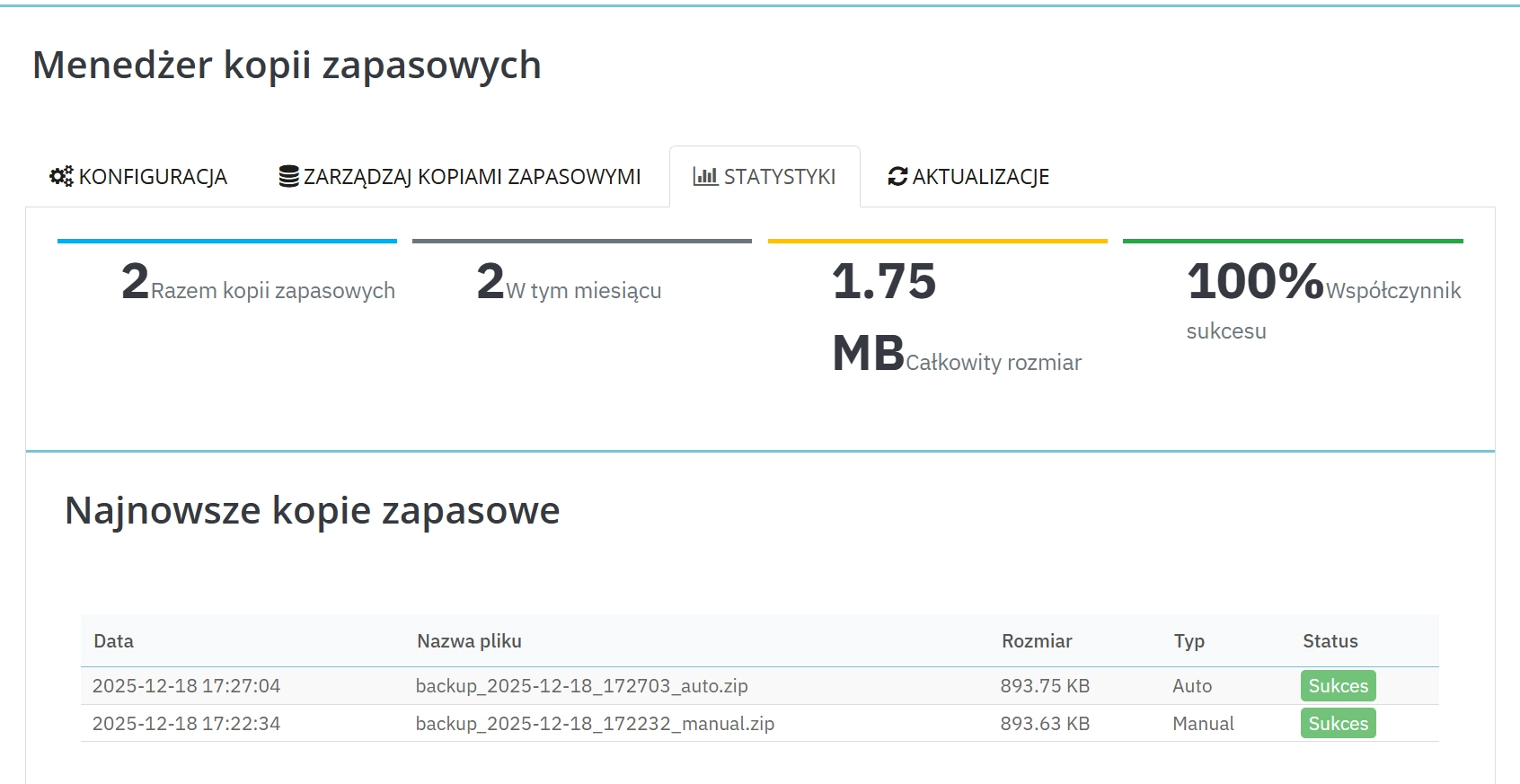
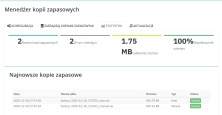
    Backup statistics and event logs facilitate monitoring and diagnosis, also in service work.

    Additional settings that make a difference

    • Token regeneration — quick exchange of token for cron URL when you want to increase security.
    • Test mode — possibility of simulating copy creation (useful for configuration verification).
    • Skipping statistical data — option to remove selected data (e.g. connections, views, guest data) before backup.

    Features — Front Office

    No changes for customers

    The module works in administration. It does not add elements in the shop and does not change the purchase path.

    Indirect effect: faster restoration of operation

    Backup + action history facilitate database restoration after failure or deployment error.

    Automation (cron) — how does it work?

    1. You install the module and enable automatic copies in the configuration.
    2. In the module you receive cron URL with token (you can also regenerate the token).
    3. On the server you set cron (e.g. daily at 03:00), which will call this URL.
    4. Each URL call creates a copy and cleans the archive according to the limit.

    Privacy and security

    • Copy files are stored in the module directory and additionally secured against accidental access.
    • Download link in e-mail is optional — convenient, but reduces privacy. In sensitive environments, it is recommended to disable this function.
    • Skipping statistical data can reduce the amount of data in the copy and limit the transfer of information about traffic/visits.

    Who is PP Backup Manager for?

    • for shop owners , who want a simple and repeatable database backup process,
    • for shops with larger amounts of data , where standard solutions can be problematic,
    • for agencies and caretakers of multiple shops , who need a standard and action history,
    • for teams , who want to monitor backups (statistics + logs) and react faster to errors.

    FAQ

    Does the module make a copy of the entire shop (files, photos)?
    No. The module performs a database copy. File copies (e.g. images) should be carried out separately on the server side.
    How does automatic backup work?
    Automation is carried out by cron on the server. Cron calls the specified URL with token, and the module creates a copy with each call.
    In what format will I receive the copy?
    You can choose SQL file or ZIP (compressed SQL).
    Can I disable the download link in the e-mail?
    Yes. The download link is optional and can be disabled at any time in the configuration.
    How long does the download link work?
    The link in the e-mail is valid for 24 hours from generation.
    Operational note: Periodically verify backups (e.g. restoration test in a test environment or file integrity check). This is a practice that increases certainty that the backup will be useful in an emergency situation.
    ## [1.1.0] - 2025-12-18
    
    ### Added
    
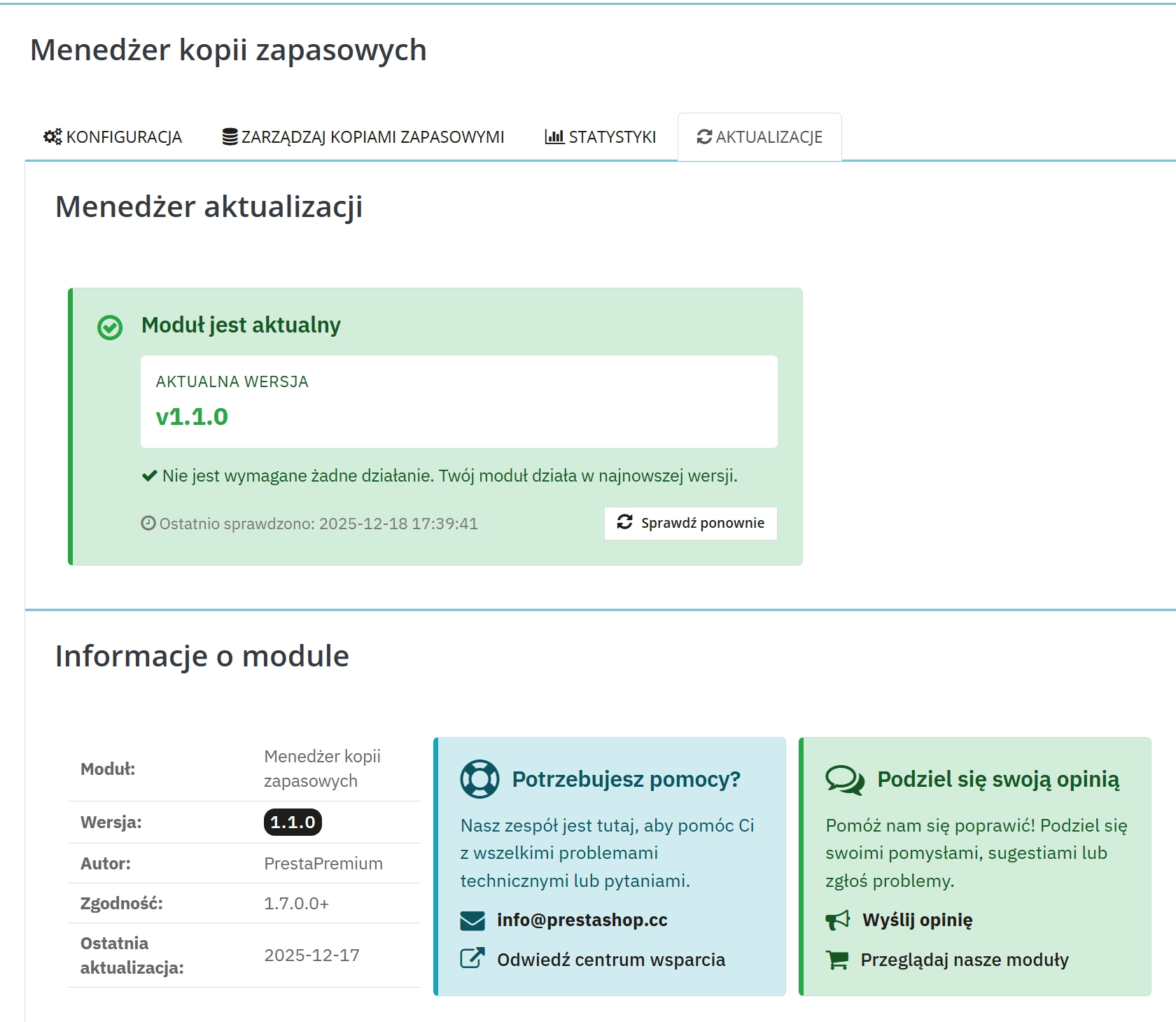
    - **Email Download Links**: Added secure download links in backup notification emails with token-based authentication and 24-hour expiration.
    - **Email Link Configuration**: Added configuration option to enable/disable download links in email notifications for enhanced privacy control.
    - **English Email Templates**: Added complete English email templates (`mails/en/`) for international support.
    - **Professional Warning Alert**: Added configurable professional warning alert in admin configuration about backup verification best practices.
    - **Chunked Backup Process**: Implemented chunked backup processing for large databases to prevent timeouts and improve reliability.
    - **Enhanced Statistics**: Added comprehensive backup statistics including success rates, file sizes, and performance metrics.
    - **Advanced Logging**: Implemented detailed logging system with error tracking and security event monitoring.
    - **Backup Archive Management**: Added automatic cleanup of old backups with configurable retention limits.
    - **Cron Job Security**: Enhanced cron job security with token validation and access logging.
    
    ### Changed
    
    - **Email Notification System**: Unified email sending for both manual and automatic backups with consistent templates.
    - **Backup Process Optimization**: Improved backup creation process with better memory management and error handling.
    - **Admin Interface**: Enhanced admin panel with better user experience and responsive design.
    - **Configuration Structure**: Restructured configuration options for better organization and user experience.
    
    ### Fixed
    
    - **Manual Backup Emails**: Fixed missing email notifications for manually triggered backups.
    - **Template Selection Logic**: Fixed email template selection based on download link configuration.
    - **Security Improvements**: Enhanced file path validation and access control for backup downloads.
    - **Error Handling**: Improved error handling throughout the backup process with better user feedback.
    
    ### Security
    
    - **Download Token System**: Implemented secure token-based download system with expiration.
    - **File Access Validation**: Added comprehensive validation for backup file access and downloads.
    - **Directory Protection**: Enhanced .htaccess protection for backup directories.
    
    ## [1.0.0] - 2025-11-15
    
    ### Added
    
    - **Core Backup Functionality**: Basic database backup creation for PrestaShop stores.
    - **Manual Backup Mode**: On-demand backup creation from admin panel.
    - **Automatic Backup Scheduling**: Cron-based automatic backups with daily/weekly/monthly options.
    - **Backup Format Support**: SQL and ZIP compression formats.
    - **Backup Management**: List, download, and delete backup files with bulk operations.
    - **Email Notifications**: Basic email notifications for backup completion and errors.
    - **Admin Configuration Panel**: Complete admin interface for module settings.
    - **Statistics Dashboard**: Basic backup statistics and history tracking.
    - **Security Features**: Token-based cron access and directory protection.
    - **PrestaShop Integration**: Full integration with PrestaShop 1.7+ and 8.x admin panel.
    - **Multi-language Support**: Polish language support with extensible translation system.
    
    ### Changed
    
    - Initial module architecture and file structure.
    
    ### Fixed
    
    - Core module installation and configuration setup.
    - Basic backup creation and file management.
    - Admin panel integration and user interface.

    Do you need additional features or custom solutions?

    • Module customisation tailored to your specific requirements.
    • Extending functionality to enhance your store's capabilities.
    • Developing bespoke modules designed to meet your unique needs.
    • Integrating external systems and additional tools.
    • Optimisation and improvements for better performance and user experience.

    Do you have ideas on how to improve this software? Share your suggestions for optimisation, new features, or bug reports – we’ll be happy to review them!

    Comments

    Comments (0)
    No customer reviews for the moment.

    FAQs

    • 1. What payment methods do you accept?

      We accept payments by credit/debit card, bank transfer and online payment systems such as Przelewy24, PayPal. Details can be found on the payment page.

    • 2. Can I test the module before purchasing?

      We do not provide modules for testing on individual PrestaShop instances. If a given module has a demo version, it is available on our test store, where you can familiarize yourself with its functionality. On the product page you will also find a detailed description, screenshots and instructional materials. In case of questions, please contact us - we will be happy to provide additional information.

    • 3. Are the modules compatible with my version of PrestaShop?

      Each module in our store contains information about compatibility with specific PrestaShop versions. Please check this information carefully before purchasing. If you are not sure, contact us.

    • 4. How can I download a purchased module?

      After you pay for your order and the payment is posted, the link to download the module will appear in your account in the "Order History and Details" tab ("Details" button). Additionally, we will send you an email with a download link.

    • 5. Can I get help installing a module or template?

      Yes, we offer installation and setup service as an additional option. You can add it to your cart when purchasing the product or order it separately.

    • 6. Are the modules compliant with GDPR regulations?

      We design our modules with GDPR compliance in mind. If a module processes personal data, you will find detailed information on compliance with the regulations in its description. We make every effort to ensure that our solutions meet current data protection standards.

    • 7. Can I have my store audited before purchasing a module?

      Yes, we offer a store audit service to help you choose the right modules and identify areas for improvement. Contact us for more information.

    • 8. Can I get a discount as a regular customer?

      Yes, for our regular customers we offer a loyalty program with attractive discounts. Check the details in your customer panel. If you do not see such an option, contact us - we will be happy to help!

    • 9. What should I do if the product does not meet my expectations?

      If the product does not meet your expectations, please contact our customer service department. Any returns are considered individually, in accordance with our regulations.

    • 10. Can I modify a purchased module or template?

      Yes, you can modify purchased products for your own needs, but you cannot resell them or share them with third parties. Details can be found in the license terms and conditions.

    • 11. Can I use the purchased module in multiple stores?

      Purchased modules are licensed for a single store. The exception is the use of the multi-shop feature within a single PrestaShop installation. In this case, you can use the module on multiple stores, even with different domains, provided that:

      • all stores run on the same PrestaShop installation,
      • the module is compatible with the multi-shop feature.
    • 12. How can I check if a module will work with my other installed modules?

      Our modules are designed to be as compatible as possible with other popular PrestaShop extensions. If you have any doubts, contact us and send us a list of your modules - we will help verify it.

    • 13. Are the modules translated into different languages?

      Most of our modules are available in several languages, including Polish and English. Information about available languages ​​can be found in the module description.

    • 14. How long does it take to process an order?

      The order is fulfilled automatically after the payment is posted. The product can then be downloaded immediately after the order has been paid for.

    • 15. What to do if module installation ends with an error?

      Check if your PrestaShop version is compatible with the module and if you have the right permissions for installation. If the problem persists, contact our technical support - we will help you solve the problem.

    • 16. Can I order a module that is not available in your offer?

      Yes, we do custom module creation. Contact us for details and pricing.

    • 17. How can I extend technical support or access to updates?
      • Extension of support and updates:

        • If the option to extend support and updates is available, you can order it directly from our store.
        • Simply add the appropriate option to your cart and complete the purchase.
      • No available extension option:

        • If support and update extensions are not offered, purchasing the module again will be required.
    • 18. How long can I use the module after purchase?

      Purchased products are available for use without time limits. However, access to updates and technical support is usually limited to 6 or 12 months from the date of purchase, depending on the product. (details on updates/support are always included on the respective product card)

    • 19. Do you offer technical support for products?

      Yes, we provide technical support within the support period assigned to a given product. You can contact us via the contact form or e-mail.

    • 20. Can I update the module to a newer version?

      Yes, you can download new versions of the product for free during the support and update period. After that time, you can renew your update subscription.

    • 21. Can I ask you to adapt the module to my needs?

      Yes, we offer a module personalization service. Describe your needs and we will prepare an individual quote.

    • 22. What should I do if I have problems downloading the module?

      If you have trouble downloading the module, please make sure your payment has been processed. If you still have trouble, please contact us and we will manually provide you with the module.

    • 23. Do you offer help with store optimization after installing the modules?

      Yes, we can help you optimize your store so that your modules run at full efficiency. Ask about our technical support service.

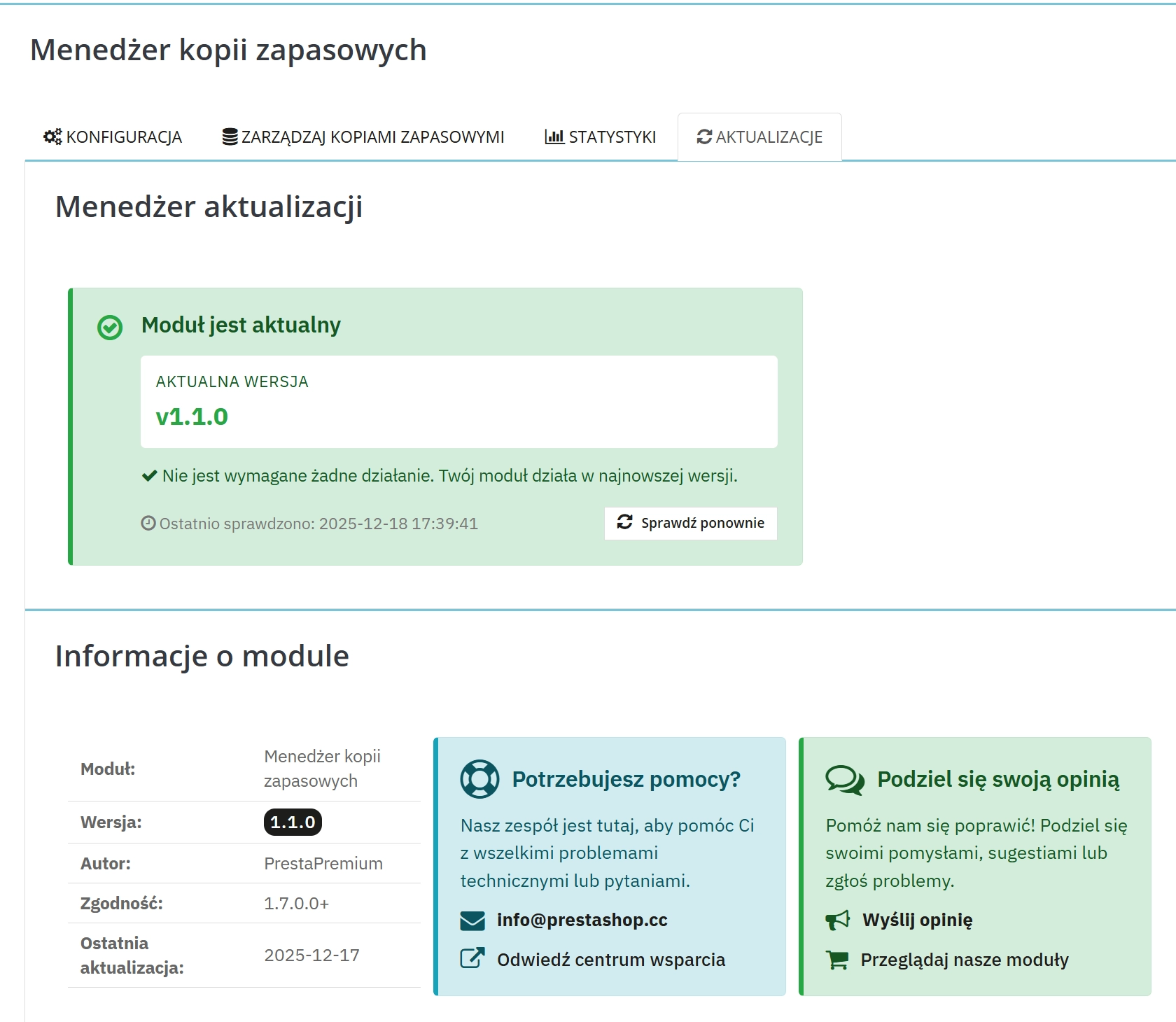
    • 24. What does the module update process look like?

      If the module requires an update, you can download the latest version from your client panel. We recommend backing up your store before updating.

    • 25. Can I change the domain on which the module runs?

      Yes, if you want to transfer the module to another domain, please contact us to discuss the details and conditions of the license transfer.

    • 26. What should I do if my store stops working after installing the module?

      If your store encounters problems after installing the module, please contact our technical support immediately. We will help diagnose and resolve the issue.

    • 27. Can I ask for advice in choosing a module?

      Of course! Contact us and we will advise you which module best suits your needs.