GPSR — Compliance Module for PrestaShop
GPSR Module for PrestaShop enables quick and compliant management of information required by the GPSR regulation. Automate obligations and increase your shop's security.
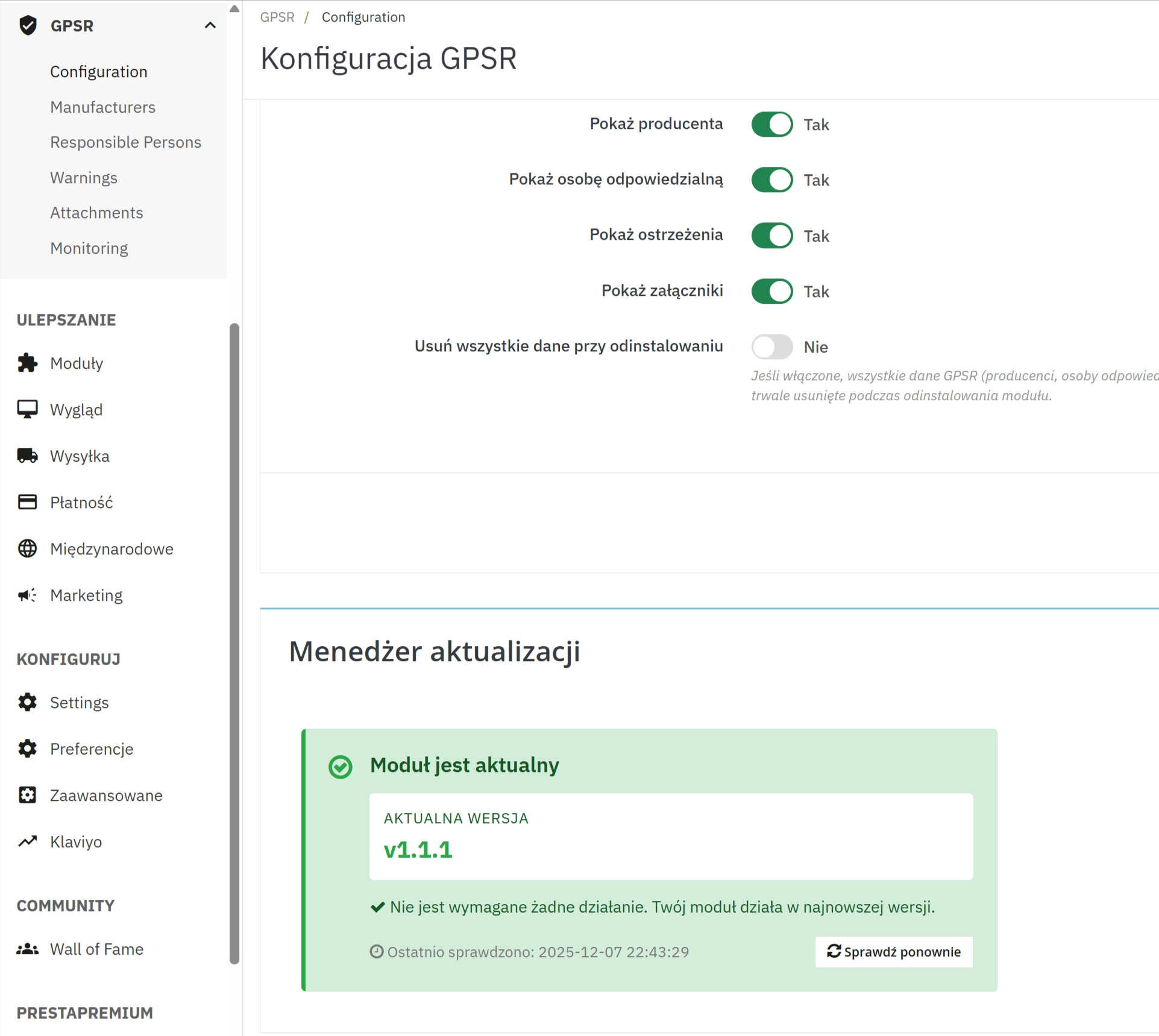
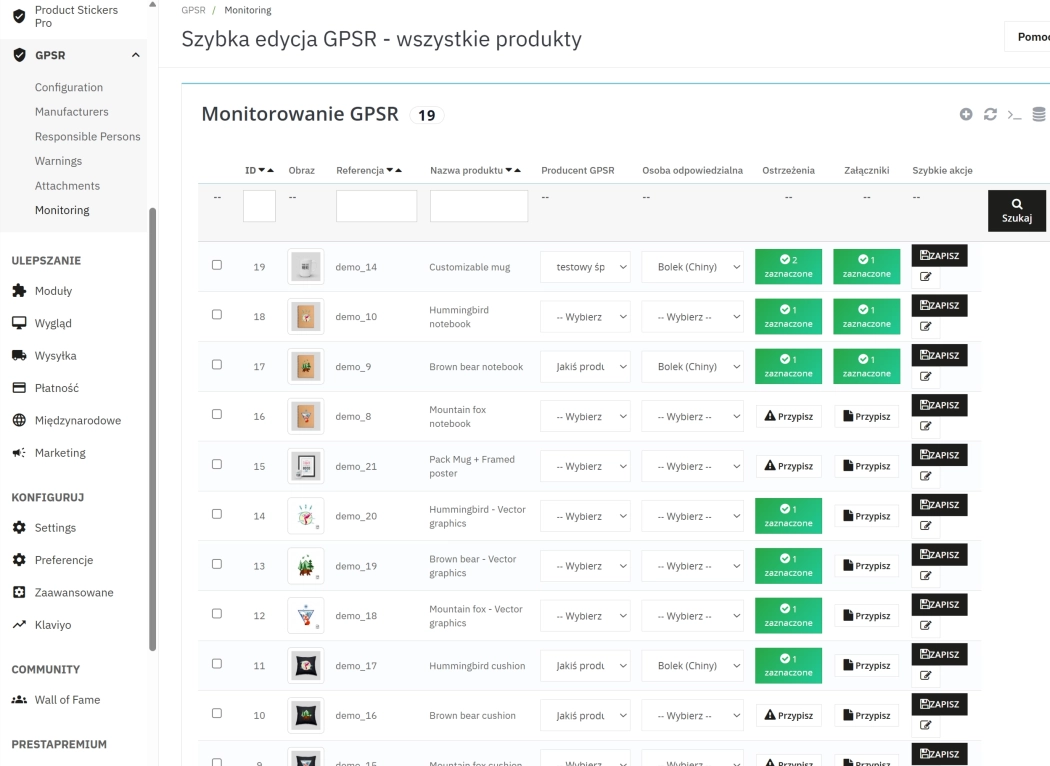
Information Parameters:
- 1.7.x, 8.x
- PL, EN
- Yes
- 1.1.2
What do you get?
This module for PrestaShop is designed for shop owners and administrators who need to ensure product compliance with safety requirements and efficiently manage product documentation. In practice, you get a tool for centralising manufacturer and responsible person data , creating and publishing warnings, and securely storing attachments related to the product.
Main benefits for merchants and administrators
- Faster operational processes — bulk assignment of data and an easy interface speed up offer preparation and assortment management.
- Reduction of formal risk — all necessary information and documents are available and organised, making audit preparation easier.
- Better customer communication — clear warnings and access to documents increase buyer trust.
- File security — validation of types and sizes, unique file names, and controlled download links.
Features — details that matter:
Full manufacturer data (address, country, contact, logo) stored in a dedicated table and available for quick assignment to products.
Managing responsible entities with the ability to assign to single or multiple products.
Creating warning content (title + content) in multiple languages, activation, and quick assignment to the product.
Support for PDF, JPG, and PNG files; MIME and size verification (default up to 5 MB), generating unique names, and secure storage in the module directory.
The product editing panel contains an additional tab with selection of manufacturer, responsible person, warnings, and attachments — saving occurs during product update.
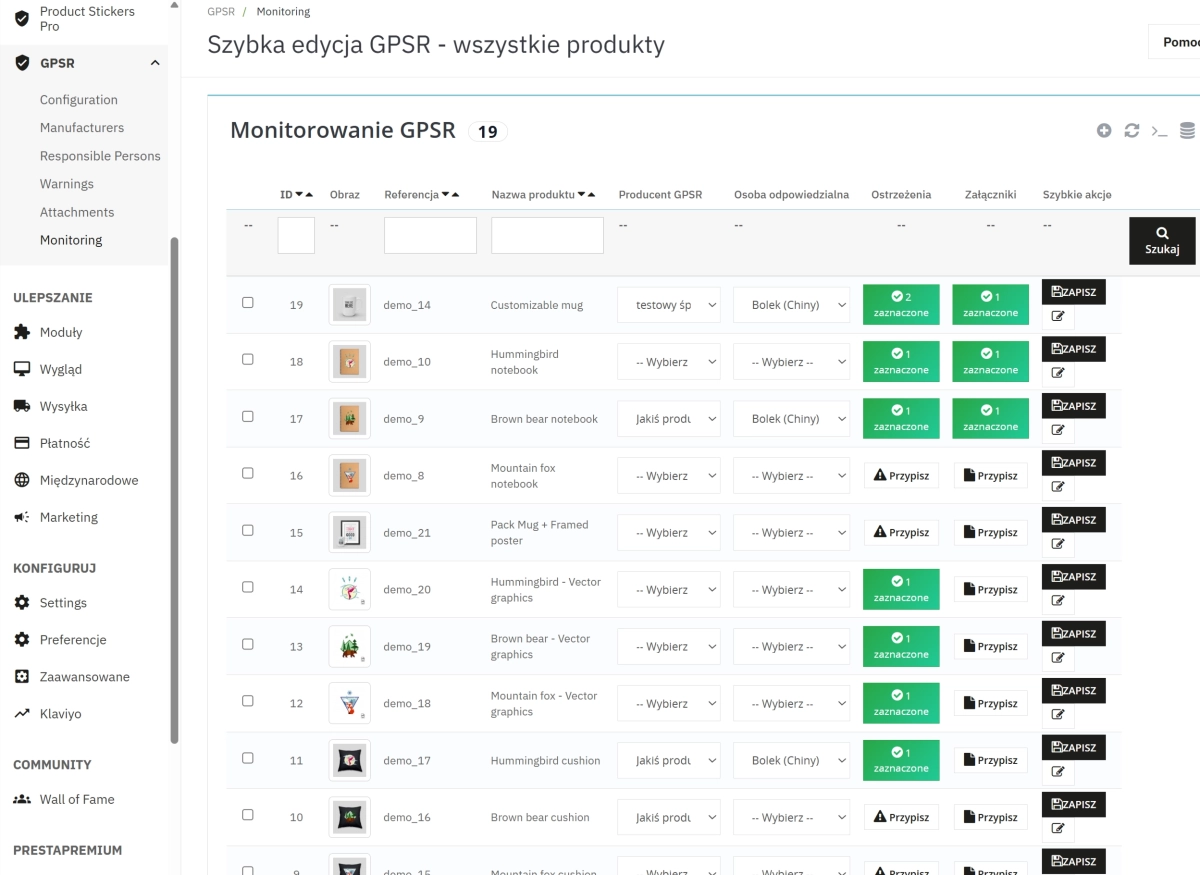
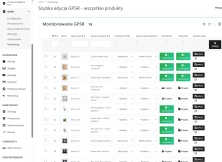
Bulk assignment of data to selected products and reports/lists of products without assignments, facilitating prioritisation of administrative work.
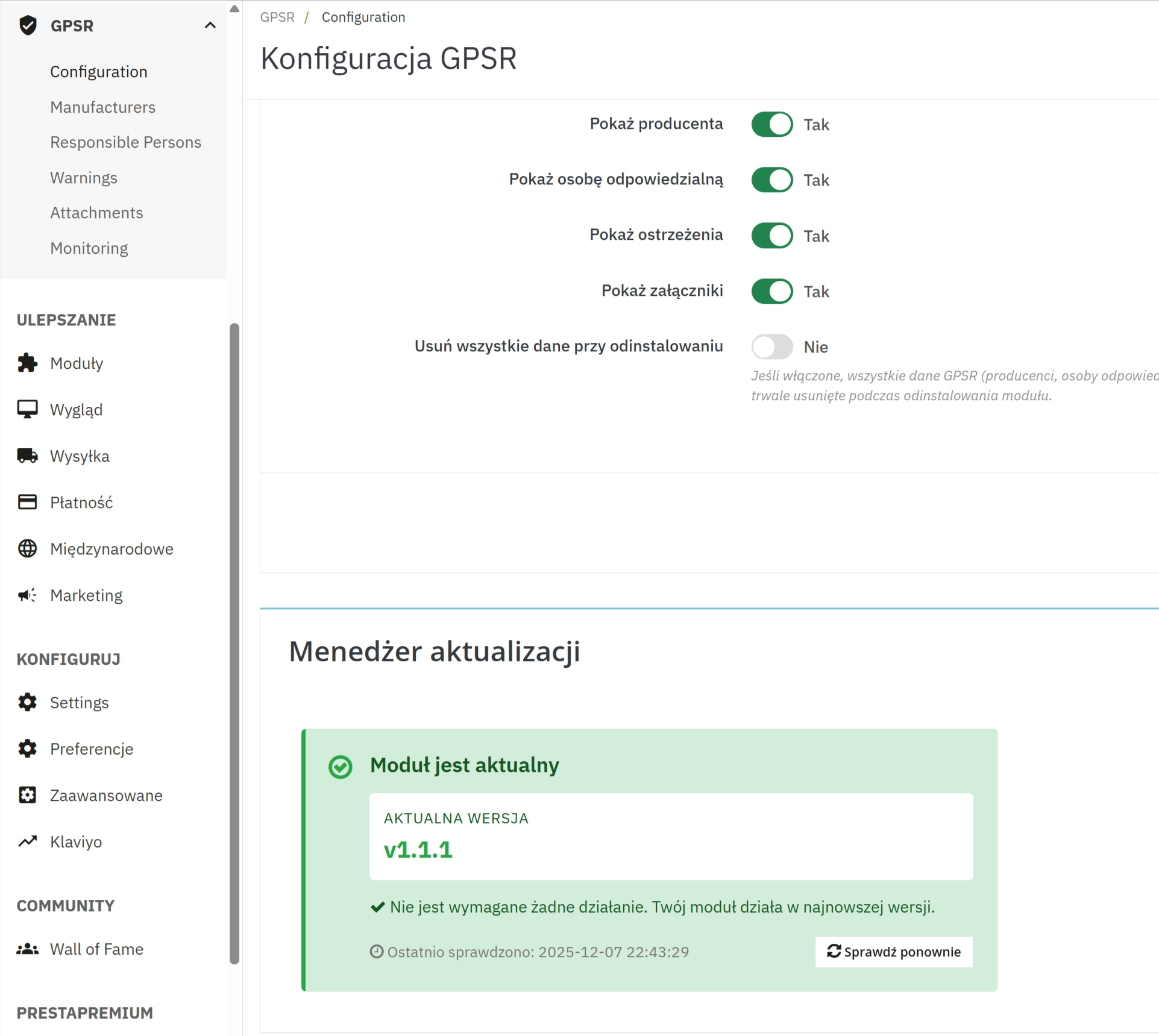
Built-in component checking for newer module versions and informing the administrator about updates — important for security and compliance.
Legal compliance and practical application
The module helps in fulfilling informational obligations regarding product safety. However, it is not a substitute for legal advice — the software's task is to facilitate the collection, storage, and presentation of documents (safety data sheets, instructions, declarations of conformity) and generating materials helpful during audits.
Official guidelines and requirements are published by the UOKiK. Implementation of the compliance process in the shop should be based on legal analysis; the module significantly speeds up the operational part of this process.
How it works — step by step
- In the module panel, you add manufacturers and responsible persons, and create necessary warnings and attachments.
- You assign elements to products directly in the product card or use bulk assignment functions.
- The module saves relationships in dedicated tables and makes data available on the front-end if such an option is enabled.
- The administrator monitors products without assignments and performs corrective actions (bulk assign) in the management panel.
- The updater informs about available module updates; regular updates help maintain functionality and security.
Technical integration — key information
- Compatibility: PrestaShop 1.7 and newer.
- DB Tables: the module creates its own tables for manufacturers, responsible persons, warnings, and attachments, as well as product relationships.
- Hooks: integrates with main hooks (back office and front): incl.
displayAdminProductsExtra,actionProductUpdate,actionProductDelete,displayProductExtraContent. - Upload: supports PDF/JPG/PNG, default limit 5 MB; files are validated and saved with unique names.
- Security: MIME validation, size control, possibility to configure data deletion upon module uninstallation.
Frequently Asked Questions (FAQ)
- Does the module ensure legal compliance?
- The module helps in managing and presenting data needed for compliance, but does not replace legal consultation. We recommend collaborating with a lawyer on matters requiring legal interpretation.
- What files can I attach?
- By default PDF, JPG, PNG; file size limited to 5 MB (changeable in code/server modules).
- Can I assign one manufacturer to multiple products?
- Yes — the module supports single and bulk assignments.
- What happens upon uninstallation?
- There is an option to delete module data upon uninstallation; it can be enabled or disabled in the configuration.
Call to Action
If you care about organising the compliance process and reducing manual work, implementing this solution will allow you to quickly organise product documentation and improve communication with customers. I can prepare an English version of the description and shortened SEO meta tags — do you want me to do it right away?
## [1.1.1] - 2025-12-06
### Added
- Updater component: automatic check for newer module versions and admin notifications.
- Improved bulk assign behaviour: append/merge options and better handling of merged IDs.
- Monitoring lists in admin: quick view of products without assigned manufacturer/responsible person.
- Helper utilities for file icons and human-readable file sizes.

### Changed
- Improved upload validation (MIME/type checks) and unified unique filename generation for attachments.
- Refactored product data retrieval to include logo URL and language-aware warning/attachment fetching.
- Frontend integration: use of ProductExtraContent for cleaner product page embedding and configurable display options.

### Fixed
- Ensure product-related GPSR data is removed on product deletion (hook `<code>`actionProductDelete`</code>`).
- Fixed edge cases in DB queries (slave/master contexts) and SQL ordering.
- Prevent duplicate admin JS/CSS includes and fix inline country autocomplete variable registration.

## [1.1.0] - 2025-11-23
### Added
- Bulk assign operations for manufacturers, responsible persons, warnings and attachments.
- Admin monitoring tab to identify products missing GPSR data.
- Multilingual warnings and attachment metadata (name/description per language).
- Attachment upload flow (PDF, JPG, PNG) with helper functions and upload directory handling.
- Admin tabs: Configuration, Manufacturers, Responsible Persons, Warnings, Attachments, Monitoring.

### Changed
- Database schema improvements and new relational tables for product associations.
- Settings added to control frontend display and deletion behaviour on uninstall.

### Fixed
- Multiple small fixes related to admin forms, HelperForm prepopulation and saving configuration values.

## [1.0.0] - 2025-05-14
### Added
- Initial release: core GPSR features for PrestaShop.
- Data models and DB tables for manufacturers, responsible persons, warnings and attachments.
- Product assignment helpers and back-office integration (product tab, admin screens).
- Frontend display support (configurable) and basic attachment download controller.
Do you need additional features or custom solutions?
- Module customisation tailored to your specific requirements.
- Extending functionality to enhance your store's capabilities.
- Developing bespoke modules designed to meet your unique needs.
- Integrating external systems and additional tools.
- Optimisation and improvements for better performance and user experience.
Do you have ideas on how to improve this software? Share your suggestions for optimisation, new features, or bug reports – we’ll be happy to review them!
Comments
FAQs
-
1.
What payment methods do you accept?
We accept payments by credit/debit card, bank transfer and online payment systems such as Przelewy24, PayPal. Details can be found on the payment page.
-
2.
Can I test the module before purchasing?
We do not provide modules for testing on individual PrestaShop instances. If a given module has a demo version, it is available on our test store, where you can familiarize yourself with its functionality. On the product page you will also find a detailed description, screenshots and instructional materials. In case of questions, please contact us - we will be happy to provide additional information.
-
3.
Are the modules compatible with my version of PrestaShop?
Each module in our store contains information about compatibility with specific PrestaShop versions. Please check this information carefully before purchasing. If you are not sure, contact us.
-
4.
How can I download a purchased module?
After you pay for your order and the payment is posted, the link to download the module will appear in your account in the "Order History and Details" tab ("Details" button). Additionally, we will send you an email with a download link.
-
5.
Can I get help installing a module or template?
Yes, we offer installation and setup service as an additional option. You can add it to your cart when purchasing the product or order it separately.
-
6.
Are the modules compliant with GDPR regulations?
We design our modules with GDPR compliance in mind. If a module processes personal data, you will find detailed information on compliance with the regulations in its description. We make every effort to ensure that our solutions meet current data protection standards.
-
7.
Can I have my store audited before purchasing a module?
Yes, we offer a store audit service to help you choose the right modules and identify areas for improvement. Contact us for more information.
-
8.
Can I get a discount as a regular customer?
Yes, for our regular customers we offer a loyalty program with attractive discounts. Check the details in your customer panel. If you do not see such an option, contact us - we will be happy to help!
-
9.
What should I do if the product does not meet my expectations?
If the product does not meet your expectations, please contact our customer service department. Any returns are considered individually, in accordance with our regulations.
-
10.
Can I modify a purchased module or template?
Yes, you can modify purchased products for your own needs, but you cannot resell them or share them with third parties. Details can be found in the license terms and conditions.
-
11.
Can I use the purchased module in multiple stores?
Purchased modules are licensed for a single store. The exception is the use of the multi-shop feature within a single PrestaShop installation. In this case, you can use the module on multiple stores, even with different domains, provided that:
- all stores run on the same PrestaShop installation,
- the module is compatible with the multi-shop feature.
-
12.
How can I check if a module will work with my other installed modules?
Our modules are designed to be as compatible as possible with other popular PrestaShop extensions. If you have any doubts, contact us and send us a list of your modules - we will help verify it.
-
13.
Are the modules translated into different languages?
Most of our modules are available in several languages, including Polish and English. Information about available languages can be found in the module description.
-
14.
How long does it take to process an order?
The order is fulfilled automatically after the payment is posted. The product can then be downloaded immediately after the order has been paid for.
-
15.
What to do if module installation ends with an error?
Check if your PrestaShop version is compatible with the module and if you have the right permissions for installation. If the problem persists, contact our technical support - we will help you solve the problem.
-
16.
Can I order a module that is not available in your offer?
Yes, we do custom module creation. Contact us for details and pricing.
-
17.
How can I extend technical support or access to updates?
-
Extension of support and updates:
- If the option to extend support and updates is available, you can order it directly from our store.
- Simply add the appropriate option to your cart and complete the purchase.
-
No available extension option:
- If support and update extensions are not offered, purchasing the module again will be required.
-
-
18.
How long can I use the module after purchase?
Purchased products are available for use without time limits. However, access to updates and technical support is usually limited to 6 or 12 months from the date of purchase, depending on the product. (details on updates/support are always included on the respective product card)
-
19.
Do you offer technical support for products?
Yes, we provide technical support within the support period assigned to a given product. You can contact us via the contact form or e-mail.
-
20.
Can I update the module to a newer version?
Yes, you can download new versions of the product for free during the support and update period. After that time, you can renew your update subscription.
-
21.
Can I ask you to adapt the module to my needs?
Yes, we offer a module personalization service. Describe your needs and we will prepare an individual quote.
-
22.
What should I do if I have problems downloading the module?
If you have trouble downloading the module, please make sure your payment has been processed. If you still have trouble, please contact us and we will manually provide you with the module.
-
23.
Do you offer help with store optimization after installing the modules?
Yes, we can help you optimize your store so that your modules run at full efficiency. Ask about our technical support service.
-
24.
What does the module update process look like?
If the module requires an update, you can download the latest version from your client panel. We recommend backing up your store before updating.
-
25.
Can I change the domain on which the module runs?
Yes, if you want to transfer the module to another domain, please contact us to discuss the details and conditions of the license transfer.
-
26.
What should I do if my store stops working after installing the module?
If your store encounters problems after installing the module, please contact our technical support immediately. We will help diagnose and resolve the issue.
-
27.
Can I ask for advice in choosing a module?
Of course! Contact us and we will advise you which module best suits your needs.